
antoniorodr/memo has 370 GitHub stars and 41 forks. GitHot measured 0 stars in 24 hours. Last checked 2026-11-18 14:51 UTC. Last push 2026-11-16.
What you can do
- View notes and reminders directly from the terminal
- Read note content as clean Markdown
- Add and edit notes without leaving your editor
- Move notes between folders and browse subfolders
Measured star growth
- in 24h
- 0
- in 7 days
- Collecting history
- in 15 days
- Collecting history
- in 1 month
- Collecting history
Net star changes over overlapping periods, not daily totals. Missing measurements are left blank. Stars measure attention, not software quality.
About
Memo is a simple command-line interface (CLI) tool for managing your Apple Notes and Apple Reminders. It’s written in Python and aims to offer a fast, keyboard-driven way to create, search, and organize notes and reminders straight from your terminal.
Developer ToolsREADME.md
Originalmemo
[!caution] Status: Under development
ℹ️ About
Memo is a Python CLI for managing Apple Notes and Apple Reminders from the terminal. It is built for a keyboard-driven workflow, so you can browse, read, edit, move, export, and complete items without leaving your shell.
Memo is also used by OpenClaw.
Full documentation is available at antoniorodr.github.io/memo.
🎬 Demo
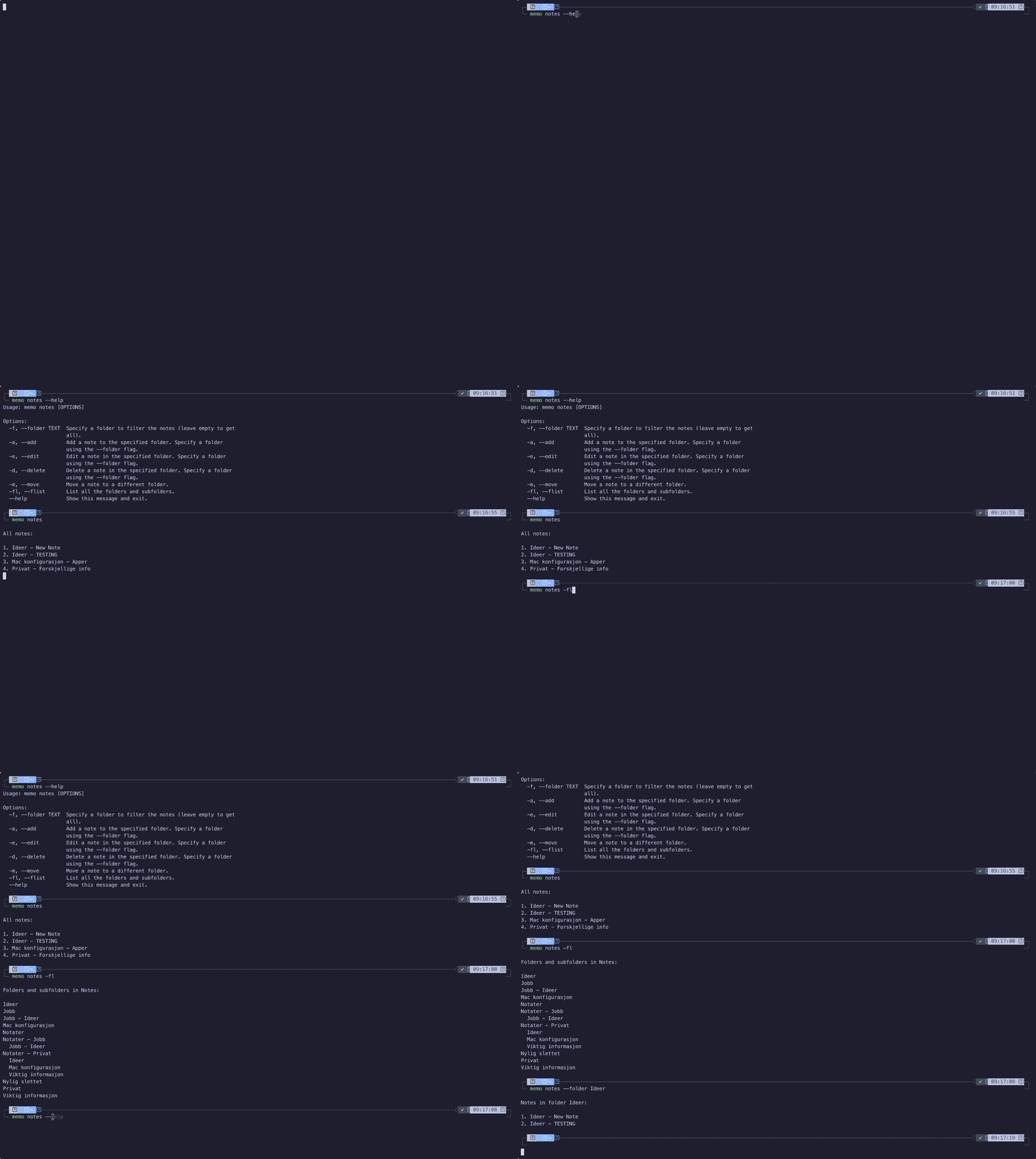
✨ Features
- View notes and reminders directly from the terminal
- Read note content as clean Markdown
- Add and edit notes without leaving your editor
- Move notes between folders and browse subfolders
- Search notes with fuzzy matching
- Mark reminders as completed from the CLI
- Export notes to HTML and convert them to Markdown
🛠️ Technologies
The project is built with:
📋 Requirements
Before starting, make sure the required tools and dependencies are installed on your machine:
python3.13 --version
echo $EDITOR
Memo depends on Apple Notes, Apple Reminders, and AppleScript, so it is intended for macOS. For manual and uv installs, Python 3.13 or newer is required.
If you want to add or edit notes from the CLI, set $EDITOR to your preferred terminal editor.
📦 Installation
Manual installation
git clone https://github.com/antoniorodr/memo
cd memo
pip install .
Homebrew installation
brew tap antoniorodr/memo
brew install antoniorodr/memo/memo
Installation with uv
uv tool install git+https://github.com/antoniorodr/memo
🚀 Getting Started
Once installed, set your editor and inspect the available commands:
export EDITOR="vim"
memo --help
memo notes --help
memo rem --help
Use memo notes to work with Apple Notes and memo rem to manage Apple Reminders from the terminal.
[!NOTE] When editing notes with images, Memo preserves them by inserting
[MEMO_IMG_N]placeholders into the text shown in your editor. Keep a placeholder to preserve the corresponding image, or remove it to delete that image.
[!IMPORTANT] Because of AppleScript limitations, preserved images are appended to the end of the note after editing, even if their placeholders appear elsewhere in the text.
For full usage details and examples, see the documentation site.
❤️ Do you like my work?
If you find the project useful, you can support the author here:
