
ankane/searchjoy
ankane/searchjoy has 665 GitHub stars and 51 forks. GitHot measured 0 stars in 24 hours. Last checked 2026-11-15 22:58 UTC. Last push 2026-04-08.
Measured star growth
- in 24h
- 0
- in 7 days
- Collecting history
- in 15 days
- Collecting history
- in 1 month
- Collecting history
Net star changes over overlapping periods, not daily totals. Missing measurements are left blank. Stars measure attention, not software quality.
About
Search analytics made easy
DataREADME.md
OriginalSearchjoy
Search analytics made easy
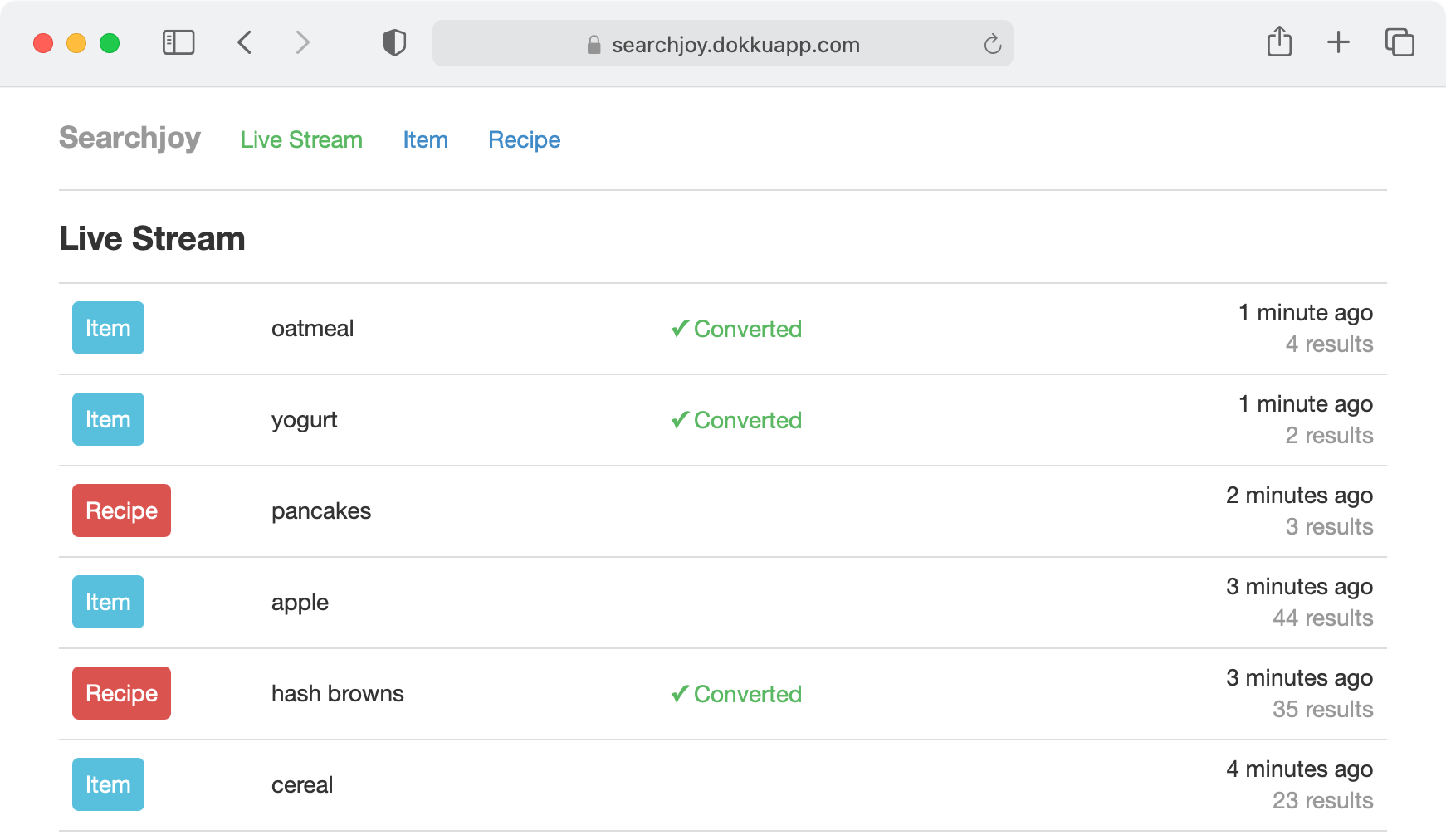
- view searches in real-time
- track conversion rate week over week
- monitor the performance of top searches
Works with any search platform, including Elasticsearch, OpenSearch, Sphinx, and Solr
:cupid: An amazing companion to Searchkick

Installation
Add this line to your application’s Gemfile:
gem "searchjoy"
And run the generator. This creates a migration to store searches.
rails generate searchjoy:install
rails db:migrate
Next, add the dashboard to your config/routes.rb.
mount Searchjoy::Engine, at: "searchjoy"
Be sure to protect the endpoint in production - see the Authentication section for ways to do this.
Track Searches
Track searches by creating a record in the database.
Searchjoy::Search.create(
  search_type: "Item", # typically the model name
  query: "apple",
  results_count: 12,
  user_id: 1
)
With Searchkick, you can use the track option to do this automatically.
Item.search("apple", track: {user_id: 1})
If you want to track more attributes, add them to the searchjoy_searches table.
add_column :searchjoy_searches, :source, :string
Then, pass the values to the track option.
Item.search("apple", track: {user_id: 1, source: "web"})
Track Conversions
First, choose a conversion metric. At Instacart, an item added to the cart from the search results page counts as a conversion.
Next, when a user searches, keep track of the search id. With Searchkick, you can get the id with:
results = Item.search("apple", track: true)
results.search.id
When a user converts, find the record and call convert.
search = Searchjoy::Search.find(params[:id])
search.convert
Better yet, record the model that converted.
search.convert(item)
Authentication
Don’t forget to protect the dashboard in production.
Devise
In your config/routes.rb:
authenticate :user, ->(user) { user.admin? } do
  mount Searchjoy::Engine, at: "searchjoy"
end
Basic Authentication
Set the following variables in your environment or an initializer.
ENV["SEARCHJOY_USERNAME"] = "andrew"
ENV["SEARCHJOY_PASSWORD"] = "secret"
Data Retention
Data should only be retained for as long as it’s needed. Delete older data with:
Searchjoy::Search.where("created_at < ?", 1.year.ago).find_in_batches do |searches|
  search_ids = searches.map(&:id)
  Searchjoy::Conversion.where(search_id: search_ids).delete_all
  Searchjoy::Search.where(id: search_ids).delete_all
end
You can use Rollup to aggregate important data before you do.
Searchjoy::Search.rollup("Searches")
Delete data for a specific user with:
user_id = 123
search_ids = Searchjoy::Search.where(user_id: user_id).pluck(:id)
Searchjoy::Conversion.where(search_id: search_ids).delete_all
Searchjoy::Search.where(id: search_ids).delete_all
Customize
To customize, create an initializer config/initializers/searchjoy.rb.
Change the time zone
Searchjoy.time_zone = "Pacific Time (US & Canada)" # defaults to Time.zone
Change the number of top searches shown
Searchjoy.top_searches = 500 # defaults to 100
Link to the search results
Searchjoy.query_url = ->(search) { Rails.application.routes.url_helpers.items_path(q: search.query) }
Add additional info to the query in the live stream
Searchjoy.query_name = ->(search) { "#{search.query} #{search.city}" }
Show the conversion name in the live stream
Searchjoy.conversion_name = ->(model) { model.name }
History
View the changelog
Contributing
Everyone is encouraged to help improve this project. Here are a few ways you can help:
- Report bugs
- Fix bugs and submit pull requests
- Write, clarify, or fix documentation
- Suggest or add new feature
To get started with development and testing:
git clone https://github.com/ankane/searchjoy.git
cd searchjoy
bundle install
bundle exec rake test