
alibaba/lumenx
alibaba/lumenx has 1,455 GitHub stars and 330 forks. GitHot measured +4 stars in 24 hours. Last checked 2026-11-06 08:14 UTC. Last push 2026-10-29.
LumenX Studio,AI 短漫剧一站式生产平台。它能够将小说文本转化为动态视频,打通了从剧本分析、角色定制、分镜绘制到视频合成的完整创作链路。
Measured star growth
- in 24h
- +4
- in 7 days
- Update delayed
- in 15 days
- Update delayed
- in 1 month
- Update delayed
Net star changes over overlapping periods, not daily totals. Missing measurements are left blank. Stars measure attention, not software quality.
README_EN.md
Original
LumenX
AI-Native Motion Comic & Video Creation Platform
Render Noise into Narrative


English · 中文 · Changelog · Contributing
LumenX is an AI-native motion comic & video creation platform. It transforms creative text into publishable dynamic videos, providing a complete workflow from script analysis to final export, while also supporting standalone image/video generation.
LumenX currently includes two core modules:
| Module | Purpose |
|---|---|
| LumenX Studio | Pipeline-first comic/video production (Script → Storyboard → Assets → Video → Export) |
| LumenX Playground | Standalone image/video generation workbench (no project context required) |
✨ Core Capabilities
🎬 Studio — Full Pipeline Production
|
🎨 Playground — Standalone Generation Workbench
|
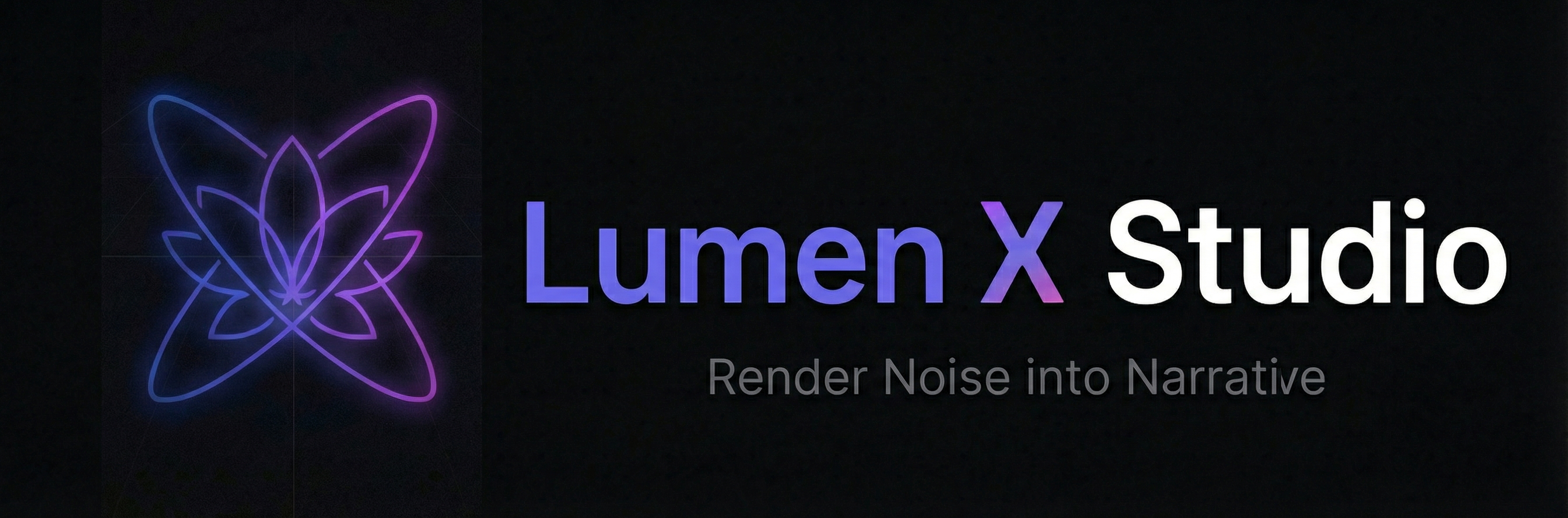
🎨 v1.2.1 Visual Identity Refresh
| Before | After |
|---|---|
 |
|
| Neon gradient lotus · Soft curves | Cyber Brutalism · Angular geometry · Circuit textures |
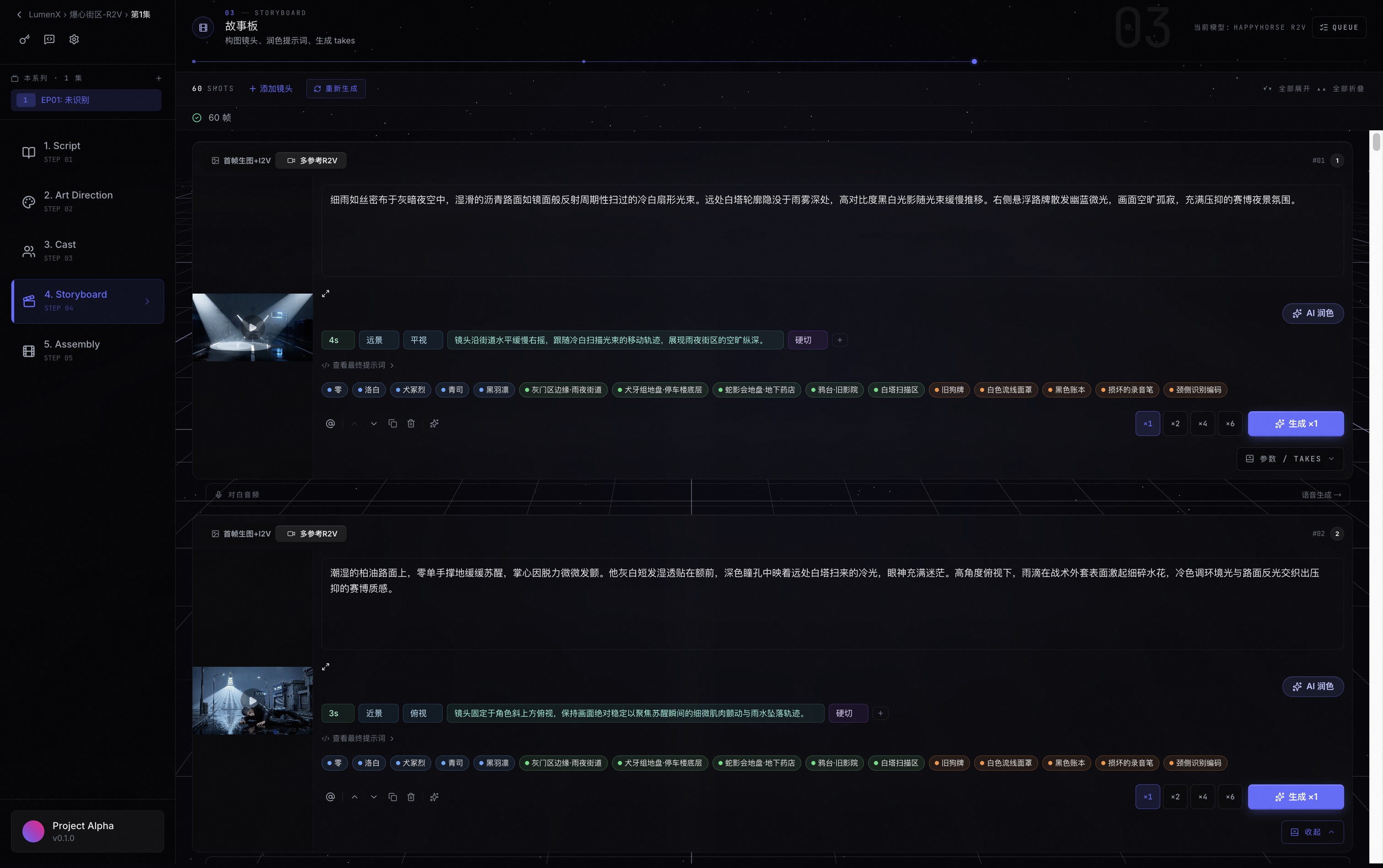
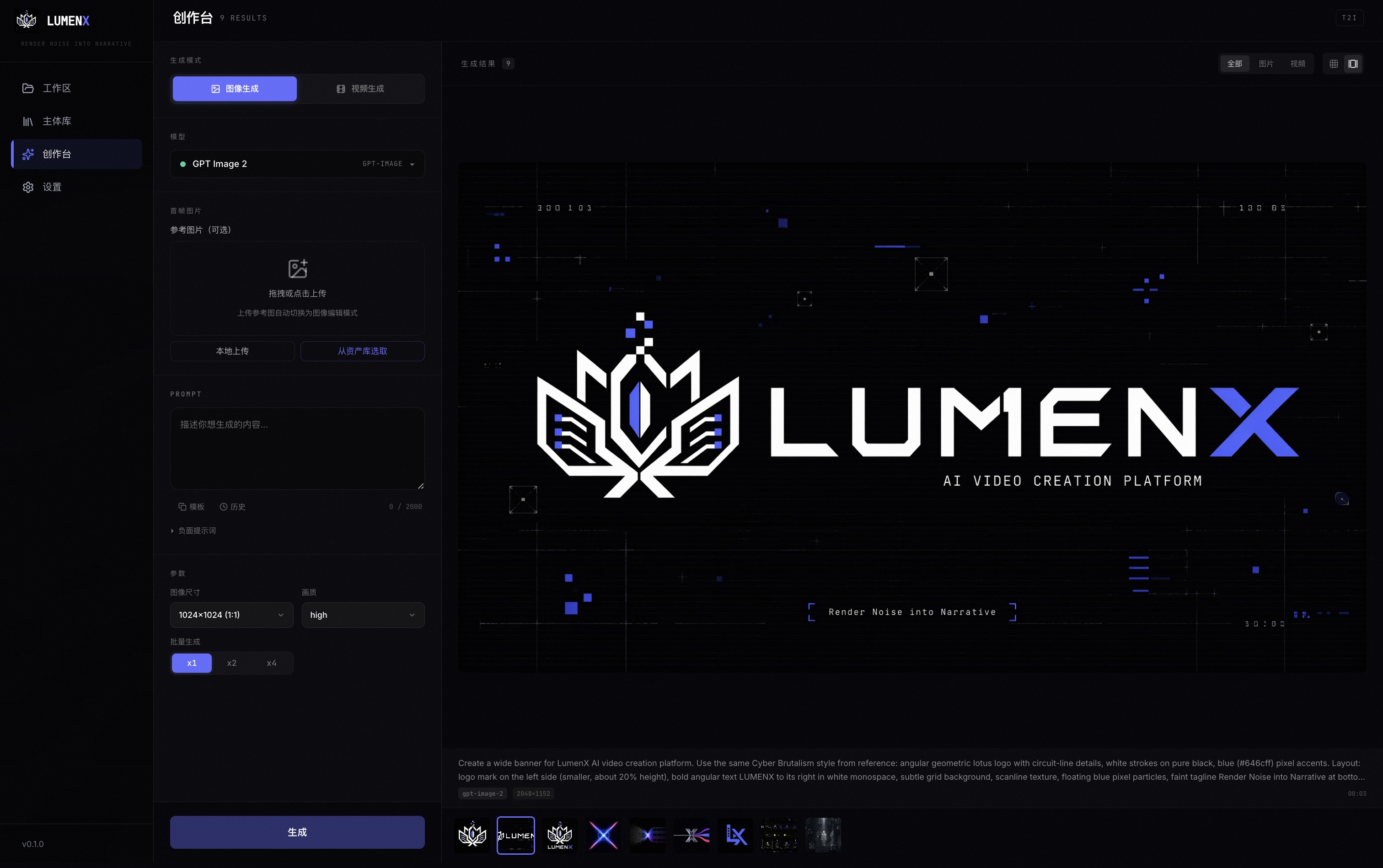
📸 Screenshots
| Studio Storyboard | Playground |
|---|---|
 |
 |
🎯 Supported AI Models
| Provider | Models | Capabilities |
|---|---|---|
| DashScope | Wan 2.7 Image/Video, Qwen Image 2.0, HappyHorse 1.0 | T2I, I2I, I2V, R2V, T2V, V2V |
| DashScope | Kling V3 | I2V, R2V |
| DashScope | Vidu Q3 Pro / Turbo | I2V, R2V |
| DashScope | PixVerse V6 / C1 | I2V, R2V |
| MuleRun | Seedance 2.0 | T2V, I2V, R2V |
| MuleRun | GPT-Image-2 | T2I, I2I (up to 4K) |
| Kling Direct | Kling V3 | I2V, R2V |
| Vidu Direct | Vidu Q3 Pro / Turbo | I2V, R2V |
| DashScope | CosyVoice, Qwen3-TTS | TTS Dubbing |
| DashScope | Qwen 3.7 Plus | Script Analysis, Prompt Polish |
🚀 Quick Start
Prerequisites
- Python 3.11+
- Node.js 18+
- FFmpeg (for video processing)
One-command Launch
# Clone
git clone https://github.com/alibaba/lumenx.git
cd lumenx

# Configure API Key
cp .env.example .env
# Edit .env, fill in DASHSCOPE_API_KEY (required)

# Start (backend on 17177 + frontend on 3008, auto-opens browser)
npm run dev
Or start separately:
# Backend
pip install -r requirements.txt
./start_backend.sh  # http://localhost:17177

# Frontend
cd frontend && npm install && npm run dev  # http://localhost:3008
Access
- Studio: http://localhost:3008
- Playground: http://localhost:3008/#/playground
- API Docs: http://localhost:17177/docs
⚙️ Configuration Modes
LumenX uses a local-first architecture. The minimal setup requires only one API key.
| Mode | Required | Available Capabilities |
|---|---|---|
| Basic | DASHSCOPE_API_KEY |
Wan/Qwen/HappyHorse/PixVerse/Kling(proxy)/Vidu(proxy) + TTS |
| + MuleRun | + mulerun login or MULEROUTER_API_KEY |
+ Seedance 2.0 + GPT-Image-2 |
| + Kling Direct | + KLING_ACCESS_KEY + KLING_SECRET_KEY |
Kling direct connection |
| + Vidu Direct | + VIDU_API_KEY |
Vidu direct connection |
| + OSS | + Alibaba Cloud OSS credentials | Cloud media mirror + signed URLs |
Detailed Configuration
All settings can be configured via:
- Development:
.envfile in project root - In-app Settings: Settings page (saves to
~/.lumen-x/config.json)
MuleRun supports two authentication methods:
- CLI mode (recommended):
npm i -g @mulerunai/cli && mulerun login - API Key mode: Enter
muk-...format key in Settings page
🏗️ Architecture
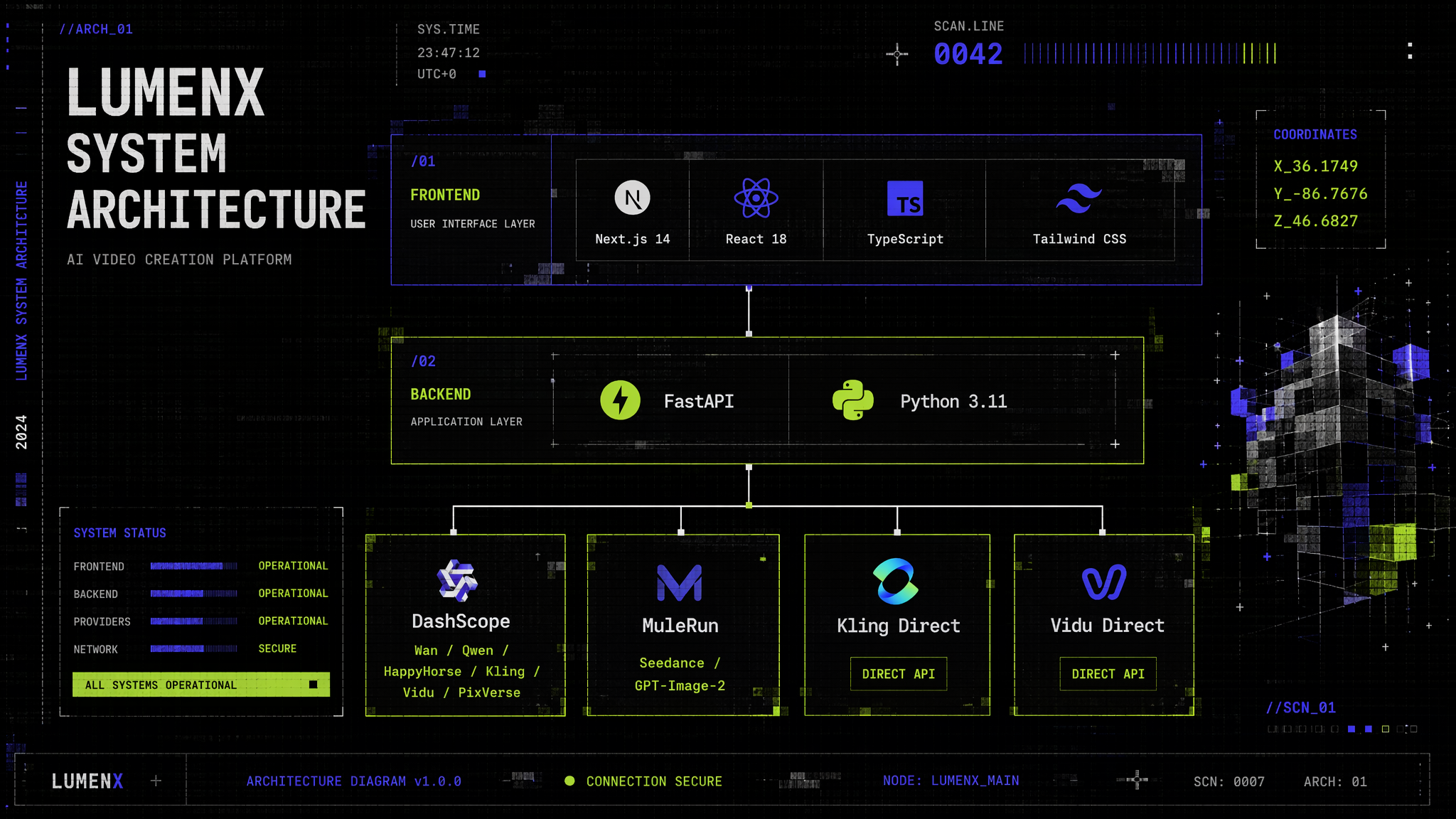
Directory Structure
lumenx/
├── frontend/                  # Next.js Frontend
│   └── src/components/
│       ├── modules/playground/   # Playground module
│       ├── modules/              # Studio business modules
│       └── layout/               # Global layout
├── src/
│   ├── apps/comic_gen/        # Studio backend (API + Pipeline)
│   ├── apps/playground/       # Playground backend (API + Service)
│   ├── models/                # AI model adapters (Wanx/Kling/Vidu/MuleRouter)
│   └── audio/                 # TTS voice synthesis
├── config/model_catalog/      # Model catalog (YAML → JSON)
└── output/                    # Generated outputs (local storage)
📖 Documentation
| Document | Description |
|---|---|
| User Manual | Feature usage guide |
| API Docs | Swagger UI |
| Model Onboarding | New model integration guide |
| Catalog Architecture | Model catalog design |
| Playground PRD | Playground design document |
🤝 Contributing
Contributions are welcome! Please read our Contributing Guide.
- Bug Reports: GitHub Issues
- Feature Requests: GitHub Discussions
- Email: [email protected]
📄 License
Explore related projects
codecrafters-io/build-your-own-x
Master programming by recreating your favorite technologies from scratch.
560,417 starspublic-apis/public-apis
A collective list of free APIs
496,752 starsmorluto/rea
Reverse engineer anything with agents, from app behavior down to native binaries.
437,885 starsopenclaw/openclaw
The AI that really does things. Any OS. Any Platform. The lobster way. 🦞
394,065 stars