
al3x4kov/teleharness
al3x4kov/teleharness has 6 GitHub stars and 0 forks. GitHot measured 0 stars in 24 hours. Last checked 2026-11-14 19:56 UTC. Last push 2026-11-13.
What you can do
- 💬 - Two engines, one UI - opencode (any provider) and Claude Code side by side; a chat stays bound to its engine, model and agent.
- 🧠 - Agent steps - Live turn progress: reasoning, tool calls with output, subagent cards with their own steps, background tasks. Undo a turn and its file edits.
- 🔀 - Relay between engines - Hit a usage limit mid-task? Continue the same chat on another engine or model: same folder, one feed, and the new engine gets the turns it missed.
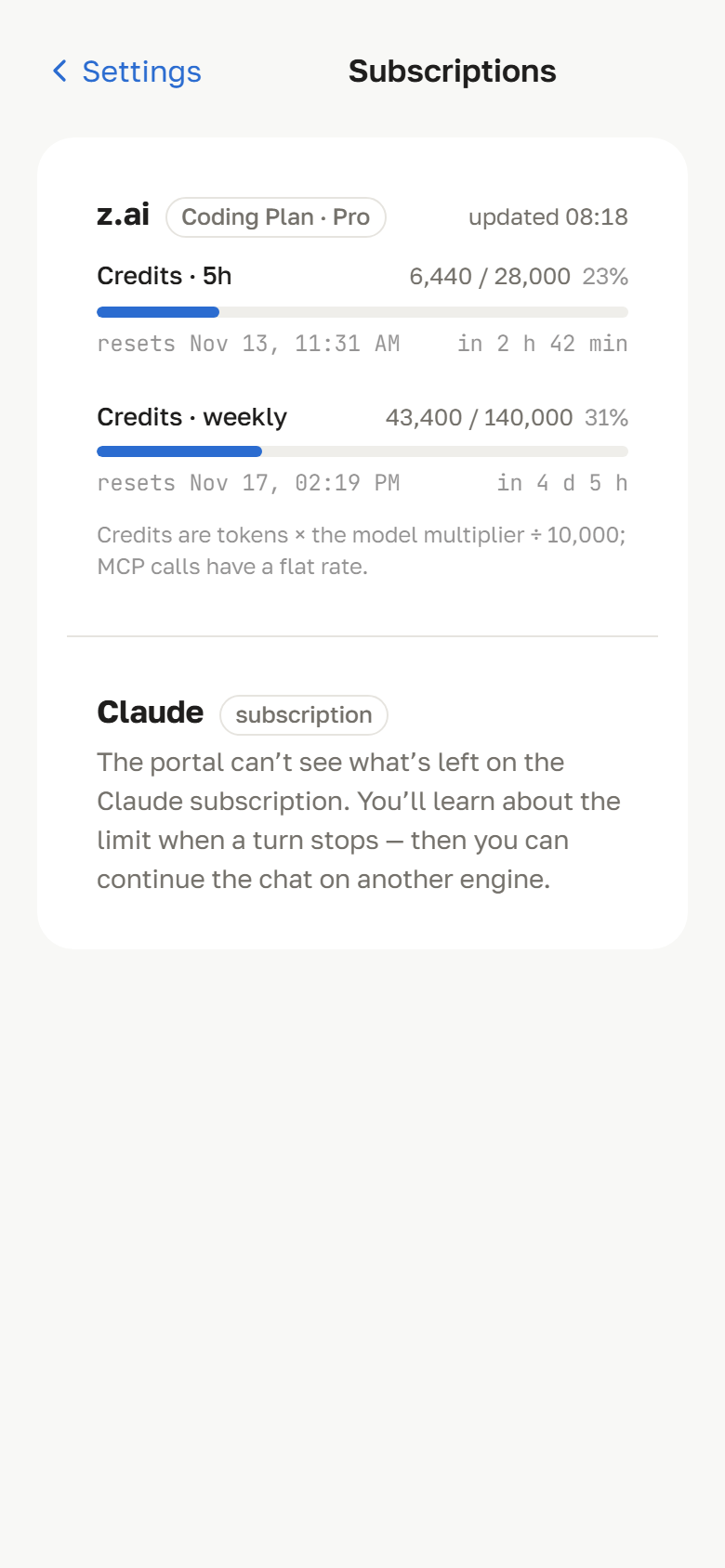
- 📊 - Subscriptions - Usage and remaining quota per connected provider, where the provider reports it through an official API.
Measured star growth
- in 24h
- 0
- in 7 days
- Collecting history
- in 15 days
- Collecting history
- in 1 month
- Collecting history
Net star changes over overlapping periods, not daily totals. Missing measurements are left blank. Stars measure attention, not software quality.
About
Your coding-agent CLIs, with their whole harness, on your phone. Mobile-first web portal for Claude Code and opencode (any provider): agents, skills, MCP, Obsidian memory.
Web & AppsREADME.md
Original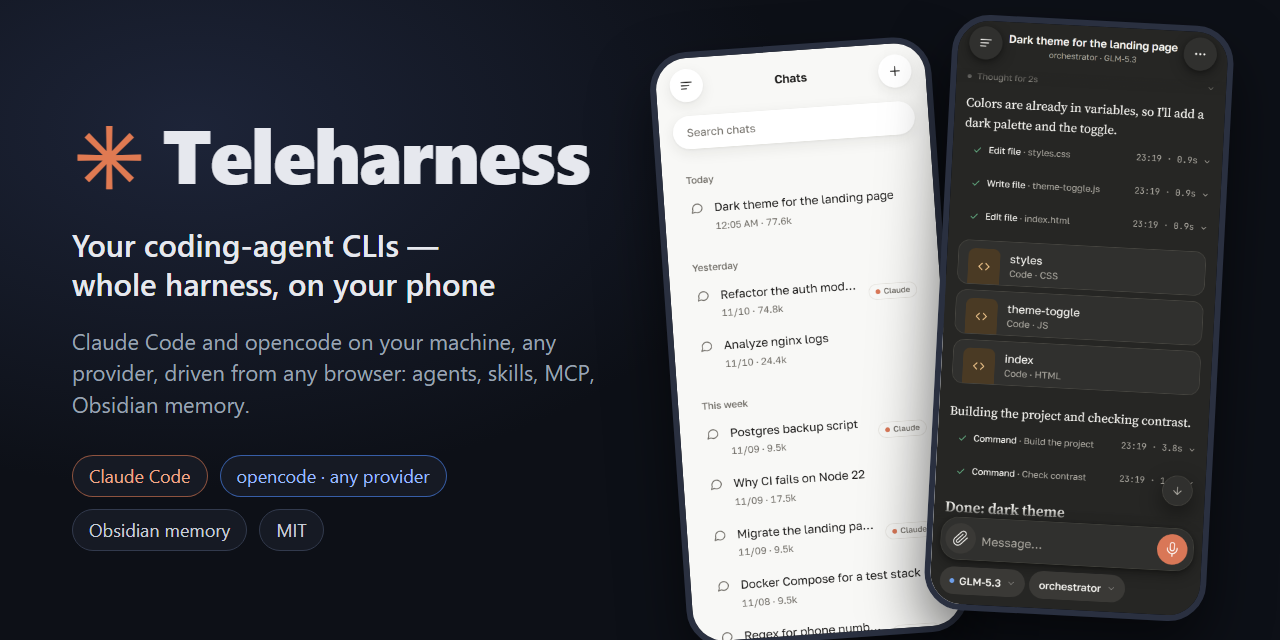
Run Claude Code and opencode on your own machine and drive them from any browser. You don't chat with a bare model: every message goes through a real agent CLI, with its agents, skills, MCP servers, hooks and an Obsidian vault as long-term memory.



Try the demo • Tour • Features • Quick start • Architecture • Configuration • Contributing • Русский
Why Teleharness
Chat apps give you a model. Agent CLIs give you much more — tools, file access, subagents, skills, MCP servers, hooks, project memory — but they live in a terminal on your desk.
Teleharness puts a mobile-first web UI in front of those CLIs, so the full harness is one tap away:
- CLIs, not models. Each chat runs through
opencode serveor theclaudeCLI. Whatever you have configured there — agents, skills, plugins, MCP — works from your phone. - Many providers through one portal. opencode talks to Z.ai GLM, OpenAI, Google Gemini, Anthropic, OpenRouter, local models and more; Claude Code brings your Claude subscription. Pick the engine and model per chat.
- A task survives a usage limit. When a subscription runs out mid-task, hand the chat over to another engine or model: same folder, one feed, and the new engine receives the turns it missed.
- Memory that outlives a chat. An Obsidian vault works as an active cache: agents get a snapshot of your notes at the start of a chat and leave a digest after each turn.
- Your machine, your data. Files, tools and history stay on your server. Providers only see the prompts and tool results needed for inference.
- Share it safely. Multiple users with their own folders, quotas and system prompts; on Windows their commands run in an AppContainer sandbox.
Try it in 30 seconds
No engines, no API keys — the UI on synthetic chats:
git clone https://github.com/al3x4kov/teleharness.git
cd teleharness
npm ci
npm run demo     # → http://127.0.0.1:4171/zai/
A quick tour
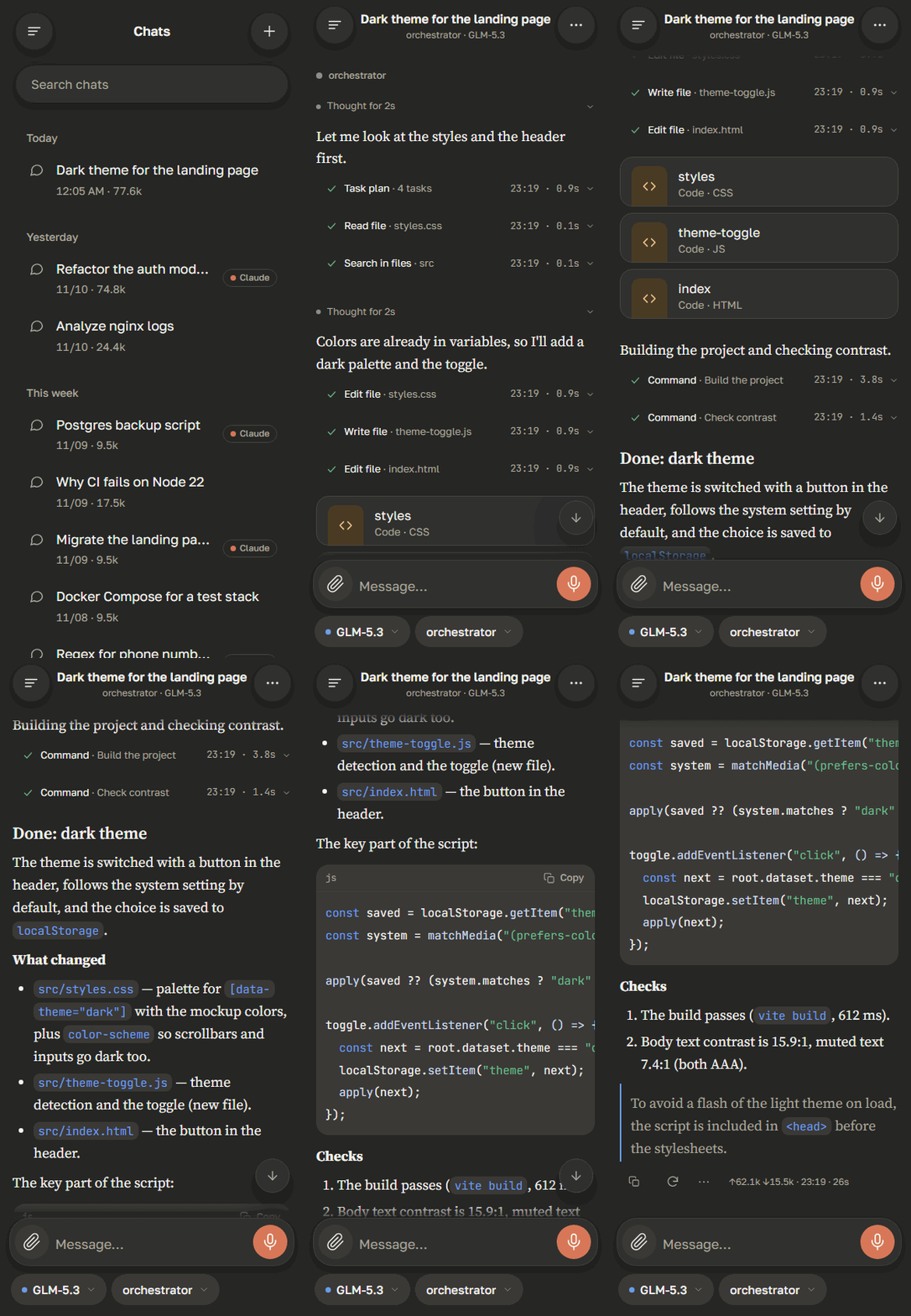
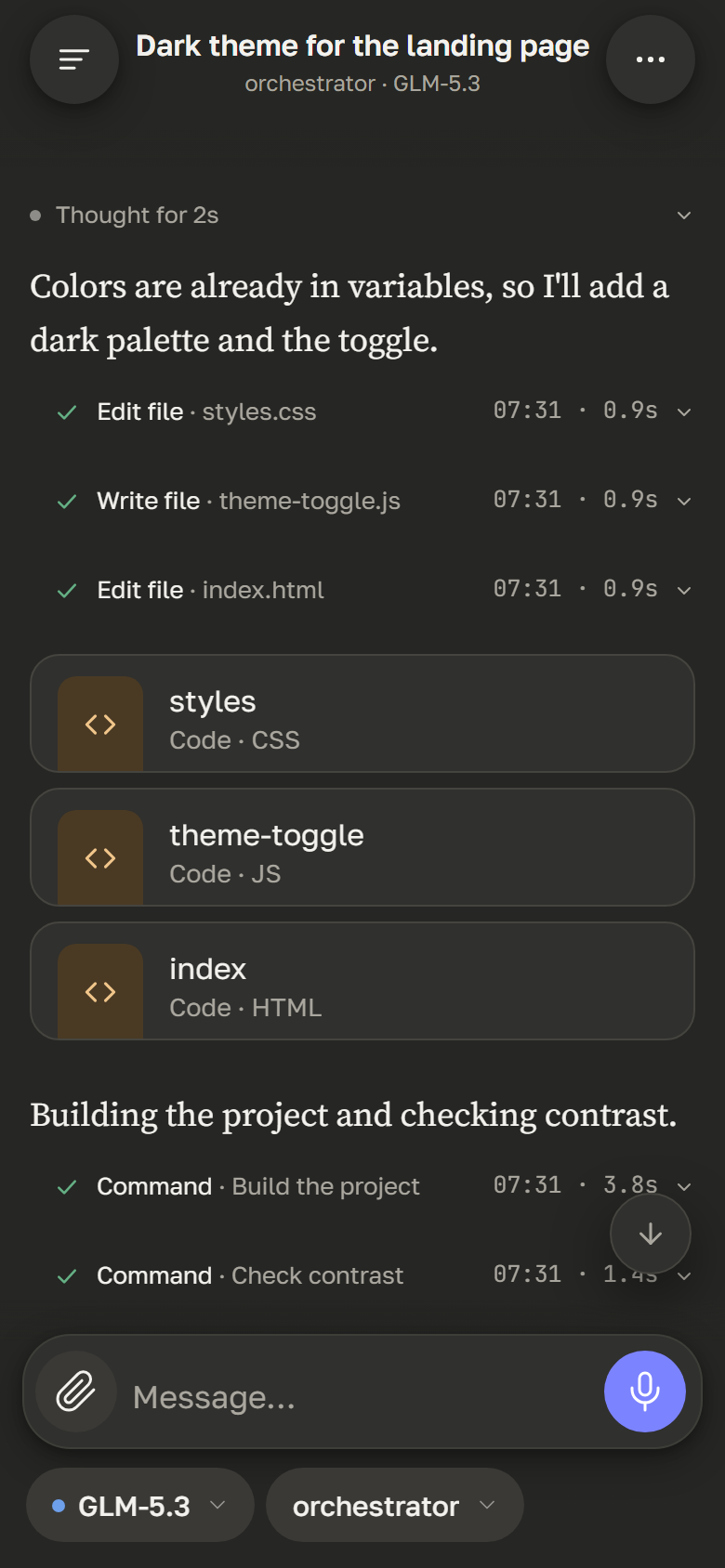
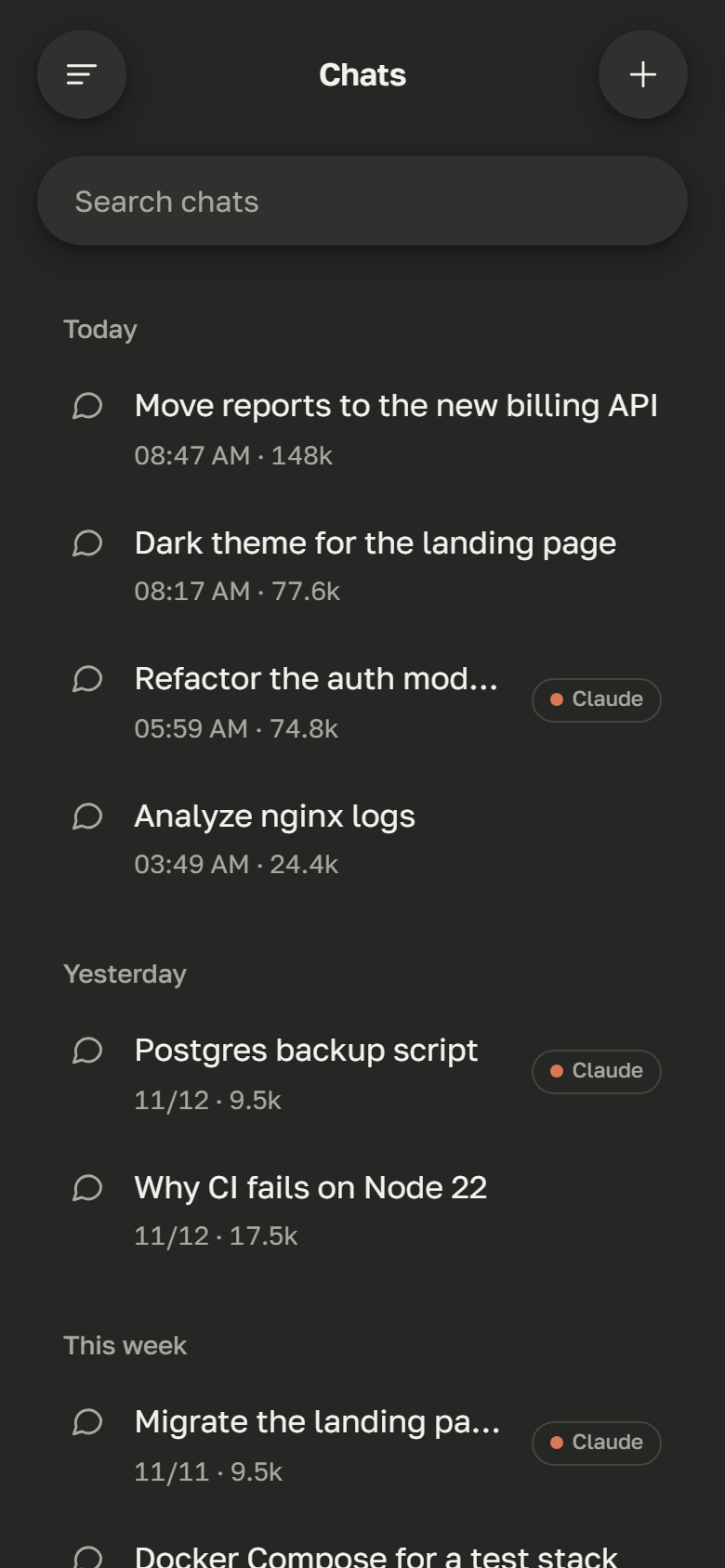
All screenshots are taken from npm run demo — what you see is what you get.
 |
 |
 |
 |
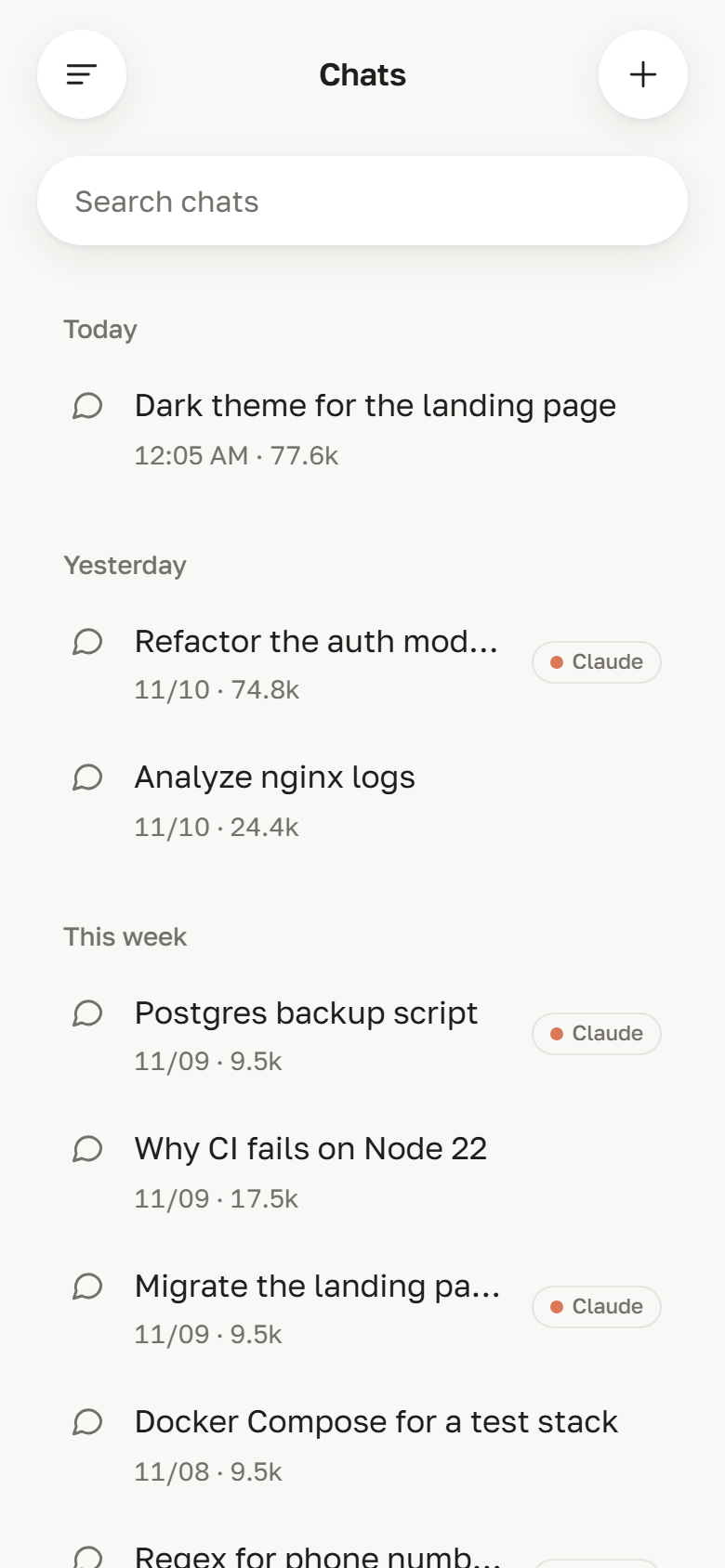
| Chats Every chat is bound to an engine, a model and an agent. Claude Code chats are marked. |
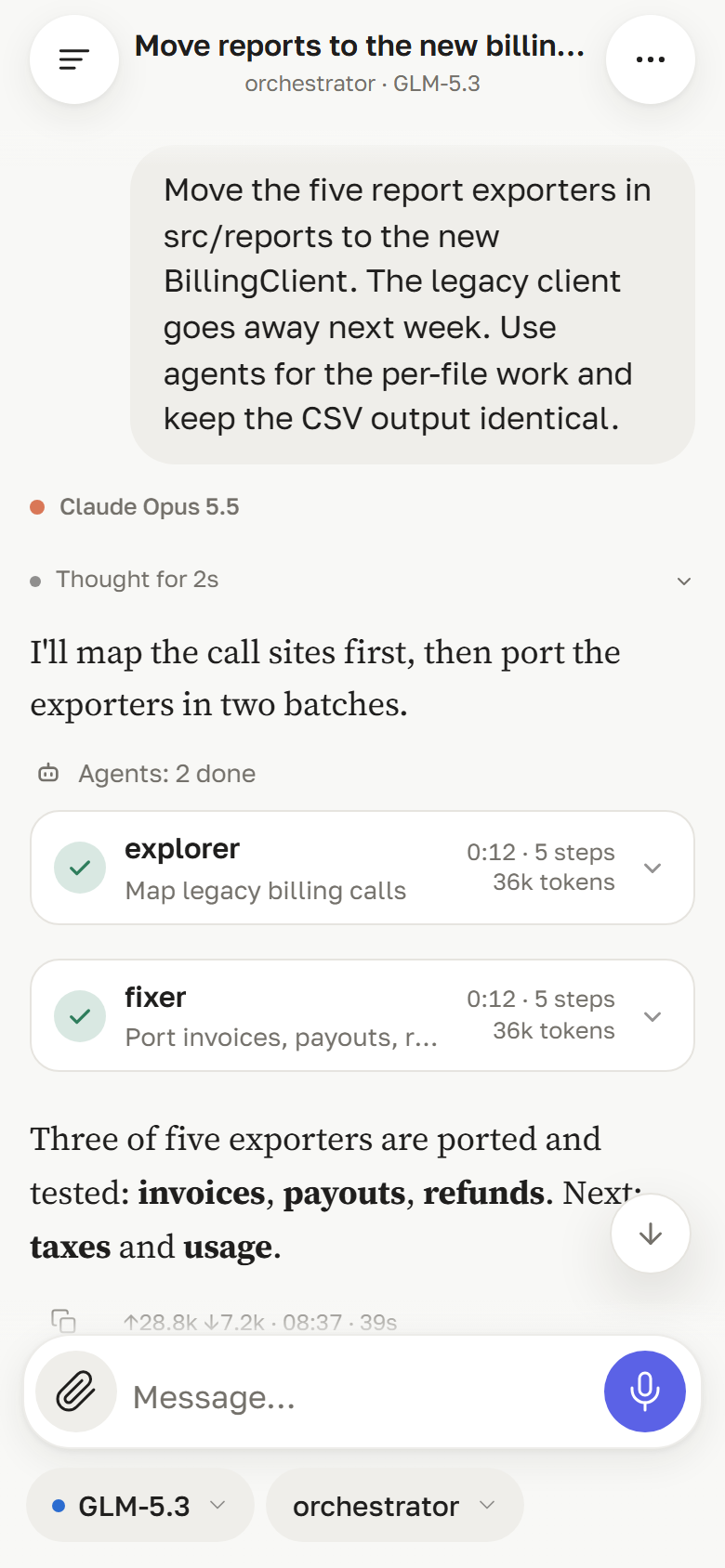
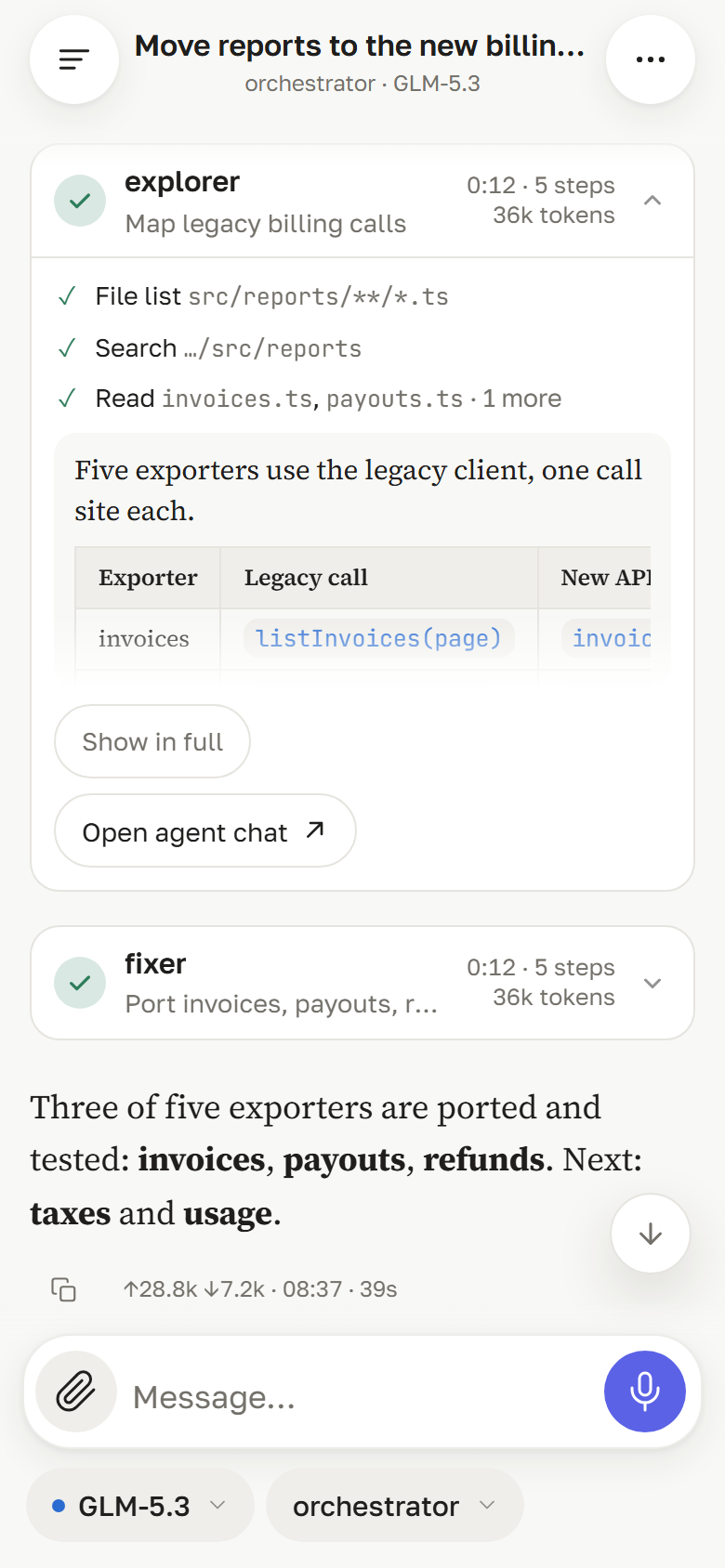
Subagents When an agent delegates, each run is a card: who, what for, how long, how many steps and tokens. |
Inside a run Open a card to see the subagent's steps and its answer, or jump to its own chat. |
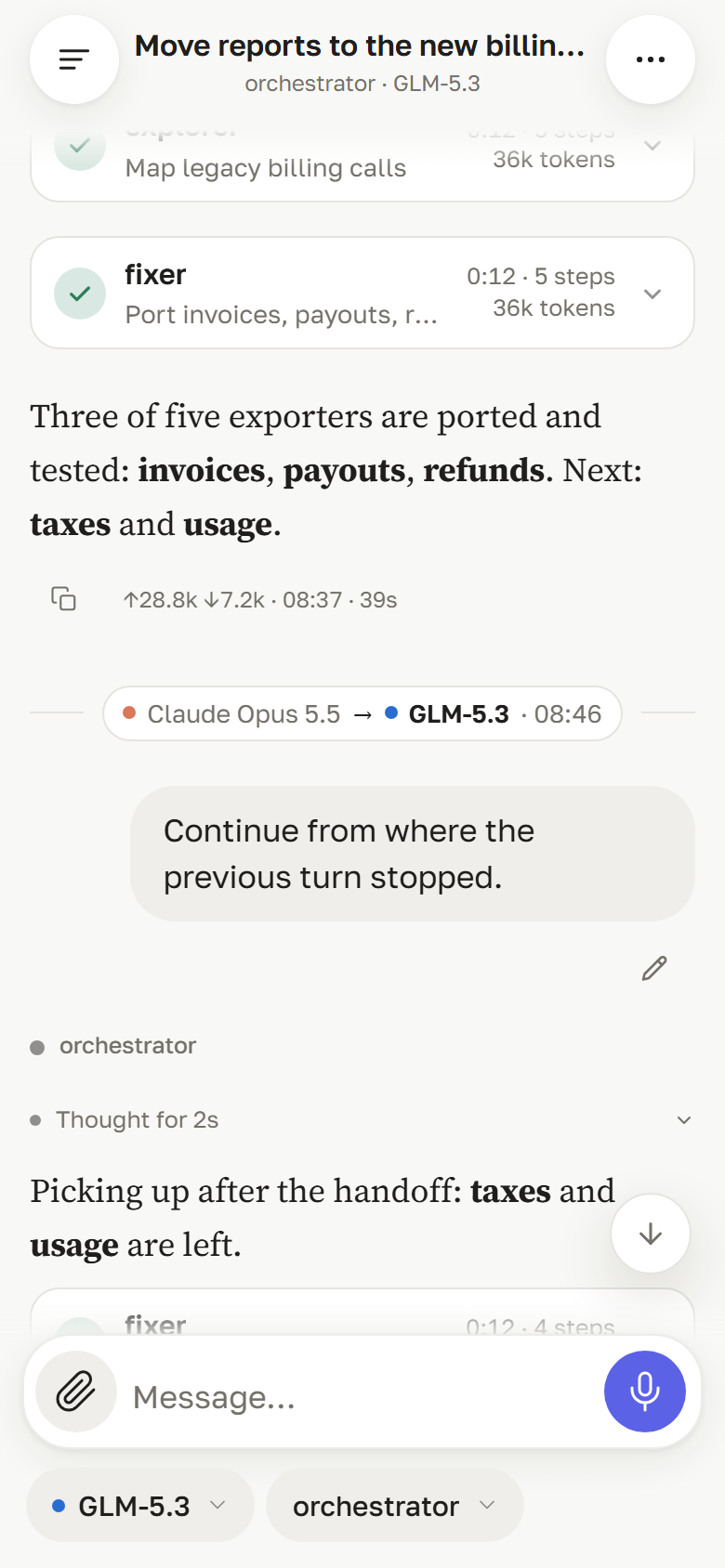
Relay Hit a usage limit? The same chat continues on another engine — one feed, with a handoff mark. |
 |
 |
 |
 |
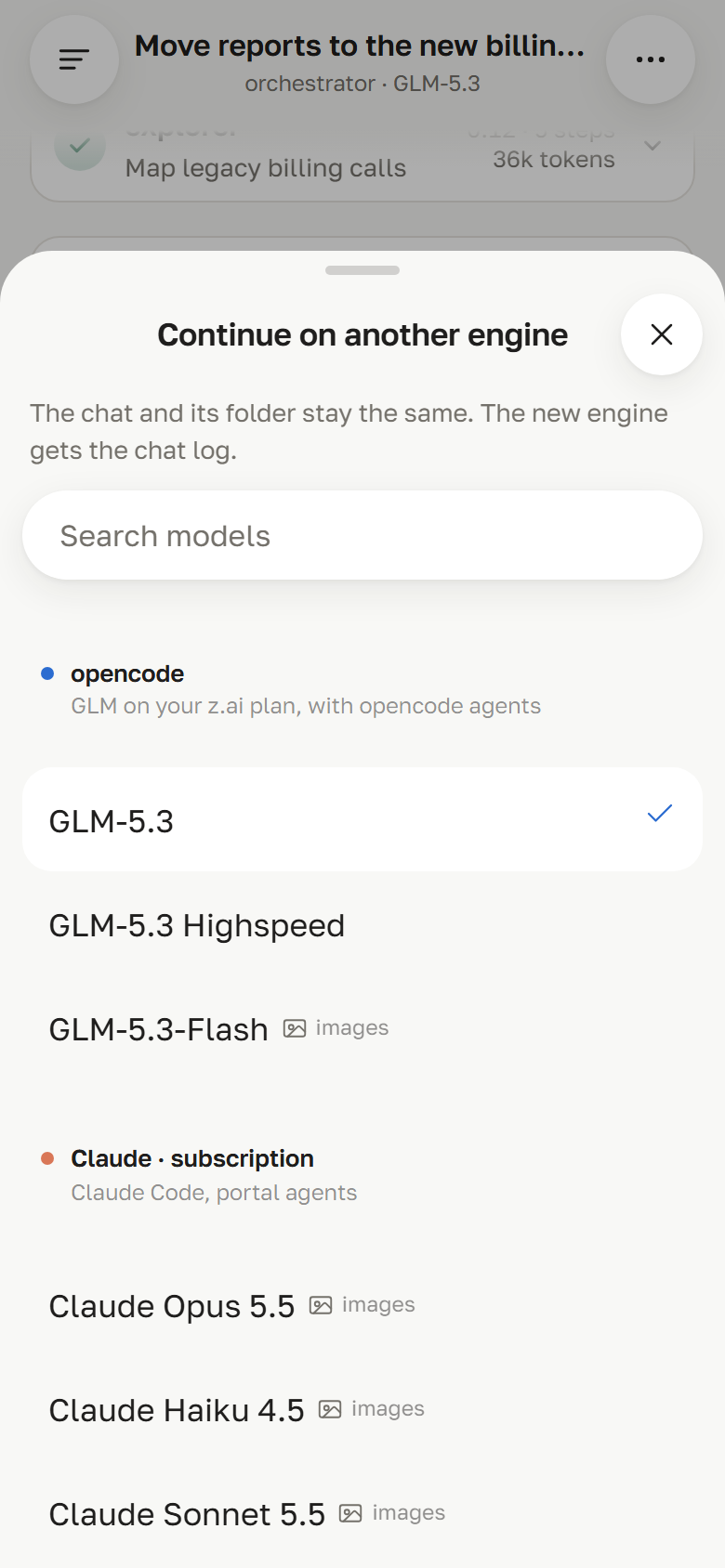
| Pick where to continue From the chat menu at any time, or straight from the limit notice. The folder stays the same. |
Subscriptions Usage and remaining quota per connected provider, where it reports them through an official API. |
Steps and files Reasoning, tool calls with output, and result files as cards with preview and download. |
Light and dark Follows the system theme or your choice; built for one-handed use on a phone. |
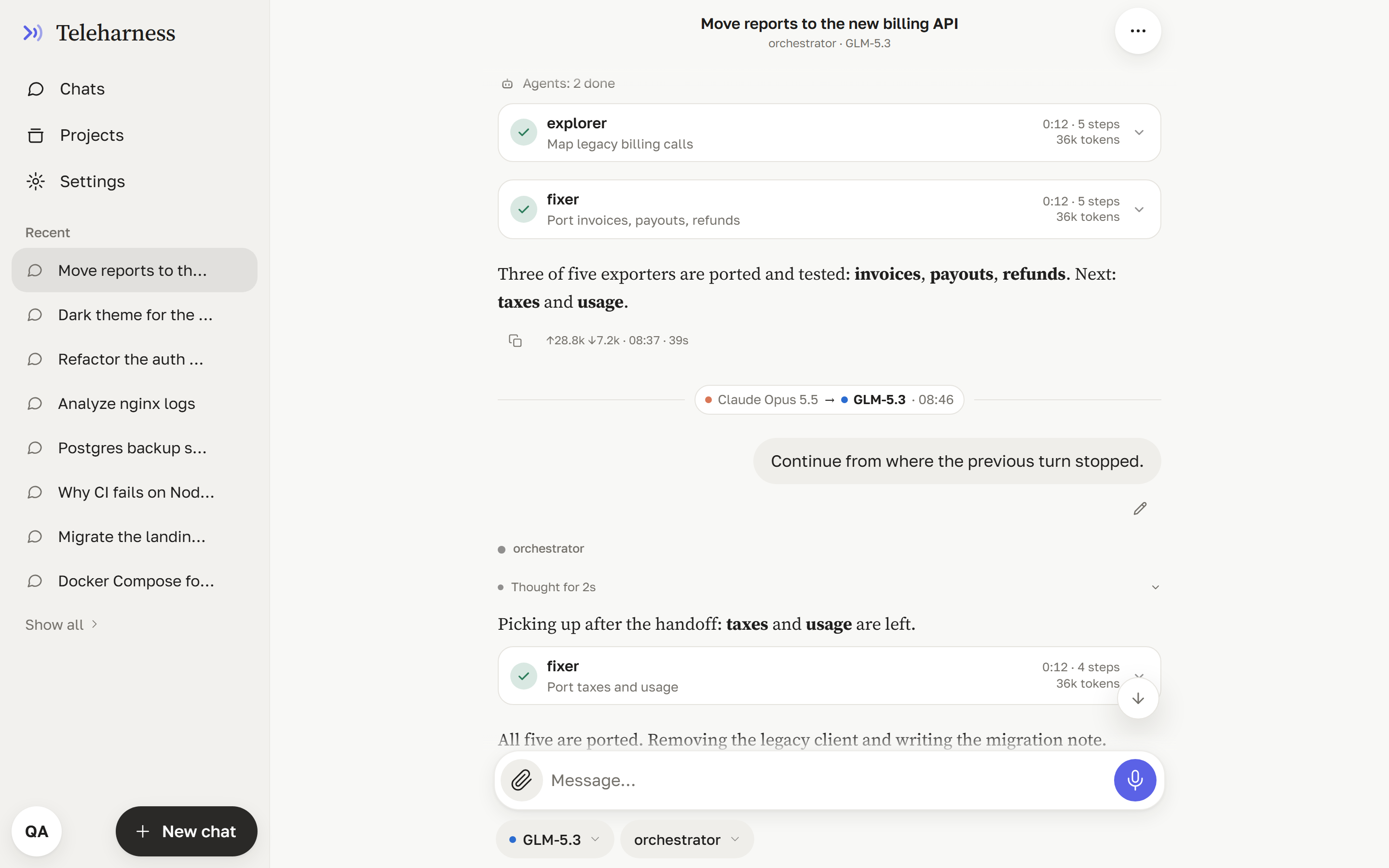
The same UI on a desktop: Claude Opus did the first half, GLM-5.3 picked the task up after the handoff.
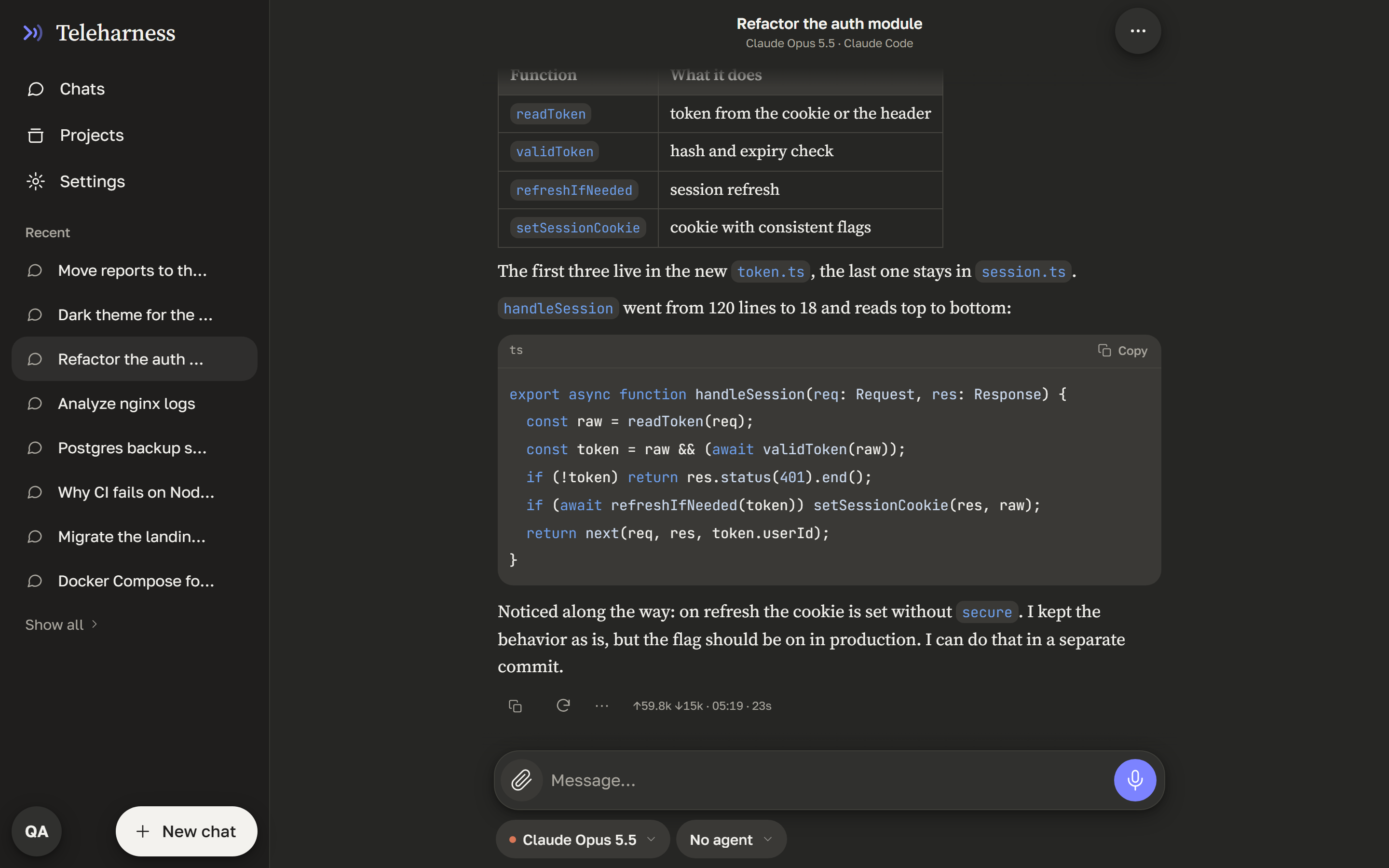
A Claude Code chat in the dark theme.
Features
| 💬 | Two engines, one UI | opencode (any provider) and Claude Code side by side; a chat stays bound to its engine, model and agent. |
| 🧠 | Agent steps | Live turn progress: reasoning, tool calls with output, subagent cards with their own steps, background tasks. Undo a turn and its file edits. |
| 🔀 | Relay between engines | Hit a usage limit mid-task? Continue the same chat on another engine or model: same folder, one feed, and the new engine gets the turns it missed. |
| 📊 | Subscriptions | Usage and remaining quota per connected provider, where the provider reports it through an official API. |
| 📡 | Reliable streaming | One SSE hub for every engine with replay, stall detection and loop protection — survives flaky mobile networks. |
| 📎 | Files | Attach files and images, get result files as cards, browse allowed folders. A folder per chat. |
| 🗂️ | Obsidian as active cache | Vault snapshot in context, turn digests and a per-chat journal written back, an isolated zone per user. |
| 🎙️ | Voice | Local speech-to-text and text-to-speech (Python worker, CPU only) and a hands-free voice mode. |
| 🔔 | Push notifications | Get notified when a long turn is done (Web Push, VAPID). |
| 👥 | Multi-user | Admin and users with own folders, system prompts, MCP sets, upload and voice quotas, rate limits. |
| 📱 | Mobile-first | Built for iOS Safari: keyboard-aware layout, safe areas, light and dark themes, English and Russian UI. |
| 🪶 | Zero runtime dependencies | The backend is plain Node.js stdlib. |
Quick start
Requirements
| Version | For | |
|---|---|---|
| Node.js | ≥ 22 | the portal |
| opencode | 2.x (tested with 2.2.6) | the opencode engine |
| Claude Code | 2.x | the Claude engine |
| Python | 3.11+ | optional, voice |
You need at least one of the two engines.
Install and run
macOS / Linux
git clone --branch v1.19.2 https://github.com/al3x4kov/teleharness.git
cd teleharness
npm ci && npm run build

cp .env.example .env               # every value is optional

# engines (you need at least one)
opencode auth login                # add the providers you want
claude setup-token                 # Claude engine: put the token into .env as CLAUDE_CODE_OAUTH_TOKEN

./ops/opencode/serve-v2.sh &       # opencode 2.x on 127.0.0.1:4196, password in ~/.zai/oc2-password
./ops/web-v2.sh                    # → http://127.0.0.1:4170/zai/
Windows (PowerShell)
git clone --branch v1.19.2 https://github.com/al3x4kov/teleharness.git
cd teleharness
npm ci; npm run build

Copy-Item .env.example .env        # every value is optional

opencode auth login
claude setup-token

# opencode 2.x with HTTP Basic auth; the portal gets the same password
$env:OPENCODE_SERVER_PASSWORD = [guid]::NewGuid().ToString('N')
Start-Process opencode -ArgumentList 'serve','--hostname','127.0.0.1','--port','4196'

$env:ZAI_OC_API = 'v2'; $env:ZAI_UPSTREAM = 'http://127.0.0.1:4196'; $env:ZAI_OC_PASSWORD = $env:OPENCODE_SERVER_PASSWORD
node server.js                     # → http://127.0.0.1:4170/zai/
Step-by-step for a Mac, including launchd services and phone access: docs/macos.md.
On first start the portal creates an admin and writes the login token to data/admin-token.txt
(or uses ZAI_ADMIN_TOKEN). To reach it from your phone, put it behind TLS — the bundled edge server
(ops/portal-server.js) or any reverse proxy (Caddy, nginx, Tailscale Serve).
[!NOTE]
zaiis the project's original codename. It stays in the URL path (/zai/), environment variables (ZAI_*) and storage keys so existing installs keep working.
Platform support
| macOS | Linux | Windows | |
|---|---|---|---|
| Portal, both engines, files, push | ✅ | ✅ | ✅ |
| Obsidian cache, voice | ✅ | ✅ | ✅ |
| Shell commands for non-admin users | — | — | ✅ (AppContainer sandbox) |
On macOS and Linux shell access for regular users is refused (fail-closed); admins are not affected. User isolation is moving to one container per user with the full agent runtime — the same on every host OS — so the Windows sandbox is intentionally not ported to other systems.
Architecture
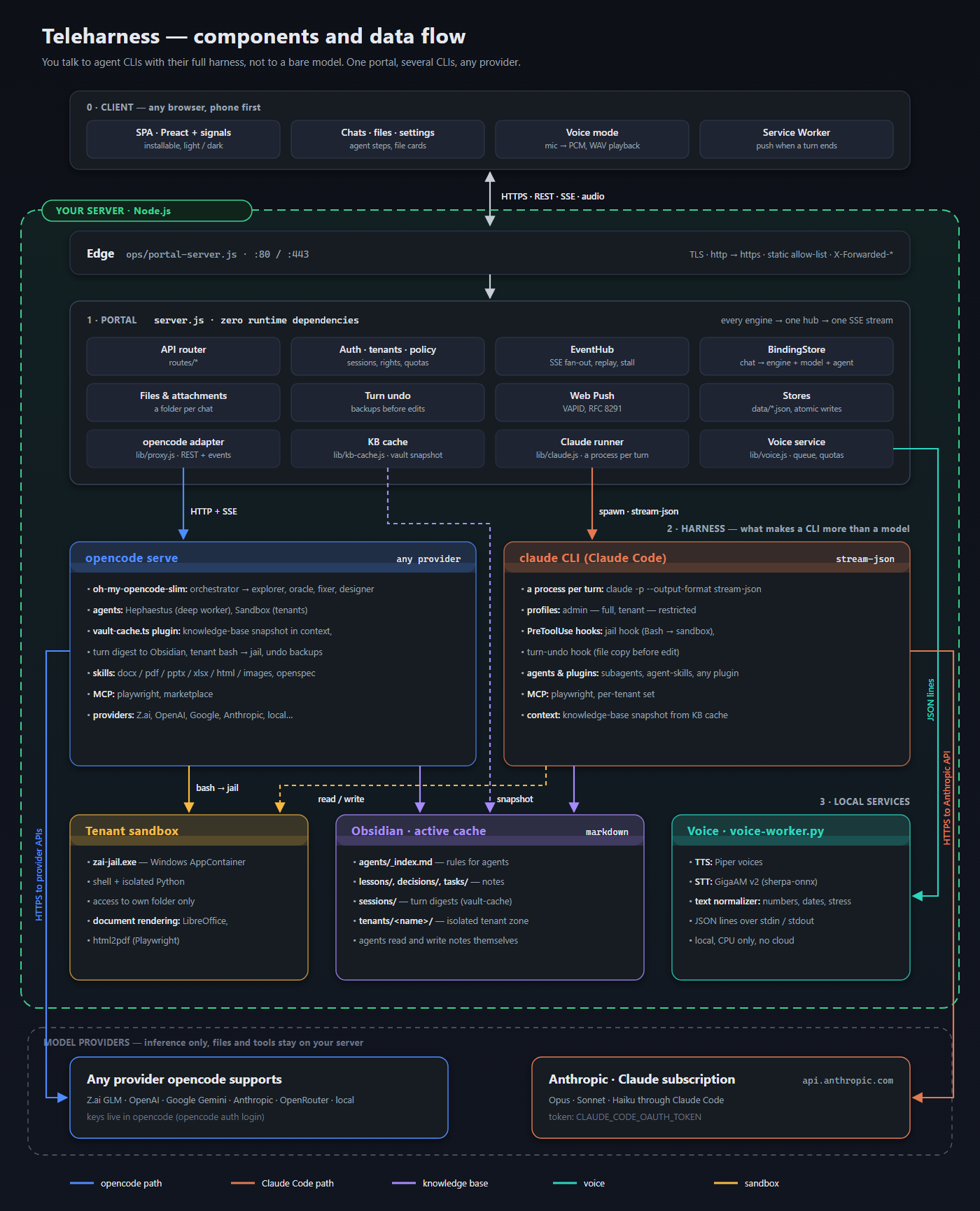
- Portal (
server.js) — API, auth and users, the event hub, chat-to-engine binding, the handoff between engines. One adapter per engine: a client foropencode serve(1.x and 2.x) and a runner that startsclaudeper turn. - Harness — everything around the CLI: agents and orchestration (oh-my-opencode-slim), the
knowledge-base and sandbox plugin for opencode (
ops/opencode/plugin-v2for 2.x,vault-cache.tsfor 1.x), Claude Code hooks, skills, MCP servers. This decides what an agent can do and what it knows. - Obsidian — long-term memory for agents, one zone per user; also holds the per-chat journal an engine reads after a handoff.
- Voice — a separate local Python process (Piper TTS, GigaAM STT).
- Sandbox — Windows AppContainer for other users' commands.
More: docs/architecture.md (in Russian), requirements in openspec/specs/.
Configuration
Everything is configured with environment variables; the schema with types, defaults and validation is
lib/config.js, the template is .env.example.
| Variable | Default | |
|---|---|---|
PORT |
4170 |
portal port |
ZAI_UPSTREAM |
http://127.0.0.1:4096 |
opencode serve address (the default is the opencode 1.x legacy port; with 2.x use :4196) |
ZAI_OC_API |
v1 |
v2 for opencode 2.x (ops/web-v2.sh sets it) |
ZAI_OC_PASSWORD |
— | HTTP Basic password of opencode serve 2.x |
CLAUDE_CODE_OAUTH_TOKEN |
— | Claude subscription token (claude setup-token) |
ZAI_ADMIN_TOKEN |
generated | admin login token |
ZAI_DATA_DIR |
./data |
users, sessions, logs |
ZAI_FILE_ROOTS |
home folder | folders available in the file browser |
ZAI_KB_ROOT |
off |
Obsidian vault folder for agents, e.g. ~/Obsidian/agents |
ZAI_TENANT_HOME |
~/.zai-tenants |
users' folders |
ZAI_VOICE_PYTHON, ZAI_VOICE_MODELS |
~/.zai/voice/… |
local voice worker |
Agent configs
config/ holds the author's Claude Code and opencode setup as a working example —
agents, prompts, the vault-cache plugin, document skills. Install with ./config/install.sh
(macOS/Linux) or ./config/install.ps1 (Windows); secrets are taken from the environment.
The configs contain absolute paths — review them before use.
Third-party skills are not bundled; install them from their sources:
agent-skills (/plugin marketplace add addyosmani/agent-skills),
OpenSpec (npm i -g @fission-ai/openspec).
Development
npm test                 # unit, UI components (happy-dom), server and edge tests
npm run build            # esbuild → public/app.js, public/app.css
npm run demo             # mock mode on fixtures-demo/
| Path | |
|---|---|
server.js, lib/, routes/ |
backend |
src/ → public/ |
frontend (Preact + signals) |
shared/ |
code shared by server and client |
ops/ |
launch scripts, opencode plugins, edge server, sandbox, voice worker, document rendering |
config/ |
Claude Code and opencode configs |
tests/, fixtures/, fixtures-demo/ |
tests and synthetic fixtures |
openspec/specs/, docs/ |
requirements, architecture, ADRs |
See CONTRIBUTING.md. Changes are listed in CHANGELOG.md.
Built with
opencode · Claude Code · oh-my-opencode-slim · Preact · esbuild · marked · DOMPurify · highlight.js · Piper · sherpa-onnx
License
MIT. Bundled third-party files keep their licenses: openspec-* / opsx-* skills and
commands — MIT (OpenSpec), the dogfood skill — Apache-2.0.