
aizhimou/pigeon-pod
aizhimou/pigeon-pod has 1,217 GitHub stars and 106 forks. GitHot measured +2 stars in 24 hours and +14 in 7 days. Last checked 2026-11-10 22:08 UTC. Last push 2026-10-09.
Listen to YouTube & Bilibili. Anywhere.
What you can do
- 🎯 Smart Subscription & Preview: Subscribe to YouTube or Bilibili channels and playlists in seconds.
- 🎞 Single-video subscriptions: Turn one YouTube video into an auto-generated playlist feed.
- 📻 Secure RSS for Any Client: Generate protected standard RSS feeds for any podcast app.
- 🎦 Flexible Audio/Video Output: Download as audio or video with quality and format control.
Measured star growth
- in 24h
- +2
- in 7 days
- +14
- in 15 days
- Update delayed
- in 1 month
- Update delayed
Net star changes over overlapping periods, not daily totals. Missing measurements are left blank. Stars measure attention, not software quality.
README.md
Original
Listen to YouTube & Bilibili, Anywhere, Anytime.
Self-hosting too much hassle? Try our PigeonPod Cloud
Screenshots
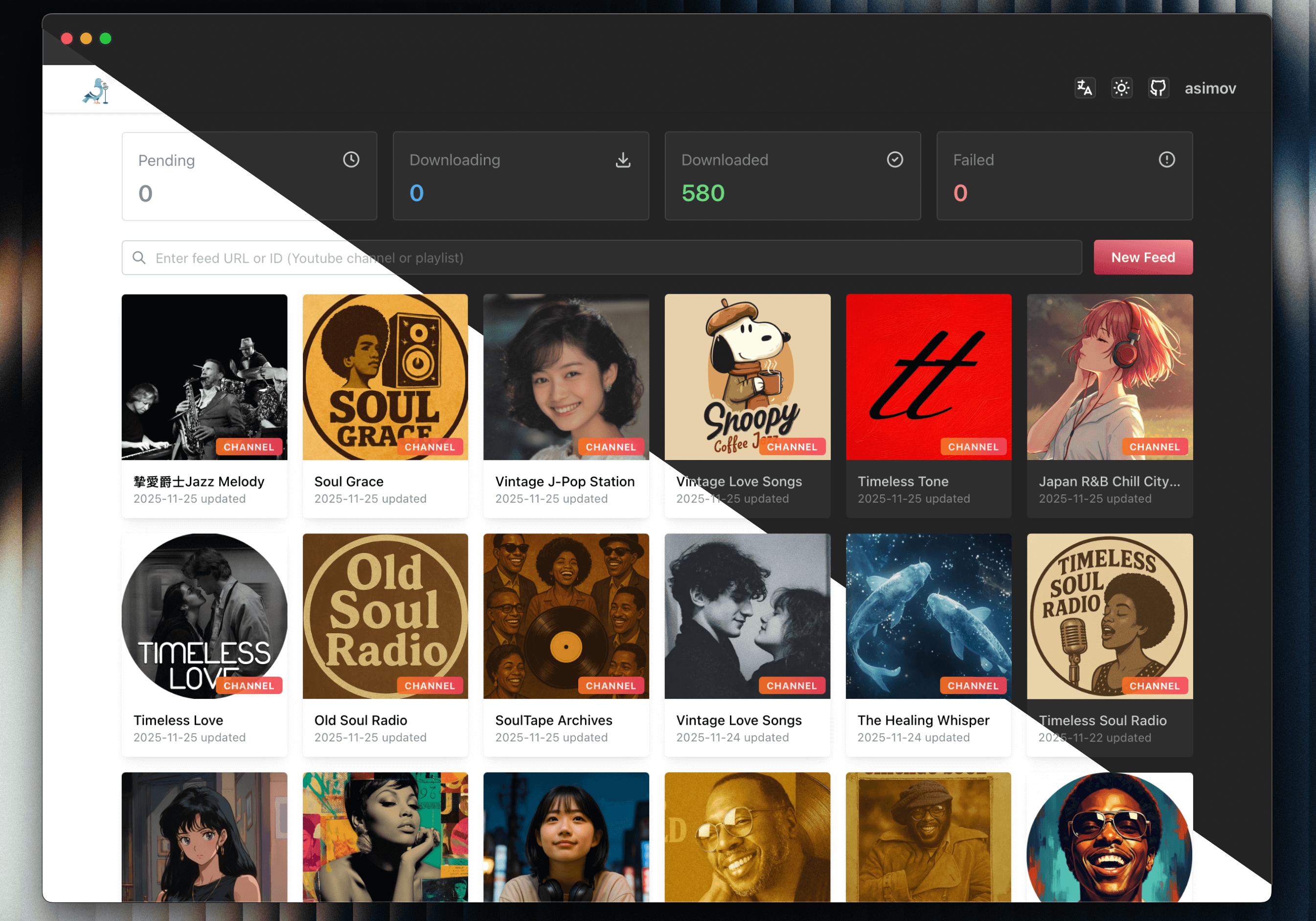
Channel list
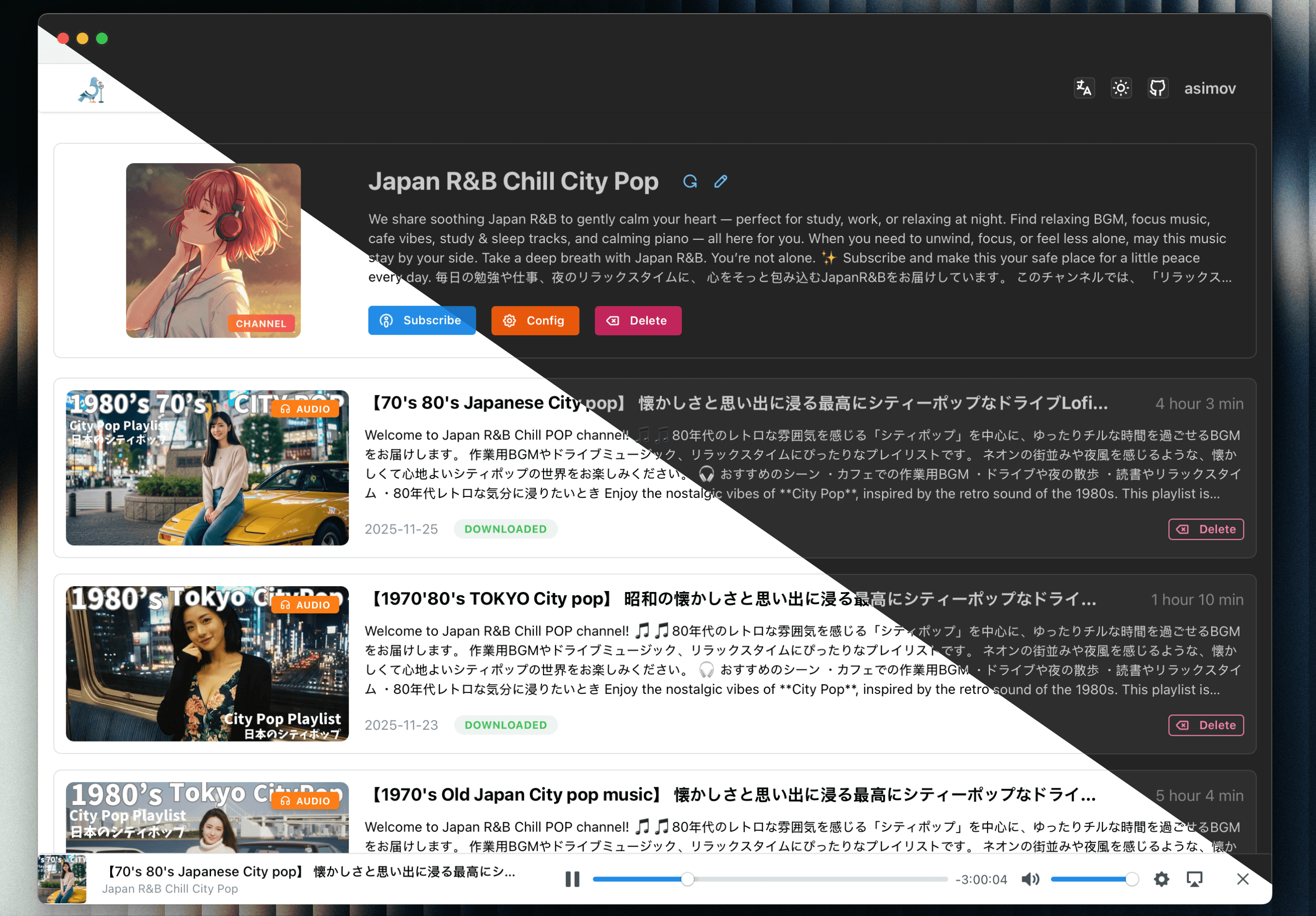
Channel detail
Core Features
- 🎯 Smart Subscription & Preview: Subscribe to YouTube or Bilibili channels and playlists in seconds.
- 🎞 Single-video subscriptions: Turn one YouTube video into an auto-generated playlist feed.
- 📻 Secure RSS for Any Client: Generate protected standard RSS feeds for any podcast app.
- 🎦 Flexible Audio/Video Output: Download as audio or video with quality and format control.
- 🤖 Auto Sync & History Backfill: Keep subscriptions updated and backfill older videos on demand.
- 👥 Multi-user & Role-based Access: Manage multiple accounts with granular permissions, restricting system and feed configurations to admin users.
- 🍪 Expanded Cookie Support: Use YouTube and Bilibili cookies for more reliable restricted-content access.
- 🌍 Proxy-ready Network Access: Route YouTube API and yt-dlp traffic through custom proxies.
- 🔗 One-click Episode Sharing: Share any episode with a public page for direct playback without login.
- 📦 Fast Batch Downloads: Search, select, and queue large back catalogs efficiently.
- 📊 Download Dashboard & Bulk Actions: Track task status and retry, cancel, or delete in bulk.
- 🔔 Failed-download Digests & Alerts: Get email or webhook summaries when automatic retries are exhausted.
- 🔍 Per-feed Filters & Retention: Control sync scope with keywords, duration, and episode limits.
- ⏱ Smarter New Episode Downloads: Delay auto-downloads to improve fresh-video processing results.
- 🎛 Customizable Feeds & Player: Customize titles and cover art, then play episodes on the web.
- 🧩 Episode Management & Control: Download, retry, cancel, and delete episodes with file cleanup.
- 🔓 Trusted-environment Auto Login: Skip manual sign-in when PigeonPod runs behind trusted access controls.
- 🔒 Built-in SSL/TLS Encryption: Secure your self-hosted instance with native SSL support for encrypted web and RSS traffic.
- 📈 YouTube API Usage Insights: Monitor quota usage before sync jobs hit the limit.
- 🔄 OPML Subscription Export: Export subscriptions for easy migration between podcast clients.
- ⬆️ In-app yt-dlp Management: Manage runtimes, switch active versions, and update yt-dlp without leaving the app.
- 🛠 Advanced yt-dlp Arguments: Fine-tune downloads with custom yt-dlp arguments.
- 📚 Podcasting 2.0 Chapters Support: Generate chapter files for richer player navigation.
- 🌐 Multilingual Responsive UI: Use PigeonPod across devices in eight interface languages.
Deployment
Using Docker Compose (Recommended)
Make sure you have Docker and Docker Compose installed on your machine.
- Use the docker-compose configuration file, modify environment variables according to your needs
services:
  pigeon-pod:
    image: 'ghcr.io/aizhimou/pigeon-pod:latest'
    restart: unless-stopped
    container_name: pigeon-pod
    ports:
      - '8834:8080'
    environment:
      - SPRING_DATASOURCE_URL=jdbc:sqlite:/data/pigeon-pod.db # set to your database path
      # Optional: disable PigeonPod built-in auth when running behind another auth layer
      # - PIGEON_AUTH_ENABLED=false
    volumes:
      # Application data: SQLite database, logs, runtime configurations
      - ./data:/data
      # Optional: Separate media storage (audio & video) onto a different disk or media share
      # - /path/to/media/audio:/data/audio
      # - /path/to/media/video:/data/video
[!TIP] Storage & Directory Separation:
- By default,
./data:/datamounts application data (SQLite database, logs, runtime configs) to the local host directory for easy management and lightweight backup.- To store large downloaded media files on a dedicated bulk storage disk or NAS share, uncomment the
/data/audioand/data/videovolume mappings.- If upgrading from an older version using a named volume (
data:/data), you can keep using your named volume or copy existing data to the host (docker cp pigeon-pod:/data ./data) before switching to bind mounts.
[!WARNING]
PIGEON_AUTH_ENABLEDdefaults totrue. Set it tofalseonly if another trusted layer already protects the web UI, such as an auth proxy, reverse proxy access control, VPN, or private network.If you disable built-in auth, you must secure PigeonPod by other means. Do not expose an auth-disabled instance directly to the public Internet.
- Start the service
docker compose up -d
- Access the application
Open your browser and visit
http://localhost:8834with default username:rootand default password:Root@123
Run with JAR
Make sure you have Java 17+ and yt-dlp installed on your machine.
Download the latest release JAR from Releases
Create data directory in the same directory as the JAR file.
mkdir -p data
- Run the application
java -jar -Dspring.datasource.url=jdbc:sqlite:/path/to/your/pigeon-pod.db \  # set to your database path
           pigeon-pod-x.x.x.jar
- Access the application
Open your browser and visit
http://localhost:8080with default username:rootand default password:Root@123
Storage Configuration
- PigeonPod supports
LOCALandS3storage modes. - You can only enable one mode at a time.
- S3 mode supports MinIO, Cloudflare R2, AWS S3, and other S3-compatible services.
- Switching storage mode does not migrate historical media automatically. You must migrate files manually.
Storage Quick Comparison
| Mode | Pros | Cons |
|---|---|---|
LOCAL |
Easy setup, no external dependency | Uses local disk, harder to scale |
S3 |
Better scalability, suitable for cloud deployment | Requires object storage setup and credentials |
Documentation
Tech Stack
Backend
- Java 17 - Core language
- Spring Boot 3.5 - Application framework
- MyBatis-Plus 3.5 - ORM framework
- Sa-Token - Authentication framework
- SQLite - Lightweight database
- Flyway - Database migration tool
- YouTube Data API v3 - YouTube data retrieval
- yt-dlp - Video download tool
- Rome - RSS generation library
Frontend
- Javascript (ES2024) - Core language
- React 19 - Application framework
- Vite 7 - Build tool
- Mantine 8 - UI component library
- i18next - Internationalization support
- Axios - HTTP client
Development Guide
Environment Requirements
- Java 17+
- Node.js 22+
- Maven 3.9+
- SQLite
- yt-dlp
Local Development
- Clone the project
git clone https://github.com/aizhimou/PigeonPod.git
cd PigeonPod
- Configure database
# Create data directory
mkdir -p data/audio

# Database file will be created automatically on first startup
Configure YouTube API
- Create a project in Google Cloud Console
- Enable YouTube Data API v3
- Create an API key
- Configure the API key in user settings
Start backend
cd backend
mvn spring-boot:run
- Start frontend (new terminal)
cd frontend
npm install
npm run dev
- Access the application
- Frontend dev server:
http://localhost:5173 - Backend API:
http://localhost:8080
Development Notes
- Ensure yt-dlp is installed and available in command line
- Configure correct YouTube API key
- Ensure audio storage directory has sufficient disk space
- Regularly clean up old audio files to save space
Star History
Made with ❤️ for podcast enthusiasts!
⭐ If you like PigeonPod, give us a star on GitHub!
Explore related projects
awesome-selfhosted/awesome-selfhosted
A list of Free Software network services and web applications which can be hosted on your own servers
336,058 starsimmich-app/immich
High performance self-hosted photo and video management solution.
118,645 starsStirling-Tools/Stirling-PDF
#1 PDF Application on GitHub that lets you edit PDFs on any device anywhere
96,278 starslouislam/uptime-kuma
A fancy self-hosted monitoring tool
93,425 stars