
ZhFahim/anchor
ZhFahim/anchor has 1,430 GitHub stars and 64 forks. GitHot measured +27 stars in 24 hours. Last checked 2026-11-07 06:58 UTC. Last push 2026-11-02.
Offline first, self hostable note taking application
What you can do
- Rich Text Editor - Create and edit notes with powerful formatting (bold, italic, underline, highlights, headings, lists, checkboxes), or type / to pick a format
- Offline First - All edits work offline with local database
- Note Sharing - Share notes with other users (viewer or editor)
- Note History - Read earlier versions of a note and put one back
Measured star growth
- in 24h
- +27
- in 7 days
- Collecting history
- in 15 days
- Collecting history
- in 1 month
- Collecting history
Net star changes over overlapping periods, not daily totals. Missing measurements are left blank. Stars measure attention, not software quality.
README.md
Original
Anchor
An offline first, self hostable note taking application




Anchor focuses on speed, privacy, simplicity, and reliability across mobile and web. Notes are stored locally, editable offline, and synced across devices when online.


Features
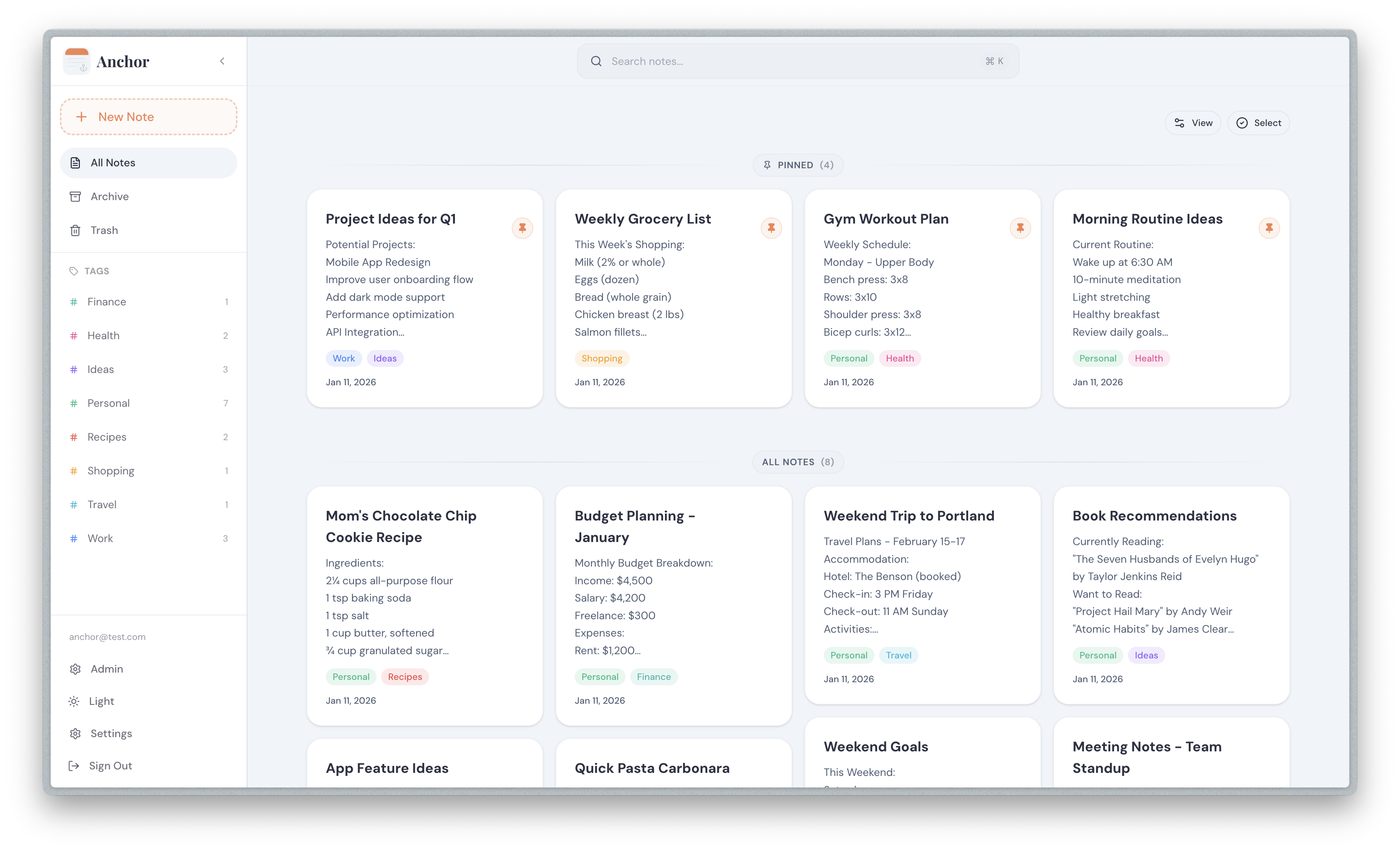
- Rich Text Editor - Create and edit notes with powerful formatting (bold, italic, underline, highlights, headings, lists, checkboxes), or type / to pick a format
- Offline First - All edits work offline with local database
- Note Sharing - Share notes with other users (viewer or editor)
- Note History - Read earlier versions of a note and put one back
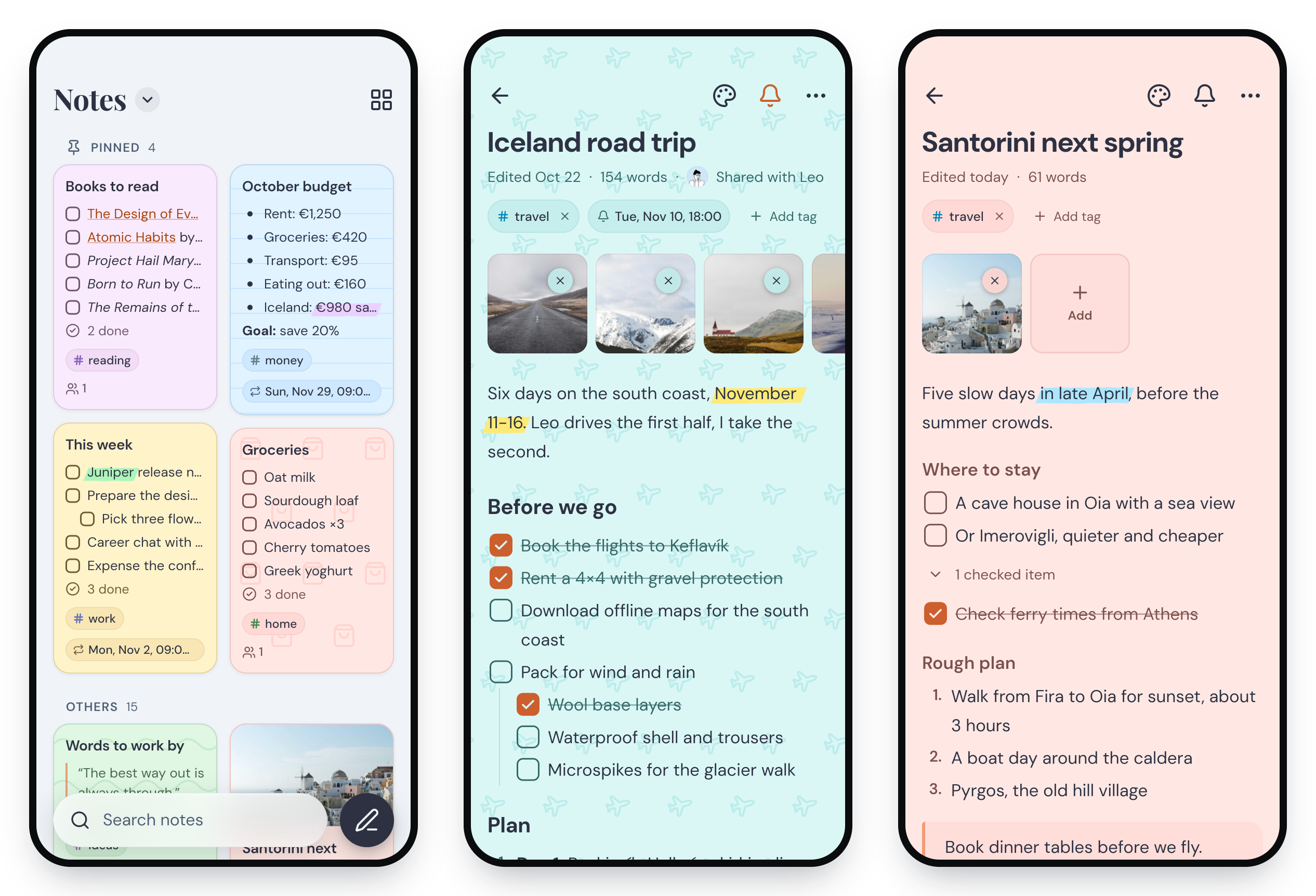
- Tags System - Organize notes with custom tags and colors
- Attachments - Attach images and audio to notes
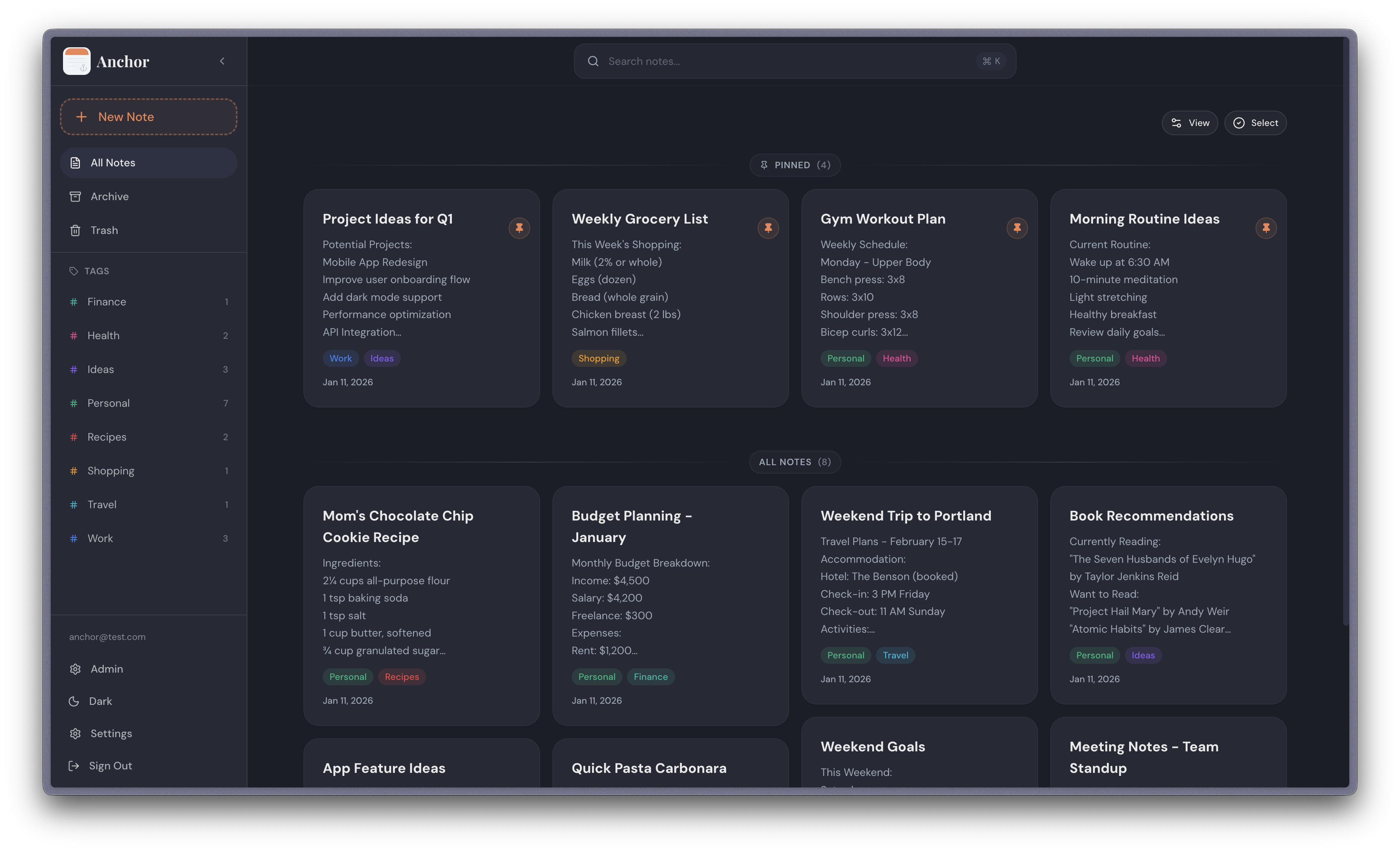
- Note Backgrounds - Customize notes with solid colors and patterns
- Pin Notes - Pin important notes for quick access
- Archive Notes - Archive notes for later reference
- Reminders - Set a time on any note and get a notification on your phone, once or repeating
- Search - Search notes locally by title or content, archived notes included
- Share to Anchor - Save text, links and pictures from other apps on your phone
- Trash - Soft delete notes with recovery period
- Automatic Sync - Sync changes across devices when online
- Import & Export - Back up your full library, move notes in and out as plain Markdown, or bring them over from Google Keep
- Home Screen Widget - Quick access to your notes from the Android home screen
- Admin Panel - User management, registration control, and system statistics
- OIDC Authentication - Sign in with OpenID Connect providers (Pocket ID, Authelia, Keycloak, etc.)
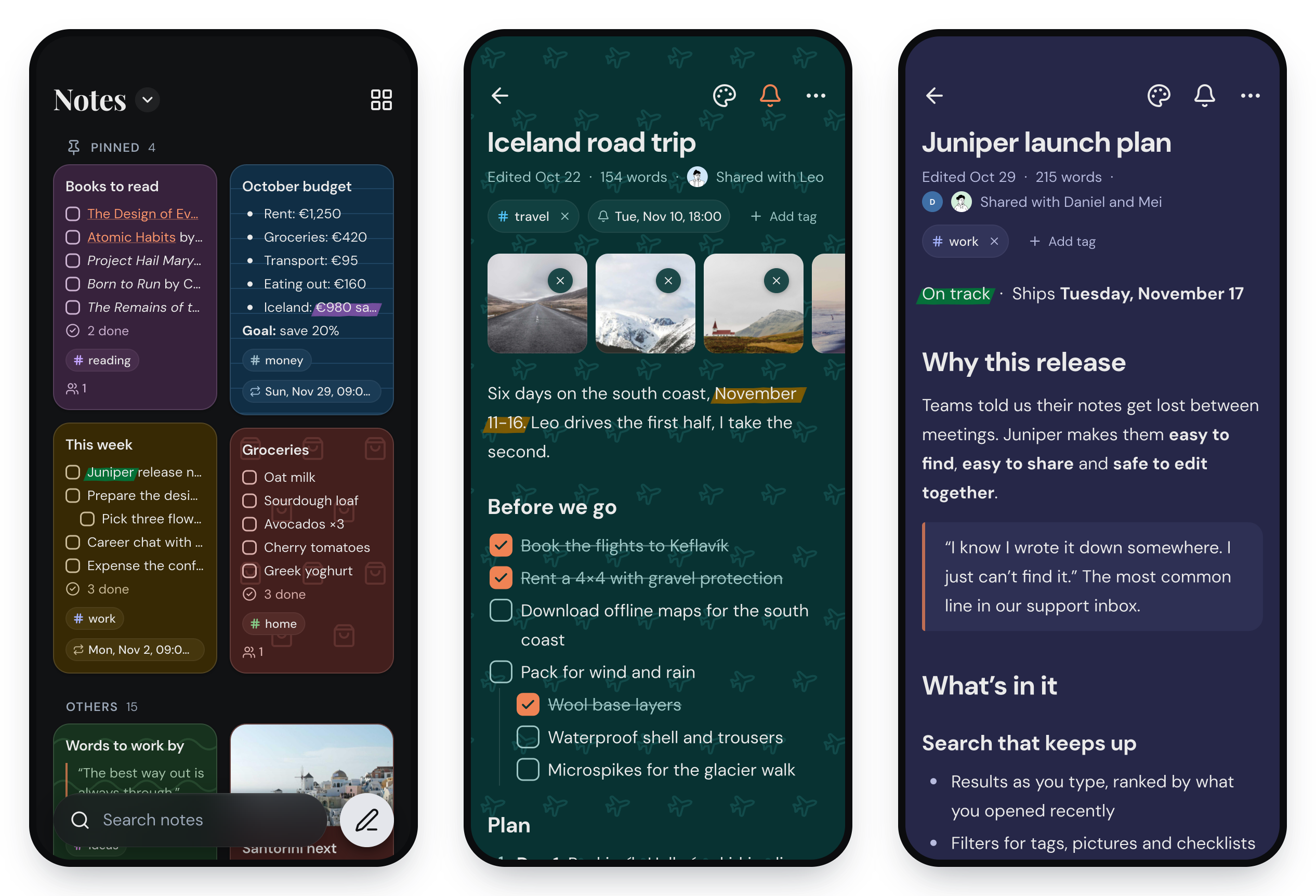
Screenshots
Web App
Mobile App
Self Hosting With Docker
Option 1: Using Pre-built Image (Recommended)
Create a
docker-compose.ymlfile:services: anchor: image: ghcr.io/zhfahim/anchor:latest container_name: anchor restart: unless-stopped ports: - "3000:3000" volumes: - anchor_data:/data volumes: anchor_data:(Optional) Configure environment: Add environment variables to the
environmentsection. Most users can skip this step - defaults work out of the box.Available options:
Variable Required Default Description APP_URLNo http://localhost:3000Base URL where Anchor is served JWT_SECRETNo (auto-generated) Auth token secret. Min 16 characters when set DATA_DIRNo /dataRoot directory for persisted uploads CORS_ORIGINSNo (allow all) Comma-separated allowlist of CORS origins PG_HOSTNo (empty) External Postgres host (leave empty for embedded) PG_PORTNo 5432Postgres port PG_USERNo anchorPostgres username PG_PASSWORDNo passwordPostgres password PG_DATABASENo anchorDatabase name USER_SIGNUPNo (not set) Sign up mode: disabled,enabled, orreview. If not set, admins can control it via the admin panelOIDC_ENABLEDNo (not set) Enable OIDC authentication OIDC_PROVIDER_NAMENo "OIDC Provider"Display name for the login button OIDC_ISSUER_URLWhen OIDC enabled (not set) Base URL of your OIDC provider OIDC_CLIENT_IDWhen OIDC enabled (not set) OIDC client ID OIDC_CLIENT_SECRETNo (not set) OIDC client secret. Omit for public client (PKCE) DISABLE_INTERNAL_AUTHNo falseHide local login form when OIDC is enabled (OIDC-only mode) Start the container:
docker compose up -dAccess the app: Open http://localhost:3000
Pre-release (Beta) Image
To test upcoming features before they are officially released, use the next tag:
services:
  anchor:
    image: ghcr.io/zhfahim/anchor:next
    container_name: anchor
    restart: unless-stopped
    ports:
      - "3000:3000"
    volumes:
      - anchor_data:/data

volumes:
  anchor_data:
Warning: The
nextimage is built from thenextbranch and may contain incomplete features or breaking changes. Do not use it in production. Back up your data before switching.
Option 2: Building from Source
If you want to build from source or customize the image:
Clone the project:
git clone https://github.com/zhfahim/anchor.git
cd anchor
Start the container:
docker compose up -dThe
docker-compose.ymlfile will build the image from source automatically.
Mobile App
The mobile app works with your Anchor server. Set up the server first, then sign in with its address.
Android


Each GitHub release has these APK files:
- Universal APK (
anchor-{version}.apk) - Recommended for most users, works on all devices - Architecture-specific APKs - Smaller file sizes for specific CPU architectures
iPhone and iPad
The iOS app is in beta on TestFlight. Install TestFlight from the App Store, then open the Anchor beta link on your iPhone or iPad.
OIDC Authentication
Anchor supports OpenID Connect (OIDC) authentication for simplified credential management and streamlined multi-user deployments.
Features
- Support for standard OIDC providers (Pocket ID, Authelia, Authentik, Keycloak, etc.)
- Configuration via environment variables or admin settings UI
- OIDC only mode: disable local username/password login
- Support for public OIDC clients (PKCE, no client secret required)
- Auto create users on first login (if user signup is not disabled)
- Auto link existing users by email
Configuration
Mobile app and Public client
If you want to use OIDC in the mobile app, configure Anchor as a Public client (PKCE, no client secret) in your OIDC provider. Add this redirect URI in your OIDC provider:
anchor://oidc/callback
Required Callback URL (Web)
When configuring your OIDC provider for web login, add this callback/redirect URL:
{APP_URL}/api/auth/oidc/callback
For example, if your Anchor instance is at https://notes.example.com, the callback URL would be:
https://notes.example.com/api/auth/oidc/callback
Environment Variables
Configure OIDC via environment variables in your docker-compose.yml. Pocket ID example:
services:
  anchor:
    image: ghcr.io/zhfahim/anchor:latest
    environment:
      - OIDC_ENABLED=true
      - OIDC_PROVIDER_NAME=Pocket ID
      - OIDC_ISSUER_URL=https://pocketid.example.com
      - OIDC_CLIENT_ID=your-client-id
      - OIDC_CLIENT_SECRET=your-client-secret # Optional for public clients
      - DISABLE_INTERNAL_AUTH=false
      - APP_URL=https://notes.example.com
Admin UI Configuration
Alternatively, configure OIDC in the admin panel (Admin → Sign-in → Single sign-on) when the three env vars are not all set.
Backup and Restore
Log into your Anchor deployment, go to Settings, scroll to Import and export, click Export and choose Anchor backup (.zip).
The resulting anchor-export-YYYY-MM-DD.zip contains:
manifest.jsonwhich includes the backup metadata, tags, notes, and attachment references in plain text- the referenced attachments, stored within the
attachmentsfolder structure
To restore, go to the same section, click Import and pick that file. Import also takes Google Keep exports and Markdown files from Obsidian and Nextcloud Notes.
Troubleshooting & Collecting Logs
Anchor never collects any data. When you need to report a bug, you can collect logs yourself and share them with the maintainer.
Mobile app
- Reproduce the issue.
- Open Settings → Logs.
- Tap •••, choose Save to a file, then attach the saved
.logfile to your bug report.
Sensitive values are stripped before anything is written to the log file. This includes authorization headers, passwords, tokens, refresh tokens, secrets, and email addresses, which are always replaced with
***.
Logs are stored locally on the device only (rolling, ~2 MB max).
Roadmap
Future planned features:
- Real-time collaboration
Tech Stack
- Backend: Nest.js, PostgreSQL, Prisma
- Mobile: Flutter (Android and iOS)
- Web: Next.js, TypeScript
Contributing
- Fork the repository
- Create a feature branch:
git checkout -b feature/your-feature - Make your changes
- Ensure builds pass and code is linted:
- Web:
cd web && pnpm build && pnpm check - Server:
cd server && pnpm build && pnpm check - Mobile:
cd mobile && flutter analyze && flutter test
- Web:
- Commit changes:
git commit -m "Describe your change" - Push and create a Pull Request
Code style
Linting and formatting are enforced in CI and by a pre-commit hook
(.githooks/pre-commit) that checks staged files.
Running pnpm install in either web or server
enables the hook automatically (via the prepare script). To enable it manually:
git config core.hooksPath .githooks
Before committing, fix issues with pnpm check:fix in the relevant project.
Design tokens
The web app's colors, text sizes, spacing, corners, shadows and motion live in
design/tokens/ (W3C Design Tokens format). web/app/styles/tokens.css,
web/app/styles/notes.css and web/lib/design/tokens.ts are built from them,
so change the tokens rather than those files. After changing a token, run this
from the repository root (it reads icons from web/node_modules, so run
pnpm install in web first):
node design/build/build.mjs
CI runs it with --check and fails if the built files are out of date.
Community
Questions, bugs or ideas? Join us on Discord or open an issue.
Support
If you find Anchor useful, consider supporting its development:

Sponsors
Thank you to our sponsors. Become a sponsor.

License
This project is licensed under the GNU Affero General Public License v3.0 (AGPL v3) - see the LICENSE file for details.
Explore related projects
n8n-io/n8n
Fair-code workflow automation platform with native AI capabilities. Combine visual building with custom code, self-host or cloud, 400+ integrations.
209,734 starslanggenius/dify
Build Agentic workflows, RAG pipelines, with rich AI model and tool support on one collaborative workspace. Deploy on cloud, VPC, or self-hosted, so teams move from prototype to production without rebuilding the stack.
160,568 starsmicrosoft/PowerToys
Microsoft PowerToys is a collection of utilities that supercharge productivity and customization on Windows
140,628 starsstablyai/orca
Orca is the place for working with a fleet of agents (e.g. Grok Bot, Claude Code). Run any coding agent with your own subscription. Available on desktop, mobile and remote runtime.
118,042 stars