
Zero-wyc/ZViewer
Zero-wyc/ZViewer has 212 GitHub stars and 21 forks. GitHot measured +2 stars in 24 hours. Last checked 2026-11-14 20:11 UTC. Last push 2026-11-13.
Measured star growth
- in 24h
- +2
- in 7 days
- Collecting history
- in 15 days
- Collecting history
- in 1 month
- Collecting history
Net star changes over overlapping periods, not daily totals. Missing measurements are left blank. Stars measure attention, not software quality.
About
多人一起观影、听歌、语音聊天和屏幕分享平台 | Multi-person simultaneous movie viewing, chasing and Self-hosted watch-together platform
Developer ToolsREADME.en.md
OriginalZViewer
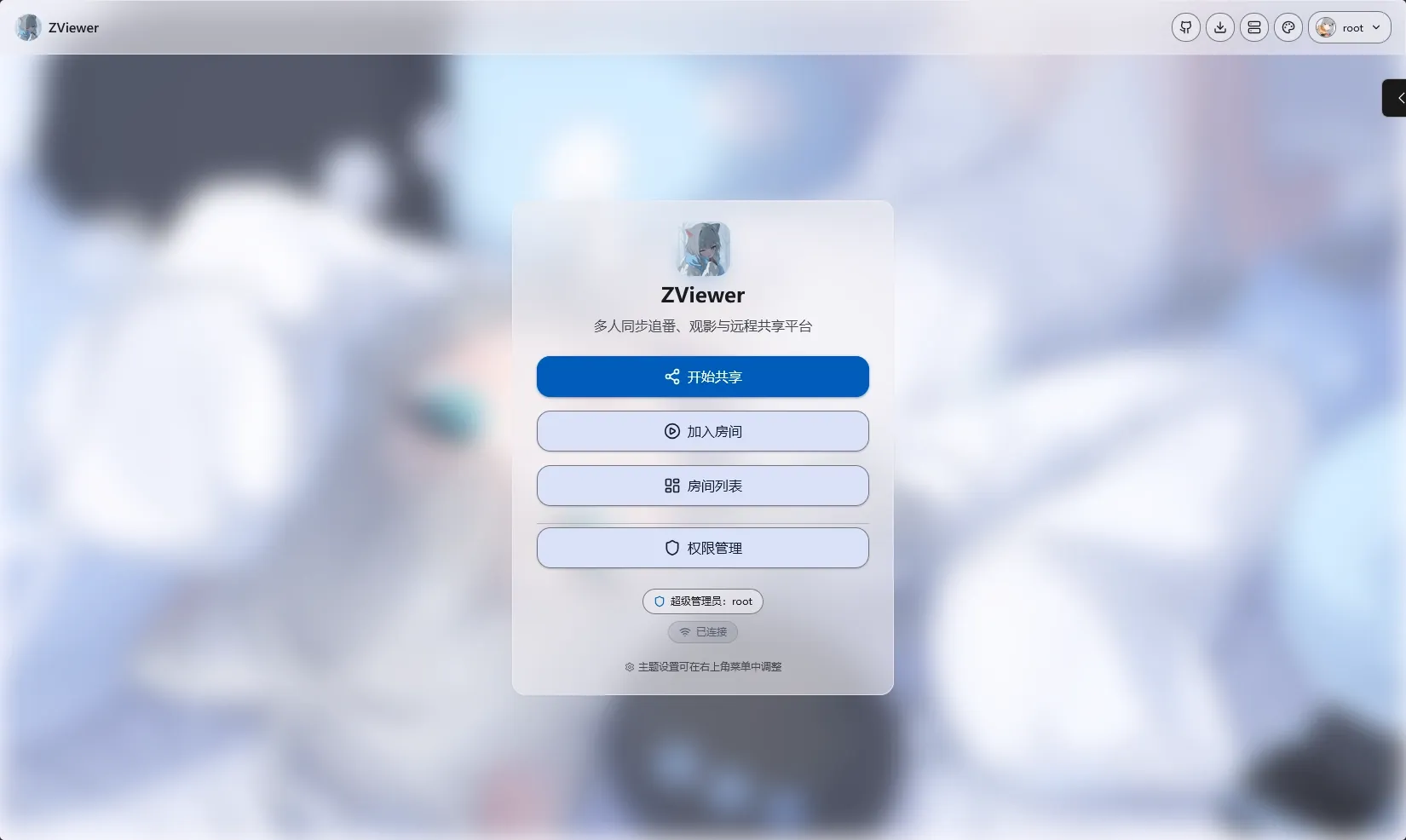
Watch movies, listen to music and talk over voice — together, in one room.
English | 中文


 |
 |
|---|---|
 |
 |
 |
 |
 |
 |
Features
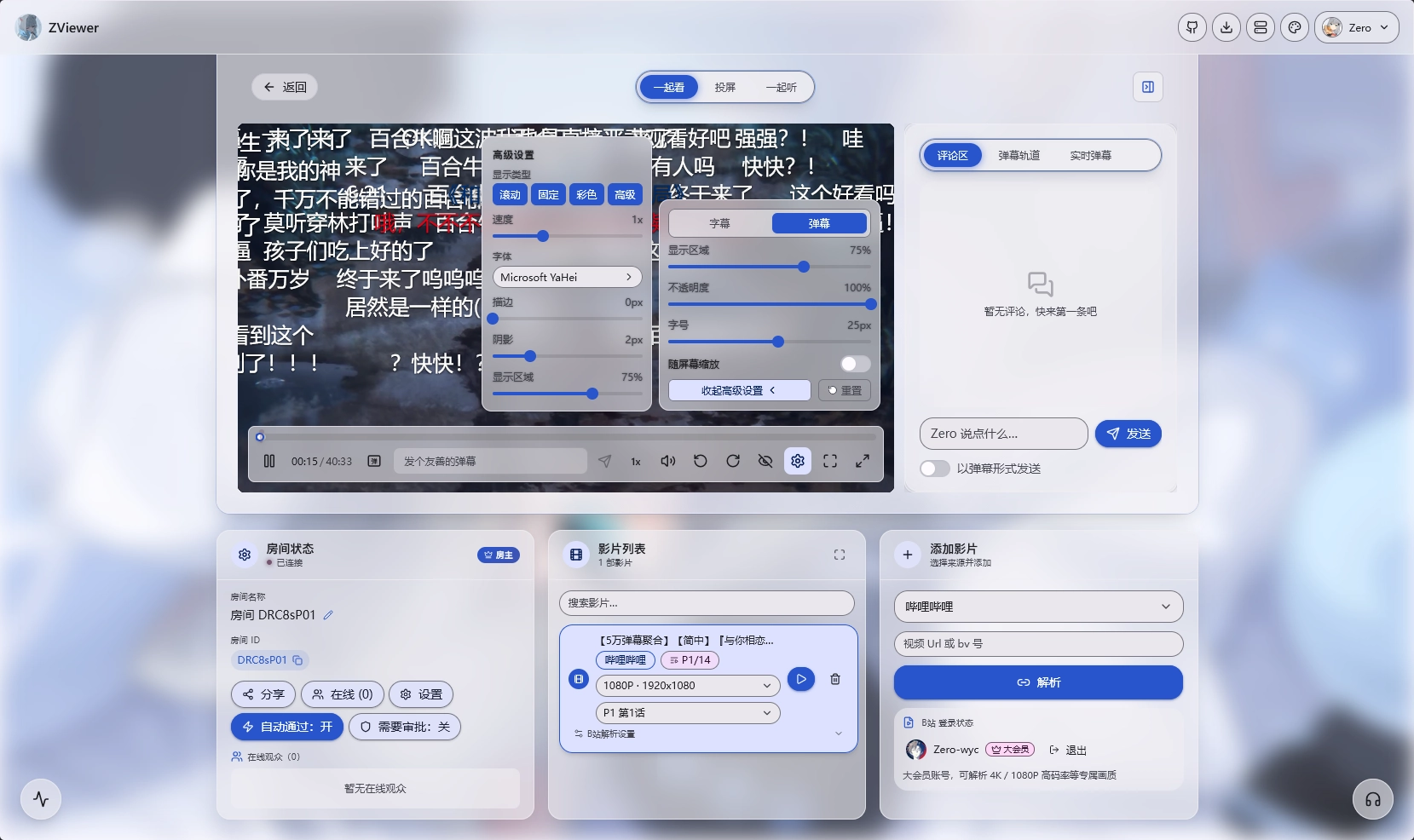
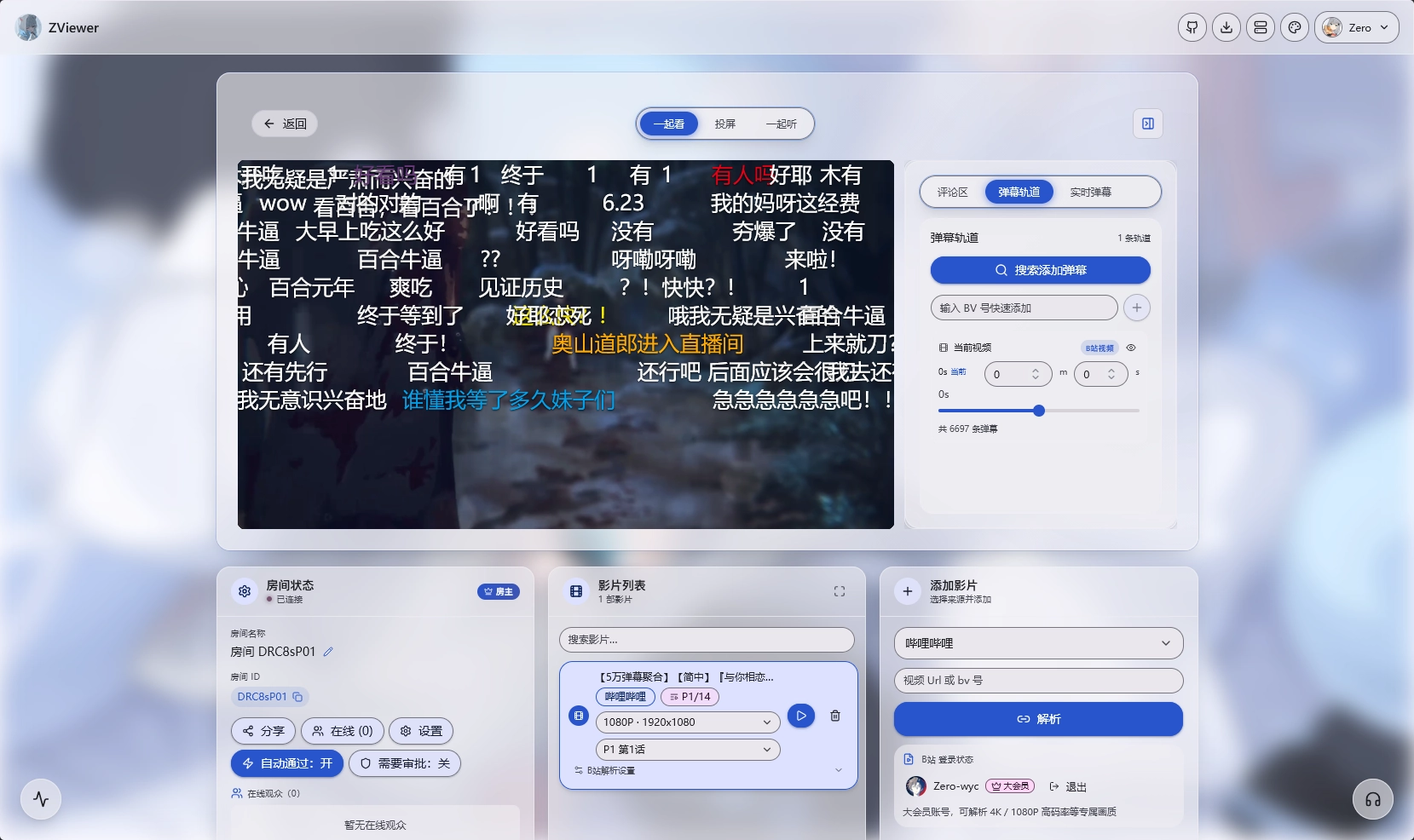
- Watch together: synchronized group viewing; the host controls playback, viewers can request pause / seek
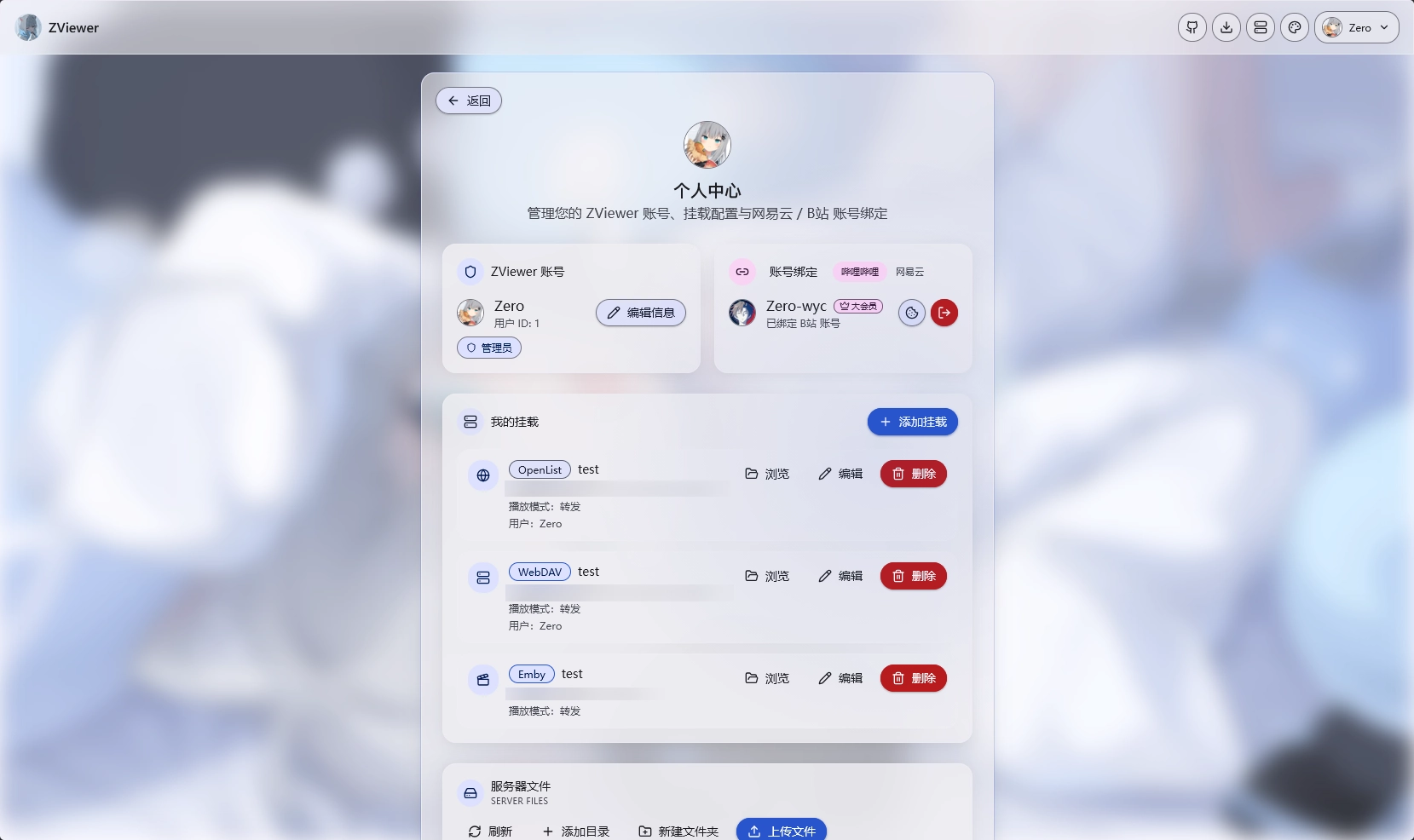
- Video sources: Bilibili (premium quality), MP4 direct links, WebDAV / FTP / OpenList, Emby / Jellyfin, server local folders
- Format compatibility: MKV / AVI / TS / WMV, DTS / AC3 / EAC3 audio
- Danmaku & subtitles: Bilibili, DandanPlay, local files; multiple subtitle tracks with independent font sizes
- Voice & sharing: voice chat, WebRTC screen sharing
- OBS streaming: RTMP push and low-latency delivery inside the room
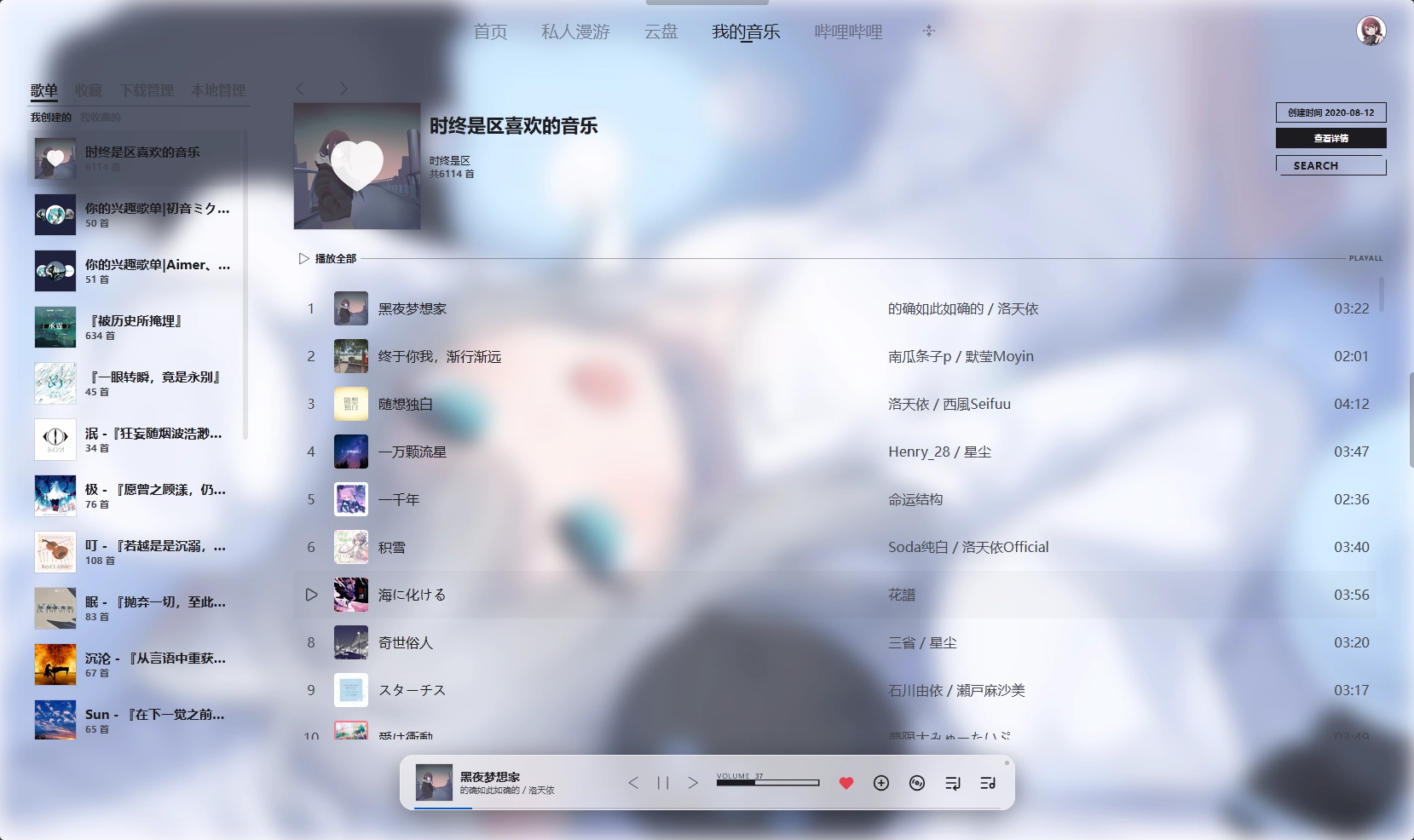
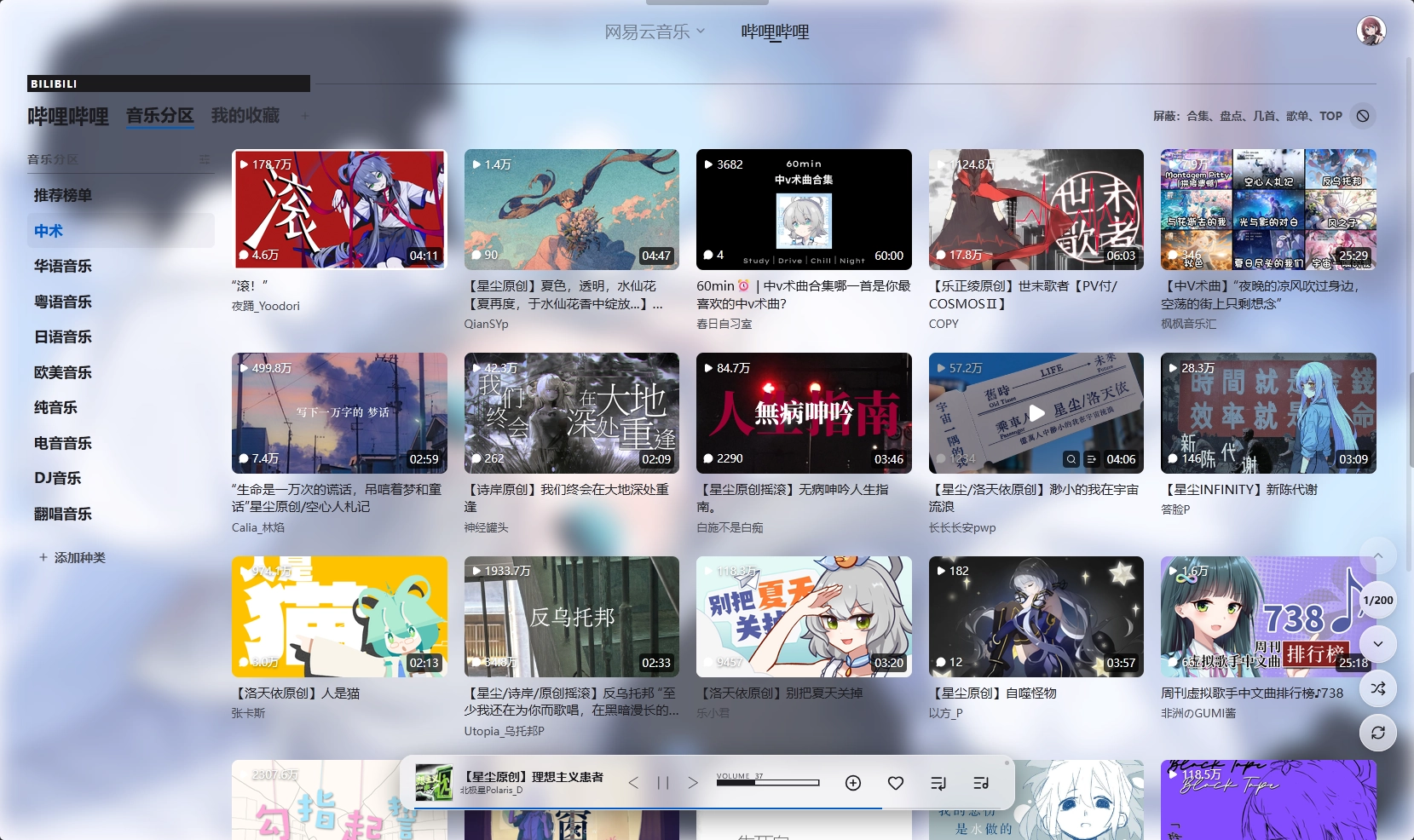
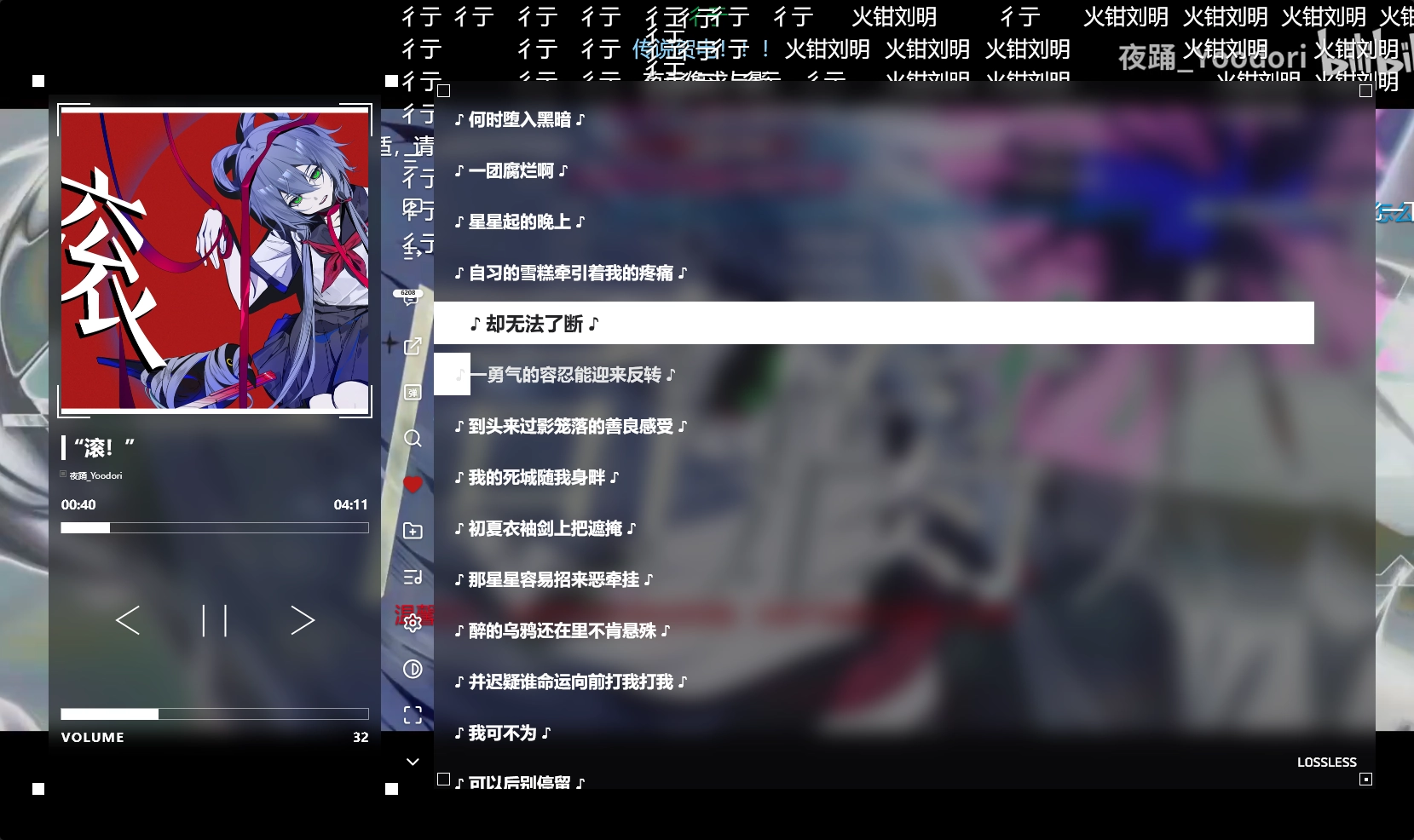
- Listen together: NetEase Cloud Music × Bilibili; playlists auto-filled, one-click favorites into both folders
- High quality, low bandwidth: pair with ZViewerCLI for a local proxy
- Interface: Material You themes, custom backgrounds, glassmorphism, Chinese / English UI
- Mobile apps: Android / HarmonyOS / iOS and tablet clients for watching, listening, receiving casts and room voice
- Deployment: Docker / single-file builds work out of the box, one-click auto update
Chrome / Edge 130+ is recommended. Safari and Firefox have incomplete MSE / MKV support — you may see stuttering or subtitle glitches.
ZViewerCLI
ZViewerCLI (Go) is a local resolver/proxy: it streams with your own Bilibili cookie so everyone in the room gets premium quality while barely using server bandwidth.
Quick Start
On first startup a ROOT administrator is created automatically: root / root. Change the password immediately.
Windows Desktop (recommended)
Download zviewer-windows-x64-GUI.zip, unzip it and run ZViewerDesktop.exe, then follow the prompts.
Single-file build
| Platform | File | After unzipping |
|---|---|---|
| Windows | zviewer-windows-x64.zip | run start.bat |
| Linux | zviewer-linux-x64.tar.gz | run ./start.sh |
Then open http://localhost:3333. For stable versions, pick one from Releases.
Docker
docker run -d --name zviewer --restart unless-stopped \
  -p 3333:3333 -p 3333:3333/udp -p 3334:3334 -p 3337:3337 \
  -v zviewer-data:/app/config \
  zerowyc0721/zviewer:latest
From source
npm install
npm run db:init
npm run build
npm start
Requires Go 1.26+ and Node.js 22+; see Development.
Windows Desktop App
ZViewerDesktop.exe is a Go + WebView2 native shell (Wails v2 — no Electron, no runtime to install). The app itself stays in the browser; the shell hosts the backend and the network entry points.
| Capability | Notes |
|---|---|
| Tray & single instance | Closing the window keeps it in the tray; launching again only restores the open window |
| Process hosting | Starts / stops the backend and ZViewerCLI; first launch with no database runs --init-db (root / root, change it after login) |
| Ports & HTTPS | Port is configurable and persisted; can issue a certificate for localhost |
| Remote access | IPv6 direct, provider FRP, self-hosted FRP (exports frpc.toml), EasyTier mesh, one-click Cloudflare Tunnel |
| Premium proxy | Bundled ZViewerCLI on 9333, bound to 127.0.0.1, QR login, can start with the service |
| On-demand components | cloudflared / frpc / EasyTier download on first use — not shipped in the installer |
| Auto update | Checks once 6 s after start, then every 6 hours; streaming download + structure check + restart |
| Logs | Filtered by voice / tunnel / cli / update, level and keyword; last 500 entries kept |
Tunnel and IPv6 conventions: IMPLEMENTATION-CLOUDFLARE-TUNNEL.md (Chinese).
Layout
| Path | Contents |
|---|---|
ZViewerDesktop.exe |
GUI entry point |
assets/ZViewer.ProcessHost.exe |
Process supervisor host |
runtime/ |
Backend, CLI, web UI; components land here too |
runtime/.env, runtime/config |
Backend environment and business data |
%APPDATA%/ZViewerDesktop |
GUI settings, certificates, FRP credentials, logs |
%USERPROFILE%/.zviewer/config.json |
ZViewerCLI login config |
The whole folder can be copied elsewhere — nothing to install. Before updating, quit the console and back up .env, config and the user config folder.
Build
Requires Go 1.26+, Node.js 22+, Python 3.11+ (packaging) and the built-in C# compiler (for the supervisor host).
node build-all.js --win               # build the Windows runtime first
npm --prefix desktop run shell:build  # build/bin/ZViewerDesktop.exe (--console for logs)
npm --prefix desktop run shell:dist   # dist-gui/
npm --prefix desktop run package      # ZIP + SHA256
UI files are embedded into the EXE via go:embed, so editing desktop/ui/ needs a rebuild (use npm --prefix desktop run preview while iterating). Checks: cd desktop && go vet ./... && go test ./....
zviewer-windows-x64-GUI/
  ZViewerDesktop.exe                # single entry point
  assets/ZViewer.ProcessHost.exe    # process supervisor host
  runtime/                          # backend, CLI, web UI
  licenses, BUILD-MANIFEST.json
Do not run cd desktop && go build -tags production . — it overwrites the committed desktop/desktop.exe.
Third-party components
| Component | Version | License | Location |
|---|---|---|---|
| frp client | 0.71.1 | Apache-2.0 | downloaded to runtime/frpc.exe |
| EasyTier | 2.6.4 | LGPL-3.0 | downloaded to runtime/mesh/ |
| ZViewerCLI | 0.2.1 | MIT | shipped as runtime/zviewer-cli-windows-amd64.exe |
All are unmodified binaries redistributed as-is, each keeping its license: frp / EasyTier under assets/LICENSE-*.txt, the CLI inside runtime/.
Mobile Apps
Phone and tablet clients live in ZViewerAPP. The UI and player ship inside the app; you only enter the address of a ZViewer server.
| Platform | Current version | Package and requirements |
|---|---|---|
| Android | 2.3.5 | ZViewer-Client-2.3.5-android.apk; Android 7.0 / API 24+, 64-bit devices only |
| HarmonyOS | 2.3.5 | ZViewer-Client-2.3.5-harmonyos.hap; HarmonyOS 6.1 / API 23+, installed through DevEco Studio / HDC (not an app-store package) |
| iOS / iPadOS | 2.1.10 (build 31) | unsigned IPA; iOS 16.4+, re-sign with your own certificate before sideloading |
Downloads: Android / HarmonyOS 2.3.5 · iOS 2.1.10 · versions follow Releases
- First launch asks for the server address: Android / HarmonyOS accept
host:port, iOS needs the full HTTP / HTTPS URL - For self-signed HTTPS you can allow the certificate for that one server on the connection screen (Android / HarmonyOS only)
- Room features: watch together, listen together, receiving casts, room voice, danmaku and subtitles; Android / HarmonyOS can also share their own screen once the system grants it, iOS receives only
- Your reverse proxy must pass both API and Socket.IO traffic; uninstalling clears the saved address and settings
Development
For people changing this repository. Deployment options are in the Chinese README.
- Two independent Go modules, no module at the root:
backend-go/(zviewer/backend) anddesktop/(zviewer/desktop) build separately and share no internal packages. - In production the Go server serves the SPA; during development Vite runs on 5174 and proxies
/api,/socket.ioand/liveto 3333. - Voice and screen sharing are peer-to-peer (the host is the root of the tree); the backend carries signaling, permissions and the optional relay only.
- OBS streaming and listen-together run inside the backend process — no external service to deploy.
config/is not committed (database, certificates, uploads, HLS segments) — a fresh clone must runnpm run db:init.
| Dependency | Version |
|---|---|
| Go | 1.26+ (desktop shell 1.25+) |
| Node.js | 22+ |
| npm | 10+ |
| Git Bash | Windows only, for backend-go/scripts/*.sh |
Optional: OBS (streaming), sqlite3, WebView2 (desktop shell development).
| Path | Contents |
|---|---|
frontend/ |
React 18 + Vite SPA, alias @/ → src/ |
backend-go/internal/api |
HTTP layer; business logic in sibling <domain> packages; SQL in internal/store |
backend-go/internal/db |
Open, schema verification, indexes, DDL, backup |
backend-go/scripts |
Smoke / regression scripts |
backend-go/testdata/contract |
Endpoint and event contract snapshots (189 endpoints / 65 events) |
desktop/ |
Wails desktop shell, controller/ manages processes and certificates |
scripts/ |
Hot reload, artifact build, launchers |
| Command | Purpose |
|---|---|
npm run dev |
Both ends (backend restarts on save) |
npm run dev:backend / dev:backend:once / dev:frontend |
One end only |
npm run build / build:backend / build:frontend |
Artifacts into dist/ |
npm run build:all |
Pick a platform interactively, outputs dist/win or dist/linux |
npm run db:init / db:backup |
Create the database / hot backup (VACUUM INTO) |
npm run lint:go / test:go |
gofmt -l + go vet / go test ./... |
npm run lint / npm test -w frontend |
eslint (0 error 0 warning) / frontend unit tests |
npm run test:regression |
Full regression, about 1 min 45 s |
Change the backend port with PORT, point the frontend at it with VITE_API_TARGET. Port map: 3333 backend + web + media UDP, 3337 media TCP, 5174 Vite, 3334 RTMP (HTTP-FLV streaming is served in-process under /live, no extra port).
Regression scripts each cover one area (route-parity, events-parity, bilibili-smoke, frontend-smoke, soak, …) and always work on a database copy, never config/dev.sqlite. Run one alone: bash backend-go/scripts/profile-smoke.sh.
Database
- Never create tables or add columns at startup.
VerifySchemaexits when a table or key column is missing. internal/db/schema.sqlis the single source of truth and is only used by--init-db; indexes live ininternal/db/indexes.goand are created idempotently at startup.- Adding a column touches four places:
schema.sql→ storecolumns+scanXxx+INSERT/UPDATE→ legacy-database migration statement (no migration framework) → run the regression suite. - Never back up with
cp: under WAL the latest transaction sits in-wal, copying only the main file silently loses data.
Conventions
- Backend:
internal/api→internal/<domain>→internal/store, one-way dependencies; responses go throughhttpx.OK / Fail; column names are quoted camelCase; time comparisons usedatetime('now'). - Frontend: always the
@/alias; UI from@/components/ui, dialogs fromui/Modal, durations viaformatDuration(Ms);components/must not depend onmodules/room. - Not used: ORM / query builders, automatic DDL on the startup path.
Release
.github/workflows/build.yml does not build on every push to main: trigger it manually and enter vX.Y.Z for a stable release (tag + Release + artifact repo + GitCode sync); leave it empty for a latest pre-release.
| Secret | Purpose |
|---|---|
RELEASE_REPO_TOKEN |
PAT with contents:write on ZviewerRelease |
GITCODE_TOKEN |
Write access to ZViewer and ZviewerRelease |
Optional components (cloudflared, frpc, EasyTier) live on the components branch of ZviewerRelease: main there is replaced wholesale by an orphan commit on every release, which would wipe them.
Update source: both the web UI and the desktop app have a "use mirror update source" switch (on by default). Manifests and installers come from GitCode raw, the preference is stored in config/update-source.json / the GUI settings.json, and operators can override with ZVIEWER_UPDATE_SOURCE=github|gitcode|mirror. There is no automatic fallback — pick the mirror and only the mirror is used; failures are reported so the switch can be turned off.
Documentation
| Topic | Where |
|---|---|
| Deployment (ports, Docker, environment variables, streaming, voice) | README.md (Chinese) |
| Full user guide | docx.zviewer.zero251.xyz (Chinese) |
| Cloud tunnel internals | desktop/IMPLEMENTATION-CLOUDFLARE-TUNNEL.md (Chinese) |
| High-quality proxy CLI | ZViewerCLI |
| Mobile app (in development) | ZViewerAPP |