
Zer0Qing/Muse has 78 GitHub stars and 12 forks. GitHot measured 0 stars in 24 hours and +5 in 7 days. Last checked 2026-11-15 04:06 UTC. Last push 2026-11-01.
Measured star growth
- in 24h
- 0
- in 7 days
- +5
- in 15 days
- Collecting history
- in 1 month
- Collecting history
Net star changes over overlapping periods, not daily totals. Missing measurements are left blank. Stars measure attention, not software quality.
About
不只是对话,是持续认识你的 AI。开源 Android AI 伴侣:本地优先,能替你做事。 | Not just chat — an AI that truly knows you. An open-source, local-first Android AI companion that gets things done.
AIREADME_EN.md
Original
中文 · English · 日本語 · 한국어 · Español · Português · Русский







What is Muse · Screenshots · Download · Quick Start · Features · Open Source
What is Muse
Muse is a personal agent that runs on your own phone.
Most personal agents in 2026 live in the cloud. They remember you and they get work done, and the price is that everything about you sits on someone else's server, executing out of sight.
Muse goes the other way. It lives on your Android phone, takes any model you point it at (40+ preset providers), keeps your data on the device by default, and when something needs doing it actually operates the phone: reading the screen, tapping, running commands, reading and writing files.
It does four things:
| Meaning | How Muse does it | |
|---|---|---|
| Continuous | Switch sessions, channels or models, it is still the same one | Four-tier memory + one persona across five chat channels |
| Proactive | It moves things forward without being called | Pending-thoughts ledger, scheduled tasks, reaching out when it has been quiet |
| Capable | It does more than talk | Accessibility / Shizuku / Root tiers, 200+ tools, terminal and virtual display |
| Persistent | Close and reopen, it is still there | Keep-alive service, local database, offline runtimes |
No sign-up, no account, uninstall and it is gone.
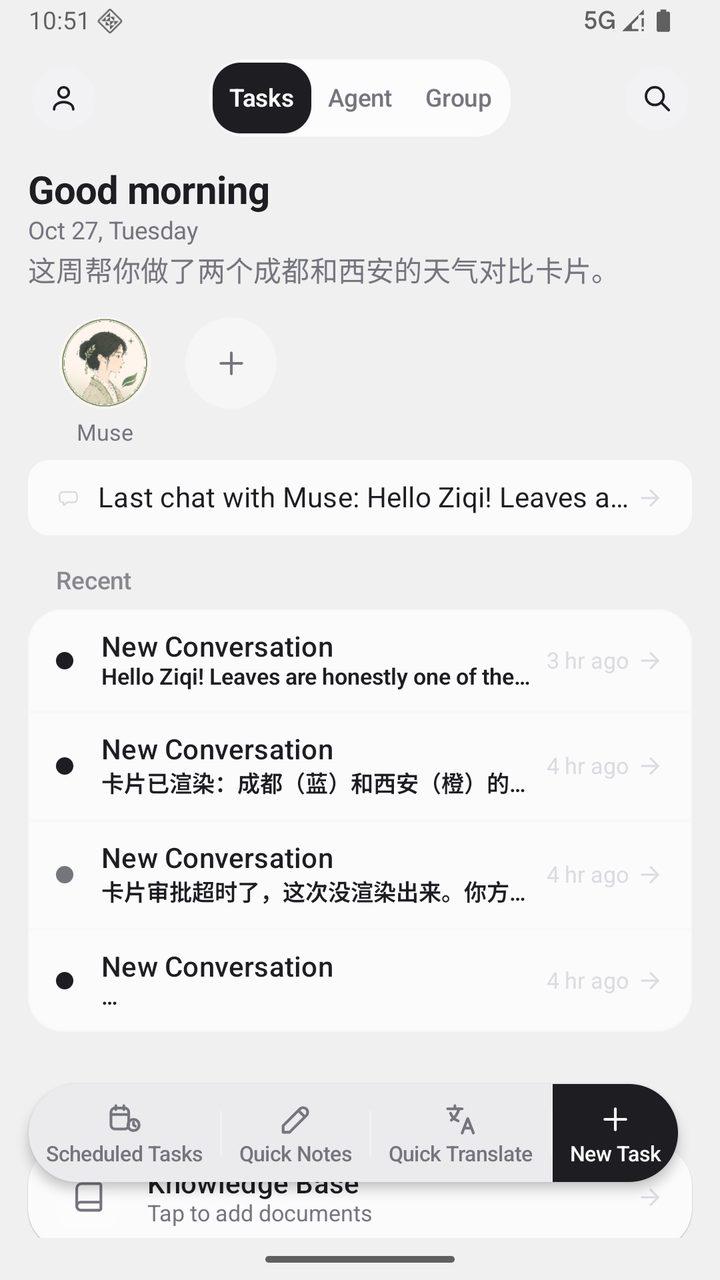
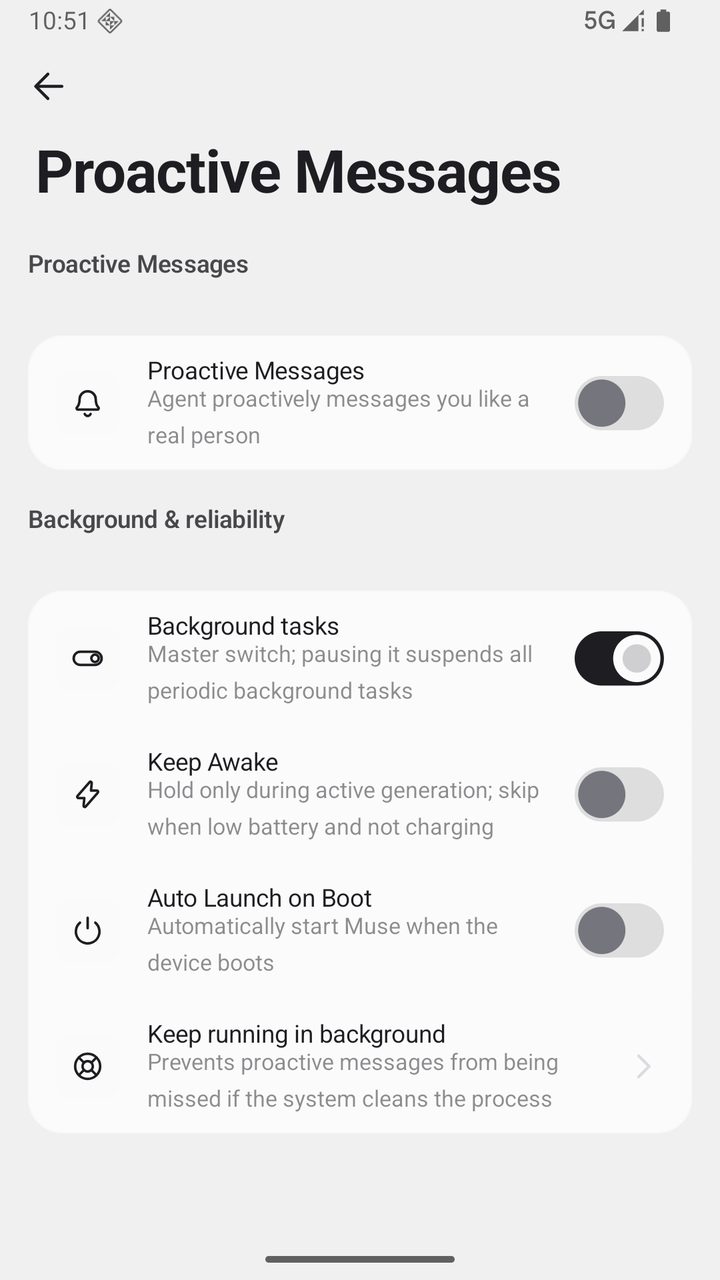
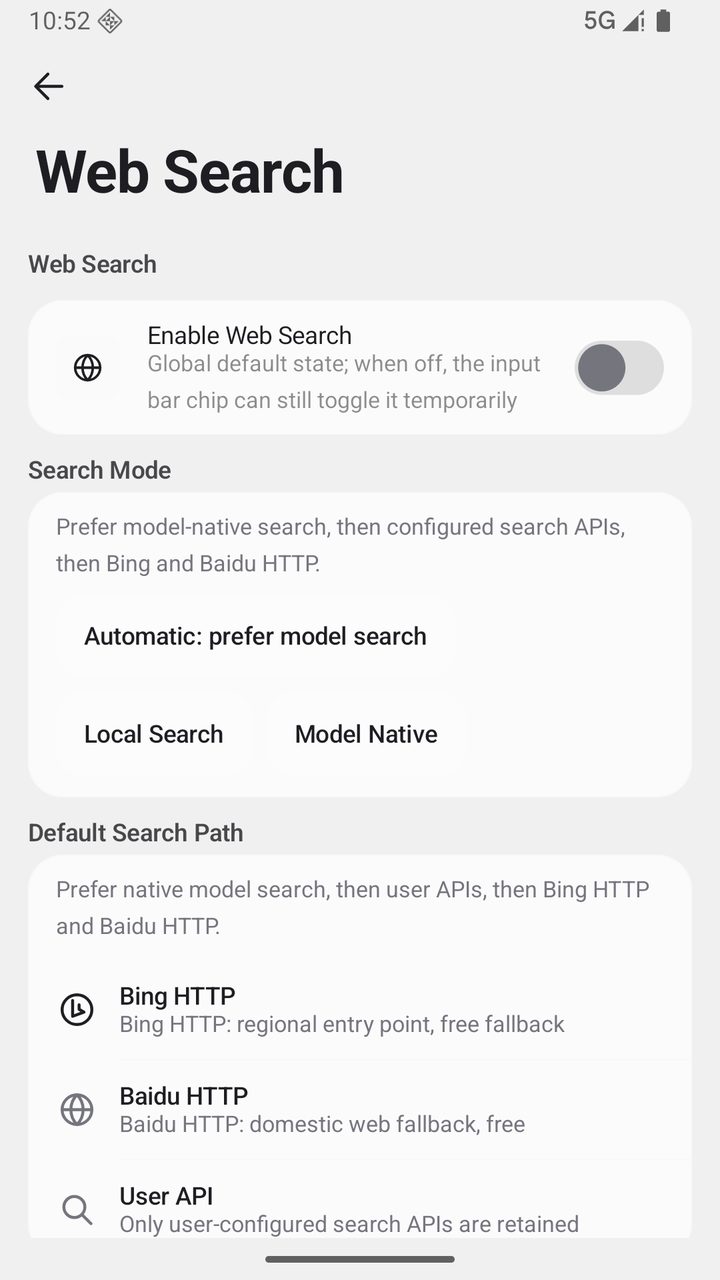
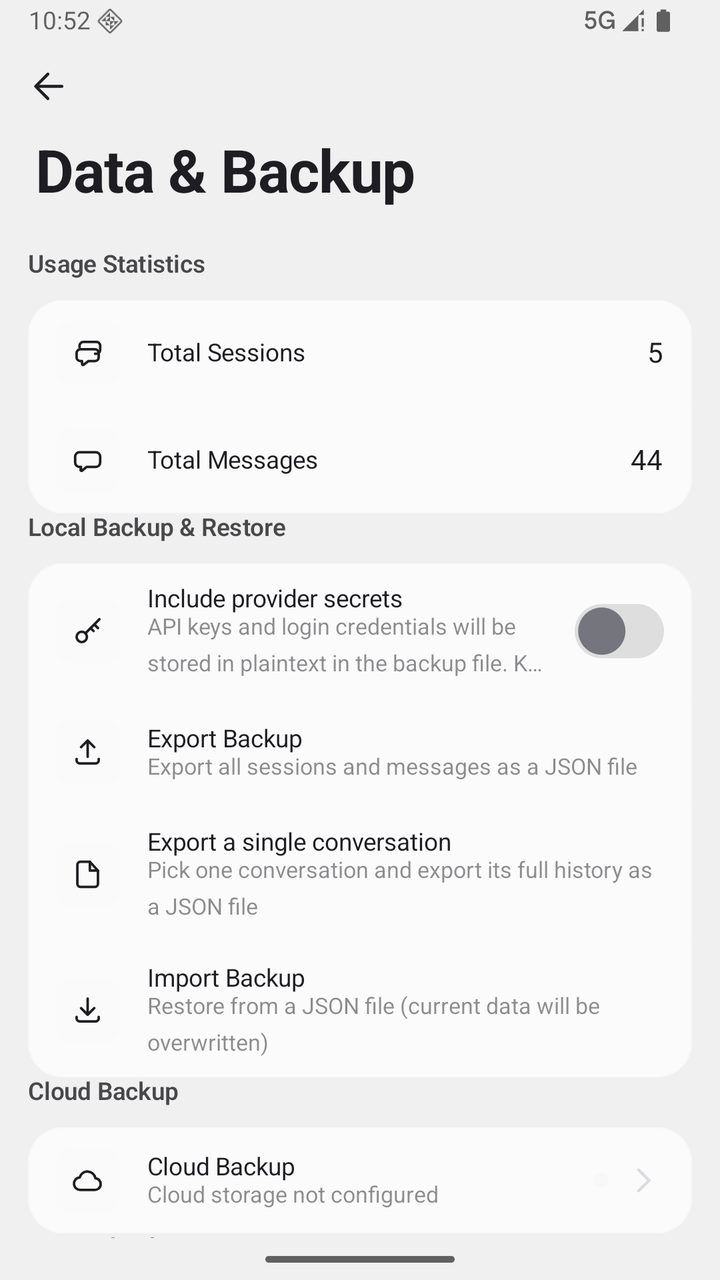
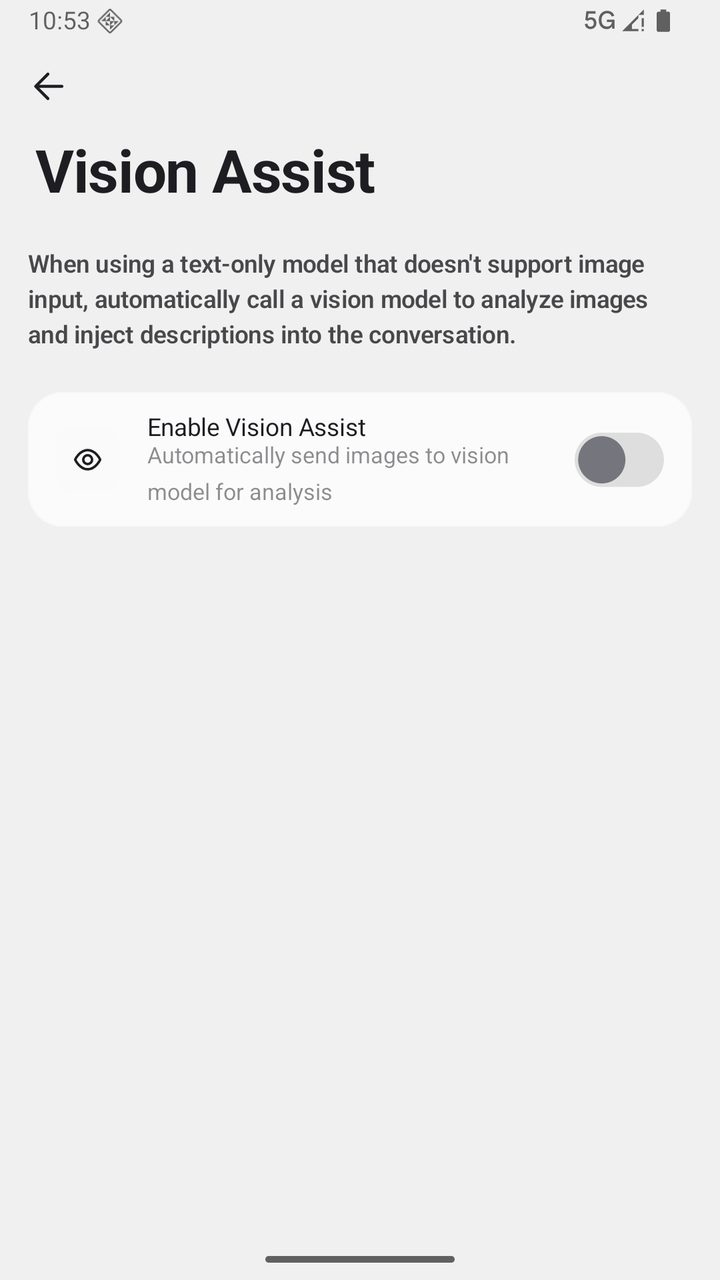
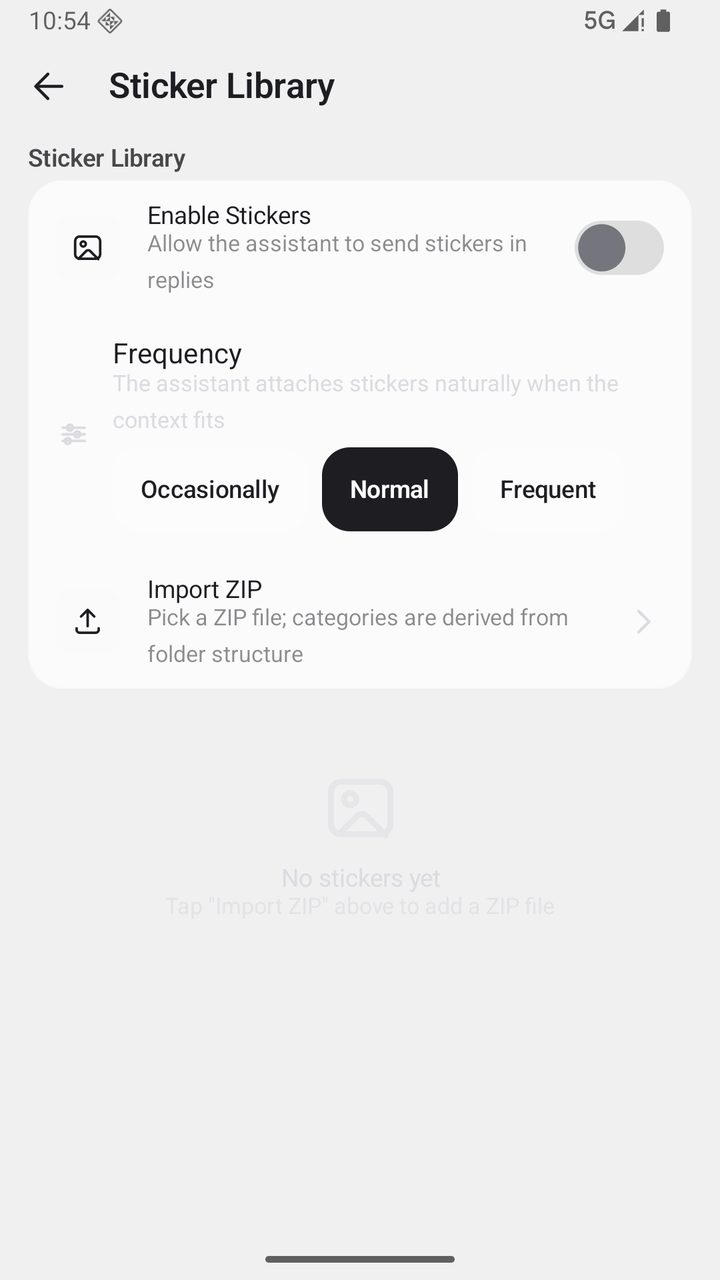
Screenshots
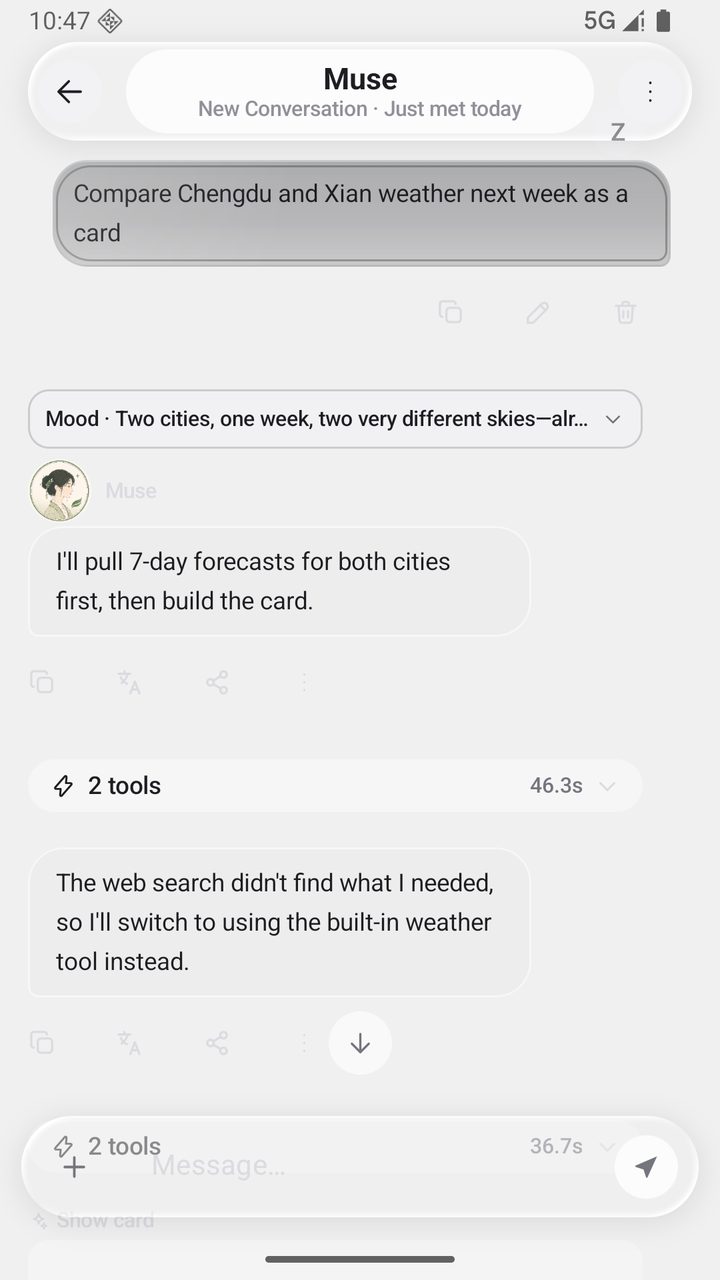
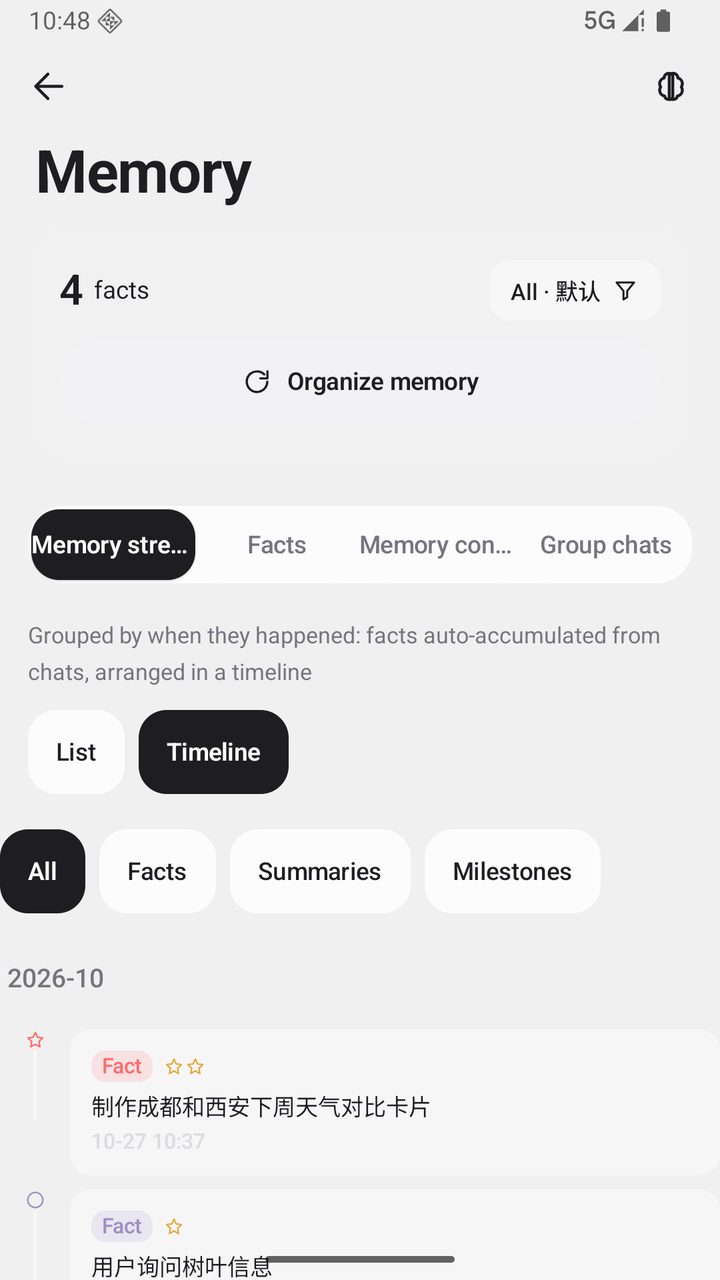
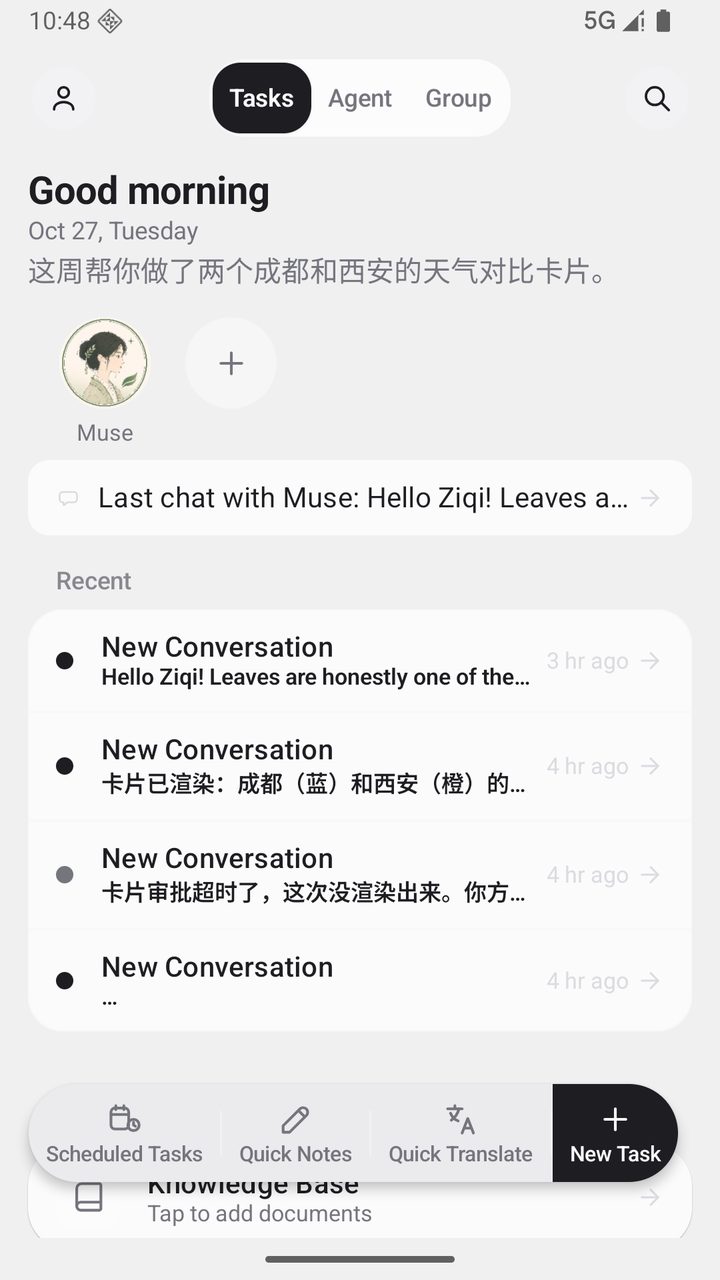
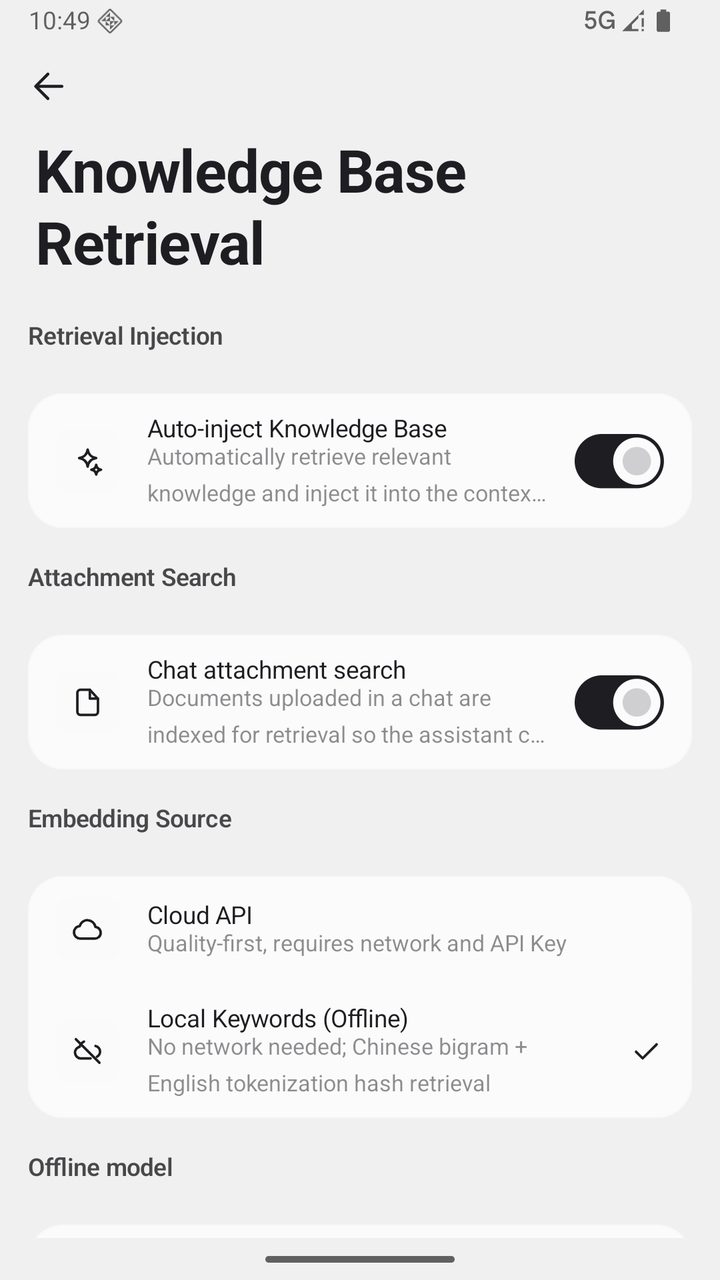
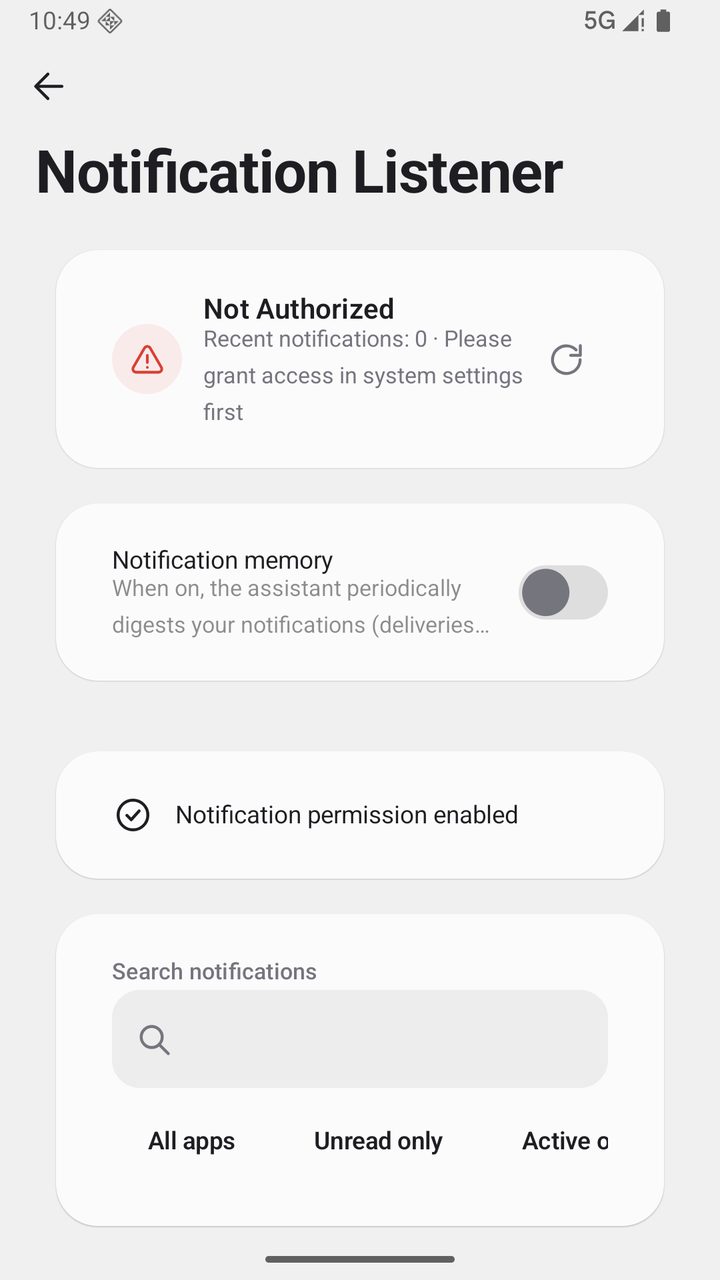
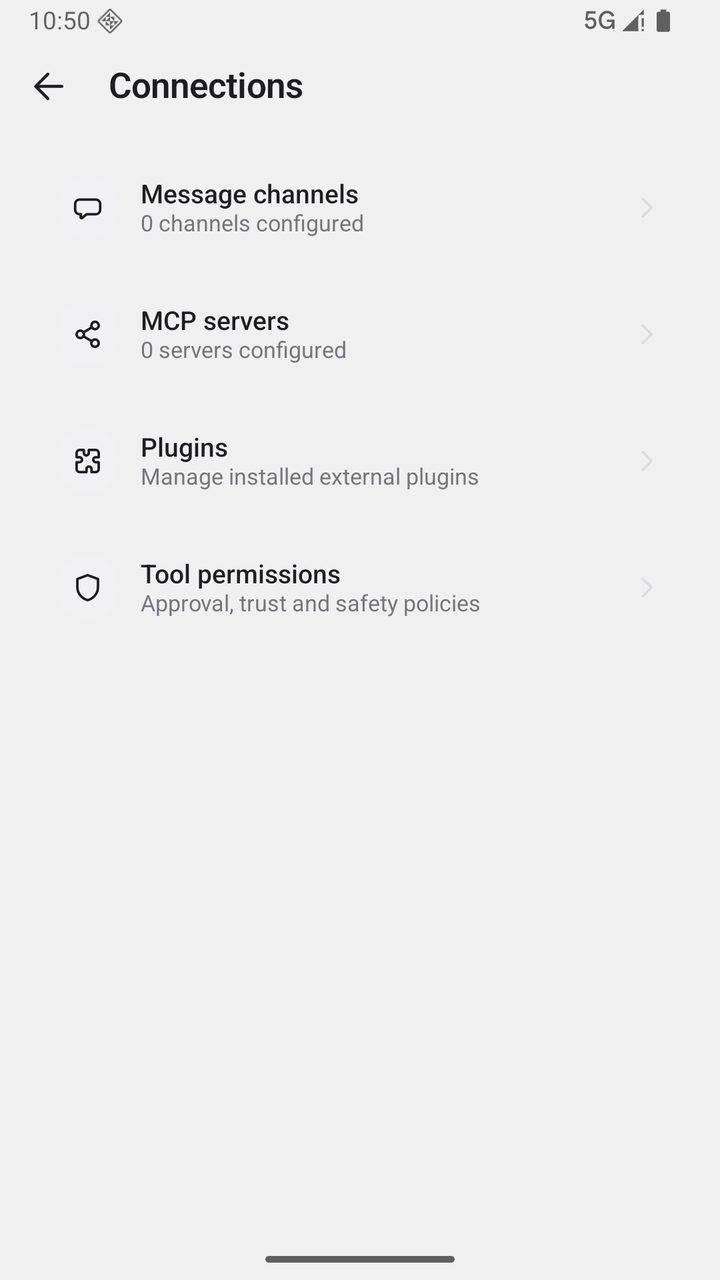
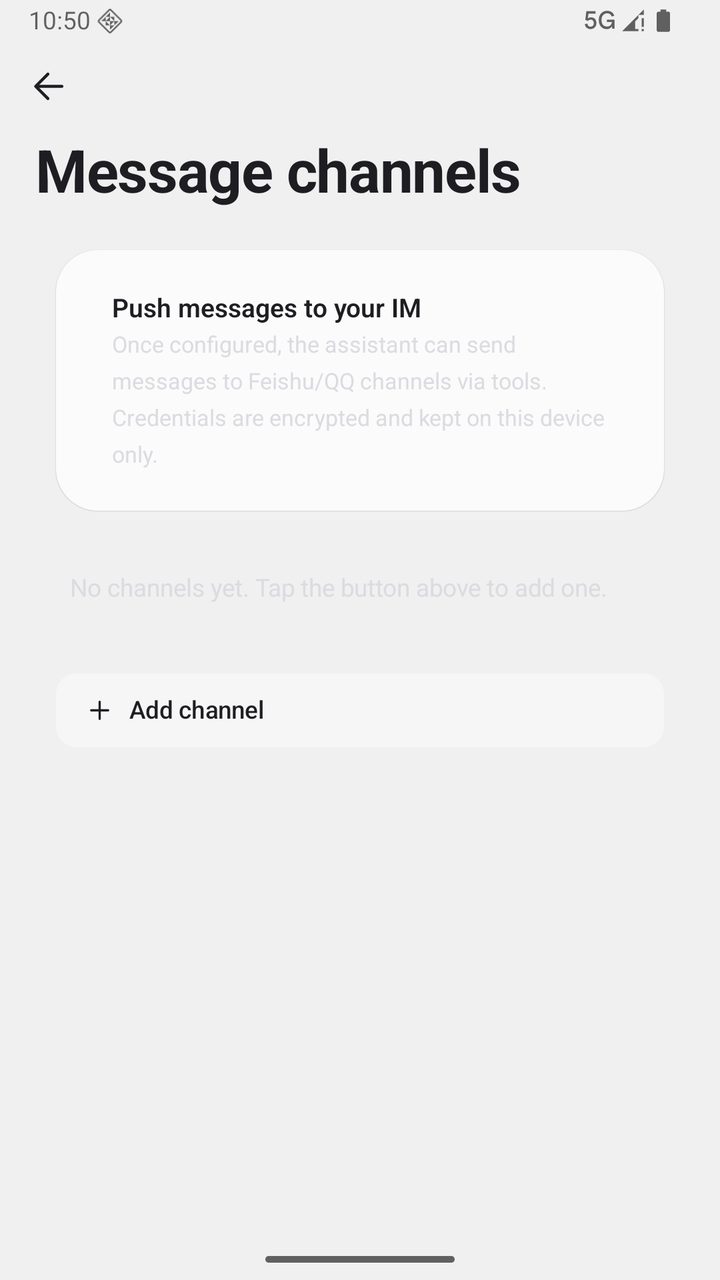
More screenshots (click to expand)
Download
| Your device | Choose | Notes |
|---|---|---|
| Recent phones | arm64-v8a |
Recommended, smallest download |
| Older phones | armeabi-v7a |
For older devices |
| Not sure | universal |
Works everywhere |
Download the latest APK from the official download page museai.ltd/download (fast direct downloads in China); it's also available on GitHub Releases. Install over the top — your data stays intact.
[!WARNING] Only download from the official Releases page or the official website. Packages from unknown sources may be tampered with, risking your data and device.
[!NOTE] In-app updates only open the official GitHub HTTPS assets; the app never downloads or silently installs APKs. A "Unknown sources" prompt during installation is expected.
Quick Start
- Configure a model provider — open Settings → Models & Reasoning → Providers, pick a preset provider (DeepSeek, Qwen, Zhipu and others offer free credits on sign-up), paste your API key, test the connection and fetch the model list.
- Start chatting — go back to the home screen and send your first message. Memory starts accumulating from that moment; switch models or sessions and it still remembers you.
- Unlock system-level abilities (optional) — to let it act on your phone, open Settings → Permission Wizard and enable the Accessibility / Shizuku / Root / Termux channels you need. Every step has built-in detection and test entry points.
A complete usage guide (including all the gestures and hidden operations) is available in the user manual (Chinese) and in-app under Settings → Tutorial.
Why Muse
1. It is yours, not rented
A cloud agent gives you a service: you sign in, it remembers you, the data lives there. Muse gives you a process running on a device you own.
- Conversations, memory and knowledge base live in a local Room database; no telemetry, no analytics, no sign-up
- Any model: 40+ preset providers, plus self-hosted or LAN OpenAI-compatible endpoints
- Sensitive settings go through Android Keystore; PII is masked before sending and restored on the way back
2. It remembers a person, not a conversation
A four-tier memory architecture, from short-term conversation to long-term deep processing:
chat --> fact extraction --> rolling summary --> compilation --> deep processing
short     key facts          compression        dedup/merge     long-term memory
- Critical facts never decay (medical, financial, core identity are protected), while everyday details fade naturally like a human would
- Every memory entry is traceable to its source; editable, reweightable, searchable, isolated by space
- The same one across channels: WeChat / QQ / Feishu / Telegram / DingTalk, each contact with its own context and rolling summary
3. It moves forward on its own
It does not wait to be spoken to.
- Pending-thoughts ledger: the assistant writes down what it wants to ask you later and picks one when the moment fits, instead of inventing small talk
- Outcome ledger: opened, replied, dismissed — all recorded; intimacy learns from it and decides how many times it may speak today
- Quiet hours: it stays silent when you should be asleep
- Scheduled tasks: run on time, results land back in the conversation
4. It really does things on this phone
| Channel | Capabilities | Requirement |
|---|---|---|
| Accessibility (separate process) | Read the screen tree, tap / swipe / long-press / type, Back / Home / notification shade | One system toggle |
| Shell (Shizuku / adb) | Screenshots, input commands, foreground app lookup, device commands |
One-time authorization |
| Root | Full system control, access other apps' data | Rooted device |
| Termux | Full Linux environment (apt / pip / gcc / ffmpeg) | Install Termux and authorize |
- 200+ tools, exposed in tiers by default; long-tail capabilities are loaded on demand via
find_tools - Every tool declares its required authorization and readiness (READY / NOT READY); unready calls fail fast before execution with clear guidance
- Built-in terminal (custom PTY + xterm), background virtual display, vision-driven GUI Agent, browser automation
- Safety boundaries: command allowlist, risk-based approval (Trusted / Ask / Strict), hard timeouts, workspace sandbox
5. It has an inner life, and a team
- Mood, in four dimensions: Vibe / Sparks / Reflections / Will before every reply, collapsed by default
- Three-layer persona: persona / relationship / style layers, with
{{user_name}}/{{char}}template variables - Multi-agent: delegate with
@assistant-name, task cards visualize each step, sub-agents run in floating windows, assistants have a private DM inbox - Group meetings: summary cards / votes / observers / quick templates / meeting controls
- Milestones: first message, day 7 / 30 / 100, message 100 / 1000 — all remembered for you
How it differs from a cloud agent
| Cloud personal agent | Muse | |
|---|---|---|
| Runs on | A cloud host / a browser tab | Your own phone |
| Data | Uploaded before it can remember you | Stays on the device by default |
| Can touch | Web pages and APIs | The device itself: screen, commands, files, other apps |
| Model | Bound to the platform | 40+ providers, swap anytime |
| Cost | Subscription and privacy | You supply a device and an API key |
Features
Chat Experience — streaming & continuity / sessions / message tools / multi-model / voice / multimodal / search
- Streaming & resilience: SSE token-by-token output, stop anytime; interrupted streams auto-resume when the network recovers. A built-in stream guard detects "premature stream end" (empty streams / zero first byte) and falls back to a non-streaming retry; a first-event watchdog (45s for regular models, 90s for reasoning models without a first token) switches request modes automatically, so slow models no longer leave you staring at a blank screen.
- Session management: pin / archive / undoable delete / folders / drag-to-reorder pinned sessions; global search backed by SQLite FTS5 (with automatic FTS4 fallback); each session has its own context window, and long conversations are compressed with rolling summaries.
- Message tools: regenerate with version history (
1/3switcher, nothing lost); branching (fork a new timeline from any user message, the original stays intact); quote-reply (the quoted text is injected into context); message annotations; long-press menu with copy (plain text / Markdown), forward, share, favorite, edit, translate, read aloud, delete. - Favorites: a dedicated favorites view, with group tags on long-press.
- Input experience: full-screen input for long texts, slash commands (
/new/compact/reset/pin/archive), paste-as-file (configurable threshold), quick messages; an interrupted tool call can be resumed with one tap or discarded. - Quick capture: an optional floating capsule for jotting down notes from any screen.
- Deep thinking: reasoning levels OFF / AUTO / LOW / MEDIUM / HIGH / XHIGH (roughly 1,000 → 16,000 thinking tokens), with the reasoning process shown collapsed.
- Multi-model: native OpenAI / Anthropic / Gemini protocols plus any OpenAI-compatible endpoint; 40+ preset providers with dynamically fetched model lists; per-model capability matrix (vision / reasoning / tools); auxiliary tasks routed through separate "small tool / large tool" model tiers (titles, compression, summaries, memory compilation); custom request headers, request bodies and network proxy.
- Voice: streaming speech-to-text (live transcription, waveform, swipe-up to cancel); TTS via system voices or cloud voices (OpenAI / MiniMax / Edge and more) configured per assistant; cloud voice cloning (ElevenLabs / FishAudio).
- Multimodal input: multiple images per message; automatic parsing of PDF / DOCX / EPUB / TXT; offline OCR for scans.
- Vision assist: when you send images to a non-vision model, a vision model generates an eight-dimension structured description (overview / OCR text / objects & layout / chart data / request restatement / answer / visual evidence / uncertainty) with coordinate grounding; descriptions are cached per "image + request + prompt version"; multi-image analysis runs concurrently with a 60-second timeout and a graceful text-only fallback.
- Web search & browsing: configurable search sources (native model search / Bing / Baidu / SearXNG / Tavily / DeepSeek / custom engines) with layered fallback; a custom engine can point at any JSON search service you run (self-hosted SearXNG, an internal gateway) with GET or POST, a results field mapping and an optional Bearer token, and it sits first in the Auto chain; article extraction via Jina Reader; a per-session built-in browser with a capsule that expands into a live view while the AI browses.
- Translation & read-aloud: translate or read any message on long-press; the translation model is configurable; translation history is kept.
- Rendering & cards: full Markdown rendering (syntax highlighting for 20+ languages, KaTeX formulas, Mermaid diagrams, tables); the AI can emit interactive cards and artifact cards (code / documents / tables) managed in an artifact center.
Memory & Growth — four-tier pipeline / decay & protection / context continuity / experience library / knowledge base / proactive messages
- Four-tier memory pipeline: (1) the raw conversation stream; (2) fact extraction (key facts extracted automatically, tagged with importance and source); (3) rolling summaries (long conversations compressed without losing the thread); (4) deep processing (background compilation, deduplication and merging into long-term memory). Facts are full-text indexed and searchable.
- Importance & decay: critical facts (medical, financial, core identity) are protected from decay; everyday details fade with use, like a human would.
- Memory panel: browse by space / category; add, edit and delete entries; adjust importance; filter by time or weight; long-press for multi-select bulk delete (both the list and the timeline; the list stays where it was); trace every memory back to its source session; long entries expand in place.
- Memory spaces: memories for different purposes are isolated from each other.
- Context continuity: history that scrolls out of the context window is no longer silently dropped — a deterministic digest (with verbatim conversation fragments and tool entries) is placed ahead of the window; tool-round compression preserves the assistant's own notes and lists which files the compressed span touched. Long tasks no longer cause "amnesia".
- Cross-session carry-over: a new conversation can bring back the last few turns of the previous one (4 to 40, adjustable, off by default), so picking up the same topic does not need a fresh briefing.
- Experience library: distil "handle this kind of problem this way" into reusable experiences that future tasks consult automatically (toggleable).
- Knowledge base (RAG): imported documents are parsed, chunked and indexed; retrieval uses hybrid semantic + keyword ranking; @-mentions scope retrieval to specific documents; very large files are indexed in a streaming fashion; offline environments fall back to local retrieval; citations trace back to the original passages.
- Daily summary & greetings: a recap generated at configurable times (visible on the home screen, optionally pushed); morning greetings are generated from near-term items in memory, not templates.
- Proactive messages: no fixed-interval polling. A pending-thoughts ledger holds what the assistant wants to ask you later, and it picks one when the moment fits. Being opened, answered or dismissed is recorded in an outcome ledger, and intimacy is learned from those outcomes to decide how often it may speak. Five levels (Quiet / Reserved / Standard / Active / Clingy), a reset that returns to the default level and clears today's quota, quiet hours that are honored, and silence when it has nothing to add. Night-time actions (tidying memories) still happen without disturbing you; configurable daily pushes (summary).
- Milestones: first message, days 7 / 30 / 100 together, messages 100 / 1000 and more are recorded automatically.
- Stats & activity panel: conversation / message totals, daily average, streaks and a daily heatmap; an activity panel shows the execution history of scheduled tasks, heartbeats and memory compilation.
Tools & Automation — 200+ tools / permission tiers / approvals & budgets / four channels / terminal / virtual display / GUI Agent
- Tool system: 200+ tools, exposed in tiers (core / standard / optional / advanced); only common tools are sent by default to keep context lean, while long-tail capabilities load on demand via
find_tools(loaded tools stay available for the session); the system prompt carries a live capability index with the number actually available this round, not a hard-coded constant. - Permission tiers: every tool that needs Shizuku / Root, Accessibility or Termux declares its dependencies and readiness (READY / NOT READY); unready calls fail fast with a structured
permission_requirederror and authorization guidance. - Approvals: risk levels (safe / normal / high) combined with three modes (Trusted / Ask / Strict); "allow for this session" and per-tool policies; high-risk actions always ask first.
- Execution engine: read-only tools run with bounded parallelism (max 3); blocking tools run on a dedicated thread pool with hard timeouts; oversized outputs are written to disk with previews and
read_filereferences in context; a unified success judge; automatic early stop on repeated failures with honest reasons; tool rounds are unlimited by default (a cap is configurable), with circuit breakers for repeated identical calls, no-progress rounds and total call counts. - Four execution channels: Accessibility (separate-process provider over AIDL, surviving main-app updates) / Shizuku (Binder elevation) / Root (su) / Termux (RUN_COMMAND) — the tier is chosen automatically by availability.
- Device commands:
device_shellruns through a verb allowlist (dumpsys / settings / am / pm / input / screencap / uiautomator / cmd / svc / wm / getprop / content, etc.); pipes, redirection and command chaining are rejected, as is anything outside the allowlist. - Built-in terminal: custom PTY engine with an xterm terminal page; three environments — the app sandbox shell, the device command channel, and a full Termux Linux (apt / pip / gcc / ffmpeg).
- Virtual display: a separate server process creates a hidden display in the background so the agent's full workflow never takes over your main screen; frames are captured on demand.
- GUI Agent: a vision-driven multi-step loop — screenshot → vision-model decision → tap / swipe / type → screenshot verification, until the task is done.
- Browser automation: navigate / click / type / extract / scroll / get_html / snapshot, with an independent browser instance per session.
- Workspace: a controlled file space (read / write / list / move / delete) confined to sandbox boundaries.
- Schedules & reminders: scheduled tasks with cron expressions and run history; alarms, timers, calendar events and memos fire or notify on time.
- Notification listener: reads the device notification stream and replies or suggests intelligently.
- Permission wizard: one-stop detection and guidance for all four channels, with a live "test screen reading" check.
Assistants & Ecosystem — group meetings / world book / skills / plugin market / MCP / five chat platforms
- Multiple assistants: each assistant configures its own model, system prompt, sampling parameters, bound resources, tool allowlist and skills; delegate with
@name; task cards show each step's status; sub-agents run long tasks in floating windows without blocking the main conversation; assistants have a private DM inbox. - Assistant extras: world book (always-on entries + keyword triggers + depth injection); prompt injections (custom snippets injected per mode); resource binding (attach a knowledge base for priority retrieval); import & export — including SillyTavern character card import, and packing your own assistants for sharing.
- Group meetings: four discussion modes (rotation / free / debate / host-led); the full group context is read before each round; a pass option for skipping a turn; per-assistant isolated memory. Meeting features: discussion summary cards (copy / share / save as a shared doc), vote rendering, observer members, group shared docs and per-AI private context, speaking-queue controls (pause / resume / skip), quick templates (design review / debate / brainstorm / retrospective), round folding, and no lost interjections during rotation.
- Skill system: built-in skills work out of the box;
.skill.jsonimport & export with parameter schemas; prompt skills accept inputs ({{input}}/{{args}}placeholders); installation goes through implementation allowlists and injection guards. - Plugin market: search / install / enable / disable / uninstall with trust management; plugins can contribute tools, UI panels, message bubble skins and more; the assistant can draft JS plugins itself, which take effect only after signing and manual enabling; plugins run inside sandbox boundaries.
- MCP: connect external MCP servers to extend the tool set (OAuth, SSE transport, automatic discovery).
- OAuth connectors: connect third-party services with credentials encrypted locally; a connection center manages models, channels and connectors in one place.
- Five chat platforms: WeChat (QR binding), QQ (bot WebSocket), Feishu (long-connection events), Telegram, DingTalk (Stream mode); per-contact session context with rolling summaries; images and voice messages are ingested and transcribed; each channel can bind a different assistant and model; every platform ships with its own setup wizard and connection test.
Interface & Appearance — themes / bubble skins / icons / languages / backup & data
- Themes: 12 complete themes (each with light / dark variants) + 8 color-blind-friendly palettes; dynamic color (Android 12+), day/night scheduled switching, and custom themes.
- Bubbles & appearance: adjustable bubble corner radius; a bubble skin system including plugin-provided skins (e.g. high-contrast, soft-glow).
- Hand-drawn icons: 176 custom icons (24dp grid, 1.7dp rounded strokes, light/dark adaptive), open-sourced at muse-icons (MIT).
- Typography & languages: font, size and letter spacing, predictive back, accessibility support; the interface ships in Chinese / English / Japanese / Korean / Spanish / Portuguese / Russian.
- Backup & restore: one-tap local export (JSON / chunked NDJSON, optionally encrypted); daily automatic backups (bundling muse.db / memory.db / facts.db snapshots); S3 / WebDAV cloud sync; the proactive ledgers (pending thoughts, outcomes and relationship intimacy) are included; a protective copy is kept before every restore, with automatic rollback on failure.
- Data import: one-click migration from CherryStudio / Chatbox / ChatGPT / RikkaHub / Kelivo; multi-format conversation import.
- Sticker library: import zip packs organised in folders for automatic categories; three send-frequency levels (occasionally / normal / frequently); bulk delete and clear.
- Home screen widget: create a conversation in one tap; long-press the app icon for shortcuts.
- Account center: avatar and nickname stored locally, no sign-up — no account to lose.
- Audit log & proxy: tool calls and key actions are logged; custom network proxy supported.
Security & Privacy — local-first / encryption / PII masking / sandbox boundaries
- Local-first: conversations, memories and knowledge bases live in a local Room database; no telemetry, no analytics, no data collection; no sign-up, no login; network features are off by default.
- PII masking: phone numbers, ID numbers and bank cards are masked into placeholders before requests leave the device and unmasked in replies — real values never reach the provider.
- Encryption: sensitive configuration in Android Keystore (AES-256-GCM); backup passwords with PBKDF2 + AES-256-GCM.
- Link protection: confirmation dialog before opening links; model output is sanitized before WebView rendering (no iframe / form / pseudo-protocols).
- Tool boundaries: command allowlists, risk-based approvals, hard timeouts, permission preflight, honest failure reporting; plugins run sandboxed by default.
- Crash logs: stored locally only, exportable manually in safe mode.
Tech Stack & Architecture
| Area | Technology |
|---|---|
| Language / UI | Kotlin 2.4 · Jetpack Compose · Material 3 |
| Architecture | MVVM + unidirectional data flow · Koin (DI) |
| Data | Room (SQLite) + DataStore · ONNX Runtime (local embeddings) |
| Networking | OkHttp + Ktor |
| Parsing & rendering | PDFBox · ML Kit OCR · custom PTY + xterm |
| Quality gates | detekt + ktlint + Android Lint + custom check scripts · Kover coverage |
:app                        App shell (UI / sessions / tool orchestration / channels / settings)
:ai                         Provider abstraction (OpenAI / Anthropic / Gemini, streaming & tool calls)
:memory                     Memory engine (fact store / compilation / summaries)
:accessibility(+provider)   Accessibility service + separate-process provider (survives app updates)
:terminal                   Termux channel & terminal
:virtual-display-*          Virtual display server & protocol
:common                     Logging, result types and shared utilities
Build from Source
Prerequisites: JDK 21, Android SDK (platform 36, build-tools 36.0.0).
git clone https://github.com/Zer0Qing/Muse.git
cd Muse

# Debug build
./gradlew :app:assembleDebug

# Install on a connected device
./gradlew :app:installDebug
Release builds require an explicit version and signing configuration (either one missing fails the build by design):
./gradlew :app:assembleRelease "-PversionName=<x.y.z>" "-PversionCode=<number>"
# Signing: provide keystore.properties at the repo root (storeFile / storePassword / keyAlias / keyPassword)

# Pre-release verification (signing consistency across all ABI APKs)
python ci/script/validate_release_apks.py --apk "app/build/outputs/apk/release/*.apk"
Open Source
Contributions are welcome:
- Contributing guide · Security policy · UI component guidelines
- Please pass the local gate scripts and unit tests before opening a PR; new strings must be synced across all language packs
- Gate and release pipeline scripts live in
ci/script/; the in-app tutorial (Settings → Tutorial) is maintained alongside
Support the Project
Muse is maintained by an independent developer, free and open source, with no in-app purchases and no account system. If it helps you, you're welcome to support its continued development:
Buy the author a coffee (WeChat / Alipay QR codes):


Join the community:
Sponsorship is entirely voluntary and is not tied to any feature, quota or update — not sponsoring won't affect your use of Muse.
License
Muse is licensed under the GNU General Public License v3 (GPL v3). See LICENSE for the full text, and NOTICE for third-party dependency licenses.