
Zakkaus/doona
Zakkaus/doona has 241 GitHub stars and 19 forks. GitHot measured +6 stars in 24 hours, +31 in 7 days, and +74 in 15 days. Last checked 2026-11-15 13:59 UTC. Last push 2026-11-13.
Measured star growth
- in 24h
- +6
- in 7 days
- +31
- in 15 days
- +74
- in 1 month
- Update delayed
Net star changes over overlapping periods, not daily totals. Missing measurements are left blank. Stars measure attention, not software quality.
About
Web UI for the daeuniverse engines (honk today, dae next).
Web & AppsREADME.en.md
Original
doona
Static web UI for the daeuniverse engines: manage nodes, groups, rules and configuration in a browser.
Live demo / Lite demo (preview) / Documentation
Features / Two editions / Try the demo / Install / Backend protocols / Documentation
doona is a static web UI for monitoring proxy traffic and managing nodes, groups, rules and configuration. It requires a running honk backend with the native API enabled; dae is not supported yet.
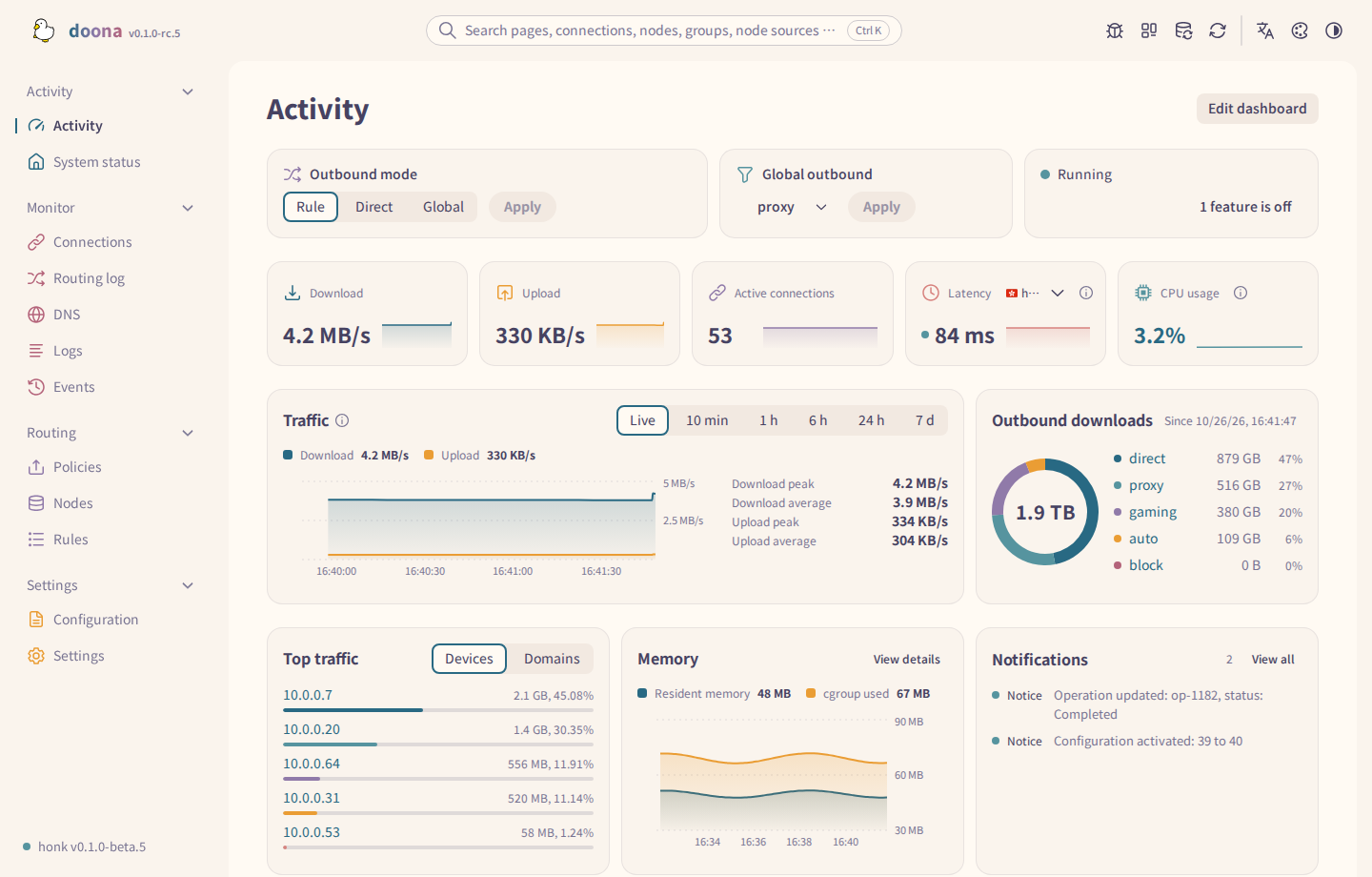
Features
Monitor
- Edit the Activity dashboard’s cards and their sizes.
- Inspect connections, flow records and DNS queries.
- Read backend logs and events.
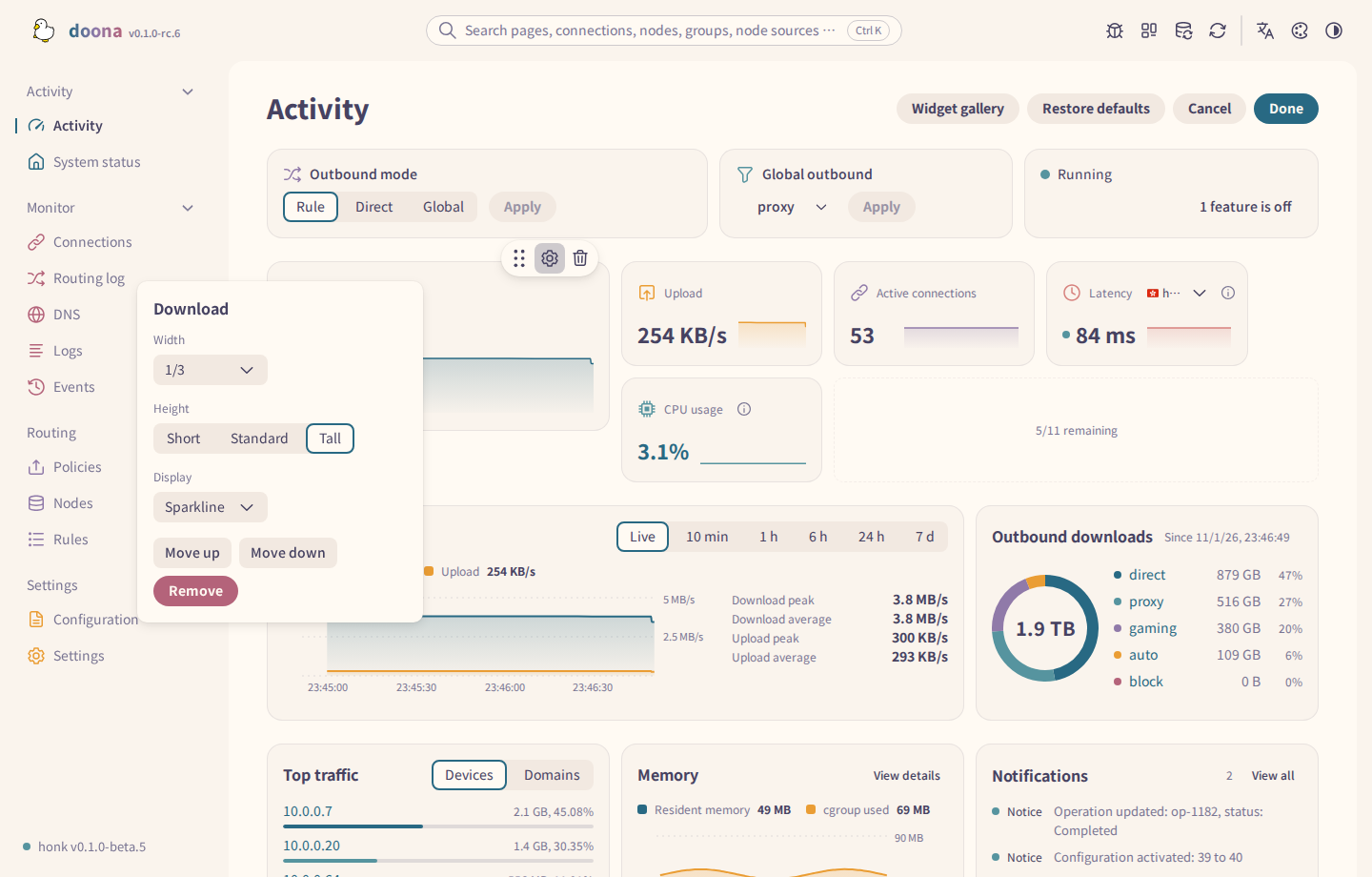
Adjust card sizes on the Activity dashboard.
The Flows map; selecting a rule or node shows the traffic path through it.
Nodes and subscriptions
- Paste several node links at once.
- Test filtered nodes and sort by latency.
- Refresh subscriptions and inspect probe results.
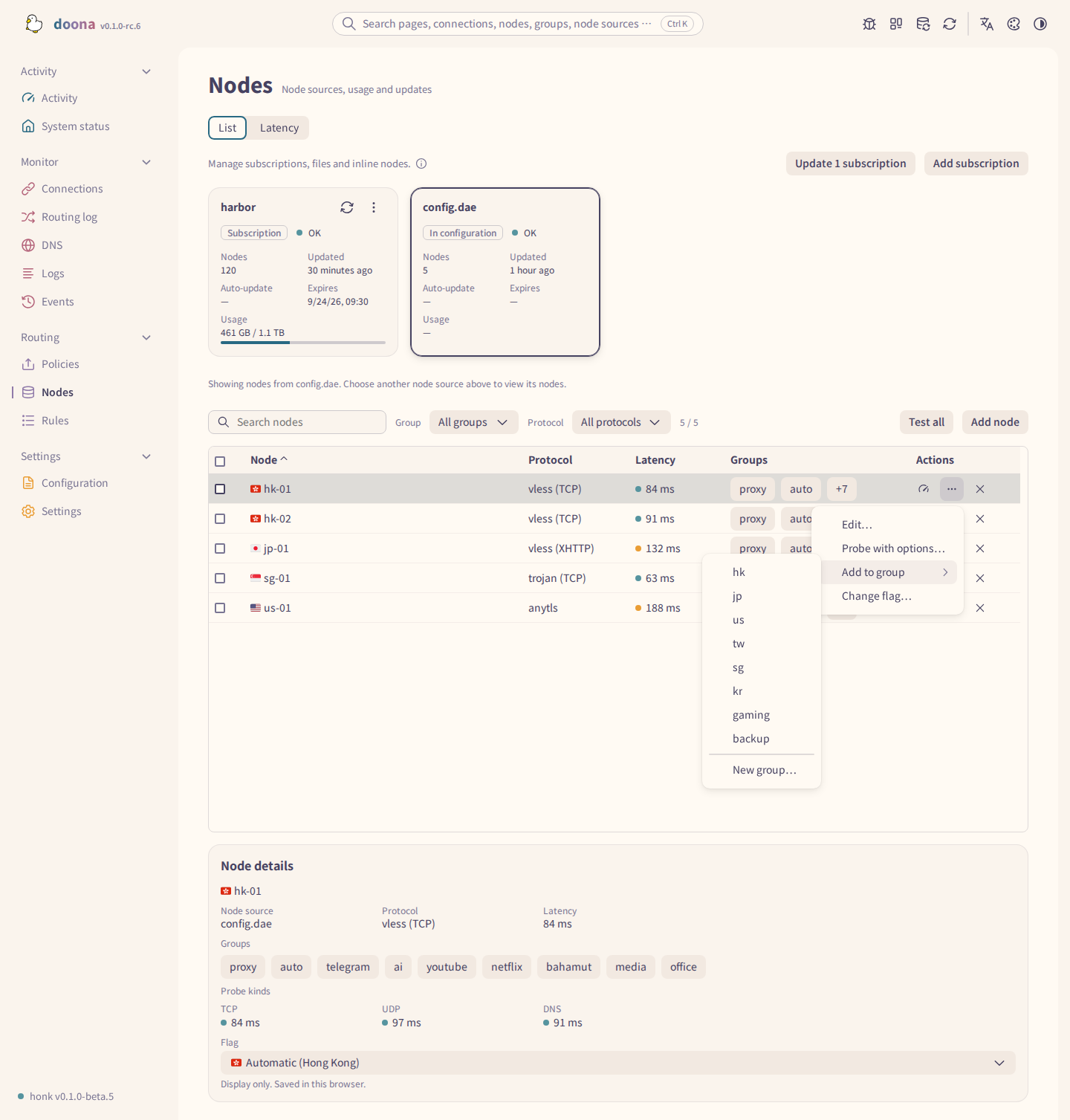
Inspect a node’s probe results and add it to a group.
Groups and routing
- Edit groups, membership filters and selection policies.
- Edit the rule list and apply routing templates.
- Trace routing decisions with a process name and firewall mark.
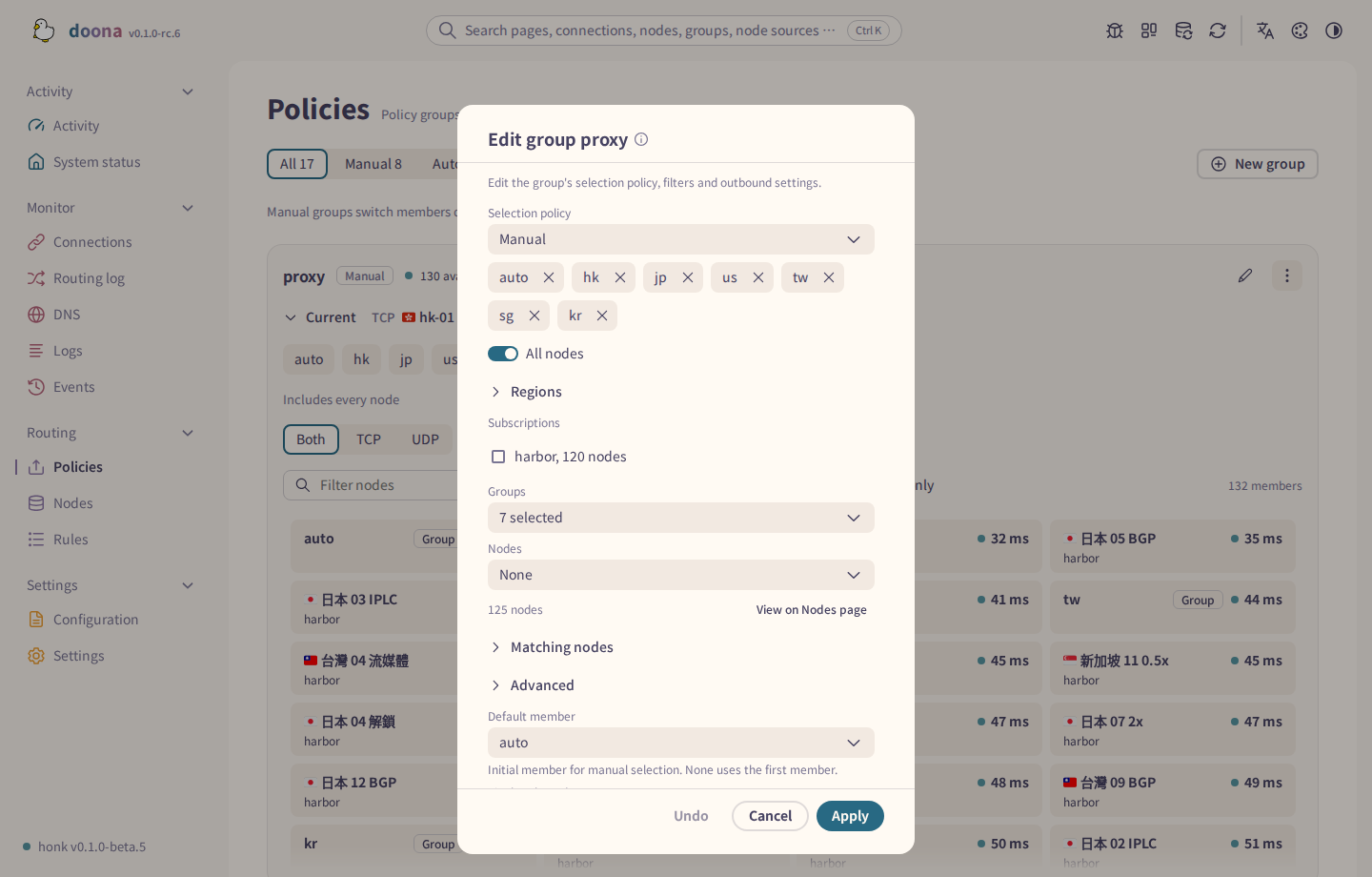
Edit a group’s filters and policy.
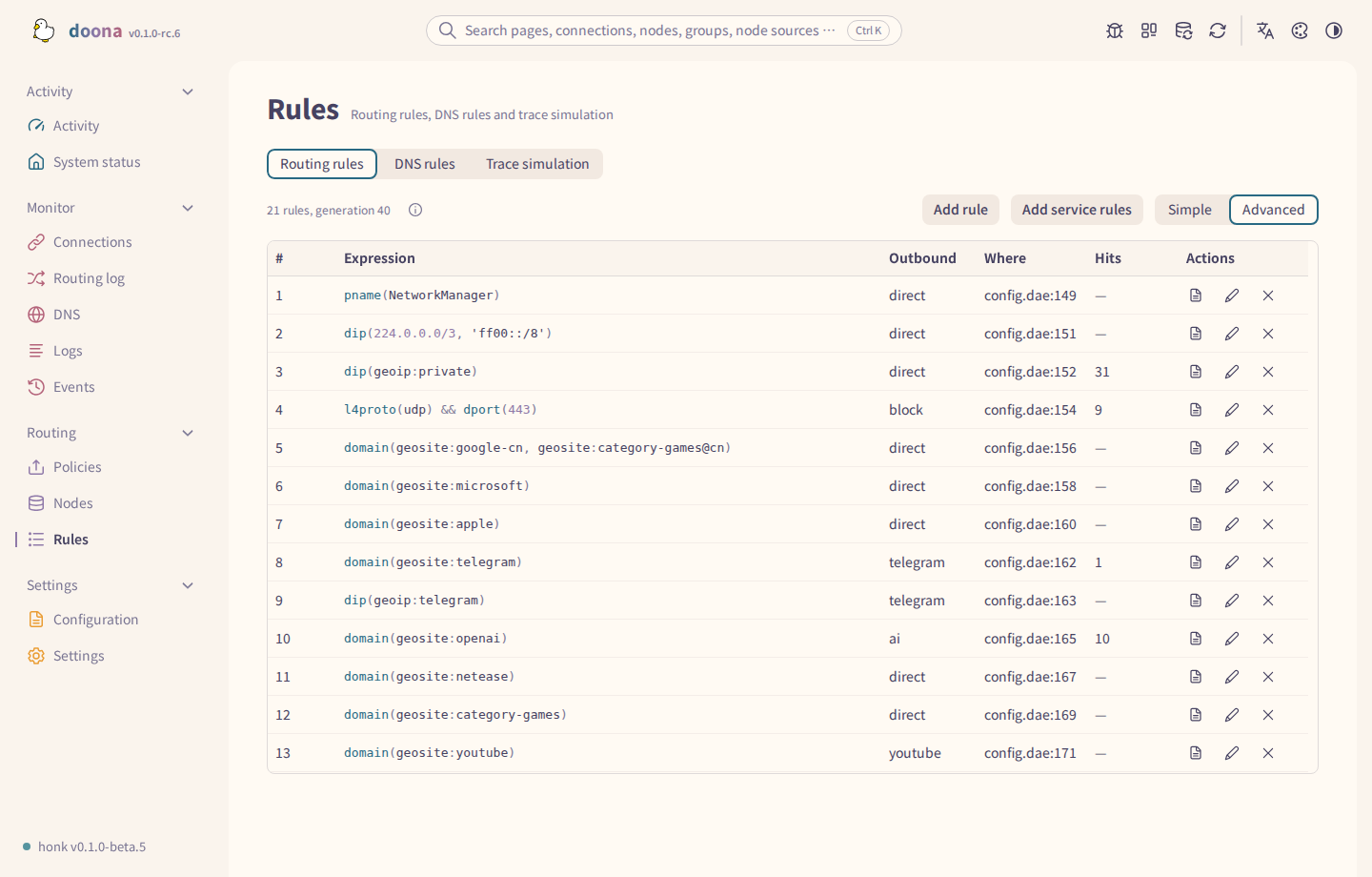
Inspect the rule list in advanced view.
Configuration
- Edit source files with validation diagnostics.
- Change global settings through a form.
- Inspect revisions and export configuration.
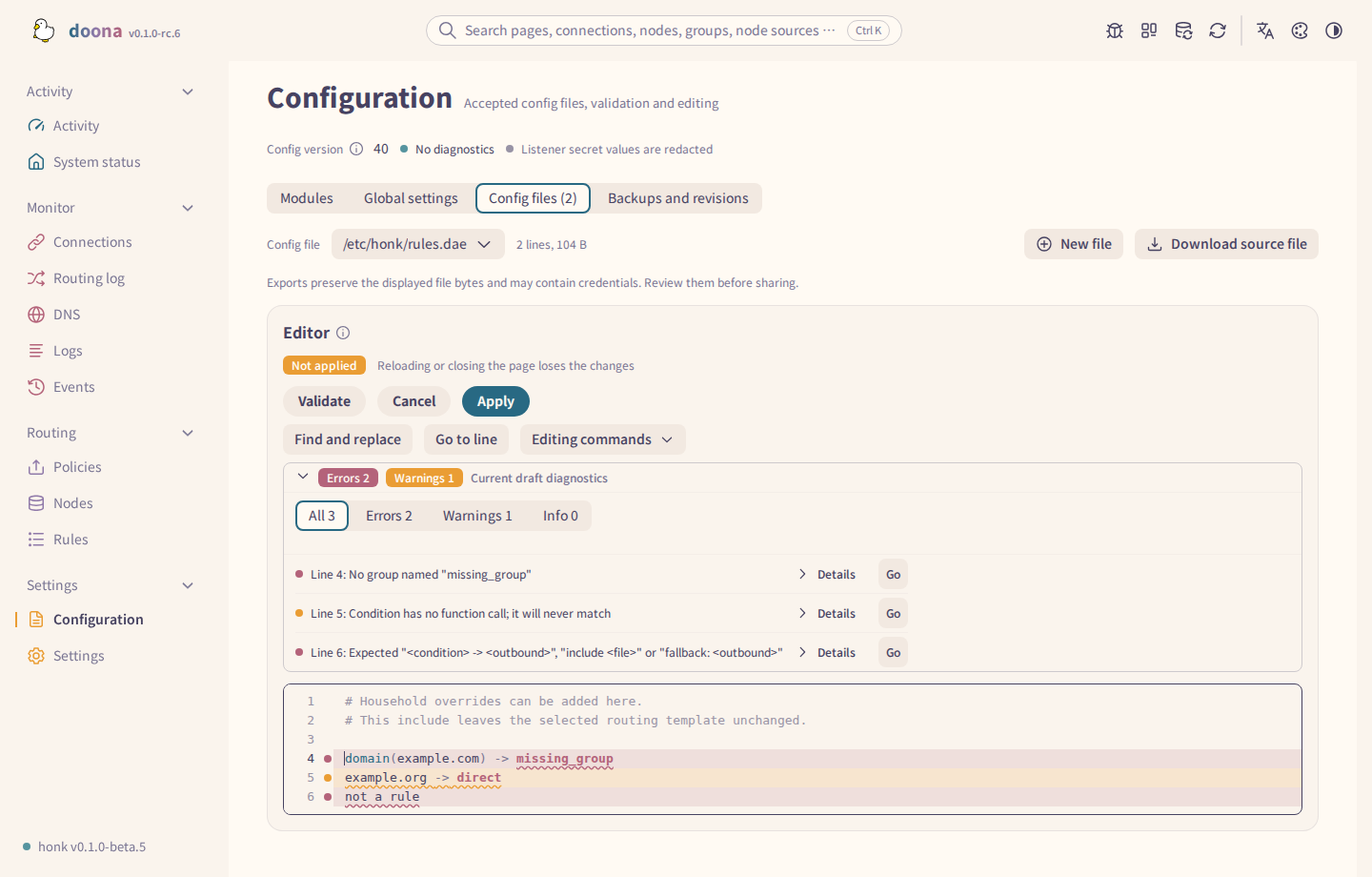
Locate validation errors in the source editor.
Appearance and phones
- Choose palettes and light or dark themes.
- Use English, Simplified Chinese or Traditional Chinese.
- Use page tabs, lists and menus on phones.

Compare the available palettes.
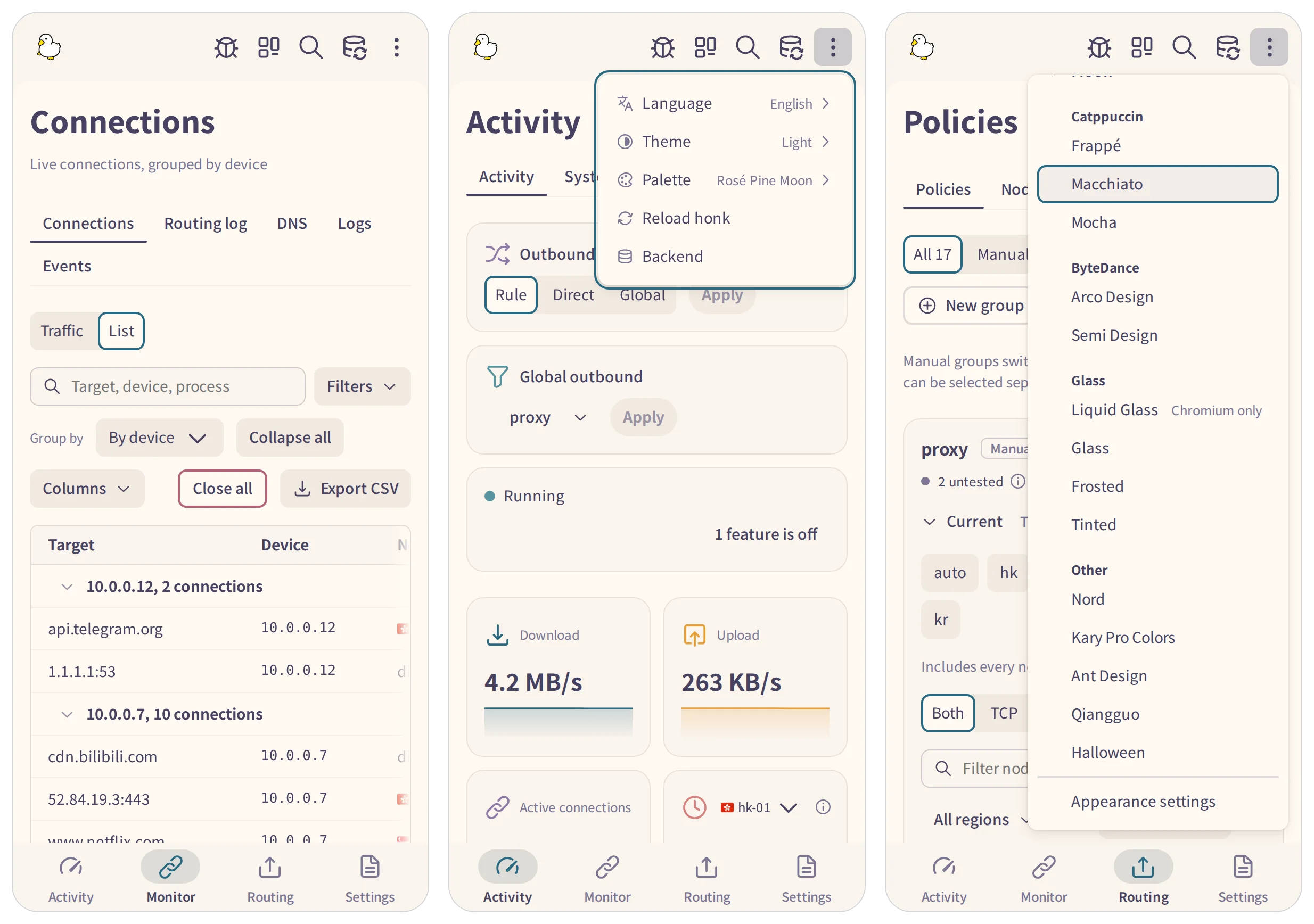
Browse connections and change appearance on a phone.
Available features depend on the backend’s capabilities and configuration; see the feature requirements.
Two editions
doona lite is a preview in testing in 0.1.0-rc.5; its pages and behaviour may change. Both editions connect to the same honk with the same administrator credentials.
| Area | Standard edition | doona lite (preview) |
|---|---|---|
| Traffic monitoring | Activity, connections, flows, DNS, logs and events | no monitoring pages |
| Configuration | source editor, diagnostics, global settings and revisions | forms for nodes, subscriptions and global settings |
| Groups and rules | editors, templates and route trace | group, routing and DNS editors |
| Intended use | full interface for everyday management | smaller configuration editor |
| Status | release candidate | preview in testing |
See the edition comparison for features, backend requirements and switching editions.
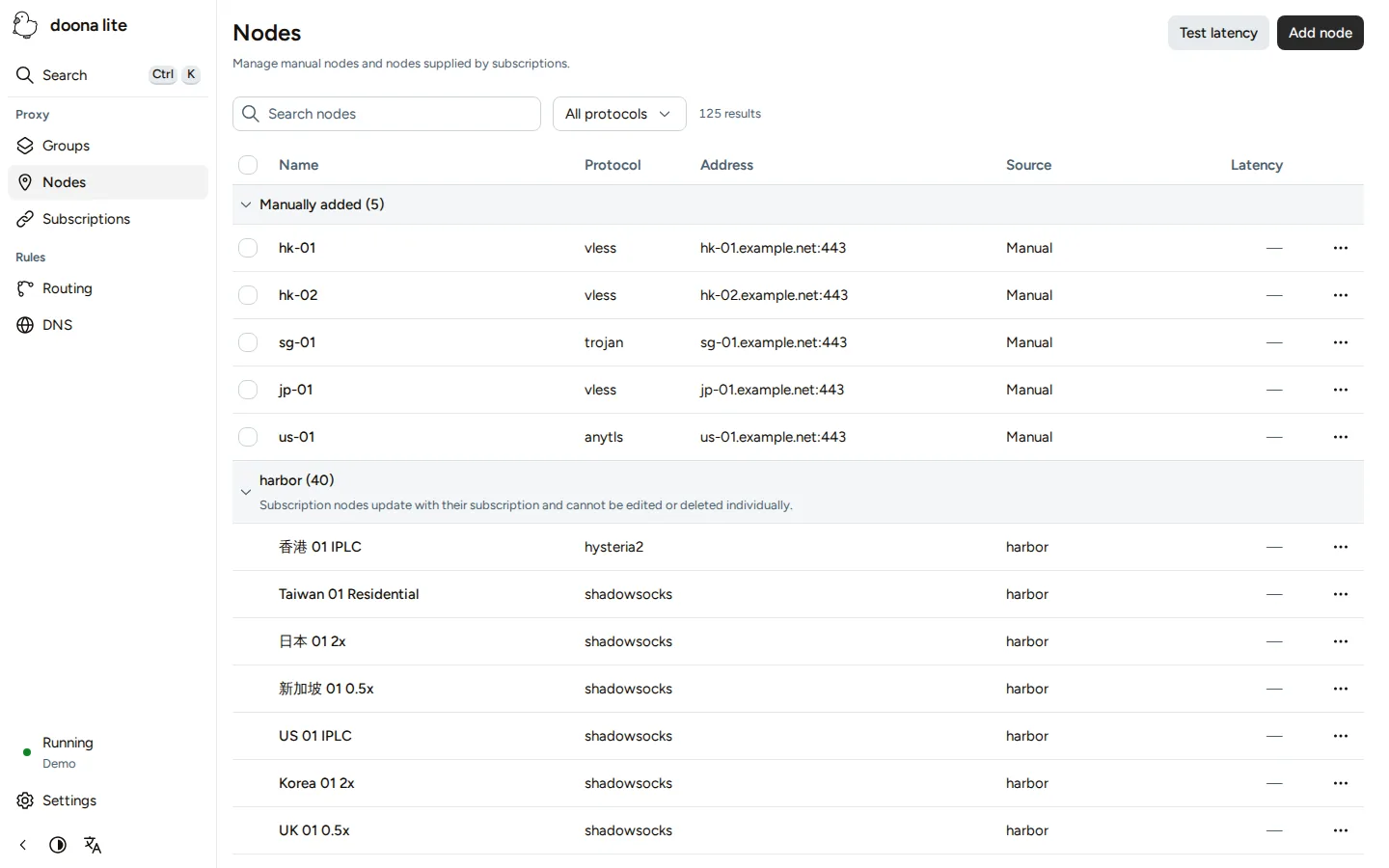
Try the demo
Try the UI with sample data; no backend is needed.
To see error states, use ?scenario=faults; ?scenario= returns to the healthy demo.
Install
honk's full releases already embed doona. Follow the quick start to use it; the documentation also covers installing doona separately. On Debian, Ubuntu, Fedora and openSUSE, install it from the daeuniverse package repository: doona-web on Debian and Ubuntu, doona on Fedora and openSUSE, with the repository set up as described for Debian, Fedora and openSUSE. The release archives and packages stay available from the GitHub releases.
Backend protocols
honk handles proxying; see the honk node reference for supported protocols, transports and limits.
Latest release
0.1.0-rc.5 has 33 entries: 10 additions, 5 changes, 15 fixes and 3 internal updates.
This release adds a Manual tab to the Add node dialog, and new nodes can join groups in the same step. Manual policy groups fold, group members name their subscription, and help links open the manual on daeuniverse.org. Dark Reader no longer recolours doona, links into a setting or card scroll to their target, and page skeletons match the loaded pages.
Documentation
- Installation and packages: 简体中文 / 繁體中文
- Pages, page tour and phone layout: 简体中文 / 繁體中文
- Themes and palettes: 简体中文 / 繁體中文
- Fonts
- Country flags
- Changelog
- Documentation site
Development
The build, test and packaging commands, the source layout and the contract pin are on the development page. See CONTRIBUTING.md before opening a pull request.
For lite’s separate dependency install and build commands, see Development.
Support
Report interface problems and ask questions in doona issues. Report proxy, routing, DNS and other engine problems in honk issues. See SECURITY.md for reporting a vulnerability.
License and credits
GPL-3.0-only. Noto Sans TC and SC, bundled from Fontsource npm packages, are copyright Adobe and licensed under the Open Font License; NOTICE credits the Adobe Spectrum icons (Apache-2.0).