
XueshiQiao/netstat-cat
XueshiQiao/netstat-cat has 28 GitHub stars and 0 forks. GitHot measured 0 stars in 24 hours. Last checked 2026-11-21 03:09 UTC. Last push 2026-11-17.
What you can do
- Security & Privacy - Pure local operation with no network connections or data transmission
- Real-time Network Monitoring - Live display of active TCP/UDP connections
- Process Identification - Shows which processes own each network connection
- Advanced Filtering System - Search by process name, PID, port ranges, or semantic queries like process=chrome && lport>1000 See filtering guide
Measured star growth
- in 24h
- 0
- in 7 days
- Collecting history
- in 15 days
- Collecting history
- in 1 month
- Collecting history
Net star changes over overlapping periods, not daily totals. Missing measurements are left blank. Stars measure attention, not software quality.
About
GUI application for netstat
Developer ToolsREADME.md
OriginalNetstat Cat
A powerful network monitoring tool with real-time connection tracking and advanced filtering capabilities
[English] [中文]
Overview
Netstat Cat is a lightweight desktop application built with Tauri v2 and Rust, providing a user-friendly interface for monitoring network connections on macOS and Windows. It serves as a graphical replacement for the command-line netstat tool, making it easier to monitor network activity and identify which applications are using specific ports.
Key Features
Security & Privacy - Pure local operation with no network connections or data transmission
Real-time Network Monitoring - Live display of active TCP/UDP connections
Process Identification - Shows which processes own each network connection
Advanced Filtering System - Search by process name, PID, port ranges, or semantic queries like
process=chrome && lport>1000See filtering guideVirtualized Table Performance - Efficiently handles large numbers of connections using React Virtuoso
Lazy Process Resolution - Only fetches full executable paths when hovering over processes
LRU Caching - Intelligent caching for process paths to avoid repeated system calls
Modern UI - Frameless window with dark/light theme toggle
Auto-refresh Mode - Configurable live monitoring (2-second intervals)
Screenshots
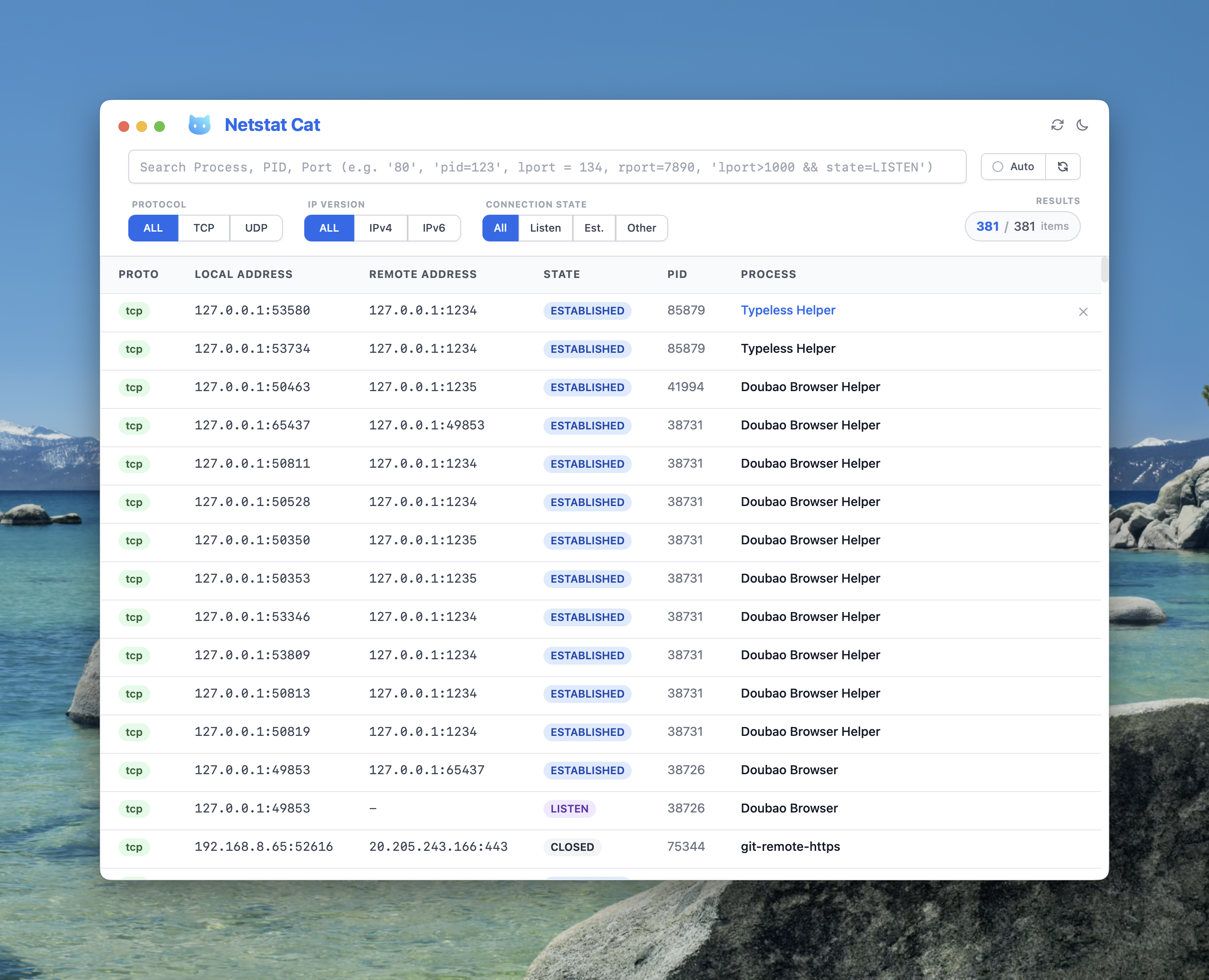 Light theme on macOS
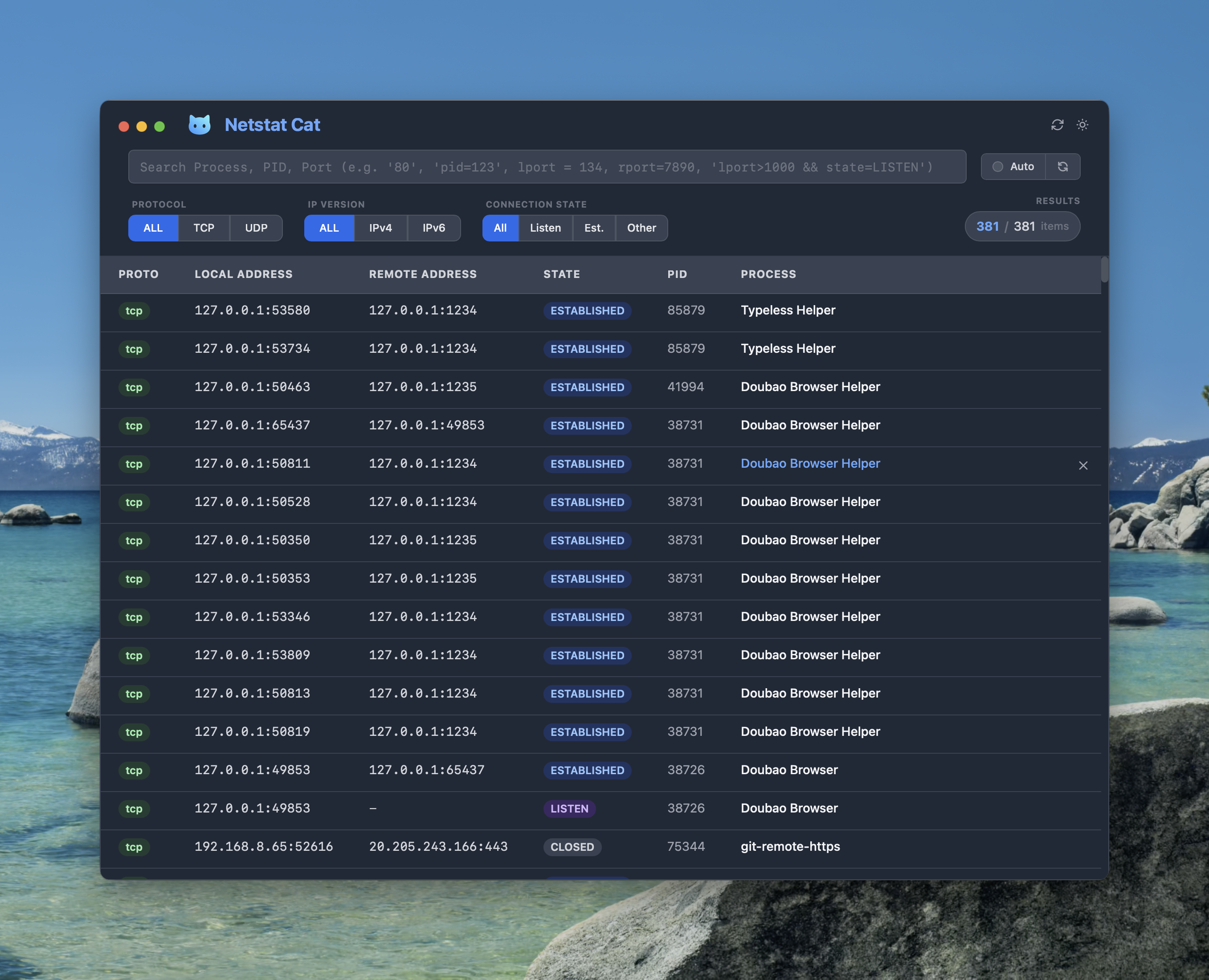 Dark theme on macOS
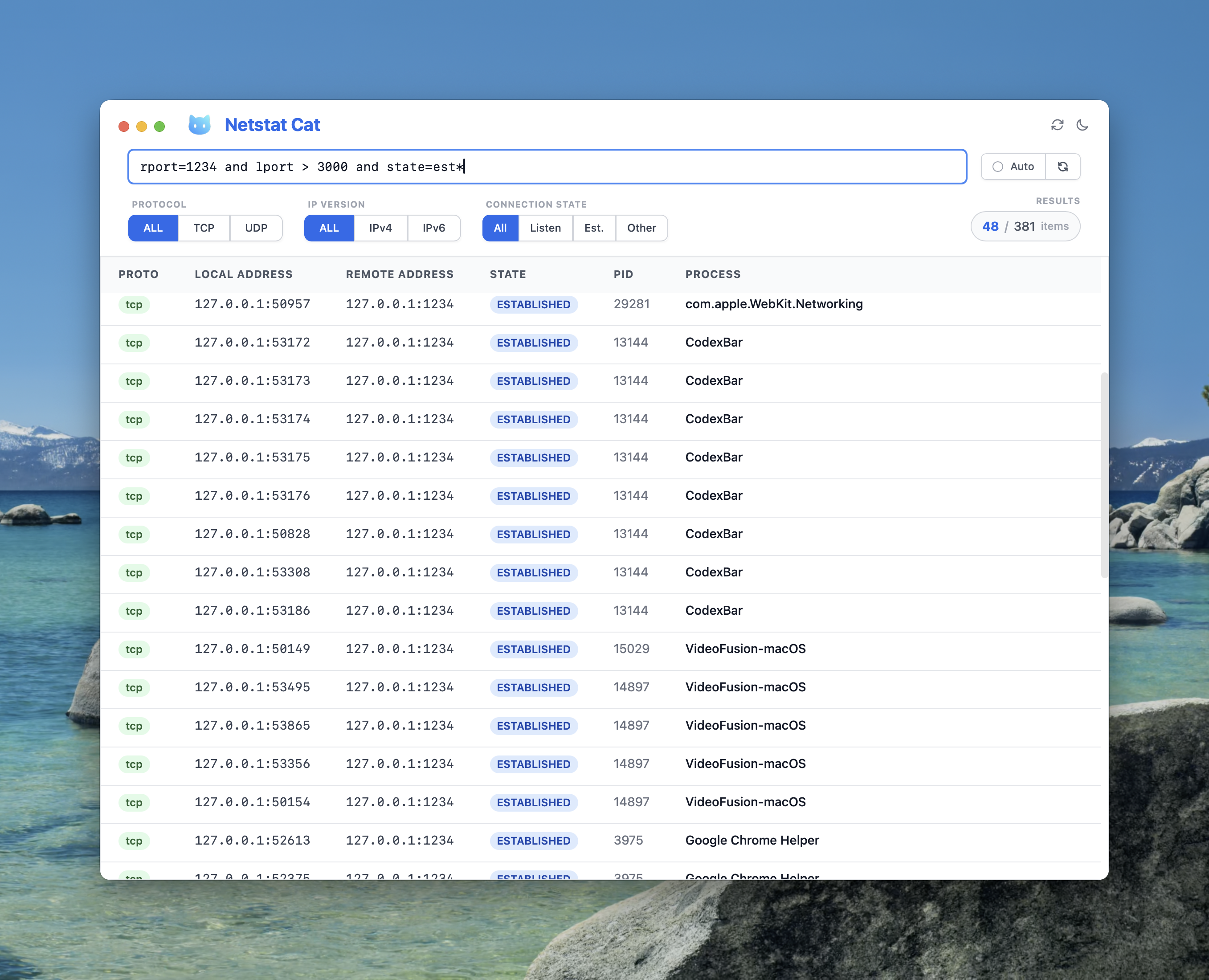 Advanced query filtering on macOS
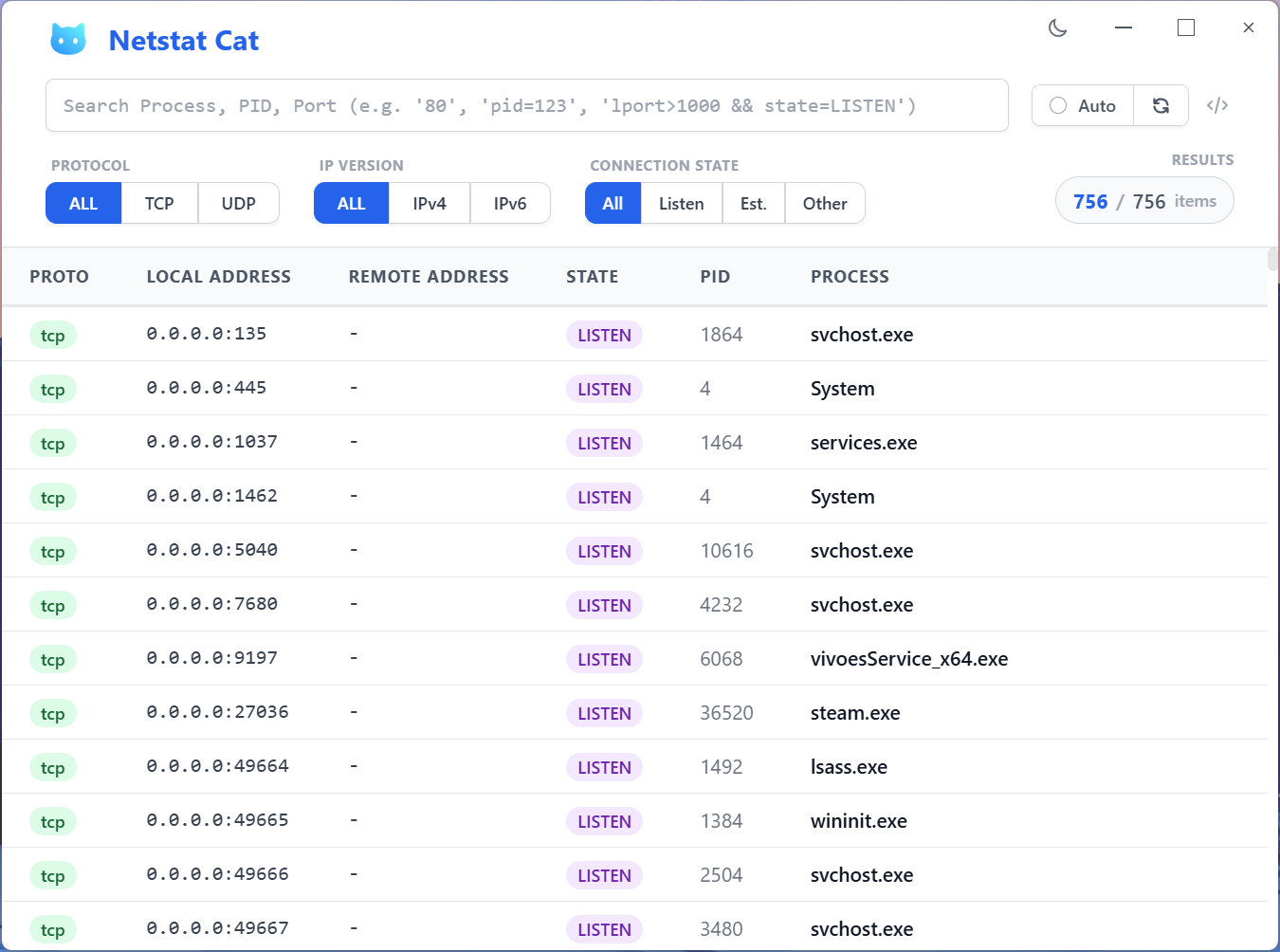 Light theme on Windows
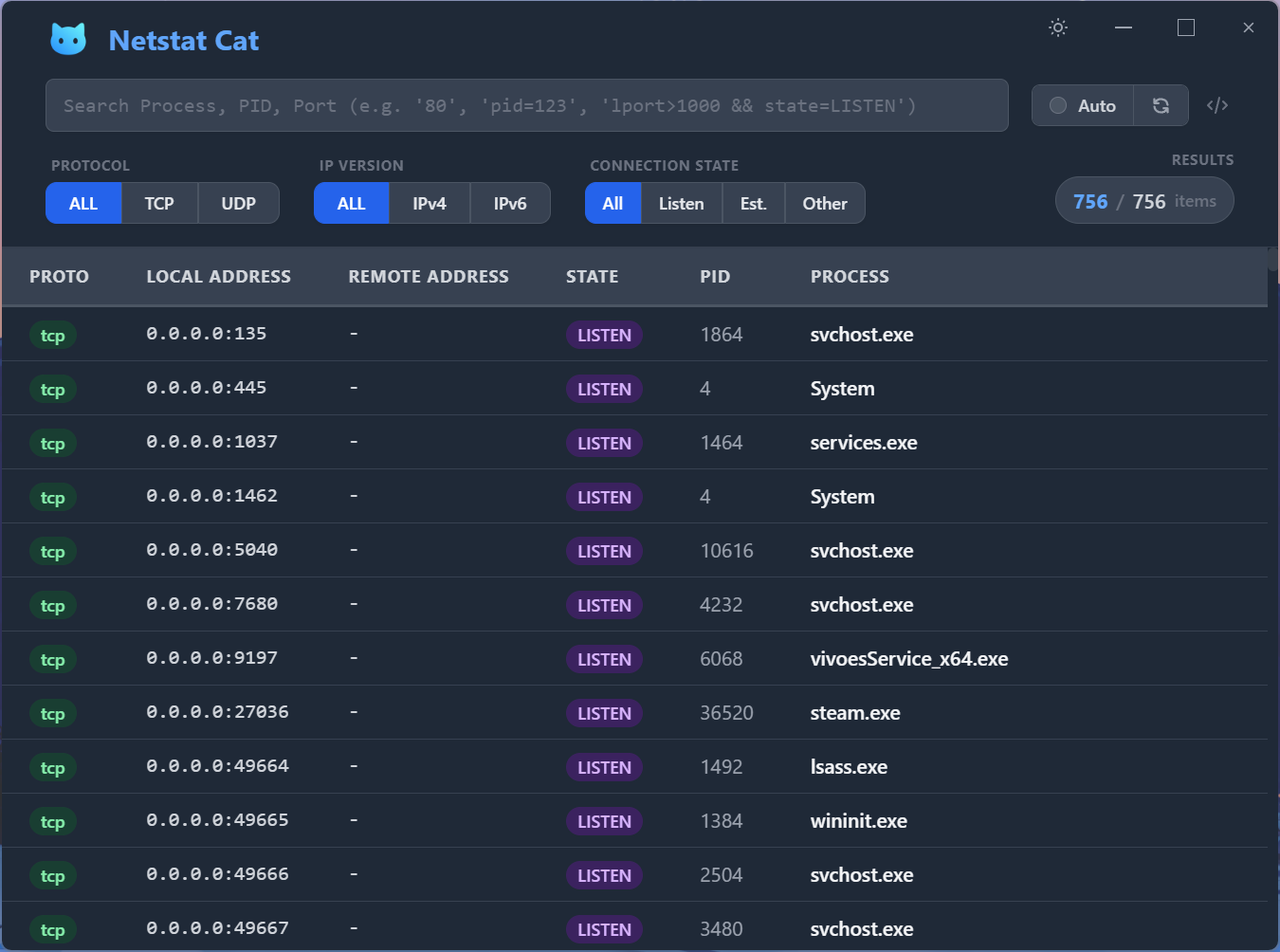 Dark theme on Windows
Getting Started
Install App
- macOS only (Homebrew)
brew install --cask xueshiqiao/tap/netstat-cat
- macOS and Windows (Direct Download)
Download from GitHub Releases: https://github.com/XueshiQiao/netstat-cat/releases
Quick Start
Prerequisites
- macOS 10.15+ or Windows 10+
- Node.js 20+
- npm
- Rust (install via rustup)
Installation (Build from Source)
# Clone the repository
git clone https://github.com/XueshiQiao/netstat-cat.git
cd netstat-cat

# Install dependencies
npm install
Development
# Start Tauri development server (compiles Rust backend + starts Vite)
npm run tauri:dev

# Run type checking
npm run typecheck

# Run linting
npm run lint
Building
# Build for current platform
npm run tauri:build
Usage Guide
Basic Monitoring
- Launch the application to see all active network connections
- Use the filter buttons to quickly narrow by protocol, IP version, or connection state
- Enable auto-refresh for live monitoring
Advanced Filtering
- Simple Search: Type process names, PIDs, or ports (e.g.,
chrome,8080) - Wildcards: Use
*for pattern matching (e.g.,*.exe) - Port Ranges: Use ranges like
80-443 - Semantic Queries: Use advanced syntax like
process=chrome && lport>1000
See filters_en.md for complete filtering documentation.
Technical Architecture
Frontend Stack
- React 19 with TypeScript
- Tailwind CSS for styling
- React Virtuoso for virtualized scrolling
- Vite for frontend bundling
Backend (Rust)
- Tauri v2 for native desktop integration (uses OS webview, ~5MB binary)
- netstat2 crate for cross-platform socket enumeration
- sysinfo crate for PID-to-process name resolution
- Tauri IPC for communication between frontend and Rust backend
Performance Features
- Lazy loading of process paths
- Virtualized table rendering
- Efficient caching strategies
- Optimized system calls
Development
IDE Setup
Recommended: VSCode + ESLint + Prettier
Project Structure
netstat-cat/
├── src/                  # React frontend
│   ├── App.tsx           # Main UI component
│   ├── main.tsx          # Entry point
│   ├── assets/           # CSS and images
│   └── utils/            # Query parser, process cache
├── src-tauri/            # Rust backend
│   ├── src/
│   │   ├── lib.rs        # Tauri app setup & command registration
│   │   ├── netstat.rs    # Network socket fetching logic
│   │   └── process_info.rs  # Data structures
│   ├── Cargo.toml
│   └── tauri.conf.json   # Tauri configuration
├── index.html
├── vite.config.ts
└── resources/            # Icons and entitlements
Scripts
npm run tauri:dev- Start Tauri development modenpm run tauri:build- Build for productionnpm run typecheck- Run TypeScript type checkingnpm run lint- Run ESLintnpm run format- Format code with Prettier
Contributing
- Fork the repository
- Create a feature branch
- Make your changes
- Run tests and linting
- Submit a pull request
License
This project is licensed under the GNU General Public License v3.0 - see the LICENSE file for details.