
Xchat1/cursor2api-go
Xchat1/cursor2api-go has 1,050 GitHub stars and 329 forks. GitHot measured 0 stars in 24 hours. Last checked 2026-11-09 11:32 UTC. Last push 2026-10-22.
Free gemini-3-flash | cursor不倒我不倒🙏 ❌ 这次倒下啦
Measured star growth
- in 24h
- 0
- in 7 days
- Collecting history
- in 15 days
- Collecting history
- in 1 month
- Collecting history
Net star changes over overlapping periods, not daily totals. Missing measurements are left blank. Stars measure attention, not software quality.
README_EN.md
OriginalCursor2API
English | 简体中文
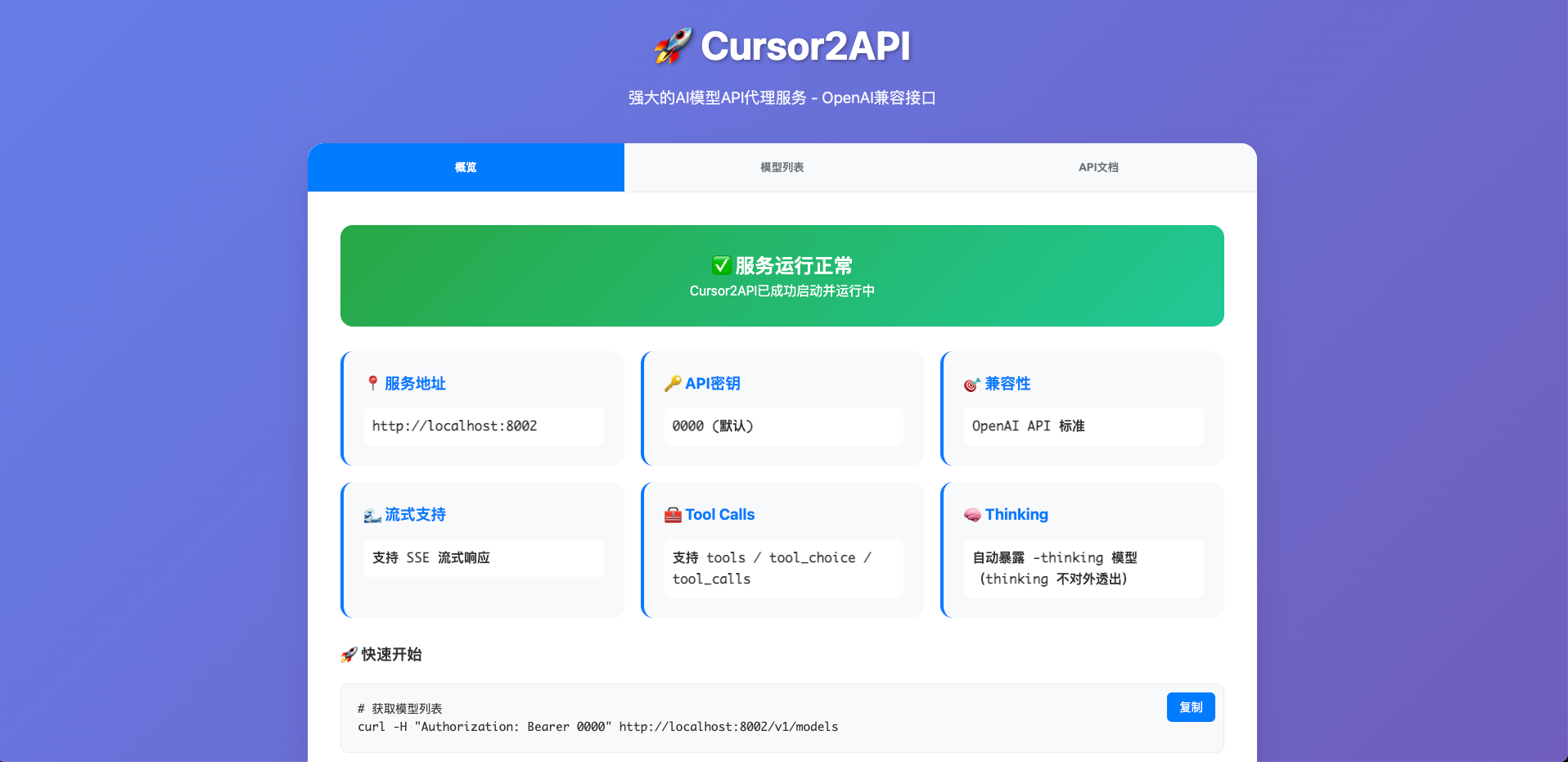
A Go service that converts Cursor Web into an OpenAI chat/completions compatible API for local deployment.


✨ Features
- ✅ Compatible with OpenAI
chat/completions - ✅ Supports streaming and non-streaming responses
- ✅ High-performance Go implementation
- ✅ Automatic Cursor Web authentication
- ✅ Clean web interface
- ✅ Supports
tools,tool_choice, andtool_calls - ✅ Automatically derives
-thinkingpublic models - ❌ Does not yet support Anthropic
/v1/messagesor MCP
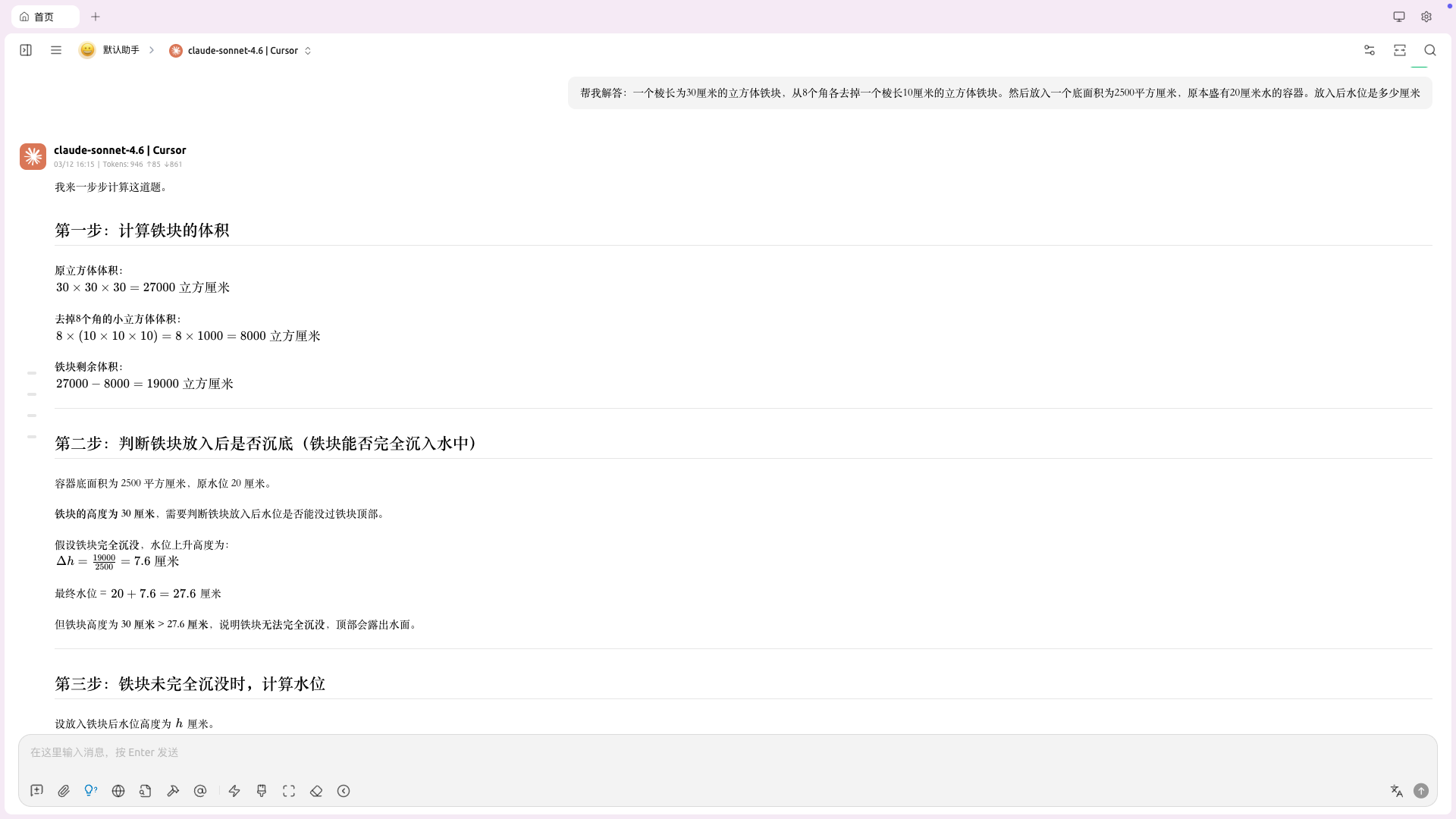
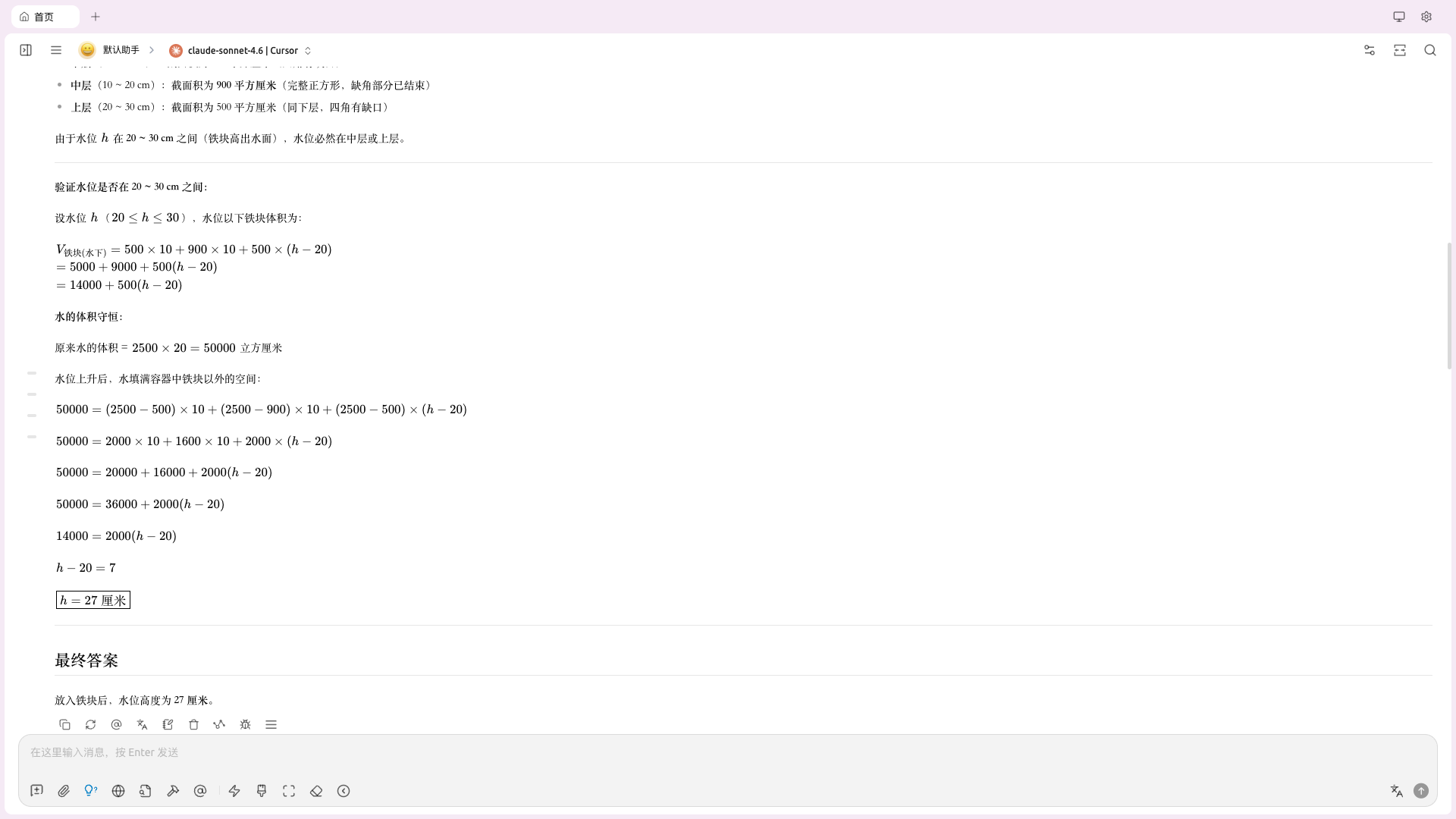
🖼️ Screenshots
Drop images into docs/images/ and the README will render them.
🤖 Supported Models
- Google Gemini:
gemini-3-flash - Derived thinking model:
gemini-3-flash-thinking
🚀 Quick Start
Requirements
- Go 1.24+
- Node.js 18+ (for JavaScript execution)
Local Running Methods
Method 1: Direct Run (Recommended for development)
Linux/macOS:
git clone https://github.com/libaxuan/cursor2api-go.git
cd cursor2api-go
chmod +x start.sh
./start.sh
Windows:
# Double-click or run in cmd
start-go.bat

# Or in Git Bash / Windows Terminal
./start-go-utf8.bat
Method 2: Manual Compile and Run
# Clone the project
git clone https://github.com/libaxuan/cursor2api-go.git
cd cursor2api-go

# Download dependencies
go mod tidy

# Build
go build -o cursor2api-go

# Run
./cursor2api-go
Method 3: Using go run
git clone https://github.com/libaxuan/cursor2api-go.git
cd cursor2api-go
go run main.go
The service will start at http://localhost:8002
🚀 Server Deployment Methods
Docker Deployment
- Build Image:
# Build image
docker build -t cursor2api-go .
- Run Container:
# Run container (recommended)
docker run -d \
  --name cursor2api-go \
  --restart unless-stopped \
  -p 8002:8002 \
  -e API_KEY=your-secret-key \
  -e DEBUG=false \
  cursor2api-go

# Or run with default configuration
docker run -d --name cursor2api-go --restart unless-stopped -p 8002:8002 cursor2api-go
Docker Compose Deployment (Recommended for production)
- Using docker-compose.yml:
# Start service
docker-compose up -d

# Stop service
docker-compose down

# View logs
docker-compose logs -f
- Custom Configuration:
Modify the environment variables in the
docker-compose.ymlfile to meet your needs:
- Change
API_KEYto a secure key - Adjust
MODELS,TIMEOUT, and other configurations as needed - Change the exposed port
System Service Deployment (Linux)
- Compile and Move Binary:
go build -o cursor2api-go
sudo mv cursor2api-go /usr/local/bin/
sudo chmod +x /usr/local/bin/cursor2api-go
- Create System Service File
/etc/systemd/system/cursor2api-go.service:
[Unit]
Description=Cursor2API Service
After=network.target

[Service]
Type=simple
User=your-user
WorkingDirectory=/home/your-user/cursor2api-go
ExecStart=/usr/local/bin/cursor2api-go
Restart=always
Environment=API_KEY=your-secret-key
Environment=PORT=8002

[Install]
WantedBy=multi-user.target
- Start Service:
# Reload systemd configuration
sudo systemctl daemon-reload

# Enable auto-start on boot
sudo systemctl enable cursor2api-go

# Start service
sudo systemctl start cursor2api-go

# Check status
sudo systemctl status cursor2api-go
📡 API Usage
List Models
curl -H "Authorization: Bearer 0000" http://localhost:8002/v1/models
Non-Streaming Chat
curl -X POST http://localhost:8002/v1/chat/completions \
  -H "Content-Type: application/json" \
  -H "Authorization: Bearer 0000" \
  -d '{
    "model": "gemini-3-flash",
    "messages": [{"role": "user", "content": "Hello!"}],
    "stream": false
  }'
Streaming Chat
curl -X POST http://localhost:8002/v1/chat/completions \
  -H "Content-Type: application/json" \
  -H "Authorization: Bearer 0000" \
  -d '{
    "model": "gemini-3-flash",
    "messages": [{"role": "user", "content": "Hello!"}],
    "stream": true
  }'
Tool Request
curl -X POST http://localhost:8002/v1/chat/completions \
  -H "Content-Type: application/json" \
  -H "Authorization: Bearer 0000" \
  -d '{
    "model": "gemini-3-flash",
    "messages": [{"role": "user", "content": "Check the weather in Beijing"}],
    "tools": [
      {
        "type": "function",
        "function": {
          "name": "get_weather",
          "description": "Get current weather",
          "parameters": {
            "type": "object",
            "properties": {
              "city": {"type": "string"}
            },
            "required": ["city"]
          }
        }
      }
    ]
  }'
-thinking Model
curl -X POST http://localhost:8002/v1/chat/completions \
  -H "Content-Type: application/json" \
  -H "Authorization: Bearer 0000" \
  -d '{
    "model": "gemini-3-flash-thinking",
    "messages": [{"role": "user", "content": "Think first, then decide whether a tool is needed"}],
    "tools": [
      {
        "type": "function",
        "function": {
          "name": "lookup",
          "parameters": {
            "type": "object",
            "properties": {
              "q": {"type": "string"}
            },
            "required": ["q"]
          }
        }
      }
    ],
    "stream": true
  }'
Use in Third-Party Apps
In any app that supports custom OpenAI API (e.g., ChatGPT Next Web, Lobe Chat):
- API URL:
http://localhost:8002 - API Key:
0000(or custom) - Model: Choose a supported base model or its automatically derived
-thinkingvariant
⚙️ Configuration
Environment Variables
| Variable | Default | Description |
|---|---|---|
PORT |
8002 |
Server port |
DEBUG |
false |
Debug mode (shows detailed logs and route info when enabled) |
API_KEY |
0000 |
API authentication key |
MODELS |
gemini-3-flash |
Base model list (comma-separated); the service automatically exposes matching -thinking public models |
TIMEOUT |
60 |
Request timeout (seconds) |
KILO_TOOL_STRICT |
false |
Kilo Code compatibility: if tools are provided and tool_choice=auto, treat it as “tool use required” |
Debug Mode
By default, the service runs in clean mode. To enable detailed logging:
Option 1: Modify .env file
DEBUG=true
Option 2: Use environment variable
DEBUG=true ./cursor2api-go
Debug mode displays:
- Detailed GIN route information
- Verbose request logs
- x-is-human token details
- Browser fingerprint configuration
Troubleshooting
Having issues? Check the Troubleshooting Guide for solutions to common problems, including:
- 403 Access Denied errors
- Token fetch failures
- Connection timeouts
- Cloudflare blocking
🧩 Kilo Code / Agent Orchestrator Compatibility
Some orchestrators enforce “must use tools” and may throw errors like MODEL_NO_TOOLS_USED when a response contains no tool call.
- Recommended: set
KILO_TOOL_STRICT=truein.env - Non-stream safety net: if tools are provided and tool use is required (
tool_choice=required/function, orKILO_TOOL_STRICT), but the first attempt produces notool_calls, the server automatically retries once (non-stream only)
Windows Startup Scripts
Two Windows startup scripts are provided:
start-go.bat(Recommended): GBK encoding, perfect compatibility with Windows cmd.exestart-go-utf8.bat: UTF-8 encoding, for Git Bash, PowerShell, Windows Terminal
Both scripts have identical functionality, only display styles differ. Use start-go.bat if you encounter encoding issues.
🧪 Development
Running Tests
# Run existing tests
go test ./...
Building
# Build executable
go build -o cursor2api-go

# Cross-compile (e.g., for Linux)
GOOS=linux GOARCH=amd64 go build -o cursor2api-go-linux
📁 Project Structure
cursor2api-go/
├── main.go              # Main entry point (Go version)
├── config/              # Configuration management (Go version)
├── handlers/            # HTTP handlers (Go version)
├── services/            # Business service layer (Go version)
├── models/              # Data models (Go version)
├── utils/               # Utility functions (Go version)
├── middleware/          # Middleware (Go version)
├── jscode/              # JavaScript code (Go version)
├── static/              # Static files (Go version)
├── start.sh             # Linux/macOS startup script
├── start-go.bat         # Windows startup script (GBK)
├── start-go-utf8.bat    # Windows startup script (UTF-8)

└── README.md            # Project documentation
🤝 Contributing
Contributions are welcome! Please follow these steps:
- Fork the repository
- Create a feature branch (
git checkout -b feature/AmazingFeature) - Commit your changes (
git commit -m 'feat: Add some AmazingFeature') - Push to the branch (
git push origin feature/AmazingFeature) - Open a Pull Request
Code Standards
- Follow Go Code Review Comments
- Format code with
gofmt - Check code with
go vet - Follow Conventional Commits for commit messages
📄 License
This project is licensed under PolyForm Noncommercial 1.0.0. Commercial use is not permitted. See the LICENSE file for details.
⚠️ Disclaimer
Please comply with the terms of service of related services when using this project.
⭐ If this project helps you, please give us a Star!
Explore related projects
codecrafters-io/build-your-own-x
Master programming by recreating your favorite technologies from scratch.
561,343 starspublic-apis/public-apis
A collective list of free APIs
497,588 starsmorluto/rea
Reverse engineer anything with agents, from app behavior down to native binaries.
446,687 starsopenclaw/openclaw
The AI that really does things. Any OS. Any Platform. The lobster way. 🦞
394,252 stars