
Vondereich/VonCMS
Vondereich/VonCMS has 40 GitHub stars and 7 forks. GitHot measured 0 stars in 24 hours. Last checked 2026-11-15 22:12 UTC. Last push 2026-11-14.
What you can do
- Lean Public Settings: visitors receive the active theme's configuration. Inactive settings remain saved for authorized Admin editing and reactivation.
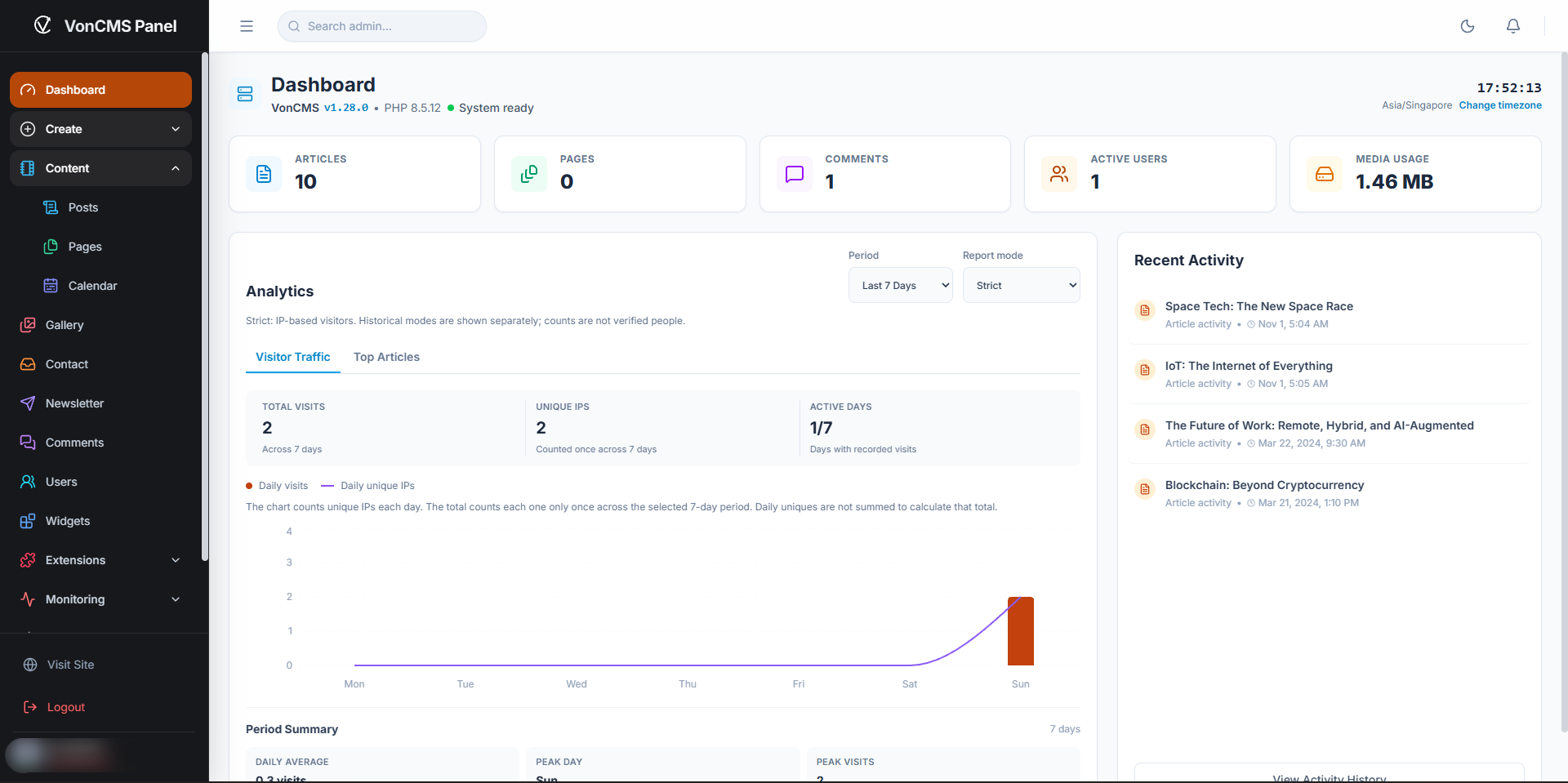
- Dashboard and editor: the compact overview keeps the local clock and runtime versions visible. Hybrid and Balanced collection start on the Balanced report without changing how visits are recorded. The AI Assistant starts collapsed and retains its working state when folded.
- Admin action feedback: rejected Gallery uploads and Contact deletions show errors. Newsletter returns to an available page without losing the current filters.
- Promo Bar controls: leave the URL blank to show the announcement without a CTA, or disable visitor dismissal to hide the close button. The campaign schedule still applies.
Measured star growth
- in 24h
- 0
- in 7 days
- Update delayed
- in 15 days
- Update delayed
- in 1 month
- Update delayed
Net star changes over overlapping periods, not daily totals. Missing measurements are left blank. Stars measure attention, not software quality.
About
An Open-Source CMS for Publishers . SEO-Ready, Self-Hosted, No Node.js Required.
Self-hostedREADME.md
OriginalVonCMS
VonCMS is a lightweight, self-hosted CMS built with PHP and React for publishers, independent newsrooms, and content-driven websites. It combines a modern admin dashboard, bundled public themes, server-generated SEO metadata, and built-in publishing tools without requiring a heavy plugin stack or a Node.js server in production.
Website | Live Demo | Releases | Sponsor
v1.28.x: The BluePrint
The BluePrint is the v1.28.x series, following v1.27.x "OverDrive", whose maintenance line closed at v1.27.12. The BluePrint line focuses on clearer editorial workflows, safer content recovery, leaner public settings, and better staff tools while retaining VonCMS's PHP/MySQL hosting model.
[!IMPORTANT] v1.28.3 "The BluePrint" - Released 14 November 2026. Adds personal Gemini keys in a private, self-only User Manager view for eligible staff, alongside the maintenance changes in the Changelog. Existing installations require Primary Admin Database Repair before using the new credential storage. Installer, bundled theme and built-in plugin labels remain 1.28. Download the published package from GitHub Releases.
v1.28.2 Highlights
- Lean Public Settings: visitors receive the active theme's configuration. Inactive settings remain saved for authorized Admin editing and reactivation.
- Dashboard and editor: the compact overview keeps the local clock and runtime versions visible. Hybrid and Balanced collection start on the Balanced report without changing how visits are recorded. The AI Assistant starts collapsed and retains its working state when folded.
- Admin action feedback: rejected Gallery uploads and Contact deletions show errors. Newsletter returns to an available page without losing the current filters.
- Promo Bar controls: leave the URL blank to show the announcement without a CTA, or disable visitor dismissal to hide the close button. The campaign schedule still applies.
v1.28.1 Highlights
- Opt-in Hybrid analytics: collect Strict IP-window and Balanced browser-session measurements independently, with separate reports and clearer collection-status guidance. Existing settings and history are retained; Hybrid must be enabled explicitly by the Primary Admin.
- Post/Page deletion previews: review selected records before single or bulk permanent deletion. Cancellation sends no delete request, and partial failures retain unconfirmed records for retry. This is not Trash, Restore or Undo.
- Optional News Sitemap: enable
/sitemap-news.xmlin VonSEO Advanced settings for published articles from the preceding 48 hours, with publication, language and category controls and up to 1,000 articles per file. It supplements the ordinary sitemap and does not guarantee Google News inclusion. - Targeted access and reporting fixes: revalidate protected Post reads, enforce delegated Comment/IndexNow permissions, and exclude recognized automation from new native measurements without blocking public content. Visitor counts remain estimates, not verified people.
- Leaner public reads and Dashboard polish: reuse optional author-column metadata checks, avoid unused theme listing requests, improve Related Posts candidate handling, and correct dark-mode analytics contrast and activity-card spacing.
Upgrading from v1.28.0 introduces no new database table or required data migration. Calendar and Balanced/Hybrid reports still require their existing storage to be ready; when upgrading from older releases, back up first and follow Upgrade. New collection and News Sitemap options are not enabled automatically.
v1.28.0 Highlights
- Grouped navigation and Create actions: admin destinations grouped by purpose, with role-aware shortcuts for posts, pages, and internal events.
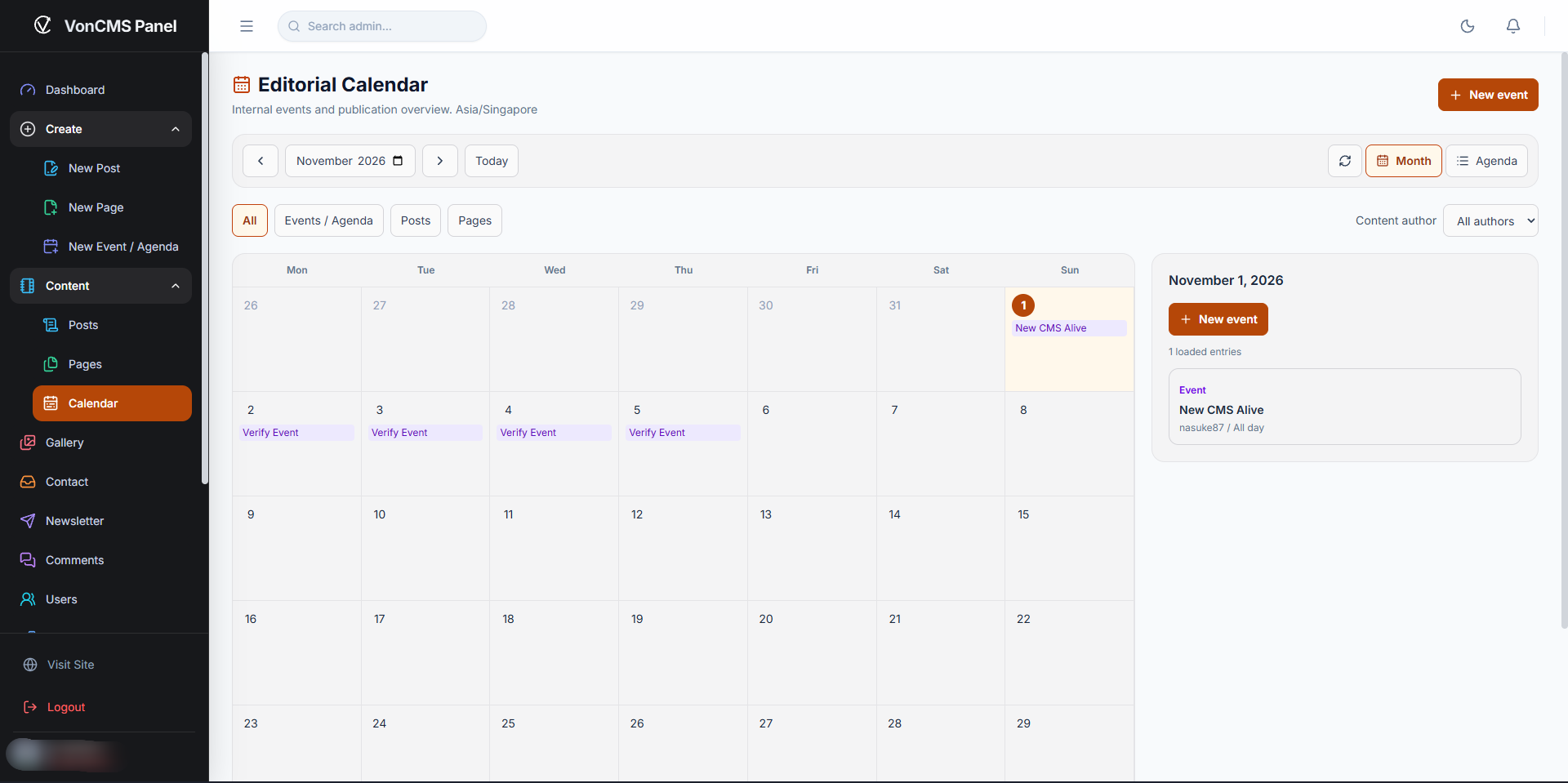
- Editorial Calendar: Month/Agenda views, private event management, and read-only publication entries. Reviewing the calendar does not change an article's publication schedule.
- VonAnalytics measurement modes: Strict remains the default; optional Balanced distinguishes browsers behind a shared IP. Reports separate the modes; visitor estimates are not verified people.
- Owner AI credential protection: encrypted shared Gemini key storage, masked settings responses, and owner-only encryption-key rotation. Personal staff credential storage remains a later roadmap item.
- Maintenance and developer tooling: publishing, media, metadata, import, and update corrections, plus locked ESLint/PHPStan checks for source development. These tools are not production runtime requirements.
Existing installations require Primary Admin Database > Schema Repair to enable Calendar storage and optional Balanced analytics storage. Back up first and follow Upgrade; uploading application files alone does not activate every new storage capability. Exact implemented changes belong in CHANGELOG.md.
v1.28.0 Screenshots
Grouped admin navigation and Create menu
Editorial Calendar
1.28.x Roadmap
| Version | Focus | Status |
|---|---|---|
| 1.28.0 | Editorial foundations: grouped navigation, Calendar, analytics modes, and maintenance work | Released baseline |
| 1.28.1 | Hybrid analytics, deletion previews, optional News Sitemap, and targeted reliability/access corrections | 6 November 2026 |
| 1.28.2 | Lean Public Settings: smaller visitor-facing settings payloads while retaining saved inactive configuration | 11 November 2026 |
| 1.28.3 | Private, self-only User Manager with encrypted personal AI keys and server-owned credential selection | 14 November 2026 |
| 1.28.4 | Staff Activity Log: scoped history of supported staff actions, separate from security events | Planned |
| 1.28.5 | Gradual interface translation: English source, Malay first, and right-to-left layout foundations | Planned |
| Unassigned | Post/Page Trash and Restore: retained for rescheduling, not bundled into 1.28.1 | Planned |
Each milestone is delivered and verified separately. Scope and order may change; this roadmap is not a release-date commitment. The 1.28.6 and later slots are reserved for maintenance, compatibility, security, and confirmed regression fixes. Interface translation does not automatically translate articles or create multilingual URLs.
PHP: 8.2 minimum, 8.3+ recommended
PHP 8.2 remains supported for compatibility. PHP 8.3 or newer is recommended. Use a security-patched PHP build from your hosting/OS vendor. Updating VonCMS does not update PHP. The dashboard shows a non-blocking recommendation on PHP 8.2; compatible sites are not locked out solely for using that branch.
Project Status
VonCMS is actively maintained open-source software. Review, test, and back up your site before using any CMS release in production.
[!NOTE] Before updating a production site, back up its files and database, review the release notes, and test the Deploy ZIP on a local or staging installation when possible. After updating, verify the homepage, one post, one page, and the admin dashboard.
Why VonCMS?
Traditional CMS platforms are easy to host but often become slow, plugin-heavy, and hard to maintain. Modern headless stacks are powerful but usually add paid hosting assumptions, build pipelines, and too many moving parts for ordinary publishing sites.
VonCMS keeps the runtime simple:
- PHP and MySQL for shared-hosting deployment.
- React 19 for the admin dashboard, editor, media tools, settings, comments, and extensions.
- Server-rendered public metadata for SEO, social cards, sitemaps, feeds, and crawlers.
- Built-in publishing tools so common site features do not require a pile of third-party plugins.
- Source-level customization for developers, designers, agencies, and AI-assisted coding workflows.
What Is Included
Content: posts, pages, drafts, Writer review submissions, scheduled publishing, rich TipTap editor, media manager, categories, excerpts, metadata, keywords, responsive images, and quick edit.
Admin: dashboard, grouped navigation, Editorial Calendar, reviewer queue, settings, users, fixed-role boundaries, comments moderation, contact forms, newsletter tools, database utilities, audit logs, and repair tools.
Public site: bundled themes, navigation menus, profiles, category views, search, comments, feeds, sitemap, robots output, llms.txt, JSON-LD, canonical URLs, Open Graph, and Twitter cards.
Extensions: built-in SEO, analytics, gift widget, related posts, promo bar, and AI summary plugins with activation controls.
Developer surface: theme registry, plugin registration, PHP APIs, smoke tests, release packaging, source documentation, and GPL-3.0-only licensing.
Requirements
| Layer | Requirement |
|---|---|
| PHP | 8.2 minimum; 8.3+ recommended |
| Database | MySQL 5.7 or newer |
| Web server | Apache or LiteSpeed with .htaccess |
| Local PHP checks | Laragon, XAMPP, WAMP, or PHP on PATH |
| Source development | Node.js 22.22 or newer and npm |
Production hosting does not need Node.js, Vite, npm, or a separate frontend server. Source development does.
Enable the PHP DOM extension before installation or Post/Page HTML saves. See Installation for requirements and Upgrade for existing inline/base64 images and other compatibility notes.
For source work, install Node.js 22.22 or newer from https://nodejs.org/. The installer includes npm. After installing, open a terminal and confirm:
node --version
npm --version
On Windows, Laragon is the easiest PHP/MySQL stack for local checks. XAMPP, WAMP, native PHP, Docker, or a remote dev server also work as long as PHP and MySQL meet the requirements.
Choose Your Path
| Goal | Start here |
|---|---|
| Install VonCMS on shared hosting | Download the current published Deploy ZIP from Releases |
| Study the code or build custom features | Fork or clone the repository |
| Build a custom theme, plugin, or extension | Read Extension Development |
| Work on APIs, installer, routing, or updater | Read API, Security, and Routing |
| Upgrade an existing website | Read Upgrade |
Install A Website From Deploy ZIP
Use this path for normal site owners and shared-hosting installs.
- Download the current published Deploy ZIP from Releases.
- Extract it into your hosting web root.
- Create a MySQL database and database user.
- Open
https://yourdomain.com/install. - Complete the installer wizard.
- Sign in at
/admin. - Publish or import content, choose a theme, and configure settings.
See Installation, Upgrade, and VPS Deployment for hosting notes.
Use The Open-Source Repository
Use this path for developers, designers, agencies, advanced users, and AI-assisted workflows.
Fork the repository on GitHub, clone it, and install dependencies:
git clone https://github.com/YOUR-USERNAME/VonCMS.git
cd VonCMS
npm install
You can also download the Source ZIP from Releases and extract it locally. A Git fork is better when you plan to contribute changes back. Open the project folder directly in any editor you prefer:
- Cursor
- Visual Studio Code
- Antigravity-style AI IDEs
- PhpStorm or another PHP IDE
- Claude CLI, Codex CLI, or another terminal-based coding agent
- Plain terminal plus your editor of choice
The workflow is flexible. VonCMS does not require one official IDE. Keep the terminal at the repository root so commands resolve package.json, vite.config.ts, public/, src/, and docs/ correctly.
Common source checks:
npm run typecheck
npm run build
For PHP linting with Laragon on Windows, set PHP_BIN to your local php.exe first:
$env:PHP_BIN='C:\laragon\bin\php\php-8.4.22-Win32-vs17-x64\php.exe'
npm run lint:php
The Vite dev server is useful while editing React themes, admin screens, plugins, and components:
npm run dev
If you need PHP APIs, point the dev proxy at your local PHP host with VITE_PROXY_TARGET, or test the production build through Apache/LiteSpeed after:
npm run build
For contributor expectations, formatting, audits, release gates, and pull request rules, read CONTRIBUTING.md.
How It Works
VonCMS is built as a compiled React application plus a PHP API/runtime.
Browser
  -> public/index.php
  -> built React assets
  -> public/api/*.php
  -> MySQL
The public entry point handles routing, crawler metadata, installation checks, maintenance mode, canonical URLs, redirects, and hydration data. The React app owns the interactive dashboard and public theme rendering after boot. PHP APIs handle authentication, settings, posts, pages, media, comments, newsletters, analytics, imports, backups, and repair tools.
Repository Structure
src/
  App.tsx                              Public/admin routing shell
  hooks/                               Shared React data hooks
  components/                          Editor, layout, renderer, UI components
  plugins/von-core/features/           Core admin features and built-in plugins
  themes/                              Bundled public themes

public/
  index.php                            PHP public entry and hydration bridge
  api/                                 PHP API endpoints
  install.sql                          Fresh install schema/settings seed
  .htaccess                            Public routing and hardening rules
  fonts/                               Local web fonts used by bundled themes

docs/                                  Developer and operator documentation
server/test-integration.cjs            Integration smoke gate
create_release.cjs                     Deploy and Source ZIP packaging
remove-bom.cjs                         UTF-8 BOM cleanup utility
Bundled Themes
VonCMS ships with Default, TechPress, Digest, Portfolio, Prism, and Corporate Pro themes. Theme registration lives in src/plugins/von-core/features/themes/themeRegistry.ts, while theme implementations live in src/themes/.
Fresh installs use Inter, sans-serif by default. VonCMS does not load Google Fonts at runtime; Inter is shipped locally as variable WOFF2 files under public/fonts/inter/ and wired through the bundled CSS. The bundled Inter files include a font license notice at public/fonts/inter/LICENSE.txt. If a custom theme needs another branded font, add the licensed font files to that theme and reference them from the theme CSS. For a practical font workflow, read Custom Fonts.
Theme Development
Start with Extension Development. Themes are for presentation and public UX. A compiling layout is not automatically VonCMS-compatible: it must satisfy the documented route/state, shared data, settings, base-path link, SEO/SSR, media, accessibility, performance, and verification contracts. Themes should use shared props and hooks, render post and page content through the shared renderer, and avoid duplicating runtime ownership that the core already provides.
Common files:
src/themes/<theme>/Layout.tsxsrc/themes/types.tssrc/plugins/von-core/features/themes/themeRegistry.tssrc/plugins/von-core/features/extensions/components/DefaultThemeSettings.tsx
Plugin And Extension Development
Start with Extension Development. Plugins and extensions are for optional behavior: SEO helpers, analytics, widgets, article blocks, campaign bars, integrations, and admin tools. Built-in plugin code lives under src/plugins/von-core/features/plugins/built-in/. Follow the documented system, Custom HTML/CSS, or backend-integrated plugin boundary; keep settings ownership explicit, sanitize public HTML, use the shared activation decision, clean up runtime work, and verify inactive, active, route-change, and subfolder behavior.
Useful docs:
Installer, Routing, And Updates
The installer uses public/install.sql and the PHP installer endpoints under public/api/. The public runtime uses public/index.php and .htaccess for install checks, maintenance mode, crawler metadata, canonical URL handling, and SPA hydration.
If you work on install, routing, updater, or .htaccess behavior, read:
Dependency Upgrades
Use npm outdated as a review list, not as an automatic upgrade command. Upgrade packages in small batches and rerun the relevant verification after each batch. For the full command set and pull request standard, read CONTRIBUTING.md.
Release Checks
Before creating release ZIPs:
npm run typecheck
npx prettier --check .
node remove-bom.cjs
npm run build
npm run test:integration
npm run lint:php
node create_release.cjs
create_release.cjs creates:
VonCMS_v<version>_Deploy.zipVonCMS_v<version>_Source.zip
No checksum sidecar files are generated by the release script.
Run this full sequence for release preparation, not for ordinary first-time source reading.
Documentation Map
- Installation
- Features
- Upgrade
- VPS Deployment
- API
- Routing
- Security
- Extension Development
- Custom Fonts
- Release Notes
- Contributing
Contributing
Before changing code, inspect the existing implementation and read the focused docs for the area you are touching. Keep changes scoped, preserve backwards compatibility unless the issue requires otherwise, and run the relevant checks before opening a pull request.
For public contribution rules, issue guidance, pull request expectations, and security reporting notes, read CONTRIBUTING.md.
If you find a serious security issue, do not open a public issue with exploit details. Contact the maintainer privately first so the issue can be verified and patched responsibly.
Updating Existing Sites
Read Upgrade before changing a production installation. It contains the supported version-specific database, configuration, routing, OTA, manual-update, and rollback instructions.
The safe manual-update baseline is:
- Back up files and database.
- Delete the old
assets/anddocs/folders. Both contain release-managed files; neither stores uploads, posts, settings, or database content. - Upload and extract the complete new Deploy ZIP, allowing its application files to replace the old release.
- Keep
von_config.php,data/,uploads/,backups/, and the live.htaccessfile protected from manual replacement or deletion. - Visit the site and admin dashboard, then confirm the Dashboard shows the expected release version.
- Follow any Database Repair,
.htaccessrepair, or configuration migration instruction shown for the installed starting version in Upgrade. - Verify one homepage, one post, one page, and
/adminbefore ending maintenance.
[!IMPORTANT] v1.28.3 Database Repair: After backing up and uploading the update, sign in as the Primary Admin and open Settings > Tools > Repair Database Schema > Start Schema Repair, even if the notification bell shows no warning. Run Repair before using Personal AI Keys, then reload the account editor. Uploading files alone does not create the new credential table. Fresh installations receive it automatically; other staff should ask the Primary Admin to perform this step.
[!IMPORTANT] v1.27.7 database step: To activate the new large-archive indexes on an existing site, back up the database, sign in as the primary administrator, and run Database > Schema Repair once during a quiet period. This updates the schema, not
OPTIMIZE TABLE, and preserves existing content, views, and analytics IDs. Until repair succeeds, the site keeps its previous query paths. Fresh installations receive the structures automatically. See Upgrade for compatibility warnings and large-database precautions.
After a site is already on the fixed updater baseline, the dashboard updater can be used for later patches when the host allows outbound release downloads. OTA activation replaces the release-managed assets/ and docs/ directories as complete rollback-protected units, so retired fingerprinted bundles and guides cannot remain beside the current release.
Release History
Current shipped release truth lives in CHANGELOG.md. Public developer guidance lives in CONTRIBUTING.md and the focused files under docs/.
License
VonCMS is released under the GPL-3.0-only license. See LICENSE.md.