
VeriorPies/ParrelSync
VeriorPies/ParrelSync has 6,129 GitHub stars and 399 forks. GitHot measured -1 stars in 24 hours. Last checked 2026-11-06 14:14 UTC. Last push 2026-06-16.
(Unity3D) Test multiplayer without building
What you can do
- Test multiplayer gameplay without building the project
- GUI tools for managing all project clones
- Protected assets from being modified by other clone instances
- Handy APIs to speed up testing workflows
Measured star growth
- in 24h
- -1
- in 7 days
- Collecting history
- in 15 days
- Collecting history
- in 1 month
- Collecting history
Net star changes over overlapping periods, not daily totals. Missing measurements are left blank. Stars measure attention, not software quality.
README.md
OriginalParrelSync


ParrelSync is a Unity editor extension that allows users to test multiplayer gameplay without building the project by having another Unity editor window opened and mirror the changes from the original project.
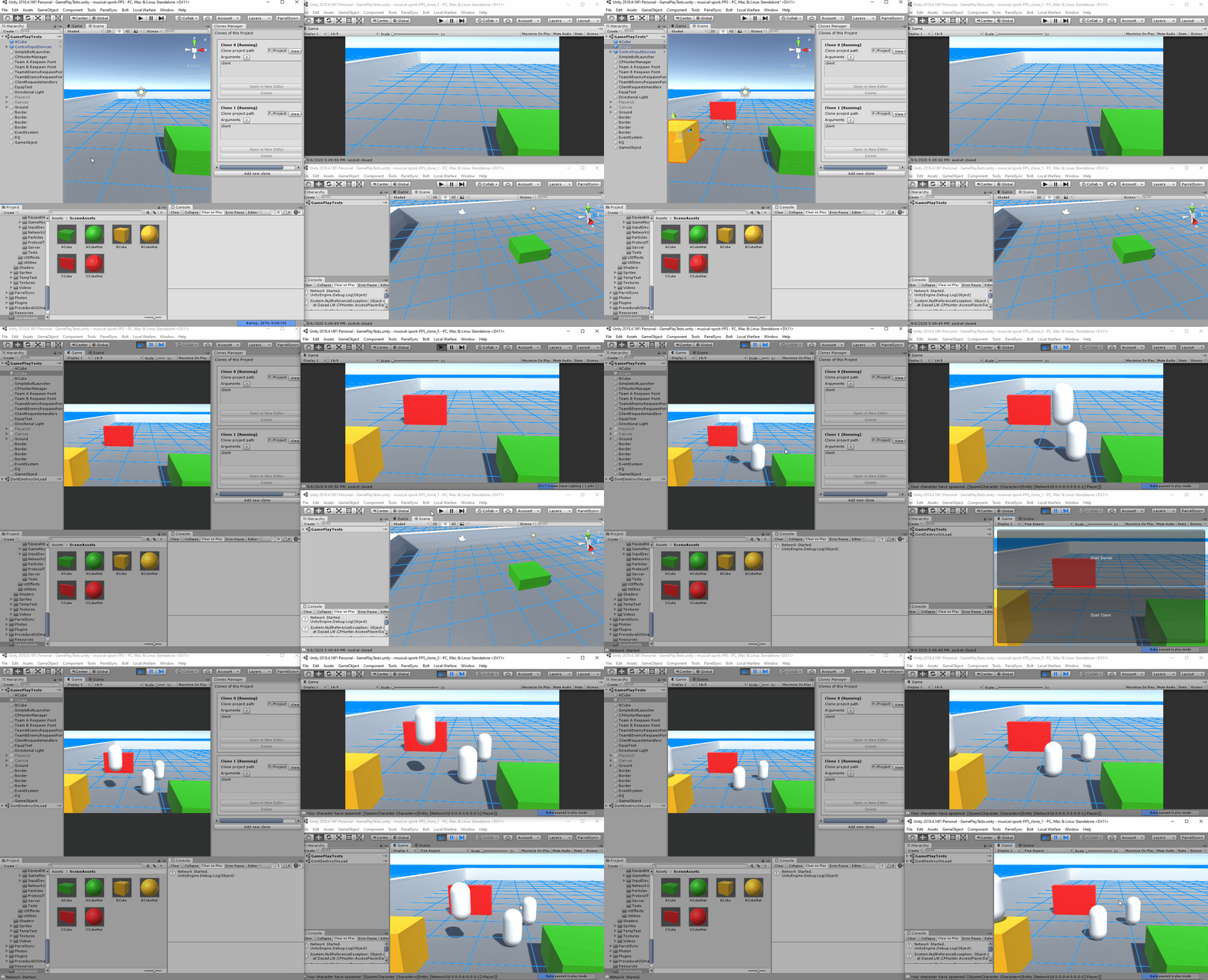
Test project changes on clients and server within seconds - both in editor
Features
- Test multiplayer gameplay without building the project
- GUI tools for managing all project clones
- Protected assets from being modified by other clone instances
- Handy APIs to speed up testing workflows
Installation
- Backup your project folder or use a version control system such as Git or SVN
- Download .unitypackage from the latest release and import it to your project.
- ParrelSync should appreared in the menu item bar after imported

Check out the Installation-and-Update page for more details.
UPM Package
ParrelSync can also be installed via UPM package.
After Unity 2019.3.4f1, Unity 2020.1a21, which support path query parameter of git package. You can install ParrelSync by adding the following to Package Manager.
https://github.com/VeriorPies/ParrelSync.git?path=/ParrelSync
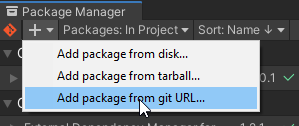
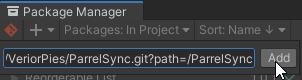
or by adding
"com.veriorpies.parrelsync": "https://github.com/VeriorPies/ParrelSync.git?path=/ParrelSync"
to the Packages/manifest.json file
Supported Platform
Currently, ParrelSync supports Windows, macOS and Linux editors.
ParrelSync has been tested with the following Unity version. However, it should also work with other versions as well.
- 2022.3.56f1 LTS
- 2021.3.29f1 LTS
- 2020.3.1f1 LTS
APIs
There's some useful APIs for speeding up the multiplayer testing workflow. Here's a basic example:
if (ClonesManager.IsClone()) {
  // Automatically connect to local host if this is the clone editor
}else{
  // Automatically start server if this is the original editor
}
Check out the doc to view the complete API list.
How does it work?
For each clone instance, ParrelSync will make a copy of the original project folder and reference the Asset, Packages and ProjectSettings folder back to the original project with symbolic link. Other folders such as Library, Temp, and obj will remain independent for each clone project.
All clones are placed right next to the original project with suffix _clone_x, which will be something like this in the folder hierarchy.
/ProjectName
/ProjectName_clone_0
/ProjectName_clone_1
...
Discord Server
We have a Discord server.
Need Help?
Some common questions and troubleshooting can be found under the Troubleshooting & FAQs page.
You can also create a question post, or ask on Discord if you prefer to have a real-time conversation.
Support this project
A star will be appreciated :)
Credits
This project is originated from hwaet's UnityProjectCloner
Explore related projects
ytdl-org/youtube-dl
Command-line program to download videos from YouTube.com and other video sites
141,474 starsexcalidraw/excalidraw
Virtual whiteboard for sketching hand-drawn like diagrams
135,211 starsgodotengine/godot
Godot Engine – Multi-platform 2D and 3D game engine
119,656 starsmrdoob/three.js
JavaScript 3D Library.
117,669 stars