
Twiddllo/NexusCtrl
Twiddllo/NexusCtrl has 72 GitHub stars and 0 forks. Star changes are not measured yet. Last checked 2026-11-12 18:07 UTC. Last push 2026-02-16.
NexusCtrl is a personal RDP server management and monitoring platform built with FastAPI and Python agents. It provides real-time system metrics, live screen monitoring, remote process control, and task management through a local-first dashboard designed for securely managing multiple remote machines from a single control center.
What you can do
- Runs as a background service on target machines
- Collects system metrics (CPU, RAM, network, processes)
- Captures screen for remote viewing
- Responds to remote commands (like killing processes)
Measured star growth
- in 24h
- Update delayed
- in 7 days
- Update delayed
- in 15 days
- Update delayed
- in 1 month
- Update delayed
Net star changes over overlapping periods, not daily totals. Missing measurements are left blank. Stars measure attention, not software quality.
README.md
OriginalNexusCtrl - Personal RDP Server Management Tool
⚠️ Important Security Notice
If you expose the backend endpoint, restrict access to trusted IP addresses only. Use firewall rules, a reverse proxy, or VPN/SSH tunneling to whitelist specific IPs. Never leave the port publicly accessible, or unauthorized users could gain control of your servers.
About This Project
This is a personal project I built to help manage multiple RDP servers more easily. I'm not particularly skilled at frontend development, so this is primarily a backend-focused tool with a functional interface for monitoring and controlling my servers. It started as a test for myself but became quite useful for managing multiple RDP connections.
🎬 Preview
Setup Process
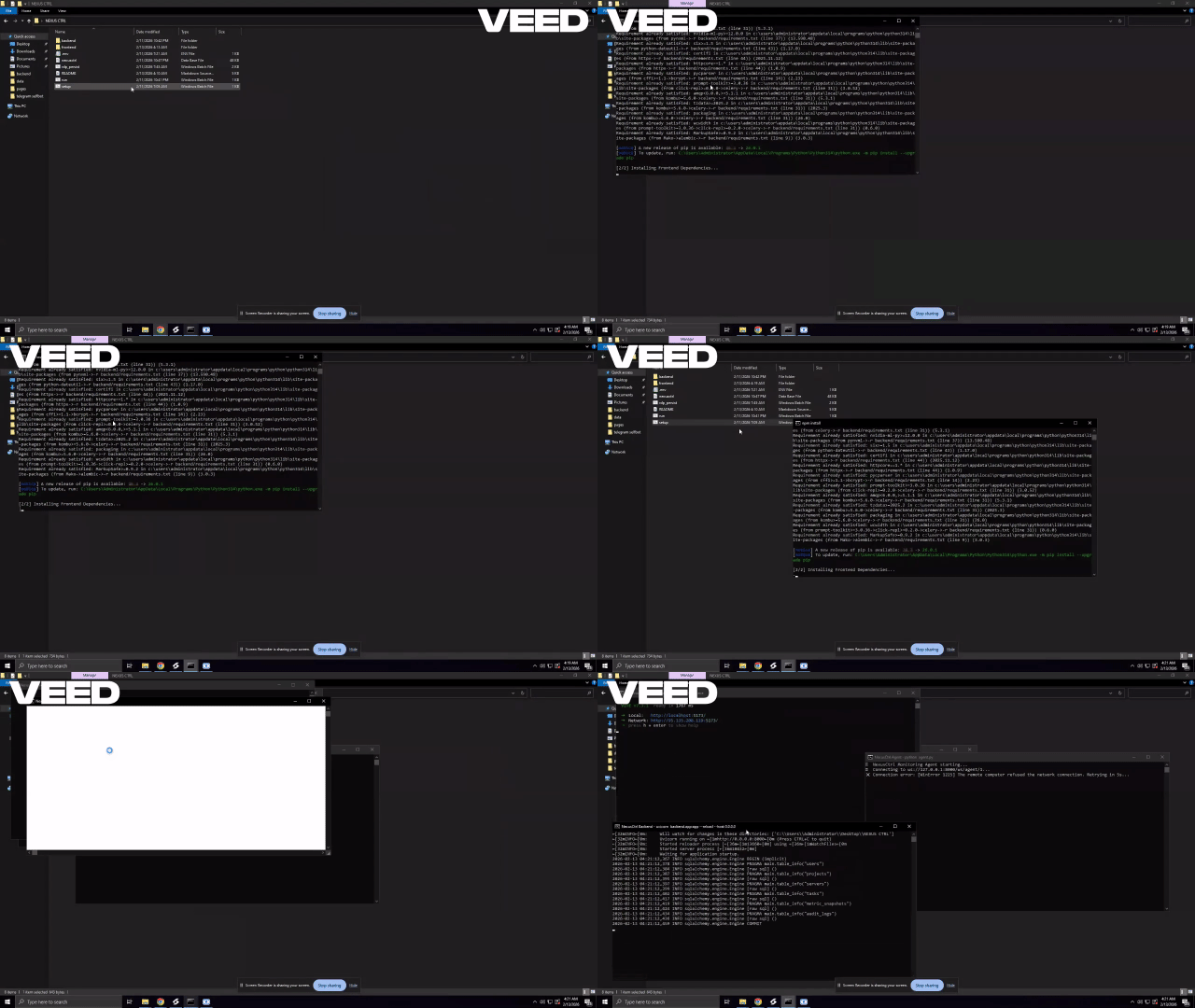
NexusCtrl Dashboard View

Features
Server Monitoring
- Real-time CPU, RAM, and network usage tracking
- Live screen capture from connected agents
- Active process monitoring with kill capability
- Performance history usage
Task Management
- Create and manage tasks
- Set priorities (critical, high, medium, low)
- Track task completion status
Server Control
- View active processes
- Terminate processes remotely
- Monitor server status (online/offline)
Agent Capabilities
- Runs as a background service on target machines
- Collects system metrics (CPU, RAM, network, processes)
- Captures screen for remote viewing
- Responds to remote commands (like killing processes)
🚀 CI/CD
This project uses GitHub Actions for automated testing, security scanning, and staged deployment.
- Backend tested on Python 3.8–3.11
- Frontend tested on Node.js 18–22
- Linting (flake8 & ESLint)
- Dependency vulnerability scanning (safety)
- Secret scanning (TruffleHog)
- CodeQL analysis
- Dev → Prod staged deployment on push to main
Workflows are located in:
.github/workflows/
How It Works
The system consists of two parts:
- Backend Server (written in Python/FastAPI) - runs on your main control machine
- Agent (written in Python) - runs on each server you want to monitor
The agent connects to the backend via WebSocket and continuously sends system metrics. The frontend provides a dashboard to view this information and send commands.
Prerequisites
- Python 3.8+
- Node.js and npm (for the frontend)
- Windows/Linux/macOS (agent works on all platforms)
Installation & Setup
Backend Setup
- Clone the repository
- Navigate to the backend directory
- Install Python dependencies:
pip install -r requirements.txt - Set up environment variables in
.envfile:SECRET_KEY=your-very-secure-secret-key AGENT_SECRET=your-agent-authentication-secret
Frontend Setup
- Navigate to the frontend directory
- Install dependencies:
npm install - Start the development server:
npm run dev
Running the Application
Start the backend server:
cd backend
python app.py
Or with uvicorn:
uvicorn app:app --reload --host 127.0.0.1 --port 8000Start the frontend:
cd frontend
npm run dev
Run the agent on each server you want to monitor:
cd backend
python agent.py
Make sure to update the
BACKEND_URLinagent.pyto match your backend server's address.
Security Configuration
By default, the backend server listens on 127.0.0.1:8000. This is intentional for security. Do NOT expose this port publicly. If you need remote access, use VPN or SSH tunneling.
The CORS configuration in app.py should be reviewed to only allow origins you trust:
CORS_ORIGINS: list[str] = ["http://localhost:5173", "http://localhost:3000"]
Usage
- Access the frontend at
http://localhost:5173(or wherever your frontend is hosted) - The dashboard will show connected servers and their metrics
- Use the Process Manager to view and kill processes
- Manage tasks using the task manager panel
- View live screen feeds from your servers
Limitations & Considerations
- This is a personal project, not enterprise-grade software
- Frontend design is basic and functional rather than polished
- Designed for single-user personal use
- Requires Python on monitored servers to run the agent
- Screen capture feature may not work on some locked sessions (expected behavior)
Customization
You can modify:
- The agent to collect different metrics
- The frontend to display additional information
- The backend to store data differently
- Authentication mechanisms to fit your needs
Troubleshooting
- If agents can't connect: Check that the
BACKEND_URLin agent.py matches your server address - If screen capture fails: This is expected on locked sessions or with certain security configurations
- If metrics aren't updating: Check WebSocket connections and firewall settings
License
Personal project for educational purposes. If using this code, please respect any applicable licenses for the dependencies used.
Explore related projects
awesome-selfhosted/awesome-selfhosted
A list of Free Software network services and web applications which can be hosted on your own servers
336,615 starsimmich-app/immich
High performance self-hosted photo and video management solution.
119,024 starsStirling-Tools/Stirling-PDF
#1 PDF Application on GitHub that lets you edit PDFs on any device anywhere
96,434 starslouislam/uptime-kuma
A fancy self-hosted monitoring tool
93,575 stars