
Turing-Mirror/RVC-Fabric
Turing-Mirror/RVC-Fabric has 54 GitHub stars and 0 forks. GitHot measured 0 stars in 24 hours. Last checked 2026-11-15 17:25 UTC. Last push 2026-11-13.
Measured star growth
- in 24h
- 0
- in 7 days
- Update delayed
- in 15 days
- Update delayed
- in 1 month
- Update delayed
Net star changes over overlapping periods, not daily totals. Missing measurements are left blank. Stars measure attention, not software quality.
About
Free, open-source Windows voice changer and soundboard for voice chat, games and live streams. Mix converted speech with music and sound effects, manage voice models and train RVC voices.
Machine LearningREADME_en.md
Original
RVC Fabric
简体中文 · 繁體中文 · English · 日本語 · 한국어 · Español · Français · Русский
Real-time voice changer and soundboard for Windows
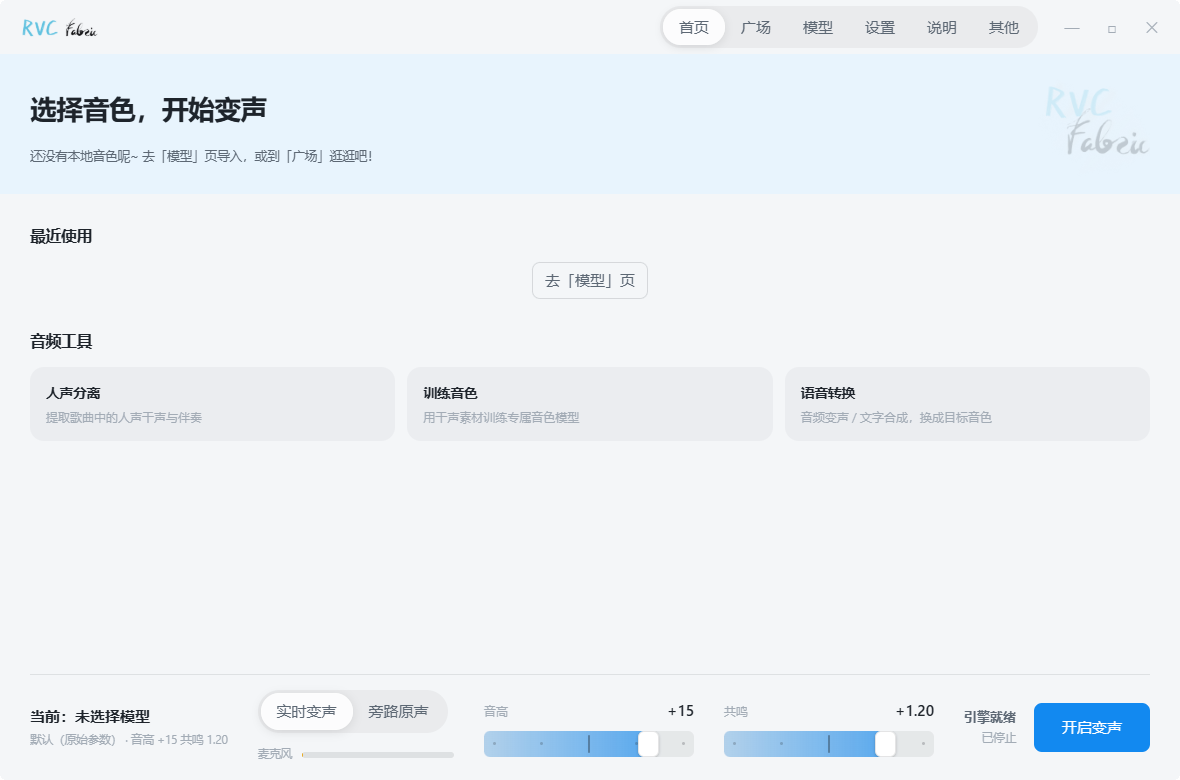
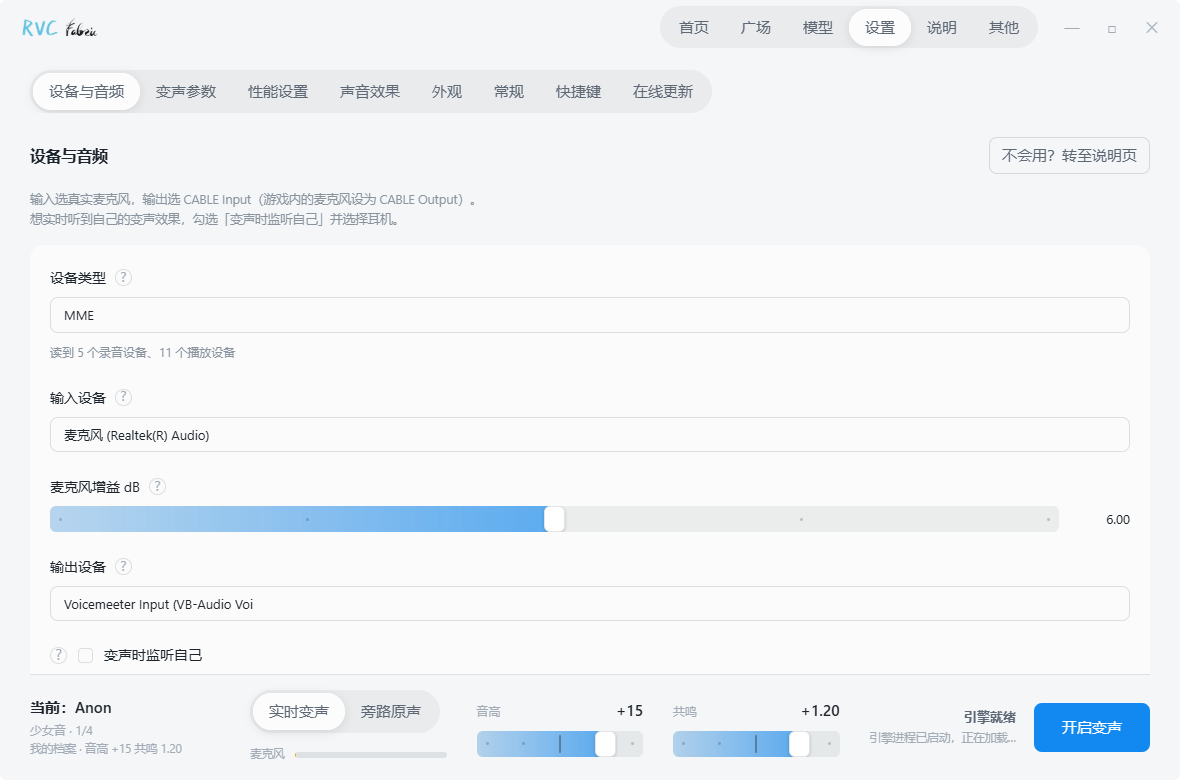
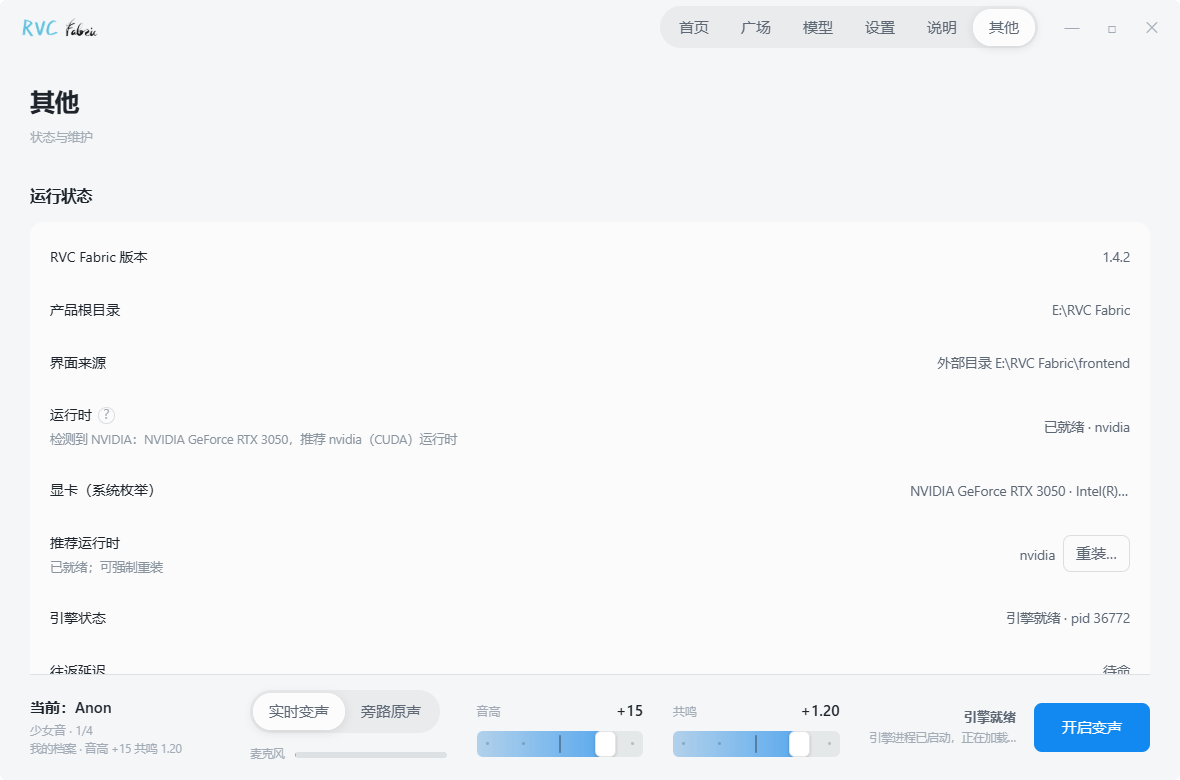
Website · Download for Windows
Based on RVC WebUI and maintained by Turing Mirror.


GitHub Repository · CNB Artifacts Download
Social Media Bilibili @Turing Mirror · Douyin @Turing Mirror (Douyin ID TuringMirror) · Xiaohongshu @Turing Mirror (Xiaohongshu ID TuringMirror) · YouTube @Turing Mirror (YouTube handle @TuringMirror) · QQ Group @Turing Mirror Community (Group ID 1077458748)

Sponsorship & Promotion Rainyun servers: 50% off the first month
Project Introduction
RVC Fabric is a free, open-source Windows application developed by Turing Mirror. Change your voice and play music or sound effects in QQ, Discord and in-game voice chat, or mix your voice with backing tracks during a live stream. Its soundboard supports audio clips and hotkeys, alongside voice model management, vocal separation and model training.
Core Features
- Play music, sound effects or selected clips into voice chat alongside your converted microphone audio, with overlapping playback, looping, separate volume control and global hotkeys.
- Converts microphone input to the selected voice, with original-voice bypass, ASIO channel selection and independent monitoring. Latency depends on hardware, the model and audio settings.
- Includes a noise gate, compressor and 5-band parametric EQ, with presets and individual adjustments.
- The voice library supports associated .index files and lets you save, import and export parameter presets.
- Download voice models from Turing Mirror and third-party sources, track progress and resume interrupted downloads.
- Provides vocal separation, text-to-speech and voice training tools. The training workflow covers audio slicing, pitch and feature extraction, model training and index export.
- Supports NVIDIA CUDA and DirectML acceleration for AMD and Intel GPUs. Setup detects hardware and configures the corresponding runtime.
Voice chat and in-game music playback
- Install RVC Fabric and configure the required components. Install the VB-Cable virtual audio device and restart your computer.
- In the audio device settings, select your physical microphone and set the output to CABLE Input. Set the microphone in QQ, Discord or your game to CABLE Output.
- Open the audio library, import music or sound effects, and double-click an entry to play it into voice chat. To change your voice while playing music, select a voice model and start conversion. Both signals are mixed into the same output.
- Select headphones for local monitoring and enable music monitoring as needed. Assign global hotkeys to frequently used clips to play, pause and stop them while in a game.
Technical Architecture and Development
Architecture
RVC Fabric uses a Tauri + Rust + React desktop shell, with all computations handled by a background Python Worker. The two communicate via JSON file protocol:
RVC Fabric.exe (Tauri + Rust + React frontend main interface)
    │
    ▼ JSON file protocol (command.json / status.json / worker.pid)
Runtime\pythonw.exe tools/realtime_worker.py (Python 3.9 + CUDA / DirectML)
    └─> gui_v1.py (AudioIoProcess + rtrvc real-time inference engine)
The upstream training / inference WebUI (Gradio) is kept with the package as an advanced feature, which can be opened from the "Other" page.
Environmental Requirements and Development
Environmental Requirements: Windows 10/11 · Node.js 20+ · Rust Stable · Python 3.13 (development scripts)
# 1. Install frontend dependencies
cd app
npm install

# 2. Start desktop development mode (requires WebView2 and MSVC toolchain)
npm run tauri:dev

# 3. Only start UI browser preview
npm run dev
Build and Test
- Unit Tests: Run
scripts\run_tests.bat - Frontend unit tests:
cd app && npm test - Package Installer (NSIS):
cd app && npm run tauri:build - Package Full Offline Release:
python scripts\build_release.py --variant nvidia|amd|nvidia50 - Build Online Catalog:
python scripts\build_catalog.py build --diff
Source code and voice permissions
- The source code of this project is open-sourced under the MIT License.
- Model weights, voice packages, and third-party resources follow their original licensing agreements.
- Obtain the rights holder’s permission before training on or converting someone else’s voice.
Acknowledgements
Thanks to the following excellent open-source projects for providing technical support to RVC Fabric:
- Retrieval-based-Voice-Conversion-WebUI — Core algorithms and upstream foundation
- ContentVec · VITS · HiFi-GAN · RMVPE — Core acoustic models and pitch algorithms
- faiss · TorchGate — Retrieval and real-time noise reduction
- FCPE · Parselmouth · torchcrepe — Optional pitch algorithms
- PyMSS — Vocal separation engine (follows upstream RVC; replaces UVR5) · Ultimate Vocal Remover — Separation model source · FFmpeg — Audio processing
- VB-Audio Virtual Cable — Virtual sound card (routes the converted voice into games and voice apps)