
Tosencen/XMSLEEP
Tosencen/XMSLEEP has 1,421 GitHub stars and 80 forks. GitHot measured +4 stars in 24 hours. Last checked 2026-11-06 08:29 UTC. Last push 2026-10-13.
一款白噪音应用送给你,祝您牛掰,有的是钱
Measured star growth
- in 24h
- +4
- in 7 days
- Update delayed
- in 15 days
- Update delayed
- in 1 month
- Update delayed
Net star changes over overlapping periods, not daily totals. Missing measurements are left blank. Stars measure attention, not software quality.
README_EN.md
Original📱 XMSLEEP
A white noise and natural sound player app to help you relax, focus, and sleep better.



Download • Features • Usage • Web Version
Language: 中文 | 繁體中文 | English | 한국어 | Русский | 日本語

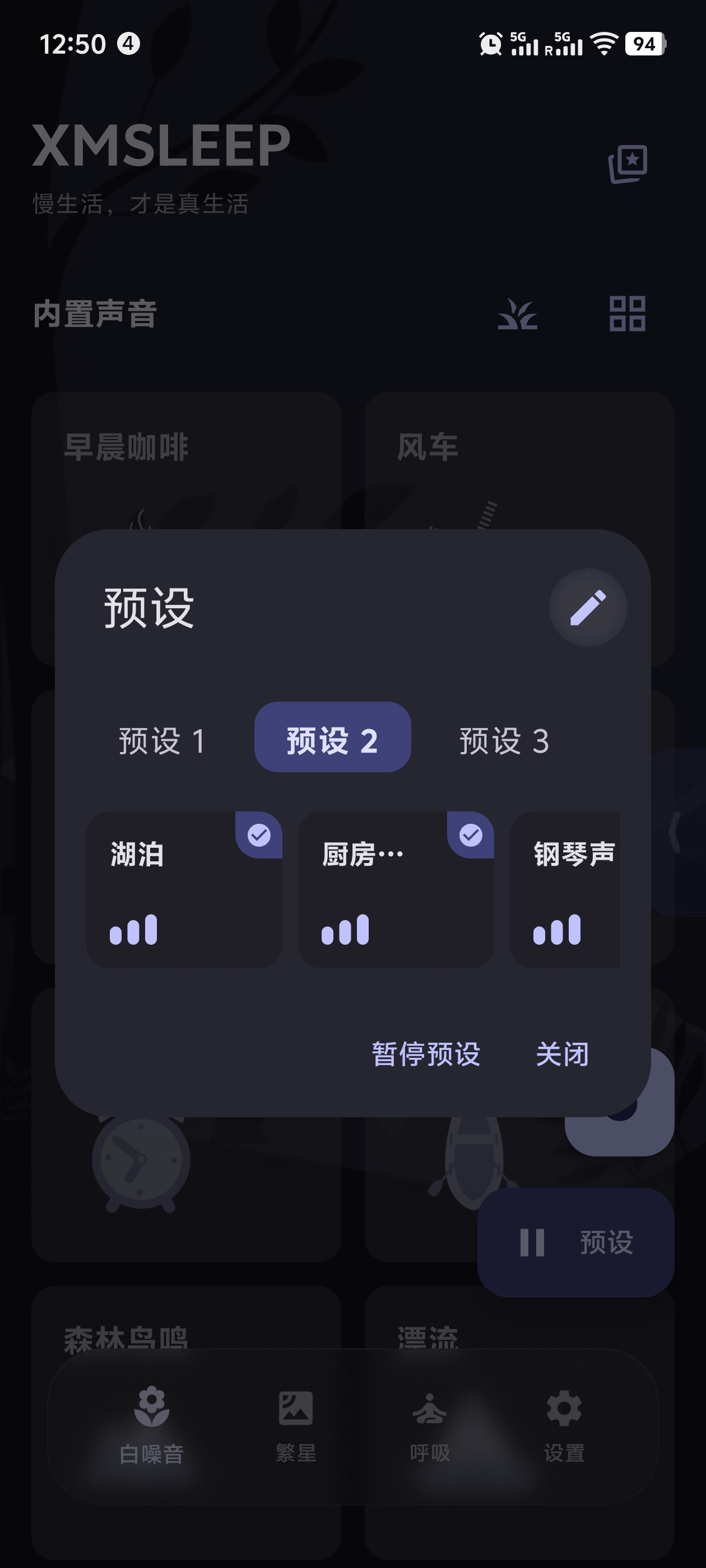
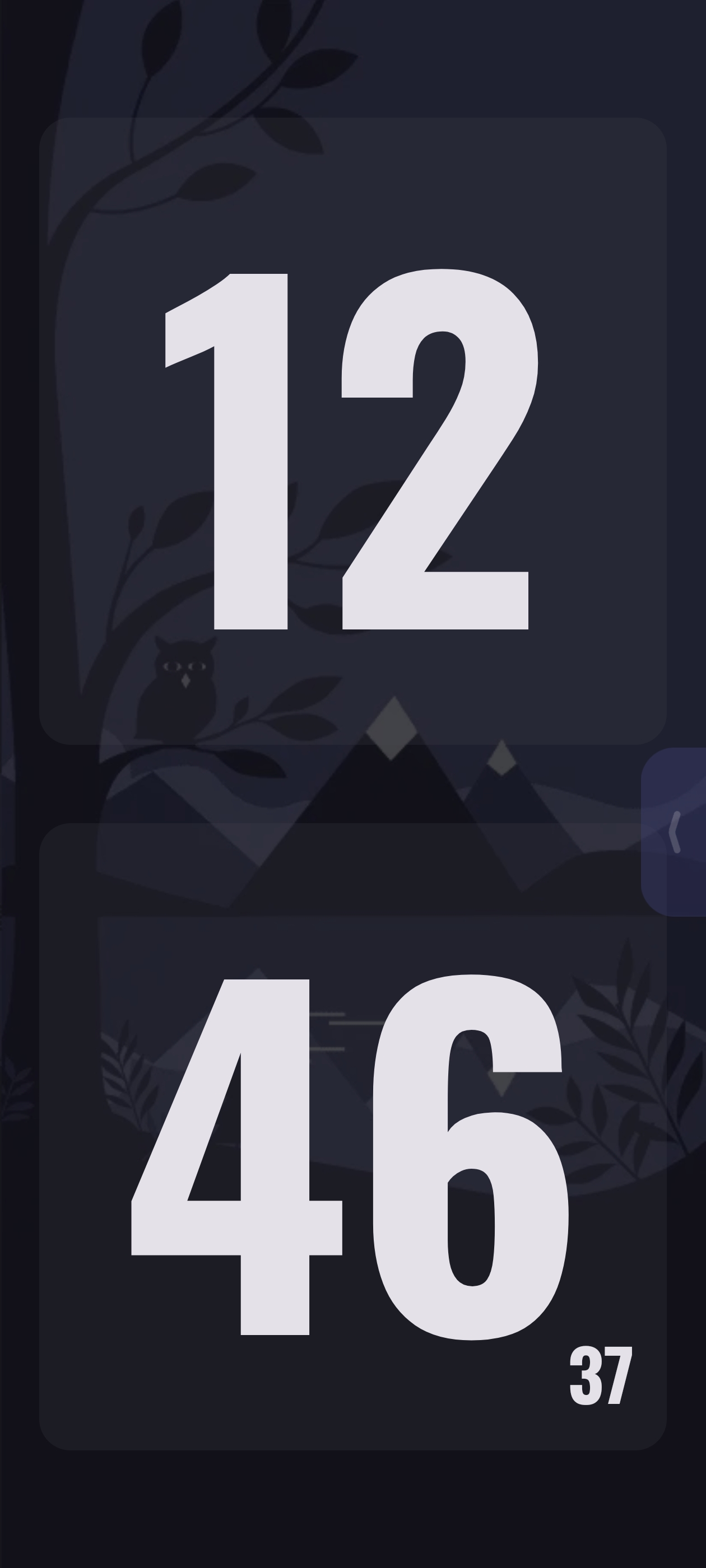
📱 Screenshots
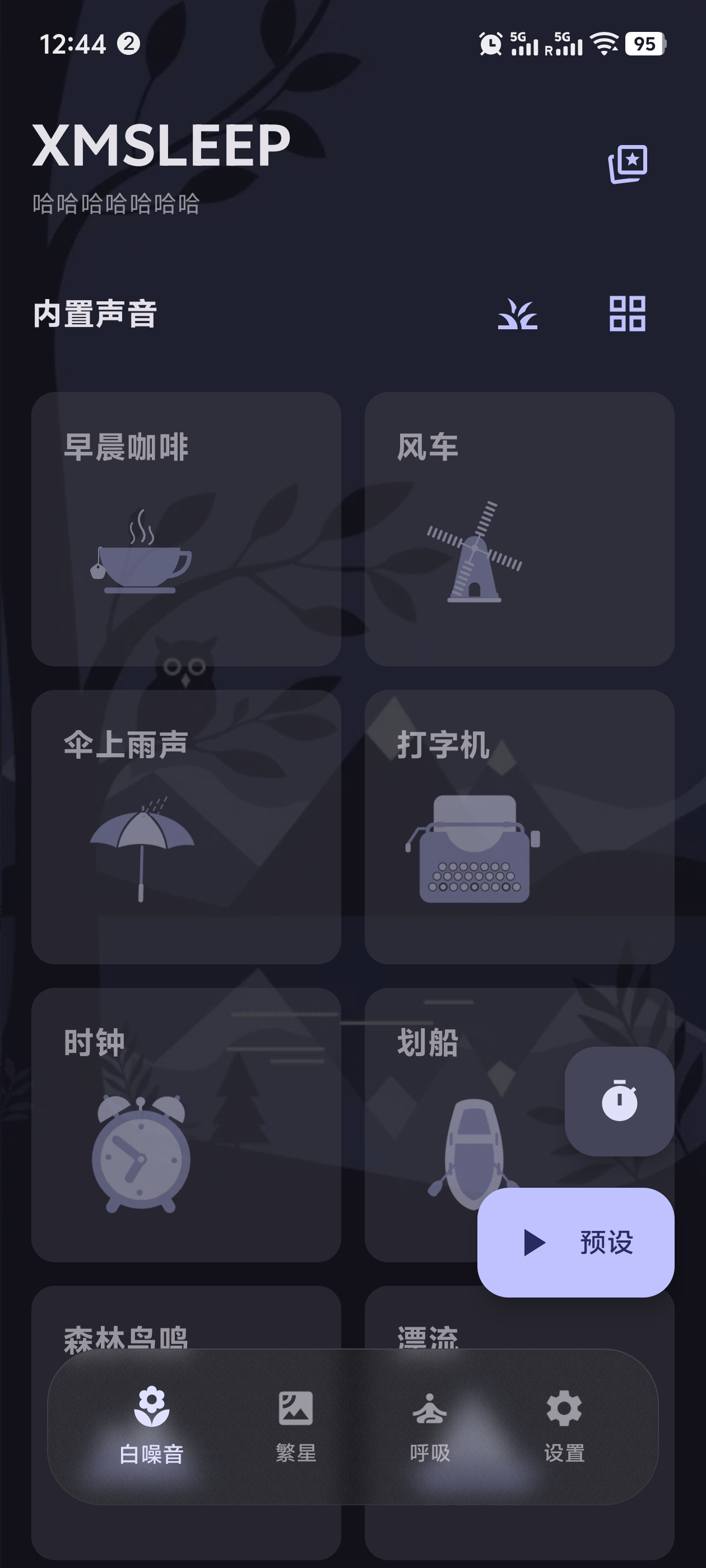
|
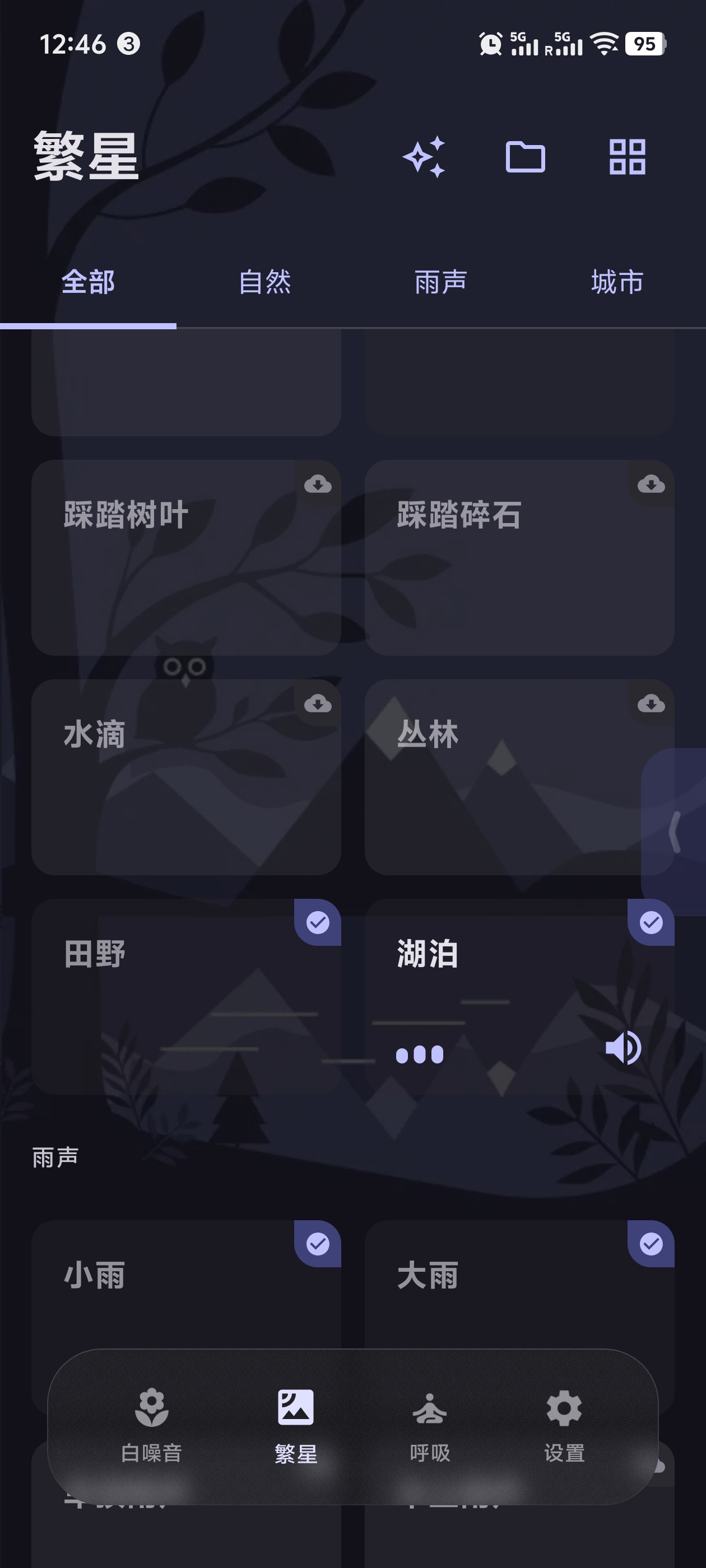
|
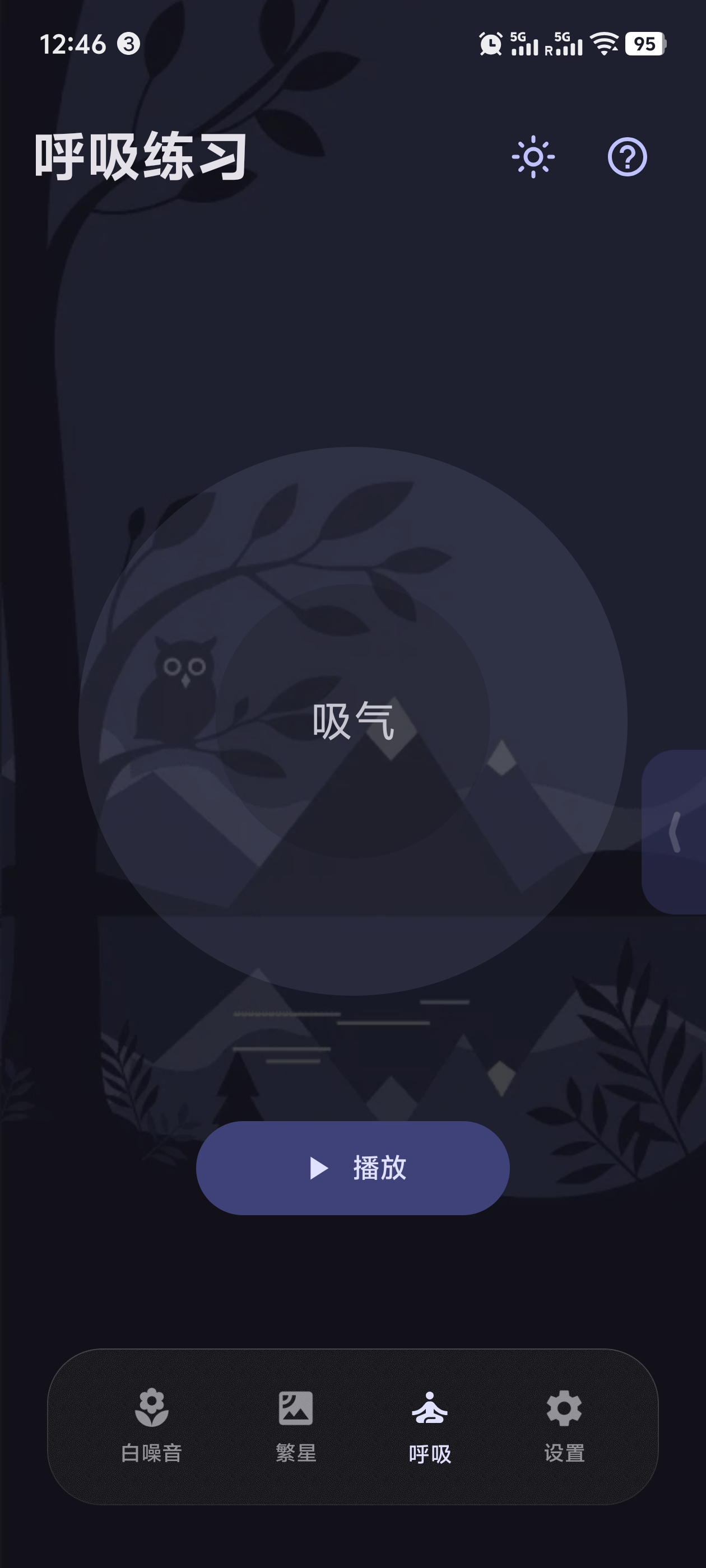
|
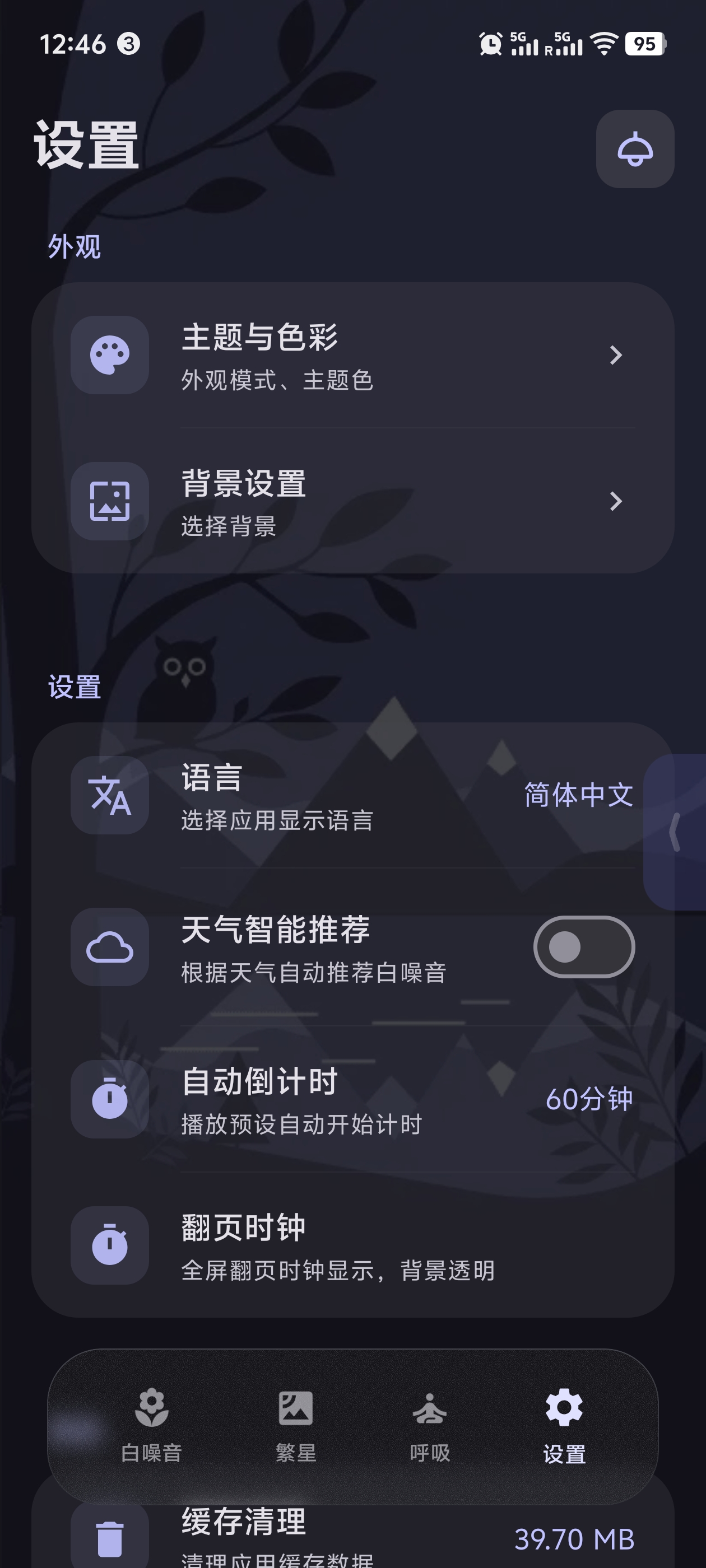
|
|
|
🌐 Web Version
No installation needed — try the full experience right in your browser: 113 ambient sounds · free mixing · seamless looping · 6 languages · countdown timer, with the same sound library as the mobile app.
👉 Play online: tosencen.github.io/XMSLEEP/player.html
In the app: Settings → Others → Web Version for one-tap access and link sharing.
📱 About
XMSLEEP is a professional white noise and natural sound playback app dedicated to providing you with high-quality audio experiences. The app includes a variety of carefully selected natural sounds, including rain, thunder, campfire, bird chirping, and more, to help you relax, improve focus, and enhance sleep quality.
Built with Material Design 3 guidelines, the app features a clean and beautiful interface with smooth and intuitive operations.
✨ Features
🎵 Audio Features
- Multiple White Noise: Provides rain, campfire, thunder, cat purring, birds, crickets, and more natural sounds
- Online Audio: Support for dynamically loading more audio resources from GitHub
- Local Audio: Support for playing audio files from your phone
- Seamless Loop: Audio supports seamless loop playback for an immersive experience
- Volume Control: Support for independent volume adjustment for each sound, or one-click adjustment for all sounds
- Volume Persistence: Volume settings are automatically saved and restored on app restart
- Bluetooth Headset Support: Automatically pauses playback when Bluetooth headset disconnects
- Bilibili Live Radio: Search and play Bilibili live streaming rooms, pin favorite rooms for quick access
- Meditation: Built-in sleep meditation audios, downloadable for offline playback without a network
🎨 Interface & Experience
- Beautiful Animations: Built-in sounds come with WebP animations to enhance visual experience
- Material Design 3: Adopts the latest Material Design 3 design guidelines
- Theme Switching: Supports light/dark mode switching, adapts to system theme
- Custom Themes: Multiple color themes available, supports dynamic colors
⚙️ Practical Features
- Countdown Feature: Set automatic stop playback time to help you control usage duration
- Preset Area: Support for adding frequently used sounds to preset area, supports up to 3 preset configurations for quick switching
- Favorites: Favorite your preferred white noise sounds
- Recent Play: Shows recent play dialog on app restart for quick resume
- Global Floating Button: Displays currently playing sounds, supports quick pause and expand to view
- Smart Interaction: Preset sheet and floating button are mutually exclusive; both auto-hide when scrolling
- Auto Update: Supports silent update checking via GitHub Releases, update icon appears when new version available
🌐 Web Version
- Online Player: Runs instantly in the browser — 113 ambient sounds with free mixing, seamless looping, and independent volume control
- Multi-language: Chinese/English/Japanese/Korean/Russian/Traditional Chinese
- Countdown Timer: Custom countdown with auto-stop and live time display
- Now Playing Panel: View/stop/adjust volume of active sounds at a glance
- Performance: First-screen prefetch + LRU caching for instant replays
🛠️ Tech Stack
- Kotlin - Main development language
- Jetpack Compose - Modern UI framework
- Material Design 3 - UI design system
- ExoPlayer/Media3 - Audio playback engine with seamless loop support
- OkHttp - Network requests and file downloads
- Gson - JSON parsing
- Kotlinx Serialization - JSON serialization
- Coil - Image loading
- WebP - Animation support (sound card animations)
- MaterialKolor - Dynamic theme color generation
- Accompanist - Pull-to-refresh support
- Hilt - Dependency injection framework
- Lottie - High-quality animation rendering
- Web Audio API - Seamless looping in the web player (sample-accurate)
📦 Current Version
- Version: 2.3.5
- Version Code: 50
- Min SDK: Android 8.0 (API 26)
- Target SDK: Android 15 (API 35)
🆕 Latest Updates
v2.3.5
🎨 New Features
- Offline download for meditation audios: One-tap download from the audio list (bottom-right badge with three states), success/failure Toast notifications, downloaded audios play offline
- Full-page scrolling: The meditation player now scrolls as a single page (replacing the fixed-height list), the top bar collapses on scroll, and a bottom spacer prevents clipping
🐛 Fixes
- Offline playback crash: Local cached audio now plays via the file source, fixing crashes caused by feeding
file://into the HTTP source - Bilibili audio 403: Added UA/Referer/Origin headers, fixing rejected audio stream resolution and downloads
- More reliable update checks: Falls back through gh-proxy mirrors, verifies download byte integrity and reuses existing files
✨ Improvements
- Badge states: Downloaded = faint green, not downloaded = gray, easy to tell apart at a glance
- Dead-code cleanup: Removed unused imports, unreferenced functions and redundant string keys
v2.3.4
🎨 New Features
- Frosted glass dialogs: New FrostedGlassSheet component; global dialogs and bottom sheets rebuilt with an MD3 drag handle
- Breathing foreground service: Phase state machine moved into a foreground service with multilingual voice prompts, infinite list paging, auto-cleanup when finished
- Theme color grid: XMVISIO-style three-color circle grid with center check animation; built-in backgrounds auto-match their dedicated theme color
- Secondary-page top bar: Hides while scrolling and reappears when scrolling back, avoiding title/content overlap
- Timer dial picker: Custom countdown time now uses an M3 circular time picker
✨ Improvements
- QWeather key validation: Host/key are validated before saving; on failure the dialog stays open and shows the error
- Update download source replacement with low-speed source switching; precise ProGuard keep rules, sensitive SP excluded from backup, localization fixes (zh-TW language code)
🐛 Fixes
- Rigid dialog enter/exit animations and doubled borders on bottom dialogs
- Background settings callbacks, location permission refresh, vibration toggle semantics (P0)
- Switching back to no/custom background no longer force-enables dynamic colors
- Hidden the unconnected refresh button in the quote history dialog; breathing notification icon switched to a solid style
v2.3.3
🎨 New Features
- Random Bing background for Daily Quote: The daily-quote dialog now uses a random Bing daily wallpaper (memory-only cache, no disk usage); text is bottom-aligned with a darker gradient for readability; the share/save poster also uses the daily image
- Sensitive-word filter: Daily quotes auto-block self-harm/severely negative words (e.g. suicide, depression); on an API hit it retries, and local quotes are skipped
✨ Improvements
- Daily Quote dialog: Fixed to 2/3 of screen height with scrollable content; the refresh badge moved to the top-right with rounded corners
v2.3.2
🎨 New Features
- QWeather source (BYOK): Weather now supports a user-provided QWeather key (enter Host + Key in Settings), falling back to Open-Meteo when unset; city-level location + multi-language
✨ Improvements
- Weather card: City and date merged on one line (e.g. "Shanghai 8月25日 Tuesday") and placed above the healing quote; removed the source badge
- Coordinate offset: WGS84 → GCJ02 conversion for better domestic location accuracy
v2.3.1
🎨 New Features
- Web Version Player: New GitHub Pages online player — 113 ambient sounds, free mixing, seamless looping, 6-language UI, synced with the app's sound library, no installation required
- Web Version Entry in App: New "Web Version" entry at the top of the "Others" section in Settings — one-tap browser launch plus a copy-link button
- Black & White Theme: New monochrome theme for a minimalist look
- Tomato Timer Background Timing: Countdown keeps running after leaving the page; ruler shows the current phase duration
- Tomato Settings Sheet Redesign: Card-style sheet with ringtone preview and adjustable break length
- Notification Media Controls: Control meditation playback from the notification shade/lock screen
- Plurals Localization: Proper plural forms for counts in English, Russian and other languages
✨ Improvements
- Tightened Permissions: Streamlined permission declarations to reduce privacy exposure
- Firebase Analytics & Crash Reporting: Anonymous usage stats and crash collection — no personally identifiable information
- Dependency Upgrades: okhttp 5.3.2, gson 2.11.0, androidx.media 1.8.0, core-splashscreen 1.2.0
- Resource & Signing Cleanup
🐛 Bug Fixes
- Custom countdown display issue
- Breathing service registration & notification localization
v2.3.0
🎨 New Features
- Tomato Timer End Ringtone: 4 built-in royalty-free ringtones (Chime/Ding-Dong/Marimba/Wind Chime), plays automatically when focus ends
- Tomato Timer End Vibration: Automatic vibration reminder when focus ends, with a settings toggle
- Tomato Settings Sheet: Gear icon in the top-right of the tomato page — configure end ringtone, completion animation, and vibration, fully expanded sheet
- Ringtone/Vibration ×3: End ringtone and vibration each repeat 3 times then stop automatically
- Manual Break Start: Focus no longer auto-starts the break — a "Start Break" button appears for the user to trigger manually
- Meditation Repeat Count: The meditation detail countdown is replaced by a repeat-count control — loop 1/2/3 times then auto-stop, mutually exclusive with infinite loop
- Tomato Entry in Weather Mode: Added a tomato timer shortcut in the top-right of weather mode
✨ Improvements
- Tomato Settings Multi-language: Supports Chinese/English/Japanese/Korean/Russian/Traditional Chinese
- Vibration Implementation: Now uses the system Vibrator directly with the VIBRATE permission added for reliability
- Version Bump: 2.2.9 → 2.3.0
v2.2.6
🎨 New Features
- Bilibili Live Radio: Added Bilibili live streaming radio feature, search for study rooms, white noise, and more categories
- Pin Rooms: Favorite frequently used live rooms for quick switching; non-live rooms are automatically grayed out
✨ Improvements
- Edit Mode Optimization: Auto-close pin edit mode when dismissing the bottom sheet to prevent accidental operations
- Preset Dialog Improvement: Reset edit state when closing the preset name edit dialog
v2.2.3
🎨 New Features
- Daily Quote Widget: Added home screen widget displaying time, daily quote, and refresh button
v2.2.1
🎨 New Features
- Breathing Exercise: Added guided breathing feature to help users relax
✨ Improvements
- Screen On: Optimized screen-on settings
- Weather Audio Mapping: Improved weather and audio mapping
v2.2.0 (2025-02-03)
🎨 New Features
- WebP Animated Backgrounds: Added dynamic background feature with multiple beautiful WebP animated background options
- Glassmorphism Effect: Implemented true glassmorphism blur effect for bottom navigation bar, enhancing visual experience
✨ Improvements
UI Layout Optimization:
- Adjusted bottom navigation bar position (from 46dp to 32dp) for better screen alignment
- Optimized spacing between bottom navigation bar and floating button to avoid overlap
- Improved content scrolling experience
Toast Display Optimization:
- Fixed Toast center display issue
- Cleaned up unused code comments
Dynamic Color Feature:
- Fixed and optimized dynamic theme color extraction functionality
- Improved color adaptation effects
Settings Page Optimization:
- Optimized countdown display for light bulb feature
🔧 Technical Improvements
- Code structure optimization
- Performance enhancements
v2.1.5 (2025-01-16)
- 🎵 Audio Optimization: All audio files converted to OGG format for better compatibility
- 📦 File Compression: Recompressed large audio files, reducing app size by ~40%
- 🔧 Path Fix: Fixed audio file path issues, resolved download failures (HTTP 404 errors)
- 📝 Manifest Update: Updated audio manifest version to 1.0.3, forcing cache refresh to ensure all audio is available
- 🐛 Bug Fixes: Fixed AudioResourceManager compilation error
- 🧹 Code Cleanup: Cleaned up debug logs, improved code quality
🚀 Download
Latest version available on GitHub Releases.
📋 Build Requirements
- Android Studio: Ladybug | 2024.2.1 or higher
- JDK: 17 or higher
- Android SDK: API 33 or higher
- Gradle: 8.0 or higher
🔨 Build Steps
Clone Repository
git clone https://github.com/Tosencen/XMSLEEP.git
cd XMSLEEP
Configure Gradle
- Copy
gradle.properties.exampletogradle.properties - (Optional) Configure GitHub Token to increase API limits
- Copy
Open Project
- Open the project with Android Studio
- Sync Gradle dependencies
Run Project
- Connect device or start emulator
- Click Run button
📖 Usage
Basic Operations
- Play Sound: Tap sound card to start playback, tap again to stop
- Adjust Volume: Tap volume icon at bottom-right of card to adjust volume for each sound individually
- Set Countdown: Tap countdown button at bottom-right to set auto-stop time
Interface Operations
- Switch Theme: Tap theme switch button at top-left to switch between light and dark modes
- Custom Settings: Adjust theme colors, hide animations, etc. in settings page
- Preset Management: Tap sound card title, select "Pin" to add sound to preset area; supports up to 3 preset configurations, swipe left/right to switch
- Favorites: Tap sound card title, select "Favorite" to add sound to favorites list
- Bilibili Radio: Tap the search button on the radio page to search Bilibili live rooms by category, tap the pin icon to favorite frequently used rooms
Advanced Features
- Global Floating Button: When sounds are playing, a floating button appears, tap to expand and view currently playing sounds
- Long Press Drag to Stop: Long press floating button to drag, drag to bottom red area to stop all playback
- Batch Add to Preset: When floating button is expanded, batch add currently playing sounds to the current preset
⚠️ Sound Source Attribution
Sound sources in this app are as follows:
- Built-in Sounds: From open-source audio resource libraries
- Online Sounds: From moodist project, following MIT open-source license
- Third-party Resources: Some sounds from third-party providers, following respective licenses
- Sounds following Pixabay Content License: Pixabay Content License
- Sounds following CC0: Creative Commons Zero License
🔒 Privacy
This app values your privacy. To improve the product, it collects anonymous usage statistics (e.g., active user counts, crash reports) and does not collect any personally identifiable information.
📄 License
This project is licensed under the MIT License.
🤝 Contributing
Issues and Pull Requests are welcome!
Contribution Guide
- Fork this repository
- Create feature branch (
git checkout -b feature/AmazingFeature) - Commit changes (
git commit -m 'Add some AmazingFeature') - Push to branch (
git push origin feature/AmazingFeature) - Open Pull Request
👤 Author
Tosencen
- GitHub: @Tosencen
🙏 Acknowledgments
- moodist - Online audio resource source
- Material Design 3 - UI design guidelines
- MaterialKolor - Dynamic color scheme
⭐ If this project helps you, please give it a Star!
© 2026 XMSLEEP. All rights reserved.
Explore related projects
codecrafters-io/build-your-own-x
Master programming by recreating your favorite technologies from scratch.
560,471 starspublic-apis/public-apis
A collective list of free APIs
496,782 starsmorluto/rea
Reverse engineer anything with agents, from app behavior down to native binaries.
438,352 starsopenclaw/openclaw
The AI that really does things. Any OS. Any Platform. The lobster way. 🦞
394,084 stars