
Tort1k558/Camouflow
Tort1k558/Camouflow has 62 GitHub stars and 14 forks. GitHot measured 0 stars in 24 hours and +1 in 7 days. Last checked 2026-11-16 04:28 UTC. Last push 2026-11-04.
Measured star growth
- in 24h
- 0
- in 7 days
- +1
- in 15 days
- Collecting history
- in 1 month
- Collecting history
Net star changes over overlapping periods, not daily totals. Missing measurements are left blank. Stars measure attention, not software quality.
About
Local-first anti-detect browser workspace: isolated profiles, AI agents, visual automation, Record & Replay, proxies and team workflows. Powered by Camoufox and CloakBrowser; Glint, our own Chromium engine, is in development.
ProductivityREADME.md
Original

CamouFlow
English · Русский
Browser profiles. Visual automation. Your own workspace.
Local-first desktop manager for Camoufox, CloakBrowser and the Glint engine preview.




Download · Documentation · Glint test results · Build Glint · Contribute
Your browser workflow, in one place
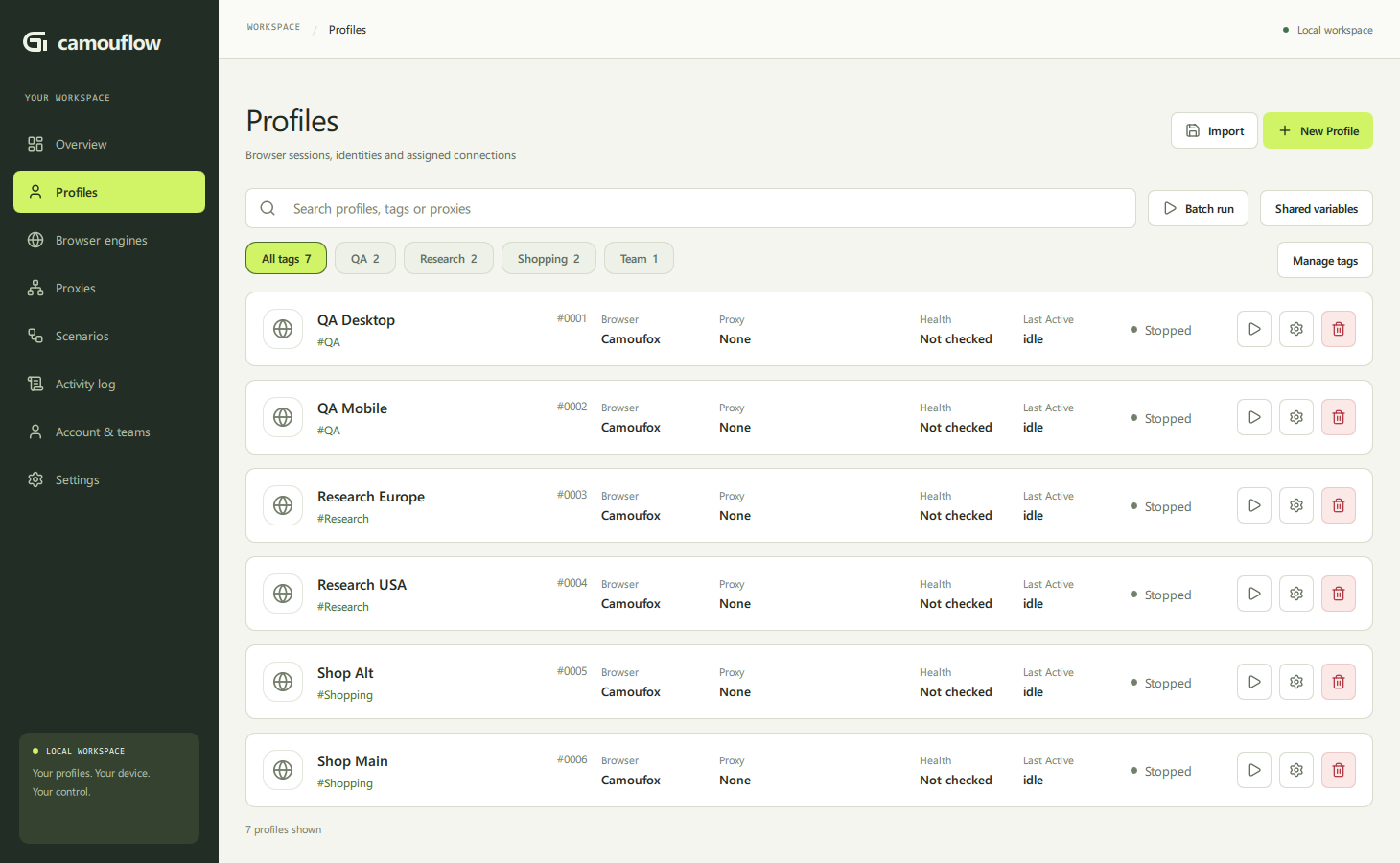
| Work with profiles | Build visual scenarios |
|---|---|
 |
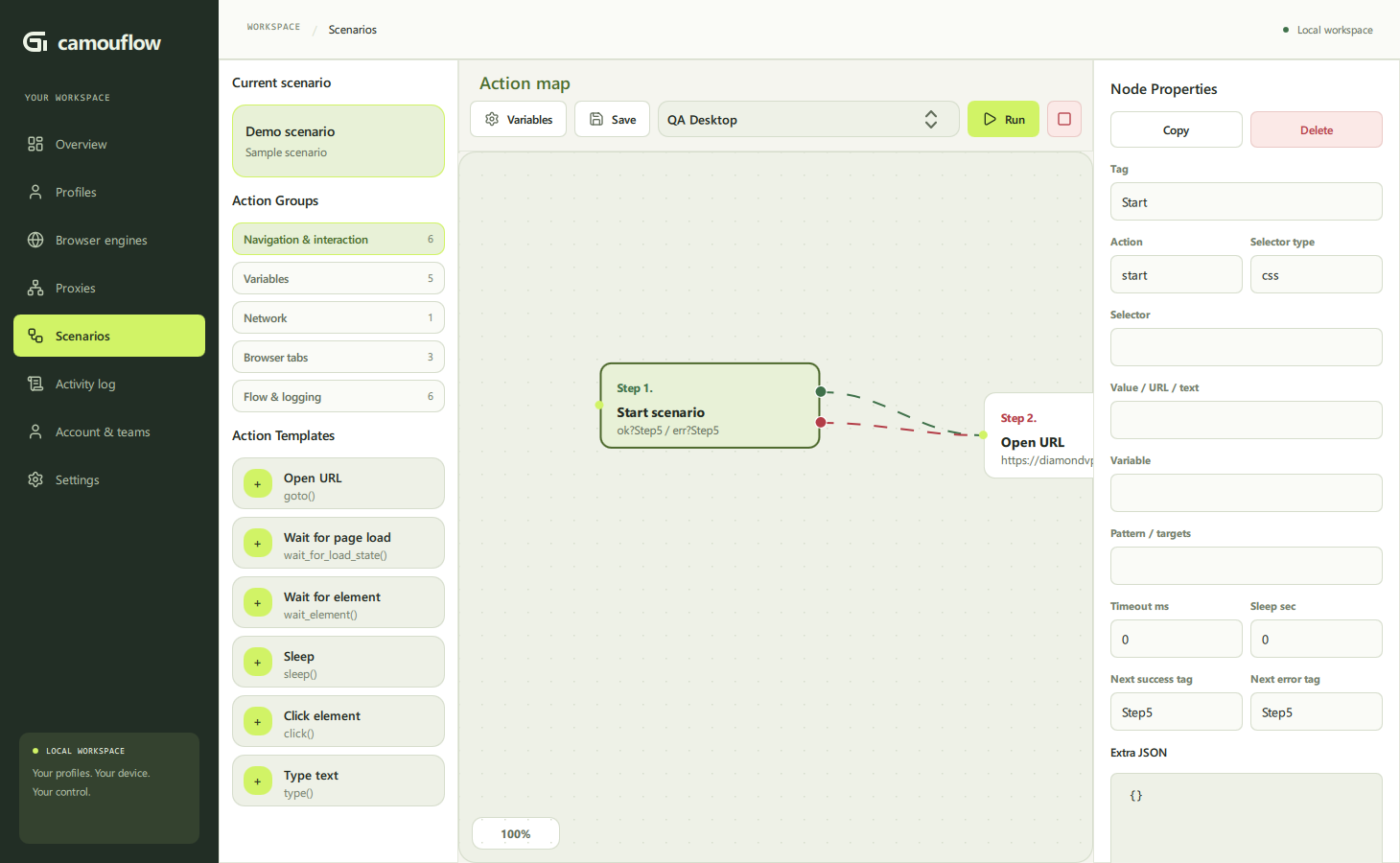 |
| Separate sessions, engine settings and proxy assignments. | Connect actions with success/error paths. |
| Capability | Example workflow |
|---|---|
| Persistent profiles | Organize profiles by tags; select a group for a scenario run. |
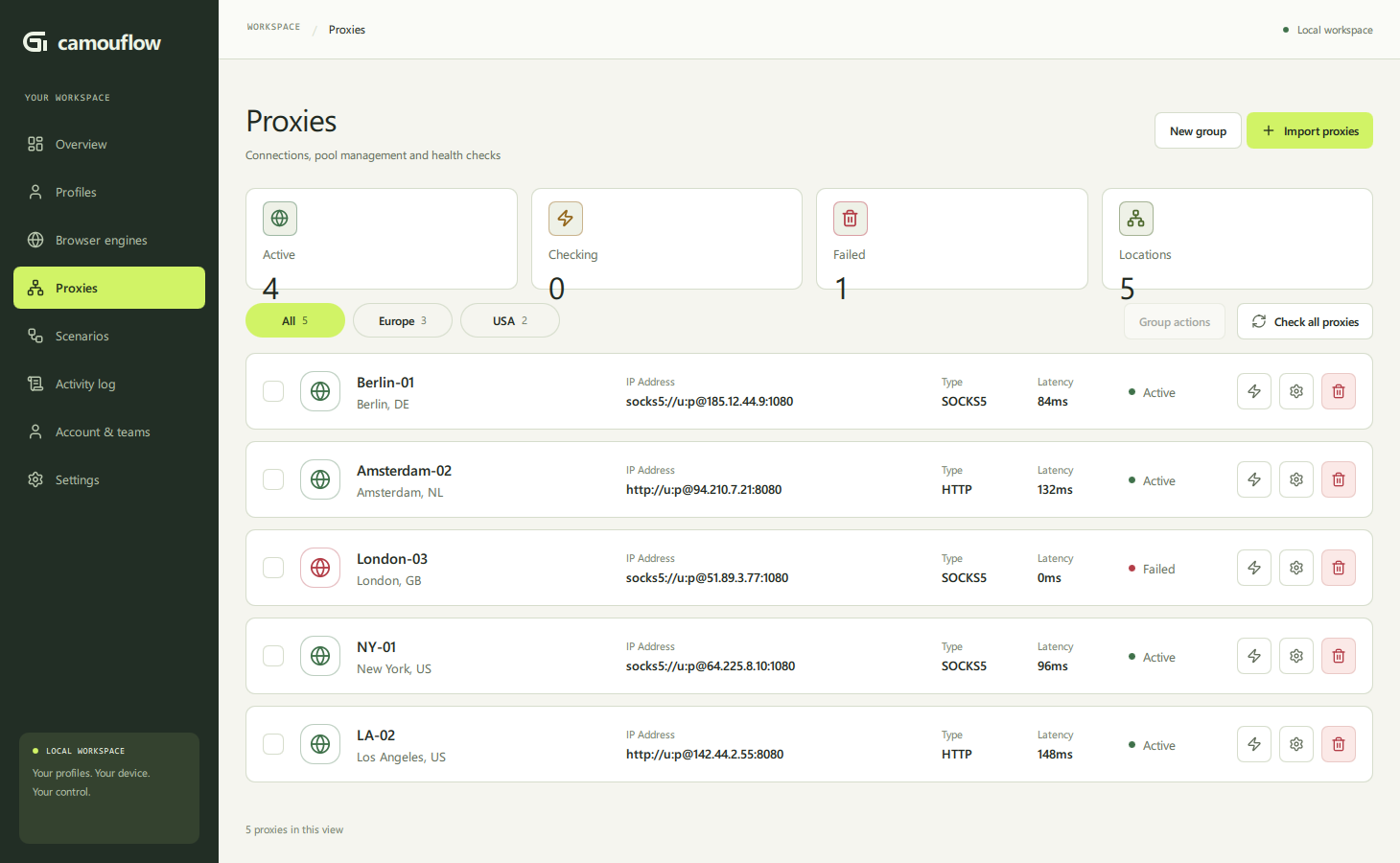
| Proxy pools | Import connections, check health and assign a pool; unavailable assignments fail without a direct fallback. |
| Visual automation | Open a catalog → extract rows → branch on a condition → export results. |
| AI → review → replay | Describe an extraction task; inspect the actions and replay without another model request. |
| Run queue & debugging | Schedule profile runs; step through a failure and inspect screenshots/traces. |
| Backup & restore | Export a checksummed profile archive; restore under a new identity. |
| Optional team workspace | Assign work, review linked runs and request browser assistance through the private server. |
Describe. Review. Replay.
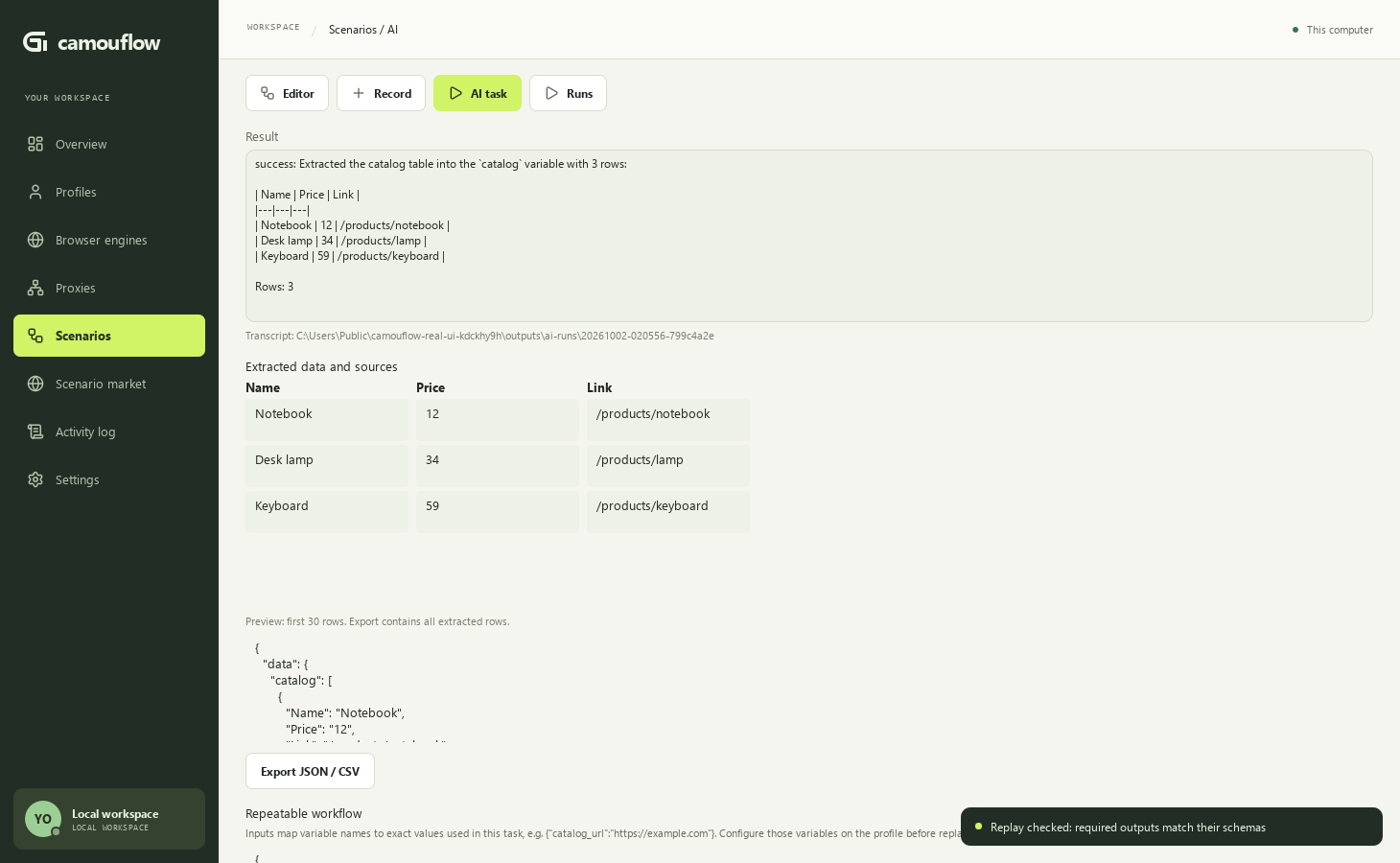
Example: extract a synthetic catalog → inspect the table → export JSON/CSV → save a parameterized scenario → verify read-only replay.
Watch the UI demo · AI quickstart · CLI / MCP / n8n
Model-reported success is not verified replay. Page content goes to your chosen AI provider; editable-field exclusion does not remove every possible secret.
Choose your engine
| Engine | Foundation | Status |
|---|---|---|
| Camoufox | Third-party Firefox-based engine | Integrated configurable anti-detect profiles |
| CloakBrowser | Third-party Chromium-based engine | Integrated configurable anti-detect profiles |
| Glint | Our public Chromium/Blink fork | Windows development preview, native C++/Mojo policies |
Settings differ by engine. Glint is not a renamed third-party browser and does not silently substitute unsupported settings. The desktop release does not necessarily contain the latest Glint development build.
Glint: implementation at a glance
| Area | What exists | What remains |
|---|---|---|
| Identity & contexts | Private profile keys; browser-owned partition/surface derivation | Complete coherent device-passport generator |
| Hardware & fonts | Native CPU/memory ceilings and installed Windows-font selection | Cross-platform device emulation |
| WebRTC & automation | Native routing and selected automation/headless/CDP signal policies | External leak checks; no full CDP invisibility |
| Worker/document delivery | Native policies checked across frames/workers, concurrent profiles and restarts | Wider compatibility and production admission |
| Canvas / GPU / Audio | Canvas candidates; upstream GPU/audio behavior | Protection incomplete and not activated |
| TLS / HTTP | Upstream Chromium/BoringSSL | Same-route measurements; no custom ClientHello spoofing |
| Mobile & platforms | Viewport/touch Web Emulation; verified Windows development runtime | Not real Android/iOS; Linux/macOS runtime checks deferred |
Public patches · Architecture · Capabilities · Roadmap (RU)
Glint: verified, not advertised
Windows · Chromium 148.0.7778.96 · patches 001–062 — pinned development baseline, not a production release or a claim of current security updates.
| Check | Recorded result |
|---|---|
| Installed Windows package | 160/160 checks passed across 8 local gates; 261 checksummed files |
| Experimental policy activation | Two concurrent profiles, restarts and frames/workers passed through the manager runtime; reviewed package only |
| Text rendering | Native/grayscale combined checks passed in eight first-script scopes; raw pixels, formats and HDR retained |
| Scenarios & Recorder | Real manager execution, capture and replay passed with experimental policies active |
| Development rollback | Five persistent stores retained across four same-Chromium release switches |
| External fingerprint/bot services | Not rerun for this package/policy combination |
| reCAPTCHA / real-key Turnstile / hCaptcha | No verified scores or universal PASS claim |
Full test matrix & build history: CreepJS, Pixelscan, BrowserScan, Sannysoft, BrowserLeaks, Fingerprint Playground, TLS/HTTP and more. Earlier builds' observations do not transfer. No guaranteed CAPTCHA scores or site access.
Get started
Download the Windows desktop app →
unpack → run CamouFlow.exe. Browser engines download on first launch.
Local mode requires no server login.
Run from source · Windows, Python 3.12
py -3.12 -m venv .venv
.venv\Scripts\activate
python -m pip install --upgrade pip
pip install -r requirements.txt
python main.py
Build the desktop app with build.bat.
Output: dist\<build-id>\CamouFlow\CamouFlow.exe.
To keep desktop packages, work files and temporary files on another drive:
$env:CAMOUFLOW_BUILD_ROOT = 'D:\CamouFlowDesktopBuilds'
.\build.bat
Output then goes to D:\CamouFlowDesktopBuilds\dist\<build-id>;
work and temporary files stay under its build directory. This changes only
desktop packaging paths, not user profiles or the separate Chromium workspace.
An unavailable output directory fails the build; it never falls back to C:.
Glint has a separate Chromium build guide.
Explore
Desktop reference · Hosted tasks · Team center · Python scenarios · API · Changelog
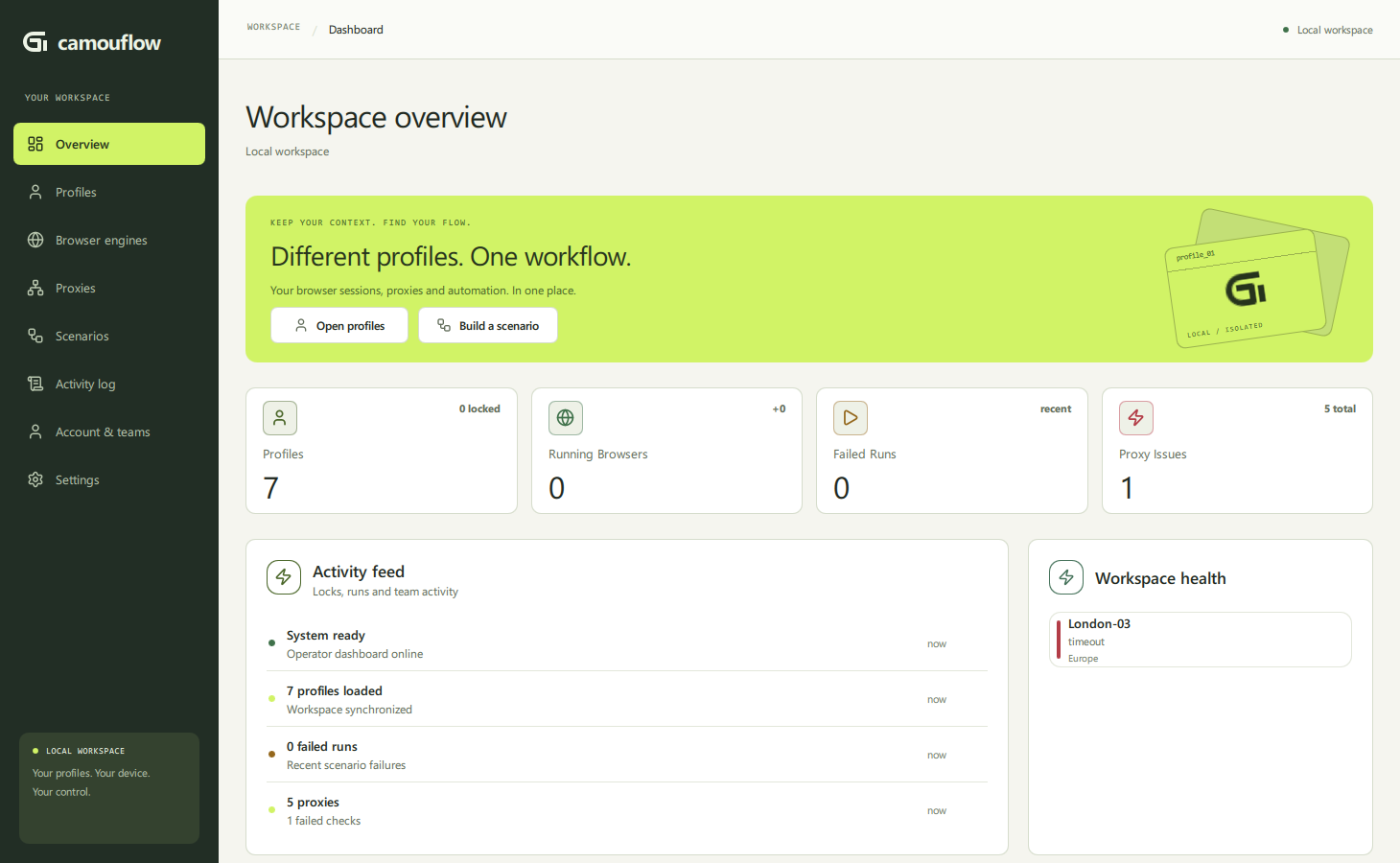
Proxy management & workspace overview
| Proxy pools | Overview |
|---|---|
 |
 |
Local-first, not a sandbox: profiles and data are stored locally; optional cloud work and configured AI providers have separate data flows. Keep archives, traces and session files private. The optional server is not in this repository.
Contribute · Report a bug · Code of conduct · Security · MIT license