
Teycir/ArxivExplorer
Teycir/ArxivExplorer has 37 GitHub stars and 4 forks. GitHot measured 0 stars in 24 hours. Last checked 2026-11-14 22:08 UTC. Last push 2026-11-12.
What you can do
- Pre-Generated Summaries — TL;DR, key contributions, methods, limitations, beginner/technical explanations
- Entity Extraction — Keywords, entities (models/datasets/benchmarks), paper type classification
- Claim Classification — AI-powered support/contradiction analysis for scientific claims
- Smart Abstracts — Enhanced paper metadata with prerequisites and follow-up questions
Measured star growth
- in 24h
- 0
- in 7 days
- Collecting history
- in 15 days
- Collecting history
- in 1 month
- Collecting history
Net star changes over overlapping periods, not daily totals. Missing measurements are left blank. Stars measure attention, not software quality.
About
AI-enhanced semantic search engine for arXiv research papers.
Web & AppsREADME.md
OriginalSupport Development
If this project helps your work, support ongoing maintenance and new features.
ETH Donation Wallet0x11282eE5726B3370c8B480e321b3B2aA13686582

Scan the QR code or copy the wallet address above.


Fast semantic arXiv paper search with AI-powered summaries — no login required.
"Research papers, decoded.."
Video Demo
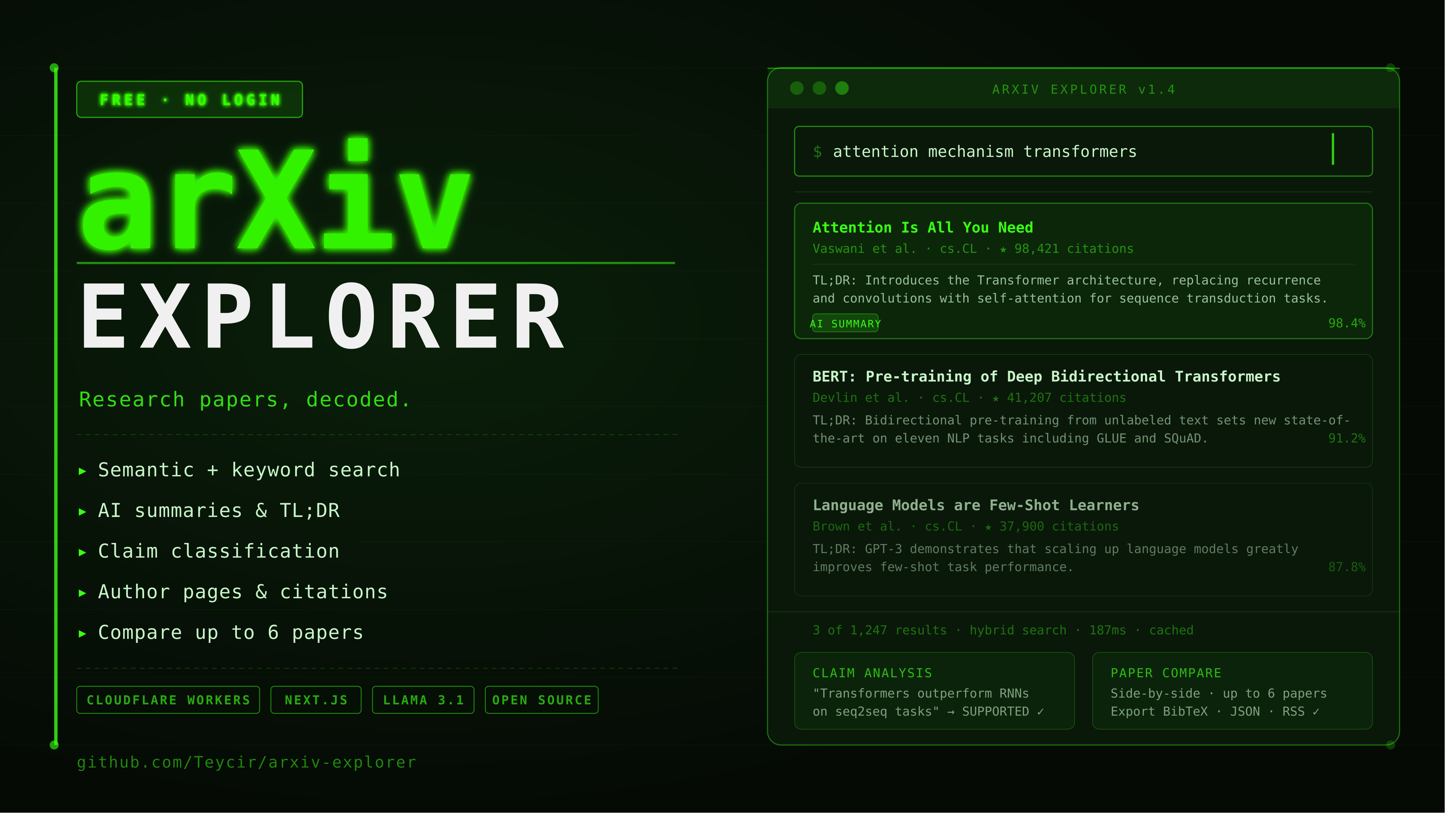
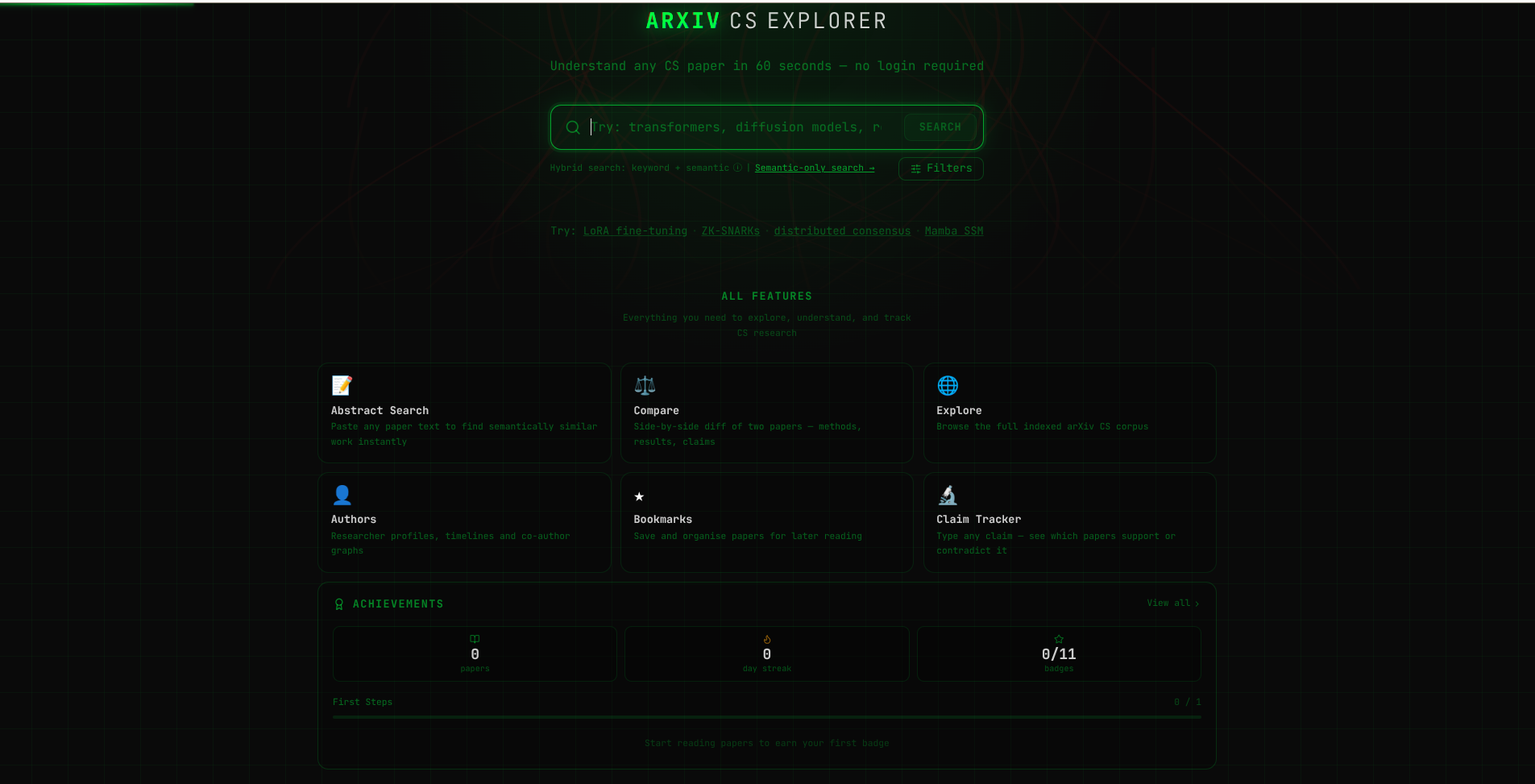
Screenshots
Landing Page
Advanced Search Filters
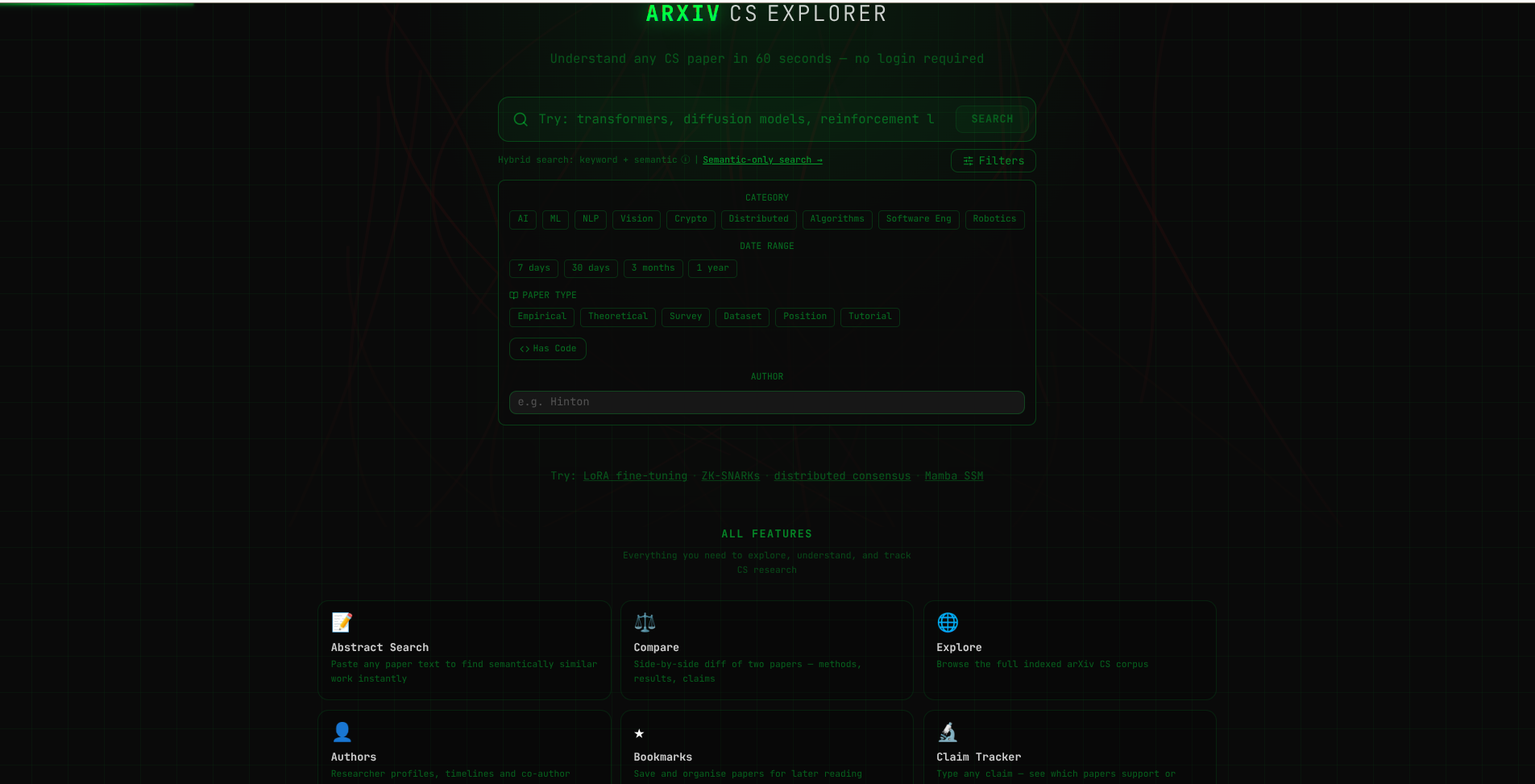
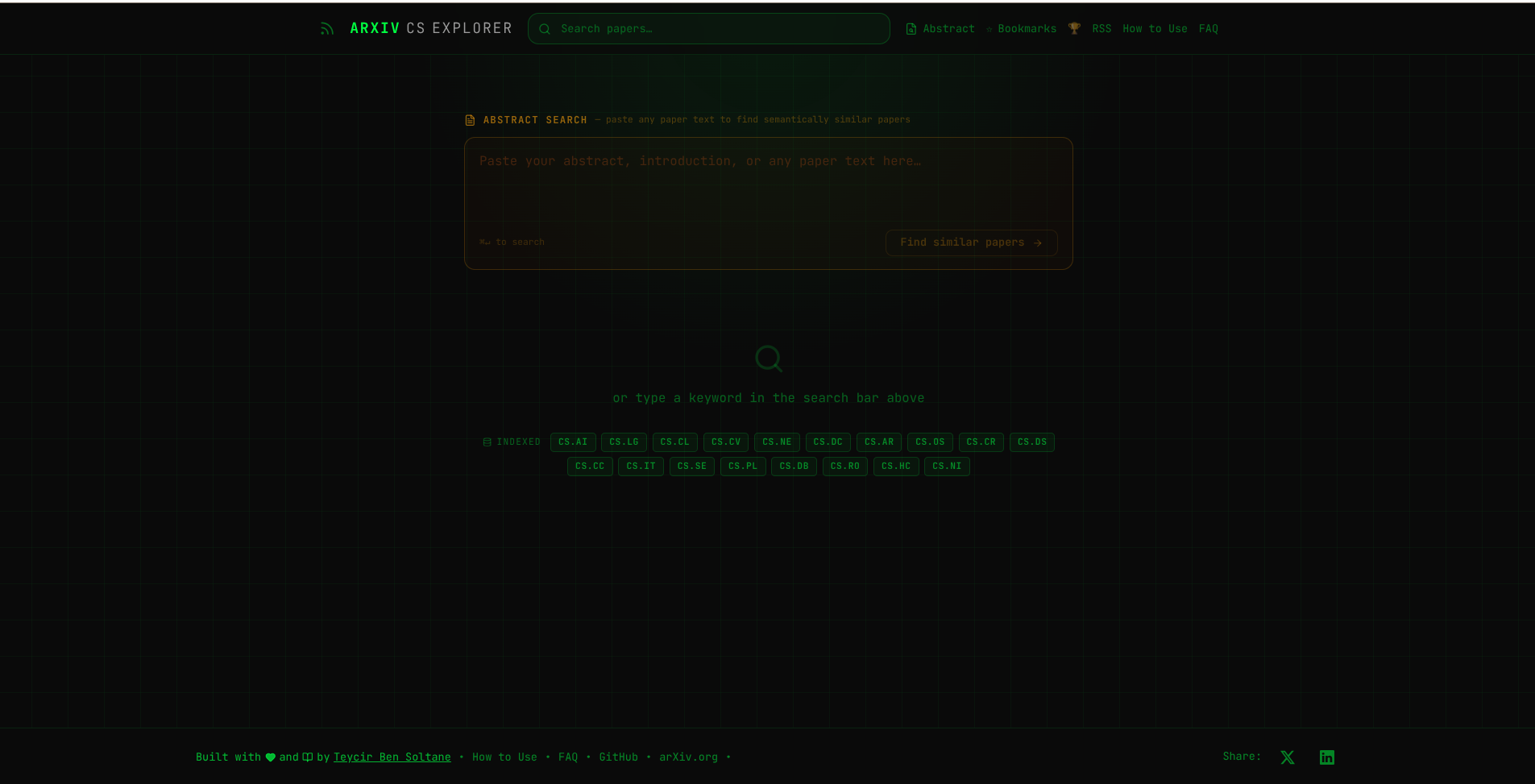
Search papers similar to abstracts
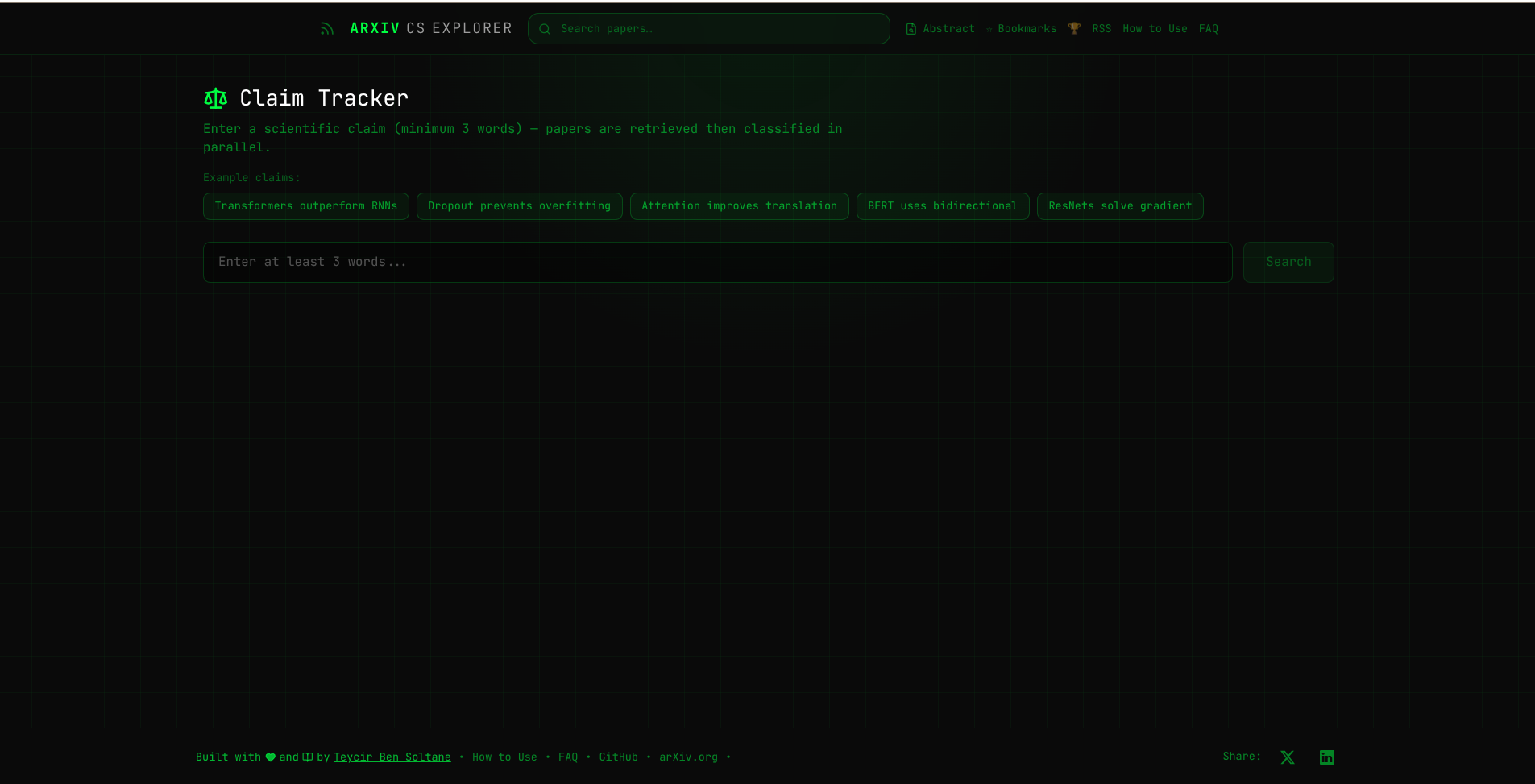
Claim Assessment
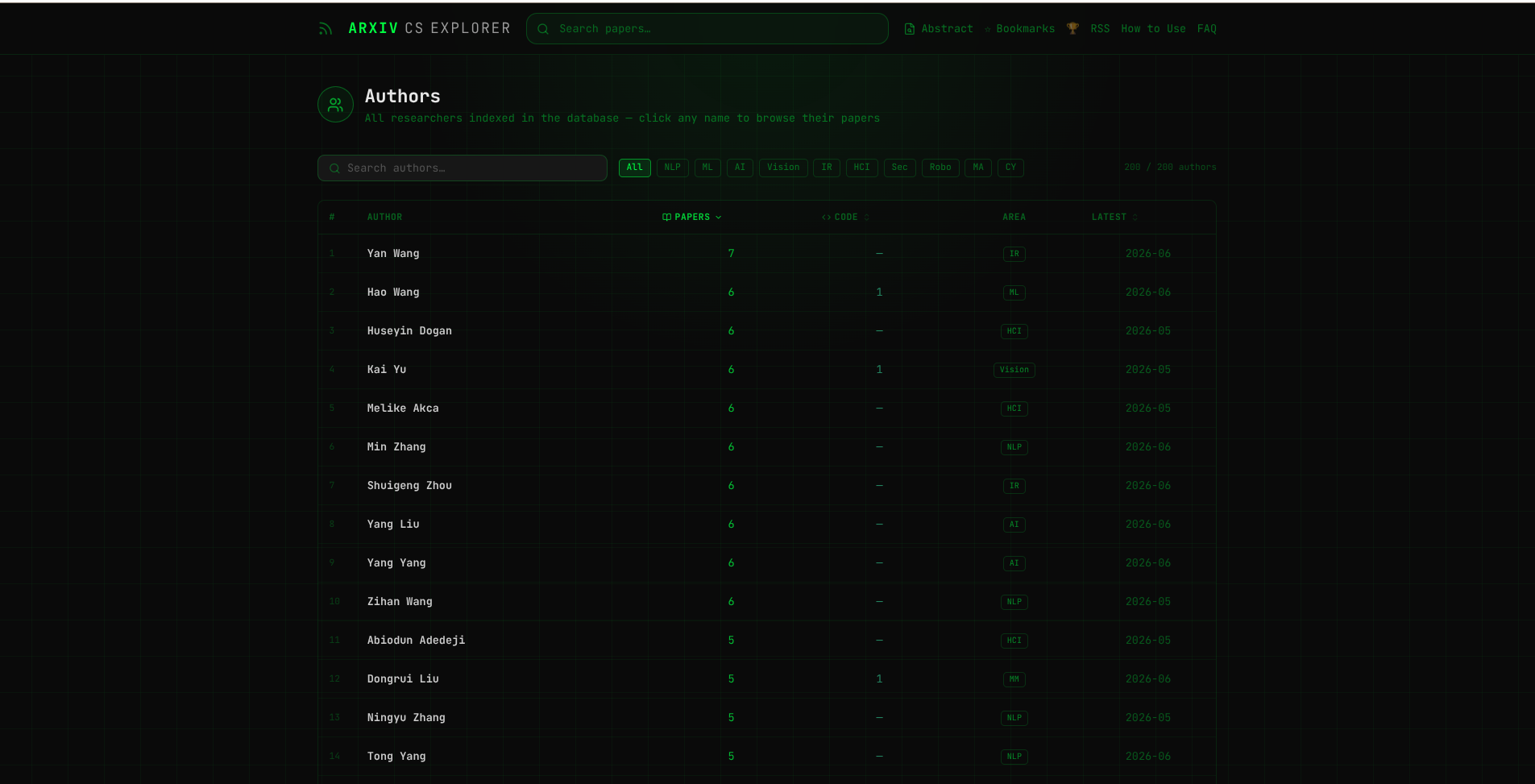
Author Pages
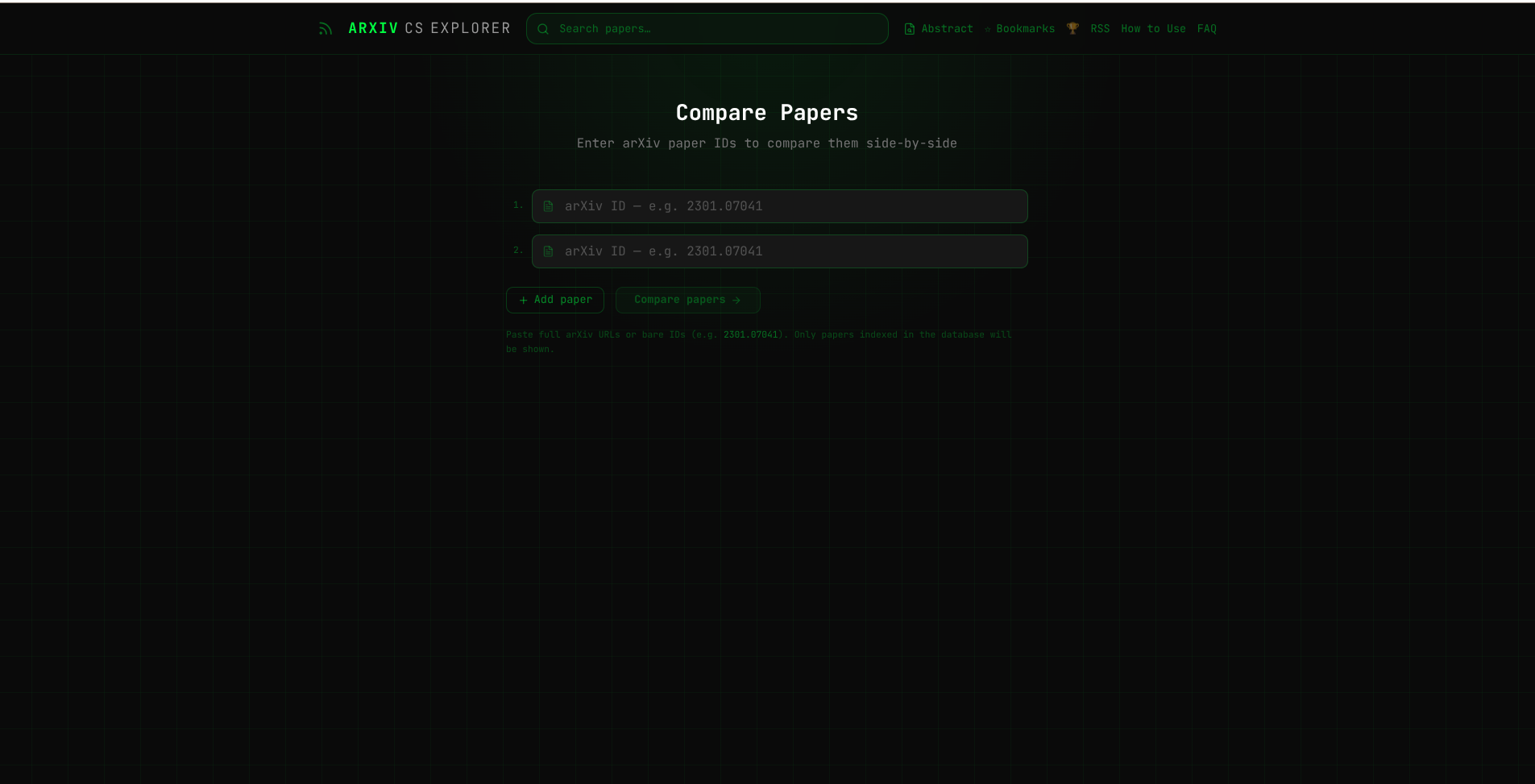
Paper Comparison
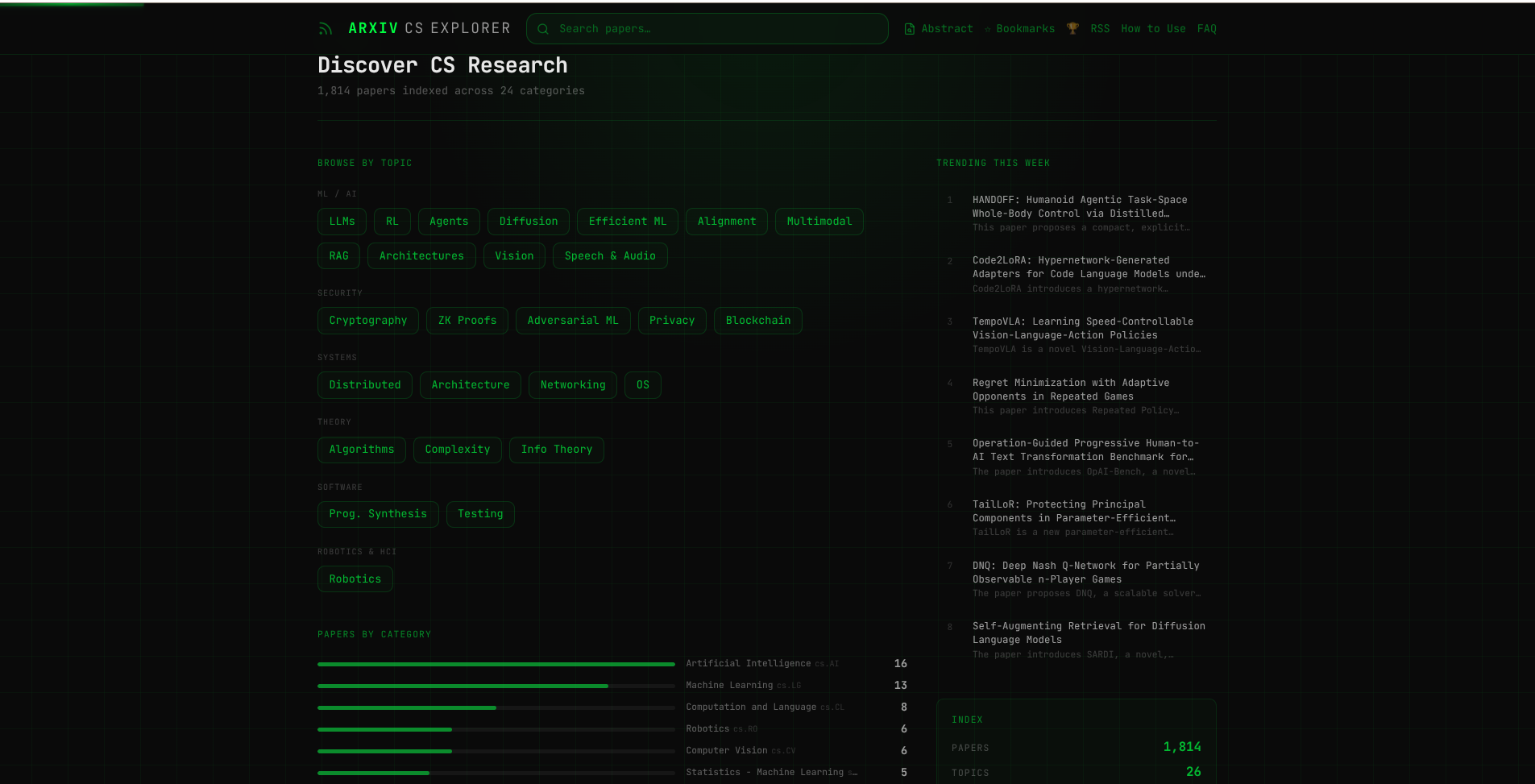
Explore & Discover
Features
Core Search & Discovery
- Hybrid Search — Combines FTS5 keyword search and Vectorize semantic search for accurate results
- Advanced Filtering — Filter by author (substring match), citation count, category, and date range
- Smart Caching — KV-based caching with 2h TTL for search results, 24h for embeddings
- Related Papers — Pre-computed top-8 semantically similar papers via Vectorize
- Topic Collections — Curated topics with category mappings (stored in
topicstable) - Author Pages — Author statistics, timeline visualization, and all papers
- Full-Text Search — SQLite FTS5 virtual table with automatic triggers
AI-Powered Features
- Pre-Generated Summaries — TL;DR, key contributions, methods, limitations, beginner/technical explanations
- Entity Extraction — Keywords, entities (models/datasets/benchmarks), paper type classification
- Claim Classification — AI-powered support/contradiction analysis for scientific claims
- Smart Abstracts — Enhanced paper metadata with prerequisites and follow-up questions
Paper Management
- Bookmarks — Client-side collections with 90-day TTL (100 bookmark soft cap)
- Export Options — JSON and BibTeX export for collections
- Paper Comparison — Side-by-side comparison view (up to 6 papers)
- Revision History — Track paper updates and version differences
- Share & Copy — Quick copy for arXiv ID and BibTeX entries
Enrichment & Metadata
- Citation Tracking — Semantic Scholar integration with citation count + influential citations
- Citation Snapshots — Historical citation data stored in
citation_snapshotstable - CrossRef Integration — Journal metadata, publisher, license, funders
- OpenAlex Data — Concepts, affiliations, institutional data (ROR IDs)
- Papers With Code — Code repositories, benchmarks, SOTA rankings (schema ready)
User Engagement
- Achievements System — Gamified badges stored client-side with activity tracking
- Recent Searches — Search history with suggestions
- Personalized Feed — Recommendations based on bookmark history
- RSS Feed —
/rss.xmlwith 20 recent papers (1h cache)
Developer Tools
- CLI Interface —
arxiv-clifor AI assistants (search, trending, topics, authors) - Admin API — Vectorize bulk operations, maintenance endpoints, enrichment triggers
SEO & Discoverability
- Dynamic Meta Tags — Open Graph and Twitter Card tags on all paper pages
- Sitemap.xml — Auto-generated sitemap:
app/sitemap.tsemits the static routes plus topic URLs (topics come from/api/topics), while the api-workerGET /api/sitemapemits the full paper list. Revalidates daily. - Robots.txt — Search engine crawler configuration: every user-agent group,
including all AI crawlers, disallows
/api/. The JSON API is intentionally off-limits to crawlers. - Structured Data — JSON-LD schema markup for papers and authors
- SSR Content — Server-side rendered pages with full content for crawlers
- Canonical URLs — Proper canonical tags to prevent duplicate content
- AI Agent Discovery —
/ai.txtand/llms.txtroutes describe the corpus for LLMs and point aggregators to the RSS feed. The raw JSON API is deliberately not advertised.
Performance
- Two-layer caching — The per-colo edge cache (Cache API, quota-free) sits in
front of KV. Hot JSON endpoints send
Cache-Control: public, s-maxage=…and answerX-Edge-Cache: HIT|MISS(src/api-worker/cache/edge.ts). The cache key ispathplus allow-listed query params only, so junk params (?cb=1,?cb=2, …) cannot mint extra entries. KV entries carry matching TTLs: search 2 h, trending 10 min–3 h, topics/stats 1 h, sitemap 24 h, embeddings 24 h, papers permanent. - ISR Rendering — Next.js ISR with page-level
revalidatevaluesNote:
open-next.config.tscurrently usesincrementalCache: "dummy"andhelper/api.tsfetchesno-store, so revalidate values are inert for now. This is tracked follow-up work (see CHANGELOG). - Zero Login — Instant access to all features
- Global CDN — Cloudflare Workers edge deployment
Security
- Rate Limiting — Every public route is wrapped in
withRateLimit, which approves via the nativeRATE_LIMITERbinding (per-route${namespace}:${ip}key, zero KV writes; KV sliding window only as fallback). Identity comes from the edge-setcf-connecting-ip; forwarded IPs need a matchingX-Internal-Authsecret (INTERNAL_TOKEN). Server-rendered page views reach the API through a service binding that carries no client IP, sohelper/api.tsforwards the visitor's IP with that secret and each visitor gets their own bucket. This only works onceINTERNAL_TOKENis set on both workers; without it, all page-view traffic shares the singleinternalbucket and per-visitor limits do not apply to it. - SQL Injection Protection — 100% parameterized queries via D1
.prepare().bind() - Input Sanitization — Strict validation on all user inputs (control chars, length limits, allowlists)
- Timing-Safe Auth — Admin endpoints use
crypto.timingSafeEqual(no timing oracles) - Strict CORS — Explicit origin only (wildcard rejected at startup)
- AI Quota Protection — Hard character limits + rate limiting on
/api/classify-claim - Error Sanitization — Generic 500 messages (internal details logged server-side only)
See SECURITY.md for full details.
Architecture
Built on Cloudflare's edge platform for global performance:
- Frontend: Next.js deployed as a Cloudflare Worker (via OpenNext +
main+assetsmode) - API: Cloudflare Workers
- Database: Cloudflare D1 (SQLite)
- Vector Search: Cloudflare Vectorize
- Cache: Cloudflare KV
- AI: Workers AI (Llama 3.1 + BGE embeddings) for live inference; local Ollama for bulk ingestion
Deployment note: The frontend is deployed as a Worker (not Cloudflare Pages) to avoid the per-request nonce injection that Pages unconditionally adds to
script-src, which breaks the app's CSP.
System Design
Browser → Next.js Worker → API Worker → KV Cache → D1 Database
                                            ↓
                                       Vectorize
                                            ↑
                                  Ingest Worker (Cron)
                                            ↑
                              Workers AI  /  local Ollama
Data Pipeline
Papers flow through a multi-stage pipeline:
1. Fetch Stage
Ingest worker polls the arXiv API on cron schedule (0 * * * * hourly) and writes new papers to D1 with summary_ready = 0.
2. Summarize Stage
Either the ingest worker (Workers AI, rate-limited) or the local bulk script (Ollama, unlimited) generates:
- Structured summaries (tldr, contributions, methods, limitations, explanations)
- Paper embeddings for semantic search
- Sets
summary_ready = 1when complete
AI calls are processed sequentially (concurrency 1) to stay within the Workers AI free tier rate limit of 300 req/min for text generation. Papers that fail AI processing are enqueued in a KV retry queue with exponential backoff (2h → 6h → 24h) and retried automatically on subsequent cron ticks, up to 3 attempts before permanent failure (summary_ready = 2).
3. Enrichment Stage (optional)
- Citations: Semantic Scholar API updates citation counts via cron
- CrossRef: DOI-based metadata enrichment (daily cron
30 2 * * *) - OpenAlex: Concepts, affiliations, open access metadata
- Papers With Code: Code repositories, benchmarks, SOTA rankings
4. Related Papers
Pre-computes top-8 semantically similar papers using Vectorize and stores in related_papers table.
Cron Schedule
The ingest worker runs on a single cron trigger:
0 * * * *— Every hour at :00 UTC (fetches new papers from arXiv, runs AI processing, drains retry queue, updates citations via Semantic Scholar)
CrossRef enrichment is triggered via the admin endpoint (POST /admin/crossref-batch) rather than a separate cron.
Bulk Local Processing
When remote Workers AI hits rate limits, use the local Ollama pipeline to catch up:
# Process all pending/failed papers from remote D1 using local Ollama
ADMIN_SECRET=<secret> npx tsx scripts/process-pending-local.ts

# Push a fully-processed local DB up to remote D1 + Vectorize
ADMIN_SECRET=<secret> npx tsx scripts/push-local-to-remote.ts

# Bulk ingest (fetch + summarize + embed in one pass)
npx tsx scripts/bulk-ingest.ts --days 7 --categories cs.LG,cs.CL
Both scripts use the D1 REST API directly (no wrangler subprocess per paper), which is ~100× faster than the naive approach and avoids shell-escaping issues with special characters in paper text.
Ollama models used locally:
| Role | Model |
|---|---|
| Summarisation | gemma4:e4b (8 B, Q4_K_M) |
| Embeddings | nomic-embed-text (137 M, F16) |
Quick Start
Prerequisites
- Node.js 18+
- Cloudflare account (free tier works)
- Wrangler CLI:
npm install -g wrangler
Installation
git clone https://github.com/yourusername/arxiv-explorer.git
cd arxiv-explorer
npm install
wrangler login

# Create infrastructure
wrangler d1 create arxiv-explorer
wrangler kv:namespace create CACHE
wrangler vectorize create arxiv-papers --dimensions=768 --metric=cosine

# Update wrangler config files with your IDs
# Edit: wrangler.api.toml, wrangler.ingest.toml, wrangler.jsonc

# Apply database schema (canonical version)
wrangler d1 execute arxiv-explorer --remote --file=migrations/schema.sql

# Copy and fill env files
cp .env.local.example .env.local
cp scripts/config.local.example.ts scripts/config.local.ts
# Edit scripts/config.local.ts with your Cloudflare credentials
Development
npm run dev                                  # Next.js dev server
wrangler dev --config wrangler.api.toml      # API worker
wrangler dev --config wrangler.ingest.toml   # Ingest worker
Visit http://localhost:3000
Deployment
# Full deployment (Next.js + API worker)
./deploy.sh

# Or individually:
npm run deploy          # Next.js frontend (Worker mode via OpenNext)
npm run deploy:api      # API worker
npm run deploy:ingest   # Ingest worker

# Note: deploy.sh does NOT deploy ingest worker
# Deploy ingest worker manually when needed

# IMPORTANT — when this change ships a migration, run it BEFORE the API deploy:
npx wrangler d1 execute arxiv-explorer --remote --file=migrations/0017_topic_paper_counts.sql
# (ADD-only migration for materialized topic counts; see CHANGELOG "Deploy checklist")
Project Structure
├── app/                        # Next.js 16 app directory
│   ├── page.tsx               # Home page
│   ├── search/                # Search results
│   ├── paper/[id]/            # Paper detail pages
│   ├── topic/[slug]/          # Topic pages
│   ├── author/[name]/         # Author pages
│   ├── compare/               # Paper comparison
│   ├── diff/[id]/             # Paper revision history
│   ├── bookmarks/             # Bookmark management
│   ├── explore/               # Explore page
│   ├── achievements/          # Achievement tracking
│   ├── claim/                 # Claim classification
│   ├── faq/                   # FAQ page
│   ├── how-to-use/            # User guide
│   ├── rss.xml/               # RSS feed route
│   │   └── route.ts
│   ├── ai.txt/                # LLM discovery route
│   │   └── route.ts
│   ├── llms.txt/              # LLM discovery route
│   │   └── route.ts
│   └── components/            # React components
│       ├── SummarySection.tsx
│       ├── PaperCard.tsx
│       ├── SearchFilters.tsx
│       ├── BookmarkButton.tsx
│       ├── CollectionManager.tsx
│       ├── SearchBoxHome.tsx
│       ├── Navbar.tsx
│       ├── Footer.tsx
│       └── ... (40+ components)
├── src/
│   ├── api-worker/            # Cloudflare Workers API
│   │   ├── index.ts           # Router
│   │   └── routes/
│   │       ├── search.ts      # Hybrid search (FTS5 + semantic)
│   │       ├── paper.ts       # Paper details
│   │       ├── related.ts     # Related papers
│   │       ├── trending.ts    # Trending papers
│   │       ├── topic.ts       # Topic endpoints
│   │       ├── topics.ts      # List topics
│   │       ├── author.ts      # Author endpoints
│   │       ├── authors.ts     # List authors
│   │       ├── claim.ts       # Claim classification
│   │       ├── admin.ts       # Admin endpoints (Vectorize, maintenance)
│   │       ├── stats.ts       # Database statistics
│   │       └── sitemap.ts     # Sitemap generation
│   ├── ingest-worker/         # Background processing (cron)
│   │   ├── index.ts           # Cron entrypoint
│   │   ├── pipeline.ts        # Main ingestion pipeline
│   │   ├── fetch-arxiv.ts     # arXiv API fetcher
│   │   ├── generate-summary.ts
│   │   ├── generate-embedding.ts
│   │   ├── generate-entities.ts
│   │   ├── update-citations.ts # Semantic Scholar sync
│   │   ├── fetch-crossref.ts  # CrossRef enrichment
│   │   ├── fetch-openalex.ts  # OpenAlex enrichment
│   │   ├── fetch-pwc.ts       # Papers With Code enrichment
│   │   ├── compute-related.ts # Related papers computation
│   │   └── tfidf.ts           # TF-IDF utilities
│   └── shared/                # Shared types & utils
│       ├── types.ts           # TypeScript interfaces
│       ├── db.ts              # Database helpers
│       └── utils.ts           # Utilities
├── scripts/
│   ├── push-local-to-remote.ts   # Sync local → remote D1 + Vectorize
│   ├── retry-failed-local.ts     # Reprocess pending papers via Ollama
│   ├── bulk-ingest.ts            # Full bulk ingest pipeline
│   ├── sync-remote-to-local.ts   # Sync remote → local
│   ├── backfill-*.ts             # Various backfill scripts
│   ├── upload-embeddings.ts      # Standalone Vectorize uploader
│   ├── test-*.sh                 # Test scripts
│   ├── config.local.example.ts   # Local config template
│   └── ... (25+ utility scripts)
├── migrations/
│   ├── schema.sql             # Canonical D1 schema (single source of truth)
│   ├── 0001_schema.sql        # Initial migration (legacy)
│   └── 000*.sql               # Other migrations
├── helper/                    # API client helpers
├── lib/                       # Frontend libraries
├── wrangler.api.toml          # API worker config
├── wrangler.ingest.toml       # Ingest worker config
├── wrangler.jsonc             # Next.js worker config (frontend)
├── next.config.ts             # Next.js configuration
├── open-next.config.ts        # OpenNext Cloudflare adapter config
└── deploy.sh                  # Deployment script
API Reference
GET  /api/search?q=attention+mechanisms              # Hybrid FTS5 + semantic search
GET  /api/search?q=...&author=Hinton                  # Filter by author (substring match)
GET  /api/search?q=...&minCitations=10                # Filter by minimum citations
GET  /api/search?q=...&category=cs.LG                 # Filter by arXiv category
GET  /api/search?q=...&date=week                      # Filter by date (day/week/month)
GET  /api/search?q=...&author=X&minCitations=Y&...    # Combine multiple filters
GET  /api/paper/:id                                   # Paper detail + summary
GET  /api/paper/:id/related                           # Semantically similar papers
GET  /api/trending                                    # Trending papers (KV cached)
GET  /api/topic/:slug                                 # Topic paper collection
GET  /api/topics                                      # List all topics
GET  /api/author/:name                                # Author papers and statistics
GET  /api/authors                                     # List authors
GET  /api/stats                                       # Database statistics
GET  /api/sitemap                                     # Sitemap for SEO
GET  /rss.xml                                         # RSS feed (20 recent papers, 1h cache)
GET  /compare?ids=id1,id2,id3                         # Compare up to 6 papers side-by-side

POST /api/classify-claim                             # AI-powered claim classification

# Admin endpoints (x-admin-secret required)
POST /admin/vectorize/upsert                          # Bulk embed upsert
POST /admin/retry-failed                              # Reset summary_ready=2 → 0
POST /admin/backfill-related                          # Backfill related papers
POST /admin/crossref-batch                            # CrossRef batch enrichment
POST /admin/related/clear                             # Clear related papers
POST /admin/related/bulk-insert                       # Bulk insert related papers
POST /admin/kv/delete                                 # Delete KV cache entries
GET  /admin/papers/all                                # Export all papers
Configuration
Environment Variables
# .env.local (Next.js frontend)
NEXT_PUBLIC_API_BASE=https://arxiv-api.yourdomain.workers.dev
API_BASE=https://arxiv-api.yourdomain.workers.dev
// scripts/config.local.ts (for local scripts)
export const CF_TOKEN = 'your-cloudflare-api-token';
export const CF_ACCOUNT_ID = 'your-account-id';
export const CF_D1_ID = 'your-d1-database-id';
Ingestion Settings (wrangler.ingest.toml)
[vars]
ARXIV_FETCH_CATEGORIES = "cs.AI,cs.LG"                 # Default fetch categories (add more as needed)
ARXIV_FETCH_LIMIT_PER_CATEGORY = "0"                   # Papers per category per cron (0 = process pending only)
INGEST_MAX_CONCURRENT = "1"                            # AI processing concurrency (keep at 1 — avoids Workers AI 300 req/min burst limit)
ARXIV_RATE_LIMIT_DELAY_MS = "3000"                     # Delay between arXiv requests
SUMMARY_MODEL = "@cf/meta/llama-3.1-8b-instruct"       # Workers AI summary model
EMBEDDING_MODEL = "@cf/baai/bge-base-en-v1.5"          # Workers AI embedding model
INGEST_PHASE = "hourly"                                # Phase label (informational only)
POLITE_EMAIL = "[email protected]"                # Contact email for arXiv API

# Optional Ollama (local AI)
# OLLAMA_BASE = "https://your-tunnel.trycloudflare.com"
# OLLAMA_SUMMARY_MODEL = "gemma4:e4b"
# OLLAMA_EMBEDDING_MODEL = "nomic-embed-text"
Hourly cron schedule:
- Drains retry queue first (papers that previously failed AI processing)
- Fetches up to 10 new papers per arXiv category (24 categories)
- Processes new papers sequentially through embedding + summary AI pipeline
- Daily quota: 227 papers/day max (10,000 neurons ÷ ~44 neurons/paper, resets 00:00 UTC)
- Quota tracking via KV with automatic reset at 00:00 UTC
Admin Secret
Required for Vectorize upserts, maintenance endpoints, and enrichment endpoints:
# Set for API worker
wrangler secret put ADMIN_SECRET --config wrangler.api.toml

# Use in local scripts
ADMIN_SECRET=your-secret npx tsx scripts/push-local-to-remote.ts
Database Schema
papers
- arXiv metadata (id, title, authors, abstract, categories, dates, URLs)
authors_normalized— lowercased for fast prefix searchcitation_count— from Semantic Scholar (updated hourly via cron)citations_updated_at— last citation sync timestampsummary_ready:0= pending ·1= done ·2= failed- Additional fields:
comment,journal_ref,doi,primary_category
summaries
tldr— one-sentence resultkey_contributions— JSON arraymethods— JSON arraylimitations— JSON arraybeginner_explain— plain-language paragraphtechnical_summary— researcher-level paragraphmodel_version— which model generated it
Supporting tables
paper_categories— normalized category rows (indexed for topic queries)papers_fts— FTS5 virtual table with insert/update/delete triggersembeddings_meta— tracks embedding generation per paperrelated_papers— pre-computed top-8 semantic neighborstopics— curated topic collections with category mappings;paper_countis a materialized aggregate maintained by the ingest cron (refreshTopicCounts, migration0017). Public endpoints read it directly — never recompute it in a request path (that cost 88 % of the daily D1 read budget, see CHANGELOG).counters— cron-maintained single-row aggregates (papers_ready,papers_total) so badges neverCOUNT(*)the papers table per request.citation_snapshots— historical citation data for velocity trackingentity_definitions— terminology definitions for entities
Canonical schema file
The single source of truth is migrations/schema.sql. Additional columns added via incremental migrations (e.g. 0012_summaries_extended.sql adds problem_statement to summaries) must be applied on top with wrangler d1 execute.
Rebuild from scratch
# Apply canonical schema (wipes and recreates all tables)
wrangler d1 execute arxiv-explorer --remote --file=migrations/schema.sql

# Push local data (papers, summaries, categories, FTS, embeddings)
ADMIN_SECRET=<secret> npx tsx scripts/push-local-to-remote.ts
Performance
- Search: <240 ms average (KV cache hit) · <400 ms (D1 fallback)
- Paper detail: <190 ms average (KV cache hit) · <500 ms (D1 fallback)
- Cache hit rate: ~85% (188ms average cache hit time)
- Throughput: 50 req/s under mixed load
- Edge deployment: Global CDN via Cloudflare Workers
- Stress tested: 100 concurrent requests, 0% error rate
Key Features
Citation Tracking
- Source: Semantic Scholar API integration
- Updates: Automatic cron job (part of ingest worker)
- Storage:
citation_countandcitations_updated_atfields in papers table - History: Citation snapshots stored in
citation_snapshotstable - Rate Limiting: Respects Semantic Scholar rate limits
Paper Collections
- Location:
/bookmarkspage - Storage: Client-side localStorage
- Features:
- Create named collections
- Assign bookmarks to collections
- Export as JSON or BibTeX
- Export all bookmarks or by collection
- Capacity: 100 bookmarks (soft cap), 90-day TTL
Advanced Search Filters
- Author Filter:
?author=Hinton— substring match across all authors - Citation Filter:
?minCitations=10— minimum citation threshold - Category Filter:
?category=cs.LG— arXiv category code (cs.LG, cs.CL, cs.CV, etc.) - Date Filter:
?date=week— time window (day/week/month) - Combined Filters: All filters work together and with hybrid search
- Caching: Separate KV cache keys per filter combination (2h TTL)
- Example:
/api/search?q=transformer&author=Vaswani&minCitations=100&category=cs.LG&date=month
RSS Feed
- Endpoint:
/rss.xml - Content: 20 most recent papers with AI-generated summaries
- Format: RSS 2.0 with full TL;DR, key contributions, and methods
- Cache: 1-hour TTL via Cloudflare KV
- Use Case: Subscribe in your RSS reader to stay updated on new papers
- Example:
https://arxiv-explorer.yourdomain.com/rss.xml
Paper Comparison
- Route:
/compare?ids=id1,id2,id3 - Capacity: Up to 6 papers side-by-side
- Sections: TL;DR, Key Contributions, Methods, Limitations, Technical Summary
- Layout: Responsive grid adapts to paper count
- Example:
/compare?ids=2605.30353,2302.13971,2303.08774
Testing
Integration Tests
cd scripts
./test-integration.sh      # Core functionality tests
./test-new-features.sh     # New features tests
./test-full.sh             # Comprehensive test suite
Stress Testing
cd scripts
./test-stress.sh           # Production load testing
API Deep Testing
cd scripts
./test-api-deep.sh         # Deep API endpoint testing
CLI Tool for AI Assistants
A command-line interface designed for AI assistants (Claude Code, ChatGPT, etc.) to programmatically search and explore papers.
Installation
# Quick install
./install-cli.sh

# Manual
cd cli
npm run build
npm link
Usage
# Search papers
arxiv-cli search "transformer attention" 5

# Get paper details with AI summary
arxiv-cli paper 2605.30353

# Show trending papers
arxiv-cli trending 10

# Browse topics
arxiv-cli topics
arxiv-cli topic large-language-models 20

# Author papers
arxiv-cli author "Yann LeCun" 10
Output Format
Clean, structured text optimized for AI parsing:
ID: 2605.30353
Title: Physics Is All You Need...
Authors: John Doe, Jane Smith...
Published: 2026-06-03
Categories: cs.LG, cs.AI
TL;DR: This paper introduces...
URL: https://arxiv.org/abs/2605.30353
See cli/README.md for complete documentation.
Troubleshooting
Check paper counts
npx wrangler d1 execute arxiv-explorer --remote --config wrangler.api.toml \
  --command="SELECT summary_ready, COUNT(*) as cnt FROM papers GROUP BY summary_ready"
Retry pending/failed papers locally
# Retry up to 50 papers
ADMIN_SECRET=<secret> LIMIT=50 npx tsx scripts/process-pending-local.ts

# Process with higher concurrency (careful with GPU memory)
ADMIN_SECRET=<secret> LIMIT=100 CONCURRENCY=2 npx tsx scripts/process-pending-local.ts
Push local DB to remote
ADMIN_SECRET=<secret> npx tsx scripts/push-local-to-remote.ts
Watch live logs
wrangler tail arxiv-api    --format=pretty   # API worker
wrangler tail arxiv-ingest --format=pretty   # Ingest worker
"Pages load but show no papers" / degraded mode
If the D1 budget is ever exhausted, the API answers 503 with a degraded: true
body and a Retry-After until 00:00 UTC, instead of a raw 500:
curl -s https://arxiv-api.arxivexplorer.workers.dev/api/stats | head -c 300
# {"error":"Database read budget exhausted — ...","degraded":true,"retryAfter":...}
Check live cost per request (every request is summed from meta.rows_read and
logged once past 5,000 rows):
the fixes that prevent recurrence, see the
post-mortem.
Sync remote DB to local
npx tsx scripts/pull-remote-to-local.ts
Reset database
./scripts/reset-and-ingest.sh
Reliability Notes
This section is deliberately short — the full incident history lives in the CHANGELOG post-mortem.
Free-tier budgets are the hard limits the system is designed around: D1 allows 5,000,000 rows read/day, KV allows 1,000 writes/day. Everything expensive is therefore precomputed (topic counts, aggregate counters — see Database Schema) or cached before it ever reaches a user:
- Read endpoints cascade through two caches before D1: the per-colo edge cache
(
X-Edge-Cache: HIT|MISSheader on every response) and KV. - Rate limiting runs on the native
RATE_LIMITERbinding and costs zero KV writes. - A D1 quota rejection is answered with 503 +
Retry-Afteruntil 00:00 UTC +degraded: true(dbErrorResponse), never with a silent empty page. - The pages turn that into an explicit message (
QuotaNotice): "Daily quota exhausted, replenishes midnight" for a quota rejection, "Temporarily unavailable" for a 429, 5xx or network failure — the latter never claims the quota is gone. It is in the server-rendered HTML, so crawlers see it too; the localised reset time appears after hydration. Known gap: the page itself still answers HTTP 200 (loading.tsxcommits the status before the API failure is known), so crawlers do not get a real 503 for HTML pages. - Every request's D1 cost is summed from
meta.rows_readand logged once past 5,000 rows (withRowBudget), so a new expensive query shows up inwrangler tailinstead of as a once-a-day outage. - Individual paper availability during an outage depends on that paper
having a durable twin. Since cache-on-generation writes
the twin the moment a summary is ready, this now covers every paper going
forward automatically; a background backfill (
kv-backfill.ts, ~9 days, see CHANGELOG) is catching up the papers that existed before this change. Papers still pending or failed summarisation (summary_ready ∈ {0, 2}) are, by design, never cached and will503during an outage until a later ingestion run resolves them via the stale-summary backfill.
If pages load but show no papers (an older deployment, or a page that does not
yet render QuotaNotice), check the budget first — the API reports the truth:
curl -s https://arxiv-api.arxivexplorer.workers.dev/api/stats | head -c 300
npx wrangler tail --config wrangler.api.toml --format=pretty   # live errors
Design Notes
Why Worker instead of Pages
Deploying the Next.js frontend as a Cloudflare Worker (via OpenNext main + assets) rather than Cloudflare Pages avoids the per-request nonce that Pages unconditionally injects into script-src. That injection happens at the CDN layer before the response reaches the browser, so no amount of middleware or _headers file can override it. The Worker deployment has no such injection and serves the app's own CSP intact.
The deployment uses:
@opennextjs/cloudflareadapter- OpenNext build:
npx opennextjs-cloudflare build - Output:
.open-next/worker.js+.open-next/assets/ - Wrangler config:
wrangler.jsoncwithmainandassetsbindings
Search Algorithm
- Normalise query
- Check KV cache (2 h TTL)
- Parallel:
- D1 FTS5 keyword search (title boosted 10:1:5)
- Vectorize semantic search (query embedding cached 24 h)
- Merge (25 % keyword · 75 % semantic), deduplicate
- Return top 10, write to KV
Caching Strategy
- Cache-on-generation: a paper's KV entry and 30-day durable twin are written
the moment its summary is ready (
summary_ready = 1) during ingestion — not on a visitor's first request. This covers new papers, retries, and stale-summary recoveries alike, so a paper doesn't need to be visited once before it becomes cacheable. A one-time backfill twins the papers that predate this change (see Reliability Notes). - Query embedding cache (cache-after-repeat): a query vector is written to KV (24 h) only the second time an isolate sees it. Unique-once queries — the crawler pattern — cost no KV write. The tracker is per-isolate, in-memory and capped at 2,000 keys, so an isolate recycle just means a query has to repeat once more. The search result cache still writes once per unique search.
- Trending KV cache: 60-minute TTL, auto-invalidated on new papers
AI Processing
- Single consolidated prompt per paper → structured JSON output
- Workers AI uses
@cf/meta/llama-3.1-8b-instructfor summaries,@cf/baai/bge-base-en-v1.5for embeddings - Local Ollama fallback:
gemma4:e4b(summaries) +nomic-embed-text(embeddings) - Papers processed sequentially (concurrency 1) to avoid Workers AI text generation rate limit (300 req/min)
- Failed papers enqueued in KV retry queue with exponential backoff (2h / 6h / 24h); permanently marked
summary_ready = 2after 3 failed attempts
Contributing
- Fork the repository
- Create a feature branch
- Make your changes
- Add tests if applicable
- Submit a pull request
License
This project is licensed under the Business Source License 1.1 (BSL 1.1).
- ✅ Free for personal, academic, and non-commercial use
- ❌ Commercial use requires a separate license
- 📅 Converts to MIT License on 2029-06-01
See LICENSE.md for full terms, or contact the author for commercial licensing.
Acknowledgments
- arXiv for open access to research papers
- Cloudflare for the edge platform
- Next.js / OpenNext for the framework + Worker adapter
- Ollama for local model inference
- SeekYou for BackgroundBeams, DecryptedText, and AnimatedTagline components
🌐 Related Projects
Explore more privacy-first and security tools:
Privacy & Encryption
- Timeseal - Time-locked encryption vault with Dead Man's Switch. AES-256 split-key crypto, ephemeral seals.
- Sanctum - Zero-trust encrypted vault with cryptographic plausible deniability. XChaCha20-Poly1305, Argon2id.
- GhostChat - True P2P encrypted chat via WebRTC. No servers, no storage, self-destructing messages.
- xmrproof - Monero payment verification, 100% client-side.
- GhostReceipt - Anonymous receipt generation with zero-knowledge proofs.
Security Tools
- BurpAPISecuritySuite - Burp Suite extension for API security testing. 15 attack types, 108+ payloads, BOLA/IDOR detection.
- Mcpwn - Automated security scanner for Model Context Protocol servers. Detects RCE, path traversal, prompt injection.
- DiffCatcher - Git repo discovery, diff capture, code element extraction.
- HoneypotScan - Honeypot detection service for security research.
- CheckAPI - LLM API key validator for multiple providers. Privacy-first, client-side validation.
- SeekYou - Host intelligence aggregator — unified OSINT across 15 sources for IPs, domains, and ASNs.
MCP Security Servers
- burp-mcp-server - MCP server for Burp Suite Professional. Vulnerability scanning via AI assistants.
- nuclei-mcp - MCP server for Nuclei. Multi-target scanning, severity filtering.
- nmap-mcp - MCP server for Nmap. Stealth recon, vuln/NSE scanning.
- frida-mcp - MCP server for Frida. Dynamic instrumentation, SSL pinning bypass.
💼 Services Offered
- 🔒 Privacy-First Development - P2P applications, encrypted communication, zero-knowledge systems
- 🚀 Web Application Development - Full-stack development with Next.js, React, TypeScript
- 🔧 Edge Computing Solutions - Cloudflare Workers, Pages, D1, KV, Durable Objects
- 🛡️ Security Tool Development - Burp extensions, penetration testing tools, automation frameworks
- 🤖 AI Integration - LLM-powered applications, intelligent automation, custom AI solutions
- 🔍 OSINT & Threat Intelligence - Custom reconnaissance tools, threat feed aggregation, IOC correlation
Get in Touch: teycirbensoltane.tn | Available for freelance projects and consulting
Built with 💚 by Teycir Ben Soltane