
Ternlux/ternlux
About
Local-first ETL and data analysis desktop app. Describe a pipeline in plain English, review the plan, run it on DB or locally using DuckDB. Bring your own model or run local LLMs.
DataMeasured star growth
- in 24h
- 0
- in 7 days
- Collecting history
- in 15 days
- Collecting history
- in 1 month
- Collecting history
Net star changes over overlapping periods, not daily totals. Missing measurements are left blank. Stars measure attention, not software quality.
README.md
OriginalTernlux




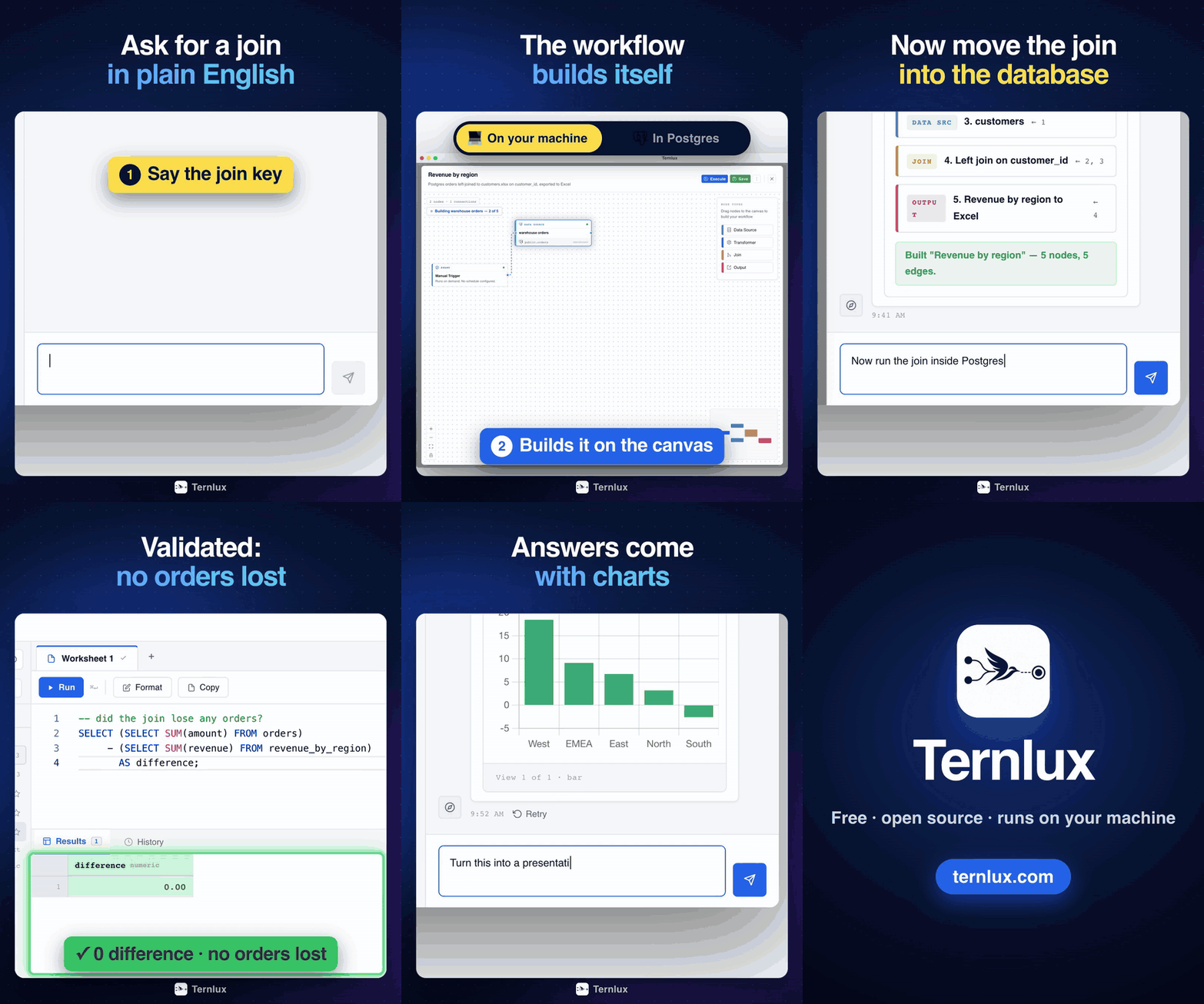
For analysts and small data teams who work across files and databases and want AI help that joins across sources, writes code you can read, and turns a one-off question into a pipeline you can schedule.
Ternlux is a free, local-first desktop app for ETL and data analysis. Connect databases, warehouses, cloud storage, APIs and local files, describe a pipeline in plain English, review the plan the AI drafts, and run it as deterministic code: pushed down to the target database, or locally on the built-in engine. Joins work across sources, so a Postgres table, an Excel file and an S3 folder can meet in one step. Bring your own model: OpenAI, Claude, Gemini, any OpenAI-compatible endpoint, or a local model through Ollama or LM Studio.
- Connectors: Postgres, MySQL, SQL Server, BigQuery, Snowflake, MongoDB, Pinecone, LanceDB, S3, GCS, Azure Blob, Google Drive, OneDrive, Dropbox, SharePoint, Google Sheets, Slack, REST APIs and local files.
- Query CSV, Parquet, Excel, JSON, Avro and SQLite files in place with built-in DuckDB.
- Credentials are encrypted with your OS keychain, stay on your machine, and never reach the model.
Download: signed and notarized builds for macOS, Windows and Linux are on the Releases page and at ternlux.com. The app updates itself.
If Ternlux saves you time, a star helps other analysts and data engineers find it.
Tutorial
Build from source
Requirements: Node.js 22 or later, npm, and Git. Python 3 is needed for the Python skill.
git clone https://github.com/Ternlux/ternlux.git
cd ternlux
npm install
for d in plugins/connectors/* plugins/skills/*; do (cd "$d" && npm install --omit=dev); done
npm run electron-dev
npm run electron-dev starts the React dev server on port 3000 and opens the
app. To try it without touching an existing Ternlux profile:
npx electron . --user-data-dir=/tmp/ternlux-test-profile
Package an unsigned build
The dist:* and release:* scripts sign, notarize and publish with Ternlux's
own certificates, so they won't work on your machine. For an unsigned local
package:
npx react-scripts build && node scripts/minify-dist.js
SKIP_DMG_NOTARIZE=true npx electron-builder --mac -c.mac.identity=null -c.mac.notarize=false
SKIP_WIN_SIGN=true npx electron-builder --win
npx electron-builder --linux -c.npmRebuild=false
Run the --mac, --win or --linux line for your platform. Output goes to
dist/. Please give builds you distribute a different name and icon; see
TRADEMARKS.md.
Project layout
| Path | What it is |
|---|---|
public/electron.js |
Electron main process: IPC, secrets, workflow execution, triggers |
public/pluginManager.js |
Loads connector and skill plugins |
public/chat, public/ChatPrompts |
AI assistant and prompt templates |
src/ |
React renderer |
plugins/connectors, plugins/skills |
Plugins, each its own npm package |
public/docs |
Developer documentation |
The app talks to api.ternlux.com only for the optional account, the plugin
catalog, and opt-in anonymous telemetry (public/analytics.js). Set
BACKEND_URL to point it elsewhere.
Contributing
See CONTRIBUTING.md. Report security issues privately as described in SECURITY.md.
License
Apache License 2.0. See NOTICE. The Ternlux name and logo are trademarks of Ternlux Inc.; see TRADEMARKS.md.
Explore related projects
Loading…