
Tenney95/AI-Canvas-tauri
Tenney95/AI-Canvas-tauri has 344 GitHub stars and 74 forks. GitHot measured +5 stars in 24 hours and +30 in 7 days. Last checked 2026-11-09 07:27 UTC. Last push 2026-11-04.
AI画布、AI短剧创作工具:免费、轻量的无限画布,支持短剧剧本、角色管理、分镜、图像/视频生成和短剧剪辑,集成 ComfyUI、Agent、MCP。Free AI canvas and short drama maker.
Measured star growth
- in 24h
- +5
- in 7 days
- +30
- in 15 days
- Update delayed
- in 1 month
- Update delayed
Net star changes over overlapping periods, not daily totals. Missing measurements are left blank. Stars measure attention, not software quality.
README.en.md
OriginalAI Canvas Tauri — AI Canvas, Short Drama & Asset Management
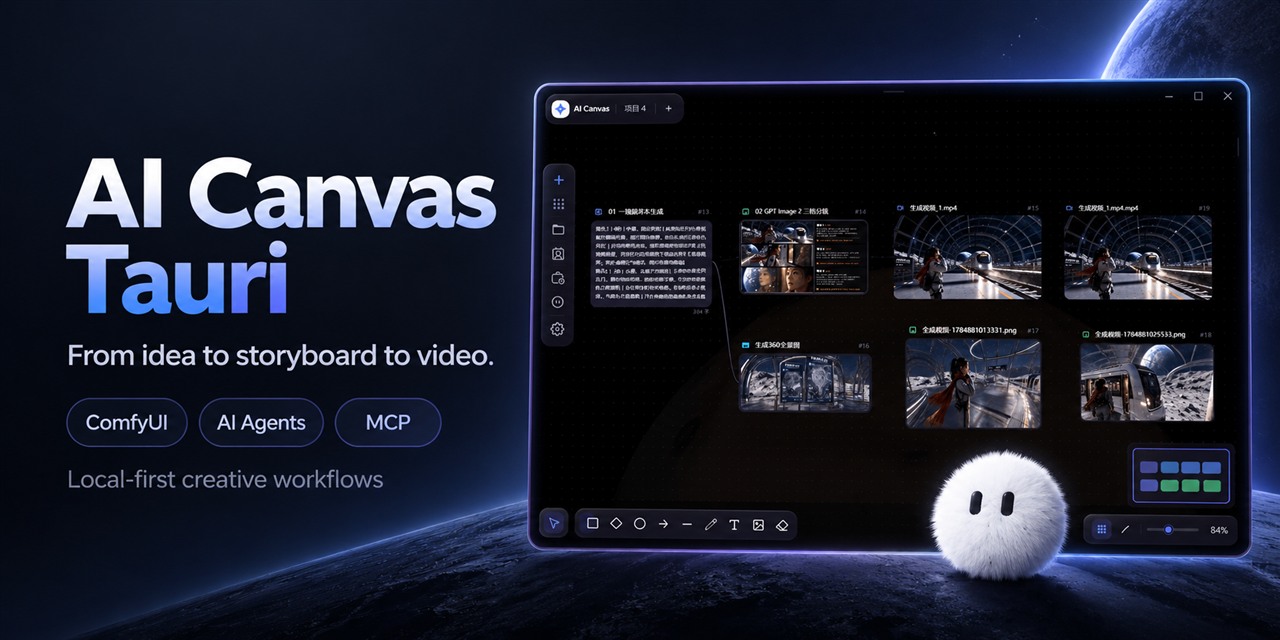
Bring ideas, characters, storyboards and videos onto one canvas, with ComfyUI, AI agents and MCP.

Live demo · Download desktop app · Share your work
A local-first AI canvas and visual workflow desktop app for AI short drama creation, AI asset management, image/video generation and storyboarding, with ComfyUI, conversational AI agents and MCP, built on Tauri 2 + React 19 + React Flow 12.
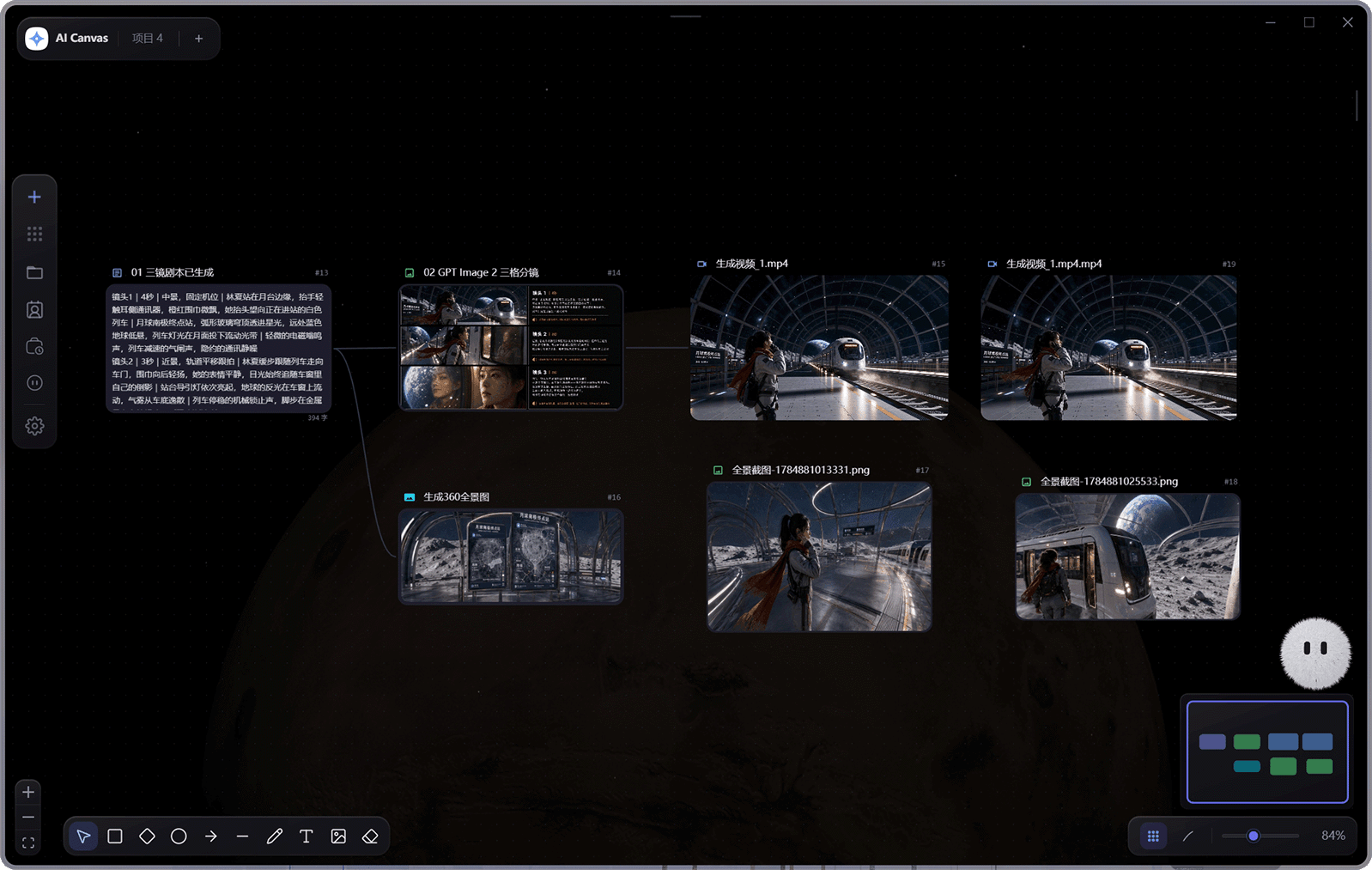
AI Canvas Tauri organizes text, images, video, audio, frame-by-frame animation, Markdown, shot lists, 360° panoramas and hand-drawn notes into connectable canvas nodes. In a single project you can orchestrate generation pipelines, manage characters, scenes, props and local media assets, run ComfyUI workflows, and use the conversational assistant to query or modify the canvas, generate media, dispatch read-only sub-agents, read authorized files, and accumulate project memory. Projects can also be split into series and episodes — each episode of an AI short drama gets its own canvas, while the character library and assets are shared across the whole series.




Live demo: https://tenney95.github.io/AI-Canvas-tauri/ (try it right on the landing page, with a built-in demo canvas)
Download: https://github.com/tenney95/AI-Canvas-tauri/releases (desktop installers)
Live demo · Download · Sponsors · Capabilities · Getting Started · Documentation · License
The web version is ideal for exploring the canvas and interface. File system, credential storage, separate windows, the 3D director desk and local models depend on the Tauri desktop environment; for the full experience, launch the desktop app using the steps below.
Preview
Sponsors
 RunningHub API |
Thanks to RunningHub API for supporting this project!
Models, versions, pricing, offers and access are subject to RunningHub's official information and your account permissions. |
Capabilities
| Capability | Description |
|---|---|
| Multimodal node canvas | Connect text, images, video, audio, animation, Markdown, storyboards, panoramas, director nodes and canvas notes. |
| Frame animation editing & export | Import or generate sprite sheets, edit animation frames and playback, and export GIFs, PNG sequences or atlases. |
| AI & workflows | Connect cloud and custom models, CCC, LibAPI text/image/video/audio models, multiple ComfyUI servers, RunningHub, generic workflow APIs, Dreamina and local ONNX models. |
| Workflow parameters | Local ComfyUI and RunningHub share a parameter popover with declared ratios, resolution, steps and schedulers. Fields show C# node IDs and detected prompt roles; the default prompt and references remain in the node composer. |
| Cloud workflow input mentions | After choosing a RunningHub workflow or AI app, type @ and use the ComfyUI tab to select a targeted input by type, name or original node ID. RefMod role packs remain limited to local ComfyUI. |
| Workflow seeds & download recovery | Choose random or fixed numeric seeds and reuse the last workflow and dimensions for new empty nodes. Retry downloads from output history using the original task; project export handles nested Windows asset paths and reports missing references. |
| Preset workflows & sharing | Reference the original input or the previous step, run advanced steps sequentially or by dependency, and copy, export or import JSON as independent presets. |
| Video parameter retention | Keep the chosen aspect ratio and compatible resolution, frame rate, duration and audio settings when switching video models. Review them against the selected model before generating. |
| User plugins | Install plugins from local files, the marketplace or GitHub Releases to extend tools, nodes and interfaces. JavaScript runs with restricted capabilities; trusted Python plugins run with your user permissions. |
| Scripts & shot production | Browse source material, write episode scripts, generate and revise shots, and prepare voice and video assets for the editing timeline. |
| Built-in video editing | Arrange multiple tracks and edit clips, transitions, captions, stickers and volume in a separate editor. Supports video export and MCP control. |
| Conversational Agent | Query and edit the canvas, generate media and manage tasks through conversation. Supports multiple conversations, Plan/B/C modes, project memory, separate windows and read-only sub-agents. |
| AI app nodes | Create interactive apps through the Agent or MCP. Apps access only bound canvas assets, run read-only actions and save results. |
| Project asset cloud sync | Connect a shared project through S3-compatible storage, preview and manually sync project media, characters, scenes, props and related data. Cloud-only clearing and deletion keep local assets; global assets and automatic sync are not included. |
| RelayOnAPI groups | Manage separate connections and API keys by group, and choose supported text, image and video models. |
| Characters & creative assets | Manage project and global characters, scenes, props and weapons. Bind voices, actions and multiple same-library weapons to a character; asset packages, copies and project cloud sync preserve weapon links. Scenes and props support multiple reference images and precise individual-image references. |
| External MCP control | Let external AI tools control the canvas, media and editing projects through local stdio or Streamable HTTP. Disabled by default; remote access requires confirmation to enable. |
| Local storage | Save projects and media locally, and manage API keys in a separate credential store. Storage health separates file usage from app data quota, confirms cleanup and rechecks references, and can reveal unreferenced files in their folders. |
| Lossless image compression | Compress PNG / JPEG images from an image node. Create a separate copy only when it is smaller, keeping the original image. |
| Series & episodes | Give each episode its own canvas while sharing characters, project memory and assets across the series. AI extracts episode characters and props into a reviewable list; add or bind them to the library explicitly. |
| Asset library & editing | Preview and edit media, prompts, tags, text and Markdown, with batch prompt extraction from images. Select creative assets in bulk, copy them between projects and the global library, transfer asset packages, find usage locations, reconnect missing files and explicitly clean up missing records. Record cleanup cannot be undone and keeps disk files. |
| Multilingual interface | Use Simplified Chinese, English, Japanese or Korean while keeping user content and editing drafts when switching the interface language. |
| 3D director desk | Build scenes, preview shots and produce video with the lightweight director desk, Blender editing and AI shot previs. |
| Appearance customization | Apply appearance presets across pages, canvas, nodes and edges. Create custom themes and import or export presets. |
| Video batches & usage tracking | Manage video generation batches and export local usage reports for Volcengine Ark image/video nodes. Usage estimates are not official bills. |
Available features depend on the desktop app version. See the user manual for operations and the module index for development and integration documentation (both in Chinese).
Tech Stack
| Technology | Purpose |
|---|---|
| Tauri 2 + Rust | Desktop shell, windows, files, updates, local models and system capabilities |
| React 19 + TypeScript 6 | UI, domain types and strict type checking |
| React Flow 12 | Node canvas, connections and view controls |
| Zustand 5 | Slice-based global state management |
| Tailwind CSS 3 | Component styling and canvas-* design tokens |
| Vitest | Automated testing |
| IndexedDB | Local structured data persistence |
Getting Started
Prerequisites
- Node.js: meet Vite 8 runtime requirements; current LTS recommended
- npm
- Rust stable toolchain
- Optional Blender editing: Windows x86_64 or macOS Intel/Apple Silicon; stable 4.5 / 5.0 / 5.1 / 5.2 series. The lightweight director desk does not require Blender.
- Platform-specific Tauri system dependencies
Windows builds additionally require Visual Studio Build Tools 2022 with the "Desktop development with C++" workload installed.
Install dependencies
npm install
Start the development environment
# Start the web frontend only, available at http://localhost:1420 by default
npm run dev

# Start the full Tauri desktop app
npm run tauri dev
Web mode is suited for UI development; native dialogs, local file tools, separate windows, local models and the 3D director desk require the Tauri desktop environment.
Check and build
# TypeScript type checking
npm run typecheck

# ESLint
npm run lint

# Unit tests (Vitest)
npm run test

# lint + type check + tests
npm run check

# Frontend production build
npm run build

# Desktop app build
npm run tauri build
Documentation
- User manual (Chinese)
- Module documentation (Chinese)
- 开发指南: environment, commands, directories, conventions, debugging and FAQ (in Chinese)
- 架构说明: core modules, data flow, security boundaries and performance design (in Chinese)
- Plugin development guide (Chinese): manifests, JavaScript/Python runtimes, nodes, UI, permissions and releases
- ComfyUI 工作流集成说明: import, IO node detection, content/parameter injection and result retrieval (in Chinese)
- 对话式画布助手功能方案
- 对话助手 Agent 能力实施方案
- 打包与发版流程
Long-term engineering boundaries are defined by AGENTS.md; architecture decision records live in doc/adr/.
License
This project is licensed under the AI Canvas Tauri Source-Available License; see LICENSE for the full terms.
Learning, research, internal use, modification and integration use are permitted. Unauthorized rebranding for sale, white-label distribution, source-code resale, commercial redistribution, and commercializing the project as a competing product are prohibited.
This project is not open source under the OSI definition. For commercial licensing, please contact the copyright holder.
Third-party assets
The toolbar and properties panel of the canvas note visual design reference Excalidraw; see doc/licenses/excalidraw-MIT.txt for its license.
Contact
Development QQ group: 873354155
Contributors


Explore related projects
affaan-m/ECC
The agent harness performance optimization system. Skills, instincts, memory, security, and research-first development for Claude Code, Codex, Opencode, Cursor and beyond.
300,313 starsNousResearch/hermes-agent
The agent that grows with you
262,134 starsmultica-ai/andrej-karpathy-skills
A single CLAUDE.md file to improve Claude Code behavior, derived from Andrej Karpathy's observations on LLM coding pitfalls.
231,460 starsfirecrawl/firecrawl
Supercharge your AI agents with data from the web and beyond. Building the library for superintelligence. 🔥
200,178 stars