
TechSquidTV/Cliparr
TechSquidTV/Cliparr has 230 GitHub stars and 7 forks. GitHot measured 0 stars in 24 hours. Last checked 2026-11-15 23:48 UTC. Last push 2026-11-15.
What you can do
- Live session discovery: Follow playback automatically from connected Plex and Jellyfin servers.
- Open local videos: Clip local files without uploading them. Direct media URLs require provider sign-in.
- Trim and crop: Fine-tune your clip range, then crop the picture freely or to an aspect ratio with mouse or touch controls.
- Video, audio, and GIF export: Choose video or audio-only formats, or make a GIF. Exports run in your browser.
Measured star growth
- in 24h
- 0
- in 7 days
- Collecting history
- in 15 days
- Collecting history
- in 1 month
- Collecting history
Net star changes over overlapping periods, not daily totals. Missing measurements are left blank. Stars measure attention, not software quality.
About
Create clips from media on your personal media server
Self-hostedREADME.md
OriginalCliparr

Clip your personal media.



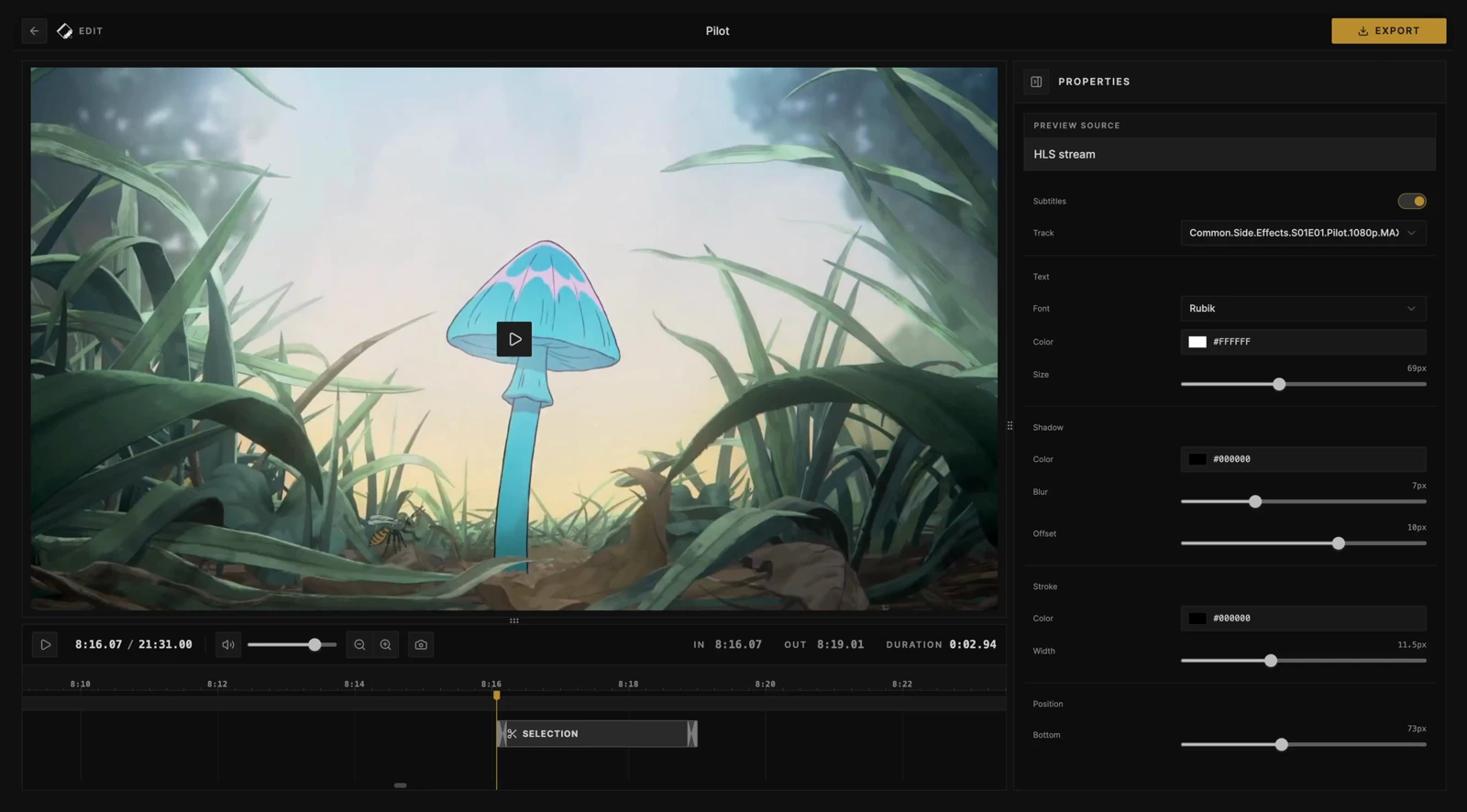
Self-hosted clipping for Plex, Jellyfin, and local files. Trim video, add subtitles, and export video, audio, or GIFs in your browser.
Features
- Live session discovery: Follow playback automatically from connected Plex and Jellyfin servers.
- Open local videos: Clip local files without uploading them. Direct media URLs require provider sign-in.
- Trim and crop: Fine-tune your clip range, then crop the picture freely or to an aspect ratio with mouse or touch controls.
- Video, audio, and GIF export: Choose video or audio-only formats, or make a GIF. Exports run in your browser.
- Metadata included: Keep source details, artwork, and clip timing in supported video and audio containers.
- Subtitle authoring: Create your own captions or import subtitles, then style and burn subtitles into your clip.
Quick start
Replace APP_KEY with a random secret of at least 32 characters; for example, generate one with openssl rand -base64 32. Keep the secret and data volume across updates. Changing APP_KEY requires reconnecting your media servers.
docker run -d \
  --name cliparr \
  -p 127.0.0.1:7171:7171 \
  -e APP_KEY="your-32-char-stable-random-secret" \
  -v cliparr-data:/data \
  ghcr.io/techsquidtv/cliparr:latest
PowerShell
docker run -d `
  --name cliparr `
  -p 127.0.0.1:7171:7171 `
  -e APP_KEY="your-32-char-stable-random-secret" `
  -v cliparr-data:/data `
  ghcr.io/techsquidtv/cliparr:latest
Use Docker with Linux containers.
Open http://localhost:7171, then connect a media server or choose Open Video for a local file. Access from other devices requires HTTPS for editing.
For Docker Compose and installation details, see Getting started.
Guides
- Provider setup and account requirements
- Reverse proxies and access control
- Browser support and editor shortcuts
- Environment variables and logging
Development
See Contributing for local setup, the Docker dev stack, validation, and release procedures.
License
MIT.