
TechBeme/open-higgsfield
TechBeme/open-higgsfield has 42 GitHub stars and 13 forks. GitHot measured +2 stars in 24 hours and +11 in 7 days. Last checked 2026-11-15 03:56 UTC. Last push 2026-11-05.
What you can do
- Prompt-to-image and prompt-to-video generation
- Image-to-image and image-to-video workflows
- Start frame, end frame, character, motion, video, and audio references
- Model-aware aspect ratio, size, resolution, duration, seed, CFG, style, and safety controls
Measured star growth
- in 24h
- +2
- in 7 days
- +11
- in 15 days
- Collecting history
- in 1 month
- Collecting history
Net star changes over overlapping periods, not daily totals. Missing measurements are left blank. Stars measure attention, not software quality.
About
Open-source Higgsfield alternative for AI image and video generation with Freepik, Gemini, Vertex AI and Vercel AI Gateway.
Web & AppsREADME.md
Original
Open-Higgsfield
The open-source, multi-provider alternative to Higgsfield for AI image and video generation.
Generate with Magnific, Google AI Studio, Google Vertex AI, Vercel AI Gateway, ToAPIs, and Runware models from one focused creative studio.
UI Preview | Features | Providers | Quick Start | Contribute


Languages: 🇺🇸 English · 🇧🇷 Português · 🇪🇸 Español
The hosted site is an interface preview; generation may be disabled. To generate images and videos, run your own installation and connect your provider accounts.
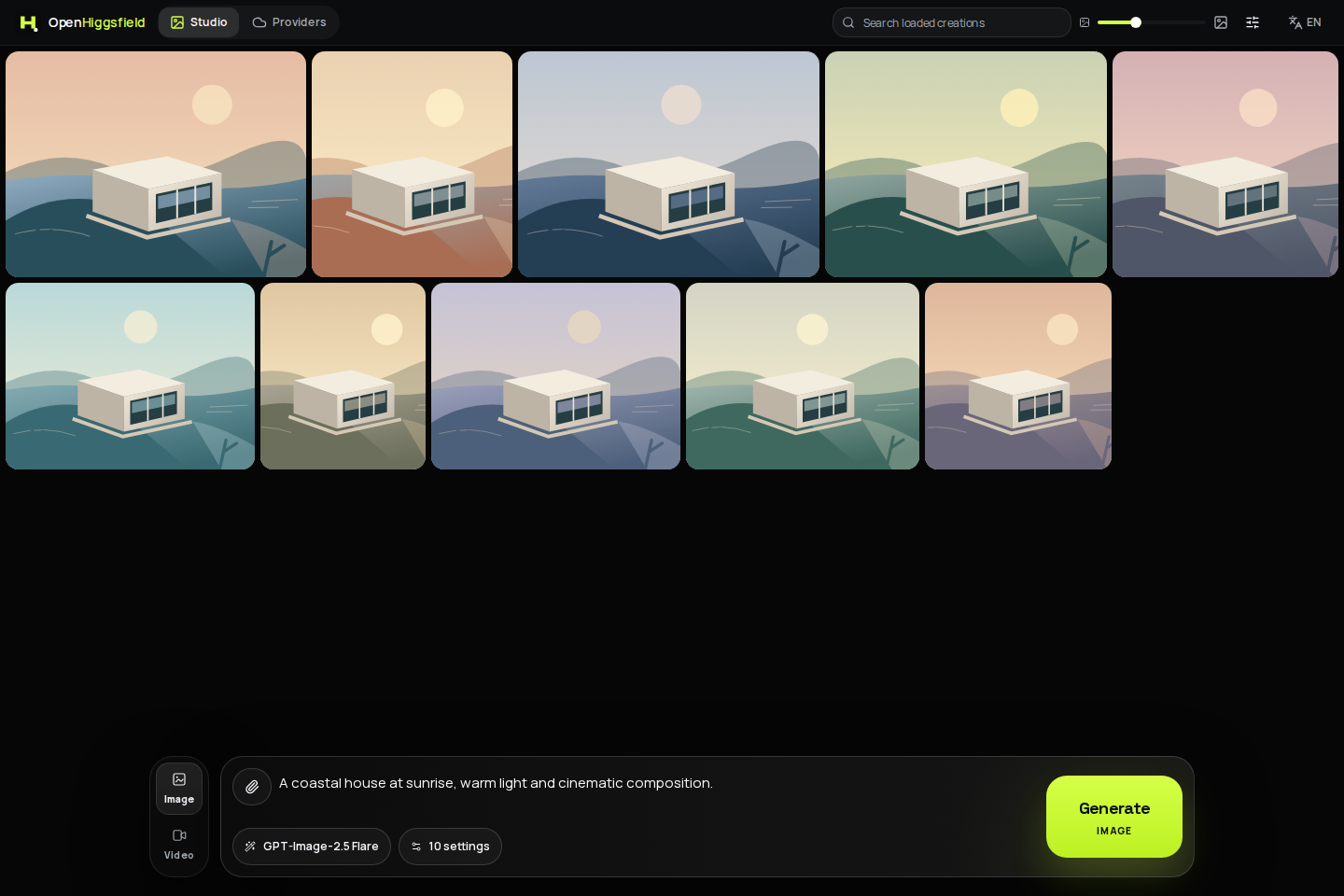
Why Open-Higgsfield?
AI media models are spread across providers, dashboards, payload formats, and incompatible controls. Open-Higgsfield brings them into one fast visual workspace:
- Generate images and videos in the same studio without switching products.
- Choose image and video models across Magnific, Google AI Studio, Vertex AI, Vercel AI Gateway, ToAPIs, and Runware.
- Use the right controls for every model with capability-driven aspect ratios, resolutions, duration, seed, CFG, safety, and audio options.
- Work with references naturally through image-to-image, image-to-video, start/end frames, video, and audio inputs.
- Switch providers without relearning the interface because tasks, progress, errors, and outputs use one consistent workflow.
- Bring your own API keys and own the stack with an MIT-licensed, self-hostable Next.js application.
Screenshots
Provider management
Connect your accounts, enable the models you want to use, and manage multiple API keys from one place. Only models from connected providers appear in the Studio.
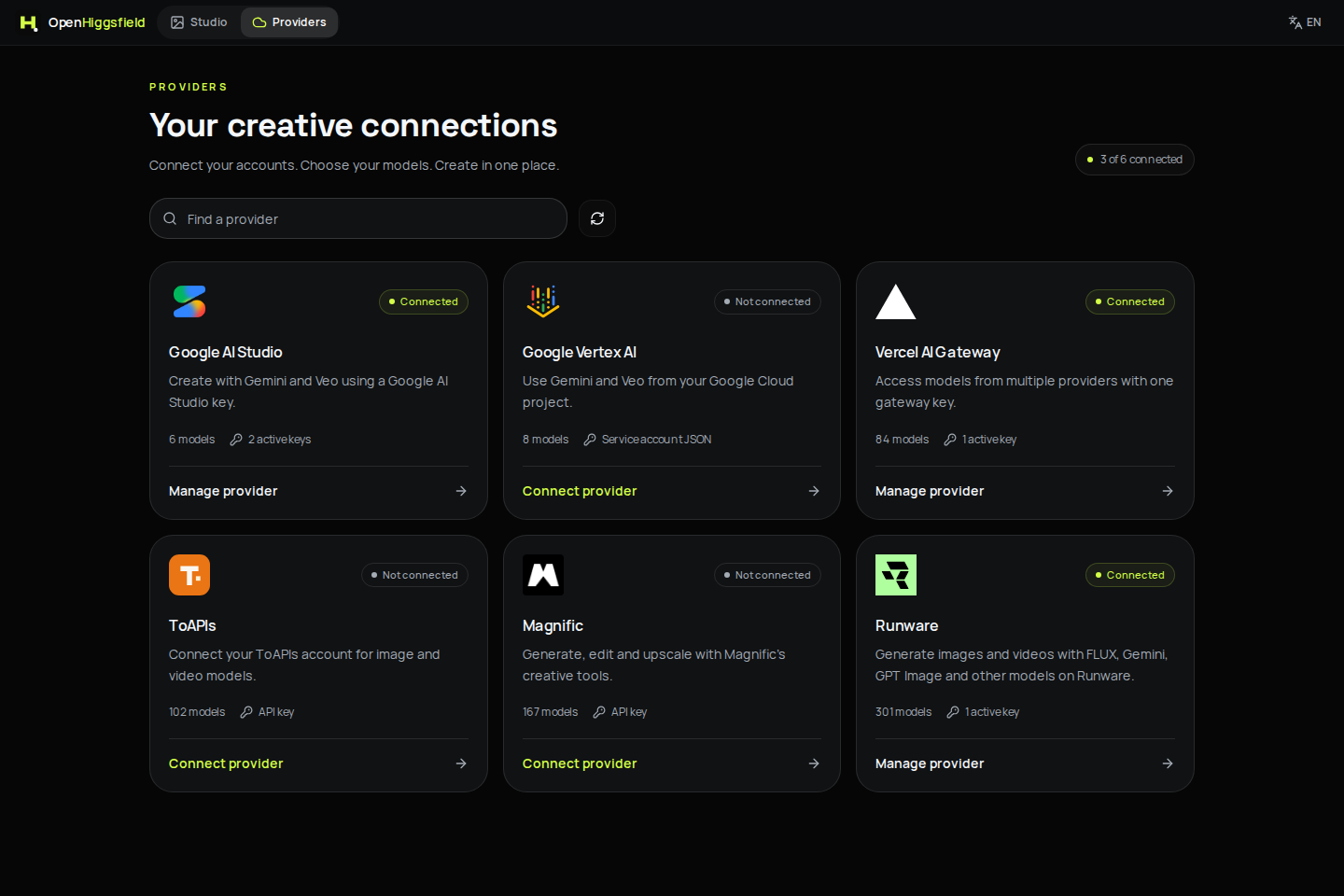
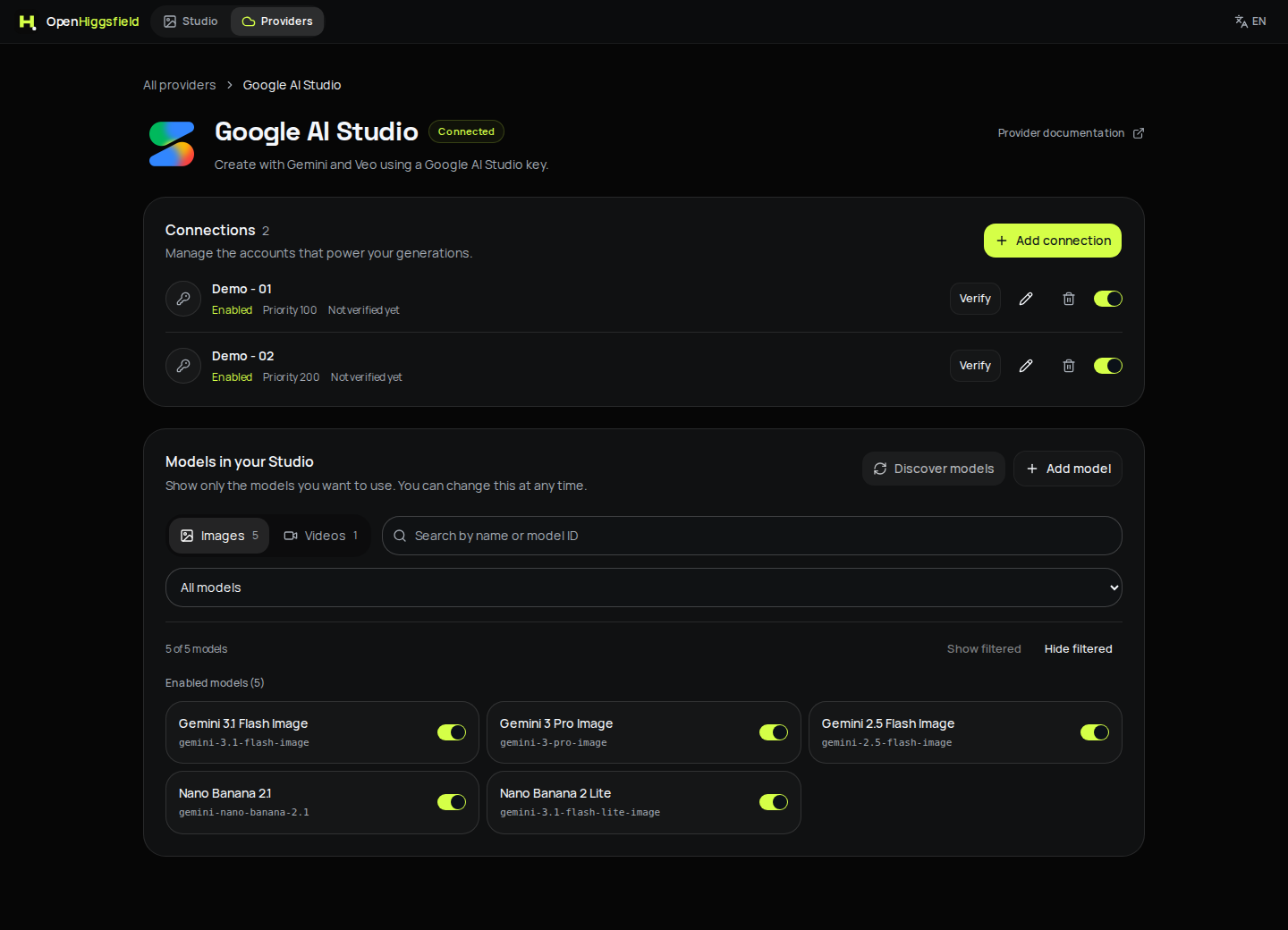
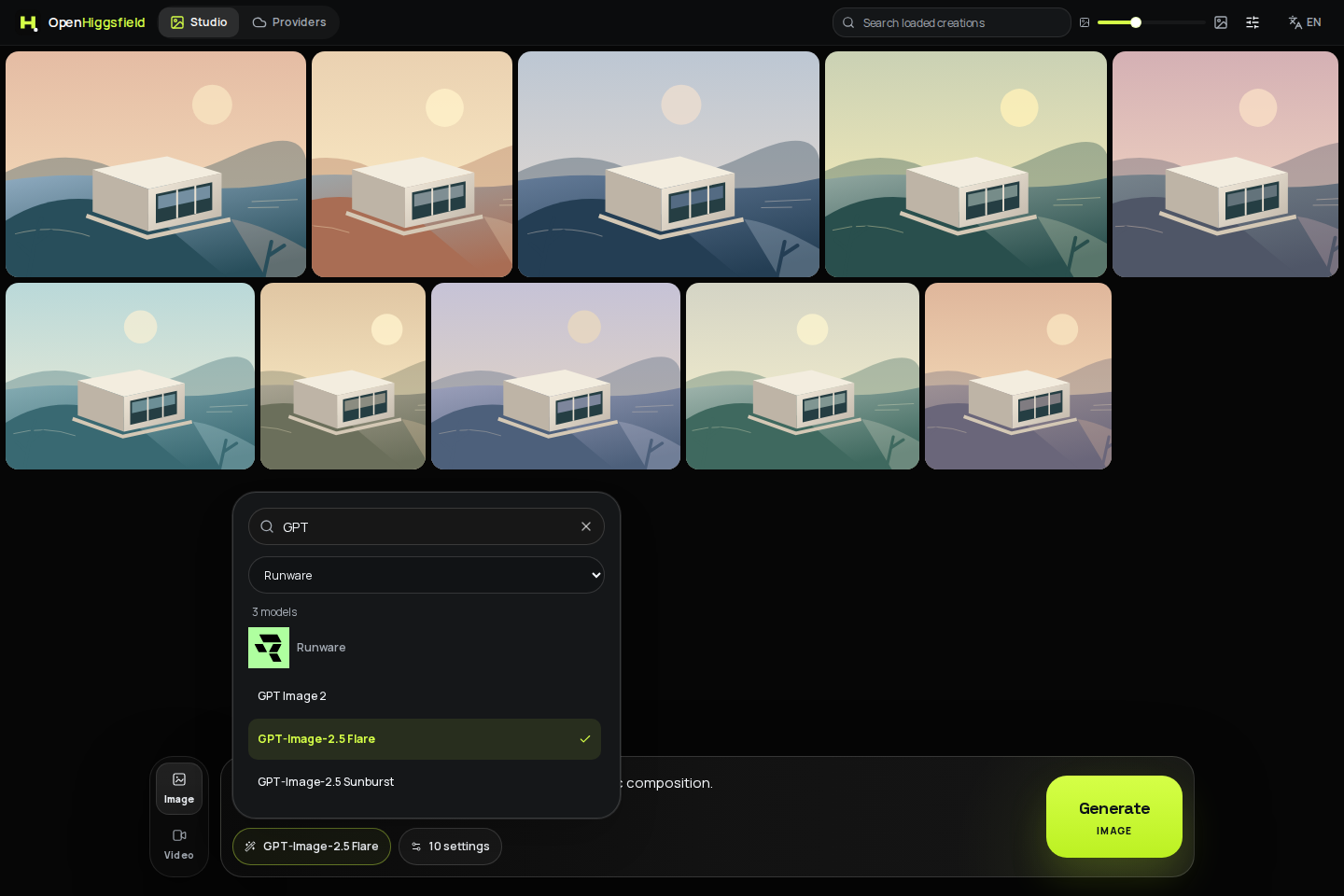
Connections and model selection
Each provider has its own connections, priorities, and model visibility settings. In the Studio, search by model name or ID and filter by provider.
| Provider settings | Searchable model picker |
|---|---|
 |
 |
Gallery and selection
Search and filter your creations, adjust thumbnail size, zoom into a preview, reuse a prompt, or send an image back to the composer. Drag images to reorder them, or use the tile menu on touchscreens.
After selecting one item, click anywhere on another image to select or deselect it. Drag from empty gallery space to draw a selection rectangle; with selection active, the gesture can also start on an image. Shift/Ctrl/Cmd preserves the existing selection while drawing, and Escape clears it. Download or delete selected items together.
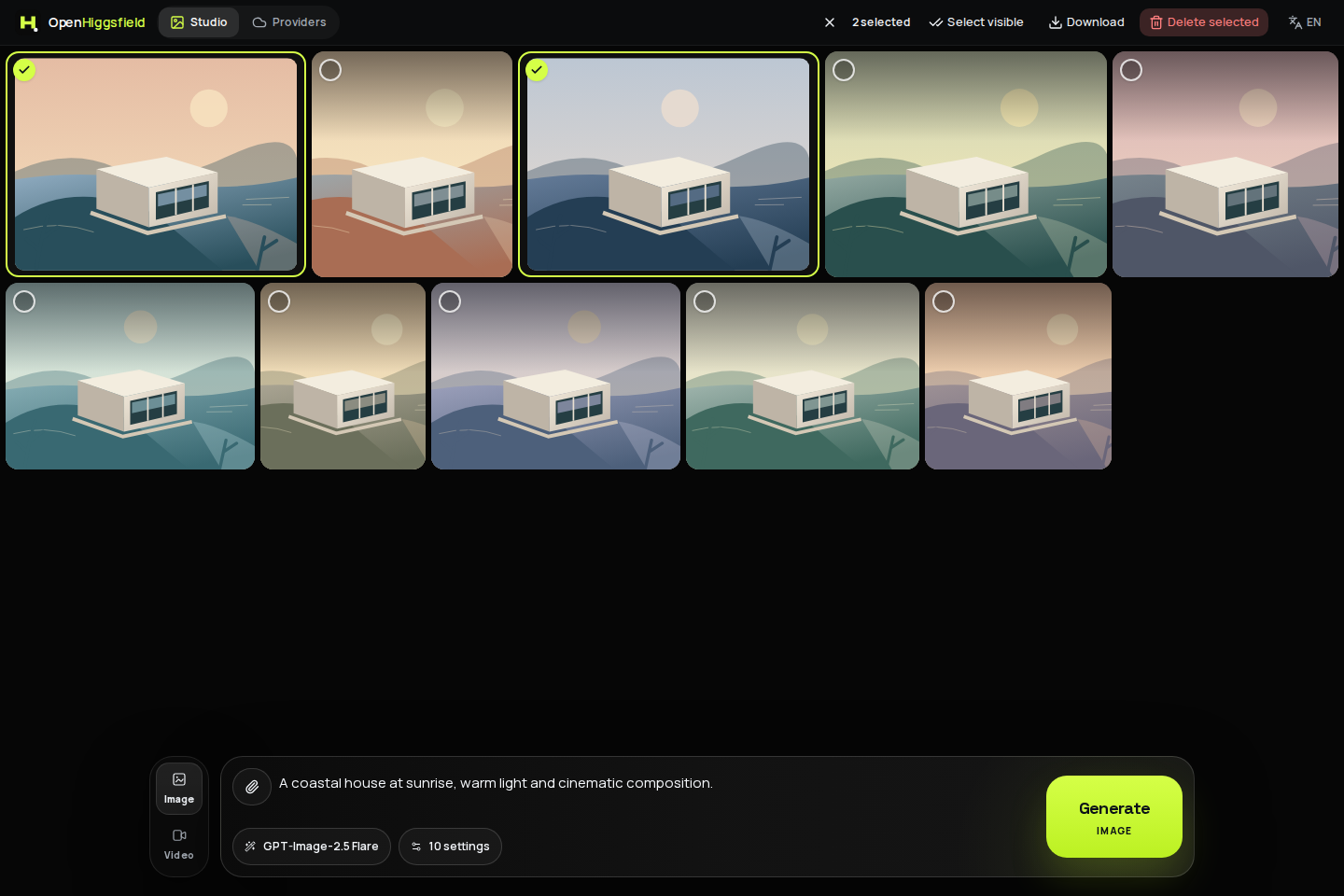
Desktop and mobile Studio
The compact composer keeps image/video mode, model selection, reference attachments, and model-specific settings together. On mobile, the mode selector sits above the composer. Generation runs in the background so you can start another creation while previous tasks finish. Without a connected provider and enabled model, generation stays disabled.
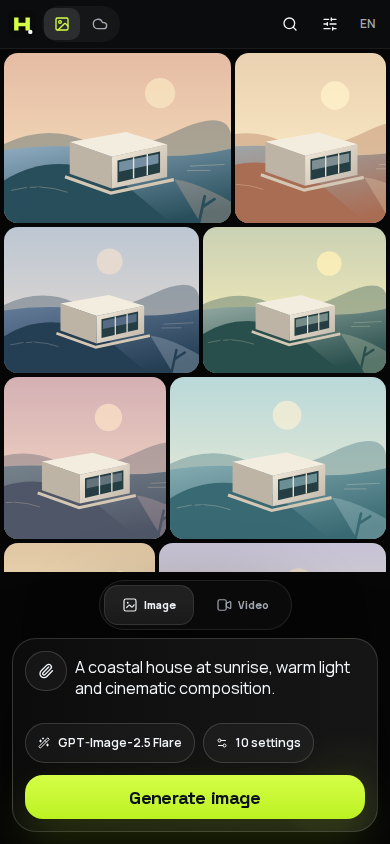
Captured with Playwright from the production build in an isolated workspace. Connections, prompts, and coastal illustrations are demonstration fixtures, not live provider outputs. No real API keys, private media, or paid generations were used.
Supported providers
Connect a provider from Providers, or configure its environment credentials. The built-in catalog currently contains these image and video entries:
| Provider | Images | Videos | Environment credentials |
|---|---|---|---|
| Magnific | 50 | 117 | MAGNIFIC_API_KEY |
| Google AI Studio | 5 | 1 | GEMINI_API_KEY |
| Google Vertex AI | 4 | 4 | Google Cloud credentials |
| Vercel AI Gateway | 45 | 39 | AI_GATEWAY_API_KEY |
| ToAPIs | 51 | 51 | TOAPIS_API_KEY |
| Runware | 191 | 110 | RUNWARE_API_KEY |
Counts verified against /api/catalog on November 4, 2026. Entries include workflow variants, not just distinct upstream models. Only enabled models from connected providers appear in the Studio.
The catalog includes Gemini Image, Veo, Flux, Recraft, GPT Image, Kling, Wan, Runway, Seedance, Seedream, PixVerse, LTX, MiniMax, Z-Image, and OmniHuman. Model availability, pricing, quotas, and preview access are controlled by each upstream provider.
Runware includes all 301 live image/video models with a callable AIR in the official index (191 images and 110 videos), with schema validation and asynchronous task tracking. All are enabled by default; each installation can choose which models to display. See Runware integration for coverage and limits.
See Providers and models for credentials, provider behavior, and extension instructions.
Features
- Prompt-to-image and prompt-to-video generation
- Image-to-image and image-to-video workflows
- Start frame, end frame, character, motion, video, and audio references
- Model-aware aspect ratio, size, resolution, duration, seed, CFG, style, and safety controls
- Native audio and multi-shot options where supported
- Drag-and-drop, paste, upload, and public URL inputs
- Normalized synchronous and asynchronous generation tasks
- Background generation with live progress and independent task errors
- Zoomable previews, reusable prompts, image references, and downloads
- Searchable gallery with adjustable thumbnail size, persistent ordering, full-card selection, marquee selection, and bulk actions
- Responsive desktop and mobile command interface
- Interface in English, Brazilian Portuguese, and Spanish, with a persistent language selector
- Multiple encrypted connections per provider, connection priorities, model visibility controls, and model discovery where supported
- Server-only provider credentials
- Local Node.js, Docker, and Vercel deployment support
Tech stack




- Next.js App Router and server route handlers
- React 19, strict TypeScript, Tailwind CSS 4, and Framer Motion
- Shared UI components following shadcn conventions, built on Base UI primitives
- SWR for client data and next-intl for English, Brazilian Portuguese, and Spanish
- Capability-driven model catalog and provider-neutral generation contracts
- Magnific API, Google Gen AI SDK, Vertex AI, Vercel AI Gateway, ToAPIs, and Runware
- Private Vercel Blob/S3 media and signed reference URLs; legacy Cloudinary support
- PostgreSQL/Neon task history, or an explicit single-process local store
Architecture
flowchart LR
    U[Creative workspace] --> C[Model capabilities]
    C --> A[Generation API]
    A --> S[Provider-neutral service]
    S --> R[Provider registry]
    R --> F[Magnific]
    R --> G[Google AI Studio]
    R --> V[Vertex AI]
    R --> W[Vercel AI Gateway]
    R --> O[ToAPIs]
    R --> X[Runware]
    F --> T[Normalized tasks and assets]
    G --> T
    V --> T
    W --> T
    O --> T
    X --> T
    T --> U
The UI reads model capabilities instead of provider-specific rules. The backend converts every request into canonical generation parameters, resolves the provider adapter, and normalizes synchronous results or asynchronous operations into the same task format.
See Architecture for the complete request lifecycle and extension points.
Quick start
Prerequisites
- Node.js 22.23.4 or newer within the Node 22 release line
- npm 10+
- At least one supported provider credential
- For distributed deployments: Vercel Blob or S3 credentials for durable media/reference uploads; legacy Cloudinary is optional
1. Clone and install
git clone https://github.com/TechBeme/open-higgsfield.git
cd open-higgsfield
npm ci
2. Configure connection encryption
cp .env.example .env.local
node -e "console.log(require('node:crypto').randomBytes(32).toString('hex'))"
Copy the generated value into .env.local:
PROVIDER_CONFIG_ENCRYPTION_KEY=<paste-the-generated-value>
This encrypts the provider credentials saved through the interface. Keep it stable across restarts and back it up separately from the stored configuration; replacing it prevents existing connections from being decrypted. Do not commit .env.local.
3. Start and connect a provider
npm run dev
Open http://localhost:3000. Use the language selector in the top bar to switch between English, Portuguese, and Spanish.
- Open Providers, select a provider, and choose Add connection.
- Enter a name and API key, or the service account details for Vertex AI. You can add multiple connections and set their priorities.
- Choose which image and video models to show, then return to Studio and enter a prompt. Without an enabled connection and model, generation stays disabled.
Discover models is available for Google AI Studio, Vercel AI Gateway and Runware. Discovery saves candidates for review; it does not activate new models automatically. Custom models reuse a compatible adapter and require a reviewed capability contract. See runtime configuration.
Development binds to 127.0.0.1. Credential-free development must remain local; use explicit credentials and an HTTPS origin before exposing another environment.
Environment credentials (optional)
For deployments managed through environment variables, configure only the providers you use in .env.local:
# Magnific
MAGNIFIC_API_KEY=

# Google AI Studio
GEMINI_API_KEY=

# Google Vertex AI
GOOGLE_CLOUD_PROJECT=
GOOGLE_CLOUD_LOCATION=global
GOOGLE_SERVICE_ACCOUNT_JSON=

# Vercel AI Gateway
AI_GATEWAY_API_KEY=

# ToAPIs
TOAPIS_API_KEY=

# Runware
RUNWARE_API_KEY=

# Optional durable media and reference uploads (private Blob store)
# ASSET_STORAGE_MODE=vercel-blob
# ASSET_DELIVERY_MODE=private
# BLOB_READ_WRITE_TOKEN=
Never use NEXT_PUBLIC_ for provider credentials. Open-Higgsfield reads them only from server-side modules.
Saved connections take precedence over environment credentials. If you disable every saved connection for a provider, its models disappear from the Studio even if an environment key exists.
Docker
Reuse the .env.local file configured above and complete the production setup before starting the container.
docker compose up --build
Configure the production access and single-process profile from the operator guide before starting Docker. It stores files and history in the open-higgsfield-data volume and publishes port 3000 on loopback for an HTTPS reverse proxy.
Deploy on Vercel
Functional production deployments use no built-in login and require an HTTPS origin, migrated PostgreSQL task storage, durable Vercel Blob or S3 media storage and Vercel Workflows for background submission, observation and media storage. For a public interface demo without login, use APP_DEMO_MODE=true with GENERATION_ENABLED=false; see public demo configuration. No minute Cron or GitHub scheduler is required. See background execution for configuration and usage costs. New generation stays disabled until GENERATION_ENABLED=true is explicitly configured.
Each deployment is one operator-owned BYOK workspace. There are no per-user ownership boundaries, application monetary budgets or global rate limits; if the operator shares the URL, every visitor uses that deployment's credentials and quota. Configure provider quotas/budgets and ingress controls before enabling work. Blob/S3 originals default to private, with expiring links for display and provider references. See the storage guide.
Follow the production operator guide for configuration, migration, Workflow verification and rollback before deploying.
Updating an existing deployment? See the Vercel update checklist for Git integration, environment settings, migrations, and verification. This update requires migration 0003_workflow_queue.sql and the Workflow execution profile; follow the checklist before deploying.
Commands
| Command | Purpose |
|---|---|
npm run dev |
Start the development server |
npm run lint |
Run ESLint |
npm run typecheck |
Run TypeScript checks |
npm test |
Run unit and integration regressions |
npm run test:e2e |
Run isolated browser and accessibility tests |
npm run build |
Create a production build |
npm run check |
Run dependency audit, lint, typecheck, tests, build, and browser tests |
npm start |
Serve the production build |
Browser-test setup and isolation details: Verification.
Documentation
- Providers and models: credentials, supported integrations, and adding providers
- Architecture: capability system, provider registry, tasks, and storage
- Deployment: Vercel, Docker, Node.js, security, and persistence
- Contributing: development workflow and pull requests
- Security policy: responsible vulnerability reporting
Contributing
Contributions are welcome, from new providers and model families to accessibility, translations, tests, and creative tooling.
- Read CONTRIBUTING.md.
- Fork the repository and create a focused branch.
- Run
npm run check. - Open a pull request using the provided template.
If Open-Higgsfield is useful to you, star the repository, share it with another creator, and show us what you build.
Security
Do not report vulnerabilities in public issues. Follow SECURITY.md and never include provider credentials, private generated media, or personal data in reports.
Disclaimer
Open-Higgsfield is an independent open-source project. It is not affiliated with, endorsed by, or sponsored by Higgsfield AI, Magnific, Google, Vercel, or any model provider. Product and model names belong to their respective owners. Availability, pricing, quotas, APIs, and capabilities may change upstream.
You are responsible for provider costs, generated content, deployment security, and compliance with provider terms and applicable law.
License
Released under the MIT License.
Developed by Rafael Vieira


