
Srv-02/OpenLAMT
Srv-02/OpenLAMT has 23 GitHub stars and 2 forks. GitHot measured +1 stars in 24 hours. Last checked 2026-11-11 07:08 UTC. Last push 2026-11-06.
Local desktop app for Intel AMT: power control, remote screen (KVM) and favorites on macOS, Windows and Linux
Measured star growth
- in 24h
- +1
- in 7 days
- Update delayed
- in 15 days
- Update delayed
- in 1 month
- Update delayed
Net star changes over overlapping periods, not daily totals. Missing measurements are left blank. Stars measure attention, not software quality.
README.md
OriginalOpenLAMT
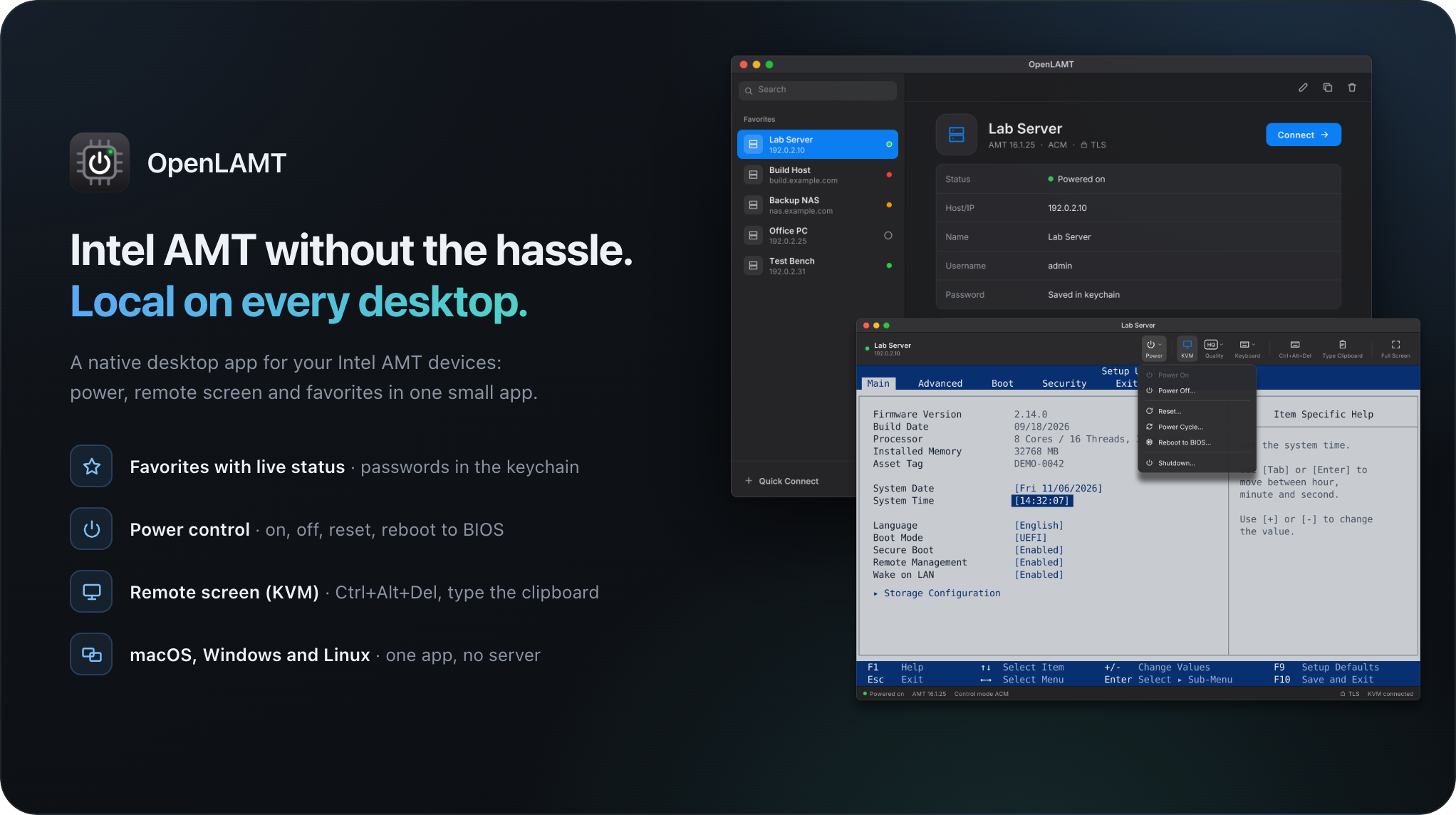
A local desktop app for Intel AMT, native on macOS, Windows and Linux: switch your devices on and off and use their screen, without a browser or a server.

Install
Download the file for your system from the Releases page:
macOS (Apple Silicon)   OpenLAMT-<version>-macos-arm64.zip
Windows (x64)           OpenLAMT-<version>-windows-x64.zip
Linux (x64)             OpenLAMT-<version>-linux-x64.deb
Start OpenLAMT and connect to your first device with Quick Connect. The builds are not code-signed, so macOS and Windows warn on the first launch: see Manual install.
Features
One app on every desktop
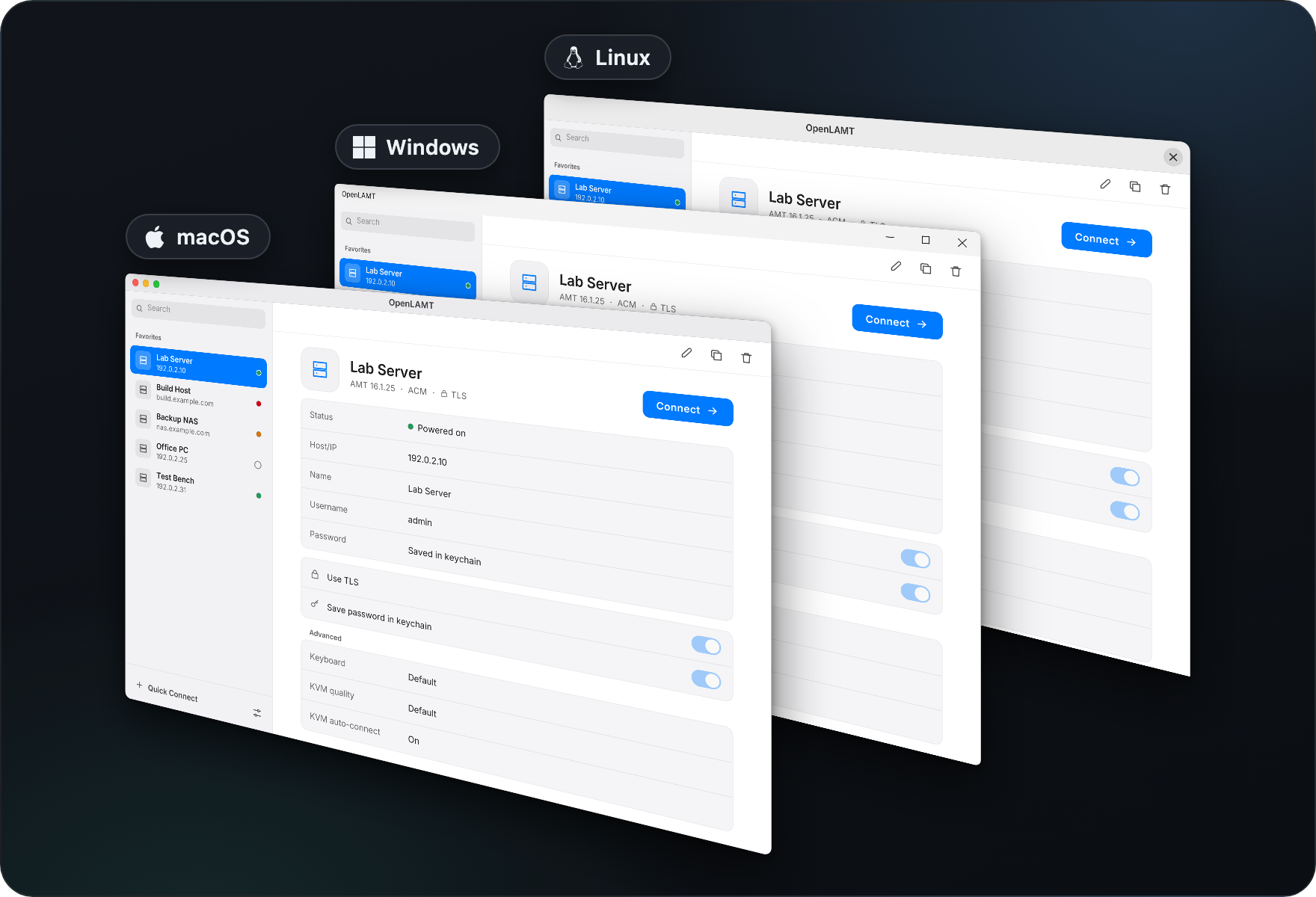
The same app runs on macOS, Windows and Linux. No browser and no server in between.
All your devices at a glance
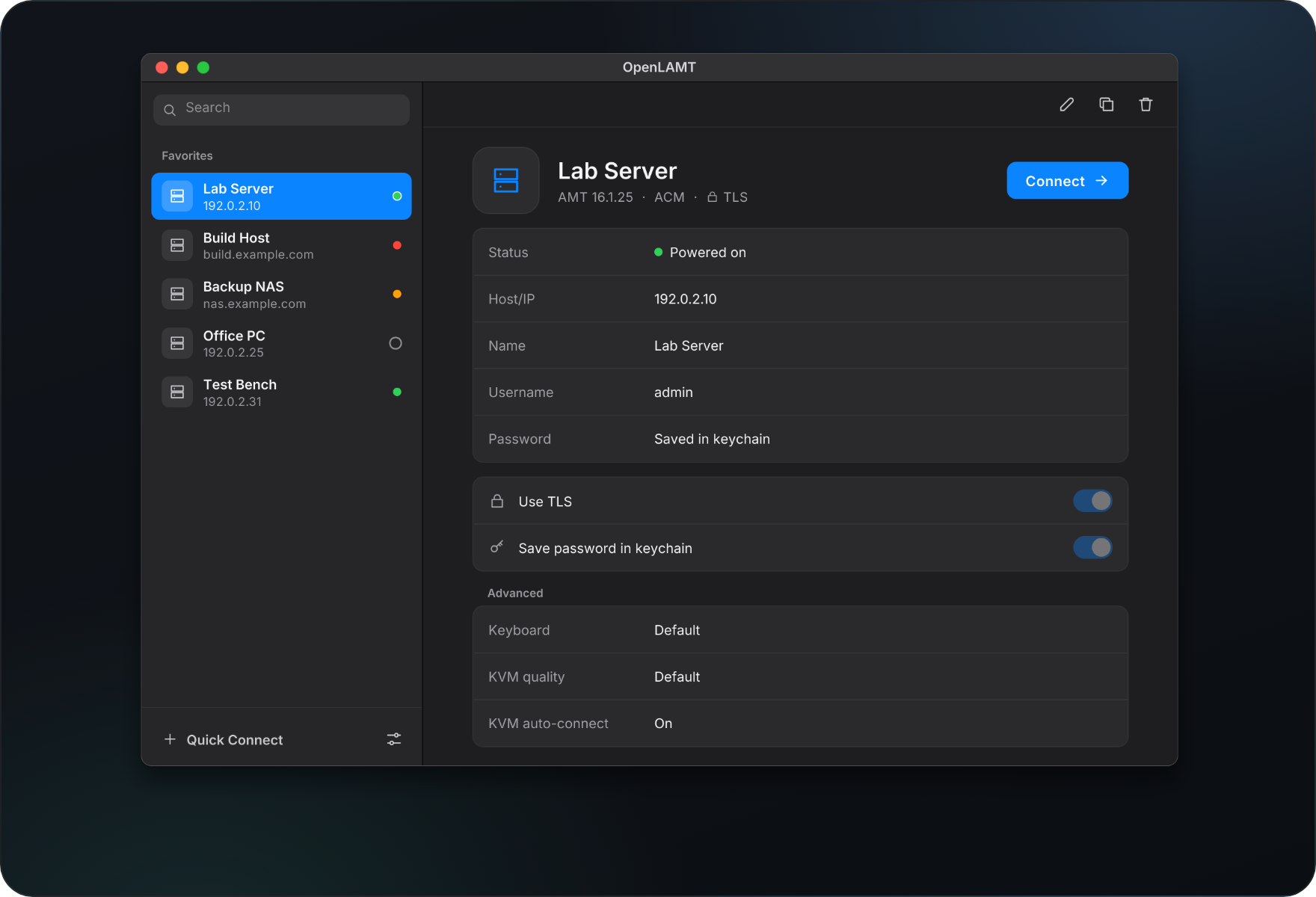
Favorites keep each device with its settings, and a colored dot shows its power state. Passwords stay in the system keychain, never in a file.
Power and remote screen in one window
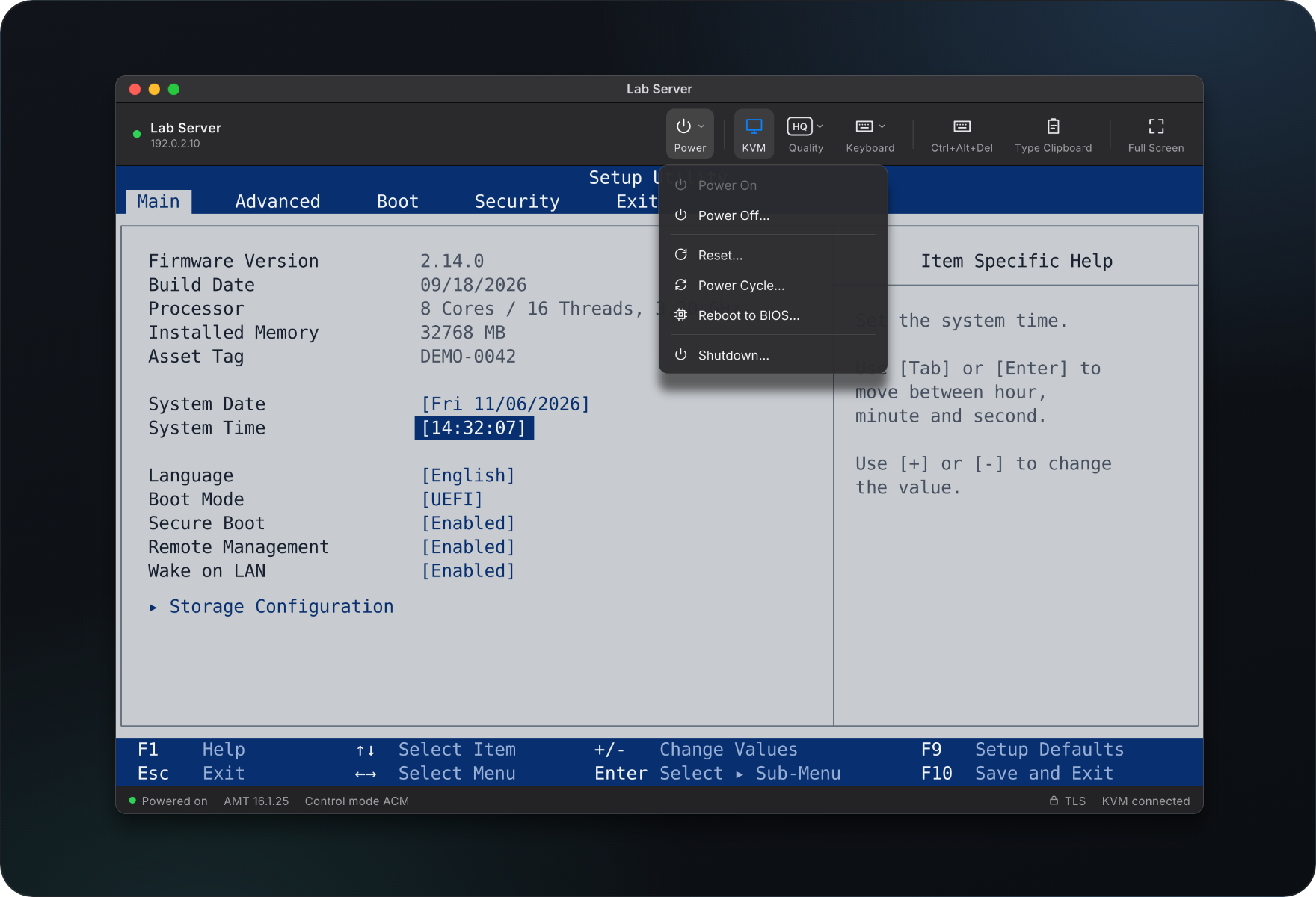
Each device opens in its own window with remote keyboard, video and mouse (KVM). Power on, power off, reset, power cycle, reboot into the BIOS or shut down from the same toolbar.
Trust on first connect
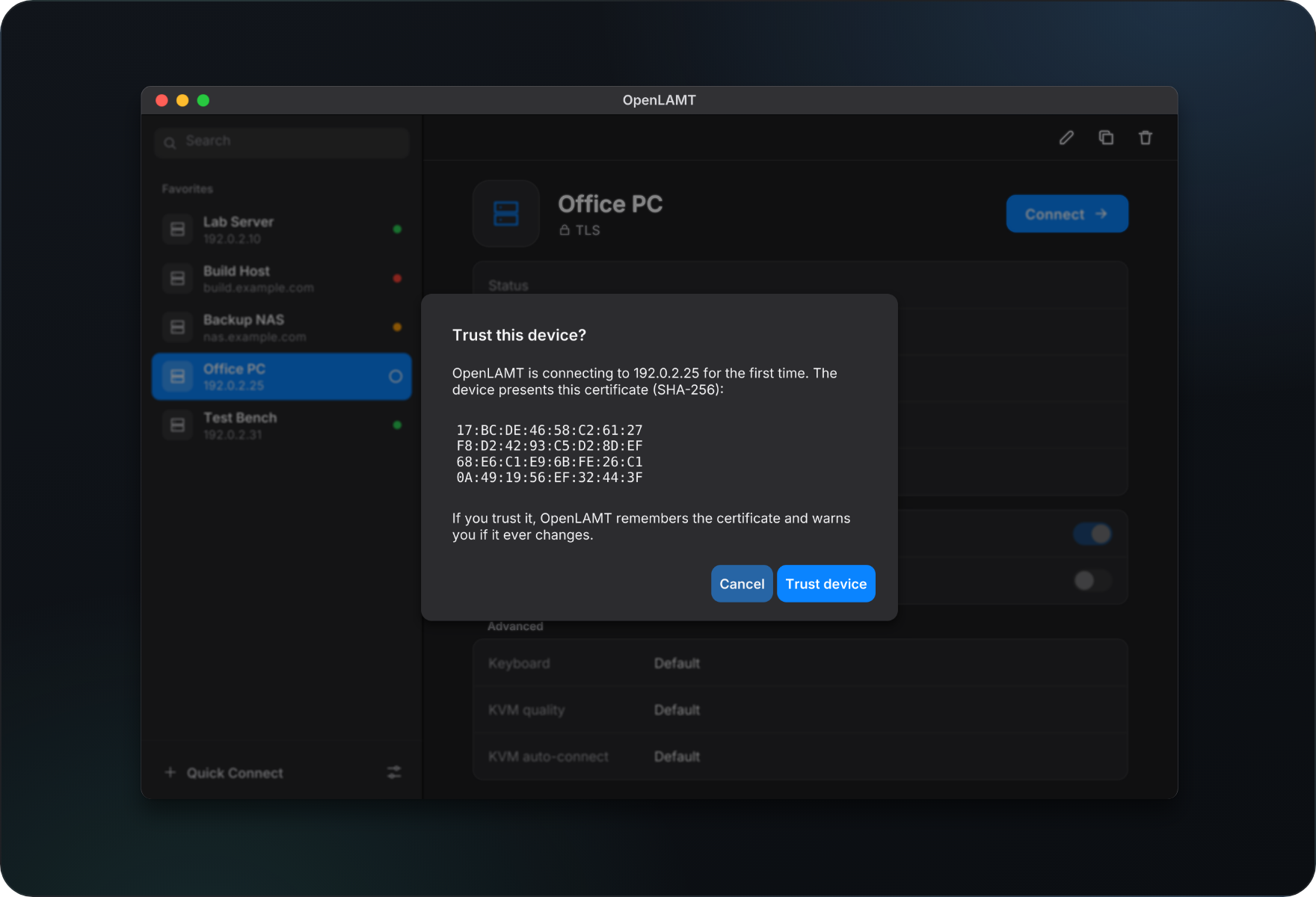
The first TLS connection shows the certificate fingerprint of the device. OpenLAMT remembers it and stops the connection if it ever changes.
Your language, your look
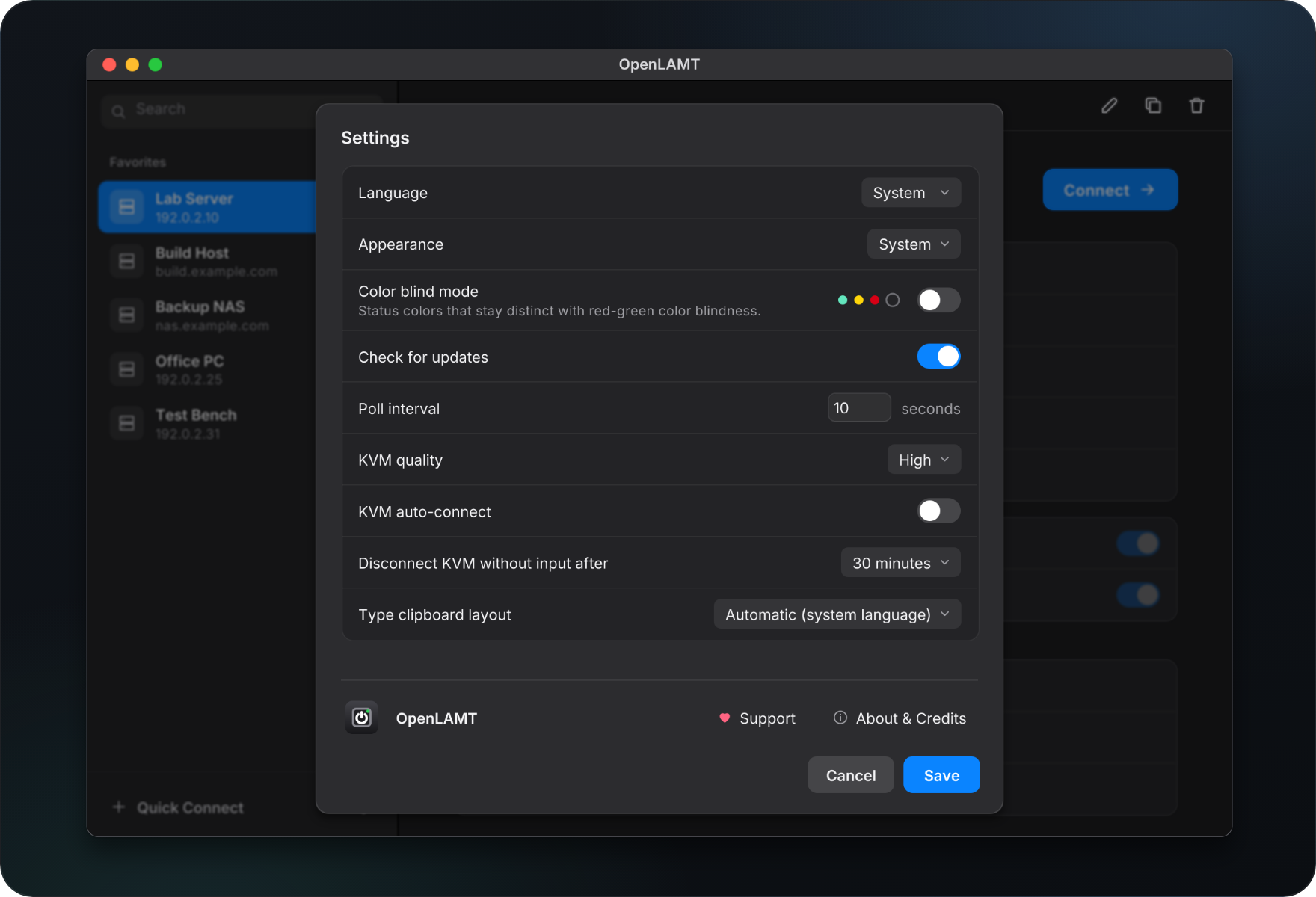
English or German, light, dark or system appearance, and status colors for red-green color blindness. Type the clipboard into the remote system in 16 keyboard layouts.
Details
Requirements
- Devices with Intel AMT enabled and reachable over the network (ports
16992to16995). - macOS on Apple Silicon (arm64), Windows on x64 or Linux on x64 (
.deb). macOS on Intel, Windows on arm64 and Linux on arm64 are not supported. - Linux: a Secret Service provider such as GNOME Keyring or KeePassXC to save passwords.
Manual install
macOS
Download
OpenLAMT-<version>-macos-arm64.zipfrom the Releases page.Unzip it and drag
OpenLAMT.appto/Applications.The app has only an ad-hoc signature, so Gatekeeper blocks the first launch. On macOS 15 Sequoia and later, right click > Open no longer works around this. Try to open the app once, then click "Open Anyway" for OpenLAMT in System Settings > Privacy & Security. Or remove the quarantine attribute in a terminal:
xattr -dr com.apple.quarantine /Applications/OpenLAMT.app
Windows
- Download
OpenLAMT-<version>-windows-x64.zipfrom the Releases page. - Unzip it and start
OpenLAMT.exe. No installer is needed. - The executable is not code-signed, so Windows SmartScreen shows "Windows protected your PC" on the first launch. Click "More info" and then "Run anyway".
Linux
Download
OpenLAMT-<version>-linux-x64.debfrom the Releases page.Install it (Debian, Ubuntu and derivatives). apt resolves the required libraries (OpenGL, X11 or Wayland):
sudo apt install ./OpenLAMT-<version>-linux-x64.debStart OpenLAMT from the application menu or with
openlamt. The package recommendsgnome-keyring; without a running Secret Service provider OpenLAMT cannot save passwords.
Configuration
Everything is set in the app: Settings (the sliders icon next to Quick Connect) holds language, appearance, color blind mode, the update check, the poll interval, KVM quality, KVM auto-connect, the KVM idle timeout and the keyboard layout for typing the clipboard. A favorite can override keyboard, KVM quality and KVM auto-connect for its device. The language changes the next time OpenLAMT starts.
Keyboard
Key combinations that the local operating system reserves, such as Ctrl+Alt+Del, Cmd+Tab and, on Windows, Win+L, do not reach the remote system. For this reason the device window has its own Ctrl+Alt+Del button.
What it runs and touches
- Programs: none. Links (release page, support, credits) open in your default browser.
- Files: favorites in
openlamt/favorites.jsonin your user configuration folder (~/Library/Application Supporton macOS,%AppData%on Windows,~/.configon Linux). Passwords and trusted certificate fingerprints in the system keychain (macOS Keychain, Windows Credential Manager, Secret Service on Linux), under the servicesopenlamtandopenlamt-fingerprint. A downloaded update goes to~/Downloads, only when you ask for it. - Network: your AMT devices on ports
16992(WS-Man) or16993(WS-Man over TLS), and16994or16995(KVM redirection). Once per start, a few seconds after the main window opens, one request toapi.github.comfor the latest release; turn it off with Check for updates in Settings. The update package is downloaded from GitHub only when you click it.
Updates
At start OpenLAMT asks GitHub for its latest release. If it is newer, a window shows the first lines of its release notes and offers the package for your platform. The download is checked against the SHA-256 checksum GitHub states and saved to ~/Downloads. Nothing is installed: replace the app by hand. The request carries no account, token or data about your devices, but GitHub sees your IP address.
Removing
- Delete the app (
OpenLAMT.app, the folder withOpenLAMT.exe, orsudo apt remove openlamt). - Delete the
openlamtfolder in your user configuration folder. - Optionally delete the keychain entries of the services
openlamtandopenlamt-fingerprint.
Development
Requirements: Go in the version given in go.mod and a C compiler (cgo is required by Fyne). macOS: Xcode Command Line Tools (xcode-select --install). Windows: a MinGW-w64 gcc, for example from MSYS2. Linux: development packages for OpenGL and X11/Wayland, for example libgl1-mesa-dev xorg-dev libwayland-dev libxkbcommon-dev on Debian or Ubuntu.
git clone https://github.com/Srv-02/openlamt.git
cd openlamt
go build -o openlamt ./cmd/openlamt   # build and run with ./openlamt
go vet ./... && go test ./...          # checks
To create a macOS application bundle, install the Fyne command line tool in the version the release workflow uses (see .github/workflows/release.yml) and package the application:
go install fyne.io/tools/cmd/[email protected]
fyne package --os darwin --src cmd/openlamt \
  --app-id io.github.srv02.openlamt --name OpenLAMT --app-version 1.0.0 --release
codesign --force --deep -s - OpenLAMT.app
To build the Linux .deb from the binary (dpkg-deb is required):
go build -ldflags '-s -w' -o openlamt ./cmd/openlamt
packaging/linux/build-deb.sh openlamt 1.0.0 OpenLAMT_1.0.0_amd64.deb
Credits
The KVM client is a Go port of Intel's ui-toolkit (Apache-2.0). Power control and WS-Man through go-wsman-messages (Apache-2.0); code derived from MeshCommander (Apache-2.0). Built with Fyne (BSD-3-Clause) and go-keyring (MIT), set in Inter (OFL-1.1). Every component and its license is listed in NOTICE.
License
Apache License 2.0, see LICENSE. Third party parts keep their own licenses.
Intel and AMT are trademarks of Intel Corporation. OpenLAMT is an independent project. It is not affiliated with, endorsed by or supported by Intel Corporation.
Explore related projects
awesome-selfhosted/awesome-selfhosted
A list of Free Software network services and web applications which can be hosted on your own servers
336,152 starsimmich-app/immich
High performance self-hosted photo and video management solution.
118,850 starsStirling-Tools/Stirling-PDF
#1 PDF Application on GitHub that lets you edit PDFs on any device anywhere
96,278 starslouislam/uptime-kuma
A fancy self-hosted monitoring tool
93,514 stars