
SpaceTheme/Steam-Custom-Artworks
SpaceTheme/Steam-Custom-Artworks has 32 GitHub stars and 4 forks. GitHot measured 0 stars in 24 hours. Last checked 2026-11-16 04:25 UTC. Last push 2026-11-12.
Measured star growth
- in 24h
- 0
- in 7 days
- Collecting history
- in 15 days
- Collecting history
- in 1 month
- Collecting history
Net star changes over overlapping periods, not daily totals. Missing measurements are left blank. Stars measure attention, not software quality.
About
Custom covers, banners, heroes and logos for your Steam library in one consistent style.
ProductivityREADME.md
OriginalSteam-Custom-Artworks
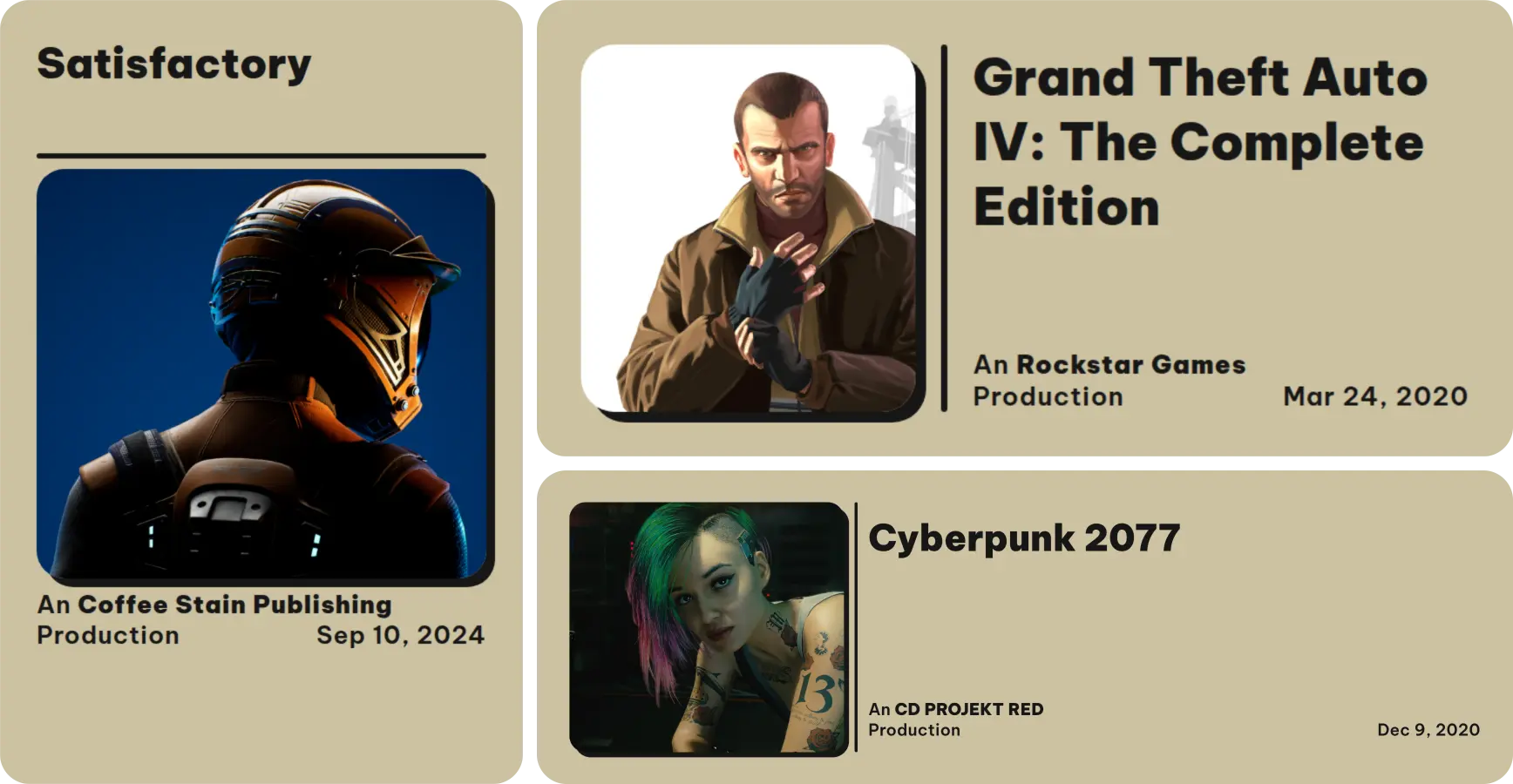
One style for your whole Steam library. Steam-Custom-Artworks is a collection of covers, banners and logos for Steam games that all follow the same clean design, so your library finally looks consistent instead of a mix of random styles.
This repository holds the collection: the source image and details of every game, the design template, the color themes and the request system. To get the artworks into Steam, use the Steam-Custom-Artworks plugin for Millennium.
📥 Installation
Millennium plugin (recommended)
The Steam-Custom-Artworks plugin installs the artworks for the games you own and keeps them up to date automatically. You can pick a color theme, and right-click a game in your library to request an artwork for it.
- Install Millennium (version 3.4.0 or newer).
- Install the Steam-Custom-Artworks plugin and enable it in Millennium's plugin settings.
- Restart Steam. The plugin installs the artworks for your games and shows the progress in a Steam notification.
See the plugin repository for all features and settings.
Download only your games (without Millennium)
On spacetheme.net/artworks you enter your Steam profile and get a small grid.zip with the artworks of only the games you own.
- Enter your SteamID64, profile link or custom URL name and click Load games. Your game details have to be public (Steam → Profile → Edit Profile → Privacy Settings).
- All your games with an artwork are selected; remove the ones you don't want and click Download.
- Extract
grid.zipintoSteam/userdata/<your-account-id>/config/grid(find your account ID; create thegridfolder if it doesn't exist) and restart Steam.
This is a one-time download: there are no automatic updates and no color options, and new artworks need a new download. For automatic updates and colors, use the plugin.
Complete pack (without Millennium)
- Download
grid.zipwith every artwork from the latest release. - Open
Steam/userdata/<your-account-id>/config/(find your account ID). There is only one folder if you use one Steam account. - Create a folder named
gridif it doesn't exist yet. - Extract
grid.zipinto thegridfolder. If the files end up ingrid/grid/, move them up into the firstgridfolder. - Delete
grid.zipand restart Steam.
This includes artworks for games you don't own. Like the website download it doesn't update itself; download a new grid.zip to get new artworks.
🗳️ Request or replace an artwork
How to request
- In Steam (with the plugin): right-click a game in your library and choose Request artwork (no artwork yet) or Change artwork (replace the current one). The request form opens with the game's App ID already filled in.
- On GitHub: open the request form yourself.
You only need two things:
- The App ID of the game – the number in its Steam store link, e.g.
store.steampowered.com/app/570/Dota_2→570. A Steam store or SteamDB link works too. - A hero image from SteamGridDB – open the game, go to the Heroes tab, filter for Style: Alternate, Type: Static and Tags: Untagged, click an image and copy the link from your address bar (it looks like
https://www.steamgriddb.com/hero/11836).
What happens after you submit
- A bot checks your request within a minute. It fills in the game name, publisher and release date from the Steam Store and SteamDB, checks your image, and finds out by itself whether it's a new artwork or a replacement.
- If something is missing or wrong, the bot tells you exactly what to fix. Just edit your issue – it is checked again automatically and the bot updates its summary.
- If the same game was already requested, the bot links the other request so nothing is done twice.
- A maintainer reviews the request and starts it. You can still edit your issue until then.
- The artwork is added and your issue is closed. The plugin installs it on its next check, so it shows up in your library within a few hours at the latest. Downloads from the website and the complete pack get it with the next release.
Tips
- The publisher or release date can't be found? This happens with games that were removed from Steam. Fill in the optional fields in your issue. For the release date, copy the date shown as First seen on SteamDB from the game's SteamDB page – you can paste it exactly as SteamDB shows it.
- Wrong image? Only Alternate, static and untagged heroes are accepted. Pick another one on SteamGridDB and update the link in your issue.
📂 What's in this repository
| Path | Content |
|---|---|
artworks/<publisher>/<appId>/ |
The source image (imageSource.webp) and the HTML/CSS of every artwork |
artworks/manifest.json |
Name, publisher, release date and source image of every game; the plugin creates the artworks from it. Generated, don't edit by hand |
templates/ |
The artwork design (index.html.mustache, index.css) and the color themes the plugin offers (colors.json) |
scripts/, .github/ |
The request bot and the workflows that add artworks and build the releases |
❓ FAQ
Which games have an artwork?
Every game with a folder in artworks/. Missing one? Request it.
When do new artworks arrive? With the plugin, on its next check (at Steam start and every 6 hours) after a request was processed. The website download and the complete pack get them with the next release; download again to update.
Can I suggest a new color theme?
Yes, open an issue or ask on Discord. Colors are listed in templates/colors.json and reach every plugin user without an update.
Where can I get help? Join the Discord server.
🗺️ Roadmap
See ROADMAP.md.