
SeanWong17/Future-Style-Periodic-Table
SeanWong17/Future-Style-Periodic-Table has 626 GitHub stars and 81 forks. Star changes are not measured yet. Last checked 2026-11-09 19:09 UTC. Last push 2026-10-29.
赛博朋克交互式元素周期表:3D 电子排布可视化、沉浸动效与热力图 | Cyberpunk interactive periodic table with 3D electron orbital visualization & heatmaps
Measured star growth
- in 24h
- Update delayed
- in 7 days
- Update delayed
- in 15 days
- Update delayed
- in 1 month
- Update delayed
Net star changes over overlapping periods, not daily totals. Missing measurements are left blank. Stars measure attention, not software quality.
README_en.md
Original⚛️ Future Style Periodic Table
Interactive Future-Style Periodic Table · Immersive Chemistry Education · Bilingual Support
118 elements, 5% of the universe, blooming at your fingertips.


🌟 Community Recommendations
| Tech Enthusiast Weekly · Issue 383 | HelloGitHub · Issue 127 |
|---|---|

|

|
👉 Click to Enter: Immersive Experience (Live Demo) 👈
Hosted in China on AtomGit: AtomGit mirror · Primary GitHub repository GitHub is the primary repository. Please submit issues and pull requests on GitHub.
📖 Introduction
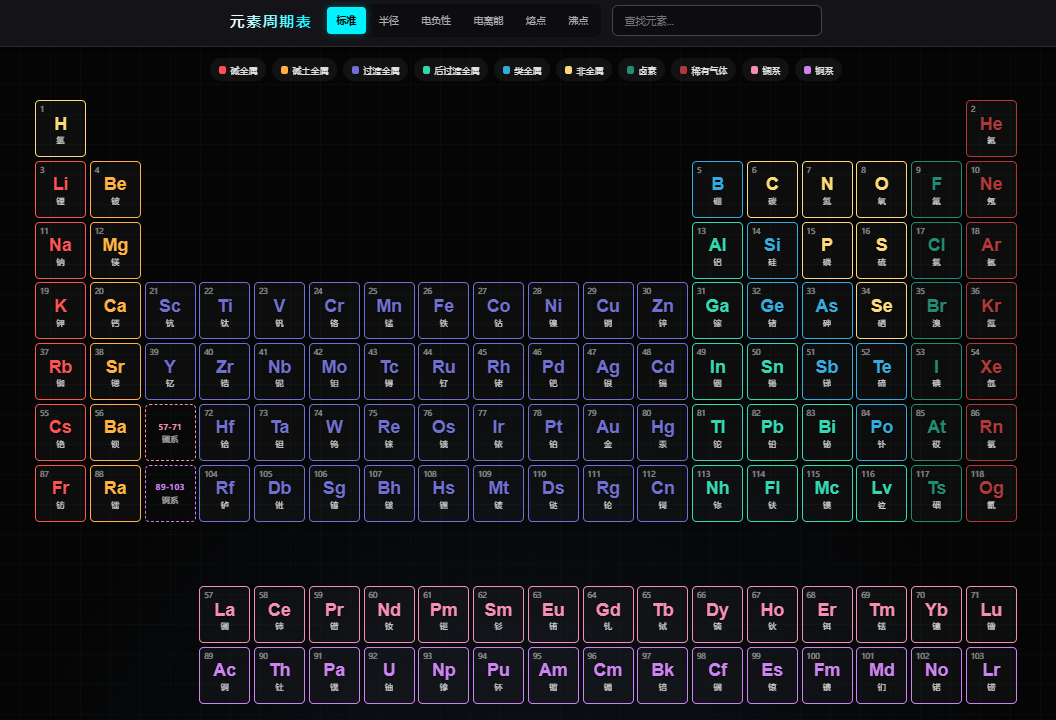
Future Style Periodic Table is an interactive periodic table of chemical elements that runs in modern browsers. Unlike traditional static charts, this project adopts a dark cyberpunk style, combining neon effects, glassmorphism, and smooth interactive animations to redefine the visual presentation of chemical elements.
The project covers all 118 chemical elements, including detailed data such as atomic numbers, relative atomic masses, electron configurations, isotopes, and oxidation states. It supports multi-dimensional heatmap visualization and 3D atomic structure simulation, making it an excellent practice for learning chemistry and exploring front-end technologies.
🌟 Highlights: Click on any element to enter an immersive detail page, drag to rotate the 3D atomic model, and feel the beauty of electron cloud orbits. Supports Chinese/English bilingual switching to meet global user needs.
✨ Core Features
🎨 Immersive Visual Experience
- Cyberpunk Aesthetics: Dark background with dynamic grid particles, creating a tech-filled immersive atmosphere.
- Neon Category Highlights: 10 major element categories with unique colors, glowing borders on hover.
- Fully Responsive: Elegant layouts from 4K desktops to mobile devices (with landscape prompts).
- Bilingual Support: One-click toggle between Chinese/English interface to meet different language users' needs.
📊 Multi-dimensional Data Visualization
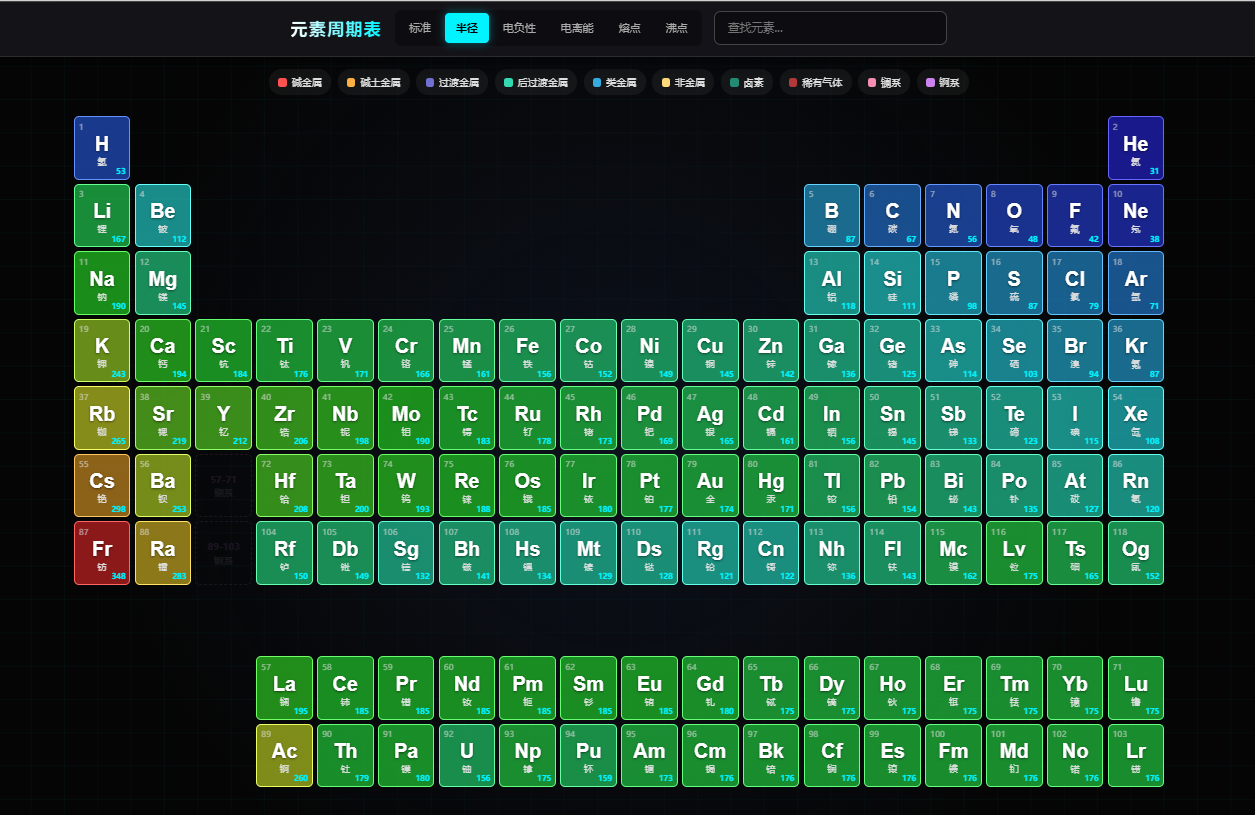
- Heatmap Mode: One-click switching of spectral distributions for atomic radius, electronegativity, ionization energy, melting point, and boiling point.
- Category Filtering: Click on legends to highlight specific categories (alkali metals, noble gases, lanthanides/actinides, etc.).
- Real-time Search: Support for quick location via element symbols, Chinese/English names, or atomic numbers.
🔬 3D Atomic Structure Simulation
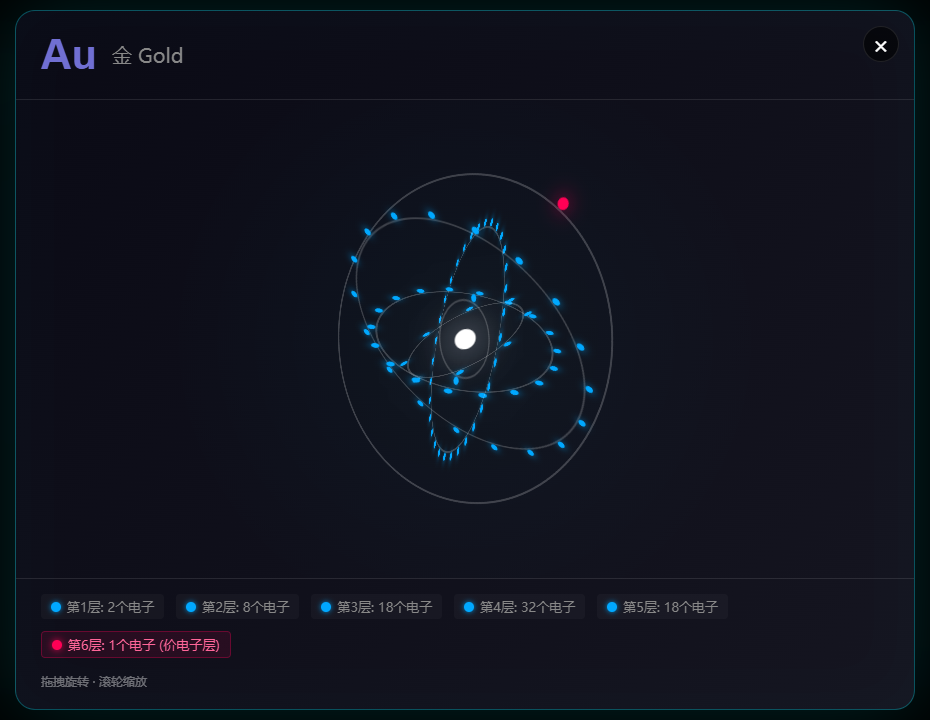
- CSS 3D Orbital Model: Real-time rendering of electron shells and rotating electrons based on electron configuration algorithms.
- Gesture Interaction: Support for mouse drag/touch swipe, 360° rotation to observe atomic structure.
- Expanded View: Click the icon on the atomic model to enter a standalone full-screen view, supporting scroll-to-zoom for detailed electron shell observation.
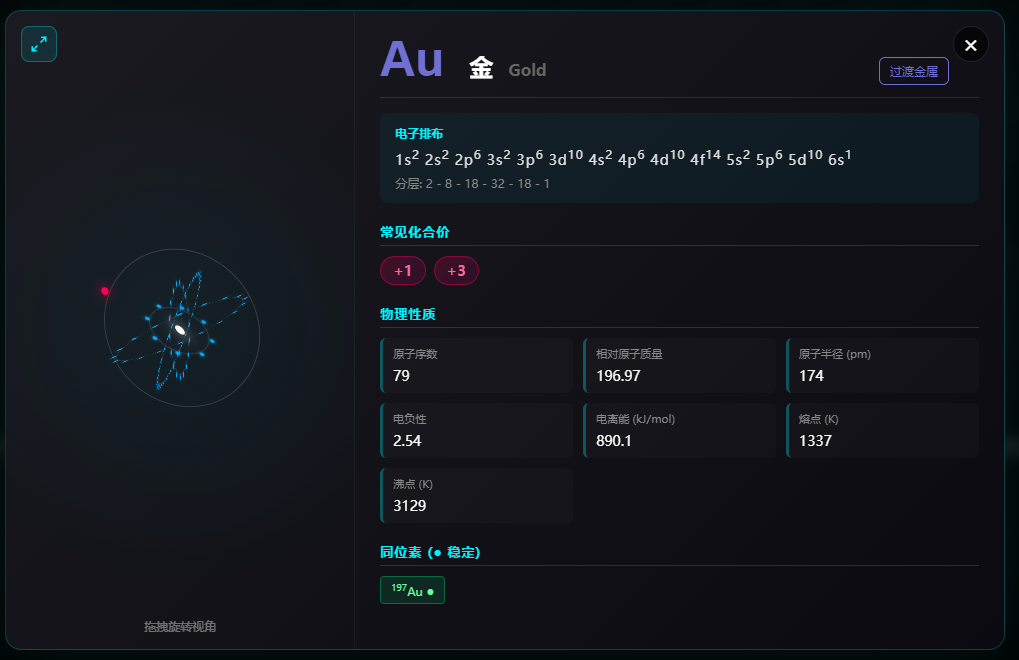
- Detailed Data Cards: Display electron configuration formulas, layered electron counts, isotope stability, common oxidation states, etc.
📸 Screenshots
Periodic Table Overview
Heatmap Mode
| Element Detail Card | 3D Atomic Model |
|---|---|
 |
 |
🛠️ Tech Stack
This project is built with TypeScript + Vite, using a modular, type-safe architecture.
| Technology | Purpose |
|---|---|
| TypeScript | Type-safe application logic, data processing, and interactions |
| Vite | Development server, production builds, and hot module replacement |
| HTML5 | Semantic structure and accessible controls |
| CSS3 | Grid/Flexbox layout, 3D transforms, CSS variables, and media queries |
Technical Highlights
- 📐 CSS Grid: Precise drawing of irregular periodic table grid layouts.
- 🎭 CSS 3D Transforms:
transform-style: preserve-3dto achieve electron orbital rotation. - 🎨 CSS Variables: Unified theme color management for easy customization.
- 📱 Responsive Design: Multi-breakpoint media queries to adapt to various screen sizes.
- 🔒 Strict TypeScript: Compile-time checks across application and data types.
- 🧩 Modular Design: Table, modal, atom, heatmap, media, and search behavior are separated by responsibility.
- ♿ Accessible Interaction: Keyboard controls, focus-managed dialogs, and reduced-motion support.
📂 Project Structure
The project uses a modular TypeScript structure and requires no backend service.
Future-Style-Periodic-Table/
├── images/                  # README screenshots
├── src/                     # Application source
│   ├── css/
│   │   └── styles.css       # Responsive styles and 3D visuals
│   ├── config/              # Element categories and electron configuration
│   ├── data/                # Structured data for all 118 elements
│   ├── i18n/                # Chinese and English translations
│   ├── modules/             # Table, filters, modal, media, and atom controls
│   ├── state/               # Central application state
│   ├── types/               # Application and element data types
│   └── main.ts              # Application entry point
├── tests/                   # Vitest DOM and regression tests
├── index.html               # Entry file
├── eslint.config.js         # Lint configuration
├── vitest.config.ts         # Test configuration
├── vite.config.ts           # Build configuration
├── package.json             # Scripts and dependencies
├── README.md                # Chinese documentation
├── README_en.md             # English documentation
└── LICENSE                  # MIT License
Code Organization
- modules/: Rendering and interaction logic organized by feature.
- state/: Current language, visualization mode, category, search query, and modal state.
- i18n/: Typed Chinese/English translation dictionaries and helpers.
- data/: Detailed data for all 118 elements, including physical properties and isotopes.
🚀 Quick Start
Node.js 20.x, 22.x, or 24 and newer is required for local development. Node.js 22 LTS is recommended.
git clone https://github.com/SeanWong17/Future-Style-Periodic-Table.git
cd Future-Style-Periodic-Table
npm install
npm run dev
Open http://localhost:5173/ in your browser.
Quality checks and production build
npm run check
npm run preview
Pushing to main runs the quality checks and deploys the generated dist/ directory to GitHub Pages.
Quick deployment with Docker
# Build the production image
docker build -t future-style-periodic-table .

# Run it in the background and expose it on port 8080
docker run -d \
  --name future-style-periodic-table \
  --restart unless-stopped \
  -p 8080:80 \
  future-style-periodic-table
Open http://localhost:8080/ after the container starts. To update the app, rebuild the image and replace the container.
Browser Compatibility
- ✅ Chrome 90+
- ✅ Firefox 88+
- ✅ Safari 14+
- ✅ Edge 90+
⚠️ Scientific Disclaimer
The 3D atomic models in this project are simplified Bohr model visualizations for educational demonstration purposes only. They do not represent actual electron cloud probability distributions. Real electron behavior follows quantum mechanical principles, with electrons existing as probability clouds in atomic orbitals.
🤝 Credits
The improvement of this project is inseparable from the support of the community. Special thanks to:
Code Contribution: Thanks to Melody Young (@keepwow) for providing the English localization and internationalization support.
Data Sources:
- Primary element data from Bowserinator/Periodic-Table-JSON, licensed under CC BY-SA 3.0
- Oxidation states and isotope data compiled from public sources
Original Inspiration: Douyin Video Link
- If you wish to contribute or modify the attribution, please feel free to submit a Pull Request or Issue.
📄 License
This project uses the MIT License open source license.
- ✅ You can freely use, copy, modify, and distribute this project.
- 📝 Please retain the original author's copyright notice in derivative works.
📈 Star History
Explore related projects
sindresorhus/awesome
😎 Awesome lists about all kinds of interesting topics [NOTE: Pull requests are temporarily disabled until I have a chance to catch up with the existing ones]
535,059 starsEbookFoundation/free-programming-books
:books: Freely available programming books
401,481 starsnilbuild/developer-roadmap
Interactive roadmaps, guides and other educational content to help developers grow in their careers.
371,783 starsvinta/awesome-python
The definitive list that answers "I want to do X in Python, which tool should I use?"
333,944 stars