
Santofer/Remindian
Santofer/Remindian has 365 GitHub stars and 24 forks. GitHot measured +2 stars in 24 hours and +4 in 7 days. Last checked 2026-11-09 21:48 UTC. Last push 2026-09-19.
Sync Obsidian Tasks or TaskNotes with Apple Reminders or Things 3 — two-way sync, surgical edits, tag mapping, menu-bar app for macOS
Measured star growth
- in 24h
- +2
- in 7 days
- +4
- in 15 days
- Update delayed
- in 1 month
- Update delayed
Net star changes over overlapping periods, not daily totals. Missing measurements are left blank. Stars measure attention, not software quality.
README.md
Original
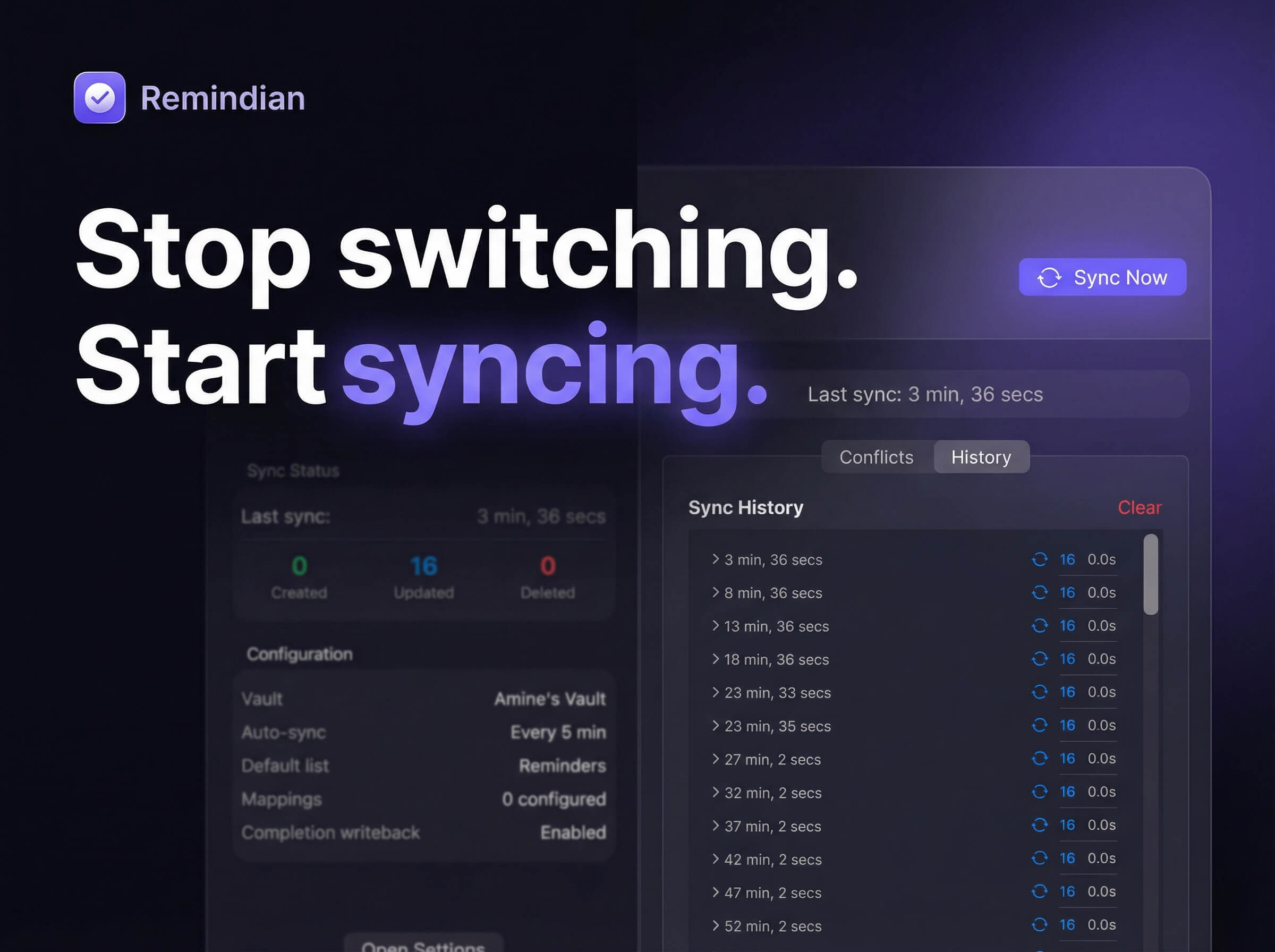


A native macOS menu-bar app that syncs your Obsidian tasks
to Apple Reminders, Things 3, Todoist, or TickTick.

Free and open source. If it saves you time, consider buying me a coffee!
What it does
Your vault is the source of truth. Remindian syncs tasks from Obsidian into your chosen destination. Completions, due dates, start dates, priority, and tags sync back with surgical, metadata-preserving edits.
Three task sources — Obsidian Tasks plugin format, TaskNotes plugin, and a configurable Generic Markdown dialect for NotePlan & other plain-markdown task tools
Four destinations — Apple Reminders · Things 3 · Todoist · TickTick
Install
Homebrew (recommended)
brew install --cask santofer/tap/remindian
To upgrade:
brew update && brew upgrade --cask santofer/tap/remindian
Which tap?
santofer/tapis the canonical one — use it. An oldersantofer/remindiantap also exists and is kept in sync, but having both tapped makes Homebrew ask for a fully-qualified name (Cask remindian exists in multiple taps). If you hit that, untap the legacy one:brew untap santofer/remindian.
Direct download
Download the latest release — Universal Binary (Apple Silicon + Intel), macOS 13.0+ (Ventura).
Since the app is not notarized yet, right-click the app and select Open on first launch to bypass Gatekeeper. Remindian includes a built-in auto-updater that checks for new versions on launch and every 24 hours, so you only do this once.
Features
🔄 Sync
|
🗂️ Organization
|
📥 Sources
|
📤 Destinations
|
Also includes: Pinned Tasks window — a floating, always-on-top mini task manager that shows your open tasks grouped by date / priority / tag / recurrence, with live search and inline complete · Natural-language quick-add — type Pay rent friday every month !! #home and it parses the date, recurrence (English & French), priority and tags · Due times + alarms for Apple Reminders · Today list in the menu bar (due-today/overdue glance + inline complete) · Shortcuts/Spotlight actions (Sync Now · Add Task) · Preview changes before applying (dry-run diff) · Undo last sync (restore vault files) · Multiple sync profiles (run several source→destination pipelines at once) · Auto-updater · Onboarding wizard · Global hotkey · GoodTask tag writeback · New task writeback to Obsidian inbox · Automatic file backups · Launch at login · macOS native (SwiftUI, no dependencies)
Quick Start
- Download the DMG from the latest release
- Drag Remindian to your Applications folder
- Right-click → Open on first launch (required for unsigned apps)
- Follow the onboarding wizard to select your vault, grant access, and configure mappings
- Tasks start syncing automatically
Configuration
Open Settings from the menu bar icon:
| Tab | What it configures |
|---|---|
| General | Source & destination, vault path, sync interval, writeback toggles, notifications, default list, hotkey |
| List Mappings | Tag → list mappings, heading → list mappings, file → list mappings |
| TaskNotes | Integration mode, status mapping, field mapping, list/folder source |
| Advanced | Folder filtering, Reminders list filtering, dry run, sync state reset, global filter |
How It Works
Obsidian Tasks (default)
- [ ] My task ⏫ 🛫 2024-01-15 📅 2024-01-20 #work
- [x] Completed task 📅 2024-01-10 ✅ 2024-01-09
- [ ] Recurring task 🔁 every week 📅 2024-03-01
TaskNotes
---
title: My task
status: open
priority: high
due: 2024-01-20
tags: [work]
project: "[[My Project]]"
---
Each task syncs with its due date, priority, and tags. Completions are written back as surgical edits — only the checkbox and completion date are modified.
Build from Source
git clone https://github.com/Santofer/Remindian.git
cd Remindian
open ObsidianRemindersSync.xcodeproj
Requirements: macOS 13.0+, Xcode 15.0+. Builds a Universal Binary by default.
Transparency
AI (Claude) was used as a development tool. All code is reviewed, tested on real data, and the full source is open for audit. The app is sandboxed, creates automatic backups, and includes dry run mode.
License
MIT License — Made by Santofer
Explore related projects
n8n-io/n8n
Fair-code workflow automation platform with native AI capabilities. Combine visual building with custom code, self-host or cloud, 400+ integrations.
210,030 starslanggenius/dify
Build Agentic workflows, RAG pipelines, with rich AI model and tool support on one collaborative workspace. Deploy on cloud, VPC, or self-hosted, so teams move from prototype to production without rebuilding the stack.
160,773 starsmicrosoft/PowerToys
Microsoft PowerToys is a collection of utilities that supercharge productivity and customization on Windows
140,833 starsstablyai/orca
Orca is the place for working with a fleet of agents (e.g. Grok Bot, Claude Code). Run any coding agent with your own subscription. Available on desktop, mobile and remote runtime.
121,545 stars