
Sadami3066/DeepDeep
Sadami3066/DeepDeep has 36 GitHub stars and 3 forks. GitHot measured +3 stars in 24 hours. Last checked 2026-11-14 20:33 UTC. Last push 2026-11-12.
Measured star growth
- in 24h
- +3
- in 7 days
- Collecting history
- in 15 days
- Collecting history
- in 1 month
- Collecting history
Net star changes over overlapping periods, not daily totals. Missing measurements are left blank. Stars measure attention, not software quality.
About
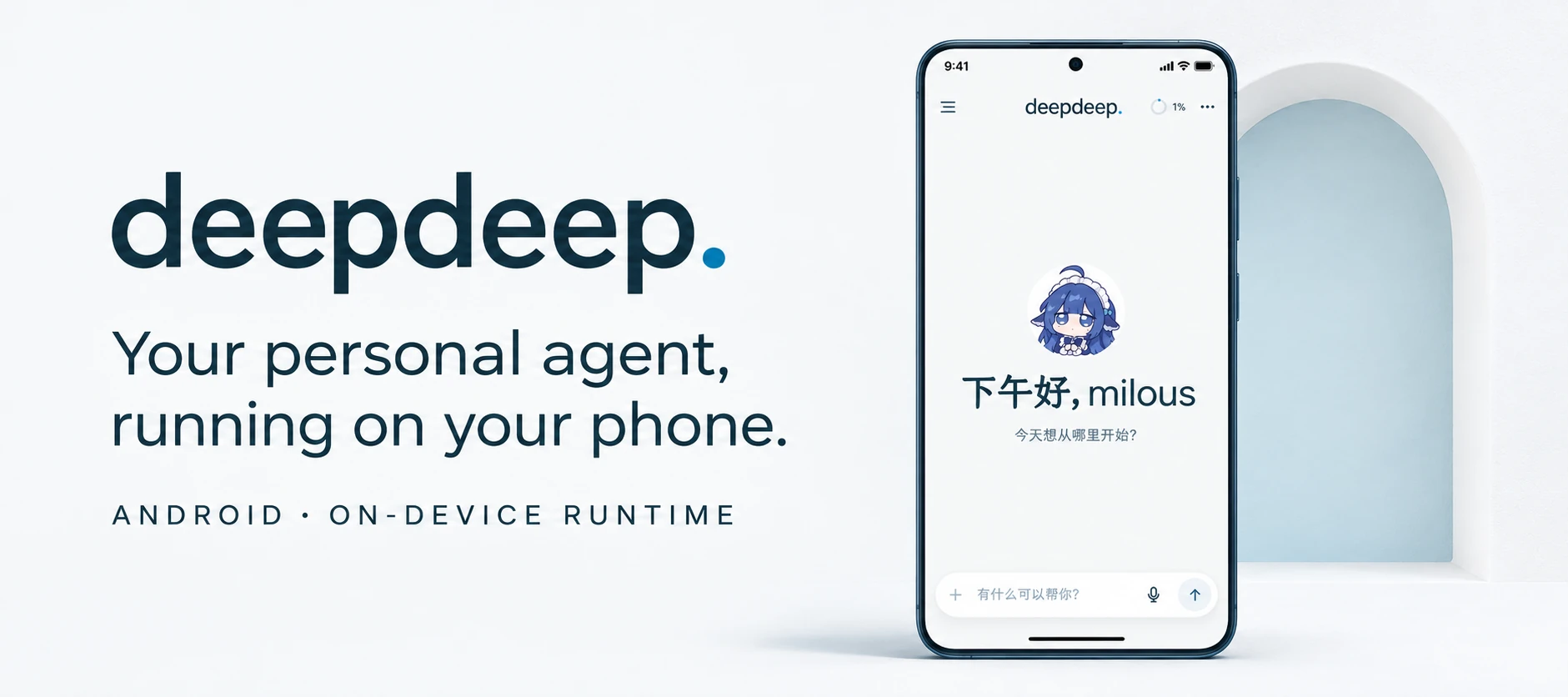
DeepDeep : 更接近原生体验的手机 Personal Agent 应用
AIREADME.en.md
Original



Overview · Feature Preview · UI · Getting Started · Installation & Configuration · Development · Docs · Contributing · License
Overview
DeepDeep is built to match the built-in assistants from phone makers. It supports one-press wake-up from the power button, with voice input and output in a floating layer.
It includes a complete agent harness: tools, skills, long-term memory, MCP extensions, and a plugin system. It runs on the phone without a server or an always-on computer. Press and hold the power button, say what you need, and it starts working.
DeepDeep includes a lightweight Linux environment that covers 99% of desktop office and coding tasks while running on Android. It can also manage phone files: find photos, clean up junk, organize files, write code, optimize the phone, and use screen tools or a virtual display to operate other apps.
A broad plugin ecosystem connects external services through MCP and CLI for remote work: Feishu, WeCom, Amap, McDonald's MCP, Notion, email, and more. It is intended to improve efficiency across work, daily life, and study.
DeepDeep is open source and built for transparency. It does not run its own backend service; apart from the model-provider requests you configure, it does not collect or upload data.
Use of DeepDeep is subject to the user agreement in the app.
Installers are available from GitHub Releases. The source code is public.
Feature Preview
https://github.com/user-attachments/assets/a6e1d2c3-3d13-4ce4-afec-aaa0d1b5bf5b Multi-modal interaction |
https://github.com/user-attachments/assets/bfeaac5e-da31-4790-a9e3-3f7e9a6b2018 Availability monitor |
https://github.com/user-attachments/assets/32019883-ca2d-40f6-b18f-6c941131cc64 Virtual-screen app control |
https://github.com/user-attachments/assets/9deb4845-514d-4c42-a197-0fa80f2cd9f4 Mini apps |
https://github.com/user-attachments/assets/d387b523-4283-4269-9302-63f135e3541c Universal scanner |
https://github.com/user-attachments/assets/11c0d18c-192d-4e15-98bf-c6fb95498fae Remote connection |
UI
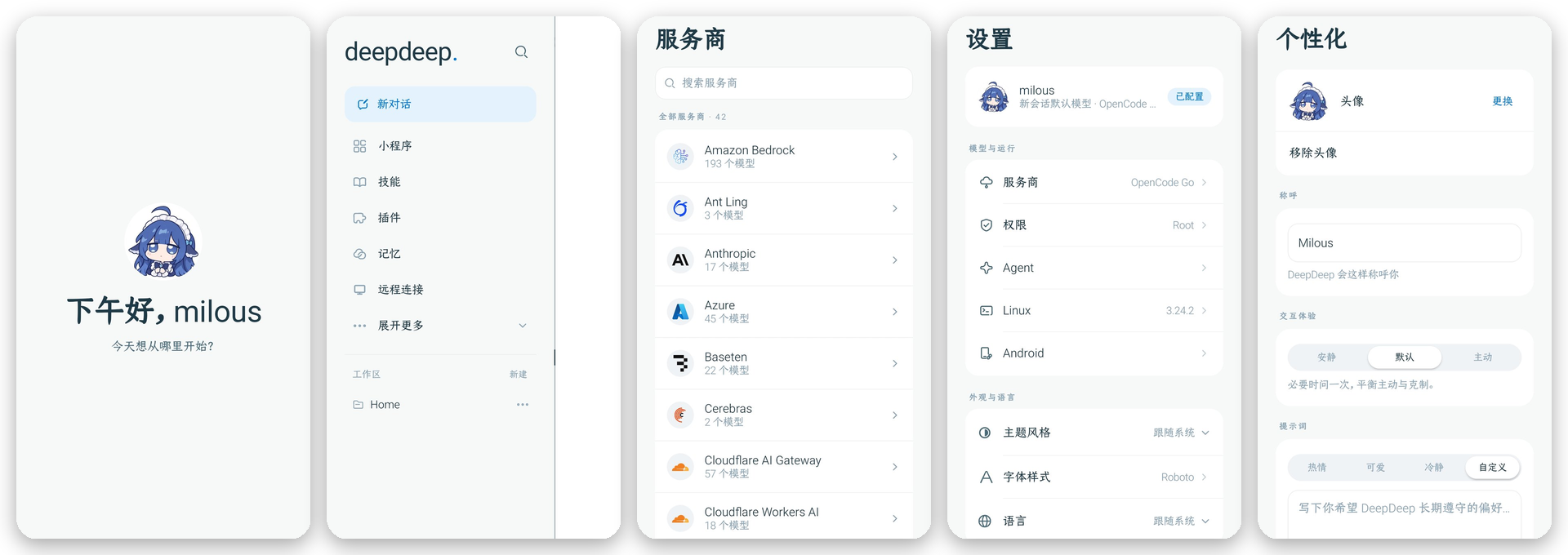
Home, drawer, model providers, settings, and personalization.
Getting Started
- Download the APK. Get the latest version from GitHub Releases.
- Install and open. Android 10 or later is required. The first launch opens a setup guide; follow it, or skip it and complete the steps later in Settings.
- Connect a model. Open Settings → Providers, choose a provider, and enter an API key or sign in with OAuth. DeepSeek or a GPT subscription is recommended.
- Initialize Linux. Open Settings → System access and initialize Alpine in the Linux environment section. This step is strongly recommended; complete the basic setup as prompted.
- Choose system access. The default tier is Standard. To operate other apps, follow the guide under Settings → System access to enable Wireless debugging or Root. When enabling Wireless debugging, you can enter the pairing code from the system notification. If notifications are unavailable, open DeepDeep in split-screen or a floating window, read the code from the wireless pairing screen, and enter it in DeepDeep.
Installation & Configuration
Installation
| Item | Description |
|---|---|
| System | Android 10 or later |
| Package | APK from GitHub Releases |
| Account | No account system; model keys are stored only on the device |
| Upgrade | Install over the same signing key. Changing keys requires uninstalling, which removes local sessions and credentials |
| Network | Conversations go only to the configured model provider; market and update checks access GitHub, which may require a VPN |
Configuration
| Item | Location | Description |
|---|---|---|
| Model providers | Settings → Providers | 42 providers; API key or browser OAuth |
| System access | Settings → System access | Standard / Wireless debugging / Root; sets the identity for bash and file operations |
| Agent behavior | Settings → Agent behavior | Screen control is off by default |
| Linux | Settings → System access → Linux environment | Initialize Alpine; install commands, Node, Python, and build toolchains |
| Android integration | Settings → Android settings | Overlay, system assistant, notifications, and share intake |
| Remote connection | Drawer → Remote connection | Pair a computer through dsh-mobile |
| Plugins | Drawer → Plugins | Import signed .ddp packages; inspect capabilities and status |
| Memory | Automatic | Consolidated at session end; searchable and injectable into the current conversation |
Boundaries
| Item | Description |
|---|---|
| Linux isolation | Alpine runs in a proot user space, not a security sandbox |
| Plugin permissions | Plugins share the app process and UID; there is no sandbox |
| Approval | Three permission tiers (Standard, Wireless debugging, Root); commands are not confirmed individually |
| Execution | Tasks run on the device; closing the app stops them, and goal continuation is process-local |
| Protected pages | Payment and password pages cannot be captured; the agent returns control to the user |
| Distribution | Distributed through GitHub Releases and not available in an app store; the source code is public |
Development
Modules, build, and verification
| Module | Responsibility |
|---|---|
app/ |
Compose UI, chat, files, settings, plugin pages, mini app container, and screen assembly |
runtime/ |
Agent runtime: sessions, tools, memory, jobs, timers, and plugin loading |
runtime-api/ |
Pure JVM contracts between runtime and host |
shell/ |
proot and ADB/Root privileged channels |
design/ |
Theme, icons, shared components, and design tokens |
plugin-api/ |
Plugin contracts and publishable SDK |
Development requirements:
- JDK 17; the build pins Java 17 (
jvmToolchain17). - Android SDK Platform 36 and build-tools 36.0.0 (about 5.6 GB).
- At least 8 GB of RAM and 10 GB of free disk space. A cold first build takes roughly 15–30 minutes, including JitPack building the SDK on demand and downloading dependencies.
- The Android SDK defaults to
~/Library/Android/sdkon macOS and is commonly at~/Android/Sdkon Linux. The setup script checks environment variables, then an existinglocal.properties, then common paths; useANDROID_HOMEorANDROID_SDK_ROOTto override. - Windows is not supported natively: the scripts need bash and flock. Use WSL2, Linux, or macOS.
./scripts/dev-setup.sh            # First run: check JDK and Android SDK, install Platform 36/build-tools as needed, build debug APK
./scripts/build.sh quick          # Daily compile
./scripts/build.sh test           # Targeted unit tests
./scripts/build.sh check          # Full verification (same as check.sh --full)
./scripts/build.sh release        # Build the release APK after full verification
./scripts/check.sh                # Compile + unit tests + lint + module boundaries + APK
./scripts/check.sh --full         # Before delivery: add the plugin SDK ABI baseline
./scripts/check.sh --device       # Also install over the device and launch
./scripts/plugin-e2e.sh           # Plugin end-to-end on a device
./scripts/plugin-bundles-e2e.sh   # Regression for the four official plugin bundles (build the plugin repository first)
./scripts/api-compat.sh           # Check the public ABI of the plugin SDK (plugin-api / design); --update rebuilds baselines
The Agent SDK comes from JitPack: com.github.Sadami3066.DeepDeep-KotlinSDK:pi-coding-agent-android; the version is pi in gradle/libs.versions.toml. On the first build, JitPack may compile the SDK on demand, which can take minutes or time out; once the dependency is cached, later builds can run offline. In an offline environment, run a full build online once first.
Device scripts need adb. With more than one device online, set ANDROID_SERIAL; without it the script uses the only online device and fails when several are online. The plugin end-to-end scripts look for plugins / DeepDeep-Official-Plugins next to the repository or one directory above; set PLUGINS_DIR when they live elsewhere. Both install the debug build with adb install and push fixtures into the app's external private directory, so no root is needed; plugin-e2e.sh also expects a signed sample fixture; point E2E_DDP at a signed bundle when the fixture is missing. api-compat.sh needs unzip and javap (jar is optional and falls back to unzip).
An x86_64 AVD can run unit tests, compile, install and launch the app, run the plugin end-to-end scripts, and cover most UI work; the Linux environment, screen control, and Root-tier system access require an arm64 device.
All Gradle calls go through ./scripts/gradlew-locked; concurrent local builds may run out of memory.
See the Developer Guide and Plugin Development for details.
Docs & Feedback
- User Guide: installation, system access, Linux, plugins, mini apps, remote connection, and FAQ.
- Developer Guide: environment, modules, build, tests, and conventions.
- Plugin Development: plugin contracts, manifest, signing, lifecycle, and UI extensions.
- Release Notes: signing, packaging, and distribution.
- Changelog: features and fixes by version.
Contributing
Issues and pull requests are welcome. Read CONTRIBUTING.md before opening a PR. Plugin authors can start with Plugin Development and DeepDeep-Official-Plugins. Please report security issues privately instead of opening a public issue.
License
Original code is licensed under Apache-2.0. Third-party components, fonts, and icons are listed in THIRD_PARTY_NOTICES.md.
Built on pi · DeepDeep-KotlinSDK · Alpine Linux · Jetpack Compose