
RumiCar-group/RumiCar
RumiCar-group/RumiCar has 35 GitHub stars and 12 forks. Star changes are not measured yet. Last checked 2026-11-16 00:44 UTC. Last push 2026-11-01.
Measured star growth
- in 24h
- Update delayed
- in 7 days
- Update delayed
- in 15 days
- Update delayed
- in 1 month
- Update delayed
Net star changes over overlapping periods, not daily totals. Missing measurements are left blank. Stars measure attention, not software quality.
About
Welcome to RumiCar group! RumiCar is a platform to develop autonomous driving algorithms. Let's develop RumiCar together! RumiCarは自動運転アルゴリズムを開発するプラットフォームです。一緒にRumiCarを開発しましょう!
LearningREADME.en.md
Original

RumiCar
English | 日本語
[!IMPORTANT]
📢 Announcement
The RumiCar Arduino library has been published to the Arduino Library Manager.
Installation steps (all done inside Arduino IDE):
- Open Sketch → Include Library → Manage Libraries... in Arduino IDE
- Type
RumiCarin the search box- Click Install on the
RumiCarentry- When prompted to install the dependency (VL53L0X), choose Install all
Library source code (for reference): RumiCar-group/RumiCar-lib
The local copy that used to be under
ArduinoAndESP32/Libraries/has been removed. Older materials may still say "select RumiCar.zip" — that procedure no longer works; please use the Library Manager above.
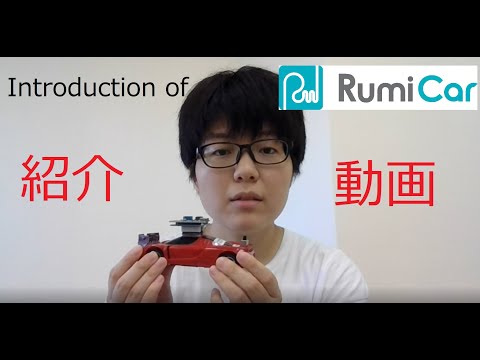
RumiCar is a platform to develop autonomous driving algorithms with a palm-sized vehicle. The program and the programming language depend on the computer module (CM) you use: for Arduino Nano and ESP32, use the ArduinoAndESP32 folder; for Raspberry Pi Zero W, use the RasPi folder (the RasPi version is written in Python); for Raspberry Pi Zero 2 W with a camera, use the separate RumiCar-Zero2Cam repository (write the SD-card image and go — see the Zero2Cam folder for a short guide).
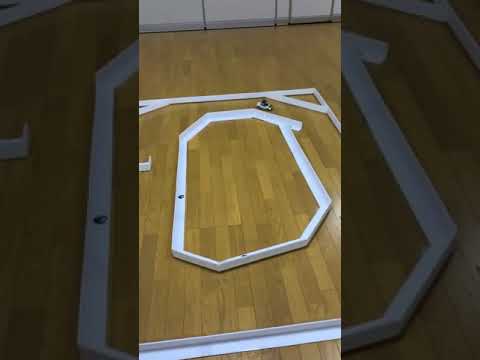
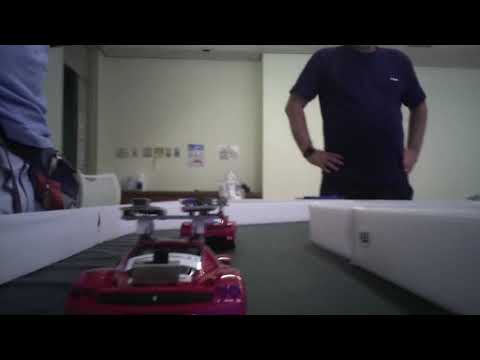
The images below link to YouTube videos — click to watch:

Related repositories (the RumiCar family)
| Repository | Description | ★ |
|---|---|---|
| RumiCar | Main repository: sample programs, hands-on textbooks (PDF), wiring diagrams, build docs, simulator programs and courses | 35 |
| RumiCar-Simulator | Browser-based autonomous-driving simulator (no install, real-car compatible) | - |
| RumiCar-PhotoStrip | Bandwidth-friendly photo strip for any website (generic web component, MIT) | - |
| RumiCar-VideoLoop | Video digest window: silent teasers in random rotation, click through to the full video (MIT) | - |
| RumiCarRos | ROS 2 support for RumiCar | 3 |
| RumiCar-Zero2Cam | RumiCar on Raspberry Pi Zero 2 W with camera: onboard C++ driving program, C# PC driving manager, and the standard SD card image (from Releases) | - |
| RumiCar-lib | Source of the Arduino library (install via the Arduino IDE Library Manager - no need to download from here) | - |
| RumiCar-AutoPost-Guide | Publish a WordPress post; What's New and the Facebook Page update automatically. A bilingual methods guide (ja/en) — setup, pitfalls, and log-based verification. | - |
| RumiCar-ReleaseNotes-Guide | Publish a GitHub Release, get paired JA/EN WordPress articles automatically — a methods guide with the reference implementation from rumicar.com | - |
| RumiCarEX | Fork of a related project (derived vehicle) | - |
| micro-airc | Fork of a related project (AI RC car) | 1 |
| rumicar-duck | Fork of a related project (duck-style car) | - |
Folder guide
ArduinoAndESP32
Sample programs for the Arduino Nano and ESP32 versions of the RumiCar computer module (CM). The hands-on exercises themselves (Exercise, Exercise-1.1 … 4.2) ship as examples of the RumiCar library (v0.5.0 or later; Exercise-4, improving a sketch together with an AI coding agent, ships from v0.5.0 with anAGENTS.mdand answer sketches): open them from File → Examples → RumiCar in Arduino IDE. This folder keeps the advanced exercises (Exercise-A2.3 etc.) and other samples. The hands-on textbook lives in the ハンズオン用テキスト (hands-on text) folder — start there.- Exercise 1 — Let's measure distance!
RumiCar carries three laser ranging (ToF) modules at the front of the vehicle. They shine a human-safe laser at an object and measure distance from the time it takes the reflection to come back. Sound travels at over 1,000 km/h, but light is about 880,000 times faster — measuring that tiny interval to get a distance is remarkable.- Exercise 1.1 — Measure with the centre sensor
Use the centre one of the three ranging modules and display the measured distance in real time on your PC with the Arduino IDE Serial Monitor. Move your hand back and forth in front of the sensor and watch the value change. - Exercise 1.2 — All three sensors at once
Run the left, centre, and right sensors simultaneously and display all three distances in real time. - Exercise 1.3 — Try the Serial Plotter
The Arduino IDE can also plot data as a live graph. Using the same program as Exercise 1.2, the three distances are drawn as colour-coded curves. Wave your hand in front of the sensors and work out which colour belongs to which sensor. (No dedicated program — reuse Exercise 1.2.)
- Exercise 1.1 — Measure with the centre sensor
- Exercise 2 — Motor control
RumiCar uses motors for steering and for driving. Let the CM move them under program control.- Exercise 2.1 — Turn the steering
Swing the front wheels left and right, holding each side for 0.5 seconds, forever. - Exercise 2.2 — Speed control
Drive the rear wheels and change their rotation speed step by step. Listen to the motor pitch change as you watch the wheels. - Exercise 2.3 — Forward and reverse
Drive RumiCar forwards and backwards. If you have no space to run it, hold the car firmly and watch the rear wheels change direction. - Exercise 2.4 — Zig-zag driving
Drive forward while steering left and right. Again, holding the car in your hand works fine for checking the behaviour.
- Exercise 2.1 — Turn the steering
- Exercise 3 — Autonomous driving basics
Make decisions from the sensor readings: measure the distance to obstacles ahead and walls on both sides, stop, and steer while driving.- Exercise 3.1 — A car that stops safely
The car stops when it sees an obstacle ahead, resumes when the obstacle is gone, and backs away if the obstacle keeps approaching. Use your hand as the obstacle: does RumiCar stop without hitting it? Does it retreat when your hand closes in? - Exercise 3.2 — Driving through town
Set up a real course and let RumiCar drive it, watching the walls on both sides and obstacles ahead.
- Exercise 3.1 — A car that stops safely
- Exercise 1 — Let's measure distance!
ESP32
The ESP32 CM has built-in Wi-Fi and Bluetooth. Sample programs here read the distance sensors wirelessly and control RumiCar over the air.- BLE
Bluetooth Low Energy communication with a smartphone (iPhone + the BLE Scanner app displays the three distance readings). Multi-connect is supported, so several phones can connect to one RumiCar at the same time — great for letting visitors connect with their own phones at exhibitions. - Bluetooth
Bluetooth serial (Exercise 1.2 for the ESP32 CM): pair RumiCar with a Windows PC, read distances without a cable, and send single-letter commands to drive it like an RC car. The sample understandsr,l,f,b(right, left, forward, back — lower case, 0.5 s each), sent from the Serial Monitor.- Pairing with Windows 10: Settings → Devices → Bluetooth & other devices → Add Bluetooth or other device → Bluetooth → select RumiCar_ESP32; then check Device Manager → Ports (COM & LPT) for "Standard Serial over Bluetooth link (COM #)" (two entries appear), and set Tools → Serial Port in the Arduino IDE to that COM port.
- BLE
RasPi
The Python library (RumiCar.py) and sample programs for the Raspberry Pi Zero W version of the CM. The function names, the meaning of the values and the return values are the same as in the Arduino library (RumiCar-lib), and the exercise line-up mirrors the Arduino one: Exercise 1 (1.1–1.2), Exercise 2 (2.1–2.4), Exercise 3 (3.1–3.2).Zero2Cam
Signpost for the RumiCar with a Raspberry Pi Zero 2 W and a Camera Module 2. The software lives in the separate RumiCar-Zero2Cam repository (C++ on the car, a C# driving-manager app on the PC); write the SD-card image from its Releases and the car drives. The PC shows the status and the camera image, records them, and pushes improved decision data back to the car. The wiring is the same as the Raspberry Pi Zero W CM.ハンズオン用テキスト (hands-on text)
The hands-on textbook (text version 3.1, Japanese and English PDFs): RumiCar's history and mechanics, how to run the sample programs, and Exercise-4 (improving a sketch together with an AI, including asking it by voice with /voice). Each PDF is about 10 MB; GitHub may fail to preview it, so download it first.教育機関向け追加課題 (extra exercises for schools)
Additional assignments for classes and seminars that use RumiCar as teaching material — research-project seeds and group-work tasks that push students to think deeper and build better algorithms.開発用資料 (build documentation)
Documentation for building your own RumiCar vehicle or CM (Japanese).- To build your own RumiCar, start with "RumiCarの作り方" (How to build a RumiCar), then verify your build with "RumiCarの動作確認方法" (How to verify a RumiCar). We would love to see your original RumiCars!
- Received a RumiCar, or worried about shipping damage? Follow the same verification guide.
- Per-CM pin assignment tables are provided — follow them when wiring a home-built CM so the programs stay compatible.
- Wiring diagrams: Arduino Nano (the standard starting point), Raspberry Pi Zero W (for Python / image recognition / AI), ESP32 (for Wi-Fi, Bluetooth, neural networks), the vehicle-side wiring table, and a combined pin-assignment sheet covering Arduino Nano / ESP32 / RasPi / Obniz.
RumiCar Simulator (browser-based)
Write and test RumiCar driving programs in your browser → RumiCar Simulator. No hardware needed; experience the handling differences between drivetrains (FF/FR/4WD × normal/drift). Arduino C++ programs written in the simulator run unmodified on the real RumiCar. Source code: RumiCar-group/RumiCar-Simulator (self-hosting instructions included).- programs
Driving programs for the simulator: six "Fable Racing Line" programs tuned per drivetrain, with their design rationale, the meaning of every constant, and real-car tuning steps explained in programs/README.md (each .ino also documents why it is set up the way it is). Modified programs can be contributed to programs/community by pull request and become reusable by everyone from the simulator's "🌐 Community" list. - courses
Course data for the simulator: 30 test courses plus user-contributed courses (courses/community). See courses/README.md for how to contribute.
- programs
Hardware overview
The vehicle carries three laser time-of-flight (ToF) distance sensors (left, centre, right) at the front. A computer module (CM) reads them and drives the steering and drive motors. The CM connects to your PC over USB for programming.
Several CMs are supported, depending on what you want to do:
| CM | Language | Typical use |
|---|---|---|
| Arduino Nano | C++ | The standard starting point |
| ESP32 | C++ | Wi-Fi / Bluetooth / BLE, neural networks (advanced) |
| Raspberry Pi Zero W | Python | Image recognition and AI (advanced) |
| Raspberry Pi Zero 2 W + camera | C++ (car) / C# (PC) | Autonomous driving with the camera image streamed to and recorded on the PC, where the decision data is improved. Distributed as an SD-card image → RumiCar-Zero2Cam (same wiring as the Zero W CM) |
| Obniz | — | Covered in the pin-assignment sheet |
Wiring diagrams, the pin-assignment sheet, and the build/verification guides are in the build documentation folder described above. If you build your own CM, follow the pin-assignment sheet so programs stay compatible.
Get involved
RumiCar is built by volunteers, and we are looking for people and companies to join us:
- Software (autonomous-driving algorithms, IDE, image recognition, Autoware)
- Hardware (vehicle development and production, CM development, PCB design)
- Website editing and administration (WordPress), technical mentoring
- Outreach (YouTube video editing, event announcements), event organising, fundraising
Send your areas of interest and motivation to [email protected]. We are also planning development, classes, training, and conferences in other countries, and are looking for local partners.
Other important links
- RumiCar website
We want to keep growing the website — if you would like to help edit it, please get in touch! - RumiCar YouTube
Introduction videos, driving footage, and development-test videos. Subscriptions welcome — and so are video editors! - RumiCar group (Facebook)
Join us! - connpass
Announcements and sign-ups for driving meetups, development classes, and online seminars (Japan). - Recorded hands-on stream
An archived RumiCar event in collaboration with ALGYAN, with exercise walk-throughs and demos.
Issues and pull requests are welcome in English or Japanese.
Original English translation assistance: Emi Ito. Updated 2026-10-20 to match the current Japanese README.