
ReturningRetro/RetroType
ReturningRetro/RetroType has 9 GitHub stars and 0 forks. GitHot measured +2 stars in 24 hours. Last checked 2026-11-15 19:47 UTC. Last push 2026-11-14.
Measured star growth
- in 24h
- +2
- in 7 days
- Update delayed
- in 15 days
- Update delayed
- in 1 month
- Update delayed
Net star changes over overlapping periods, not daily totals. Missing measurements are left blank. Stars measure attention, not software quality.
About
RetroType Keyboard: classic keyboard-phone typing, rebuilt for today’s Android phones. Made by Retro Jake.
SecurityREADME.md
Original
RetroType Keyboard
The typing you remember from classic keyboard phones, re-imagined for the Android phones of today.
Made by one guy at Returning Retro.
🚫 No internet access · 🚫 No ads · 🚫 No tracking · 🚫 No account
What you type stays on your phone.
⬇️ Download RetroType (free) | 🔑 Become a Keyholder
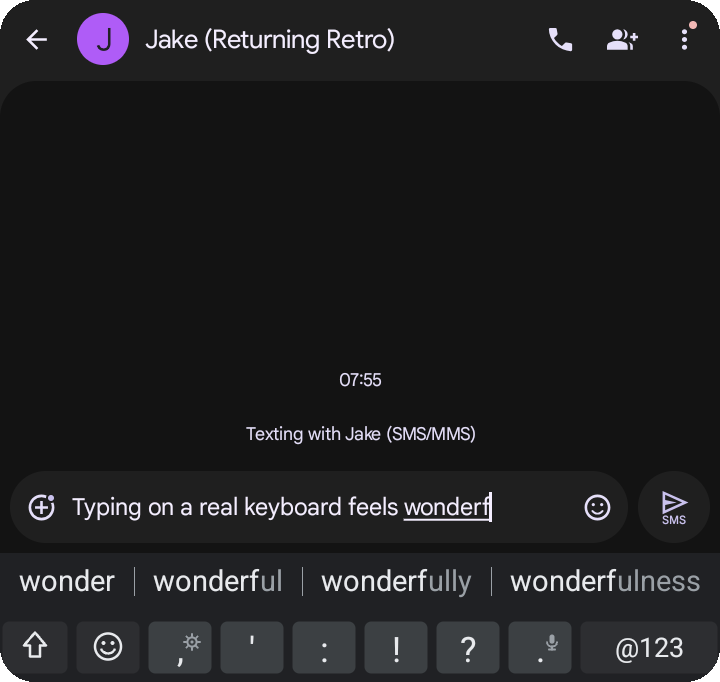
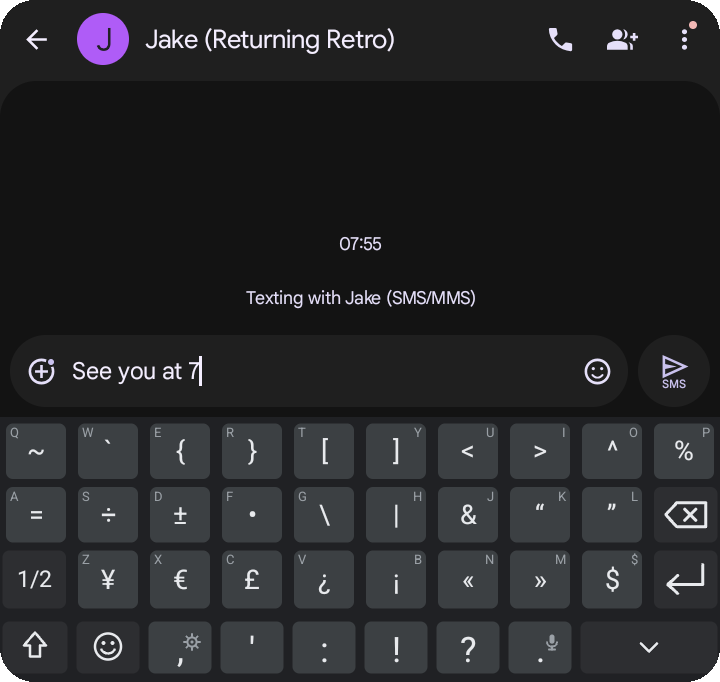
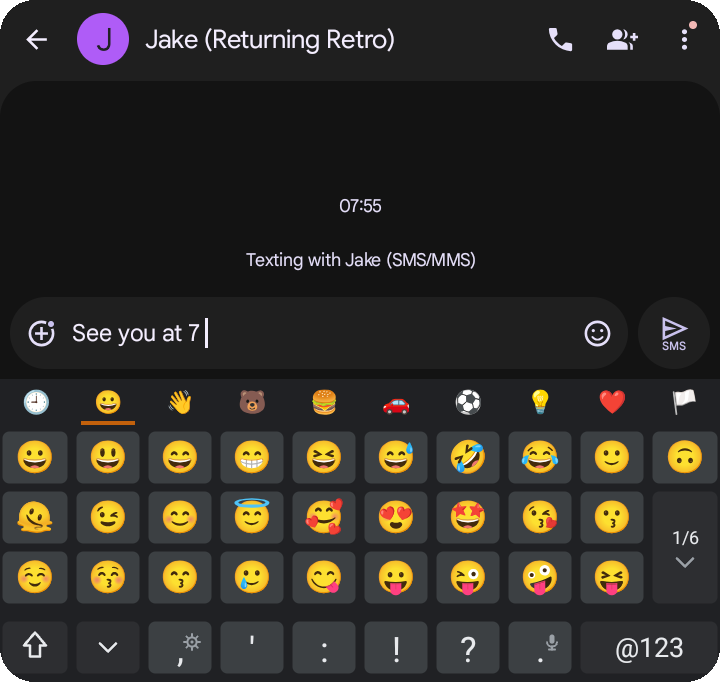
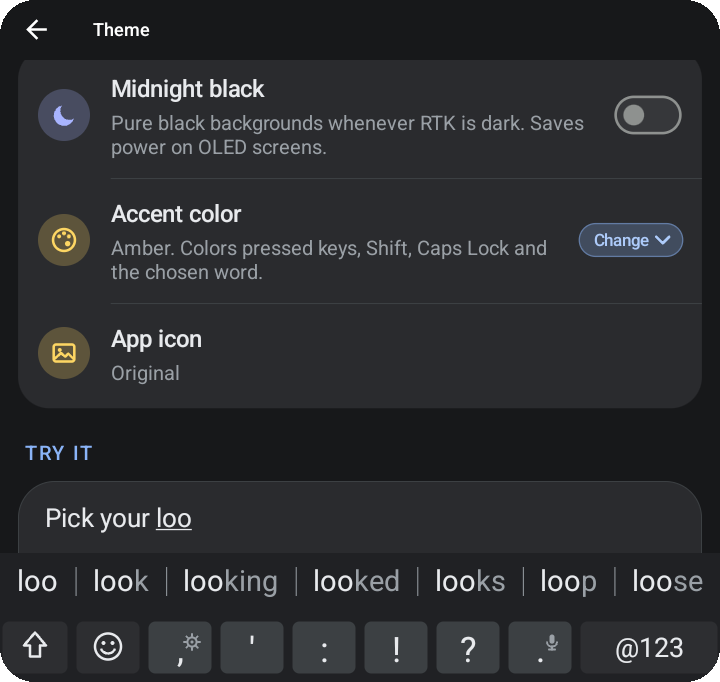
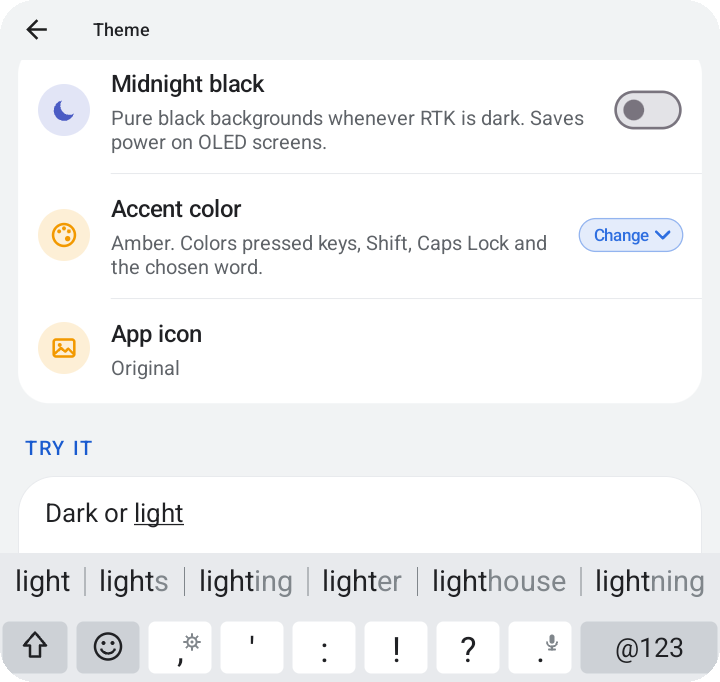
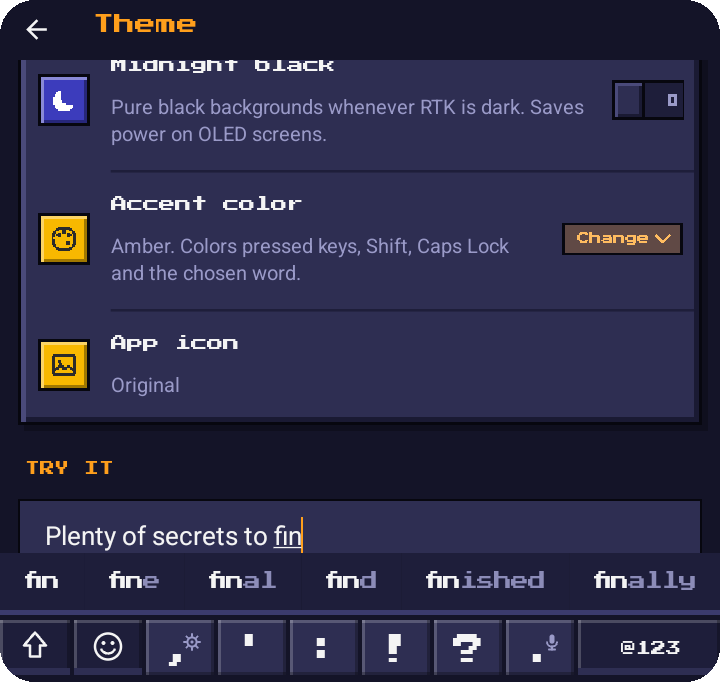
On a Q25: suggestions as you type, the symbol and emoji pages, and three looks (8-Bit is a secret to find).
Hi, I'm Retro Jake!
RetroType is an input method editor (aka a keyboard app) for Android phones with physical keyboards/keypads, plus its own on-screen keyboard for any Android phone. It's just me working on it, in my spare time, with help from a small group of very patient testers.
I've been typing on keypads and keyboards since high school. My first phone was a push-to-talk flip phone so my boss (at the local movie theater!) could reach me. A year later, in 2006, I got my first QWERTY phone, and I've been hooked on physical keyboards ever since. I used the great ones back in their day, and I'm using the new wave of keyboard phones now.
Physical keyboards went from being the standard on phones to a clunky mix of hardware and software today. When a prototype QWERTY phone landed on my desk with no keyboard tuning at all, and the existing keyboard apps I could find weren't a seamless fit, I decided to try making my own.
How it's made (honestly)
I'm not a programmer. I build RetroType with an AI coding assistant (an LLM), which writes the code while I steer. PLEASE be patient with me as there will be bugs. What I bring is something a bit more unique: years of having used these phones "back then," AND using the new devices today. I know how they're supposed to feel, I test every build on real phones, and I keep at it until it feels right.
RetroType is built from scratch around that experience (it isn't a copy or a fork of another keyboard app), and with it turning out better than I ever expected (like, a lot better) for that prototype I added more phones and decided to share it with the world!
Download
- Go to the latest release and tap the
.apkfile to download it. - Open the downloaded file. If your phone asks, allow your browser or file manager to install apps.
- Open RetroType and follow the short setup. It walks you through turning the keyboard on.
No account or sign-up required.
About the install warnings: Android shows a warning for any app that doesn't come from the Play Store. RetroType is registered with Google's developer verification, and since it has no internet access, it can't send anything anywhere.
Get notified about updates
RetroType never goes online, so it can't check for updates itself. Two easy options:
- Obtainium: add this page's link (
https://github.com/ReturningRetro/RetroType) and it'll tell you when there's a new version. - Email: sign up at retrotype.app and I'll let you know.
Supported phones
RetroType is tuned for:
- Clicks keyboard cases (Pixel 9 & Razr)
- Dumber Mini
- Minimal Phone
- P26
- Q25
- Sidephone (Compact QWERTY tile)
- Titan 2 Elite
It also works on any Android phone with its own on-screen keyboard. Android 12 or newer.
Each phone gets its own page of options for its keys. Here's the Q25's:
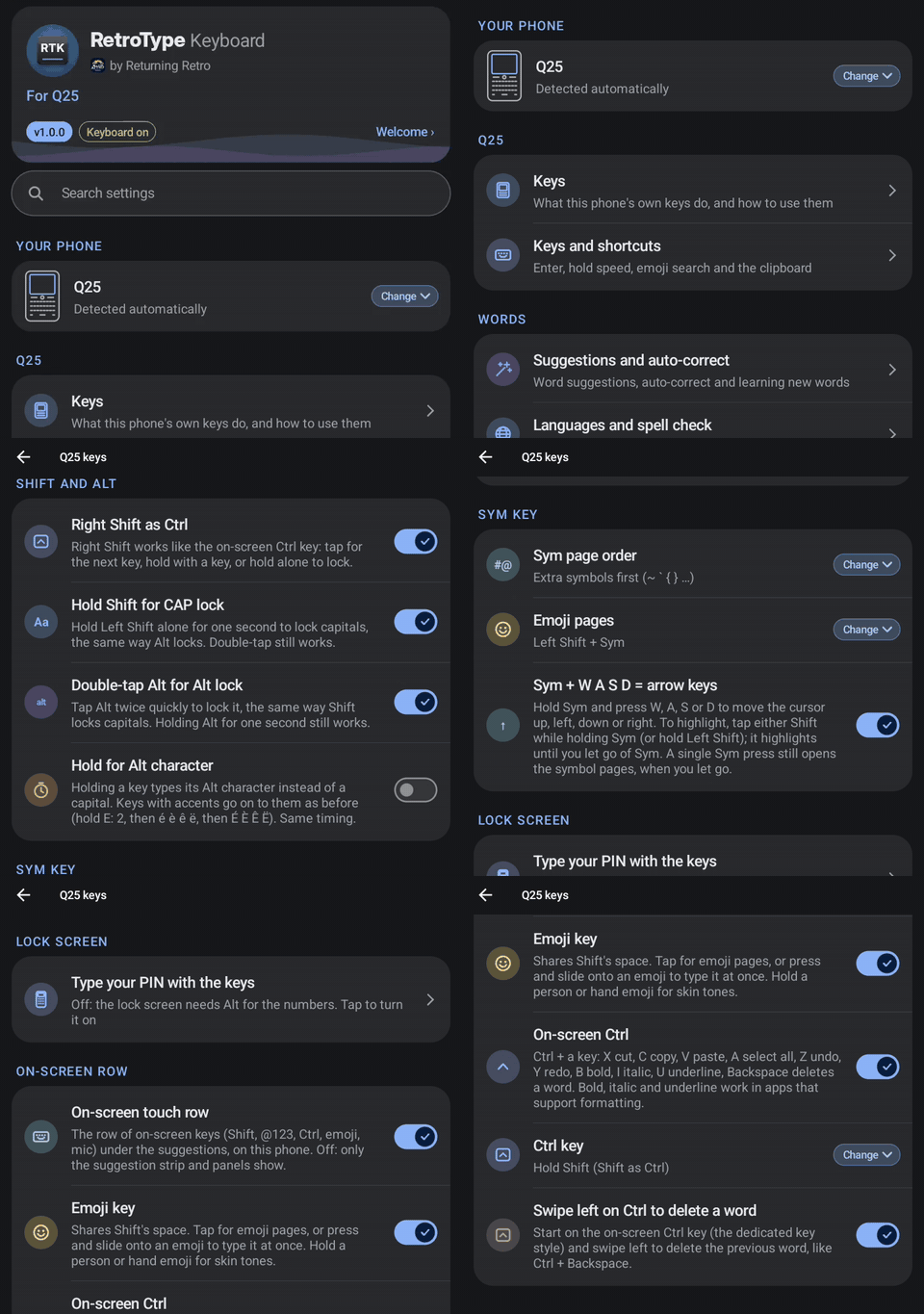
Which phone is next? Keyholders decide
Adding a phone takes real time (and usually buying one to test on), so Keyholders vote on which phone gets support next. If you'd love RetroType tuned for your phone, becoming a Keyholder is the best way to make it happen.
Free vs Keyholder
RetroType is free, and the free version is the full keyboard. Keyholders get a few extras as a thank-you for keeping the project going.
| Free | Keyholder | |
|---|---|---|
| Every typing feature | ✅ | ✅ |
| Every supported phone | ✅ | ✅ |
| No ads, no tracking, no internet access | ✅ | ✅ |
| 4 extras hidden as secrets to find: a theme, an app icon, an accent color and a key sound | ✅ | ✅ |
| 4 more secrets on day one, plus new ones with every feature drop | ✅ | |
| The Keymaster challenge: find every secret | ✅ | |
| New versions a week early | ✅ | |
| Your name on the About page (if you want) | ✅ | |
| A vote on the next phone and features | ✅ |
What does it cost? Whatever you want...starting at $10 (once, not a subscription)! This goes straight into test phones and new features.
Privacy
RetroType can’t connect to the internet. Links like “Become a Keyholder” open in your own browser; RetroType itself never goes online.
No ads, no tracking, no analytics, no data collection, no account. What you type stays on your phone.
RetroType never saves or sends what you type. Secret words are spotted the way spell check spots typos: on your phone, as you type. Only the unlock is kept.
Help and feedback
- Found a bug or have an idea? Open an issue. A short form asks which phone you're on, which makes fixing things much faster.
- Something private? Email [email protected].
- Hang out: r/ReturningRetro and Returning Retro on YouTube.
I read everything, but it's just me, so please be patient if I'm slow to reply.
The small print
RetroType is free to download and use. Please don't re-upload, repackage or sell it; send people here instead, so they always get the real, latest version. The app's code isn't public.
RetroType Keyboard is made by Retro Jake at Returning Retro. It isn't affiliated with or endorsed by any phone maker, and phone names are used only to say which phones it works with.
Thanks for checking it out. 🙂
Retro Jake