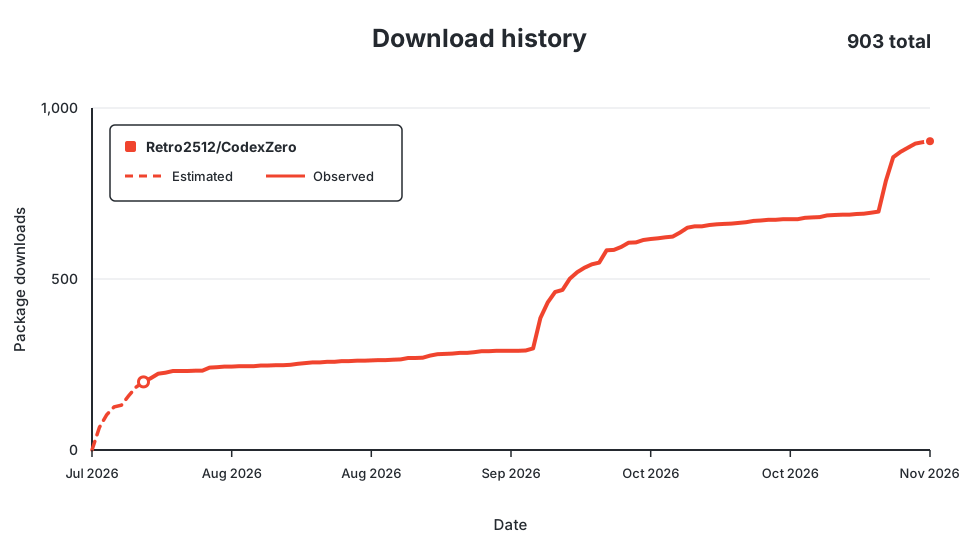
Retro2512/CodexZero
Retro2512/CodexZero has 80 GitHub stars and 3 forks. GitHot measured 0 stars in 24 hours. Last checked 2026-11-15 03:53 UTC. Last push 2026-11-13.
Measured star growth
- in 24h
- 0
- in 7 days
- Collecting history
- in 15 days
- Collecting history
- in 1 month
- Collecting history
Net star changes over overlapping periods, not daily totals. Missing measurements are left blank. Stars measure attention, not software quality.
About
Measured, monotonic, lossless input savings for Codex.
Developer ToolsREADME.md
Original


Codex reads back everything your commands print. Build logs, test runs, file dumps. A lot of that is the same line over and over, and you pay for every copy.
CodexZero cuts the repeats before Codex sees them. Codex still gets the errors and anything new. It just doesn't read the same warning five times.
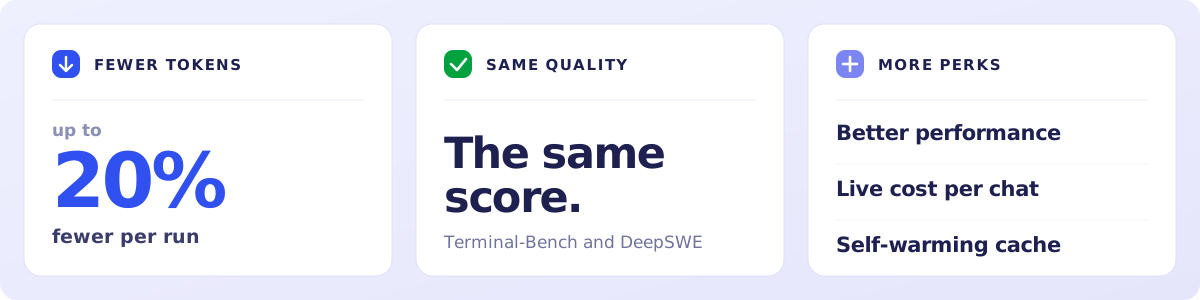
Same model, same answers.
Install
Windows
irm https://raw.githubusercontent.com/Retro2512/CodexZero/main/scripts/bootstrap.ps1 | iex
That fetches the CodexZero installer, checks it, and runs it. You end up with the CodexZero app, a Desktop shortcut and a Start menu entry, and it opens itself when it's done. No admin rights, nothing to configure.
Your Codex chats, skills and settings are already in it. Nothing to import.
Rather do it by hand? Download CodexZero-Setup-windows-x64.exe and double-click it. Uninstall from Windows Settings like any other app.
macOS
curl -fsSL https://raw.githubusercontent.com/Retro2512/CodexZero/main/scripts/bootstrap.sh | sh
That fetches CodexZero, checks it, and sets up the CodexZero app in your Applications folder. It opens itself when it's done. No admin rights, nothing to configure.
Your Codex chats, skills and settings are already in it. Nothing to import.
Rather have the terminal command? Replace | sh with | CODEX_ZERO_INSTALL=cli sh. Uninstall the app by dragging it to the Trash.
Windows script · macOS script · All downloads
Three commands
With the terminal install, CodexZero is a command:
codex-zero run |
Codex, the lean way. This is the one you'll use. |
codex-zero savings |
See what you saved on your own work. |
codex-zero stock |
Run regular Codex. |
With the app, open CodexZero from your Desktop, Start menu or Applications folder instead.
The numbers
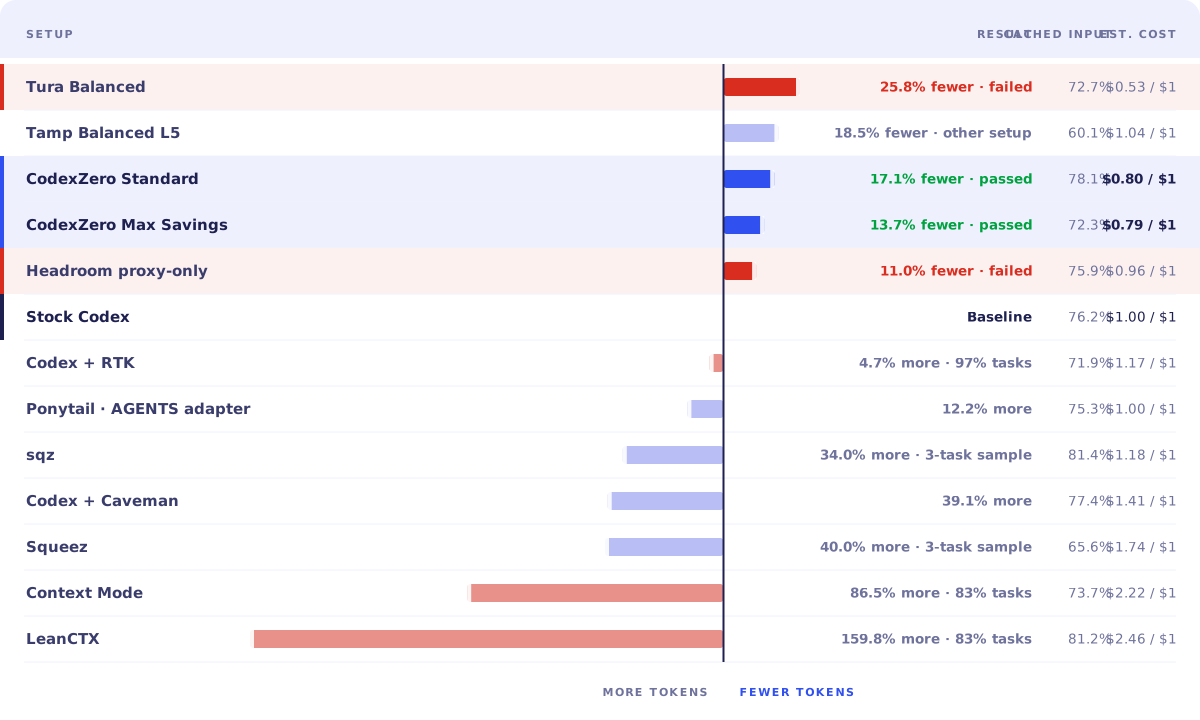
Every tool we could get running, on the same workload, against stock Codex. Rows in red lost tasks.
CodexZero Standard: 17.1% fewer tokens, every task passed. Nothing else cut tokens that far on Codex's own tool surface and kept the score.
The repeated run, and how we measured it
| Setup | Score | Total tokens | vs. stock Codex |
|---|---|---|---|
| Codex | 29/36 | 26,580,391 | baseline |
| CodexZero | 29/36 | 22,691,418 | 14.63% fewer |
12 tasks · 3 repetitions per setup
What it adds
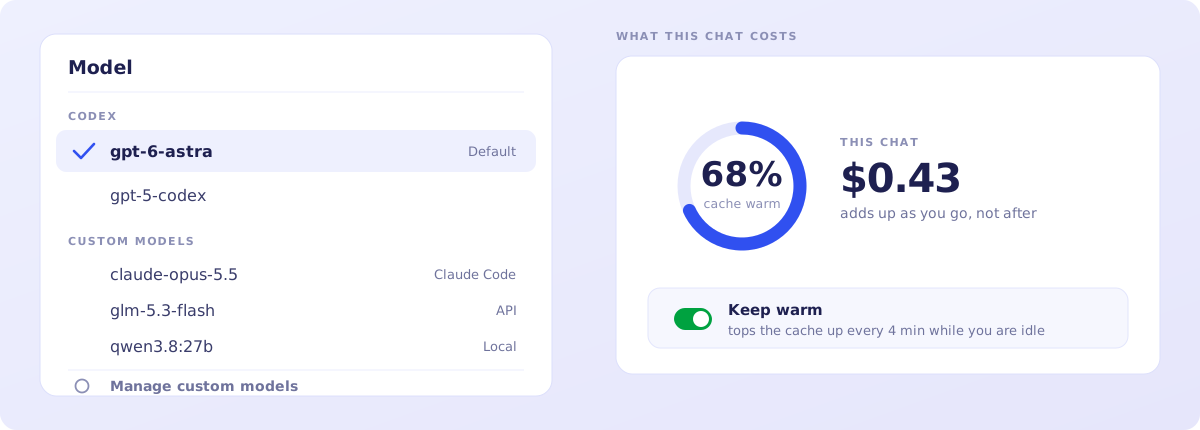
Any model in the same dropdown. Keep your Codex models and add Claude, Z.ai, or a model running on your own machine. Switch between turns.
Settings → Agent → Custom models · setup and supported APIs
See what a chat costs while you're in it. The ring shows live cost and how warm your cache is. Turn on Keep warm and it tops the cache up while you're idle.
Settings → Agent → Context cache · cache behaviour and pricing
Every project gets its own color, and every chat an icon for what it's about. They show up instantly, without using your model. Change any of them from the sidebar.
See what every chat is doing at a glance. A running chat shows a spinner and how long it has been going. One waiting on you shows [y/n] for an approval or >_ for a question, with how long it has waited. A failed one shows err.
These live in the CodexZero app.
A lighter, faster app
Everything that isn't coding is off. Slides, docs, pets, screen history, Sites, extra plugins, analytics and promos are out. Codex, remote access, pairing and voice stay.
Want something back? Work mode, ChatGPT chats and Dots each have a switch in Settings → Configuration → Optional features. They're off until you turn them on.
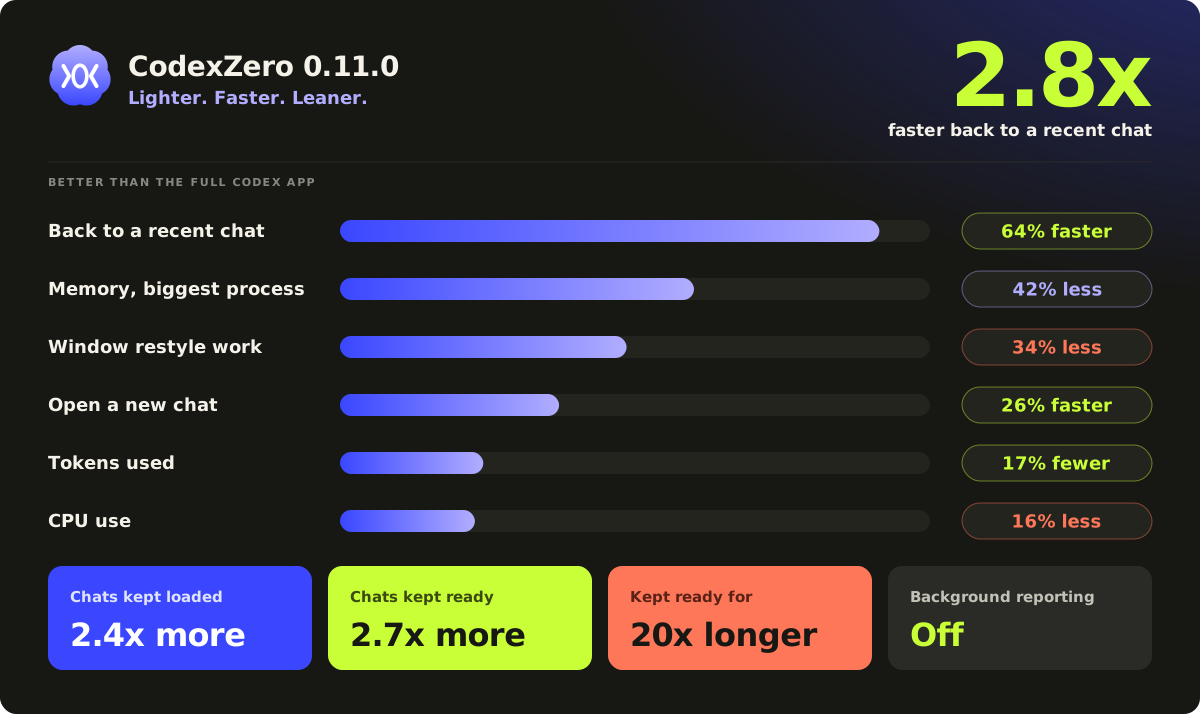
These are our best results on one Windows PC. Slower computers and bigger sidebars have more to gain.
The lighter app is on Windows for now.
How it works
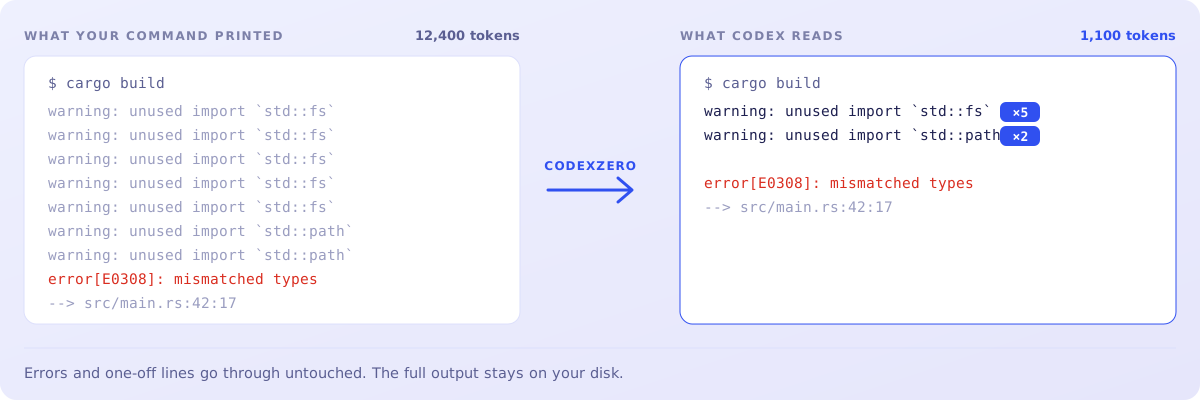
- Your command runs like normal.
- The full output gets saved on your disk.
- Repeated lines get collapsed into a count.
- Codex reads the shorter version, or the original if that was already shorter.
Settings and compatibility
Modes and extra commands
Standard is the default. Short instructions, Codex's normal tools.
codex-zero mode standard
Focused batches independent tool calls. Good for tool-heavy work.
codex-zero mode focused
safe uses regular Codex tools and instructions. max-save is another name for Standard.
Pick a model for one run:
codex-zero run --model gpt-6-astra
Run a batch of configured checks:
codex-zero run-checks verify --summary
What it runs on
- Windows x64 — the CodexZero app, installed per user, updates itself
- Intel Mac · Apple silicon Mac — the CodexZero app on macOS 13 or later, updates itself, or the
codex-zerocommand - Node.js 20+ if you're building from a source checkout
Release packages include the runtime.
On macOS, quit Codex completely before running codex-zero desktop.
More
Architecture · Measurement · Custom models · Cache research · Contributing · Security · Uninstall