
Ramotion/fluid-slider
Ramotion/fluid-slider has 1,985 GitHub stars and 152 forks. GitHot measured 0 stars in 24 hours. Last checked 2026-11-07 00:43 UTC. Last push 2022-06-01.
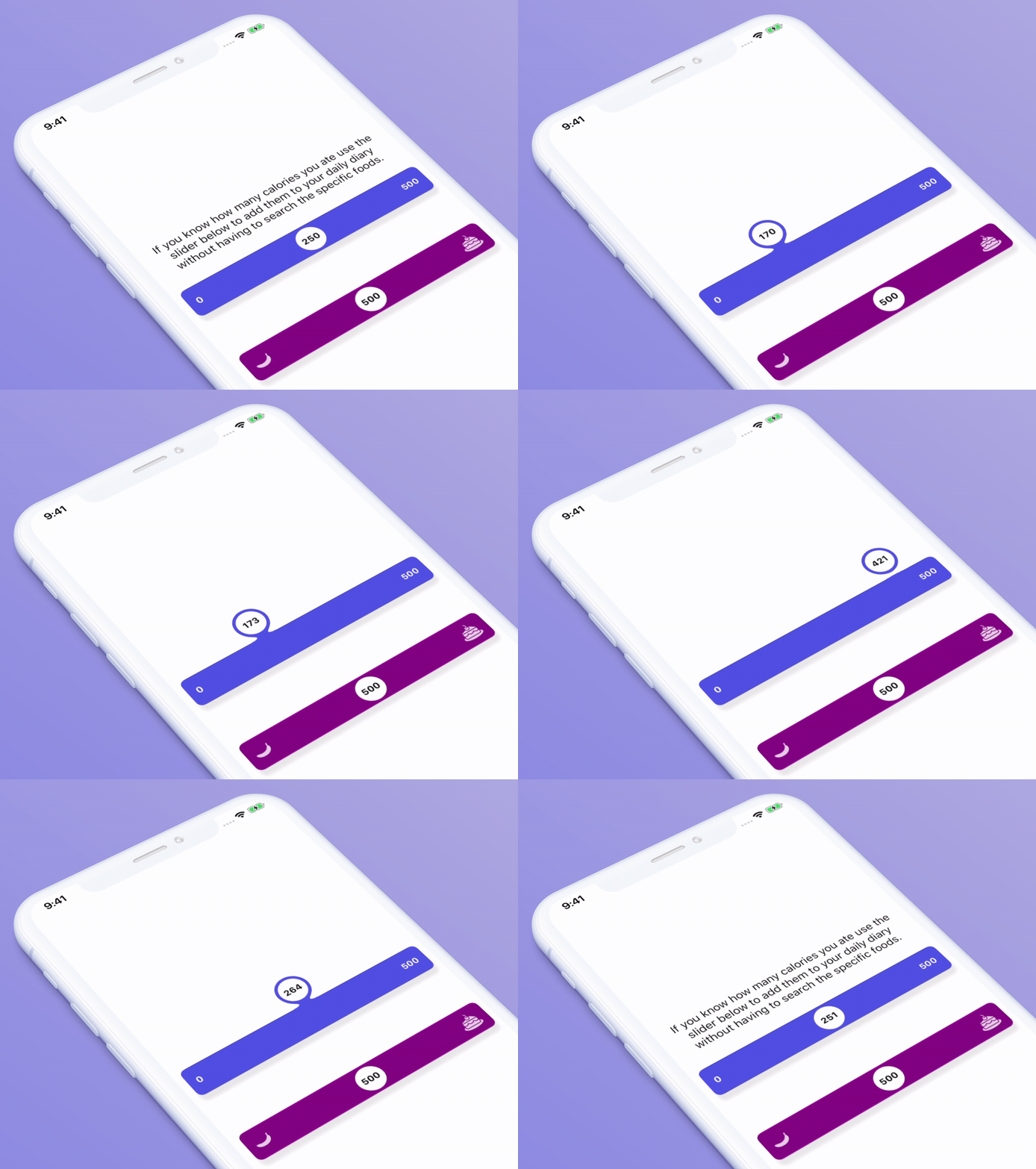
:octocat:💧 A slider widget with a popup bubble displaying the precise value selected. Swift UI library made by @Ramotion
Measured star growth
- in 24h
- 0
- in 7 days
- Collecting history
- in 15 days
- Collecting history
- in 1 month
- Collecting history
Net star changes over overlapping periods, not daily totals. Missing measurements are left blank. Stars measure attention, not software quality.
README.md
Original
FLUID SLIDER
A slider widget with a popup bubble displaying the precise value selected written on Swift.
We specialize in the designing and coding of custom UI for Mobile Apps and Websites.

Stay tuned for the latest updates:

Inspired by Virgil Pana shot


Requirements
- iOS 10.0
- Xcode 9
- Swift 4.0
Installation
You can install fluid-slider in several ways:
- Add source files to your project.
- Use CocoaPods:
pod 'fluid-slider'
- Use Carthage:
github "Ramotion/fluid-slider"
Usage
Slider
import fluid_slider
The slider can be inserted in a view hierarchy as a subview. Appearance can be configured with a number of public attributes:
let slider = Slider()
slider.attributedTextForFraction = { fraction in
    let formatter = NumberFormatter()
    formatter.maximumIntegerDigits = 3
    formatter.maximumFractionDigits = 0
    let string = formatter.string(from: (fraction * 500) as NSNumber) ?? ""
    return NSAttributedString(string: string)
}
slider.setMinimumLabelAttributedText(NSAttributedString(string: "0"))
slider.setMaximumLabelAttributedText(NSAttributedString(string: "500"))
slider.fraction = 0.5
slider.shadowOffset = CGSize(width: 0, height: 10)
slider.shadowBlur = 5
slider.shadowColor = UIColor(white: 0, alpha: 0.1)
slider.contentViewColor = UIColor(red: 78/255.0, green: 77/255.0, blue: 224/255.0, alpha: 1)
slider.valueViewColor = .white
view.addSubview(slider)
Take a look at the Example project for an integration example.
Since Slider is a subclass of UIControl, it inherits target-action mechanics and it's possible to listen for user-triggered value changes:
slider.addTarget(self, action: #selector(sliderValueChanged), for: .valueChanged)
Tracking Behavior
There are a couple of callbacks which allow you to listen to the slider's tracking events:
    var didBeginTracking: ((Slider) -> ())?
    var didEndTracking: ((Slider) -> ())?
Animation Performance
This control is designed to use device CPU resources with care. The fluid-style animation will be disabled when low power mode is enabled or the system is under heavy load.
This library is a part of a selection of our best UI open-source projects.
🗂 Check this library on other language:

📄 License
Fluid Slider is released under the MIT license. See LICENSE for details.
This library is a part of a selection of our best UI open-source projects.
If you use the open-source library in your project, please make sure to credit and backlink to https://www.ramotion.com/
📱 Get the Showroom App for iOS to give it a try
Try this UI component and more like this in our iOS app. Contact us if interested.

Explore related projects
codecrafters-io/build-your-own-x
Master programming by recreating your favorite technologies from scratch.
560,531 starspublic-apis/public-apis
A collective list of free APIs
496,813 starsmorluto/rea
Reverse engineer anything with agents, from app behavior down to native binaries.
438,831 starsopenclaw/openclaw
The AI that really does things. Any OS. Any Platform. The lobster way. 🦞
394,093 stars