
Raival-e/Prism-File-Explorer
Raival-e/Prism-File-Explorer has 1,390 GitHub stars and 87 forks. GitHot measured 0 stars in 24 hours. Last checked 2026-11-07 07:13 UTC. Last push 2026-10-31.
A modern, feature-rich, and lightweight file manager for Android, built entirely with Kotlin and Jetpack Compose.
What you can do
- Multi-Tab Interface: Manage multiple directories simultaneously
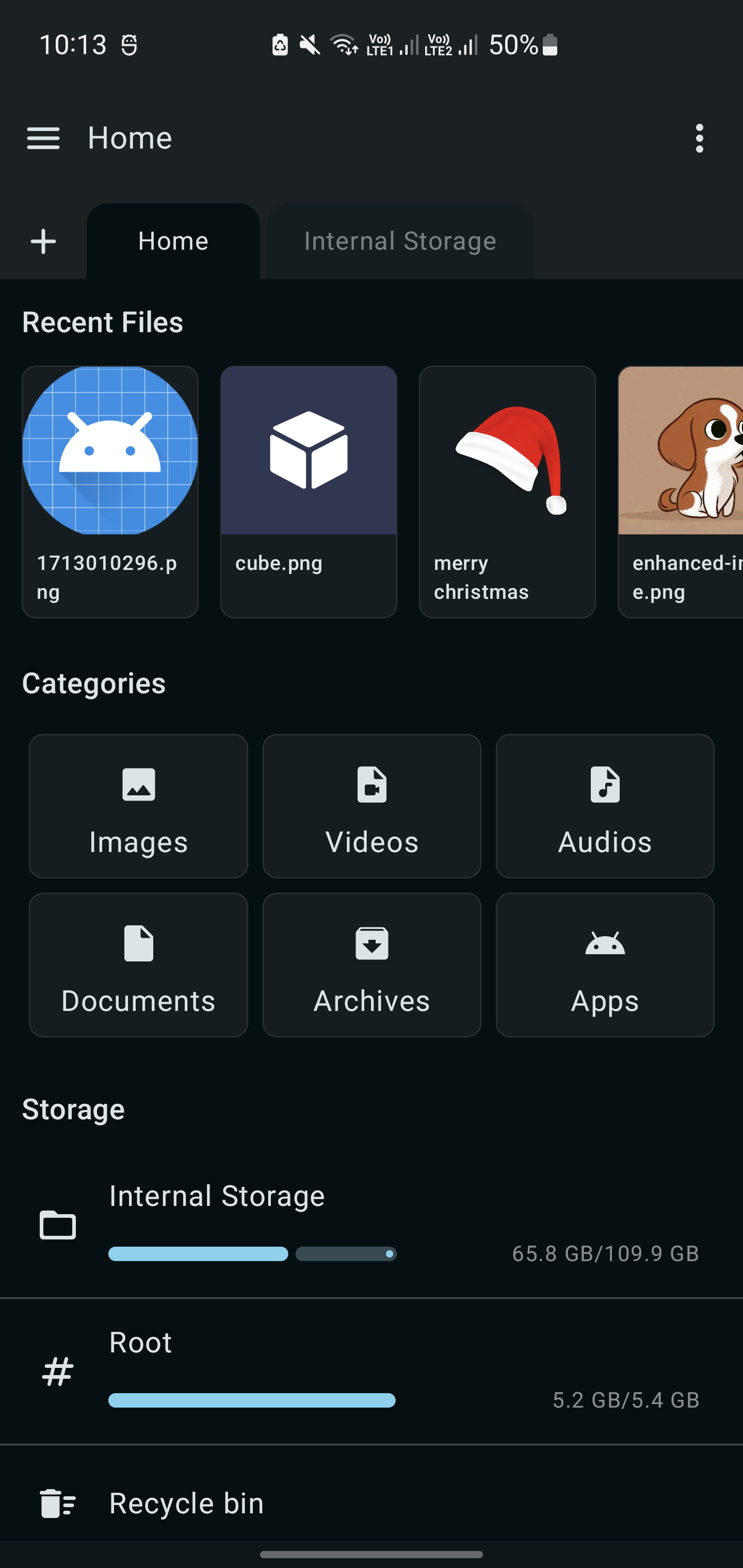
- Quick Navigation: Breadcrumb navigation and quick access shortcuts
- Search Functionality: Find files and folders quickly
- Sorting Options: Sort by name, size, date, type with ascending/descending order
Measured star growth
- in 24h
- 0
- in 7 days
- Update delayed
- in 15 days
- Update delayed
- in 1 month
- Update delayed
Net star changes over overlapping periods, not daily totals. Missing measurements are left blank. Stars measure attention, not software quality.
README.md
Original[!IMPORTANT]
This repository is no longer actively maintained.
An actively maintained fork is available at techflyers/Prism-File-Explorer.
Please direct new issues, pull requests, and feature requests to the fork. If you are maintaining another active fork and would like it listed here, feel free to reach out.
Prism File Explorer


A modern, feature-rich, and lightweight file manager for Android, built entirely with Kotlin and Jetpack Compose.
Delivering a seamless file management experience with a beautiful Material Design interface
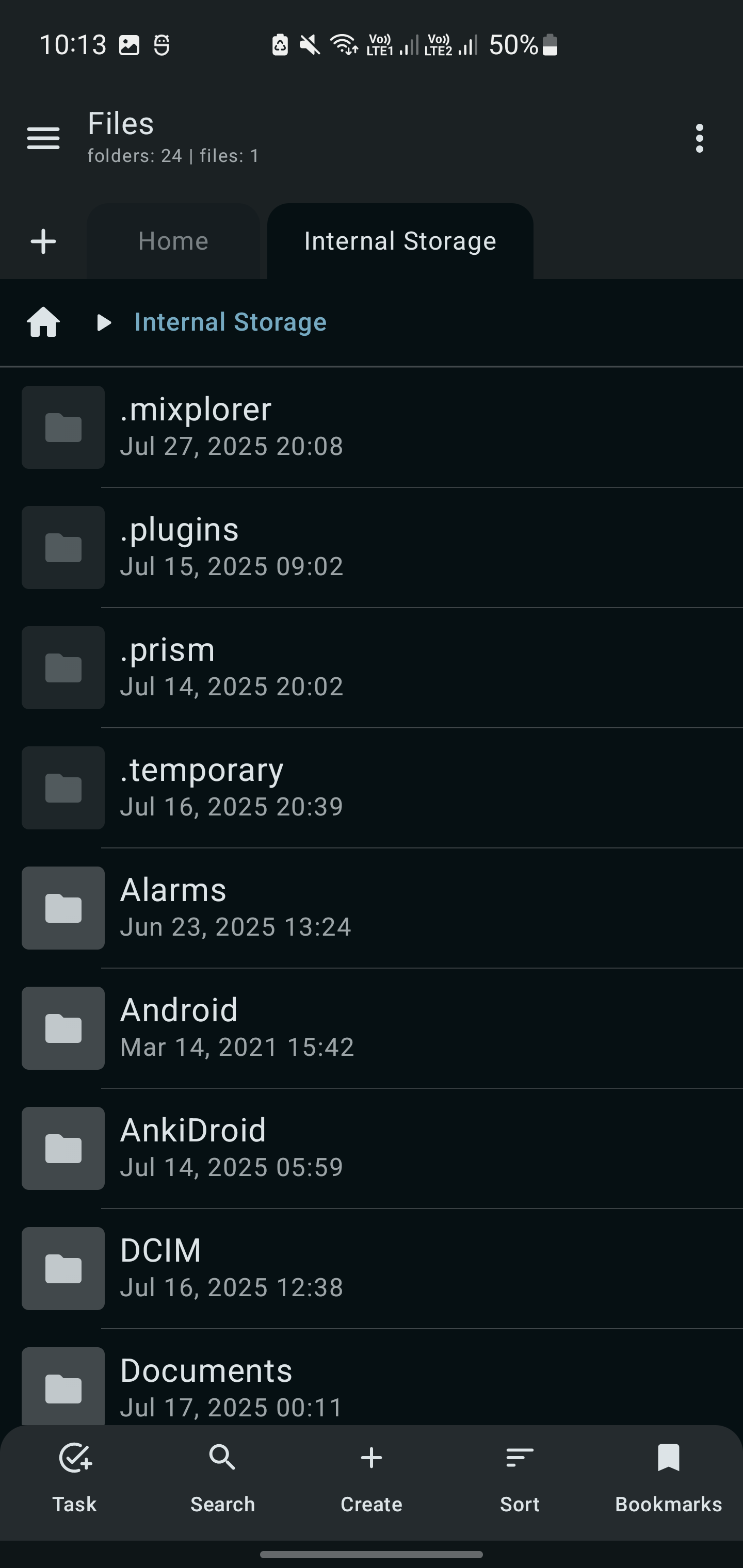
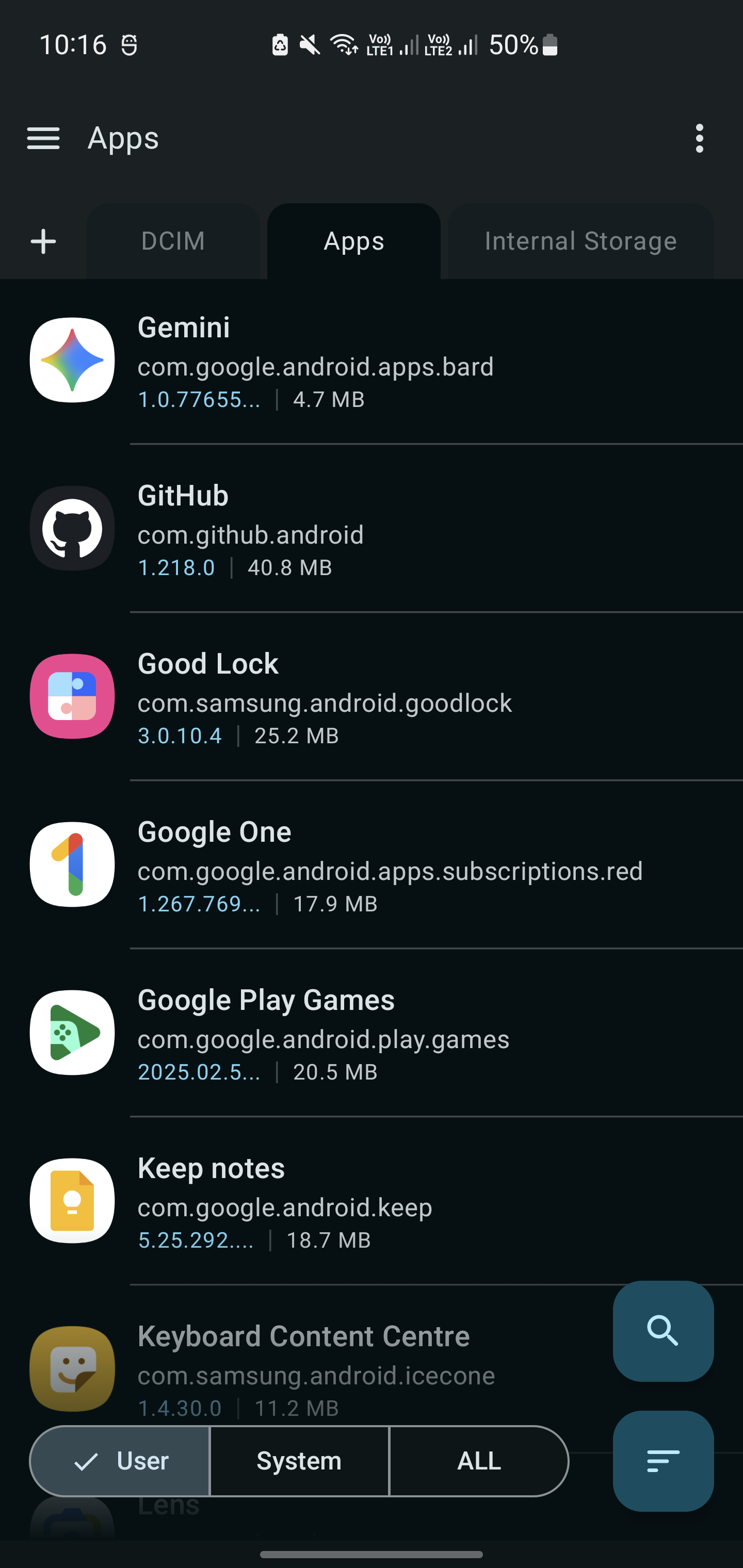
📱 Screenshots
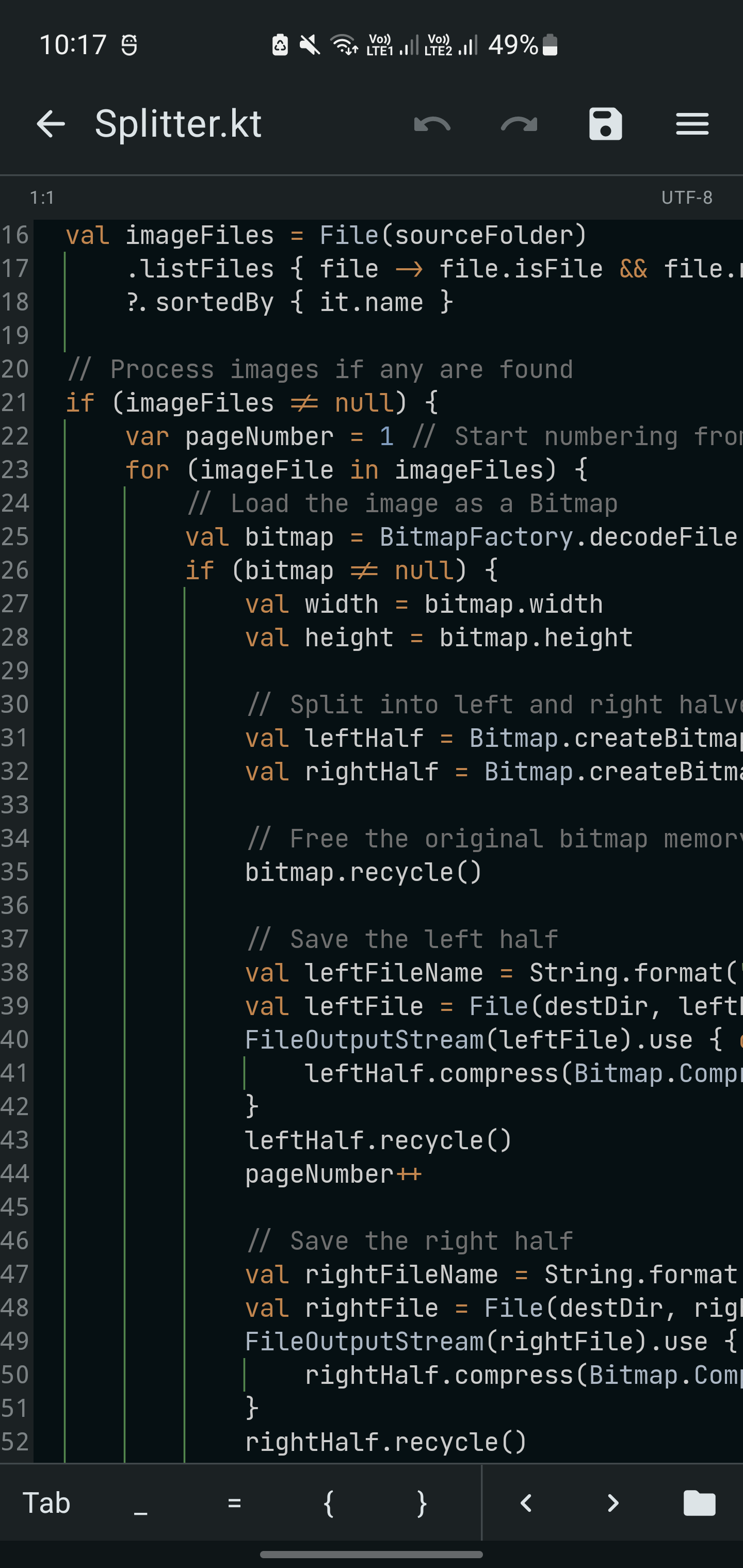
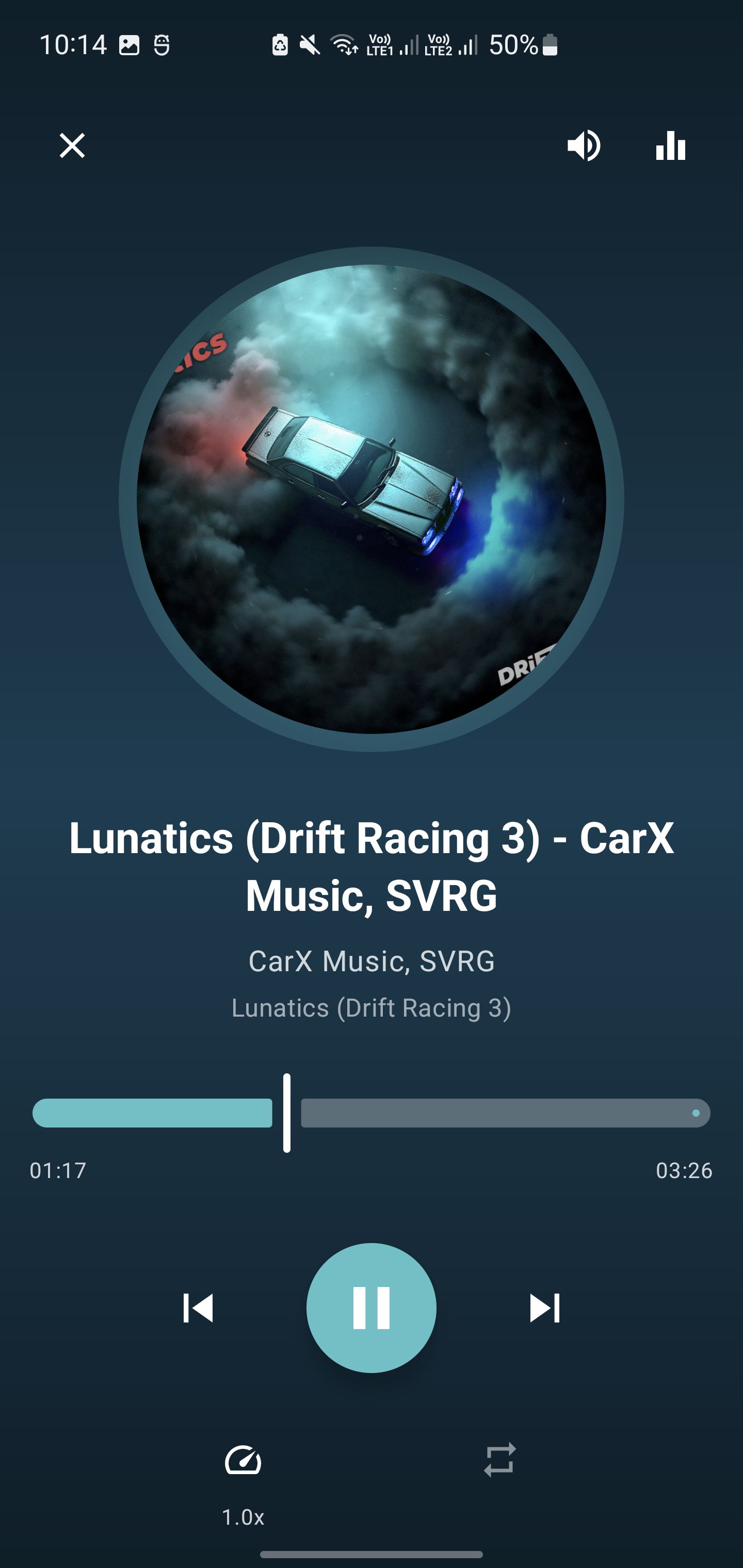
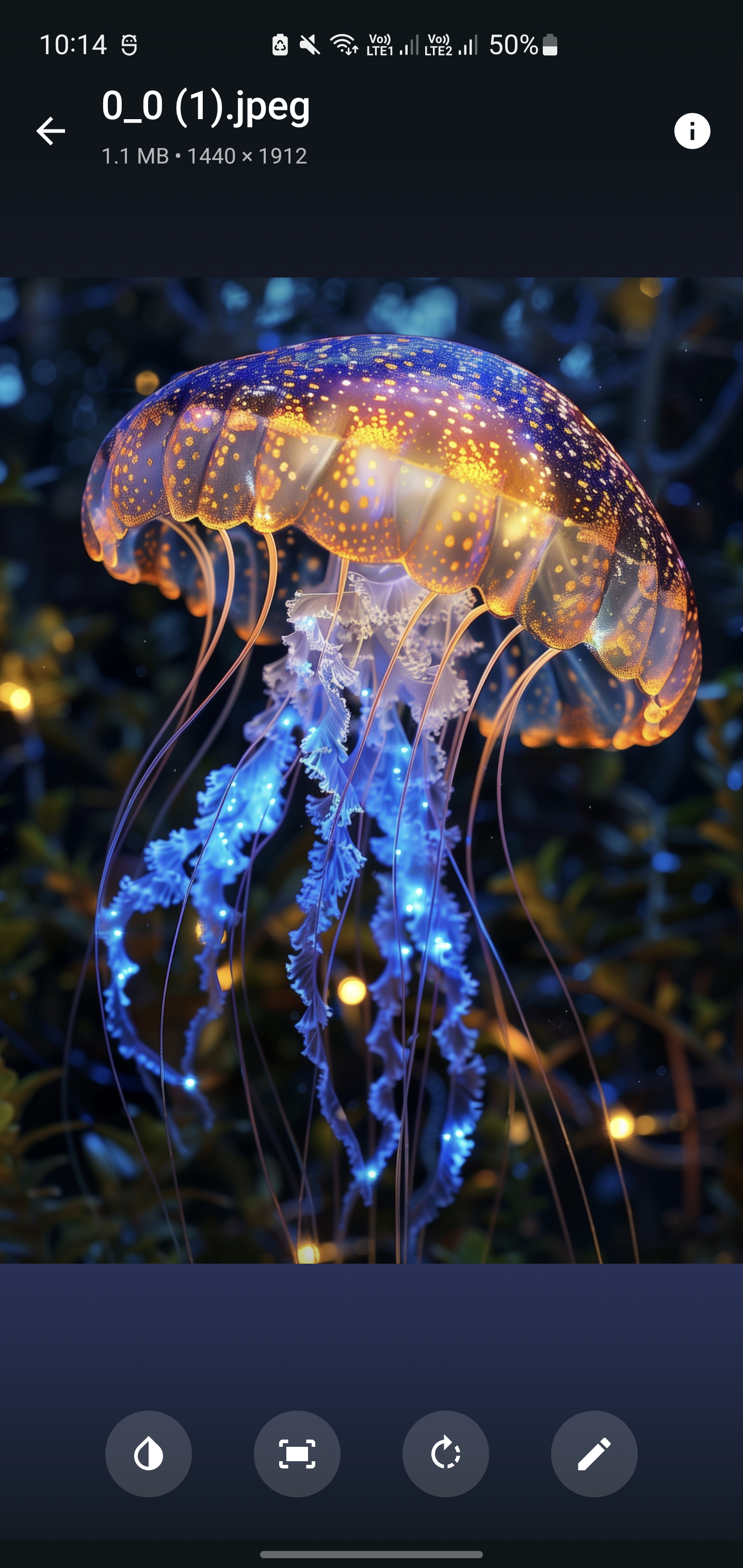
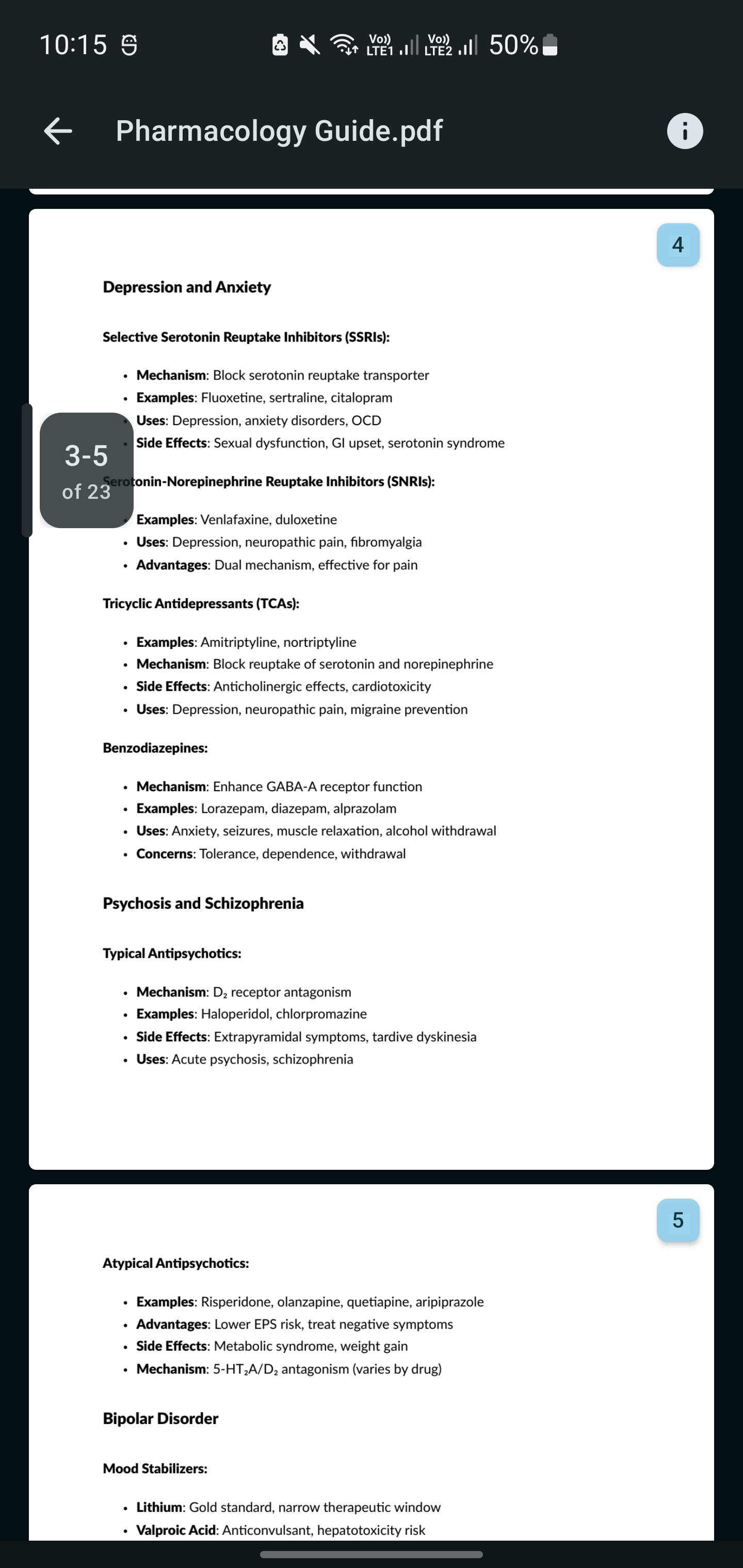
✨ Key Features
🎨 Modern User Interface
- Jetpack Compose UI: Fully declarative and responsive interface
- Material Design 3: Beautiful, consistent design language
- Dark/Light Theme: Automatic theme switching support
- Smooth Animations: Fluid transitions and interactions
📁 Comprehensive File Management
- Complete File Operations: Create, copy, move, rename, delete files and folders
- Advanced Selection: Multi-select with intuitive gestures
- Smart Cut/Copy/Paste: Clipboard operations with visual feedback
- Batch Operations: Perform actions on multiple files simultaneously
- File Properties: Detailed information about files and directories
🗂️ Advanced Features
- Multi-Tab Interface: Manage multiple directories simultaneously
- Quick Navigation: Breadcrumb navigation and quick access shortcuts
- Search Functionality: Find files and folders quickly
- Sorting Options: Sort by name, size, date, type with ascending/descending order
- View Modes: Grid and list view options
📺 Built-in Media Viewers
- Image Viewer: Support for JPEG, PNG, GIF, WebP, and more
- Video Player: Play MP4, AVI, MKV, MOV, and other formats
- Audio Player: MP3, WAV, FLAC, OGG playback support
- PDF Viewer: View PDF documents natively
- Text Editor: Syntax highlighting for code files
🗜️ Archive Management
- Extract Archives: Support for ZIP format
- Create Archives: Compress files and folders into ZIP format
- Archive Preview: Browse archive contents without extraction
⚡ Performance & Efficiency
- Lightweight: Minimal resource usage and fast startup
- Optimized: Smooth performance on low-end devices
- Background Operations: Non-blocking file operations
- Memory Efficient: Smart memory management for large directories
📥 Download Options
| Platform | Link |
|---|---|
| GitHub Releases |  |
| IzzyOnDroid |  |
| Obtainium |  |
| OpenApk |  |
📋 System Requirements
- Android Version: 6.0 (API 23) or higher
- Permissions: Storage access for file management
🛠️ Built With
| Technology | Purpose | Version |
|---|---|---|
 |
Programming Language | Latest |
 |
UI Framework | Latest Stable |
 |
Platform | SDK 34+ |
 |
Design System | Material 3 |
🔨 Building from Source
Prerequisites
- JDK: 17 or higher
- Android SDK: API level 34+
- Git: For cloning the repository
Build Instructions
Clone the repository:
git clone https://github.com/Raival-e/Prism-File-Explorer.git
cd Prism-File-Explorer
Build the project:
./gradlew assembleReleaseFind the APK:
- Generated APK will be in
app/build/outputs/apk/release/
- Generated APK will be in
🤝 Contributing
[!NOTE]
Since this repository is inactive, please submit contributions and pull requests to the active fork: techflyers/Prism-File-Explorer.
- Fork the repository
- Create a feature branch (
git checkout -b feature/amazing-feature) - Commit your changes (
git commit -m 'Add amazing feature') - Push to the branch (
git push origin feature/amazing-feature) - Open a Pull Request
📝 Development Guidelines
- Follow Kotlin coding conventions
- Write meaningful commit messages
📊 Project Stats
☕ Support the Project
If you find Prism File Explorer useful and would like to support its development, consider buying me a coffee! Your support helps me maintain and improve this project.

Every contribution, no matter how small, helps keep this project alive and growing! ❤️
📄 License
This project is licensed under the GNU General Public License v3.0.
Prism File Explorer - A modern Android file manager
Copyright (C) 2024 Raival-e

This program is free software: you can redistribute it and/or modify
it under the terms of the GNU General Public License as published by
the Free Software Foundation, either version 3 of the License, or
(at your option) any later version.
See the LICENSE file for the full license text.
💬 Support & Community
| Platform | Purpose |
|---|---|
| GitHub Issues | Bug reports, feature requests |
| GitHub Discussions | Community support, questions |
| Private inquiries |
⭐ If you find this project useful, please consider giving it a star!

Explore related projects
codecrafters-io/build-your-own-x
Master programming by recreating your favorite technologies from scratch.
560,819 starspublic-apis/public-apis
A collective list of free APIs
497,054 starsmorluto/rea
Reverse engineer anything with agents, from app behavior down to native binaries.
441,335 starsopenclaw/openclaw
The AI that really does things. Any OS. Any Platform. The lobster way. 🦞
394,154 stars