
RG-O/YoutubeOverCommercials
RG-O/YoutubeOverCommercials has 50 GitHub stars and 6 forks. GitHot measured 0 stars in 24 hours. Last checked 2026-11-15 02:16 UTC. Last push 2026-11-02.
Measured star growth
- in 24h
- 0
- in 7 days
- Collecting history
- in 15 days
- Collecting history
- in 1 month
- Collecting history
Net star changes over overlapping periods, not daily totals. Missing measurements are left blank. Stars measure attention, not software quality.
About
Browser extension that automatically blocks TV commercials and plays YouTube videos in their place.
Creative & MediaREADME.md
Original





Live Commercial Blocker
Automatically block TV commercials on live sports streams and play media of your choice in their place.
Live Commercial Blocker is a browser extension that works with virtually any live TV or sports streaming service, even the bootleg ones.
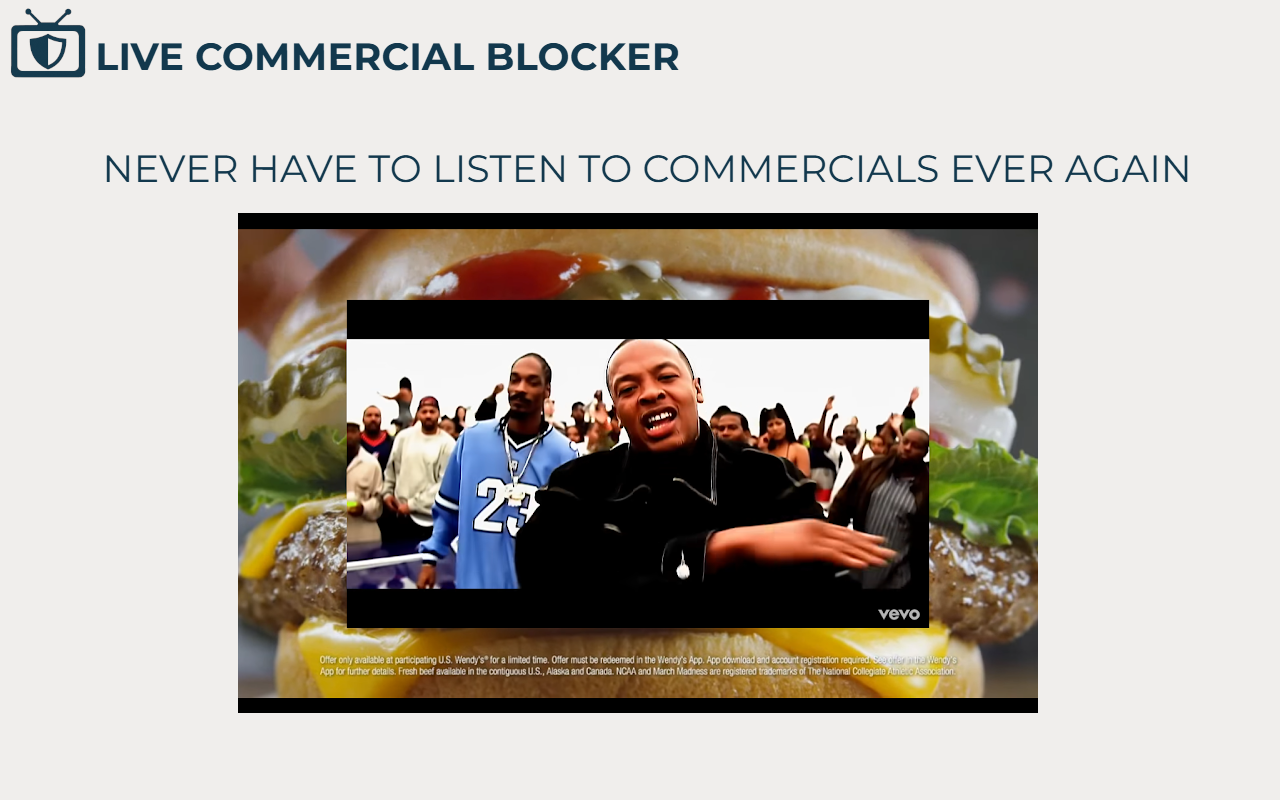
Think of it as an ad blocker for live TV, but instead of just muting or hiding commercials, it replaces them with content you actually want to watch or listen to while you wait for the game to return.
Installation
Browser Extension
Chrome: https://chromewebstore.google.com/detail/youtube-over-commercials/eikhblhblnhmagncgpfbofhbkpgbohif
Firefox: https://addons.mozilla.org/en-US/firefox/addon/youtube-over-commercials/
Or clone and load unpacked to browser.
Companion Desktop Application (optional)
Follow installation instructions for the optional companion app here.
Plugins (optional)
Follow instructions here.
Support the Extension
If you appreciate the Live Commercial Blocker browser extension and you would like to show your support while helping out a good cause, please donate to my St. Jude fundraiser.
Please leave a review on the chrome webstore or firefox add-on listings and share with your friends!
Discord
Come join the extension discord: https://discord.gg/ccGtN2gker
How to Use
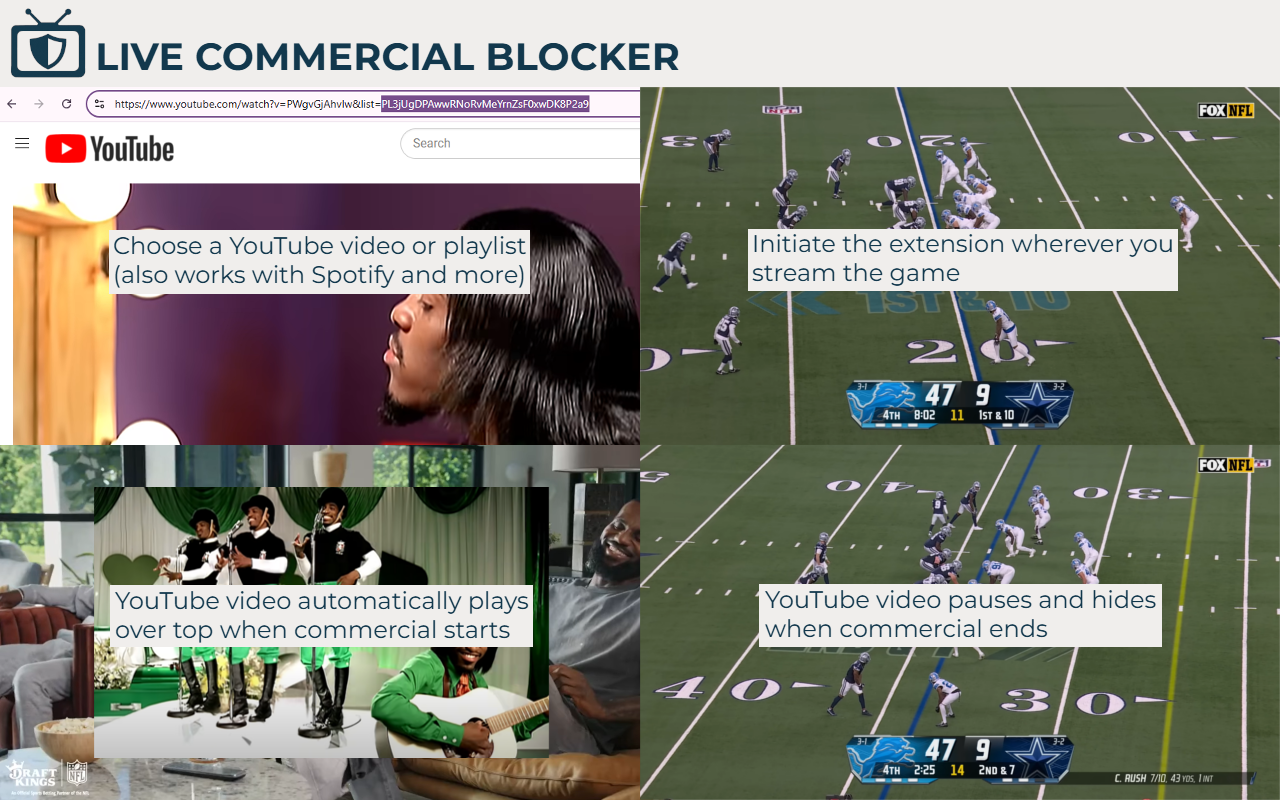
- Configure your commercial break overlay in the extension settings, or simply use the default YouTube music playlist.
- Open your live sports stream and switch it to full screen.
- Press Ctrl + Shift + F and follow the on-screen instructions. Ctrl + Alt + C on Firefox.
Features
Multiple Commercial Detection Modes
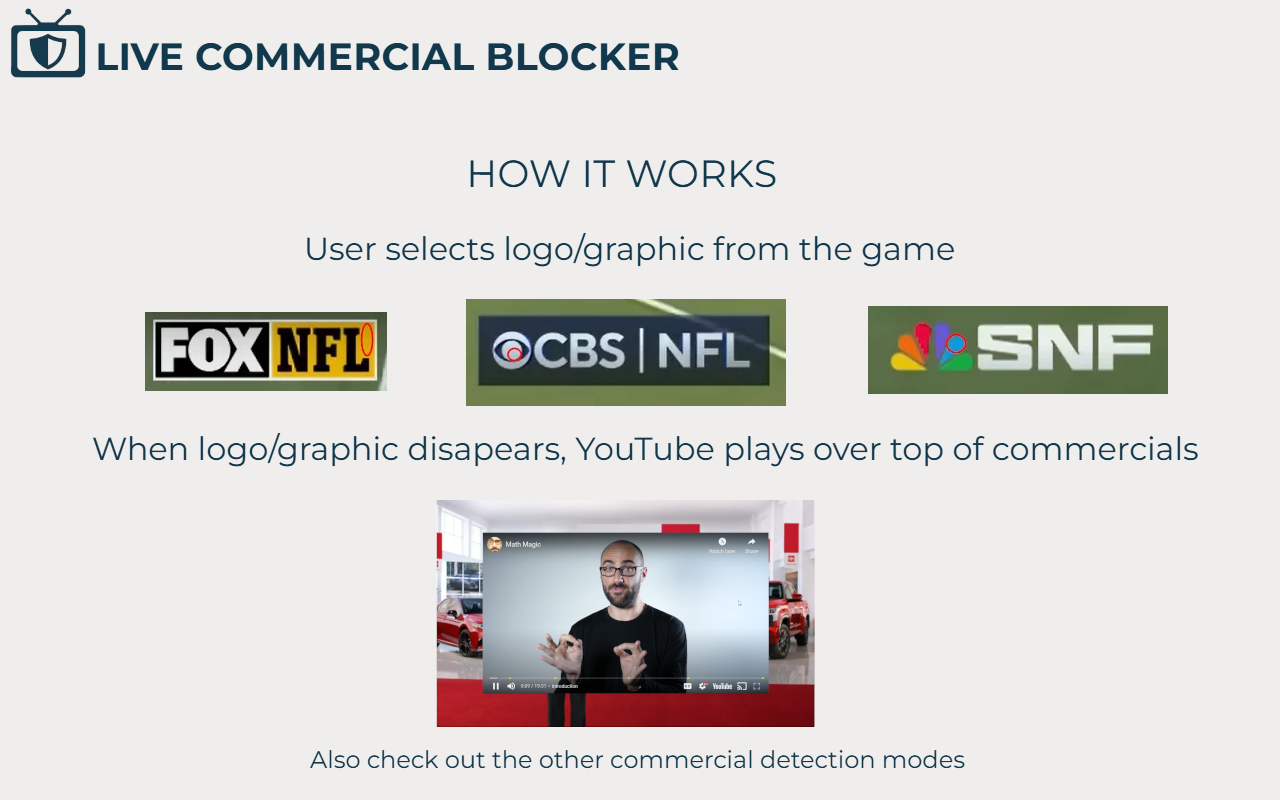
Pixel Color Mismatch
- Detects when specific on-screen graphics disappear (such as a channel logo or scoreboard).
Pixel Color Match
- Detects graphics that appear only during commercial breaks.
Logo Edge Mismatch (requires companion application)
- Uses an edge profile instead of colors, allowing detection of opaque, transparent, and semi-transparent TV logos.
Audio Level Detection
- Detects sustained low audio levels.
Manual (Keyboard)
- Trigger commercial mode using a keyboard shortcut.
Manual (Double Clap)
- Trigger commercial mode by clapping twice.
Plugin
- Trigger commercial mode with your own custom plugin
Flexible Overlay Options
Choose what plays during commercial breaks:
- YouTube playlist
- Single YouTube video
- YouTube live stream
- Spotify playlists
- Audio from another browser tab (great for multiple screens)
- Videos or live streams from other websites
- Local MP4 files
- Your own custom plugin
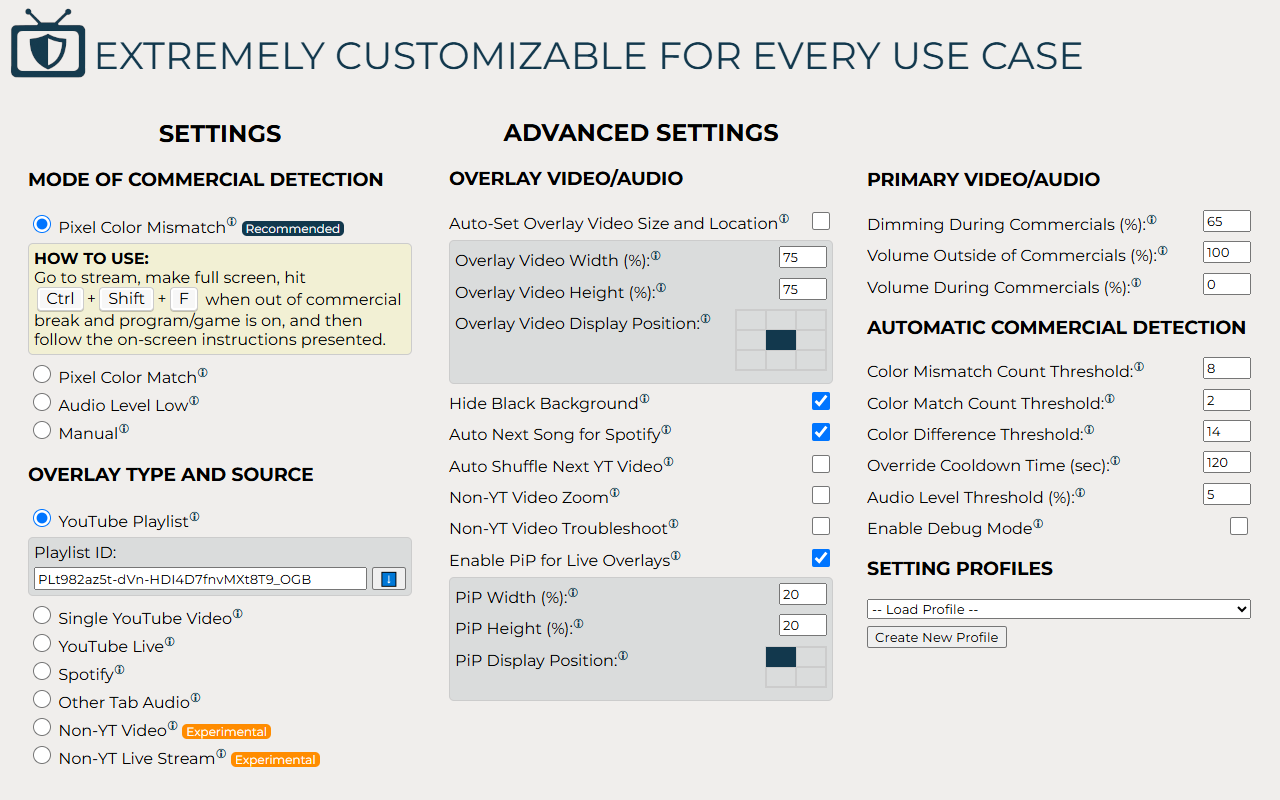
Customizable Overlay Behavior
- Picture-in-Picture (PiP) support for live overlays
- Adjustable overlay size
- Adjustable overlay screen position
- Automatic YouTube playlist shuffle
- Automatic Spotify next-track support
Advanced Detection Controls
Fine-tune how commercials are detected:
- Pixel color thresholds
- Match and mismatch counts
- Audio detection sensitivity
Profiles
Save multiple configurations for different situations.
- Create profiles for different channels or sports
- Save overlay IDs and URLs
- Easily switch between profiles
Privacy
Live Commercial Blocker does not collect or transmit your personal data.
All commercial detection is performed locally on your computer.
Changelog
Version 5.0
- Add ability to connect to custom plugins
Version 4.2
- Fixed YouTube 153 error occurring on some sites
- Improved Double Clap mode configuration
- Added animations when hiding, showing, and moving overlay videos
- Enhanced Non-YouTube Video Zoom mode
- Allowed more settings to update without restarting the extension
Version 4.1
- Added Double Clap manual commercial detection mode
- Renamed Advanced Logo Analysis to Logo Edge Mismatch
- Added Discord community link
Version 4.0
- Added Logo Edge Mismatch commercial detection mode (requires companion application)
- Allow changing overlay video while the extension is running
- Fixed Web Stremio overlay audio issues
Version 3.2
- Fixed Amazon Prime Video UI issue
- Added local statistics display in the extension popup
Version 3.1
- Fixed Amazon Prime Video UI affecting pixel selection
- Improved waiting for overlay videos before applying settings
- Spotify overlay now always displays artist and song information
Version 3.0
- Rebranded from YouTube Over Commercials to Live Commercial Blocker
- Improved Web Stremio overlay support
- Added Copy ID/URL from Current Page feature
- Enhanced zoom and troubleshooting tools
- Fixed Other Video overlay mode
- Fixed loading checkbox values from profiles
Version 2.0
- Added Audio Level Detection mode
- Added settings profiles
- Added YouTube playlist shuffle
- Added automatic overlay size and position
- General code cleanup
Version 1.6
- Added reverse pixel detection mode
- Improved Other Video overlay compatibility with additional websites
- Removed unnecessary Tabs permission
Version 1.5
- Added Picture-in-Picture support
- Made Spotify auto-next the default behavior
- General code cleanup
Version 1.4
- Fixed Amazon Prime compatibility
- Fixed YouTube TV compatibility
Version 1.3
- Added Other Browser Tab Audio overlay mode
- Improved Spotify overlay mode
- Added live synchronization for selected preferences
- Added helpful tooltips
Version 1.2
- Added Spotify overlay mode
Version 1.1
- Added automatic commercial detection
- Added non-YouTube overlay modes
Version 1.0
- Initial release featuring manual commercial detection
Disclaimer
This project is not affiliated with or endorsed by YouTube, Spotify, or any other streaming platform.