
QuickBirdEng/FlippingNotch
QuickBirdEng/FlippingNotch has 835 GitHub stars and 43 forks. GitHot measured 0 stars in 24 hours and 0 in 7 days. Last checked 2026-11-22 00:27 UTC. Last push 2018-03-02.
Measured star growth
- in 24h
- 0
- in 7 days
- 0
- in 15 days
- Collecting history
- in 1 month
- Collecting history
Net star changes over overlapping periods, not daily totals. Missing measurements are left blank. Stars measure attention, not software quality.
About
FlippingNotch 🤙 - Dribble inspired animation https://dribbble.com/shots/4089014-Pull-To-Refresh-iPhone-X
Creative & MediaREADME.md
OriginalFlippingNotch 🤙


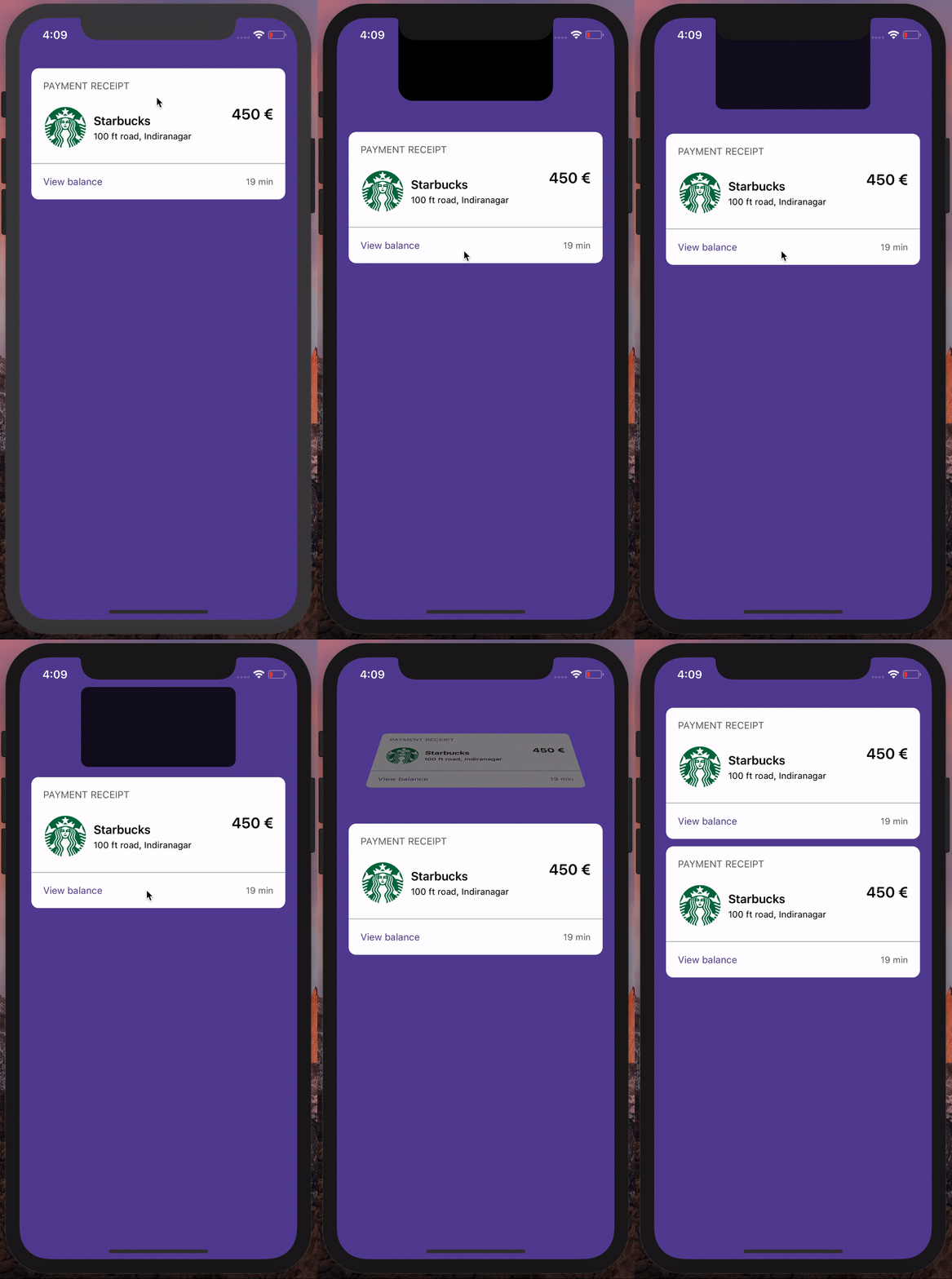
FlippingNotch is "pull to refresh/add/show" custom animation written Swift, using the iPhone X Notch. Heavily inspired by this Dribble project: https://dribbble.com/shots/4089014-Pull-To-Refresh-iPhone-X

What FlippingNotch is not
It is not a framework, it is just an Xcode project, embracing the notch.
Requirements
FlippingNotch is written in Swift 4.0 and requires an iPhone X Simulator/Device.
Tutorial
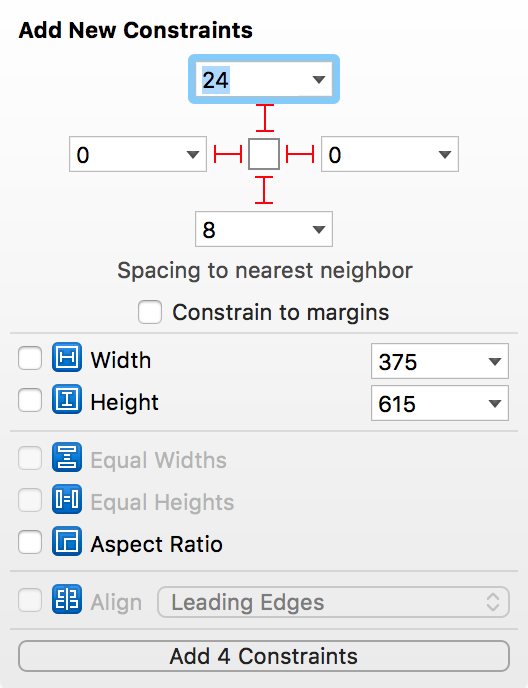
- Put a UICollectionView and constraint it in a ViewController.
The image below shows an example how to constraint it.
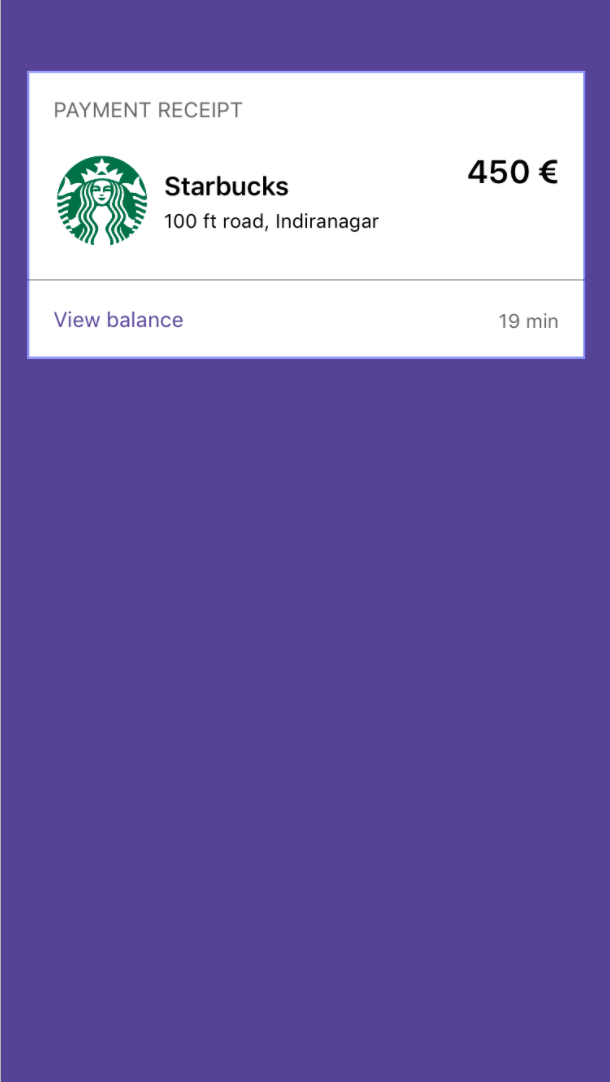
- Add a cell in the UICollectionView.
- Set up the UICollectionView in the ViewController by conforming to UICollectionViewDataSource.
class ViewController: UIViewController {

    // MARK: IBOutlets

    @IBOutlet var collectionView: UICollectionView!

    // MARK: Fileprivates
    fileprivate var numberOfItemsInSection = 1


    // MARK: Overrides

    override func viewDidLoad() {
        super.viewDidLoad()

        collectionView.dataSource = self
    }

}

// MARK: UICollectionViewDataSource

extension ViewController: UICollectionViewDataSource {

    func collectionView(_ collectionView: UICollectionView, numberOfItemsInSection section: Int) -> Int {
        return numberOfItemsInSection
    }

    func collectionView(_ collectionView: UICollectionView, cellForItemAt indexPath: IndexPath) -> UICollectionViewCell {
        let cell = collectionView.dequeueReusableCell(withReuseIdentifier: "Cell", for: indexPath)

        cell.layer.cornerRadius = 10
        cell.layer.masksToBounds = true

        return cell
    }
}
- The Notch View
- Instantiate a view that represents the notch. The
notchViewBottomConstraintis used to position the notchView into the view.
   fileprivate var notchView = UIView()
   fileprivate var notchViewBottomConstraint: NSLayoutConstraint!
   fileprivate var numberOfItemsInSection = 1
- After instantiating the notchView, add it as a subview its parent view.
The notchView have a black background and rounded corners.
translatesAutoResizingMaskIntoConstraintsneeds to be set tofalsebecause we want to use auto layout for this view rather than frame-based layout. Then, the notchView is constrained to the center of its parent view, with the same width as the notch, a height of(notch height - maximum scrolling offset what we want to give)and a bottom constrained to its parent viewtopAnchor+ notch height.
private func configureNotchView() {
        self.view.addSubview(notchView)

        notchView.translatesAutoresizingMaskIntoConstraints = false
        notchView.backgroundColor = UIColor.black
        notchView.layer.cornerRadius = 20

        notchView.centerXAnchor.constraint(equalTo: self.view.centerXAnchor).activate()
        notchView.widthAnchor.constraint(equalToConstant: Constants.notchWidth).activate()
        notchView.heightAnchor.constraint(equalToConstant: Constants.notchHeight -
                                                           Constants.maxScrollOffset).activate()
        notchViewBottomConstraint = notchView.bottomAnchor.constraint(equalTo: self.view.topAnchor,
                                                                      constant: Constants.notchHeight)
        notchViewBottomConstraint.activate()
    }
The result in an iPhone 8:

- Reacting while scrolling
(Looks clearer in an iPhone 8 what we are trying to do)
We want to move down the notchView while scrolling
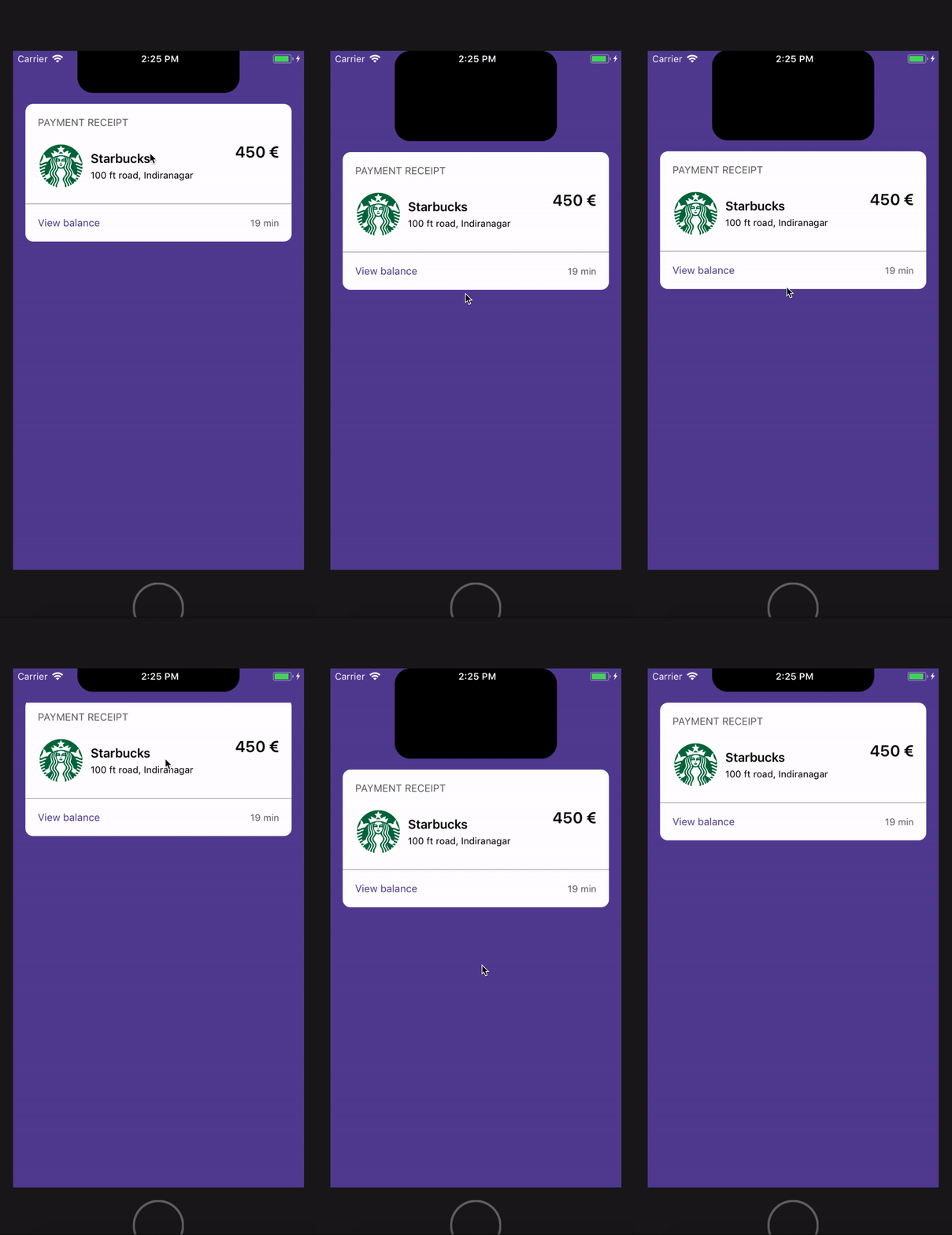
To do this, first we have to conform our ViewController to UICollectionViewDelegate and call
scrollViewDidScrolldelegate function. In there we write the logic to move the notchView down.The scrollView should scroll until it reaches
the maximum scrolling offset what we want to giveThe bottom constrained of the notchView should be increased while scrolling.
  extension ViewController: UICollectionViewDelegate {

    func scrollViewDidScroll(_ scrollView: UIScrollView) {

        // Making sure that we contentOffset of the scrollView is max to maxScrollOffset
        scrollView.contentOffset.y = max(Constants.maxScrollOffset, scrollView.contentOffset.y)

        // Move down the notchView until we have reached our threshold
        notchViewTopConstraint.constant = Constants.notchTopOffset - min(0, scrollView.contentOffset.y)
    }
- Drop the view from the notch
When the scroll did end dragging we want to create the view that will be part of the flipping animation.
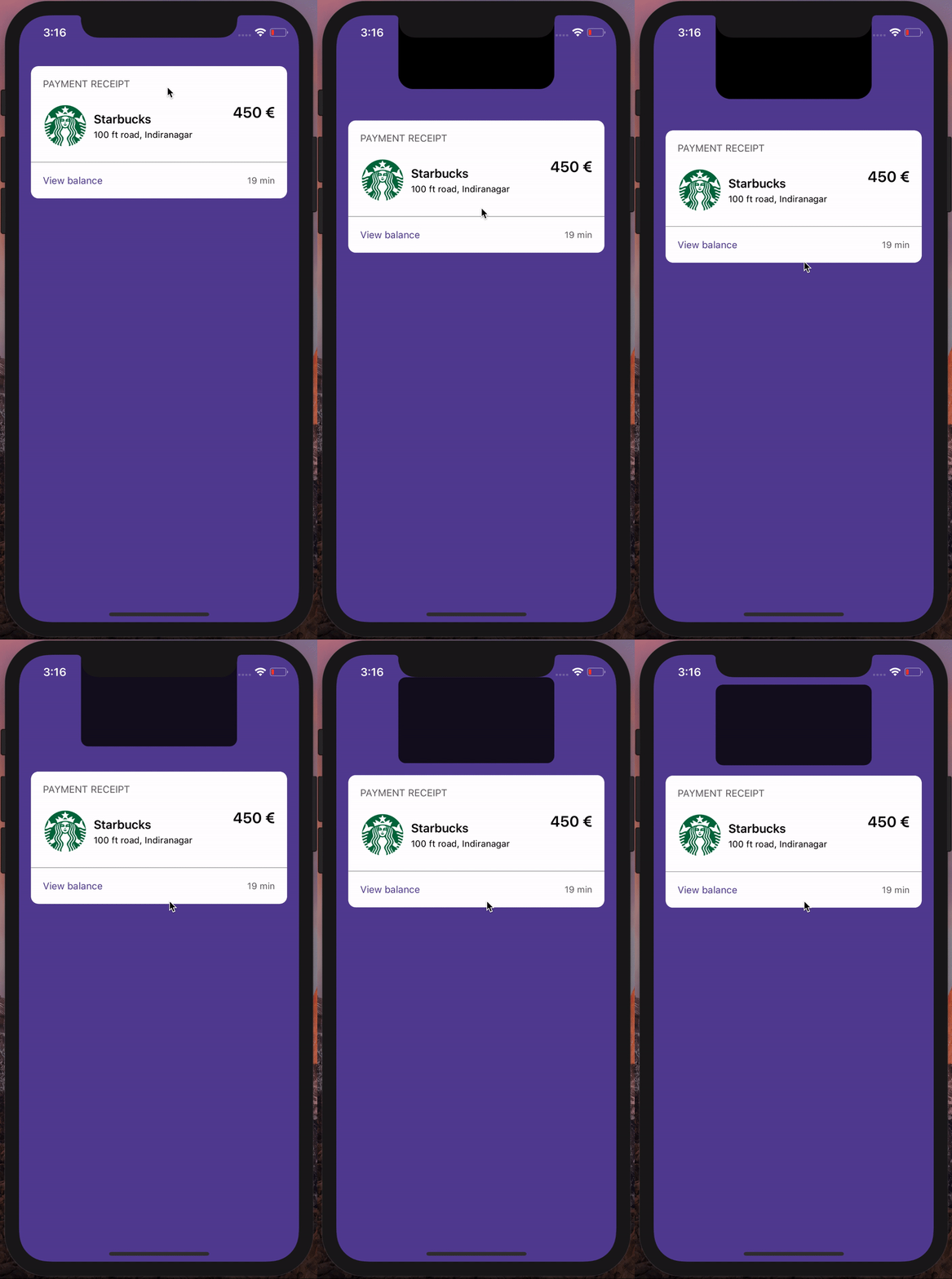
We create the animatableView, reset
notchBottomConstraint, and move down thecollectionViewand drop the animatableView (notchView clone) with an animation and we round its corners.
  private func animateView() {

        // Create animatableView (notch clone)
        let animatableView = UIImageView(frame: notchView.frame)
        animatableView.backgroundColor = UIColor.black
        animatableView.layer.cornerRadius = self.notchView.layer.cornerRadius
        animatableView.layer.masksToBounds = true
        animatableView.frame = self.notchView.frame
        self.view.addSubview(animatableView)

        // Reset notchView bottom constraint
        notchViewBottomConstraint.constant = Constants.notchHeight

        // Move the collectionView down
        let flowLayout = collectionView.collectionViewLayout as! UICollectionViewFlowLayout
        let height = flowLayout.itemSize.height + flowLayout.minimumInteritemSpacing

        self.collectionView.transform = CGAffineTransform.identity.translatedBy(x: 0, y: -Constants.maxScrollOffset)

        // Dropping animation
        UIView.animate(withDuration: 0.3, delay: 0, options: [], animations: {
            let itemSize = flowLayout.itemSize
            animatableView.frame.size = CGSize(width: Constants.notchWidth,
                                               height: (itemSize.height / itemSize.width) * Constants.notchWidth)

            // UIImage.fromColor(color), returns an image in a certain color
            animatableView.image = UIImage.fromColor(self.view.backgroundColor?.withAlphaComponent(0.2) ?? UIColor.black)
            animatableView.frame.origin.y = Constants.notchViewTopInset
            self.collectionView.transform = CGAffineTransform.identity.translatedBy(x: 0, y: height * 0.5)
        })

        // Animate the corners
        let cornerRadiusAnimation = CABasicAnimation(keyPath: "cornerRadius")
        cornerRadiusAnimation.fromValue = 16
        cornerRadiusAnimation.toValue = 10
        cornerRadiusAnimation.duration = 0.3
        animatableView.layer.add(cornerRadiusAnimation, forKey: "cornerRadius")
        animatableView.layer.cornerRadius = 10
    }

extension ViewController: UICollectionViewDelegate {

   ...

    func scrollViewDidEndDragging(_ scrollView: UIScrollView, willDecelerate decelerate: Bool) {
        if scrollView.contentOffset.y <= Constants.maxScrollOffset {
            animateView()
        }
    }
}
- Flip it
- After dropping the view, a snapshot of the
collectionview cellis taken, the image is set on theanimatableViewand it is flipped with an animation.
  private func animateView() {
   ...

        UIView.animate(withDuration: 0.3, delay: 0, options: [], animations: {

            ...

        }) { _ in

            // Snapshot the collectionView cell.
            // It is easier to deal with an image of the cell than the cell itself
            // This is the reason why animatableView is an UIImageView and not a UIView.
            let item = self.collectionView.cellForItem(at: IndexPath(row: 0, section: 0))
            animatableView.image = item?.snapshotImage()

            // Flipping transition
            UIView.transition(with: animatableView, duration: 0.6, options: UIViewAnimationOptions.transitionFlipFromBottom, animations: {
                animatableView.frame.size = flowLayout.itemSize
                animatableView.frame.origin = CGPoint(x: (self.collectionView.frame.width - flowLayout.itemSize.width) / 2.0,
                                                      y: self.collectionView.frame.origin.y - height * 0.5)
                self.collectionView.transform = CGAffineTransform.identity.translatedBy(x: 0, y: height)
                }, completion: { _ in
                    // Remove the animatableView
                    self.collectionView.transform = CGAffineTransform.identity
                    animatableView.removeFromSuperview()

                    // Add an item in section
                    self.numberOfItemsInSection += 1
                    self.collectionView.reloadData()
                }
            )
        }

      ...
    }
Limitations
The animation works as expected only in iPhone X in portrait mode
TODO
- Include the case when a NavigationBar is implemented.
Authors
- Joan Disho - QuickBird Studios
Explore related projects
Loading…