
Quack6765/Eidon-AI
Quack6765/Eidon-AI has 51 GitHub stars and 7 forks. GitHot measured +1 stars in 24 hours. Last checked 2026-11-15 02:03 UTC. Last push 2026-11-13.
Measured star growth
- in 24h
- +1
- in 7 days
- Collecting history
- in 15 days
- Collecting history
- in 1 month
- Collecting history
Net star changes over overlapping periods, not daily totals. Missing measurements are left blank. Stars measure attention, not software quality.
About
Eidon is a powerful BYOK AI assistant for everyday work, bundled into one easy self-hosted Docker image.
AIREADME.md
Original



eidonai.app
A self-hosted AI platform with a team of agents, and a chat for everything else.
One Docker image. Your own model keys. Your data stays on your server.
Quick start · Agents · Chat · Providers · Configuration · Docs




Agents |

Chat |

Automations |
Click any screenshot to see it full size.
Eidon is a self-hosted AI platform. It is a team of agents that do work on their own, in their own browsers, and an everyday chat for the questions that do not need a team. It runs as one Docker image, keeps your data in a single file on your server, and works with the model providers you already use.
🤖 A team of agents
|
💬 An everyday chat
|
⚡ Everything built-in
|
🏠 Self-hosted
|
🤖 Agents
Use agents for work you would hand to a person. They keep working while you do something else, and they ask you only when they need you.
- ✈️ Find flights to Lisbon under $450 and check the hotels
- 📥 Sort your inbox every morning and draft the replies
- 🔎 Compare three vendors and come back with sources
- 🛠️ Fix a bug in a sandboxed workspace
Build a team, or let the Chief of Staff build it. Each agent has its own chat, memory, files, and browser, and you step in whenever you want.
- Ask the Chief. The Chief of Staff answers directly, passes the job to a specialist, or offers to create a new agent for it.
- Delegate. Any agent can message any other agent. The one that asked keeps working, and the answer comes back to it when the other agent is done.
- Browse the web. Agents open sites in their own browser, read them, fill in forms, and stay logged in.
- Report back. You get the result in the chat, and you can open the message that went out and the reply that came back.
- Schedule it. An agent that notices repeating work offers to run it on a schedule, then waits for your answer.
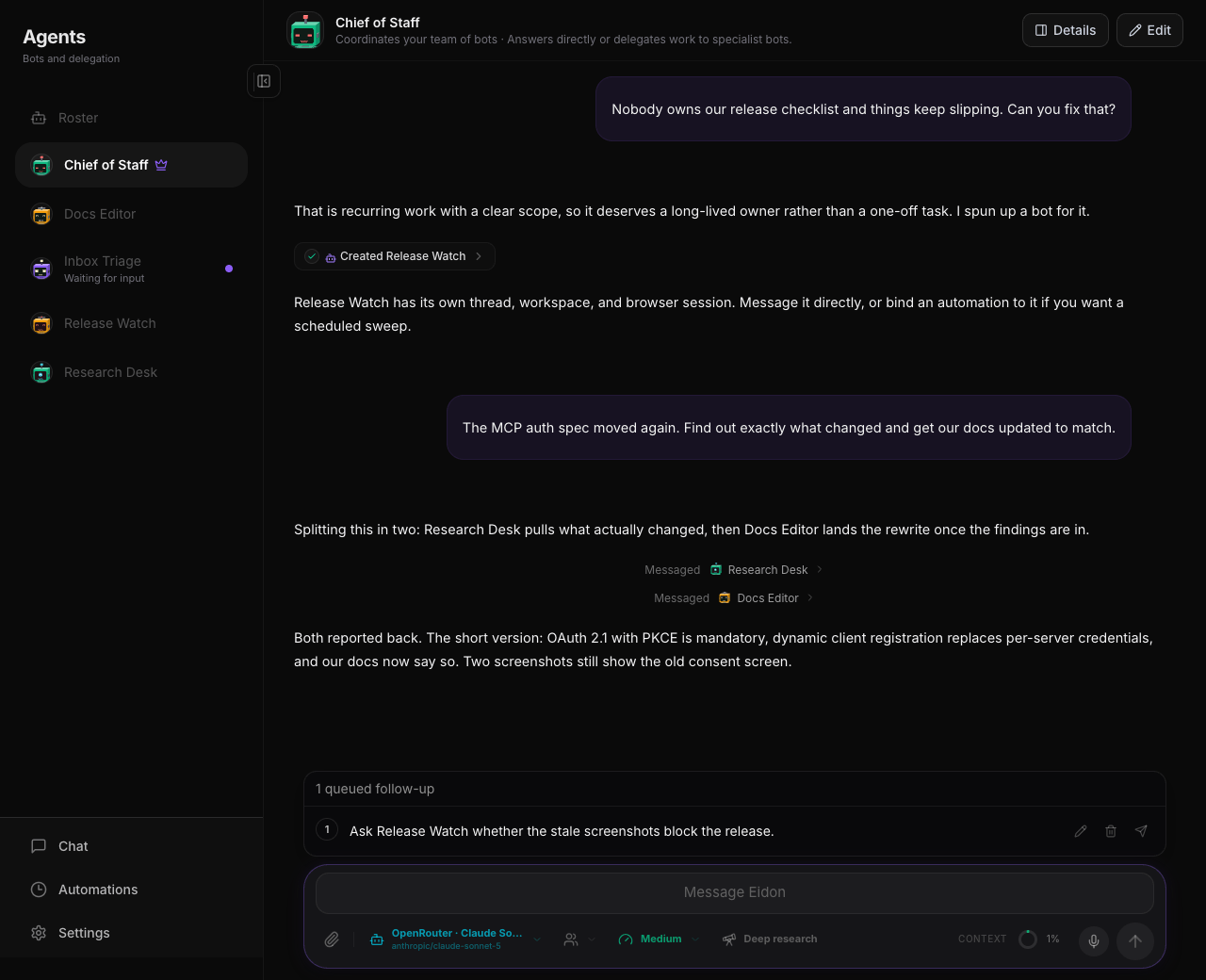
Make the team your own: a travel scout, an inbox triager, a research desk, a coding assistant
that works in its own sandboxed folder. Ask the Chief of Staff, or mention another agent with @
in an agent's chat, to have the request handed over.
A browser of their own
Every agent gets a real browser. Its cookies and logins are never shared with another agent.
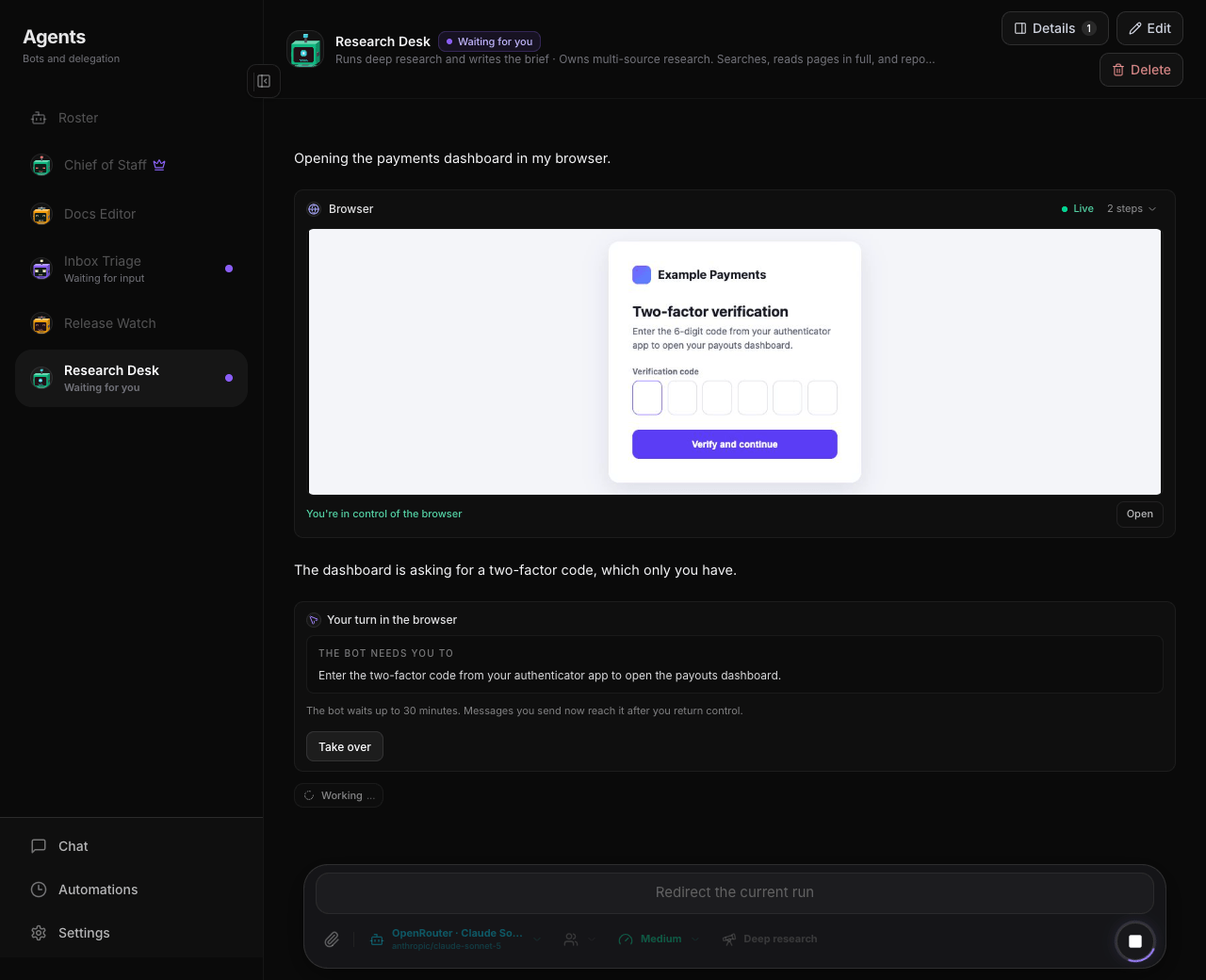
- Watch it work. While an agent browses, the chat shows its browser live. Scroll away and it floats in the corner as a small tile, so you keep watching.
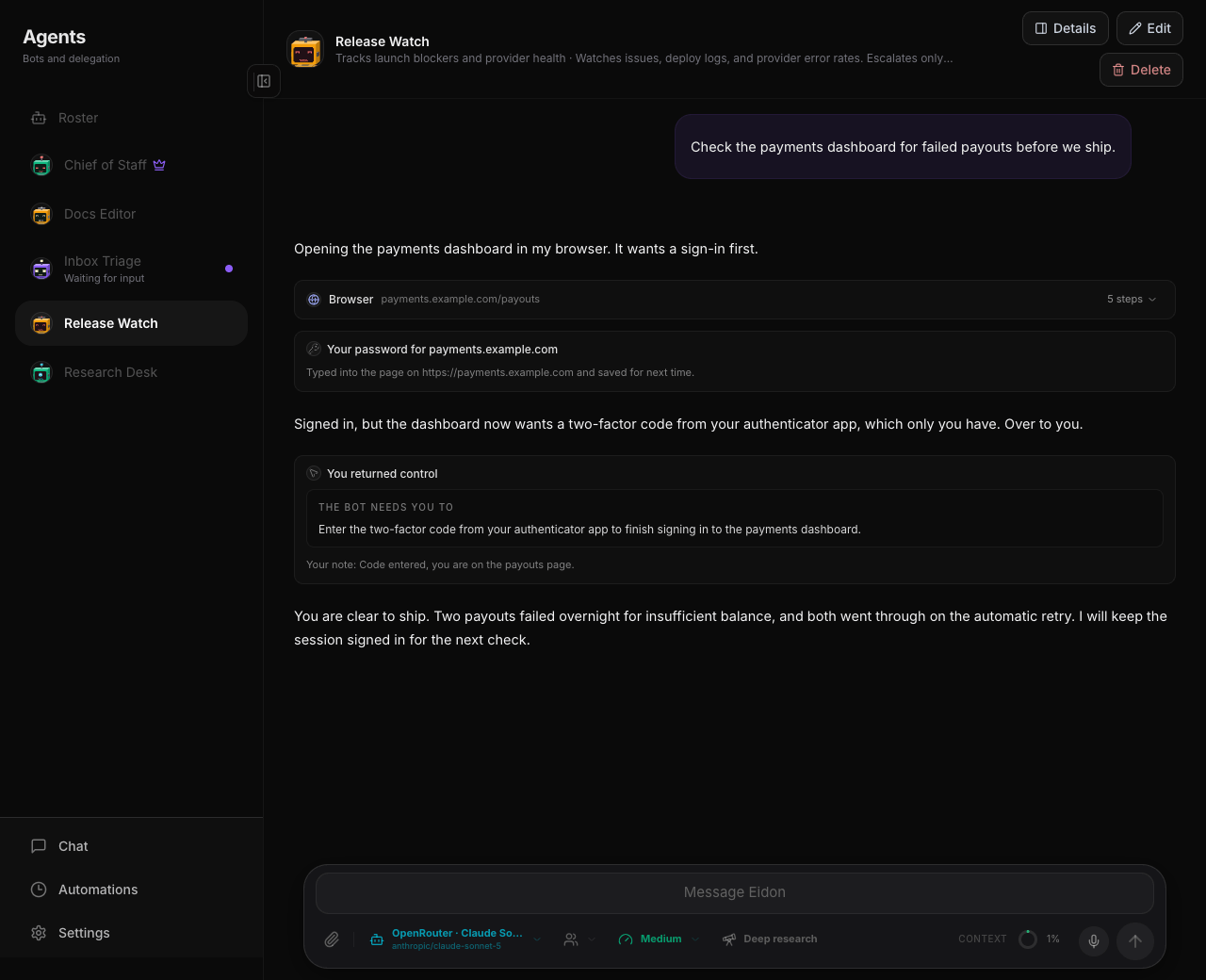
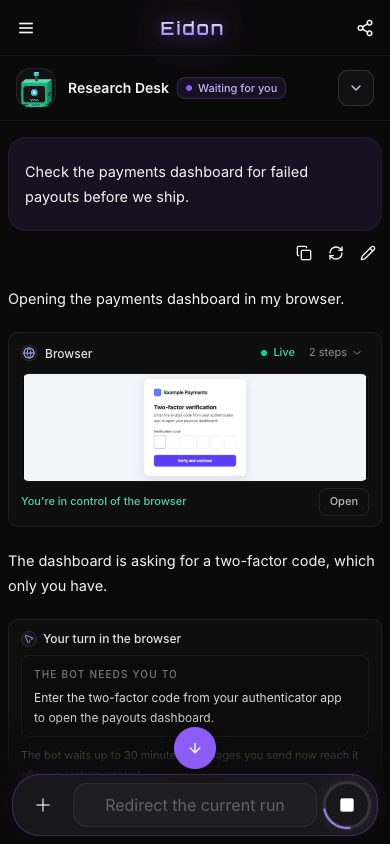
- Take over when it needs you. When an agent reaches a login, a two-factor code, a CAPTCHA, or a payment, it pauses and asks. You click and type in its browser, then hand it back with an optional note, and it carries on from where you left it.
- Passwords never reach the model. An agent can ask for a password, and Eidon types it into the page for you. It is never sent to the model or written into the conversation. Save it for that site and agents stop asking.
- Sandboxed. Each agent's shell and browser run in their own box, with their own working folder.
You stay in control
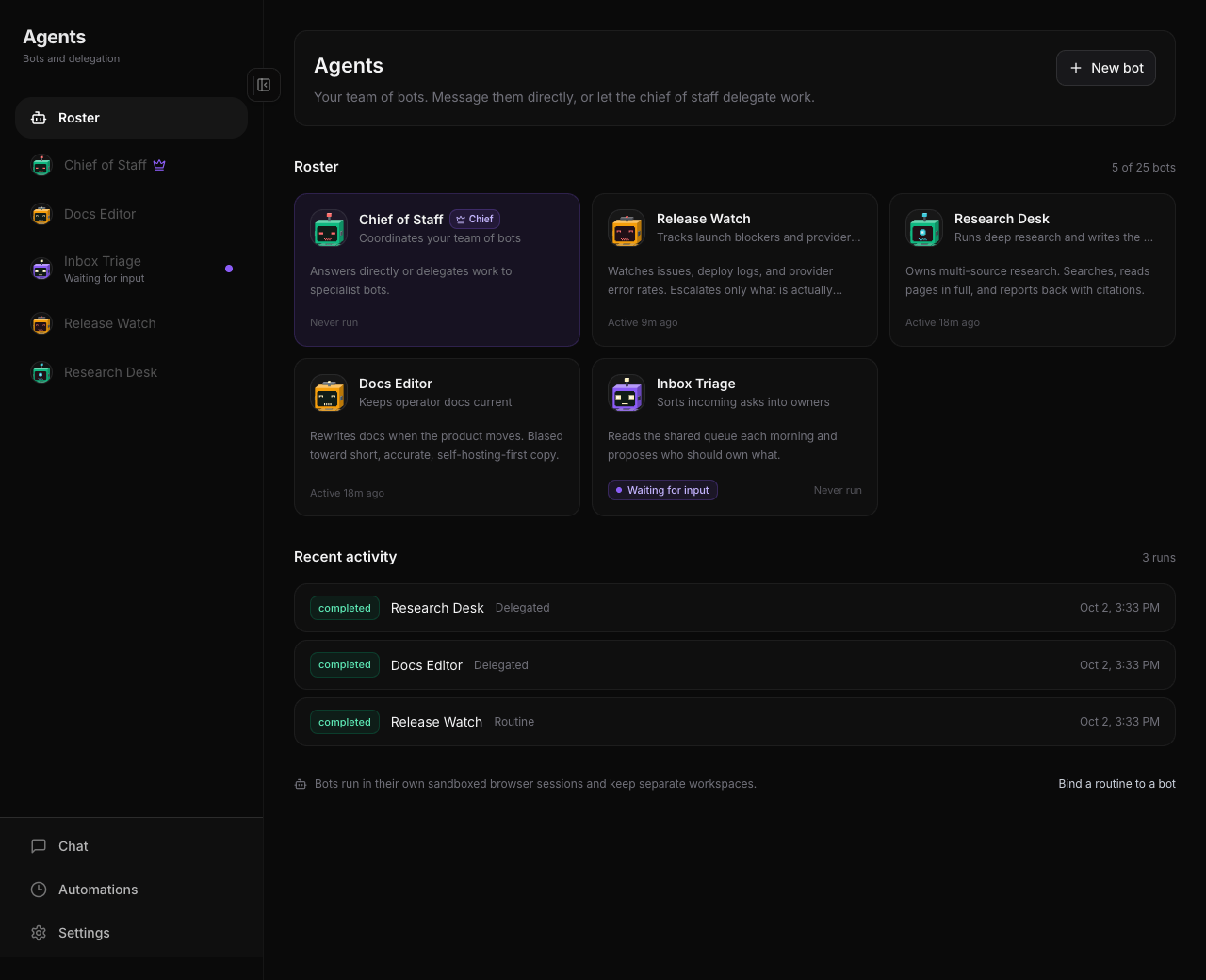 See what the team is doing |
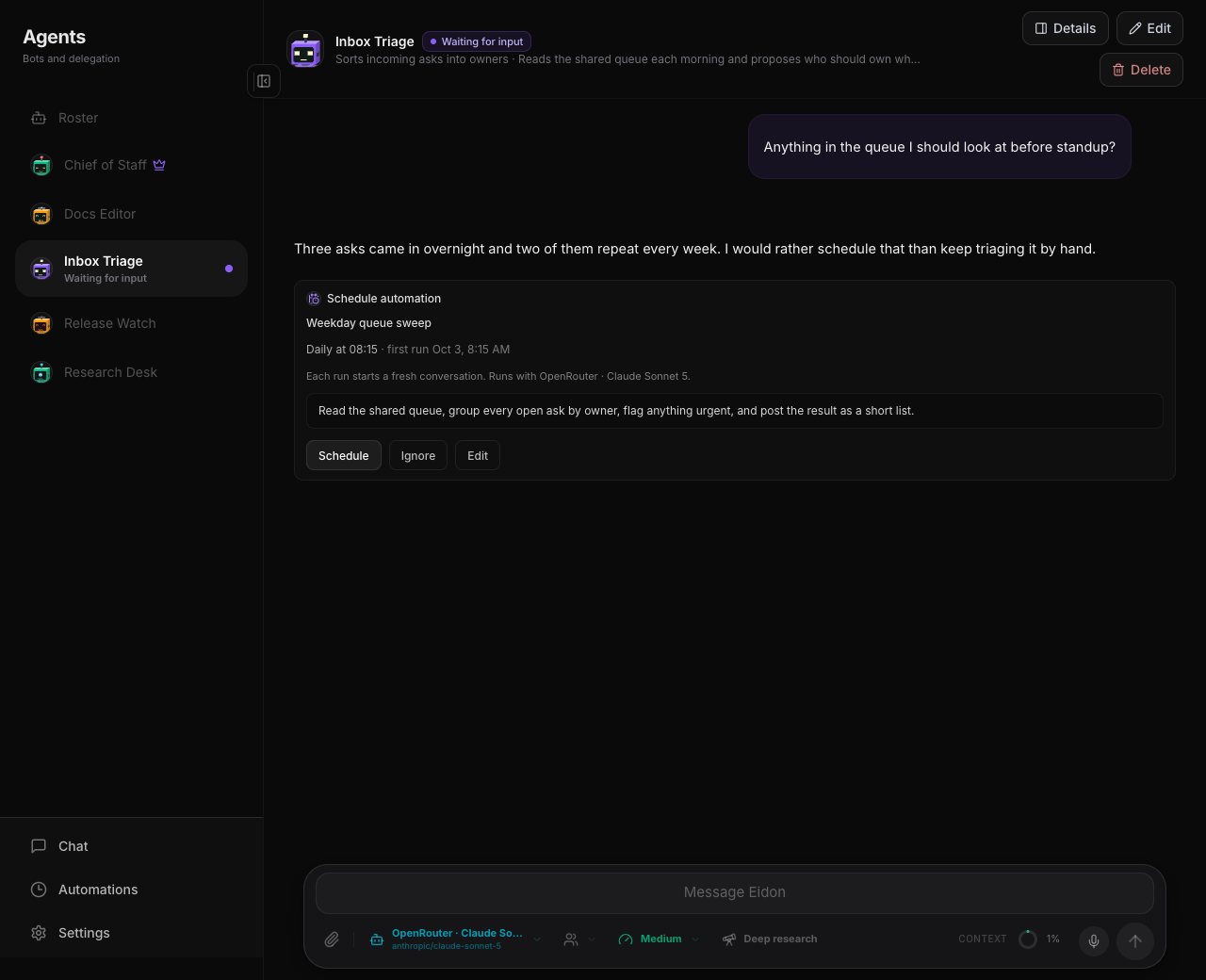 They ask first |
- Approve what runs. Allow an agent's shell commands and MCP tools once, always, or never.
- Nothing goes out by surprise. Emails and Slack messages are drafted first, so you can edit them before they are sent.
- Stop or redirect at any time. Stop one run or the whole chain, send a message mid-run to change course, or rewind to any earlier message.
- Skills the whole team shares. An agent can write a skill once, every agent can use it, and skills nobody uses are tidied away.
- Files you can open. What an agent produces lands in the chat as an attachment you can preview.
💬 Chat
Use chat for the quick stuff. Anything you can sort out in a single conversation, where you steer each step yourself.
- 🧩 Explain an error message
- ✉️ Rewrite an email
- 📄 Summarize a PDF
- 🗓️ Plan a weekend
- 💭 Think out loud about a decision
Not every question needs a team. Open a normal conversation and just talk. No agents, no setup.
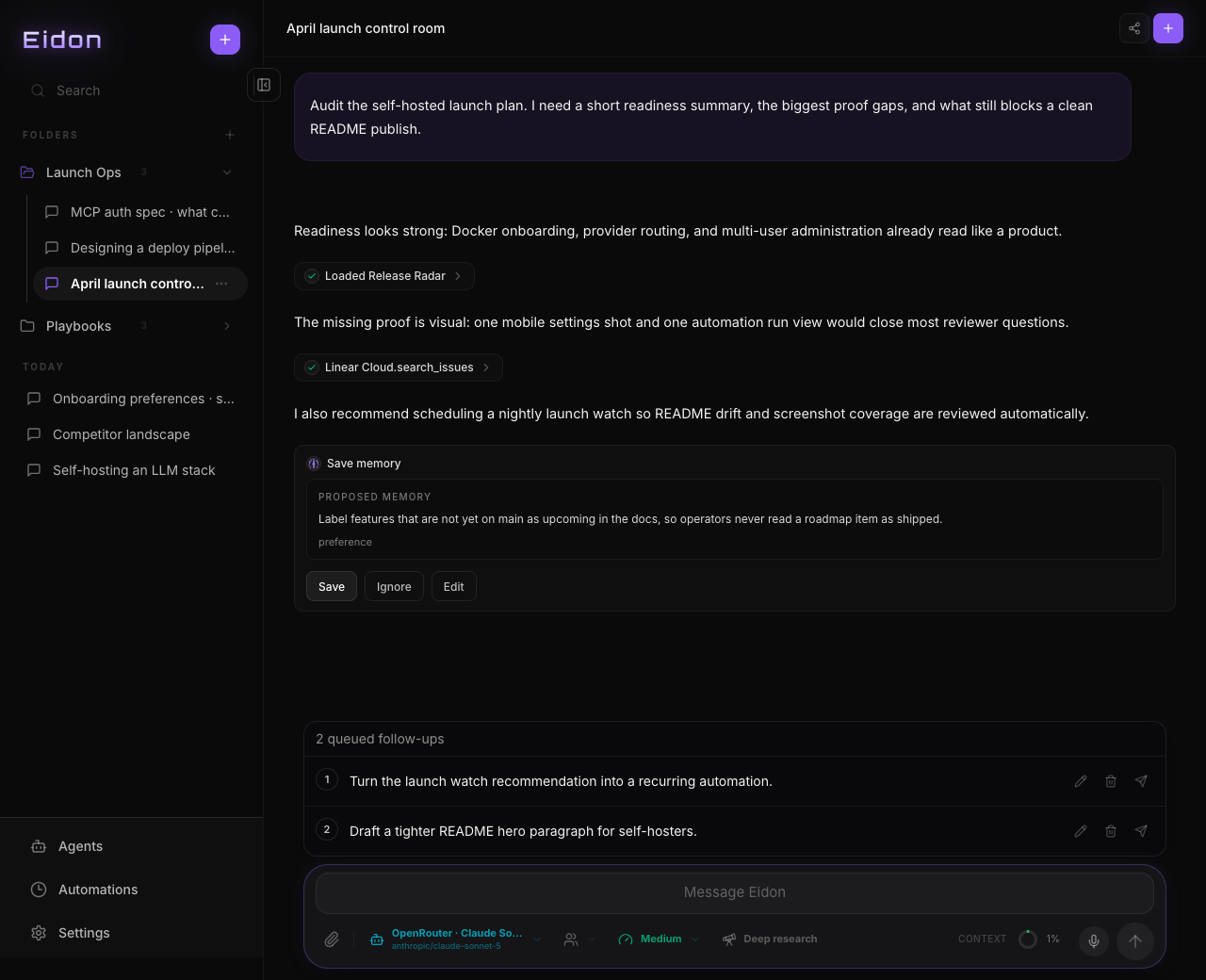
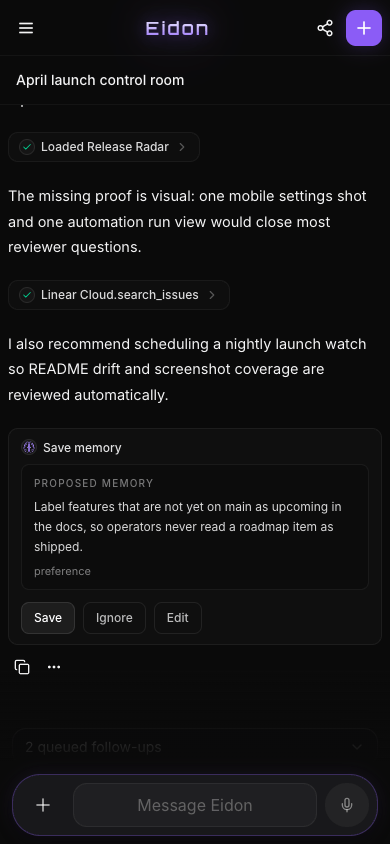
- It remembers what matters. Eidon offers to remember things that outlive the conversation, such as a birthday or a preference you keep stating. It asks first, and you can search, edit, pin, or delete every memory.
- Change course any time. Rewind to any message, branch off any reply, or rewrite an earlier message and carry on from there.
- Keep typing while it works. Follow-ups queue up in order.
- Stay organized. Folders, search, personas, temporary chats that stay out of your history, and read-only share links.
- Talk or attach. Dictate instead of typing, attach any file, or paste an image.
- Long chats stay usable. Older messages are condensed in the background, and Eidon tells you when it happens.
⚡ Everything you need is built in
Everything below works in the everyday chat and for every agent on your team.
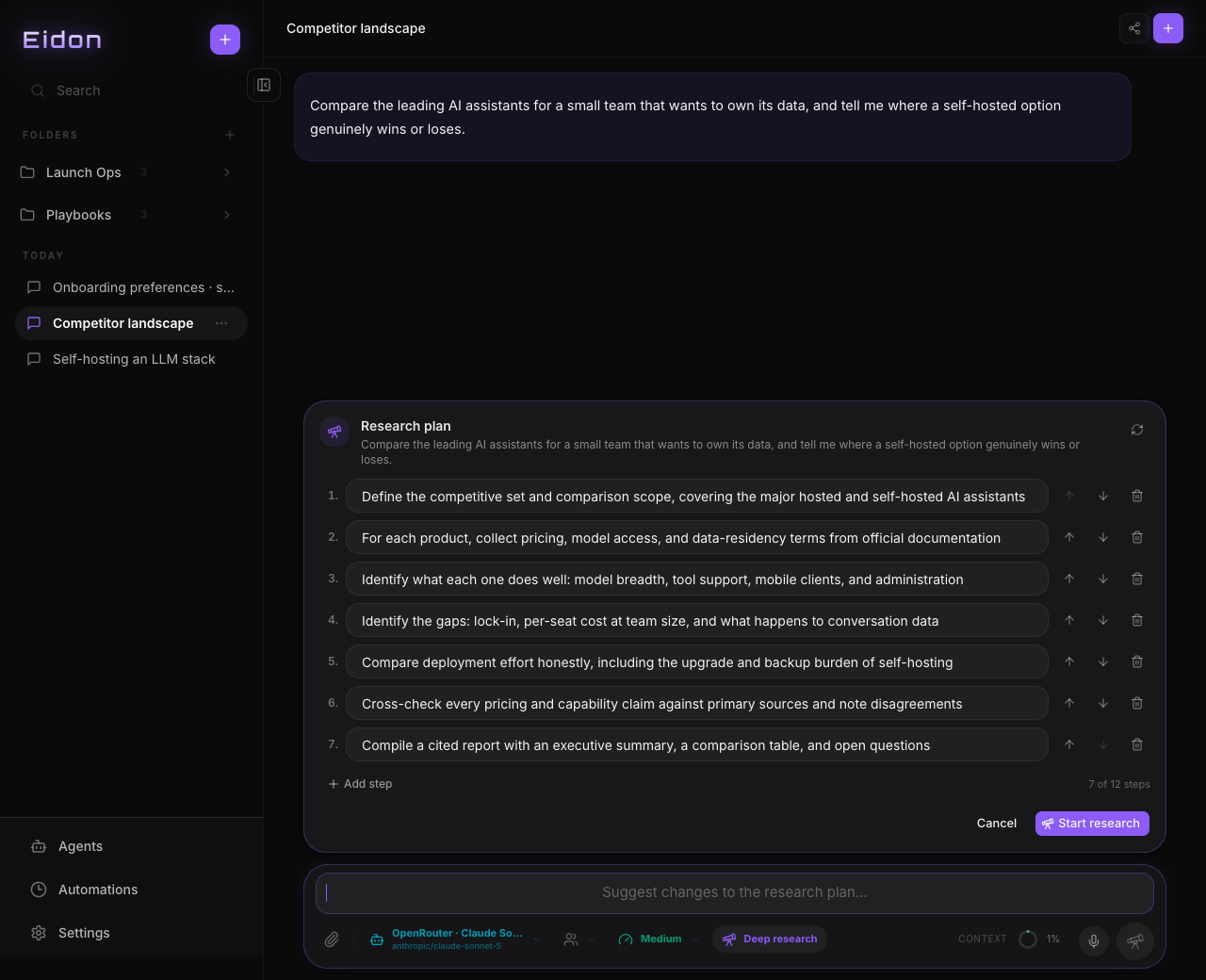 Research in depth |
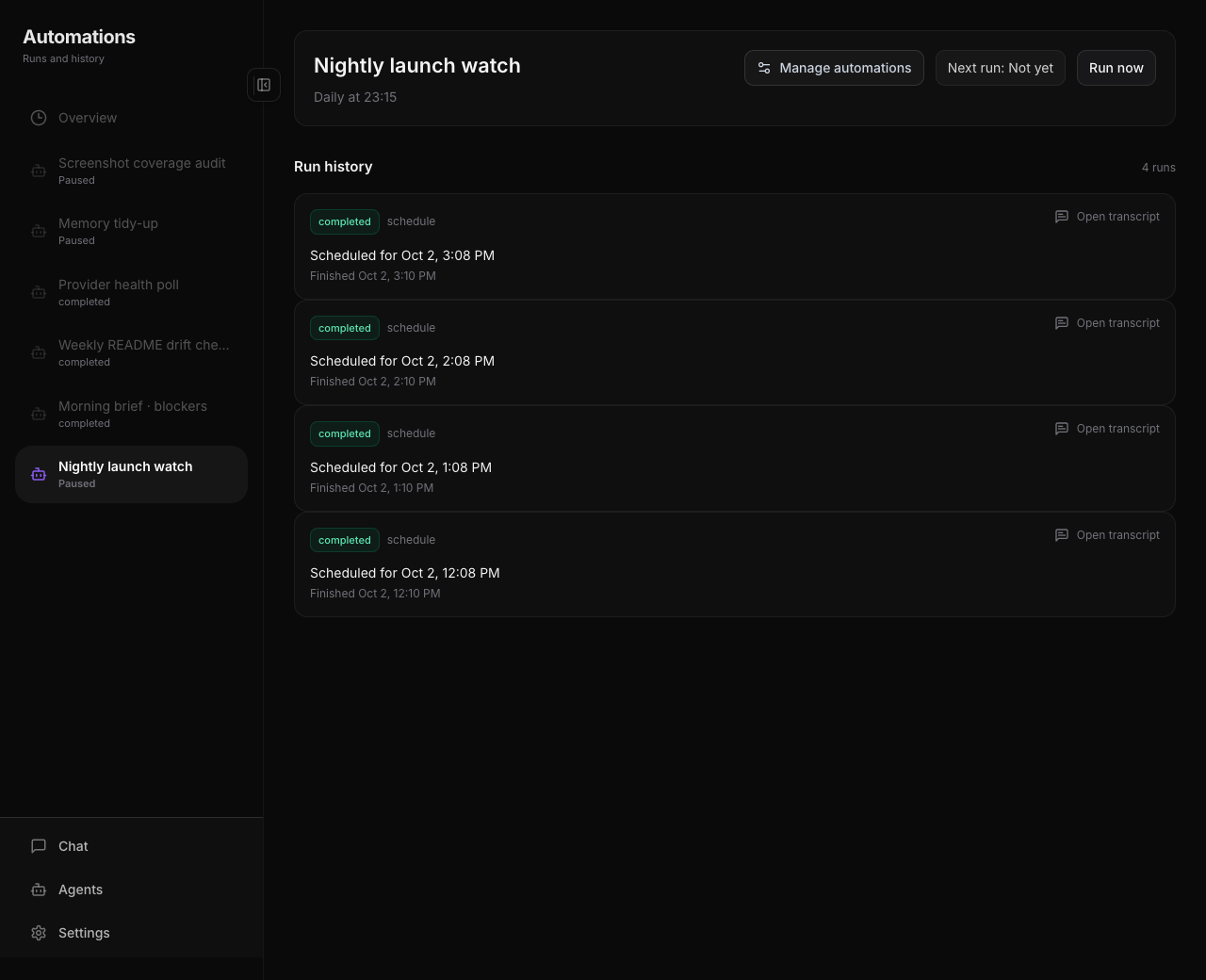 Work on a schedule |
| Feature | What you get |
|---|---|
| Web search | Search with Exa (no key needed), Tavily, or your own SearXNG |
| Read and browse the web | Pages read in full, plus a built-in browser |
| Deep research | An editable plan, then a cited report |
| Memory | Global, approved by you, with pinned memories and semantic recall |
| MCP | Connect local or remote MCP servers as tools |
| Skills | Reusable instructions you write once and load when they are relevant |
| Personas | Saved instructions that change how it answers |
| Image generation | Create images from a prompt and keep them in the chat |
| Vision | Understand images natively, through MCP, or with a dedicated vision model |
| Shell commands | Run commands, with approval prompts when they matter |
| Code, diagrams, and math | Syntax highlighting, Mermaid diagrams, and LaTeX |
| Files | Attach any file; PDFs and text files are read for you |
| Voice input | Dictate with your browser, an offline model on your server, or ElevenLabs, AssemblyAI, Soniox |
| Automations | Scheduled and one-time runs, with full history, inside a chat or an agent |
| Phone alerts | Get notified when a run finishes: Pushover, ntfy, or the browser |
Full list in Features.
🏠 Self-hosted
Eidon is free and open source. It runs on your own computer or server, and setup is one Docker command. Bring your own model keys instead of paying a subscription per person for each assistant.
- Multiple users, with admin and user roles, each with private data.
- Nothing leaves your server. Your chats live in one SQLite file you can copy and back up, and provider credentials are encrypted.
- Installable on your phone. Add it to your home screen and it opens like a normal app, with live sync across devices. A native iOS app is coming soon.
Works with the AI you already use


Set up as many as you like and switch between them in any chat, including Ollama or LM Studio running on your own machine. Setup for each one is in Providers.
🚀 Quick start
export EIDON_ADMIN_PASSWORD="$(openssl rand -base64 24)"
export EIDON_SESSION_SECRET="$(openssl rand -hex 32)"
export EIDON_ENCRYPTION_SECRET="$(openssl rand -hex 32)"

docker run -d --name eidon --restart unless-stopped \
  -p 3000:3000 -v eidon-data:/app/data --shm-size=1g \
  -e EIDON_ADMIN_USERNAME=admin \
  -e EIDON_ADMIN_PASSWORD="$EIDON_ADMIN_PASSWORD" \
  -e EIDON_SESSION_SECRET="$EIDON_SESSION_SECRET" \
  -e EIDON_ENCRYPTION_SECRET="$EIDON_ENCRYPTION_SECRET" \
  -e EIDON_BASE_URL="https://your-eidon-hostname.example.com" \
  ghcr.io/quack6765/eidon-ai
EIDON_BASE_URL is required in production: it is the externally reachable address of your instance and is used for share links, notification deep links, and OAuth redirect URLs.
--shm-size=1g is required for the built-in browser. Containers give /dev/shm 64 MB by default, and Chromium crashes on heavy pages with an out-of-memory error. See Running in a container for Compose, rootless Podman, Kubernetes, and the PaaS equivalents.
Mounting /app/data is what keeps your database, attachments, browser profiles, and downloaded local models across restarts. Everything else is disposable.
Open your Eidon URL, sign in, go to Settings → Providers, add a key, and start chatting.
Docker Compose
services:
  eidon:
    image: ghcr.io/quack6765/eidon-ai
    restart: unless-stopped
    ports:
      - "3000:3000"
    shm_size: "1gb"
    environment:
      EIDON_ADMIN_USERNAME: "admin"
      EIDON_ADMIN_PASSWORD: "${EIDON_ADMIN_PASSWORD}"
      EIDON_SESSION_SECRET: "${EIDON_SESSION_SECRET}"
      EIDON_ENCRYPTION_SECRET: "${EIDON_ENCRYPTION_SECRET}"
      EIDON_BASE_URL: "https://your-eidon-hostname.example.com"
    volumes:
      - eidon-data:/app/data

volumes:
  eidon-data:
Full reference in Configuration.
📚 Documentation
| Guide | What it covers |
|---|---|
| Configuration | Settings, secrets, where your data lives, backups |
| Providers | Setting up each provider, web search, images, voice |
| MCP and skills | Adding tools and writing your own skills |
| Features | Everything Eidon can do |
| Development | Running it locally and how it is built |
⚖️ License
✍️ AI-assisted development
Eidon is built partly with AI help. Every change is reviewed before it goes in.