
PomZWJ/database-export
PomZWJ/database-export has 343 GitHub stars and 76 forks. GitHot measured 0 stars in 24 hours. Last checked 2026-11-18 17:29 UTC. Last push 2026-07-25.
Measured star growth
- in 24h
- 0
- in 7 days
- Collecting history
- in 15 days
- Collecting history
- in 1 month
- Collecting history
Net star changes over overlapping periods, not daily totals. Missing measurements are left blank. Stars measure attention, not software quality.
About
基于SpringBoot的开源数据库表结构导出word文档工具
Developer ToolsREADME.md
Original
database-export V6.0.0






database-export是一款多线程生成数据库结构文档的开源springboot工程,能支持最新的数据库版本,支持导出多种格式的文件,也能直接在网页上预览
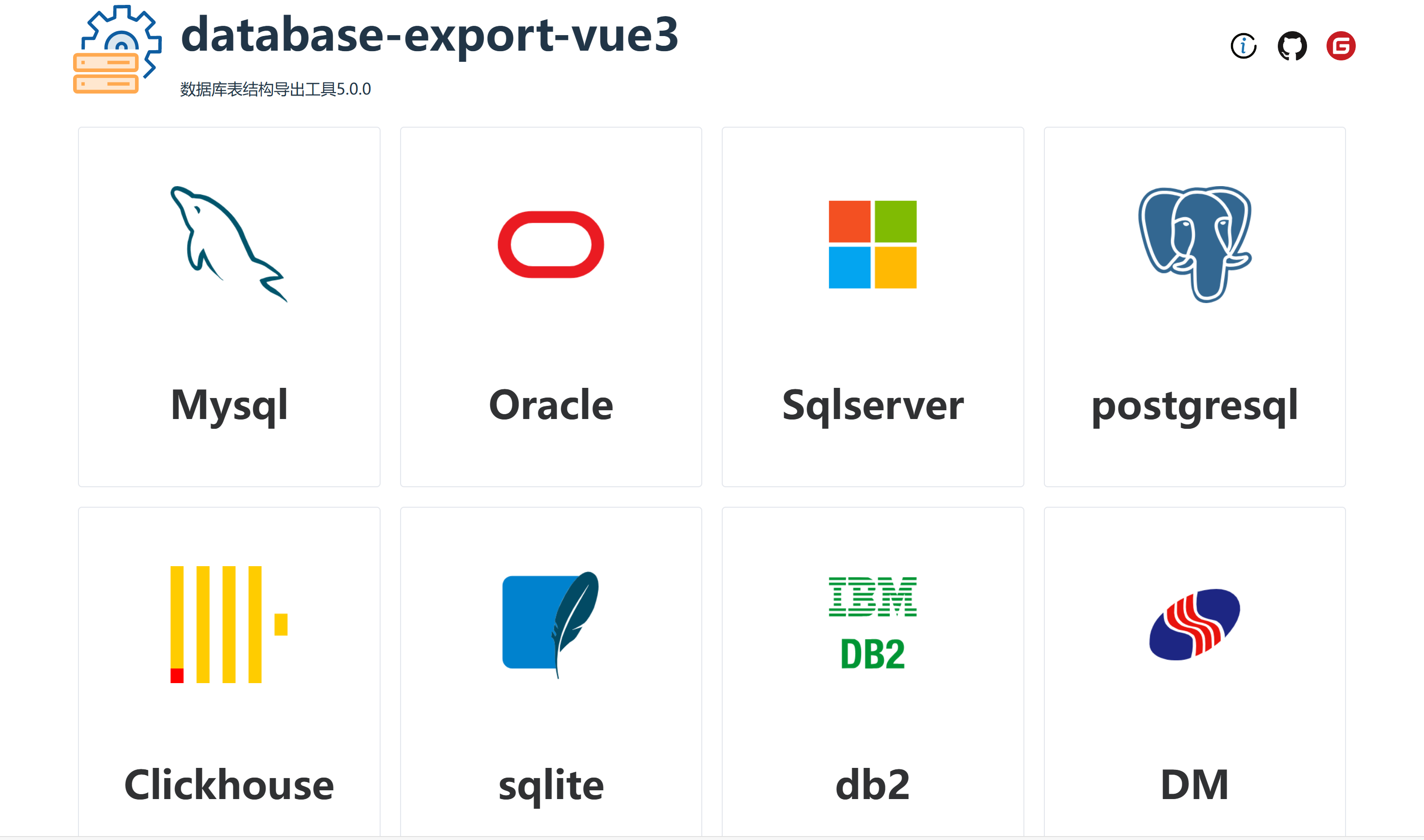
现已支持的数据库
- MySQL
- ORACLE
- SqlServer
- Postgresql
- Clickhouse
- Sqlite3
- DB2
- 达梦
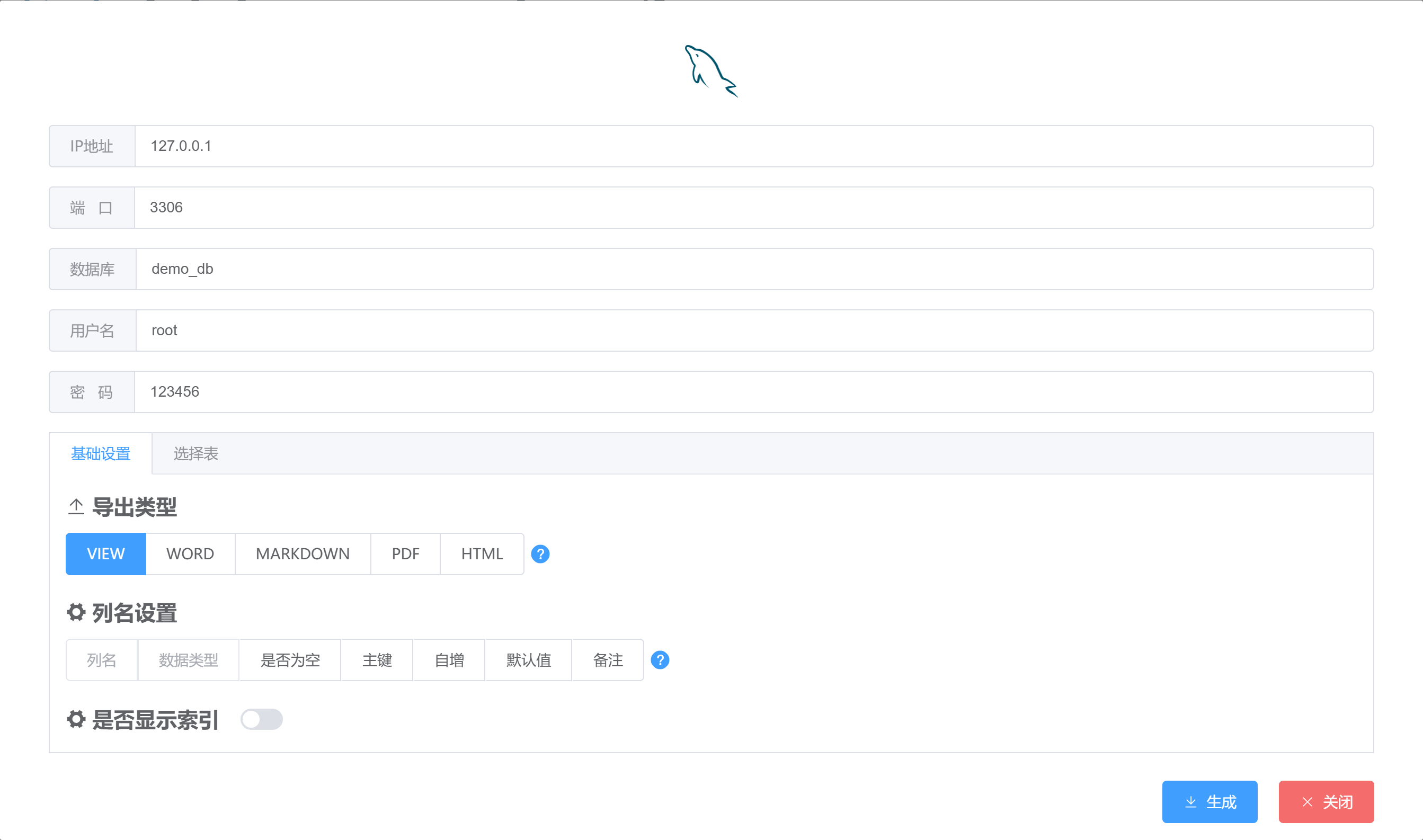
现已支持导出的类型
- word
- markdown
- html
- excel
项目特点
- 导出sql支持多线程查询,导出速度更快
- 使用element-ui-plus,界面更美观
- 支持导出word、markdown、pdf、html,更支持网页预览
- 导出速度高于现在的所有导出工具
想加入技术开发群的加我(项目、毕业设计开发请备注项目,加群备注加群即可)

支持一下我

How to use
1.docker运行(推荐)
docker pull pomzwj/database-export:6.0.0
docker run -d --name database-export -p 9999:9999 pomzwj/database-export:6.0.0
2.下载release下的最新打包的压缩包
cmd/shell执行java -jar xxx.jar 即可启动
3.下载最新的源码启动
源码运行方法
执行database-export-web下的DatabaseExportApplication.java即可,然后浏览器输入:http://localhost:9999
如果想修改前端,前端项目在
vue2(database-export < 5.0.0)
https://github.com/PomZWJ/database-export-vue
vue3(database-export >= 5.0.0)
https://github.com/PomZWJ/database-export-web-vue3
1.前端打包后,会出现dist文件夹,把index.html,logo.png,vite.svg替换到database-export\src\main\resources\templates文件夹
2.database-export\src\main\resources\static\static文件夹删除(一定要先删除),然后在把dist中的assets文件夹复制过来
3.重启工程即可生效
4.用户自行开发
参考模块[database-export-core-demo]
在pom.xml文件中引入
<dependency>
    <groupId>io.github.pomzwj</groupId>
    <artifactId>database-export-core</artifactId>
    <version>6.0.0</version>
</dependency>
JAVA代码中的使用
protected static DataSource getDataSource() {
    //自行定义数据源
}
public static void main(String[] args){
    DataSource dataSource = getMySqlDataSource();
    try {
        DataBaseExportExecute.executeFile(dataSource, new DbExportConfig()
                .setSearchIndex(true)
                .setExportFileTypeEnum(ExportFileType.WORD)
                //详情见DataBaseType,以下的为字段名,自定字段名导出
                //表字段
                .setShowColumnList(Lists.newArrayList("columnName","dataType","autoIncrement"))
                //索引字段
                .setShowIndexList(Lists.newArrayList("name","seqIndex"))
                .setGenerationFileTempDir("生成文件的位置"));
    }catch (Exception e){
        e.printStackTrace();
    }finally {
        if (dataSource != null) {
            ((DruidDataSource) dataSource).close();
        }
    }
}
首页截图
操作页面截图
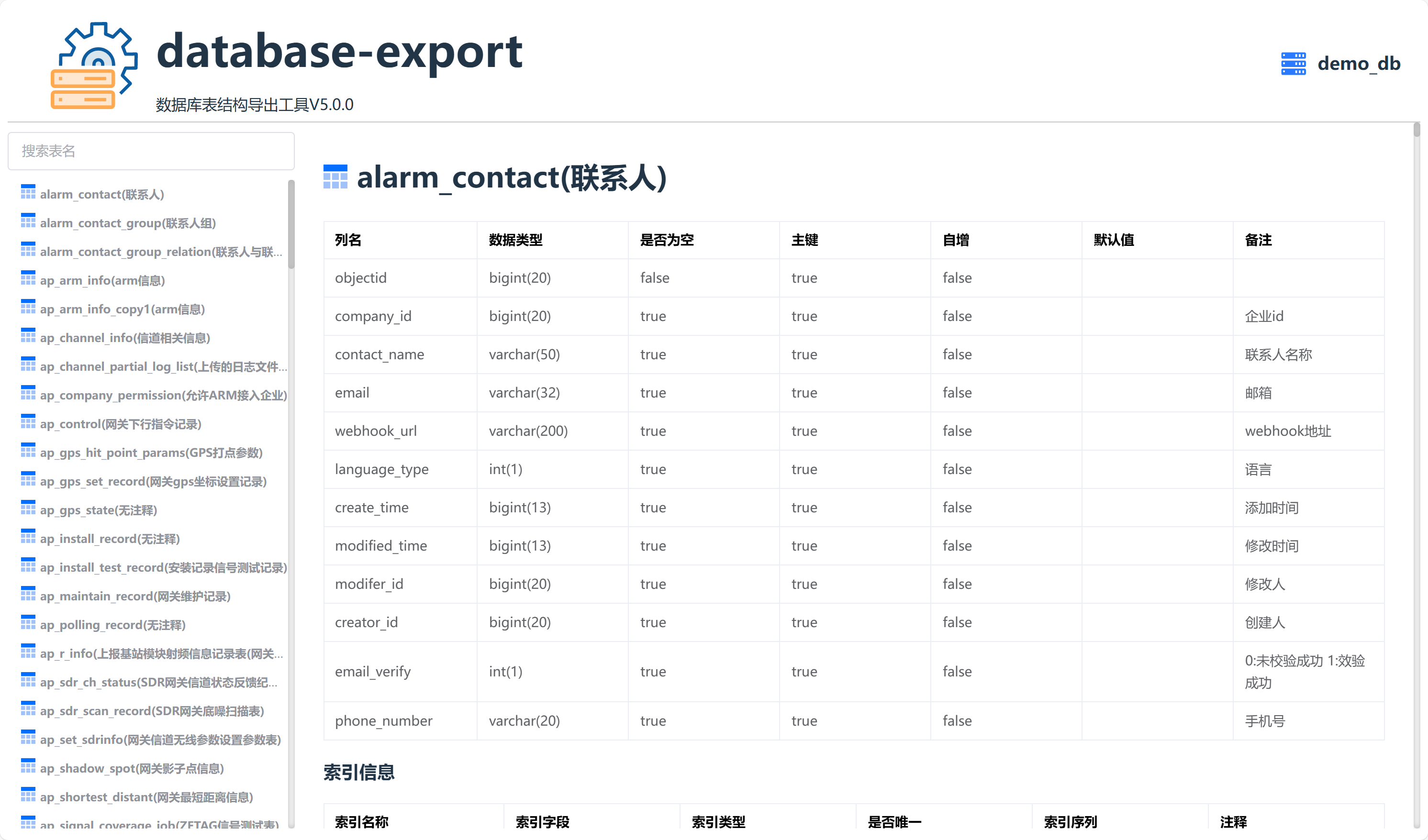
html预览页面截图
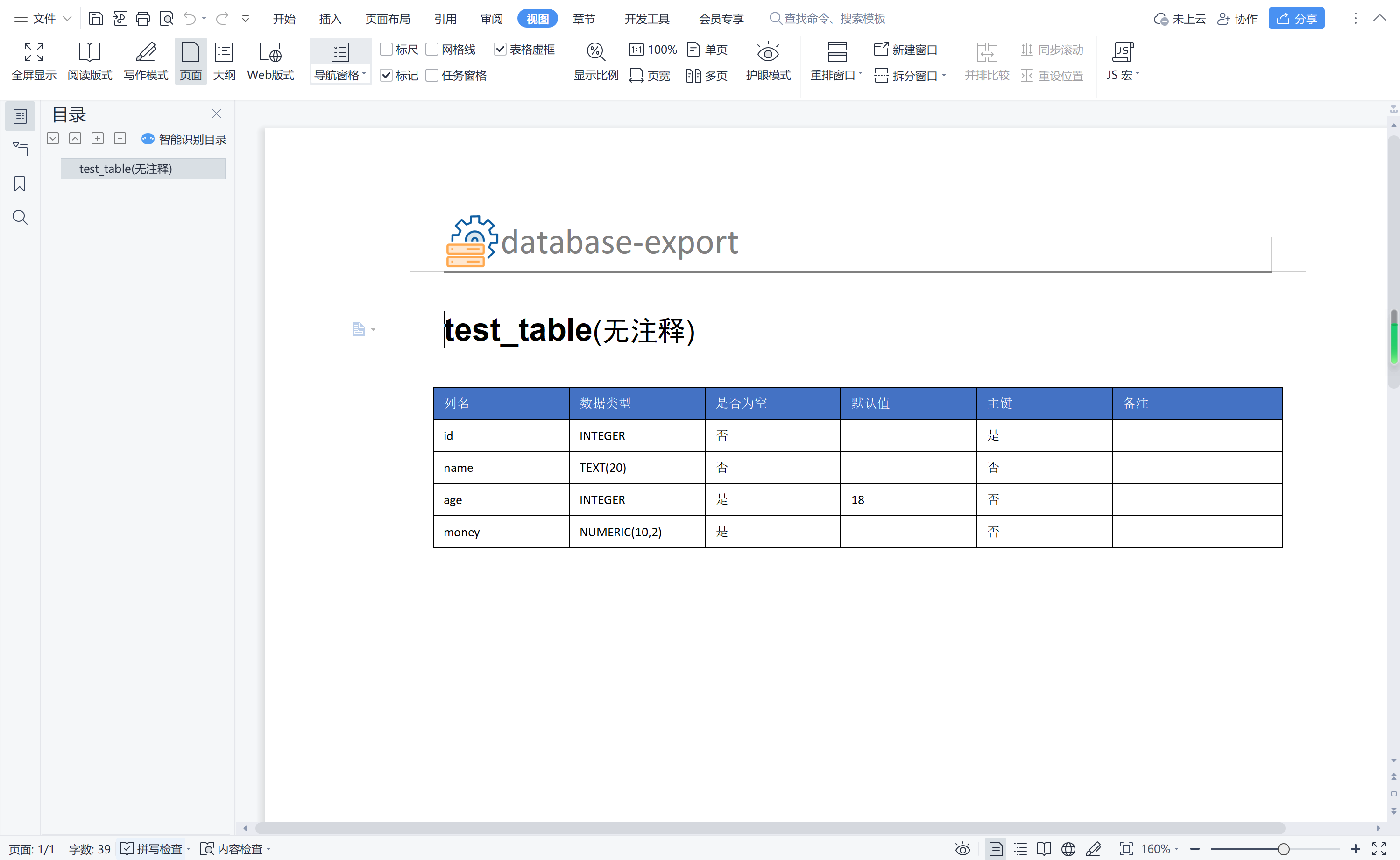
word页面截图
更新日志
2026-07-26(V6.0.0)
1.架构优化和页面美化
增加excel导出
2024-06-16(V5.0.0)
1.从vue2升级到vue3
2.element-ui 升级 element-ui-plus
3.UI改版
4.后台JAVA架构改造,改造成可以用户使用的第三方SDK,供用户自行开发
5.修复已知BUG
2023-12-14(V4.1.0)
1.封装docker镜像
2.导出可以选择表导出
3.修复已知bug
2023-05-21(V4.0.0)
1.前端工程单独开发,不再使用之前thymeleaf引入vue.js的做法
2.新增支持DB2和达梦数据库
3.新增导出支持pdf,html
2022-10-29(V3.4.0)
1.新增支持Sqlite
2.导出支持Markdown
2022-10-27(V3.3.0)
1.新增支持ClickHouse
2.修复已知bug
2022-03-27(V3.2.0)
1.支持Postgresql
2.修复已知BUG
2021-12-16(V3.1.0)
1.数据库连接池改成工厂模式,引入了druid和hikaricp两种连接池,可在yml自定义配置
2.前端html预览美化,加入了导航
3.修复已知BUG
2021-06-27(V3.0.0)
1.查询数据库的时候加入了多线程查询,使得导出速度更快
2.抛弃了之前使用的原生JDBC连接,引入了druid和JdbcTemplate
3.支持导出excel
4.支持前端html预览
2021-06-05(V2.2.0)
1.改变java设计模式为工厂模式,方便用户自己扩展
2.优化了后台代码,尽量把代码实现高度配置化
3.BUG改进
2020-07-15(V2.1.0)
1.去除了打包后,application需要重新配置模板文件,使部署更简单,不需要在改动到配置文件
2.去除了自定义文件生成目录
3.让生成的文件能够下载
4.BUG改进
2019-09-26(V2.0.0)
1.使用了VUE+Element-UI重新修改了界面,抛弃了原本的Bootstrap
2.BUG改进
2019-04-20(V1.0.0)
1.使用springboot2.x+Bootstrap完成界面
2.能导出docx类型的文档,支持mysql,oracle,sql server