
PocketLLM/pocketllm-lite
PocketLLM/pocketllm-lite has 28 GitHub stars and 5 forks. GitHot measured 0 stars in 24 hours. Last checked 2026-11-15 02:09 UTC. Last push 2026-10-29.
Measured star growth
- in 24h
- 0
- in 7 days
- Collecting history
- in 15 days
- Collecting history
- in 1 month
- Collecting history
Net star changes over overlapping periods, not daily totals. Missing measurements are left blank. Stars measure attention, not software quality.
About
A premium, privacy-first, offline AI chat application for Android/iOS, integrating with Ollama via Termux. Experience powerful AI models directly on your device with a beautiful, customizable interface.
AIREADME.md
Original
PocketLLM Lite
A local-first AI chat app for Android. Your models, your documents, your device.


Download APK (v1.0.40) · Website · Quick start · Known limitations · Contribute
Why PocketLLM Lite
- It actually runs on your phone. Cactus-format model bundles (the in-app catalog downloads these) run on-device through the Cactus runtime. No account and no hosted inference. GGUF files are not loadable on-device; use them through Ollama or another OpenAI-compatible server.
- You decide when the network is used. Every app-managed connection goes through one policy gateway with a visible audit log. Strict Offline Mode blocks all non-loopback traffic from the app.
- Bring your own runtime when you want to. Connect Ollama on your own machine or any OpenAI-compatible endpoint. PocketLLM tells you which requests leave the device.
- Your documents stay yours. Import PDF, TXT, Markdown, or CSV and chat with them using keyword, semantic, or hybrid retrieval with source references.
- No ads, no analytics, no tracking SDKs. A regression test in
test/regressionsfails the build if they appear.
What it looks like
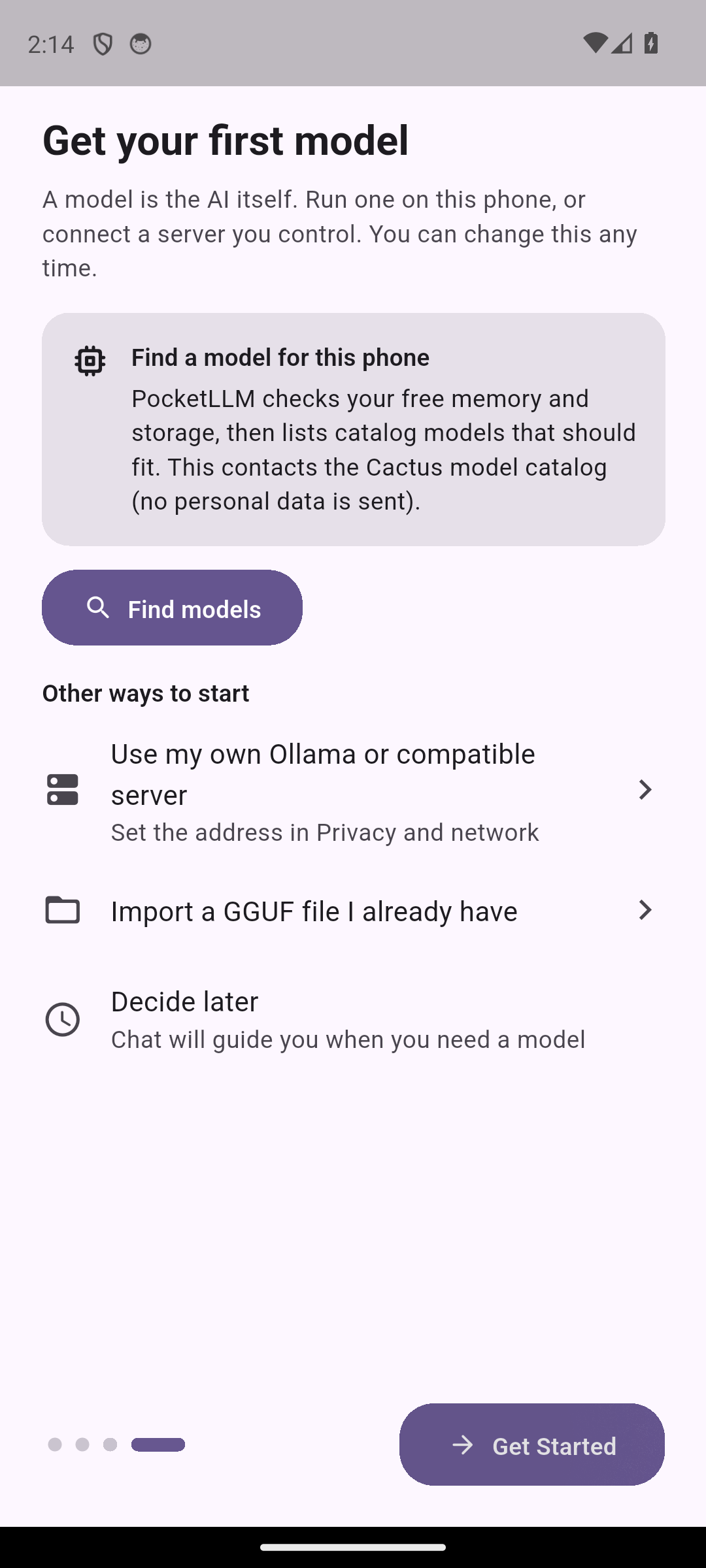
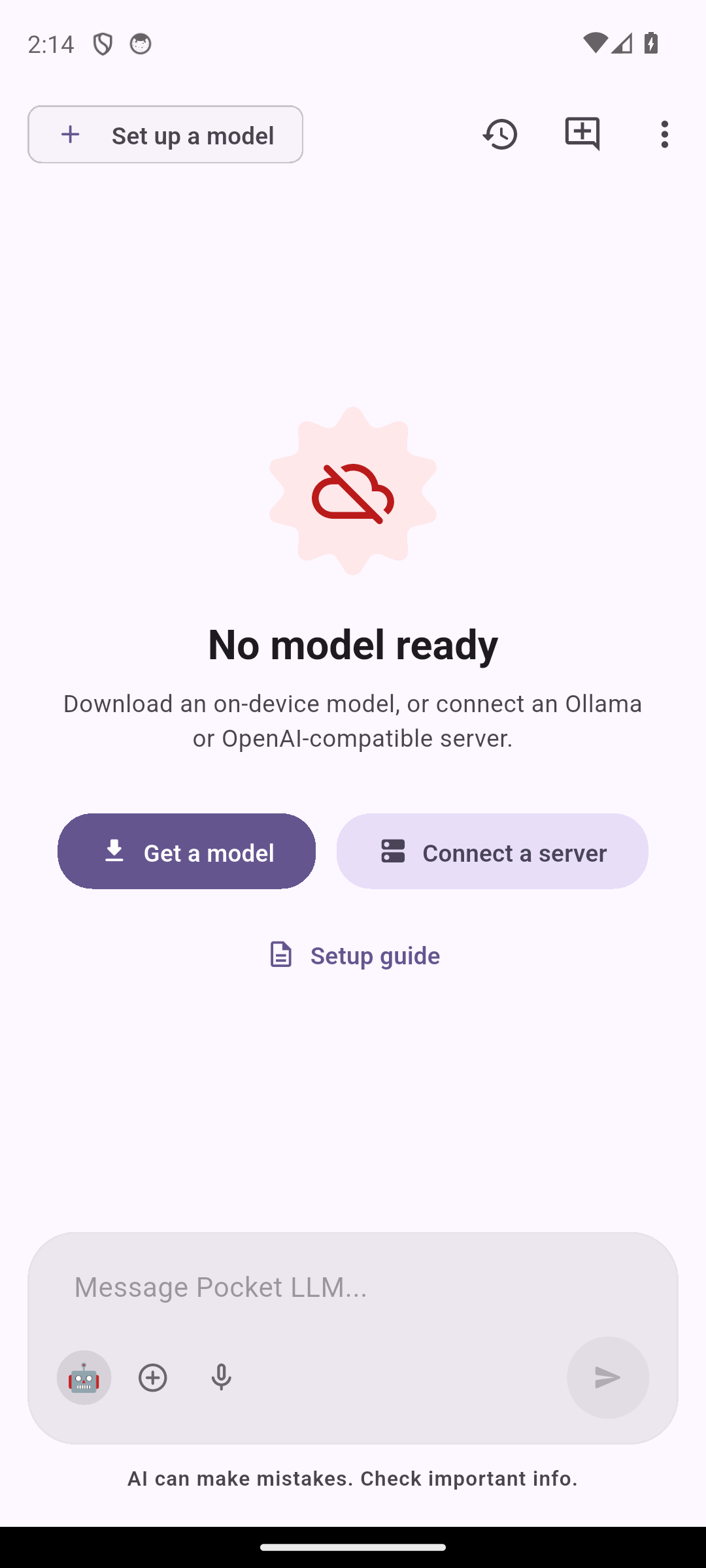
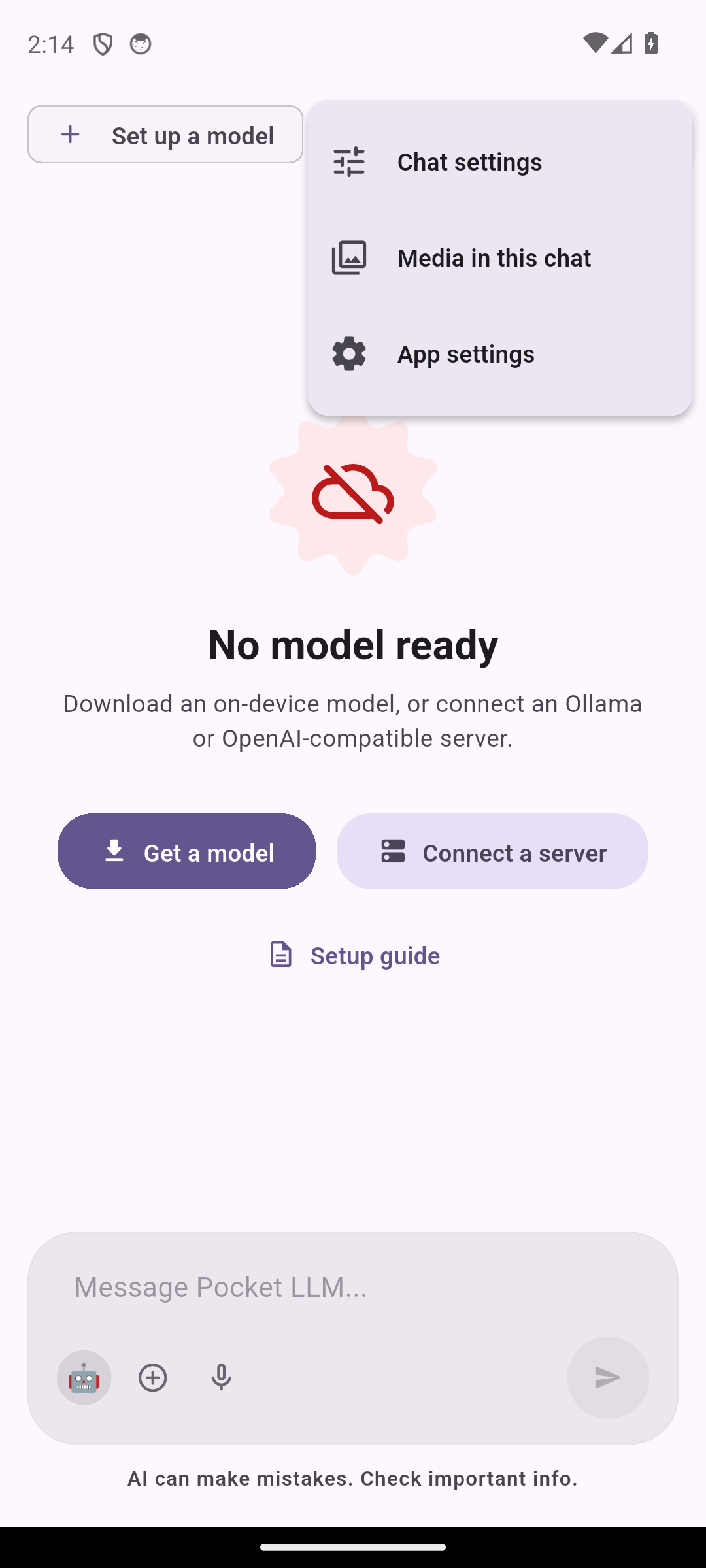
Real screenshots from the development build on an Android 14 emulator. These show the v1.0.40 build.
| First-launch model step | Chat with no model ready | Chat menu |
|---|---|---|
 |
 |
 |
What works in v1.0.40
| Area | What you get |
|---|---|
| Chat | Streaming local chat, persistent history, branches, tags, personas, prompts, skills, per-chat system prompts |
| Models | On-device Cactus catalog, Hugging Face GGUF search for server use (with a copyable ollama run command), gated-repo token support, resumable verified downloads, local folder import, device-aware recommendations |
| Documents | PDF/TXT/MD/CSV ingestion, keyword / semantic / hybrid retrieval, source-aware answers |
| Vision & OCR | Android on-device OCR (ML Kit Latin). Image input only when the selected model confirms vision support |
| Voice | On-device Whisper transcription via a guided, checksum-verified model install; text-to-speech |
| Tools | Validated JSON tool calls: safe math, system info, clipboard, notes, reminders, email draft, browser, policy-gated web search. State-changing tools ask first |
| Memory | Local memories linked to their source message, rolling summaries |
| Privacy | Strict Offline Mode, network audit log, secure-storage keys, password-derived AES-256-GCM .pllm backups with rollback on failed restore |
| Developer | Authenticated OpenAI-compatible server (/v1/models, /v1/chat/completions with SSE, /v1/embeddings), loopback by default |
| Lab | Prompt Lab, side-by-side model comparison, on-device benchmarks |
| UI | Material 3 light/dark, dynamic color. English only today: translation files for six languages exist but hold 15 strings and are not wired into the UI yet |
Anything not listed here is not claimed. See
docs/KNOWN_LIMITATIONS.md for the honest gaps.
Try it in five minutes
- Install. Download the APK for your device from the
v1.0.40 release
(
arm64-v8afor most phones from 2017 onward; compare the file againstSHA256SUMS.txt). Only thearm64-v8abuild contains the on-device model runtime. Thearmeabi-v7aandx86_64builds can still use an Ollama or OpenAI-compatible server, OCR and documents, but cannot run on-device models. Android 7.0 (API 24) or newer. Release APKs are debug-signed engineering builds (same signer as v1.0.13 to v1.0.38), see Known limitations. - Finish onboarding. It explains the model options and asks you to choose
your network permissions (update checks and online model browsing are
optional; Strict Offline Mode is one switch). Then pick a path:
- On-device: open the model selector, choose a small verified model, and let it download over Wi-Fi (a 1 B parameter model at Q4 is roughly 0.7 to 1 GB).
- Your own server: add an Ollama or OpenAI-compatible URL in settings.
- Chat. The selected model, not a canned reply, produces every response. If a prerequisite is missing, the app says so instead of faking success.
- Optional: import a document, turn on Strict Offline Mode, or try voice.
Hardware guidance
Memory is the limit. As a rule of thumb, the model file plus its context cache
must fit in free RAM with headroom for Android itself. PocketLLM recommends
conservatively and shows unknown when the device does not expose a
measurement. Compatibility depends on the exact file, quantization, device, and
thermal state, and PocketLLM loads only Cactus-format bundles, never GGUF. Reports with device and
model details are very welcome (see Contributing).
Privacy model in one paragraph
Chats, documents, indexes, and memories live in the app sandbox. Local inference
never sends content anywhere. Network access happens only for explicit,
displayed purposes (model discovery/download, update checks you enable, web
search you enable, remote runtimes you configure). Strict Offline Mode blocks
all of it except loopback. It is an application-level boundary, not a device
firewall; handing content to another app (for example an email composer) is
outside its reach. Details: SECURITY.md and
assets/network_policy.json.
Build from source
git clone https://github.com/PocketLLM/pocketllm-lite.git
cd pocketllm-lite
flutter pub get
flutter analyze
flutter test
flutter run                      # needs an Android device or emulator
flutter build apk --split-per-abi --release
Flutter stable (3.41+) and Android SDK are required. More in
CONTRIBUTING.md.
Repository layout
lib/
├─ core/        theme, shared Material 3 widgets, routing
├─ features/    chat, model_browser, rag, settings, onboarding, media, ...
├─ services/    inference, network gateway/policy, downloads, RAG, tools, backup
└─ models/      Hive models and manifests
webapp/         Web Edition (Next.js) and the marketing website
docs/           audits, verification reports, known limitations
Web Edition
webapp/ contains a Next.js browser edition and the marketing site.
It runs against Ollama or OpenAI-compatible endpoints you control and keeps its
data in IndexedDB. It does not include the Android on-device runtime.
Contributing
PocketLLM Lite is MIT licensed. Bug reports, device and model compatibility
evidence, translations, accessibility fixes, documentation, tests, and focused
code are welcome. Start with CONTRIBUTING.md, follow the
code of conduct, and browse
good first issue
labels. Report vulnerabilities privately via SECURITY.md.
Further reading
Changelog · Release notes · v1.0.38 verification · Product audit