
ParthSareen/simple-rag
ParthSareen/simple-rag has 67 GitHub stars and 6 forks. GitHot measured 0 stars in 24 hours, 0 in 7 days, and 0 in 15 days. Last checked 2026-11-15 07:09 UTC. Last push 2024-11-30.
Measured star growth
- in 24h
- 0
- in 7 days
- 0
- in 15 days
- 0
- in 1 month
- Collecting history
Net star changes over overlapping periods, not daily totals. Missing measurements are left blank. Stars measure attention, not software quality.
About
Too many docs? Quickly search over any PDF or Markdown documents
AIREADME.md
OriginalSimple RAG

Run RAG (Retreival Augment Generation) for any documents!
Hey there! 👋 RAG-in-a-box is your go-to tool for quickly setting up Retrieval Augmented Generation (RAG) on your docs. It's perfect for when you're tired of uploading docs to chatgpt or want everything to be saved locally.
- 📚 Handles PDFs and Markdown files
- 🤖 Works with OpenAI and Ollama models
- 🖥️ Easy-to-use interface s/o Gradio
- 💻 CLI for you command-line lovers
Prerequisites
- Python 3.10 or higher
- pip or rye package manager
Installation
Choose one of the following methods:
Using pip:
pip install -r requirements.lockUsing rye:
rye sync
API Keys
- For OpenAI models: Set the
OPENAI_API_KEYenvironment variable with your OpenAI API key. - For Ollama models: Ensure Ollama is installed and running on your system.
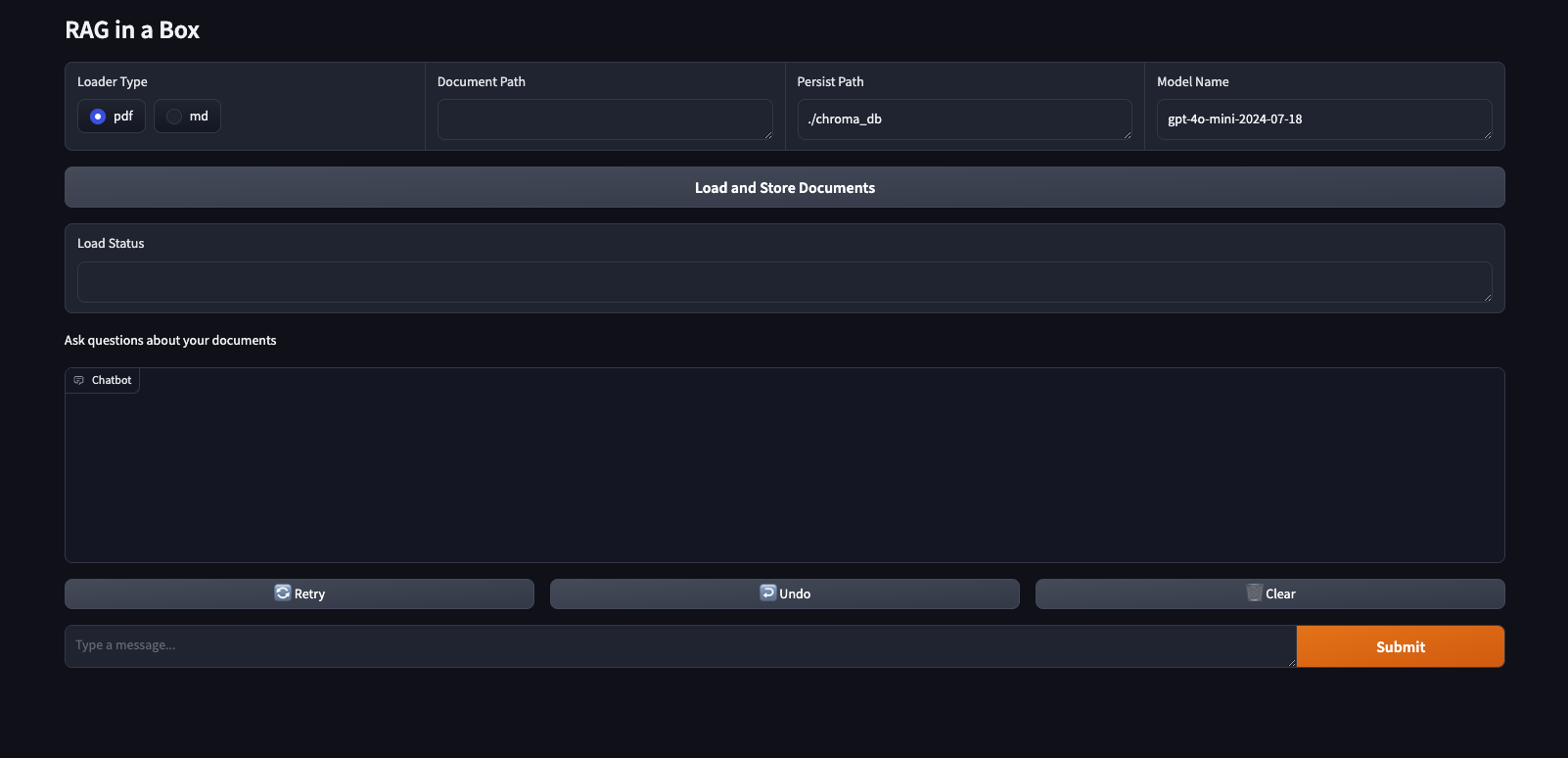
Using the Gradio Interface
python3 src/rag_in_a_box/interface.py
Using the CLI
To use RAG-in-a-box from the command line, you can utilize the main.py script. Here’s how you can get started:
Basic Usage:
python3 src/rag_in_a_box/main.py --path <path_to_your_documents>Replace
<path_to_your_documents>with the path to the directory containing your PDF or Markdown files.Specify Document Loader Type: By default, the script assumes you are loading PDF documents. If you want to load Markdown files, use the
--loader_typeargument:python3 src/rag_in_a_box/main.py --loader_type md --path <path_to_your_documents>Persisting the Vector Database: You can specify a custom path to persist the vector database using the
--persist_pathargument:python3 src/rag_in_a_box/main.py --path <path_to_your_documents> --persist_path <path_to_persist_db>Choosing the Model: The script supports both OpenAI and Ollama models. You can specify the model to use with the
--modelargument:python3 src/rag_in_a_box/main.py --path <path_to_your_documents> --model <model_name>Interactive Q&A: Once the documents are loaded and stored, the script enters an interactive Q&A loop. Simply type your questions, and the system will provide answers based on the loaded documents. Type
quitto exit the loop.
Example command:
python3 src/rag_in_a_box/main.py --loader_type pdf --path ./docs --persist_path ./chroma_db --model gpt-4o-mini-2024-07-18
This command loads PDF documents from the ./docs directory, stores them in the ./chroma_db vector database, and uses the gpt-4o-mini-2024-07-18 model for Q&A.