
ParkSangGwon/TedBottomPicker
ParkSangGwon/TedBottomPicker has 1,093 GitHub stars and 185 forks. GitHot measured 0 stars in 24 hours. Last checked 2026-11-09 10:23 UTC. Last push 2023-08-28.
TedBottomPicker is simple image picker using bottom sheet
Measured star growth
- in 24h
- 0
- in 7 days
- Update delayed
- in 15 days
- Update delayed
- in 1 month
- Update delayed
Net star changes over overlapping periods, not daily totals. Missing measurements are left blank. Stars measure attention, not software quality.
README.md
Original[THIS LIBRARY IS DEPRECATED] Please use TedImagePicker
What is TedBottomPicker?
In Google's Material Design, Google introduce Bottom sheets.(Components – Bottom sheets)
Bottom sheets slide up from the bottom of the screen to reveal more content.
If you want pick image from gallery or take picture, this library can help easily.
TedBottomPicker provide 3 options:
- Take a picture by camera(using
MediaStore.ACTION_IMAGE_CAPTUREintent) - Get image from gallery(using
Intent.ACTION_PICKintent) - Get image from recent image(using
MediaStore.Images.Media.EXTERNAL_CONTENT_URIcursor)
TedBottomPicker is simple image picker using bottom sheet.
TedImagePicker
- If you want full screen image picker, use TedImagePicker
- TedImagePicker is simple/beautiful/smart image picker
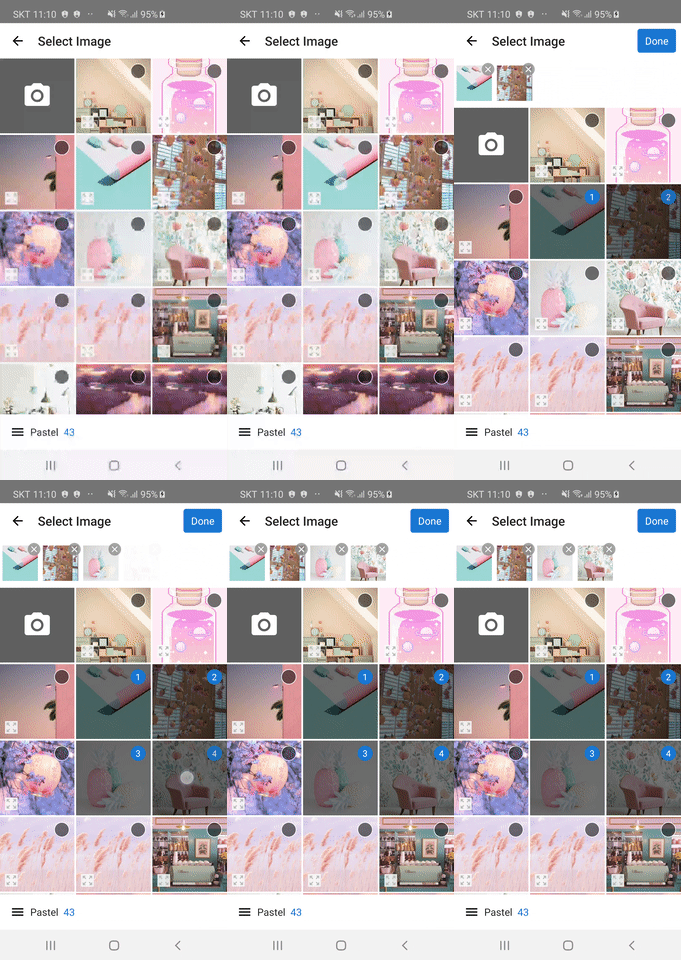 .
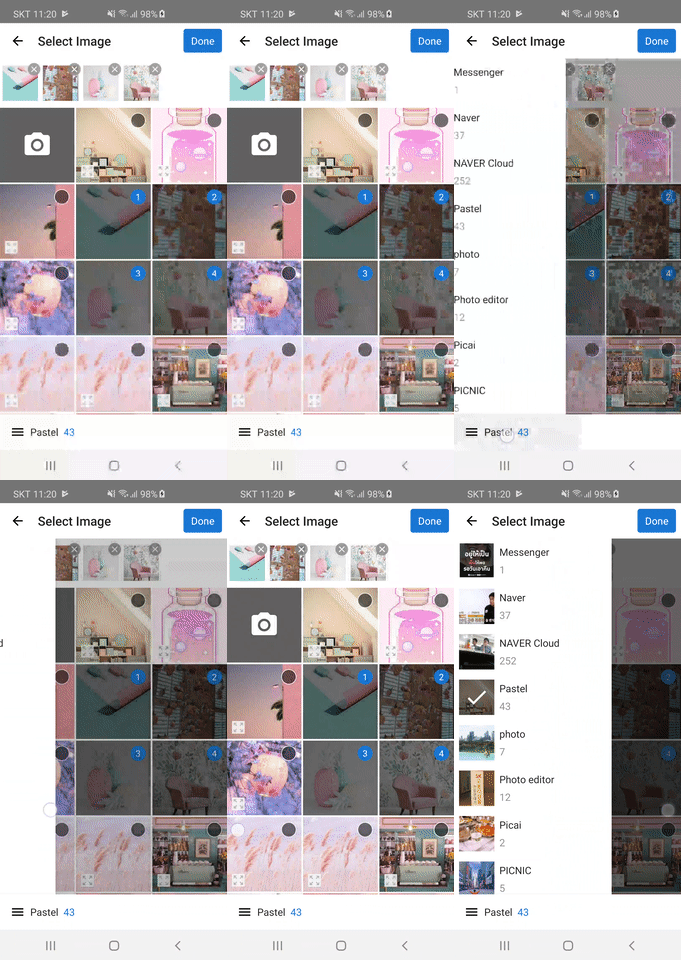
Demo
- Show Bottom Sheet.
- Pick Image
Single/Multi Select
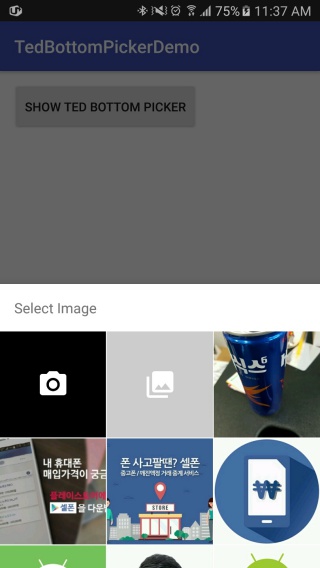
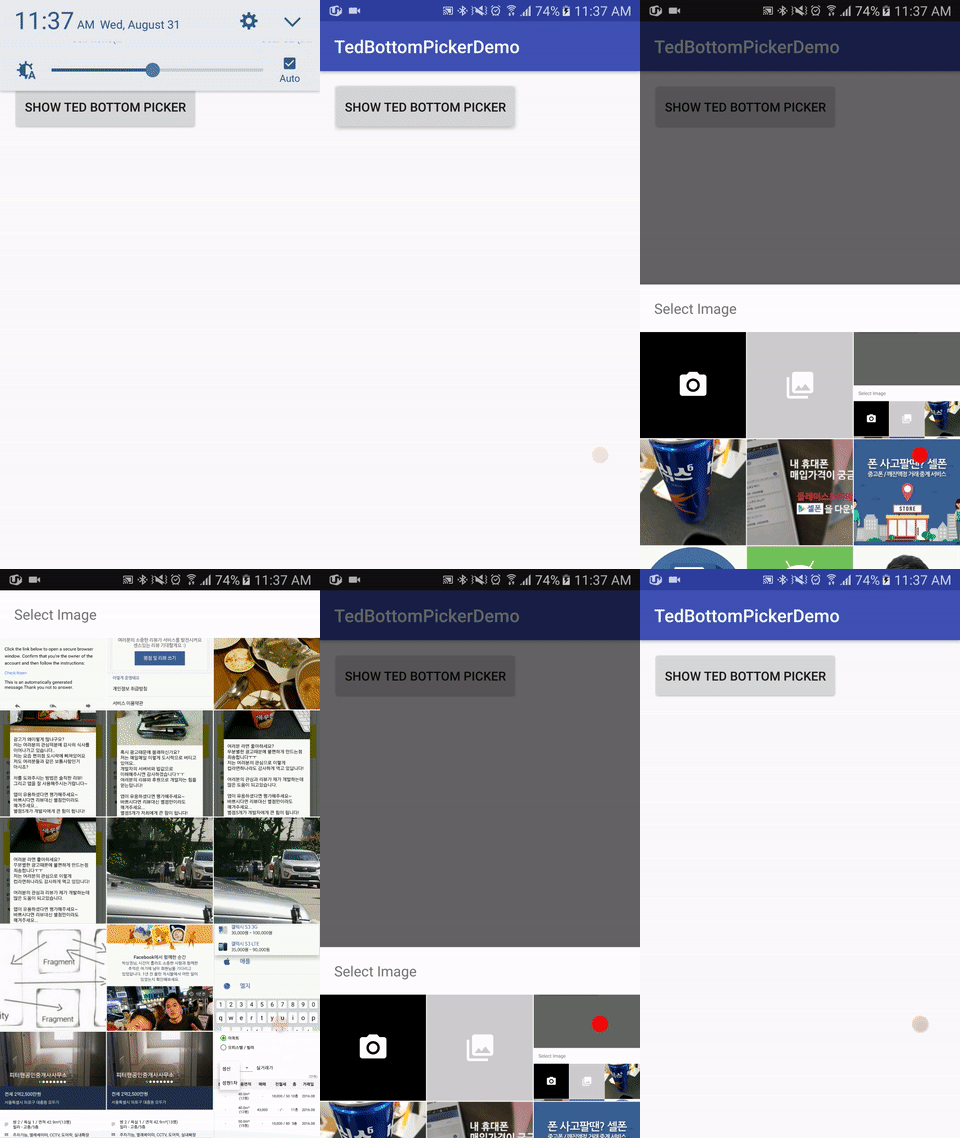

Setup
Gradle

dependencies {
    implementation 'gun0912.ted:tedbottompicker:x.y.z'
    //implementation 'gun0912.ted:tedbottompicker:2.0.1'
}
If you think this library is useful, please press star button at upside.

How to use
1. Check Permission
You have to grant WRITE_EXTERNAL_STORAGE permission from user.
If your targetSDK version is 23+, you have to check permission and request permission to user.
Because after Marshmallow(6.0), you have to not only declare permissions in AndroidManifest.xml but also request permissions at runtime.
There are so many permission check library in Android-Arsenal
I recommend TedPermission
TedPermission is super simple and smart permission check library.
2. Start TedBottomPicker
- TedBottomPicker support
RxJavaandListenerstyle
RxJava
You have to use TedRxBottomPicker
- Single image
        TedRxBottomPicker.with(MainActivity.this)
                 .show()
                 .subscribe(uri ->
                    // here is selected image uri
                 }, Throwable::printStackTrace);
- Multi image
        TedRxBottomPicker.with(MainActivity.this)
                //.setPeekHeight(getResources().getDisplayMetrics().heightPixels/2)
                .setPeekHeight(1600)
                .showTitle(false)
                .setCompleteButtonText("Done")
                .setEmptySelectionText("No Select")
                .setSelectedUriList(selectedUriList)
                .showMultiImage()
                .subscribe(uris -> {
                   // here is selected image uri list
                }, Throwable::printStackTrace);
Listener
You have to use TedBottomPicker
- Single image
        TedBottomPicker.with(MainActivity.this)
               .show(new TedBottomSheetDialogFragment.OnImageSelectedListener() {
                   @Override
                   public void onImageSelected(Uri uri) {
                     // here is selected image uri
                   }
               });
- Multi image
        TedBottomPicker.with(MainActivity.this)
               .setPeekHeight(1600)
               .showTitle(false)
               .setCompleteButtonText("Done")
               .setEmptySelectionText("No Select")
               .setSelectedUriList(selectedUriList)
               .showMultiImage(new TedBottomSheetDialogFragment.OnMultiImageSelectedListener() {
                    @Override
                    public void onImagesSelected(List<Uri> uriList) {
                         // here is selected image uri list
                    }
              });
Customize
You can customize something ...
Function
Common
showVideoMedia(): Not only load image, but also load videosetPreviewMaxCount(Int) (default: 25)setPeekHeight(Int)setPeekHeightResId(R.dimen.xxx)showCameraTile(Boolean) (default: true)setCameraTile(R.drawable.xxx or Drawable)setCameraTileBackgroundResId(R.color.xxx)setGalleryTile(R.drawable.xxx or Drawable)showGalleryTile(Boolean) (default: true)setGalleryTileBackgroundResId(R.color.xxx)setSpacing(Int)setSpacingResId(R.dimen.xxx)setOnErrorListener(OnErrorListener)setTitle(String or R.string.xxx) (default: 'Select Image','사진 선택')showTitle(Boolean) (default: true)setTitleBackgroundResId(R.color.xxx)setImageProvider(ImageProvider): If you want load grid image yourself, you can use your ImageProvider
Single Select
setSelectedUri(Uri)
Multi Select
setDeSelectIcon(R.drawable.xxx or Drawable)setSelectedForeground(R.drawable.xxx or Drawable)setSelectMaxCount(Int)setSelectMinCount(Int)setCompleteButtonText(String or R.string.xxx) (default: 'Done','완료')setEmptySelectionText(String or R.string.xxx) (default: 'No Image','이미지가 선택되지 않았습니다')setSelectMaxCountErrorText(String or R.string.xxx)setSelectMinCountErrorText(String or R.string.xxx)setSelectedUriList(ArrayList<Uri>)
Thanks
- Flipboard-bottomsheet - Android component which presents a dismissible view from the bottom of the screen
License
Copyright 2017 Ted Park

Licensed under the Apache License, Version 2.0 (the "License");
you may not use this file except in compliance with the License.
You may obtain a copy of the License at

http://www.apache.org/licenses/LICENSE-2.0

Unless required by applicable law or agreed to in writing, software
distributed under the License is distributed on an "AS IS" BASIS,
WITHOUT WARRANTIES OR CONDITIONS OF ANY KIND, either express or implied.
See the License for the specific language governing permissions and
limitations under the License.```
Explore related projects
codecrafters-io/build-your-own-x
Master programming by recreating your favorite technologies from scratch.
561,375 starspublic-apis/public-apis
A collective list of free APIs
497,650 starsmorluto/rea
Reverse engineer anything with agents, from app behavior down to native binaries.
447,211 starsopenclaw/openclaw
The AI that really does things. Any OS. Any Platform. The lobster way. 🦞
394,260 stars