
Panto92/Opencognit
Panto92/Opencognit has 51 GitHub stars and 13 forks. GitHot measured 0 stars in 24 hours. Last checked 2026-11-16 04:29 UTC. Last push 2026-11-14.
Measured star growth
- in 24h
- 0
- in 7 days
- Collecting history
- in 15 days
- Collecting history
- in 1 month
- Collecting history
Net star changes over overlapping periods, not daily totals. Missing measurements are left blank. Stars measure attention, not software quality.
About
OpenCognit Desktop — every coding agent in one window. Claude Code, Codex, Gemini CLI, Kimi and Hermes side by side, orchestrated and checked. Local, no telemetry.
Developer ToolsREADME.md
Original
OpenCognit
Every coding agent. One window.
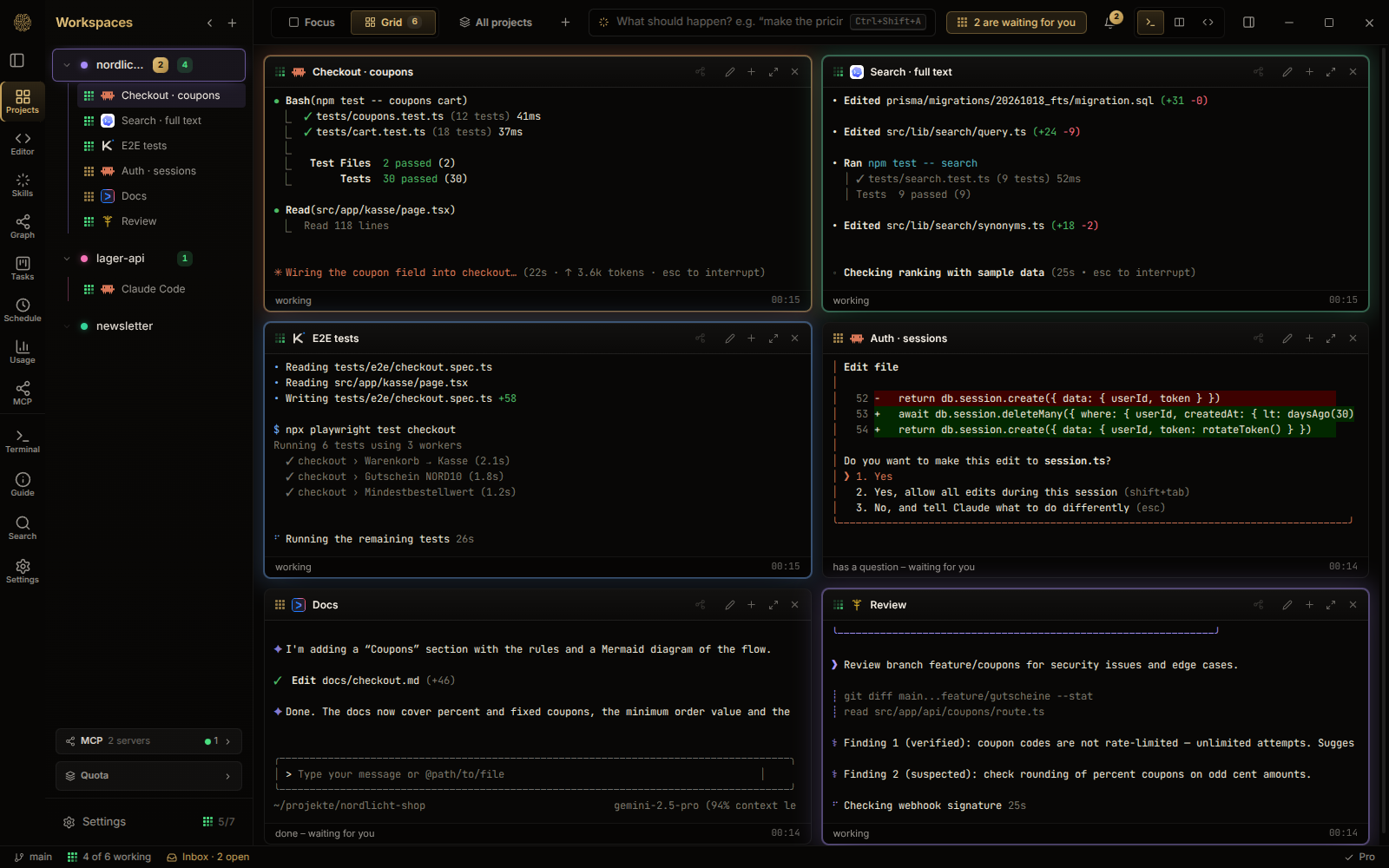
Run Claude Code, Codex, Gemini CLI, Kimi and Hermes side by side, let one of them orchestrate the others, and have every result checked before it reaches your project. Locally, with the subscriptions you already have.




⬇ Download for Linux · ⬇ Download for Windows · .deb · All releases · Deutsch
This repository used to host the open-source OpenCognit agent platform. That project is discontinued. Its code stays available under the MIT license in the
legacybranch. OpenCognit continues as the desktop app described here, which is a commercial product and not open source. This repository is now its public home: releases, issues, and discussion.
What it does
- Many agents, one place. Real PTY sessions for each CLI, in a focus view or a grid. Several logins per CLI (work and private) stay separate.
- An orchestrator that hands out work. One agent starts others, gives each a numbered task and its own set of files, and is told when they report back. Agents cannot write outside their files, and two open tasks cannot overlap.
- Guardrails before anything runs. Every shell command an agent wants to run is checked against your rules: block, ask you, or warn. Commits are scanned for secrets first.
- See what is happening. A live graph shows which agent reads or changes which file and warns when two work in the same place.
- Work that survives. Sessions resume after a restart, checkpoints let you jump back, scheduled and overnight tasks run in their own worktree and leave a report.
- Your usage, added up. Tokens of all CLIs from their local logs, per day, model and project.
A look inside
Neurons: every agent is a ring at the folder it works in. Pulses run along the branches in the agent's colour when it reads or changes a file.
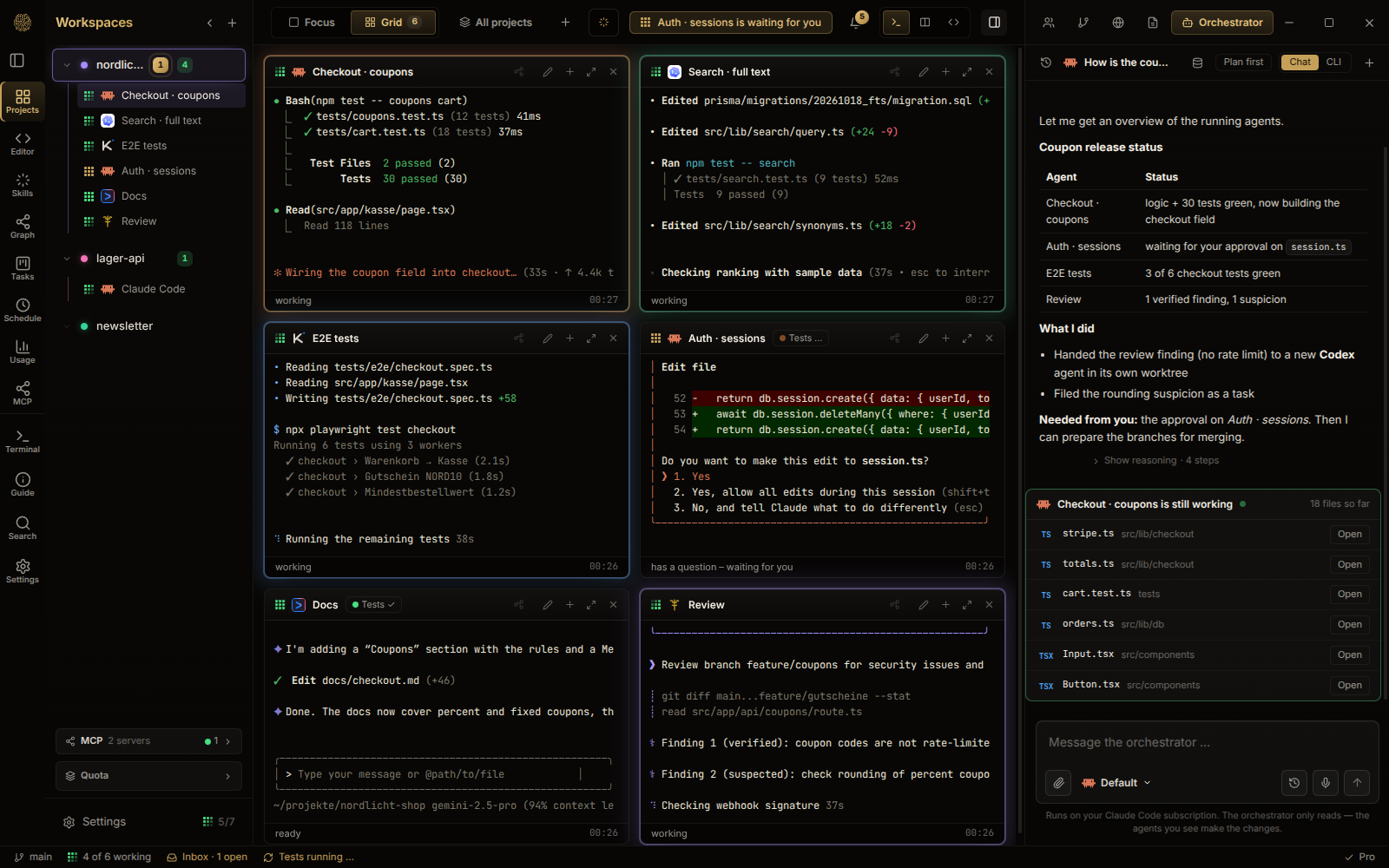
The orchestrator hands out tasks and reports back what is done, what failed and what needs your decision.
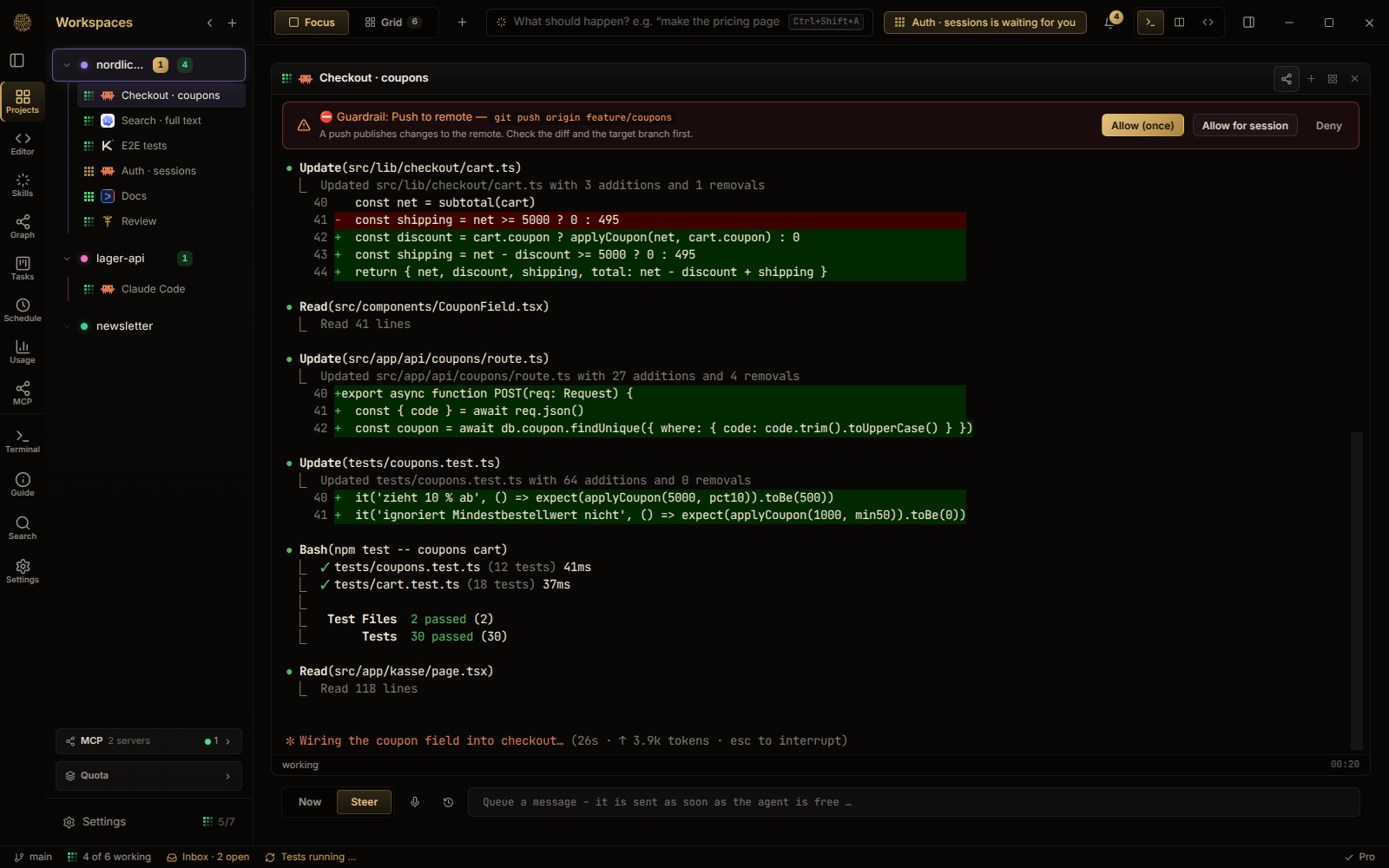
Guardrails: a push to the remote waits for your approval.
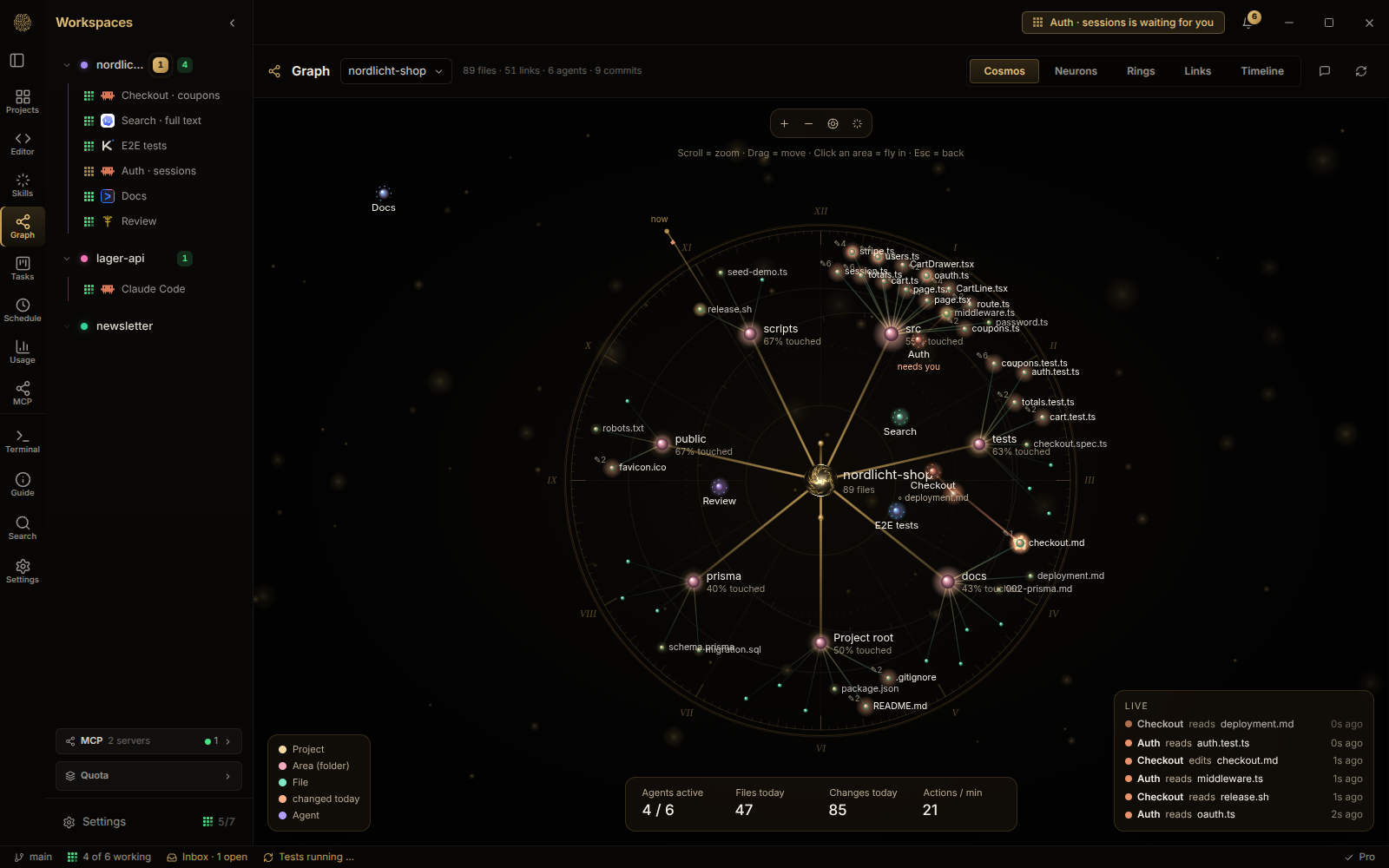
Cosmos: the project as a map, with every file an agent touched today.
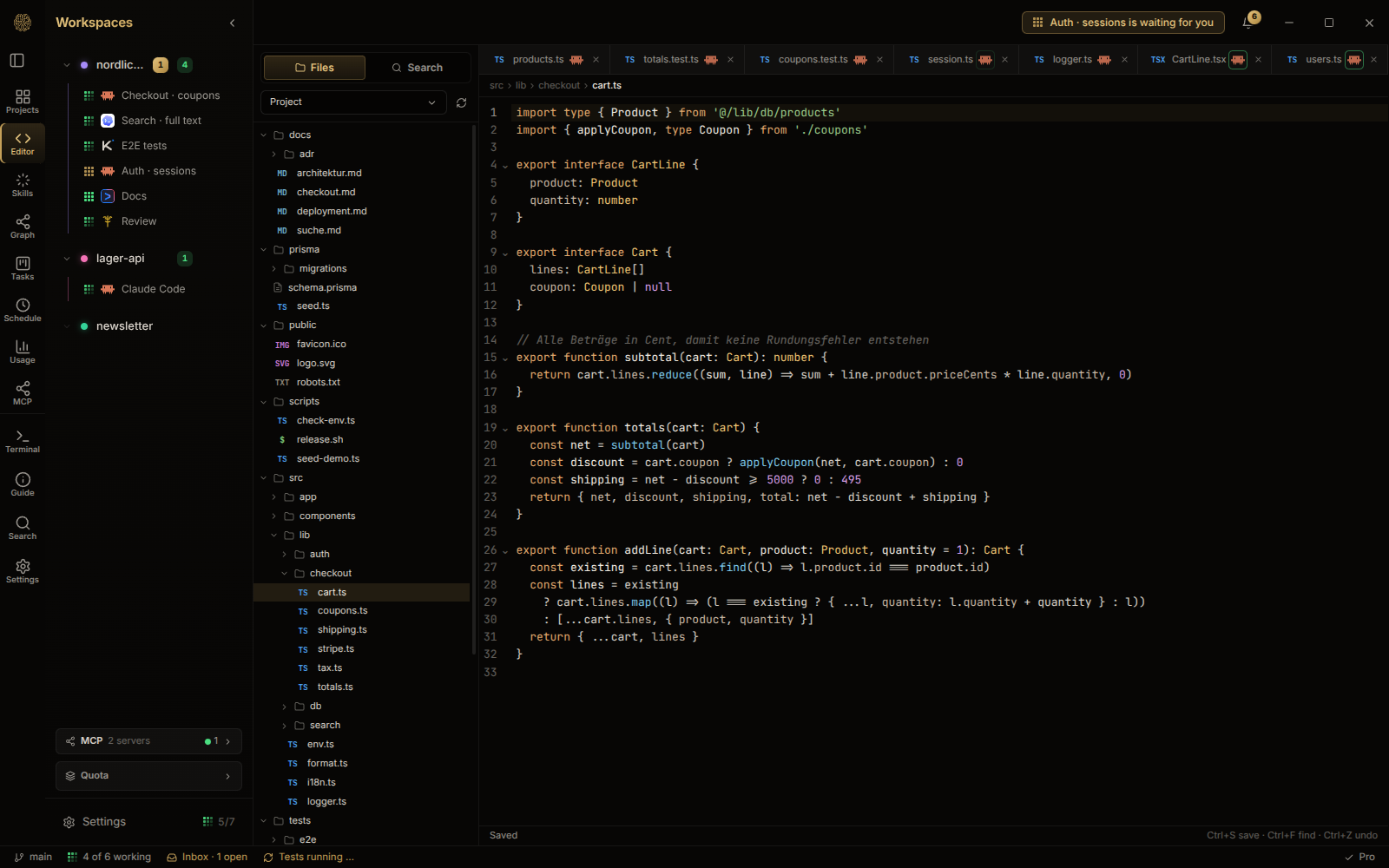
Editor: read and change the project's files without leaving the app.
Privacy
OpenCognit runs on your machine and uses the subscriptions you already have with each CLI vendor. It has no server of ours in the loop and sends no telemetry. The event log stays in a local database; full terminal output is never stored in it. The app itself only goes online for a short, documented list of things: the update check, a package-name lookup on npm/PyPI before an agent installs something, and features you switch on yourself. The full list says when, where and what, so you can check it with a firewall such as OpenSnitch or Portmaster.
Price
- Free: up to 4 sessions at the same time.
- Full version: 69 € once, including 12 months of updates. The licence is checked offline.
Install
Download the installer for your system from the latest release:
| System | File |
|---|---|
| Linux | OpenCognit-linux-x86_64.AppImage or OpenCognit-linux-amd64.deb |
| Windows | OpenCognit-windows-setup.exe |
You need at least one of the supported CLIs installed and logged in. The setup assistant finds them on first start.
Questions and problems
- Something broken? Open an issue.
- An idea or a question? Use Discussions or join the Discord.
Licence
OpenCognit Desktop is proprietary software, © OpenCognit. The former open-source project in the legacy branch remains under the MIT license.