
OuincheWinch/DiffusionBear
OuincheWinch/DiffusionBear has 27 GitHub stars and 4 forks. GitHot measured 0 stars in 24 hours. Last checked 2026-11-14 10:27 UTC. Last push 2026-11-08.
Measured star growth
- in 24h
- 0
- in 7 days
- Collecting history
- in 15 days
- Collecting history
- in 1 month
- Collecting history
Net star changes over overlapping periods, not daily totals. Missing measurements are left blank. Stars measure attention, not software quality.
About
A free, local AI image generation studio for Apple Silicon Macs. Run FLUX.2, Krea 2, Z-Image-Turbo, Qwen-Image-2.1-Turbo and SDXL offline on your Mac .
AIREADME.md
Original
DiffusionBear
v0.4.5 · a local-first image generation studio for Apple Silicon
Website · Video tutorial · x.com/DiffusionBear · Discord
DiffusionBear A free macOS studio that runs SDXL (and its derivatives), FLUX.1, FLUX.2 Klein 4B/9B, FLUX.3 Klein 5.6B, MOSS-Image SFT 5B, Qwen-Image-2.1 & Edit & Turbo, Krea 2 Turbo, Z-Image-Turbo, and Bria FIBO 2.0 Edit Turbo on your Mac's own Metal GPU. No account, no cloud, no per-image billing.
It is built on Apple's MLX framework, so it is Apple Silicon only. There is no CUDA or CPU path — MLX is macOS/Metal exclusive.
Made by Ouinche — follow on X: x.com/DiffusionBear — released under the MIT licence.
What's new in v0.4.5 (beta)
- Native MLX SDXL engine — rewritten from scratch: the
mlx_diffuserdependency is gone. We now own the MLX UNet, dual CLIP encoders, VAE decoder, schedulers, LoRA stack, 4/8-bit quantization, resident text encoders and TAESD. Removing the secondvenv-sdxlruntime cut the app bundle from 1.7 GB to 1.3 GB and the release zip from 510 MB to 385 MB. - Long prompts and mandatory adapters: SDXL/Pony prompts are split across 77-token CLIP windows instead of silently truncated; Qwen DMD2 and MOSS DMD adapters auto-restore when missing; Qwen 2.1 reference images now warn to use Qwen-Image Edit for instruction edits.
- Qwen base self-healing: the base pack now supplies its own tokenizer/scheduler/model_index instead of borrowing another Qwen install; incomplete component weights fail with a clear re-download error instead of rendering a texture.
- Licence display and validation reviewed.
- LoRA management polished, including the Krea 2 Turbo LoRA recipe.
- MOSS-Image batching fixed: the second image in a cached batch no longer fails during VAE decode.
- MOSS LoRAs fixed: detected/registered as MOSS, selectable in the architecture dropdown, and the real tensor layout now overrides Civitai metadata.
- Pony Diffusion V6 XL: corrected to a working Diffusers download source.
- Z-Image / FLUX samplers: Euler now maps to the flow-match scheduler instead of the Krea 2 scheduler.
- French model sizes: shown as
GBinstead ofGo. - Qwen-Image integration refined.
- Minor bug fixes.
What's new in v0.4.4 (beta)
- Qwen-Image-2.1 Edit support, with Qwen-VL reference conditioning and the Edit-specific prompt path.
- Qwen-Image-2.1 and Krea 2 Turbo: Hugging Face depot repackaging.
- Linoy Tsaban 2-step DMD2 Distill LoRA for Qwen-Image 2.1: high-speed 2-step generation (~33–50s after initial compile) with automatic 2-step/CFG-1 tuning.
- Gallery Reference Image Filtering: isolate generations made with visual reference conditioning.
- Website and documentation upgrades, typography fixes, unified navigation, and minor bug fixes.
What's new in v0.4.3 (beta)
- Browser page revamp: navigate pages with
←/→and jump directly to a page number. - Memory management tweaks: large generations are checked against the machine's safe megapixel ceiling before they can trigger a Metal out-of-memory crash.
- Minor bug fixes.
What's new in v0.4.2 (beta)
- Full support of FIBO 2.0 Edit Turbo MLX 4-bit: First-ever 4-bit quantized port of Bria AI's state-of-the-art instruction editing model running natively on Apple Silicon via MLX (Hugging Face: Ouinche/FIBO2-Edit-Turbo-MLX-4bit | Original Model: briaai/Fibo-2.0-edit-turbo).
- Text-Guided Reference Edit: High-fidelity single reference editing with natural language prompts in only 4 denoising steps (~85s on M1).
- Masked Edit (Precision Inpainting): Interactive brush painting directly on reference image backdrop in DiffusionBear Studio. Zero variance outside masked area with automated 1.5px Gaussian edge blending and unmasked composite retention.
- Multiple References (Multimodal In-Context Editing): Combine up to 4 reference images (e.g., character portrait + specific dress or object) grounded through the integrated 4-bit Qwen3-VL vision-language encoder.
- 3-Stage Sequential Memory Management: Lazy component lifecycle (Qwen3-VL → DiT Transformer → FLUX.2 VAE) keeping resident VRAM strictly below 6.8 GB on 16 GB Apple Silicon.
- Visual Showcase & Benchmarks: Interactive comparison suite, side-by-side comparisons with original Bria outputs, and telemetry report at diffusionbear.com/fibo.html.
What's new in v0.4.1 (beta)
- SDXL Metal Memory Stabilization: Systematic Metal buffer clearing and working-set memory management (+51.9% suite-wide speedup, 4.25x faster on Juggernaut XL Lightning down to 9.2s).
- Generation Pipeline Optimization: Lossless JIT compilation (
@mx.compile), sub-second TAESD VAE decoding, andeuler_trailingtimesteps restoring 100% visual parity (∞ dB PSNR). - Interactive 187-Run Benchmark Arena: Explore all 17 model configurations with our interactive comparison slider at diffusionbear.com/benchmark.html.
What's new in v0.4.0 (beta)
- Virtual Boxes on the Studio Canvas: Draw, resize, and label color-coded spatial bounding boxes right on the canvas for FLUX.3-klein 5.6B and MOSS-Image SFT 5B to position subjects, characters, and exact poster typography without ControlNet.
- Smart 16 GB Unified Memory Management:
- Gallery Favorites & Privacy Card Blur:
- Custom Python Samplers:
- DiffusionBee & Draw Things Local Library Import: if you allow DiffusionBear to read theirs directories
Install the App & First-Launch Gatekeeper Guide
DiffusionBear.app is a self-contained macOS application: it bundles the backend, one relocatable Python/MLX runtime, and the studio interface inside one .app. You do not need to install Python, Node, Xcode, or Homebrew.
⬇ Download DiffusionBear for macOS (Apple Silicon) · v0.4.5 Release Notes & Checksums
| Detail | |
|---|---|
| Requires | An Apple Silicon Mac (M1 / M2 / M3 / M4 / M5 / M6), macOS 26.2 or later, 16 GB unified memory recommended. |
| Your files | Settings, gallery, LoRA registry, and model store live in ~/Library/Application Support/DiffusionBear. To put the store on an external drive, write an absolute path into ~/Library/Application Support/DiffusionBear/store_path. |
| Model weights | Downloaded on first use from Hugging Face or Civitai into your local store. After that, the app works 100% offline. |
0.4.5 package SHA-256: 196afeb2c43c8622ca13b9779e4c76ee619a333f475c1f3a678d863b041cb330
🍎 How to Open on First Launch (macOS Gatekeeper Bypass)
Because DiffusionBear is a free, open-source project signed ad-hoc (without a paid Apple Developer ID notarization certificate), macOS Gatekeeper pauses the very first double-click of a downloaded copy with this dialog:
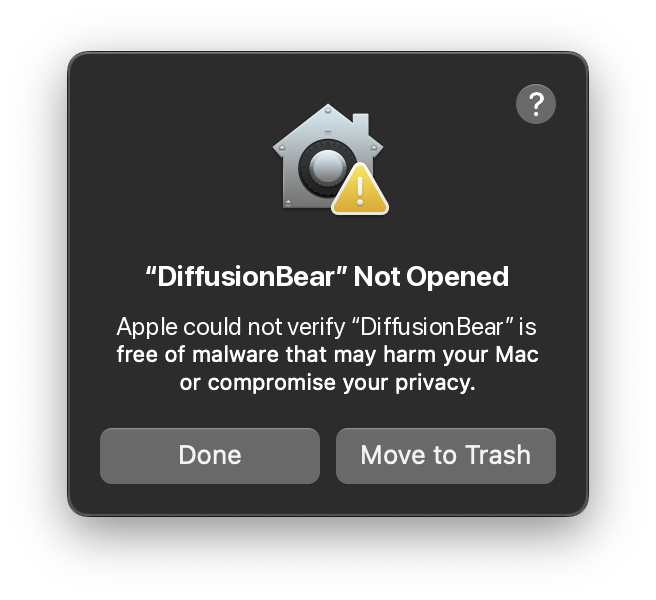
"DiffusionBear" Not Opened — Apple could not verify "DiffusionBear" is free of malware that may harm your Mac or compromise your privacy.
Follow this one-time 60-second procedure:
- Unzip and move to
/Applications: UnzipDiffusionBear-0.4.5-arm64.zipand dragDiffusionBear.appinto your /Applications folder (do not launch it from~/Downloadsor inside the zip). - Bypass Gatekeeper (choose Option A or Option B):
- Option A — Fastest (Terminal 1-Liner): Open Terminal.app, paste this command, and press Return:
Then double-clickxattr -cr /Applications/DiffusionBear.appDiffusionBear.appin/Applications— it opens right away! - Option B — No Terminal (System Settings GUI):
- Click Done on the Gatekeeper dialog.
- Open System Settings → Privacy & Security.
- Scroll down to the Security section ("DiffusionBear was blocked to protect your Mac").
- Click Open Anyway, authenticate with Touch ID or your password, and click Open.
- Option A — Fastest (Terminal 1-Liner): Open Terminal.app, paste this command, and press Return:
Once authorized, macOS remembers your choice and never shows the alert again.
Supported models
Twelve+ checkpoints across nine families, 4-bit quantised and memory-tuned for 16 GB of unified memory. Switching engines swaps weights on demand rather than keeping everything resident.
| Model | Family | Default steps | What it supports |
|---|---|---|---|
| FIBO 2.0 Edit Turbo | FIBO 2.0 | 4 | Up to 4 reference images, 4-step distilled editing, guidance-free (no negative prompt), and a Qwen3-VL 4B text encoder. |
| FLUX.1-schnell | FLUX.1 | 4 | Classic 4-step rectified flow, 1 reference image, FLUX.1 LoRAs, and fast-VAE decode. |
| FLUX.2-klein 4B | FLUX.2 | 4 | Up to 10 reference images, FLUX.2 LoRAs, and generative fill. Guidance-distilled (no negative prompt). |
| FLUX.2-klein 9B | FLUX.2 | 4 | 9-billion-parameter flagship DiT with up to 10 reference images, LoRAs, and superior detail. |
| FLUX.3-klein 5.6B | FLUX.3 | 16 | 16-step flow-matching distilled, up to 10 reference images, and interactive Virtual Boxes on the Studio Canvas. |
| Krea 2 Turbo 13B | Krea 2 | 4–8 | 13B photorealistic engine with 1 reference image, LoRAs, persistent Q4 text-encoder cache, and auto-applied 4-step distilled LoRA. |
| MOSS-Image SFT 5B (+ Base 5B) | MOSS | 4–8 (DMD) / 25 | Interactive Virtual Boxes, reference image, LoRAs, MLX q8-g64 text encoder, and automatic 4-step (⚡ DMD 4) / 8-step (⚡ DMD 8) distillation adapters. |
| Qwen-Image Edit | Qwen-Image | 8–25 | Instruction-based editing with up to 3 reference images, negative prompts and guidance, plus 8/15/20/25-step presets. No 2-step adapter (the 60-layer edit transformer is incompatible with Qwen-Image 2.1 DMD2). |
| Qwen-Image-2.1 | Qwen-Image | 2–25 | 7B single-stream DiT with Qwen3-VL text encoder, 1 reference image, negative prompts, and an auto-injected 2-step DMD2 LoRA (linoyts/Qwen-Image-2.1-DMD2-2steps, ~33–50 s). |
| Qwen-Image-Turbo-2.1 | Qwen-Image | 4–8 | 8-step distilled Qwen-Image 2.1 variant for 16 GB Macs, with its own 4-step distillation LoRA (slightly slower than the 2-step DMD2 path). |
| SDXL & Derivatives (Juggernaut XL Lightning, RealVisXL V5.0 Lightning / Hyper-SD, Juggernaut XI v11, Custom SDXL / Pony / Illustrious) | SDXL | 4–50 | Ultra-fast 4-step Lightning (~9s) or full 20–50 step custom .safetensors checkpoints (auto-converted), negative prompts, sampler picker, CLIP Skip, DeepCache, and TAESD fast decode. |
| Z-Image-Turbo 6B | Z-Image | 6–8 | Compact 6B engine with 1 reference image, LoRAs, fast VAE, and crisp architectural geometry. |
Recommended fast path: Qwen-Image 2.1 at 2 steps with the
linoyts/Qwen-Image-2.1-DMD2-2stepsLoRA (downloaded automatically on first use, guidance locked to 1.0). Qwen-Image Turbo 2.1 uses its separate 4-step LoRA and is slightly slower. Qwen-Image Edit has no 2-step adapter.
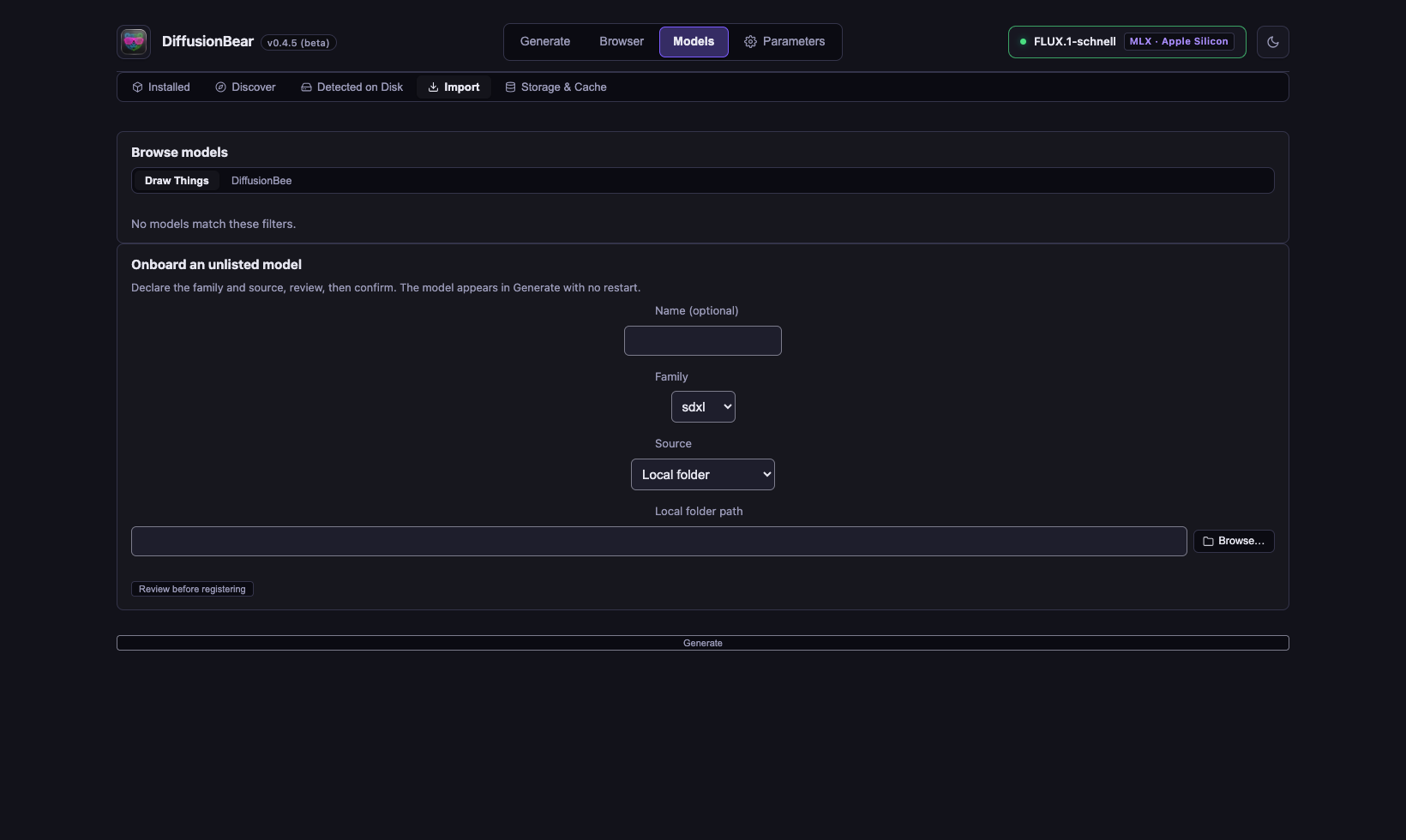
Bring any SDXL, Pony, or Illustrious checkpoint you own: single-file Civitai .safetensors checkpoints are converted in place, unlisted models can be onboarded from a local folder or your Hugging Face cache, and the app also browses models and LoRAs already downloaded by Draw Things and DiffusionBee (strictly read-only).
Screenshots & MOSS-Image Showcase Gallery
All images below were generated locally in DiffusionBear on an Apple MacBook Pro M1 with 16 GB of RAM.
🏆 Featured MOSS-Image SFT 5B Generation (Apple Silicon Native)
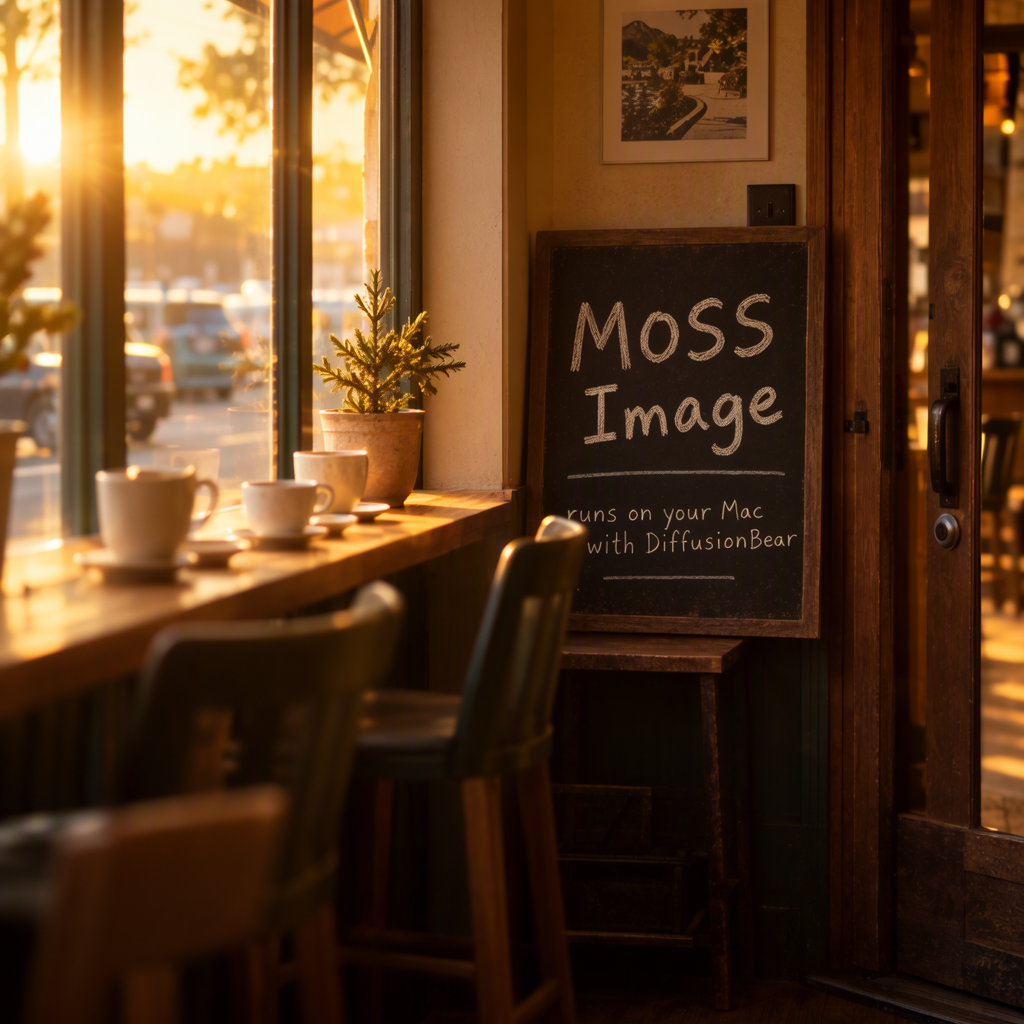
☕ Prompt: "A cozy corner café at golden hour. A chalkboard sign by the door reads "MOSS Image" in hand-drawn lettering, with “runs on your Mac with DiffusionBear" written smaller underneath. Warm light pours through the window onto a wooden counter with ceramic cups. Shallow depth of field, 35mm photograph, natural colors."
Generation Metadata (Generated Locally in DiffusionBear):
• Hardware: Apple MacBook Pro M1 (16 GB Unified Memory / RAM)
• Generation Time:7,525.2 s(~2 h 05 min — full stock 50-step CFG trajectory)
• Active LoRAs: None (Base MOSS-Image pipeline)
• Model:OpenMOSS-Team/MOSS-Image-SFT(5B Parameters, Native MLX Text Encoder)
• Resolution:1024 × 1024· Steps:50(Stock CFG Flow-Matching Euler Trajectory)
• Guidance (CFG):3.0· Sampler:flow_match_euler_discrete· Seed:1000
• Text Encoder: Custom 8-bit MLX Quantized Qwen3.5 TE (Ouinche/moss-image-qwen3.5-te-mlx-q8g64)
🎨 MOSS-Image Studio Gallery (⚡ DMD 4-Step, ⚡ DMD 8-Step & Virtual Boxes)
The following original images demonstrate the versatility of MOSS-Image SFT 5B inside DiffusionBear on a MacBook Pro M1 (16 GB RAM), using both built-in DMD step-distillation adapters (generating in 7–13 minutes instead of 2 hours) and interactive Virtual Boxes spatial layout:
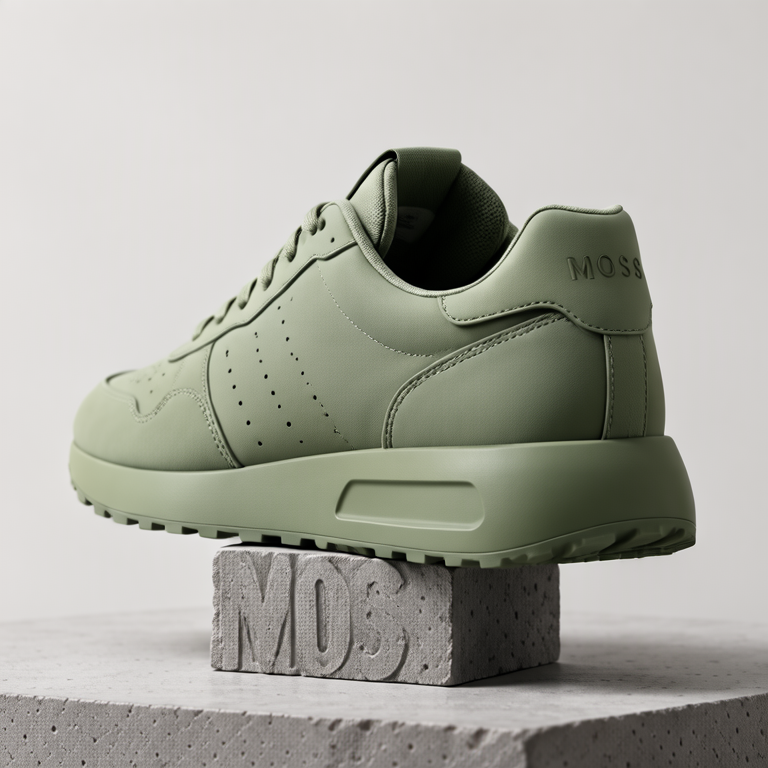
| Studio Product — Matte Sneaker (⚡ DMD 8-Step) | Alpine Lakes Minimalist Poster (⚡ DMD 4-Step) |
|---|---|
 |
 |
| Prompt: "Studio product photograph of a matte moss-green sneaker resting on a rough grey stone pedestal. Soft diffused lighting, seamless off-white backdrop, the word 'MOSS' embossed on the heel tab. Crisp fabric texture, subtle shadow, high detail." • Hardware: MacBook Pro M1 (16 GB RAM) • Generation time: 825.1 s (~13 min 45 s) • Active LoRA: lodestones-8step (scale 1.0, ⚡ DMD 8-step kit)• Model: MOSS-Image SFT 5B + ⚡ DMD 8 • Size: 768×768 · Steps: 8 (CFG 1.0) • Sampler: moss_dataspace_dmd · Seed: 1003 |
Prompt: "A minimalist travel poster of a still mountain lake at dawn, flat vector style with soft gradients. A bold title 'ALPINE LAKES' across the top and the tagline 'breathe the quiet' in small capitals along the bottom. Teal, cream and dusty pink palette, clean typography, centered composition." • Hardware: MacBook Pro M1 (16 GB RAM) • Generation time: 464.1 s (~7 min 44 s) • Active LoRA: darask0-4step (scale 1.0, ⚡ DMD 4-step kit)• Model: MOSS-Image SFT 5B + ⚡ DMD 4 • Size: 512×768 · Steps: 4 (CFG 1.0) • Sampler: moss_dataspace_dmd · Seed: 1002 |
| Vintage Botanical Plate — Bryophyta (⚡ DMD 4-Step) | Vintage Pink Shutter Shades (⚡ DMD 4-Step) |
|---|---|
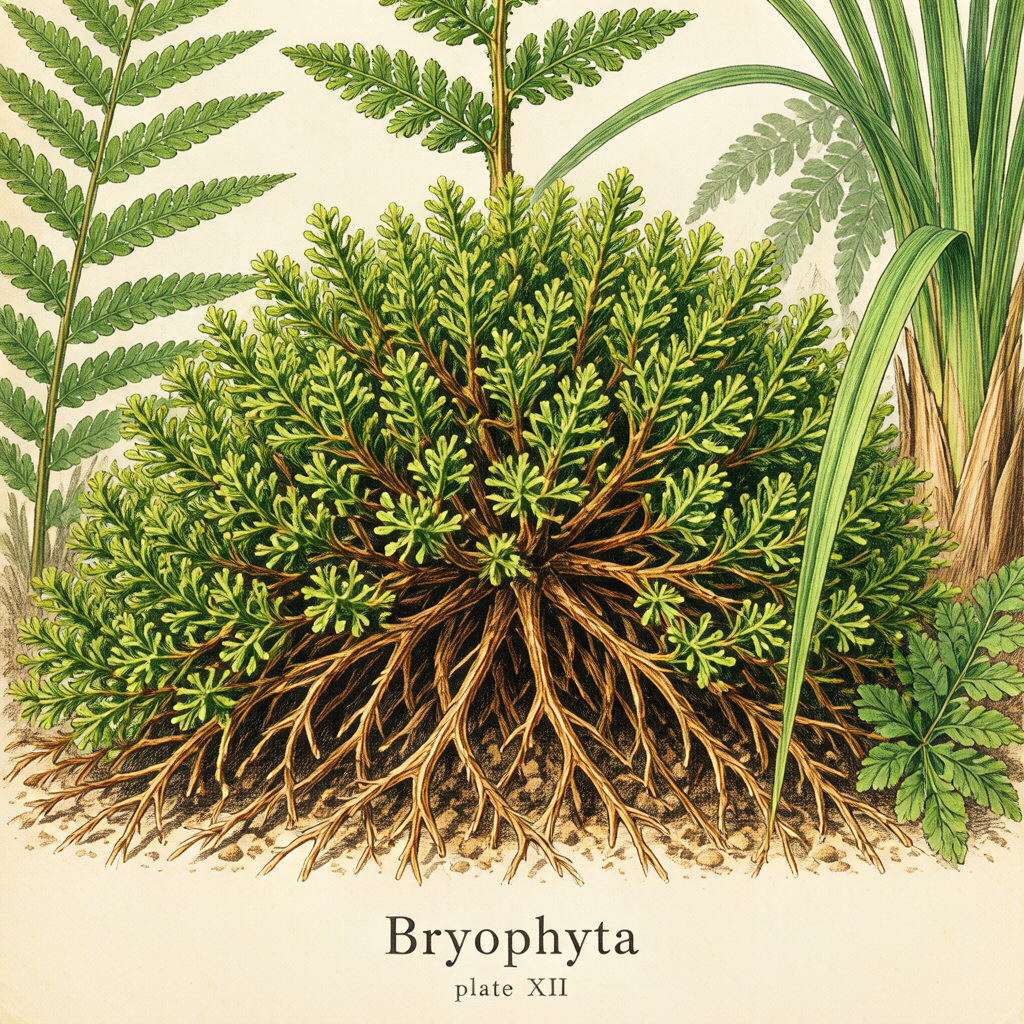 |
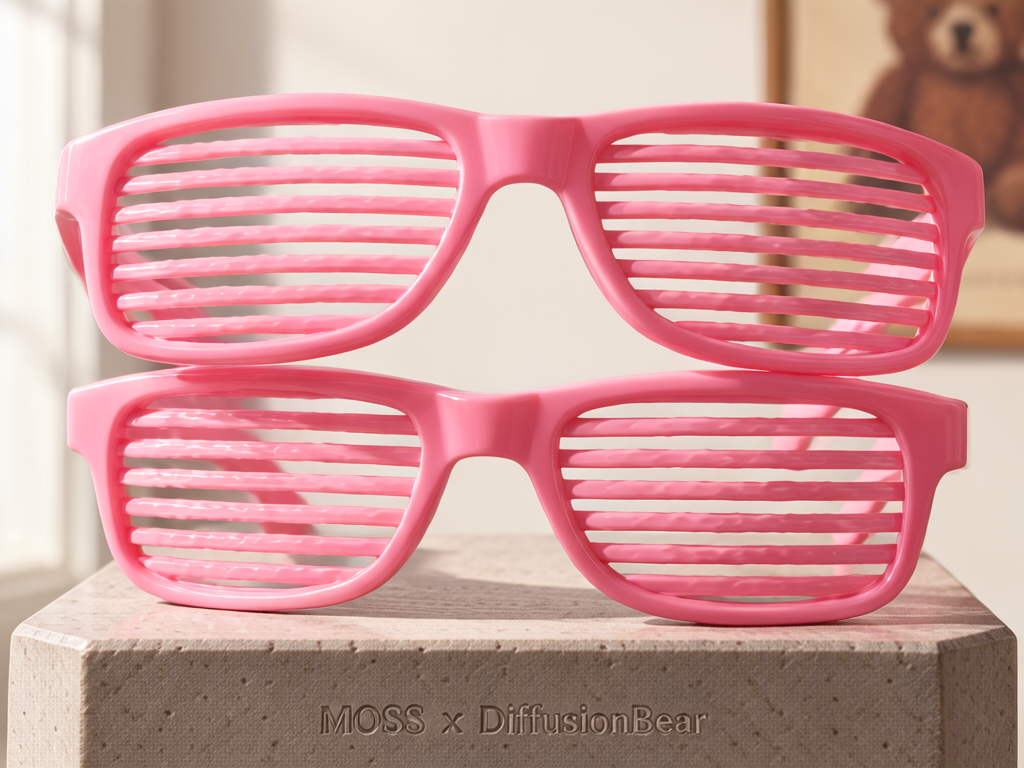 |
| Prompt: "A vintage botanical illustration plate of forest moss and ferns on aged cream paper, fine ink linework with watercolor washes. A caption at the bottom in serif type reads 'Bryophyta' and below it, smaller, 'plate XII'. Scientific illustration style, balanced layout." • Hardware: MacBook Pro M1 (16 GB RAM) • Generation time: 497.9 s (~8 min 18 s) • Active LoRA: darask0-4step (scale 1.0, ⚡ DMD 4-step kit)• Model: MOSS-Image SFT 5B + ⚡ DMD 4 • Size: 1024×1024 · Steps: 4 (CFG 1.0) • Sampler: moss_dataspace_dmd · Seed: 1005 |
Prompt: "A studio photograph of a pair of vintage pink plastic shutter shades, resting on a stone pedestal. Facing the viewer. Novelty sunglasses feature a molded pink frame with horizontal slats... backdrop with poster on the wall, the word 'MOSS x DiffusionBear' engraved on the stone base." • Hardware: MacBook Pro M1 (16 GB RAM) • Generation time: 795.1 s (~13 min 15 s) • Active LoRA: darask0-4step (scale 1.0, ⚡ DMD 4-step kit)• Model: MOSS-Image SFT 5B + ⚡ DMD 4 • Size: 1024×768 · Steps: 4 (CFG 1.0) • Sampler: moss_dataspace_dmd · Seed: 1003 |
| Interactive Virtual Boxes: Multi-Subject Spatial Layout (⚡ DMD 4-Step) |
|---|
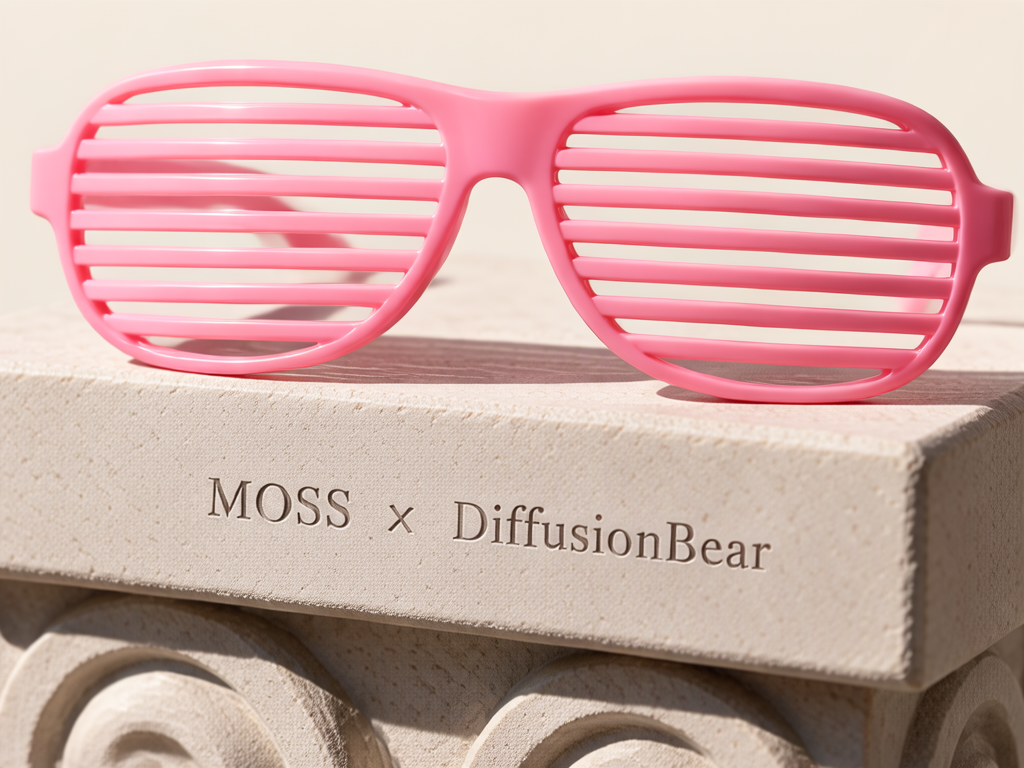 |
Virtual Box Spatial Layout: Studio scene with shutter shades on stone pedestal + interactive bounded box wall_1 ([35, 0, 527, 1000]): "Logo from Image 1 posterized on the wall"• Hardware: MacBook Pro M1 (16 GB RAM) • Generation time: 415.2 s (~6 min 55 s) • Active LoRA: darask0-4step (scale 1.0, ⚡ DMD 4-step kit)• Model: MOSS-Image SFT 5B + ⚡ DMD 4 ( darask0-4step) with Studio Virtual Boxes• Size: 1024×768 · Steps: 4 (CFG 1.0) · Sampler: moss_dataspace_dmd · Seed: 1003• ⚠️ Reference image notice: A reference image was supplied for this test ("Logo from Image 1..."), but reference images are not supported on MOSS-Image (MOSS-Image is a pure text-to-image and layout-to-image model; reference-image conditioning is not part of its architecture and is ignored). The spatial layout was driven by the Virtual Box only. |
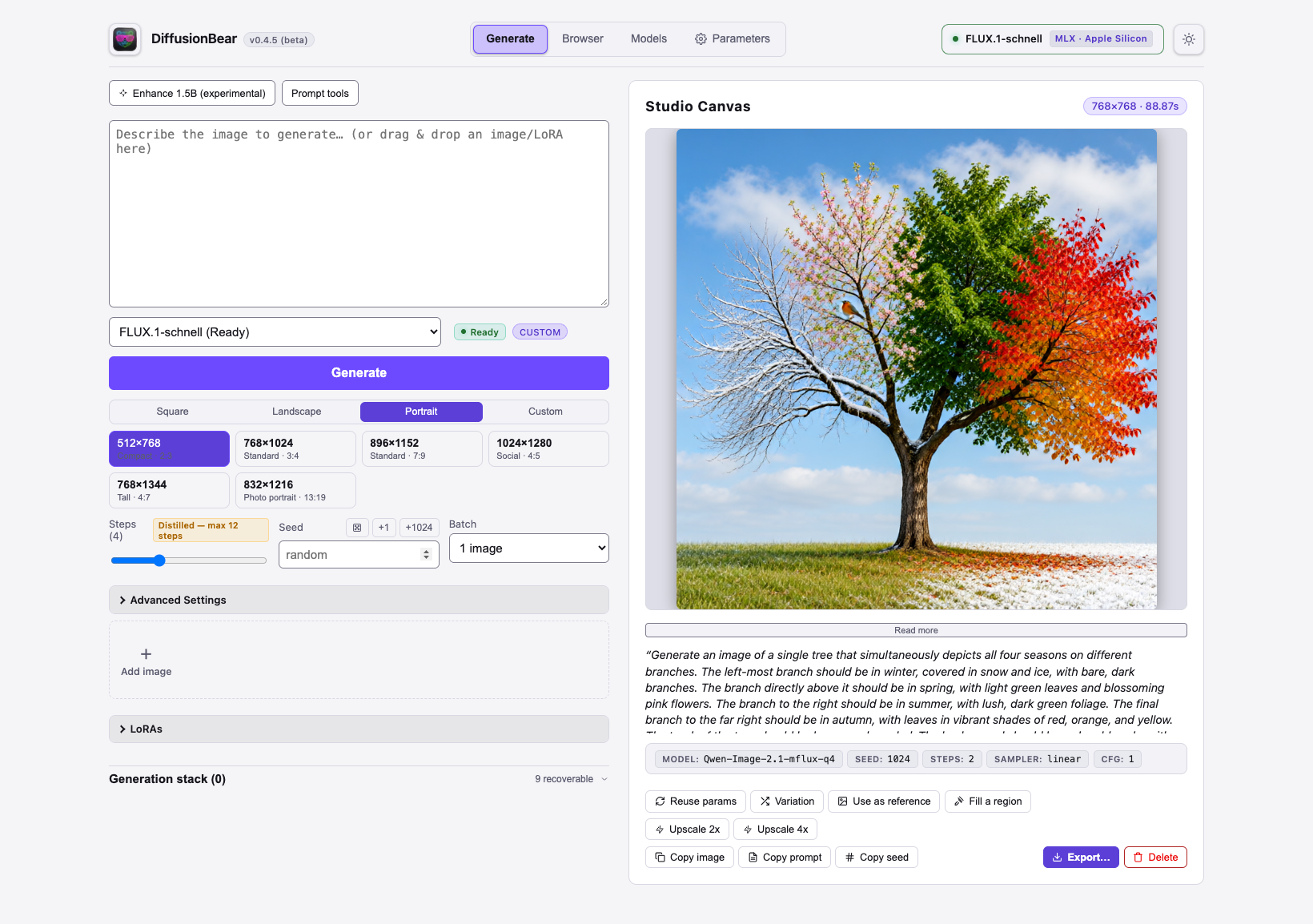
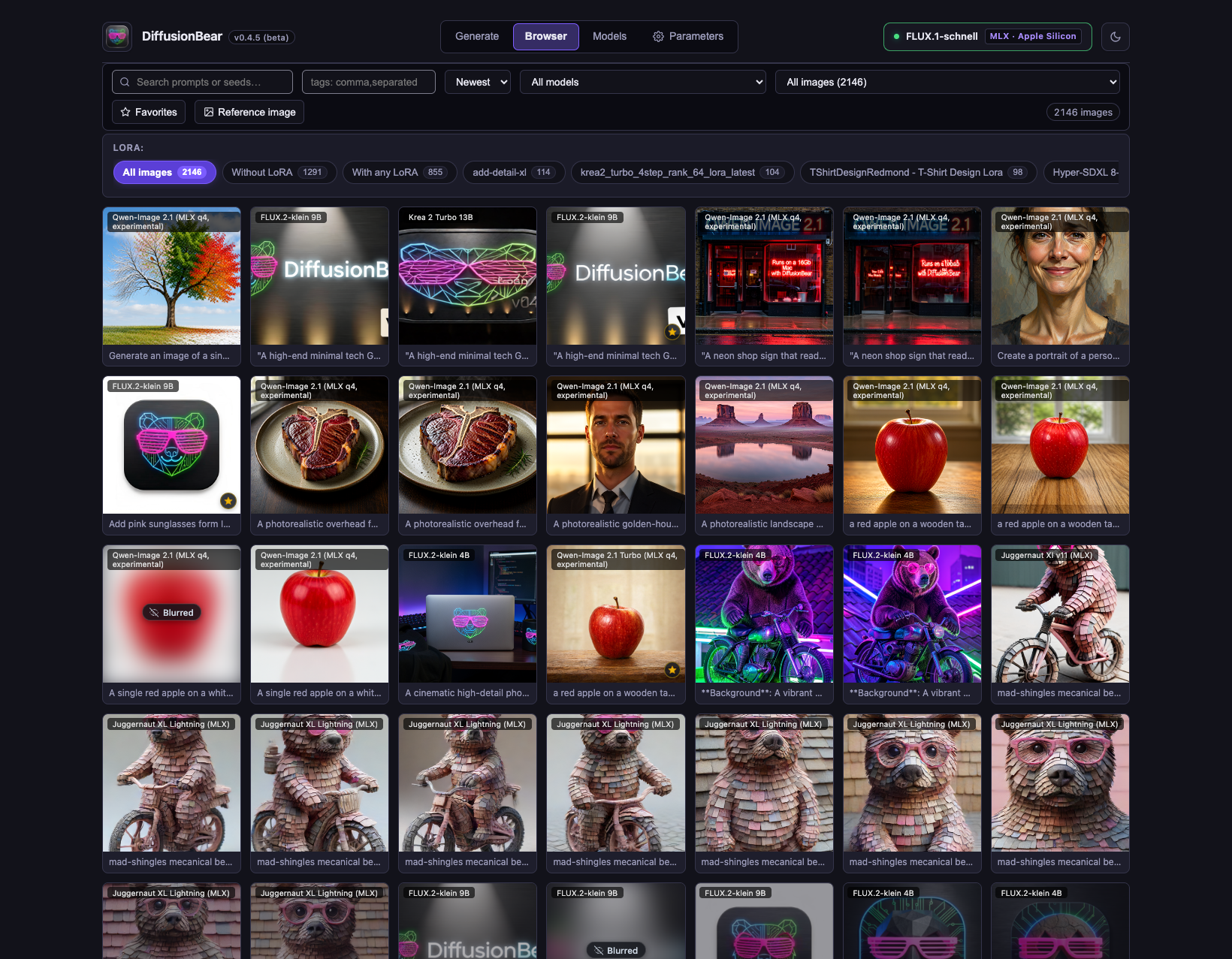
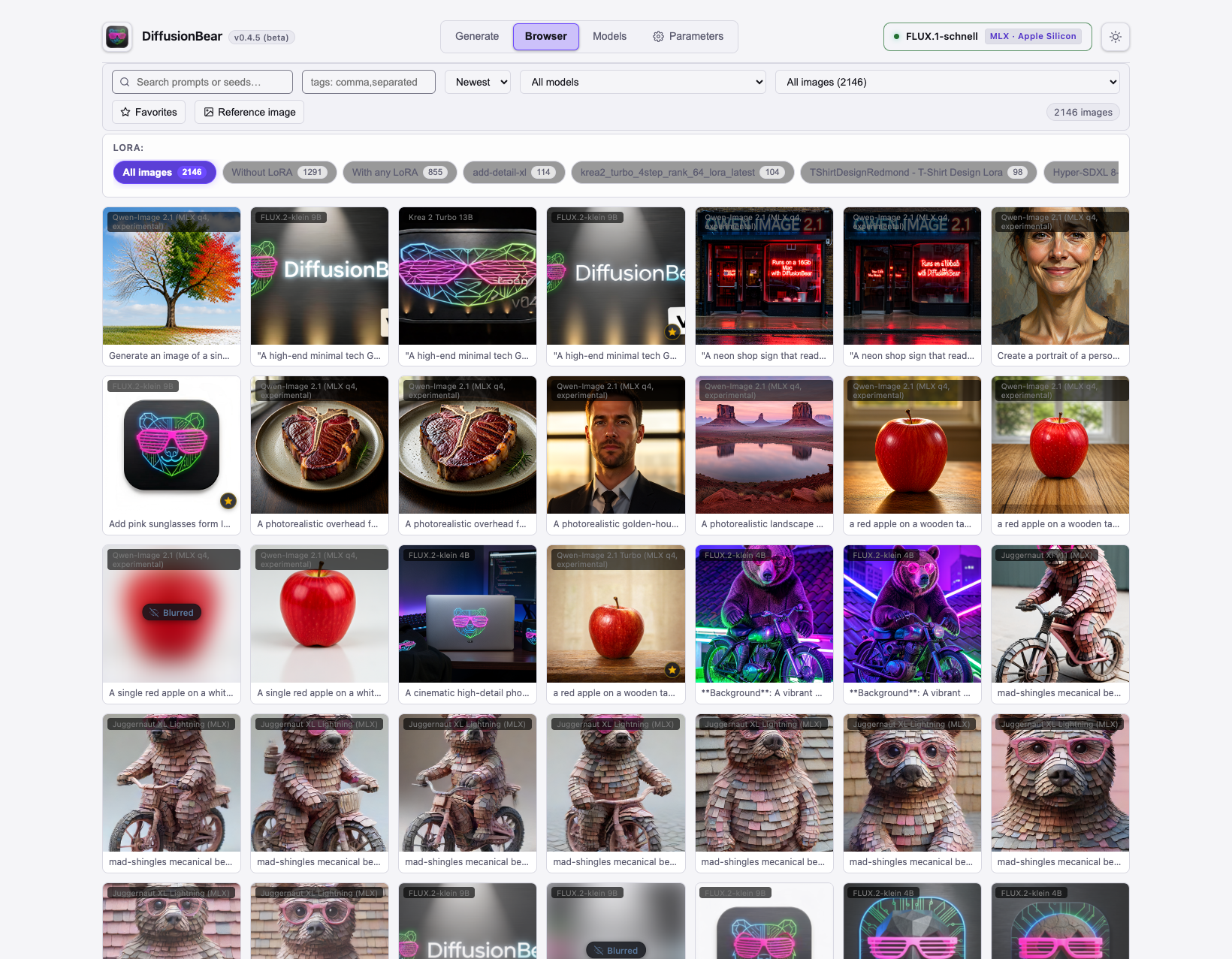
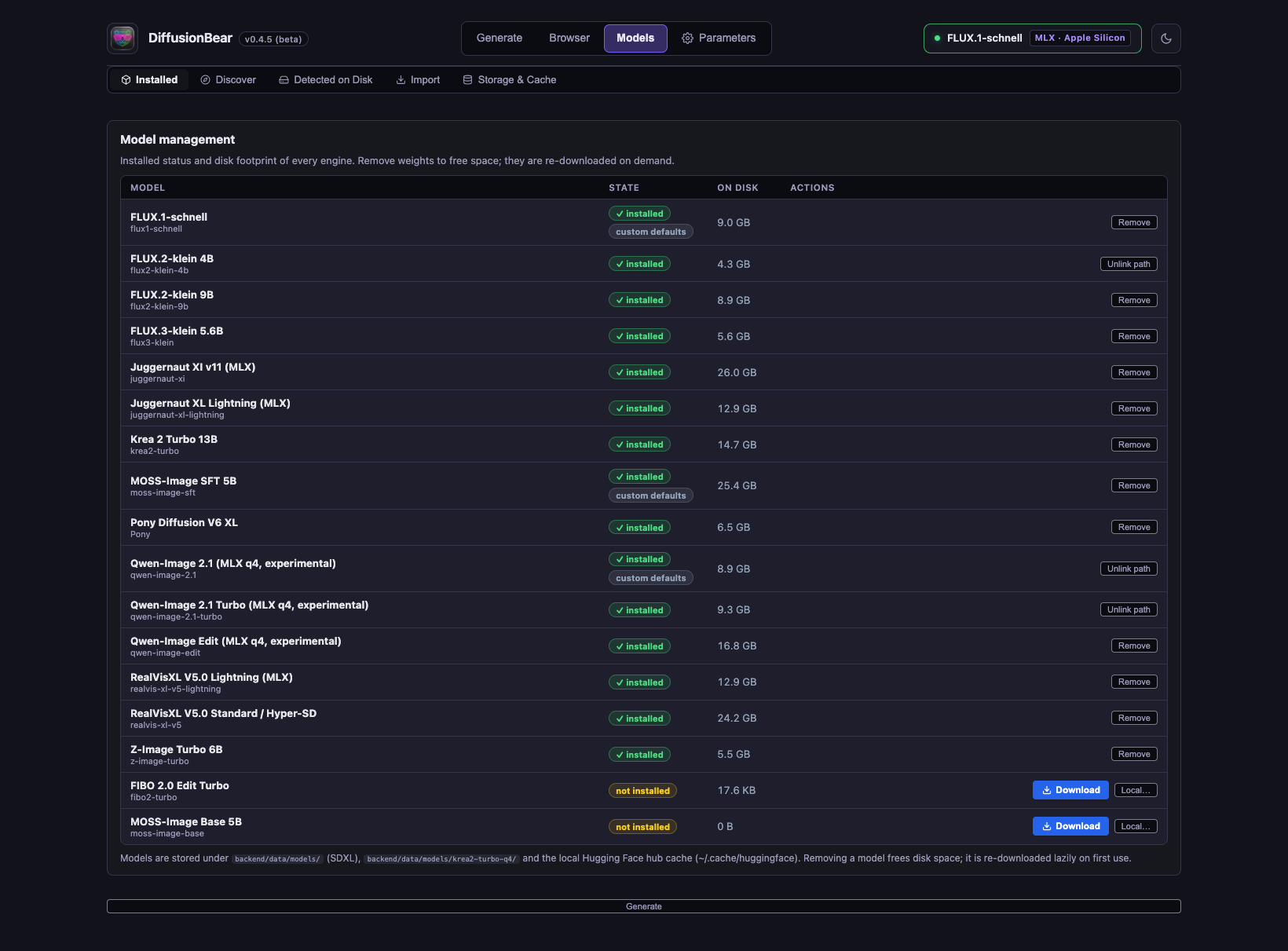
🖥️ Studio Interface Screenshots
| Studio Generation (Dark Mode) | Studio Generation (Light Mode) |
|---|---|
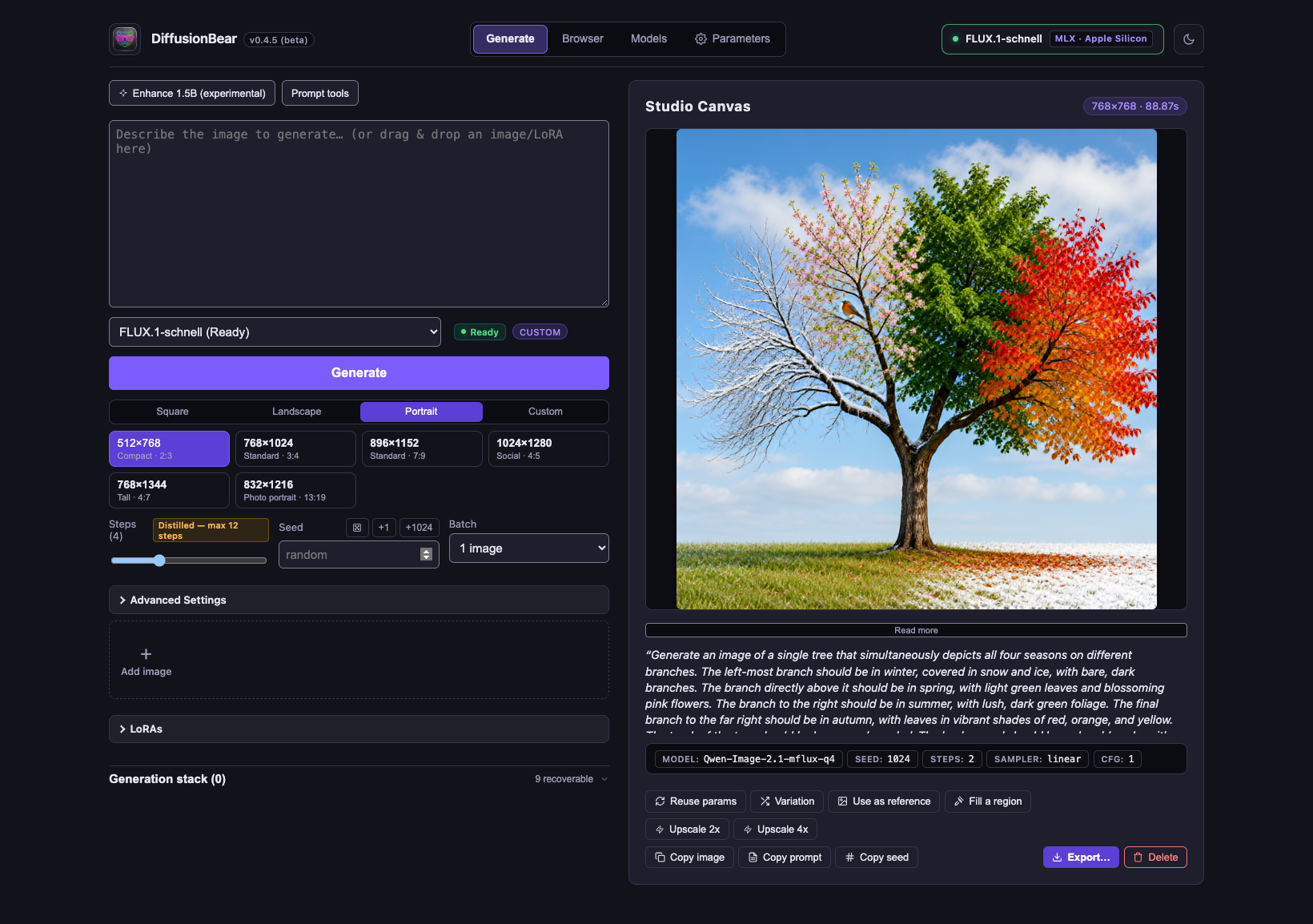 |
 |
| Gallery / Browser (Dark Mode) | Gallery / Browser (Light Mode) |
|---|---|
 |
 |
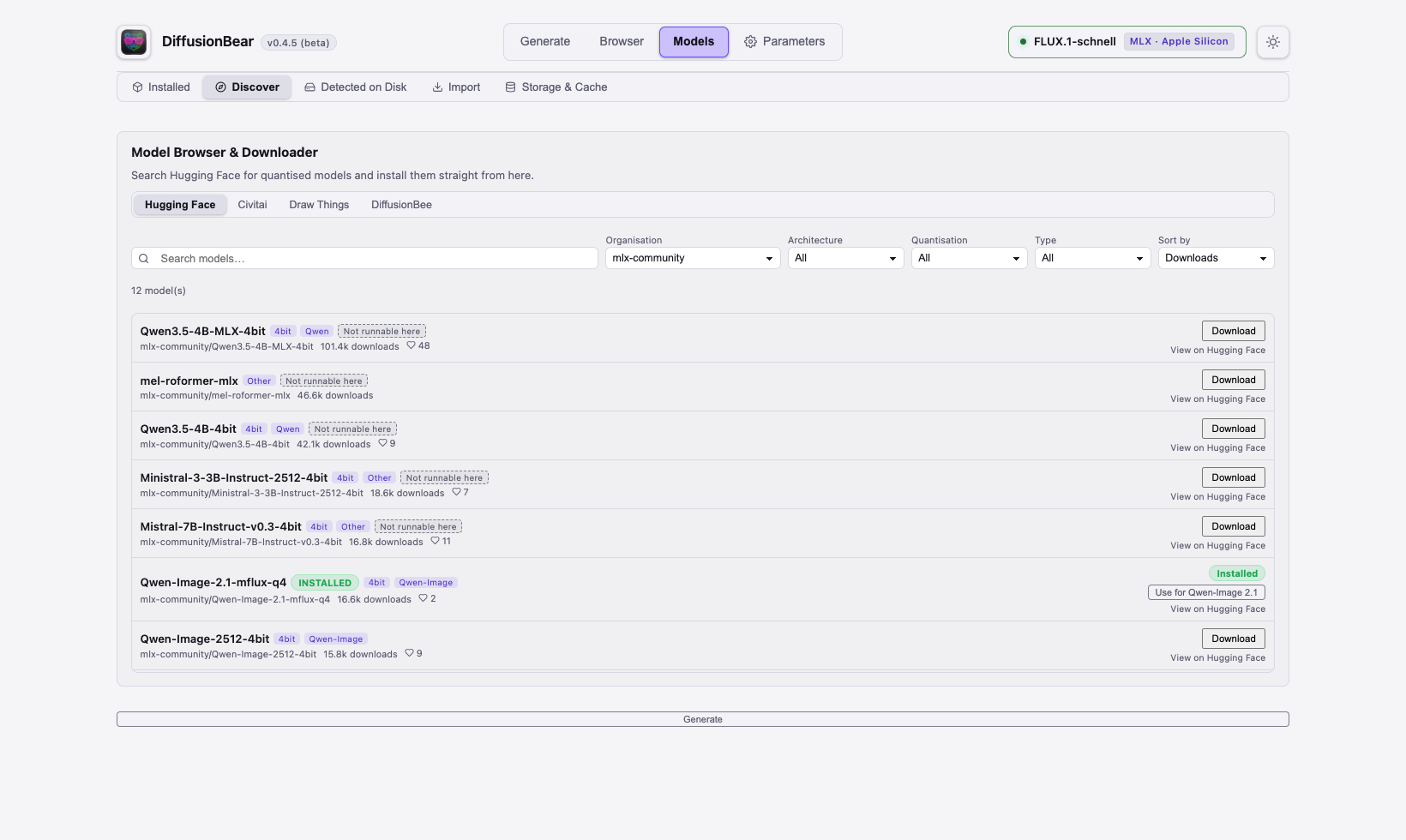
| Models: Installed & Manage | Models: Hugging Face Browser |
|---|---|
 |
 |
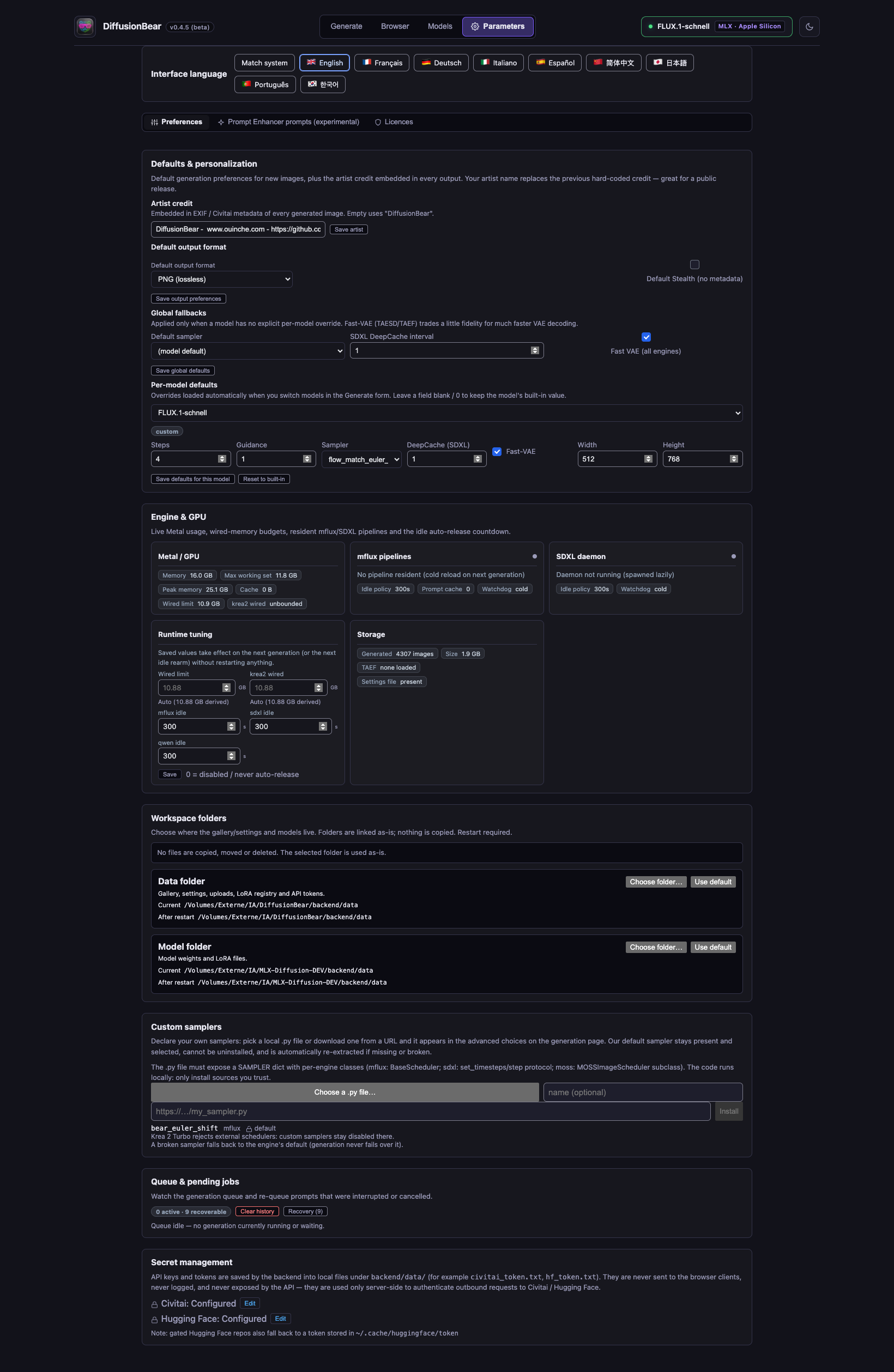
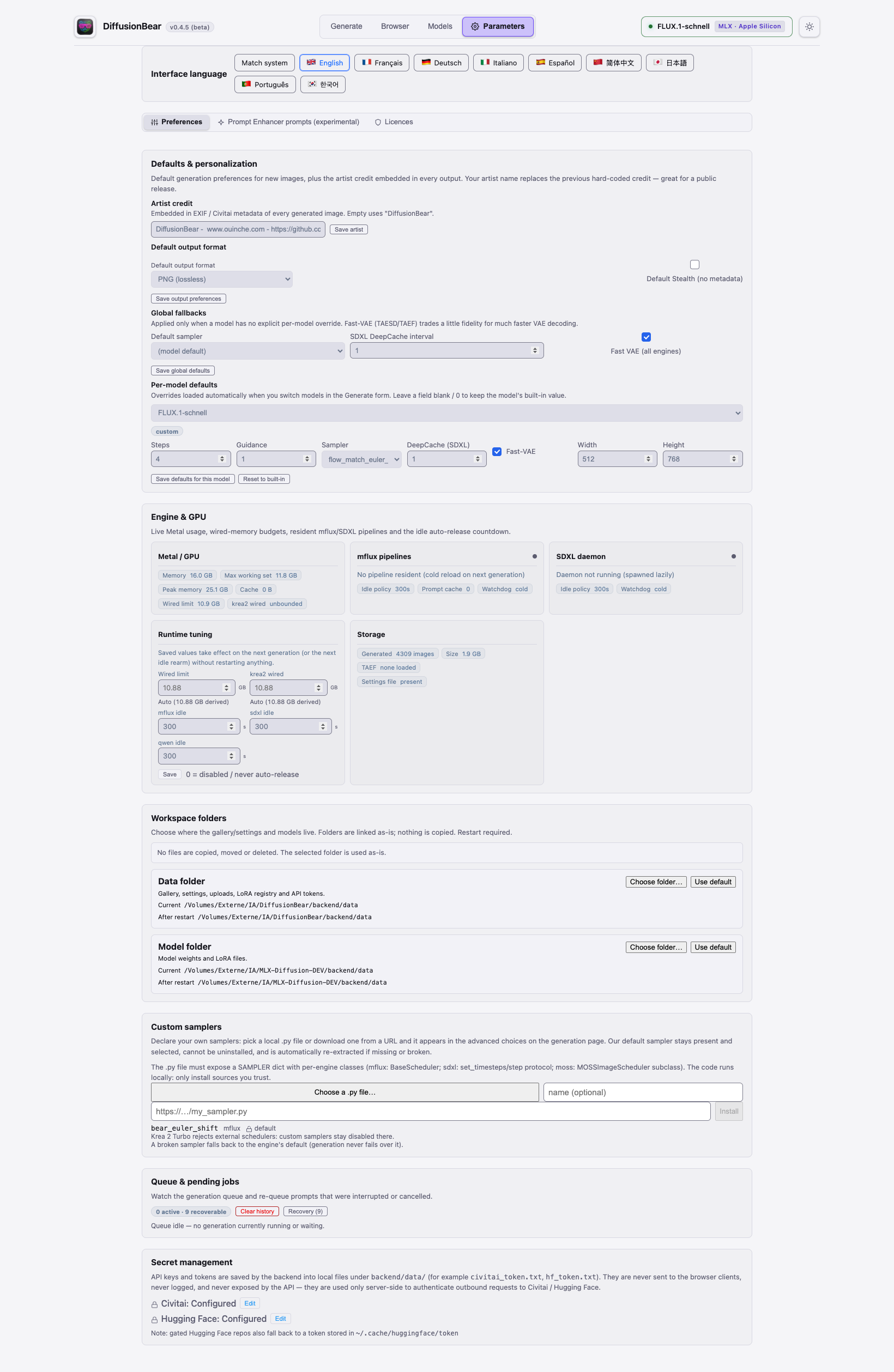
| Parameters: Engine, GPU Memory & Model Defaults | Parameters: Language & System Preferences |
|---|---|
 |
 |
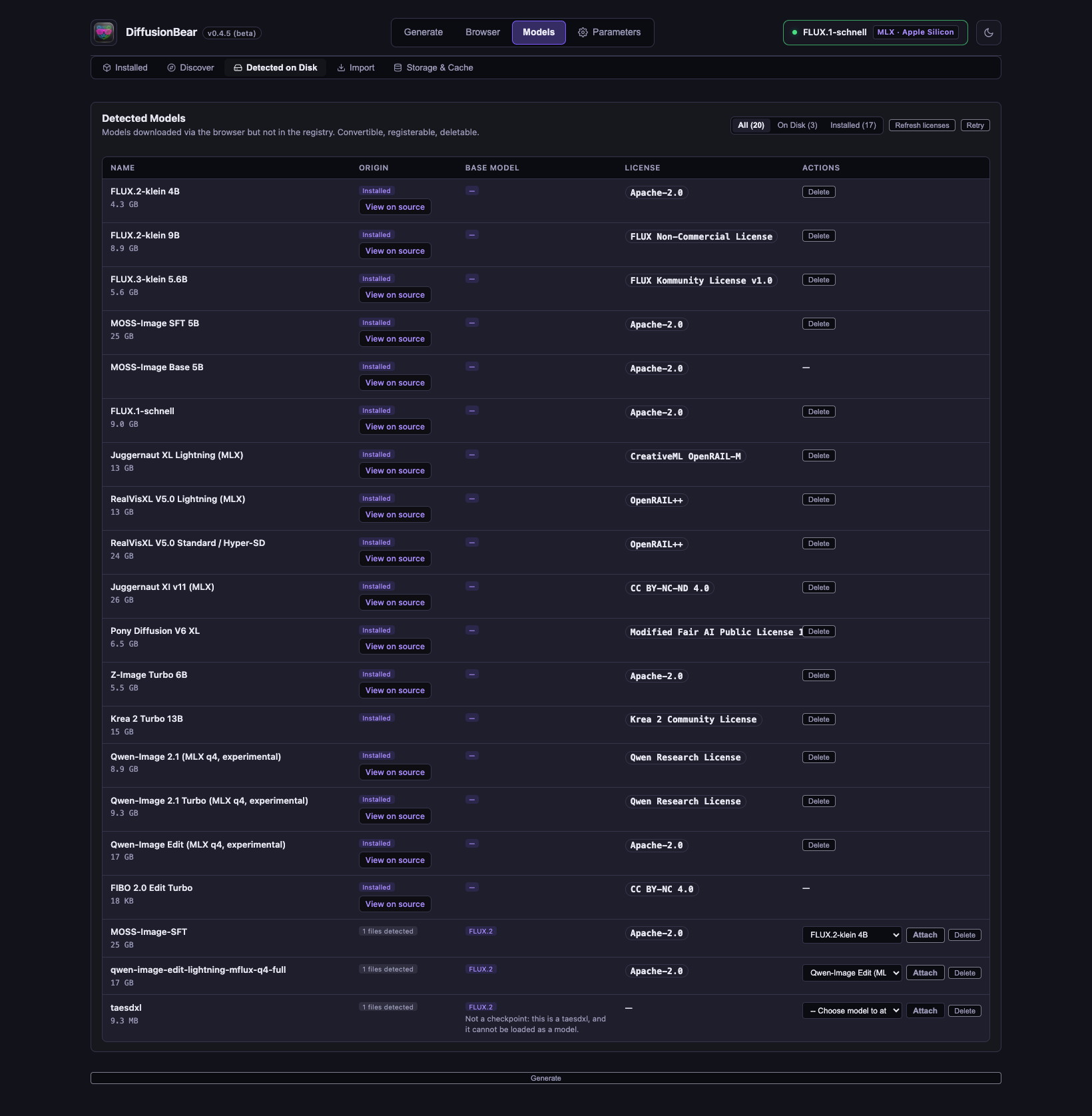
| Models: Detected on Disk | Models: Import from Draw Things / DiffusionBee |
|---|---|
 |
 |
Virtual boxes — place things where you want them
Three engines (FLUX.3-klein, MOSS-Image SFT and Base) accept spatial boxes: instead of hoping the model puts the cat in the right corner, you draw a box on the Studio Canvas and say what belongs inside it. The canvas can show a reference image as a backdrop, so you compose over the actual picture you want.
- SPATIAL BOX panel: presets (Center / Left / Right / Top / Bottom / full frame), free boxes you drag on the canvas, and a live count.
- Compose turns your caption + boxes into the layout description the engine understands; JSON shows exactly what will be sent.
- Reference backdrops: overlay any gallery image or reference behind the boxes, hide it or remove it at will.
- The layout travels with the generation metadata, so reusing parameters reproduces the composition.
For FLUX.2-klein, the equivalent is generative fill: paint a mask on a gallery image and regenerate just that region.
Memory management, quietly handled
Running 4–13 B parameter models on a 16 GB Mac is a memory-budget problem. The app manages it; you watch (Parameters → Engine & GPU) rather than tune:
- Auto wired-limit. Each engine's GPU wired budget is derived from your
machine —
min(68% of unified memory, Apple's recommended working set), about 10.9 GB on a 16 GB Mac. An explicit number you set still wins;0means unbounded. - Idle auto-release. Resident pipelines (a full FLUX/Krea2 pipeline is
~10 GB) are released after 5 minutes of inactivity (300 s default,
tunable per engine;
0= never release). Reloading afterwards costs a few seconds, not minutes — macOS keeps the weight files in its file cache. - Quantised everything. Weights are 4-bit by default; the MOSS text encoder is swapped for the app's own MLX q8g64 build (~2.2 GB) and the Krea 2 encoder is quantised once and persisted, so later sessions skip both the 7.5 GB bf16 load and the quantisation pass.
- Live panel. Metal memory in use, peak, the wired limits, which pipelines are resident, and the idle countdowns — all visible, nothing hidden.
- Storage cleanup. The Parameters tab reports generated-image size, TAESD state and settings, and the Models tab clears per-repo Hugging Face cache entries to reclaim disk space.
MOSS-Image DMD distillation (default behaviour)
Each MOSS DMD kit is three files that only work together: a projection LoRA, a distilled fp32 time embedding, and a dataspace file holding the CFG-free step schedule. The DMD distillation control has four positions:
| Mode | Adapter used | Schedule |
|---|---|---|
| Auto (default) | follows the step slider: ≤4 steps → DMD 4, ≤8 → DMD 8, above → stock | stock CFG trajectory above 8 steps |
| ⚡ DMD 4 | darask0's 4-step kit (moss_distill/darask0-4step) |
CFG-free, engine clamps the run to the 4 codes |
| ⚡ DMD 8 | lodestones' 8-step kit (lodestones/MOSS-Image-SFT-8-steps-dmd, Apache-2.0) |
CFG-free, engine clamps the run to the 8 codes |
| Stock | none | full CFG trajectory at the requested steps (~20–45 min) |
Forcing DMD 4 or DMD 8 at a higher requested step count still runs the 4- or 8-step codes (the engine clamps the loop and drops CFG, which has no effect on the dataspace schedule). On a 16 GB M1 that is roughly 1 min (4 steps) / 3 min (8 steps) at 768×512, against 20–45 min stock. If a kit is missing the app downloads it automatically when the run needs it (resumable); with no network it falls back to the stock trajectory rather than failing.
Local by design
- Generation runs on the Metal GPU through MLX (
mfluxfor the flow-matching families, a native MLX daemon for SDXL, dedicated engines for MOSS and Qwen). Weights are 4-bit so a 4–13 B model fits a 16 GB machine. - The prompt enhancer is a local LLM too (Qwen2.5 0.5B or 1.5B, MLX) — rewriting a prompt never leaves the machine.
- No telemetry, no analytics, no network calls at generation time. Once the weights are cached the app works fully offline.
- Tokens (Civitai API key, Hugging Face token — both optional, both only for smoother downloads of gated or rate-limited repos) are stored on your disk and sent only to the service they belong to.
Unified memory is why this works at all on a 16 GB machine: the CPU and GPU share one pool, so a quantised model stays resident with no CPU↔GPU copying — exactly what MLX is built to exploit.
Benchmarks
Measured on a 2021 MacBook Pro M1 (16 GB) — the reference machine this project is tuned for. Comprehensive snapshot (198 timed studio generations across 18 model configurations at 512×768 resolution), plus the latest RealVisXL Lightning and Qwen-Image 2-step runs:
| Model | Steps | Median | Range | Family / Notes |
|---|---|---|---|---|
| RealVisXL V5.0 Lightning | 4 | 9.3 s | 6.4 – 19.5 s | SDXL · 4-step Lightning, native MLX |
| Juggernaut XL Lightning | 4 | 9.4 s | 7.8 – 20.8 s | SDXL · native MLX engine, TAESD fast VAE |
| Juggernaut XI v11 | 8 | 40.8 s | 26.9 – 61.4 s | SDXL · Hyper-SD 8-step, native MLX |
| RealVisXL V5.0 | 8 | 40.7 s | 27.1 – 60.8 s | SDXL · Hyper-SD 8-step, native MLX |
| FLUX.2-klein 4B | 4 | 48.3 s | 35.1 – 49.2 s | FLUX.2 · Compact 4B rectified flow |
| FLUX.3-klein 5.6B | 4 | 54.8 s | 35.5 – 56.8 s | FLUX.3 · 5.6B flow-matching + Virtual Boxes |
| Qwen-Image 2.1 2-step | 2 | 1:15 min | 53.7 – 79.1 s | Qwen-Image · 7B DiT + DMD2; latest 512×768 run 68.7 s |
| FLUX.1-schnell | 4 | 1:20 min | 55.8 – 82.4 s | FLUX.1 · Classic 4-step rectified flow |
| Bria FIBO 2.0 Edit Turbo | 4 | 1:29 min | 1:05 – 2:12 min | FIBO 2.0 · 4-step DiT (4.2B) + Qwen3-VL 4B, 1–4 ref images |
| FLUX.2-klein 4B (8s) | 8 | 1:36 min | 70.8 – 96.6 s | FLUX.2 · High-detail 8-step mode |
| FLUX.2-klein 9B | 4 | 1:45 min | 76.8 – 116.8 s | FLUX.2 · Flagship 9B rectified flow |
| FLUX.3-klein 5.6B (8s) | 8 | 1:46 min | 70.6 – 110.5 s | FLUX.3 · High-detail 8-step mode |
| Pony Diffusion V6 XL | 25 | 1:47 min | 1:12 – 1:54 min | SDXL · Full 25-step anime/illustrative, native MLX |
| Z-Image Turbo 6B | 8 | 2:04 min | 1:17 – 2:07 min | Z-Image · Sharp geometry 8-step |
| Krea 2 Turbo 13B | 4 | 2:55 min | 2:33 – 3:16 min | Krea 2 · 13B photorealistic (Distilled) |
| Qwen-Image 2.1 Turbo | 8 | 3:20 min | 2:24 – 3:47 min | Qwen-Image · 8-step distilled 7B DiT |
| FLUX.2-klein 9B (8s) | 8 | 3:29 min | 2:35 – 3:30 min | FLUX.2 · Flagship 9B 8-step |
| Krea 2 Turbo 13B (8s) | 8 | 5:14 min | 3:38 – 5:55 min | Krea 2 · 13B native 8-step |
| Qwen-Image 2.1 | 20 | 7:26 min | 5:12 – 7:44 min | Qwen-Image · Full 20-step 7B DiT |
| MOSS-Image SFT 5B | 25 | 26:28 min | 20:19 – 27:45 min | MOSS · Full 25s stock (~1 min with ⚡ DMD 4) |
For the interactive side-by-side visual duel arena, prompt latency breakdowns, and historical September comparisons, visit diffusionbear.com/benchmark.html.
Model vs model — visual arena
Head-to-head comparisons on original, royalty-free scenes. Explore interactive side-by-side comparison sliders on diffusionbear.com/benchmark.html or view our video write-up at ouinche.com.
Everything else the app does
- Model browser & downloader — search Hugging Face and Civitai side by side, classify, download with progress/speed/cancel, direct URLs, and convert single-file Civitai SDXL checkpoints to runnable diffusers directories out-of-process.
- Reference images — FLUX.2/FLUX.3 take up to 10 (
Image 1,Image 2, …), Bria FIBO 2.0 takes up to 4 (image_1toimage_4), Z-Image, Krea 2, Qwen and FLUX.1 take one; studio-canvas backdrops on the box-capable engines. - LoRA manager — drag a
.safetensorsin or import from Civitai; FLUX.1, FLUX.2, FLUX.3, Z-Image, Krea 2 and SDXL (rank-concat stacking) formats; trigger words become clickable chips; a LoRA that does not fit the selected model is refused before generating, with the mismatch named. - Prompt enhancer — local Qwen2.5 0.5B/1.5B rewrites your prompt per engine family, prose or JSON, with editable system prompts and trigger-word preservation.
- Custom samplers — from a local
.pyfile or a URL; protected built-in default; a broken custom sampler falls back to the engine default, never to a failed generation. - Queue & recovery — one generation at a time behind a FIFO worker; a job interrupted by a crash or quit is recoverable and re-queueable.
- Gallery — tags, search, favourites, one-click Use-as-Reference, 2×/4× Lanczos upscaling, Civitai-compliant PNG metadata (with a stealth mode that omits it all).
- Interface in English, French, German, Italian, Spanish, Simplified Chinese, Japanese, Portuguese and Korean.
- ⚖ Licences tab — the licence of every bundled package and every supported model, in one place.
For developers
Everything above is the app; this section is the minimum needed to clone, build and run it from source.
Requirements: an Apple Silicon Mac, macOS 26.2 or later, Python 3.10 (main runtime, used by every engine including SDXL), and Node.js 18 or later. Git and Homebrew are only needed to install those prerequisites.
Clone the repository:
git clone https://github.com/OuincheWinch/DiffusionBear.git
cd DiffusionBear
Build the standalone app (recommended — downloads a self-contained Python
runtime, so no local Python setup is needed). Run the two scripts in order; the
result lands in packaging/dist/DiffusionBear.app:
packaging/build_runtime_venv.sh   # runtime: Python 3.10 + mflux + transformers/tokenizers
INSTALL_APP=1 packaging/build_app.sh   # assembles, signs and installs to /Applications
Omit INSTALL_APP=1 to build without installing. The scripts audit their own
output and fail on absolute build paths, unrelocatable interpreters, weights or
credential-shaped files. Always use the build script's install step — a hand
cp -R of a signed bundle is known to silently skip files.
Run from a checkout (development):
python3.10 -m venv venv
./venv/bin/python -m pip install -r backend/requirements.txt
./venv/bin/python -m pip install --no-deps --force-reinstall ./packaging/vendor/mflux-src
cd frontend && npm install && cd ..
./run.sh        # backend on 8001, Vite on 5174, opens the UI
Dev mode is ./dev-backend.sh plus cd frontend && npm run dev; lint and build
are npm run lint and npm run build. Backend tests run with
./venv/bin/python -m unittest discover from backend/. Ports 8001/5174 are
deliberate — do not "fix" them.
Public-source export. packaging/export_public.sh builds a filtered tree
(internal docs, tests, scratch excluded), audits it for local paths,
credential-shaped files and weights, and refuses to ship anything unsafe;
--push publishes to the public repository.
Documentation
- CHANGELOG.md — what changed in each release
- RELEASE_NOTES.md — release notes and the Gatekeeper guide
- CONTRIBUTING.md — how to build, verify and propose a change
- SECURITY.md — security policy and vulnerability reporting
- PRIVACY.md — when the app goes online and what stays local
- USER_GUIDE.md — full usage guide
- docs/VirtualBox.md — How Virtual Boxes work
Author and AI-assisted development
DiffusionBear is written and maintained by Ouinche (https://github.com/OuincheWinch). Follow on X: x.com/DiffusionBear.
DiffusionBear is heavily co-coded by AI — LLM do a large share of the writing. That is a deliberate choice, not an accident.
Security
Please do not open a public issue for a security problem. Use GitHub's
private vulnerability report,
or email the author -hello -at- -DiffusionBear-.-com- with the subject [DiffusionBear security].
Scope is in SECURITY.md. Network behaviour and local data are in PRIVACY.md.
License
MIT — Copyright © 2026 Ouinche. This covers the project's source code only. Model weights carry their own terms (FLUX.2/FLUX.3 are Black Forest Labs non-commercial; the Juggernaut and RealVisXL checkpoints are non-commercial too), and none of them are redistributed here — they are downloaded from Hugging Face or Civitai on first use. The app shows the full per-package and per-model licences in its ⚖ Licences tab.
Explore related projects
affaan-m/ECC
The agent harness performance optimization system. Skills, instincts, memory, security, and research-first development for Claude Code, Codex, Opencode, Cursor and beyond.
302,622 starsNousResearch/hermes-agent
The agent that grows with you
263,278 starsmultica-ai/andrej-karpathy-skills
A single CLAUDE.md file to improve Claude Code behavior, derived from Andrej Karpathy's observations on LLM coding pitfalls.
233,003 starsfirecrawl/firecrawl
Supercharge your AI agents with data from the web and beyond. Building the library for superintelligence. 🔥
201,663 stars