
OpenLineCode/LineCodePro
OpenLineCode/LineCodePro has 112 GitHub stars and 26 forks. GitHot measured +1 stars in 24 hours. Last checked 2026-11-17 18:42 UTC. Last push 2026-11-15.
Measured star growth
- in 24h
- +1
- in 7 days
- Collecting history
- in 15 days
- Collecting history
- in 1 month
- Collecting history
Net star changes over overlapping periods, not daily totals. Missing measurements are left blank. Stars measure attention, not software quality.
About
An AI coding workstation that fits in your pocket.
AIREADME.md
OriginalLineCode Pro
中文 · English




LineCode Pro is an Android AI coding workspace built in hand-written Java 11. It combines streaming conversations, project-aware tools, multi-agent workflows, remote execution, extensions, and local data management in one portable interface.
It is not just a chat client. A model can inspect a selected workspace, propose or apply file changes, run approved commands, search the web, work with images, delegate tasks to Agents, and continue through multi-step tool calls while the app keeps the complete execution timeline visible and reviewable.
LineCode Pro is under active development. Review AI-generated code and commands before using them in important environments.
Screenshots
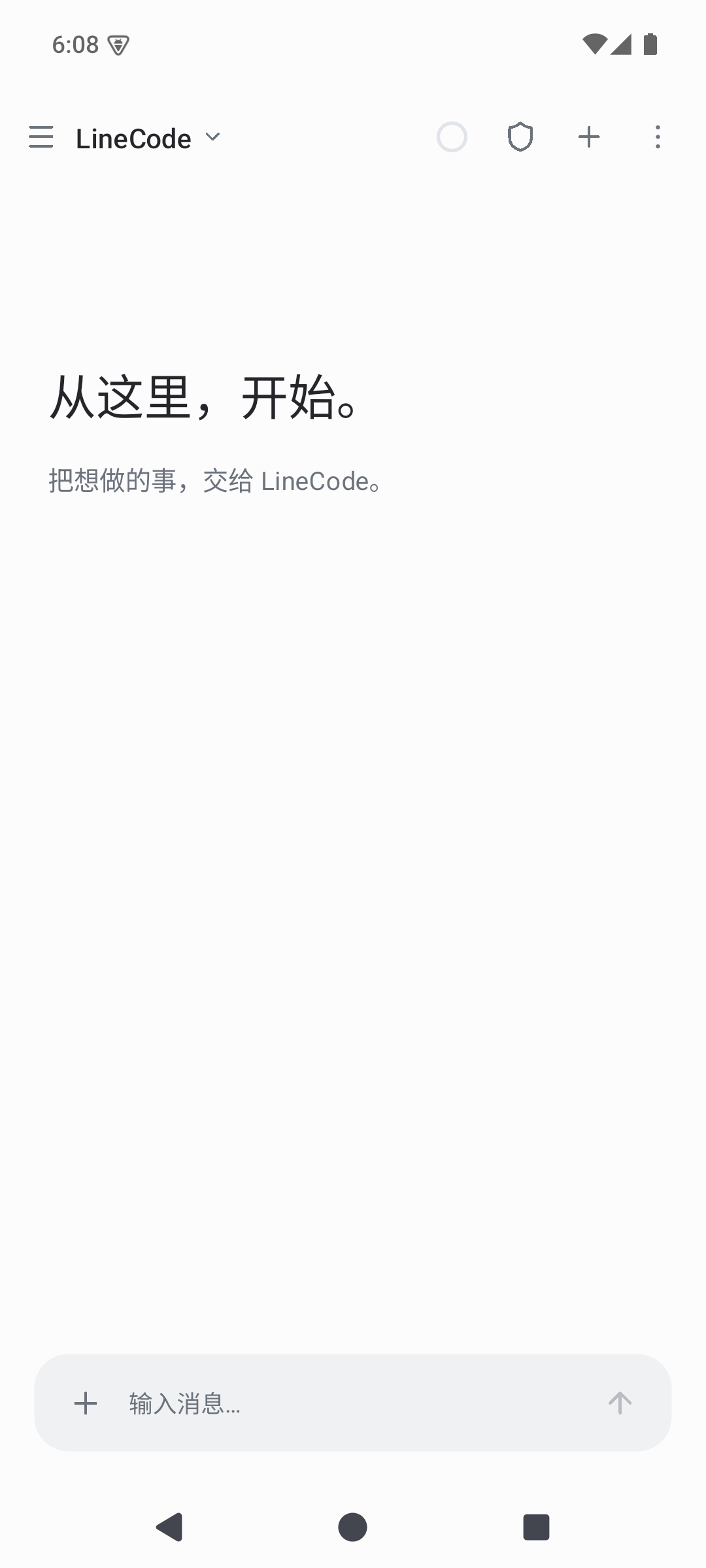 Conversation |
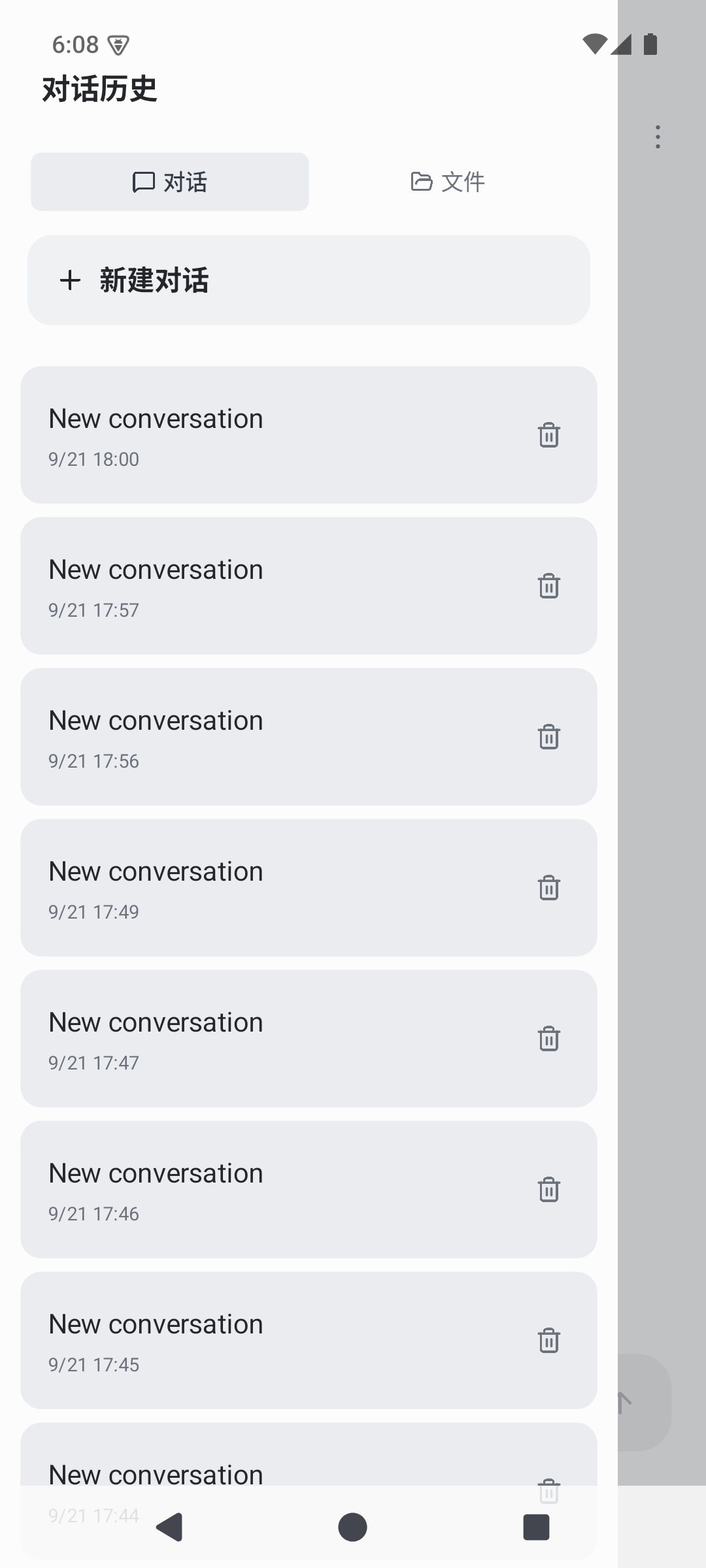 Projects and history |
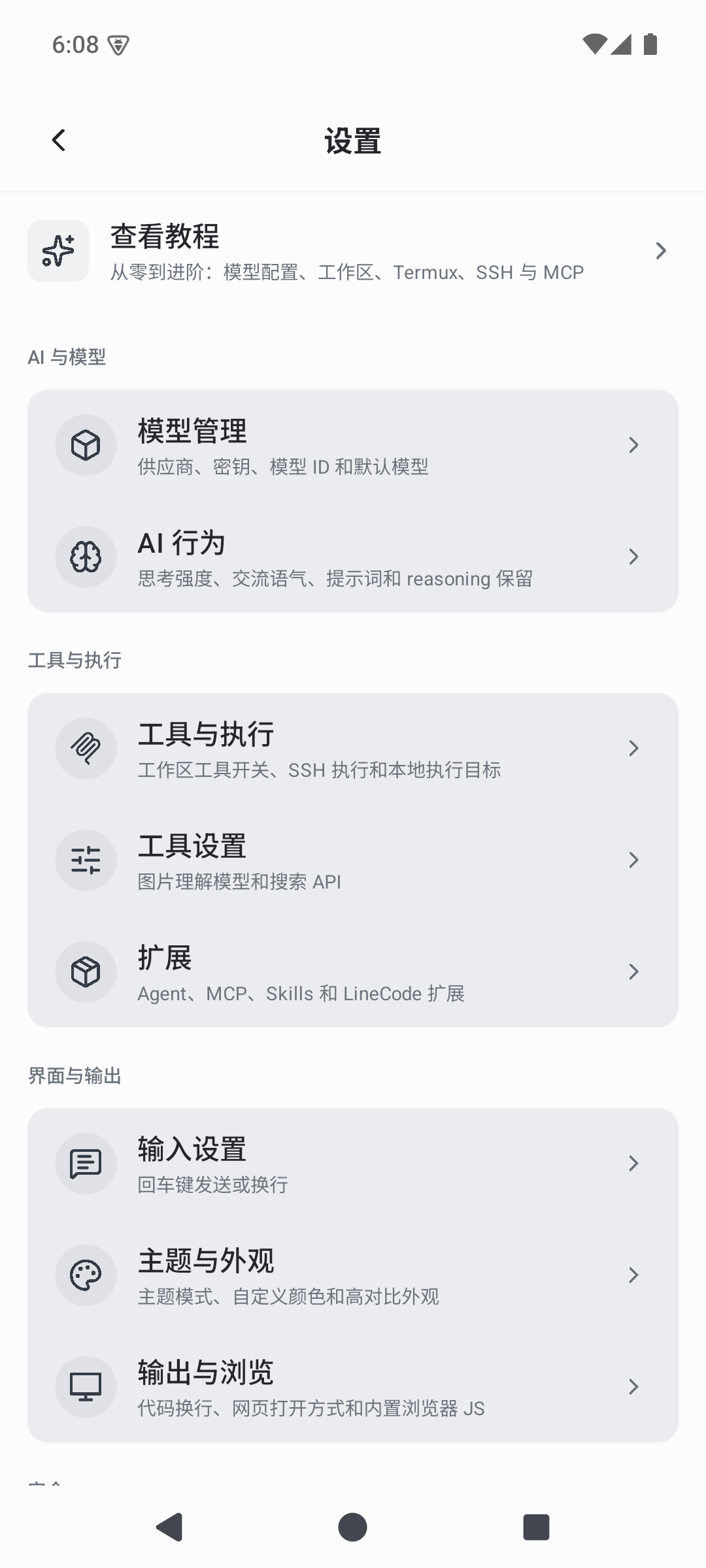 Models, tools and appearance |
What it does
- Model-independent conversations — OpenAI-compatible Chat Completions, OpenAI/Codex Responses, Anthropic Messages, and optional local GGUF models share one streaming interface.
- A complete tool loop — read, create, edit, search, and organize project files; execute shell commands; search the web; understand or generate images; update task lists; and drive the phone through the accessibility service when explicitly enabled.
- Agents and skills — delegate focused work to custom Agents, install
SKILL.mdpackages, discover community Skills through SkillHub, and connect HTTP MCP servers. - Workspace choices — operate on app-managed projects, an SSH host, Termux, or a compatible Android terminal provider over AIDL.
- Reviewable changes — file operations produce diff records with rollback; reasoning, retries, approvals, tool calls, output, and final answers remain ordered in the timeline.
- Long-session support — context usage tracking, soft/hard compaction, durable memories, project memory, and chat history keep larger tasks manageable.
- Themeable, hand-written UI — light, dark, system, paper, high-contrast, custom palettes, drawer, sheets, dialogs, Markdown, and code presentation states are rendered without XML layouts.
Architecture
The app is deliberately split so behavior cannot quietly collapse back into one Activity:
app/                    Activity shell, manifest, resources, local-model opt-in test set
modules/
  core-model            DTOs, typed protocols, preferences, theme palette
  core-kernel           Graph DI, Scheduler/Scope/Observable, errors, clocks
  core-mvi              typed routes, back stack, state stores
  engine-protocol       SSE parsing and OpenAI/Anthropic/Codex codecs
  engine-prompt         prompt assets, strict renderer, system-prompt assembly
  engine-ai             streaming HTTP model client, probes, MCP client
  engine-agent          explicit tool-loop state machine
  engine-local          optional llama.cpp JNI bridge
  engine-skillhub       SkillHub API and session client
  data                  SQLite schema v12 stores, archive, migrations
  tool-*                tool contracts plus builtin, MCP, media, agent, phone tools
  ui-*                  tokens, i18n, kit, Markdown renderer
  feature-*             chat, settings, models, extensions, workspace, terminal
  platform-android      accessibility, keep-alive, link policy, scheduler
  runtime               composition, page factories, SAF/archive actions
build-logic/            convention plugins and mechanical guards
modules/arch-test/      package ownership, dependency, purity and hygiene tests
The reader-facing architecture rules live in AGENT.md. New modules must be added to modules/arch-test/.../Modules.java and to settings.gradle.kts.
Platforms
| Platform | Status | Notes |
|---|---|---|
| Android 8.0+ (API 26+) | Primary | The default slim APK has no native llama.cpp libraries and no local-model UI. The optional local build is arm64-v8a. |
| Termux / Android terminal provider | Supported | SSH and AIDL terminal providers share the same workspace and file-tree UI. |
Privacy and control
Conversations, settings, memories, extension metadata, and diff history are stored locally in SQLite. Model credentials and selected project content are sent only to services you explicitly configure or invoke. Tool execution supports automatic, confirmation, and read-only policies, and file tools are constrained to the active workspace unless the user explicitly disables path protection.
Export and diagnostic paths are designed to redact credentials, but inspect archives and logs before sharing them. Treat every third-party model, MCP endpoint, Skill, SSH host, and web service according to its own privacy and security policy.
Get LineCode Pro
Prebuilt artifacts and release notes are published on the GitHub Releases page. Android release packages retain the cn.lineai application id and continue the existing LineCode signing and version sequence.
Build from source
Requirements:
- JDK 17 (the app targets Java 11)
- Android SDK platform 36
- Android SDK build-tools 36.0.0
- NDK
29.0.14206865and CMake 3.22.1 only for local-model builds
All commands use the Gradle wrapper. The settings file forces FAIL_ON_PROJECT_REPOS and uses the Tencent Cloud Maven mirror; keep that in settings.gradle.kts when adding repositories.
Slim (default)
The default build is the slim variant. It contains no llama.cpp .so, no engine-local Java, and no local-model UI.
./gradlew clean :app:assembleDebug
# → app/build/outputs/apk/debug/app-debug.apk

./gradlew verifyAll :arch-test:test
./gradlew test :app:testDebugUnitTest
./gradlew :app:lintDebug
Local models (llama.cpp)
Local GGUF models run in-process through the bundled llama.cpp JNI library. The backend is a build parameter and the default build has none of it. The local build is a superset: it includes every slim feature plus the local model page, the local protocol entry, the models importer, and the native runtime.
| Build parameter | Default | Effect |
|---|---|---|
linecodeEnableLocalModel |
false |
Compiles engine-local and the local UI, and shows "Load local model" and the local protocol tab. Off removes both. |
linecodeLocalModelBundle |
follows linecodeEnableLocalModel |
Packages libllama.so, libggml*.so and libc++_shared.so into the APK. |
linecodeLocalModelGpu |
true |
Requests the GPU acceleration option in the local model form. |
linecodeLlamaCppSourceDir |
third_party/llama-cpp |
llama.cpp headers directory. |
linecodeLlamaPrebuiltDir |
third_party/llama-cpp/prebuilt/arm64-v8a |
Directory with the prebuilt arm64 llama.cpp libraries. |
# Full local model support, native libraries included.
./gradlew clean :app:assembleDebug -PlinecodeEnableLocalModel=true

# Release.
./gradlew clean :app:assembleRelease -PlinecodeEnableLocalModel=true
The local build links the llama.cpp headers and prebuilt arm64 runtime vendored in third_party/llama-cpp (see its README); pass the two directory properties to build against a separate checkout instead. A build that enables the backend without bundling still links it but leaves the shared libraries out of the APK; that is only useful for development.
Switching between slim and local requires clean because both variants write the same APK path. A stale incremental APK can otherwise retain a zipflinger virtual-entry padding from the other variant.
Imported GGUF files are copied into the app's own models directory, because the system picker returns a capability rather than a path the runtime can open. NPU acceleration is deliberately not offered; the linked runtime exposes CPU and GPU backends only.
Release signing
A release APK needs a signing.properties file at the repo root with:
storeFile=/abs/path/to/your.keystore
storePassword=…
keyAlias=…
keyPassword=…
Never commit signing material. The release build validates these properties before R8 runs, exports the APK as LineCode Pro <versionName>-slim.APK (or -local.APK when local models are enabled), and removes symbol archives.
Community
- QQ discussion group: 1023548832
- GitHub Discussions for design discussion and general questions
- GitHub Issues for reproducible bugs and scoped feature requests
The QQ group is for community discussion only. For commercial licensing or CLA/legal questions, contact [email protected].
Contributing
Contributions are welcome. Read CONTRIBUTING.md before opening a pull request. Every pull request must include the contributor's GitHub username as an electronic signature accepting CLA.md. The required CLA / verify check rejects unsigned pull requests.
License
LineCode Pro uses a dual-license model:
- Open-source use is available under GNU AGPL v3 or any later version; see LICENSING.md and LICENSE.
- Organizations that cannot meet the AGPL obligations may request a separate commercial license; see COMMERCIAL-LICENSE.md.
Unless a written commercial agreement says otherwise, receiving or using the source code does not grant a commercial-license exception.
Acknowledgements
LineCode Pro builds on the work of llama.cpp (MIT), commonmark-java (BSD-2-Clause) and JSch (BSD-style). Every third-party component remains governed by its own license; notices shipped with the APK continue to apply.