
NVIDIA/NVSentinel
NVIDIA/NVSentinel has 433 GitHub stars and 171 forks. GitHot measured 0 stars in 24 hours. Last checked 2026-11-09 22:58 UTC. Last push 2026-11-06.
NVSentinel detects and remediates GPU faults on Kubernetes nodes
Measured star growth
- in 24h
- 0
- in 7 days
- Collecting history
- in 15 days
- Collecting history
- in 1 month
- Collecting history
Net star changes over overlapping periods, not daily totals. Missing measurements are left blank. Stars measure attention, not software quality.
README.md
OriginalNVSentinel



NVSentinel detects and remediates GPU faults on Kubernetes nodes
A single bad GPU can silently corrupt a training run or leave a node sitting idle for hours before anyone notices. NVSentinel detects faults as they happen, protects jobs by cordoning and draining the affected node, and remediates it with a GPU reset or a reboot, returning it to service with no paging required.
- 🔍 Detect: real-time GPU, NIC, and system-level fault detection via DCGM, syslog, and cloud provider maintenance events
- 🛡️ Protect: cordon and drain the affected node before a fault spreads to other jobs
- 🔧 Remediate: auto-repair with a targeted GPU reset or a full reboot, then bring the node back into service
- 🧩 Extensible: pluggable health monitors, drain strategies, and remediation actions
Prerequisites
- Kubernetes 1.34+
- Helm 3.0+
- NVIDIA GPU Operator
- cert-manager v1.21+
- Persistent storage support for a database
The commands below get you ready for NVSentinel: the first makes sure the GPU Operator exposes DCGM as its own service, since NVSentinel queries it directly instead of going through dcgm-exporter; the second installs cert-manager, which issues the TLS certificates NVSentinel's webhooks and internal services need.
# GPU Operator: enable DCGM standalone mode (required)
# By default the GPU Operator embeds DCGM inside dcgm-exporter and doesn't
# expose it as its own service. NVSentinel connects to DCGM directly, so add
# `dcgm.enabled=true` to however you already install/upgrade the GPU Operator:
helm repo add nvidia https://helm.ngc.nvidia.com/nvidia --force-update
helm upgrade --install gpu-operator nvidia/gpu-operator \
  --namespace gpu-operator --create-namespace \
  --set dcgm.enabled=true \
  --wait

# cert-manager (required): issues TLS certs for NVSentinel's webhooks and internal gRPC
helm repo add jetstack https://charts.jetstack.io --force-update
helm upgrade --install cert-manager jetstack/cert-manager \
  --namespace cert-manager --create-namespace \
  --version v1.21.1 --set installCRDs=true \
  --wait
Quick Start
This block works for both a first install and every later upgrade; rerun it as is. By default it only turns on health monitoring: it won't cordon a node, evict a pod, or reboot a machine, so it's safe to run anywhere. The flags below the command are everything you can layer on later; see Adoption for what each one does.
NVSENTINEL_VERSION=v1.30.0

kubectl create namespace nvsentinel --dry-run=client -o yaml | kubectl apply -f -

# Label the namespcae if the GPU Operator is running in GPUCluster (DRA) mode:
# kubectl label namespace nvsentinel resource.kubernetes.io/admin-access=true

# Fresh datastore only. If a MongoDB volume already exists without this Secret,
# recover the original password instead — a new one locks NVSentinel out of that data.
kubectl get secret mongodb -n nvsentinel >/dev/null 2>&1 || kubectl create secret generic mongodb -n nvsentinel \
  --from-literal=mongodb-root-password="$(openssl rand -hex 24)"

helm upgrade --install nvsentinel oci://ghcr.io/nvidia/nvsentinel \
  --version "$NVSENTINEL_VERSION" \
  --namespace nvsentinel \
  --set podMonitor.enabled=false \
  --wait

# --set labeler.assumeDriverInstalled=true       # GPU nodes use host-installed drivers
# --set global.gpuDraEnabled=true                # GPU Operator in GPUCluster (DRA) mode
# --set global.mongodbStore.enabled=true         # Protect: cordon
# --set global.faultQuarantine.enabled=true      # Protect: cordon
# --set global.nodeDrainer.enabled=true          # Protect: + drain
# --set global.faultRemediation.enabled=true     # Remediate
# --set global.janitor.enabled=true              # Remediate
# --set global.janitorProvider.enabled=true      # Remediate
# --set janitor-provider.csp.provider=generic    # Remediate
# --set global.preflight.enabled=true            # Preflight
Verify it's running:
kubectl get pods -n nvsentinel
Adoption
We recommend starting with monitoring, then enabling one step at a time as you get comfortable with how NVSentinel runs in your environment.
1. Monitor
NVSentinel watches your GPUs and system logs and reports faults as Kubernetes node conditions. Nothing here can disrupt a workload, so it's the safe default to run anywhere while you get a feel for what it reports. The command above already does this; no extra flags needed.
2a. Protect: Cordon and drain
Uncomment these flags:
--set global.mongodbStore.enabled=true \
--set global.faultQuarantine.enabled=true \
--set global.nodeDrainer.enabled=true
NVSentinel will now cordon a faulty node, so your scheduler stops placing new work on it, and drain its existing workloads. Only want to cordon, without draining yet? Drop the nodeDrainer line above. This is as far as NVSentinel goes unless you also enable remediation below; a cordoned (and optionally drained) node stays isolated until you (or your own tooling) repair it.
[!NOTE] Small/Demo cluster? Disable the circuit breaker. Fault quarantine ships a breaker that trips once the nodes cordoned in a 5 minute window reach 50% of the nodes count. A tripped breaker pauses all event processing, including uncordoning a recovered node.
--set fault-quarantine.circuitBreaker.enabled=false # test and demo clusters only
2b. Protect: Remediate
Remediation builds on Protect, so uncomment all of Protect's flags plus these:
--set global.faultRemediation.enabled=true \
--set global.janitor.enabled=true \
--set global.janitorProvider.enabled=true \
--set janitor-provider.csp.provider=generic
NVSentinel will now reboot a faulty node automatically once it's cordoned and drained. This runs as a privileged job right on the node itself, so it works on day one with no credentials to set up, regardless of whether you're running on-prem or on a CSP. To reboot through your cloud provider's API instead, see the cloud provider configuration guide.
3. Preflight (optional)
Preflight tries to keep a job from ever landing on bad hardware. It runs as an active check, an init container in the workload pod, that confirms the node is ready before the job starts.
Uncomment this flag:
--set global.preflight.enabled=true
This uses Kubernetes' native gang scheduling (a cluster admin needs to enable the GenericWorkload feature gate, plus the GangScheduling gate on Kubernetes 1.35 and 1.36; Kubernetes 1.37 removed GangScheduling). Using a different scheduler instead? See the gang discovery guide.
Label the namespaces that should run it. It's opt-in per namespace, so nothing changes until you do this:
kubectl label namespace <your-namespace> nvsentinel.nvidia.com/preflight=enabled
Verify it's running: submit a GPU pod in the labeled namespace, then check that preflight added its init containers.
kubectl get pod <pod-name> -n <your-namespace> -o jsonpath='{.spec.initContainers[*].name}'
Architecture
NVSentinel is a set of independent modules coordinated through a shared MongoDB event store and the Kubernetes API; no module talks to another directly.
graph LR
    subgraph "Health Monitors"
        GPU["GPU Health Monitor<br/>(DCGM)"]
        SYS["Syslog Health Monitor<br/>(Journalctl)"]
        CSP["CSP Health Monitor<br/>(Maintenance Events)"]
        NIC["NIC Health Monitor<br/>(NIC)"]
        HEA["Health Events Analyzer<br/>(Pattern Detection)"]
        KOM["Kubernetes Object Monitor<br/>(Kube objects)"]
    end

    subgraph "Ingestion"
        PC["Platform Connectors<br/>(gRPC Server)"]
        STORE[("MongoDB Store<br/>(Event Database)")]
    end

    subgraph "Fault Management"
        FQ["Fault Quarantine<br/>(Node Cordon / Taint)"]
        ND["Node Drainer<br/>(Workload Eviction)"]
        FR["Fault Remediation<br/>(Trigger Node Maintenance)"]
        JAN["Janitor<br/>(Reset / Reboot)"]
    end

    subgraph "Kubernetes Cluster"
        K8S["Kubernetes API<br/>(Nodes, Pods, Events)"]
    end

    GPU -->|gRPC| PC
    SYS -->|gRPC| PC
    CSP -->|gRPC| PC
    NIC -->|gRPC| PC
    KOM -->|gRPC| PC
    HEA -->|gRPC| PC

    PC -->|persist| STORE
    PC -->|update node conditions, events| K8S
    STORE ~~~ FQ
    STORE ~~~ ND
    STORE ~~~ FR
    STORE ~~~ JAN

    FQ -->|reconcile changes| STORE
    FQ -->|cordon| K8S

    ND -->|reconcile changes| STORE
    ND -->|drain| K8S

    FR -->|reconcile changes| STORE
    FR -->|create maintenance CRs| K8S

    JAN -.->|reconcile maintenance CRs| K8S
    JAN -->|reboot / reset| K8S
Try the Demo
Demo Videos
See NVSentinel in action: click any thumbnail to watch.
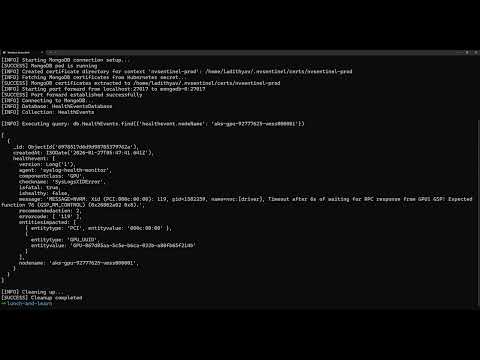
End-to-End |
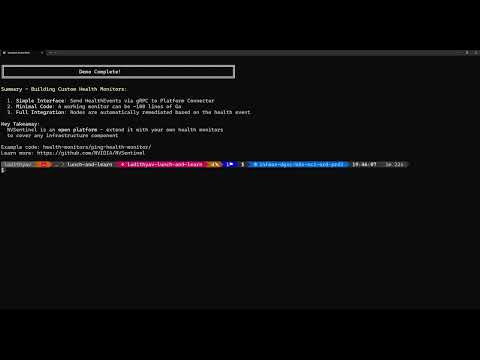
Custom Health Monitors |
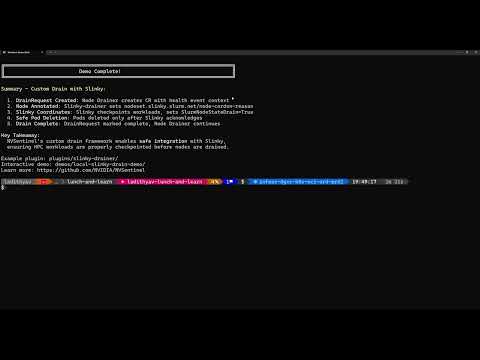
Custom Drain Plugins |
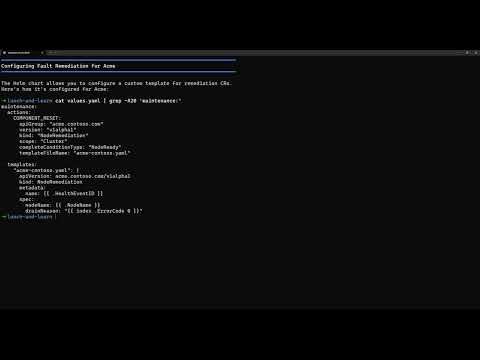
Extensible Remediation |
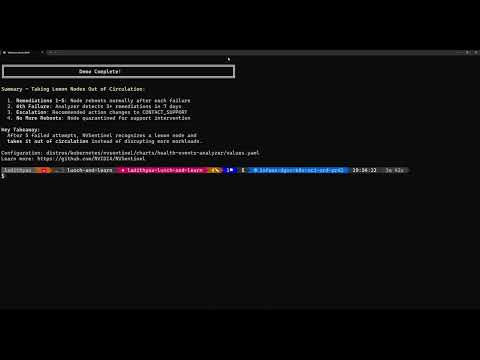
Health Events Analyzer |
See the demos directory for full descriptions.
Run It Locally
Want to try NVSentinel without GPU hardware? Run our Local Fault Injection Demo:
- 🚀 Runs on a laptop - entirely in a local KIND cluster
- 🔍 The whole pipeline - a running workload is drained off a faulty node, the node is repaired, and the workload is rescheduled once it returns
- 🎯 No GPU required - uses simulated DCGM for testing
cd demos/local-fault-injection-demo
./demo.sh  # Creates the cluster, installs NVSentinel, breaks a GPU, and watches it recover
Supported GPUs
Validated on NVIDIA Volta, Ampere, Hopper, Ada Lovelace and Blackwell architectures. See the GPU support for more information.
Learn more
For more, including configuration options, external database setup, writing custom health checks, and operational runbooks, visit docs.nvidia.com/nvsentinel.
See ADOPTERS.md for organizations and projects that use or build on NVSentinel.
Distribution
NVSentinel is published exclusively through the channels below. There is no other official distribution — if you obtained NVSentinel elsewhere, treat it as untrusted.
| Channel | Location |
|---|---|
| Helm chart (OCI) | oci://ghcr.io/nvidia/nvsentinel |
| Container images | ghcr.io/nvidia/nvsentinel/<component> — e.g. ghcr.io/nvidia/nvsentinel/labeler |
| Releases | GitHub Releases, each with a versions.txt pinning every component image for that version |
| Source | github.com/NVIDIA/NVSentinel |
| Documentation | docs.nvidia.com/nvsentinel |
Container images carry a Sigstore-signed CycloneDX SBOM attestation and a SLSA build provenance attestation. See SECURITY.md for how to verify them.
Contributing
We welcome contributions! Here's how to get started:
Ways to Contribute:
- 🐛 Report bugs and request features via issues
- 🧭 See what we're working on in the roadmap
- 📝 Improve documentation
- 🧪 Add tests and increase coverage
- 🔧 Submit pull requests to fix issues
- 💬 Help others in discussions
Getting Started:
- Read the Contributing Guide for guidelines
- Check the Development Guide for setup instructions
- Browse open issues for opportunities
- Review our Code of Conduct
Support
- 🐛 Bug Reports: Create an issue
- ❓ Questions: Start a discussion
- 🔒 Security: See Security Policy
Stay Connected
- ⭐ Star this repository to show your support
- 👀 Watch for updates on releases and announcements
- 🔗 Share NVSentinel with others who might benefit
License
Apache License 2.0. See LICENSE.
Built with ❤️ by NVIDIA for GPU infrastructure reliability
Explore related projects
n8n-io/n8n
Fair-code workflow automation platform with native AI capabilities. Combine visual building with custom code, self-host or cloud, 400+ integrations.
209,938 starslanggenius/dify
Build Agentic workflows, RAG pipelines, with rich AI model and tool support on one collaborative workspace. Deploy on cloud, VPC, or self-hosted, so teams move from prototype to production without rebuilding the stack.
160,773 starsmicrosoft/PowerToys
Microsoft PowerToys is a collection of utilities that supercharge productivity and customization on Windows
140,755 starsstablyai/orca
Orca is the place for working with a fleet of agents (e.g. Grok Bot, Claude Code). Run any coding agent with your own subscription. Available on desktop, mobile and remote runtime.
120,407 stars