
Mun1to/TaskbarGroupsFluent
Mun1to/TaskbarGroupsFluent has 37 GitHub stars and 1 forks. GitHot measured 0 stars in 24 hours. Last checked 2026-11-14 19:56 UTC. Last push 2026-11-13.
Measured star growth
- in 24h
- 0
- in 7 days
- Collecting history
- in 15 days
- Collecting history
- in 1 month
- Collecting history
Net star changes over overlapping periods, not daily totals. Missing measurements are left blank. Stars measure attention, not software quality.
About
Group your taskbar shortcuts into a single icon - a modern WPF and .NET 8 Fluent rewrite of Taskbar Groups, with Microsoft Store support. | ES: Agrupa tus accesos de la barra de tareas en un solo icono, con estilo Fluent de Windows 11.
ProductivityREADME.md
Original
Taskbar Groups Fluent
Group your shortcuts into a single taskbar icon.
A modern WPF / .NET 10 rewrite of Taskbar Groups, with a Fluent (WinUI 3-style) interface.


Windows 10 / 11 x64 · Free · Licence MIT
| Click a group | Or just rest the cursor on it |
|---|---|
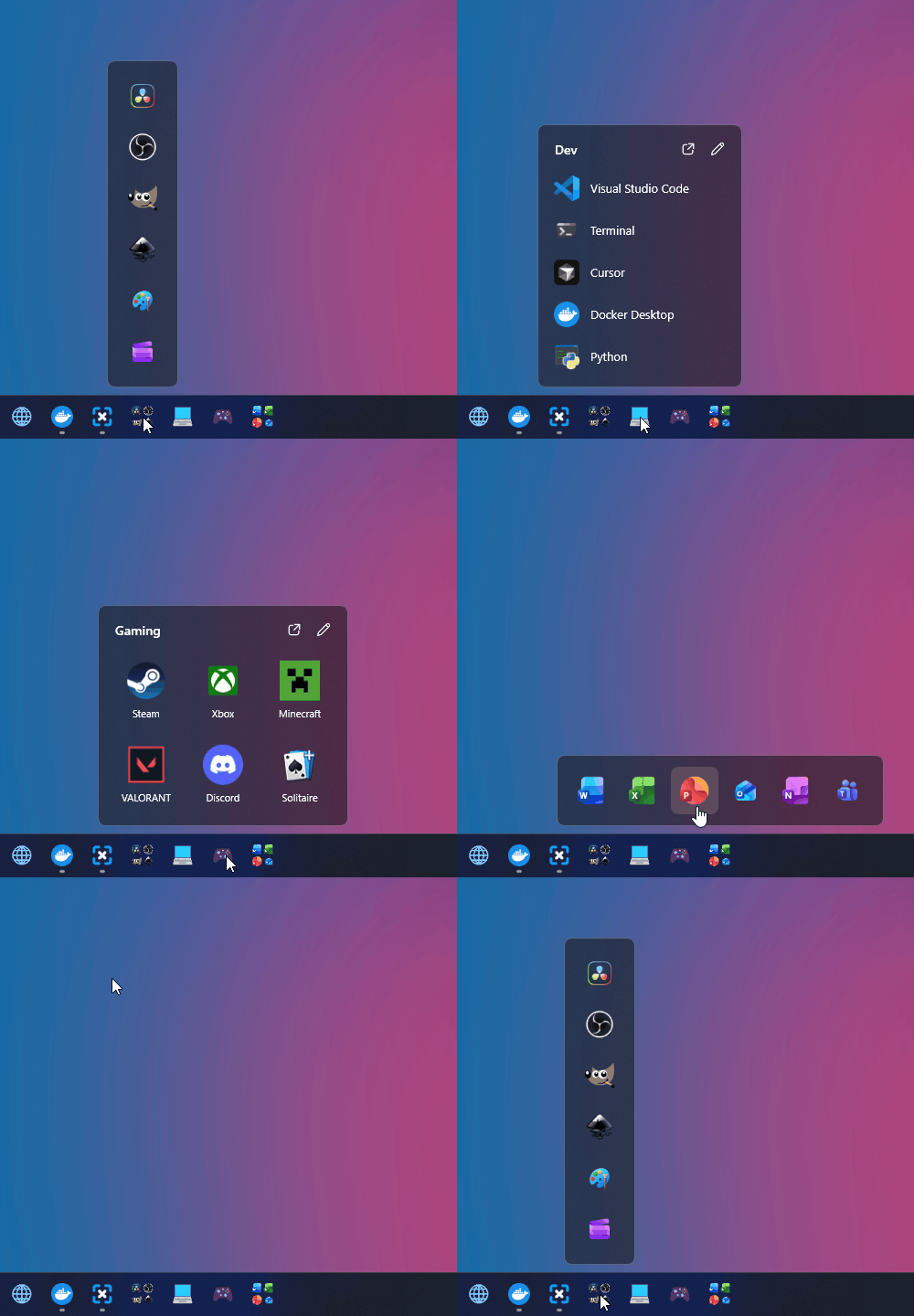 |
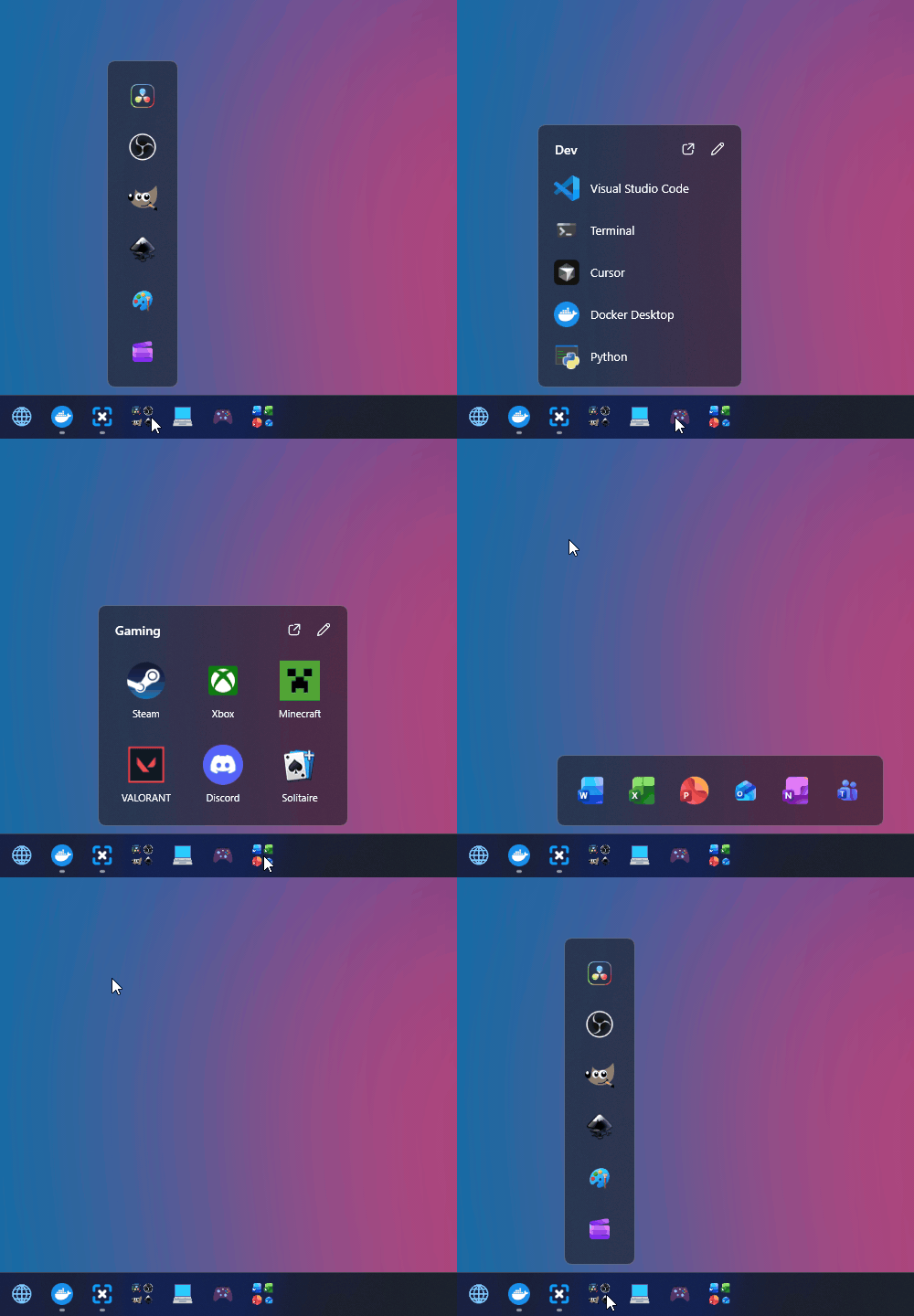 |
Recorded on a real Windows 11 taskbar. Open on hover is off by default; switch it on in the quick bar. Videos: click, hover. Live demo on the website
How it works
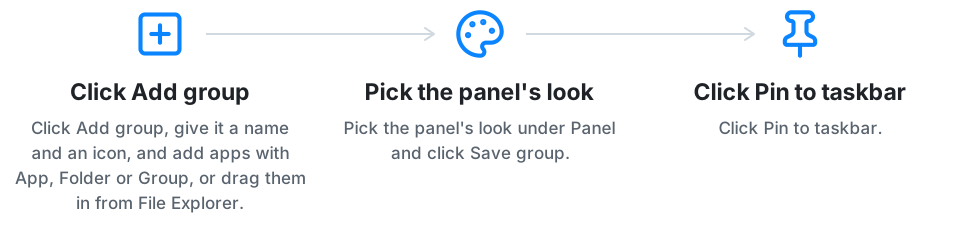
What it does
Each group becomes one taskbar button. Click it and a small panel opens above it with every app in the group.
- Any installed app, desktop, Microsoft Store or a browser's web app, plus folders and even other groups, which open beside the panel like a submenu.
- A folder as a group: the panel shows what is in a folder each time it opens, Windows places like the Control Panel, This PC, the Recycle Bin or all your apps included, and the folders inside it open beside the panel.
- A whole taskbar from one group: a group that holds other groups pins them all, one after another, in its order and with taskbar separators where it has lines. Windows still wants your right-click for each one, and the app walks you through them.
- Separators on the taskbar, to keep your groups apart from the rest of your pinned icons, and inside a panel, to split its apps into sections with an optional title.
- Drag and drop files, folders and shortcuts from File Explorer or the desktop onto the group editor or an open panel.
- Every monitor: the panel opens over the icon you clicked, on that screen.
- By the clock too, if you want: a group gets its own icon in the notification area, and a click there opens its panel.
- Group icon from an image, a colour emoji or the group's own apps.
- Windows 11 glass in four layouts: grid, row, column or list, with a live preview while you edit. On Windows 10 the panel is solid, like its own menus.
- Slides out from behind the taskbar like the Start menu, or peeks up, if you want it to (off by default).
- Open on hover, no click needed, or open instantly, with a panel kept ready so even the first click after starting Windows is quick (both off by default).
- Right-click a pinned group for Open all, Edit group or the app itself, or an app in the panel for its own Windows menu.
- Per-app options: rename, its own icon, launch arguments, run as administrator.
- Export, import and duplicate groups, or bring them over from Taskbar Groups or AppGroup.
- Light or dark, in English, Spanish or Russian: follows Windows, or pick them in the quick bar.
- Updates itself when a new version is out, if you say so.
Screenshots
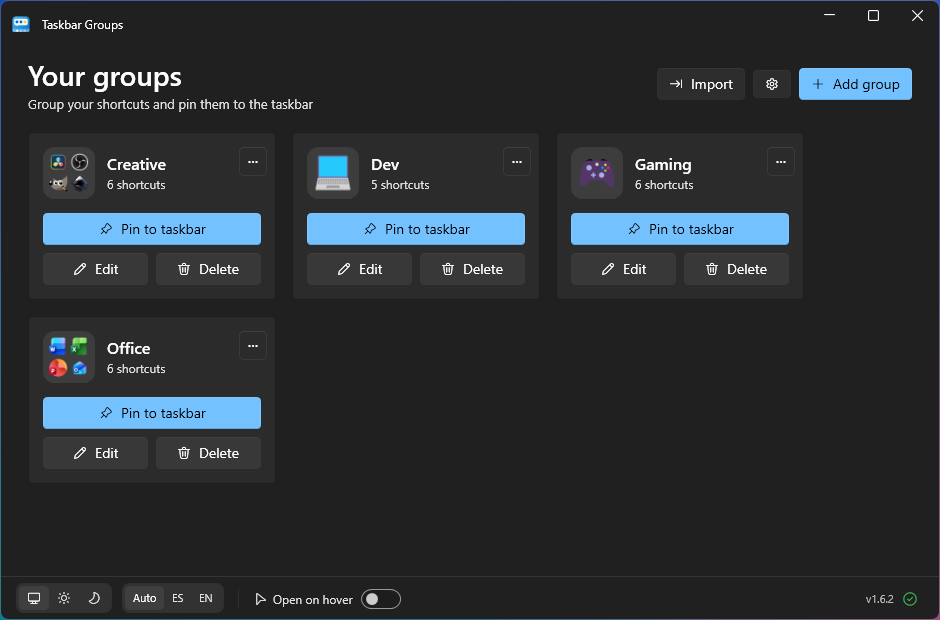 Your groups |
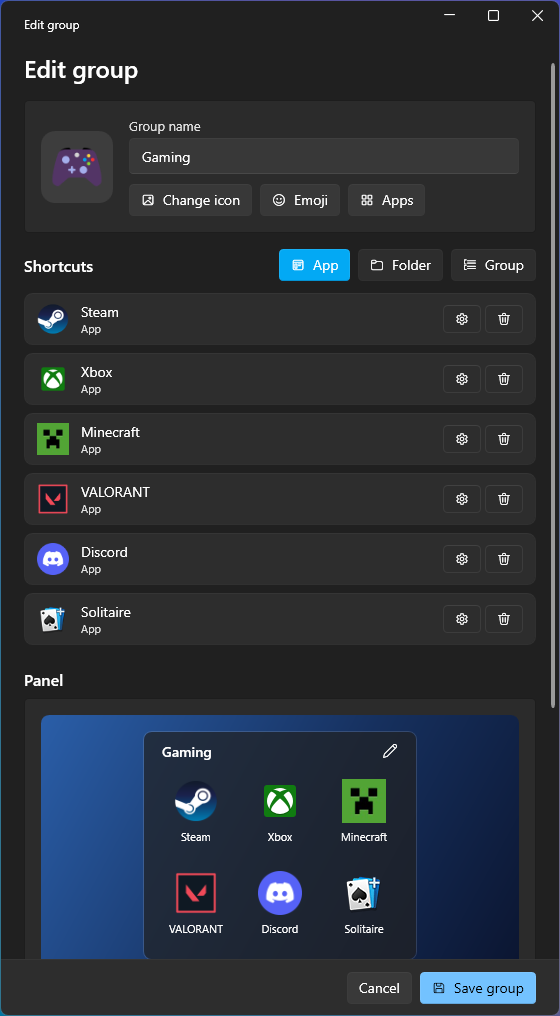 Group editor |
Install
- Download TaskbarGroupsFluent-Setup.exe and run it. It installs for your user only and downloads the .NET 10 Desktop Runtime if it is missing.
- Open Taskbar Groups from the Start menu.
It runs on Windows 11 and on Windows 10 version 1809 or later, 64-bit.
Prefer the Store? Get it from the Microsoft Store: the same app, signed by Microsoft and kept up to date by Windows. It can lag a version behind the installer while each update is reviewed.
No internet on that PC?
TaskbarGroupsFluent-Setup-Offline.exe on the Releases page carries .NET inside. If Windows warns about an "unknown publisher", click More info > Run anyway: the app isn't signed with a paid certificate.
Support
Taskbar Groups Fluent is free and has no paid version. If it saves you time, you can buy me a coffee (the app has the same button in its bottom bar and in Settings), and a star on the repo helps more people find it.
Don't trust it, check it
Published code only helps if somebody actually reads it, and almost nobody does. So instead of asking you to trust this project, here is the prompt to check it: point your own AI agent at this repository and get a security report, in your language, in a few minutes, even if you do not know how to program.
Open AI-AUDIT.md and paste it into Claude Code, Codex, Cursor, Copilot or whatever you use. It is the same prompt in every public repository here, so you can compare.
ES: No hace falta que te fíes. Abre AI-AUDIT.md, pega ese texto en tu IA y te dirá en tu idioma qué hace este programa de verdad: qué envía por internet, qué toca en tu ordenador y qué ejecuta al instalarse.
Building from source
Requires the .NET 10 SDK. Run dotnet build TaskbarGroupsFluent.sln -c Release and start TaskbarGroups.App. The folder the installer packs comes from:
dotnet publish src/TaskbarGroups.App -c Release -r win-x64 --self-contained false -o dist/TaskbarGroupsFluent
dotnet publish src/TaskbarGroups.Hover -c Release -r win-x64 --self-contained false -o dist/TaskbarGroupsFluent
dotnet publish src/TaskbarGroups.Background -c Release -r win-x64 --self-contained false -o dist/TaskbarGroupsFluent/Background
The installer is built with Inno Setup from installer/TaskbarGroupsFluent.iss. TaskbarGroups.Core holds the logic, TaskbarGroups.App the main window and editor, TaskbarGroups.Background the panel, and TaskbarGroups.Hover the optional program by the clock, for open on hover, groups by the clock and instant opening.
License
MIT, same as the projects above.
Credits
| tjackenpacken/taskbar-groups | Built on it, the original app. |
| PikeNote/taskbar-groups-pike-beta | The community fork this rewrite started from. |
| WPF-UI | Used by this app. |
| SkiaSharp | Used by this app. |
Made by Munir Torres. Also by him: Adeorq · VoCript · winshotx · Expoal · hotkeyconfig · froede