Projects View on GitHub
Mr-Robert0/Logsensor
About
A powerful sensor tool for discovering login panels and scanning POST-form SQL injection.
DataMeasured star growth
- in 24h
- +2
- in 7 days
- +2
- in 15 days
- Collecting history
- in 1 month
- Collecting history
Net star changes over overlapping periods, not daily totals. Missing measurements are left blank. Stars measure attention, not software quality.
README.md
OriginalLogsensor
A Powerful Sensor Tool to discover login panels, and POST Form SQLi Scanning
Features
- login panel Scanning for multiple hosts
- Proxy compatibility (http, https)
- Login panel scanning are done in multiprocessing
so the script is super fast at scanning many urls
quick tutorial & screenshots are shown at the bottom
project contribution tips at the bottom
Installation
git clone https://github.com/Mr-Robert0/Logsensor.git
cd Logsensor && sudo chmod +x logsensor.py install.sh
pip install -r requirements.txt
./install.sh
Dependencies
Quick Tutorial
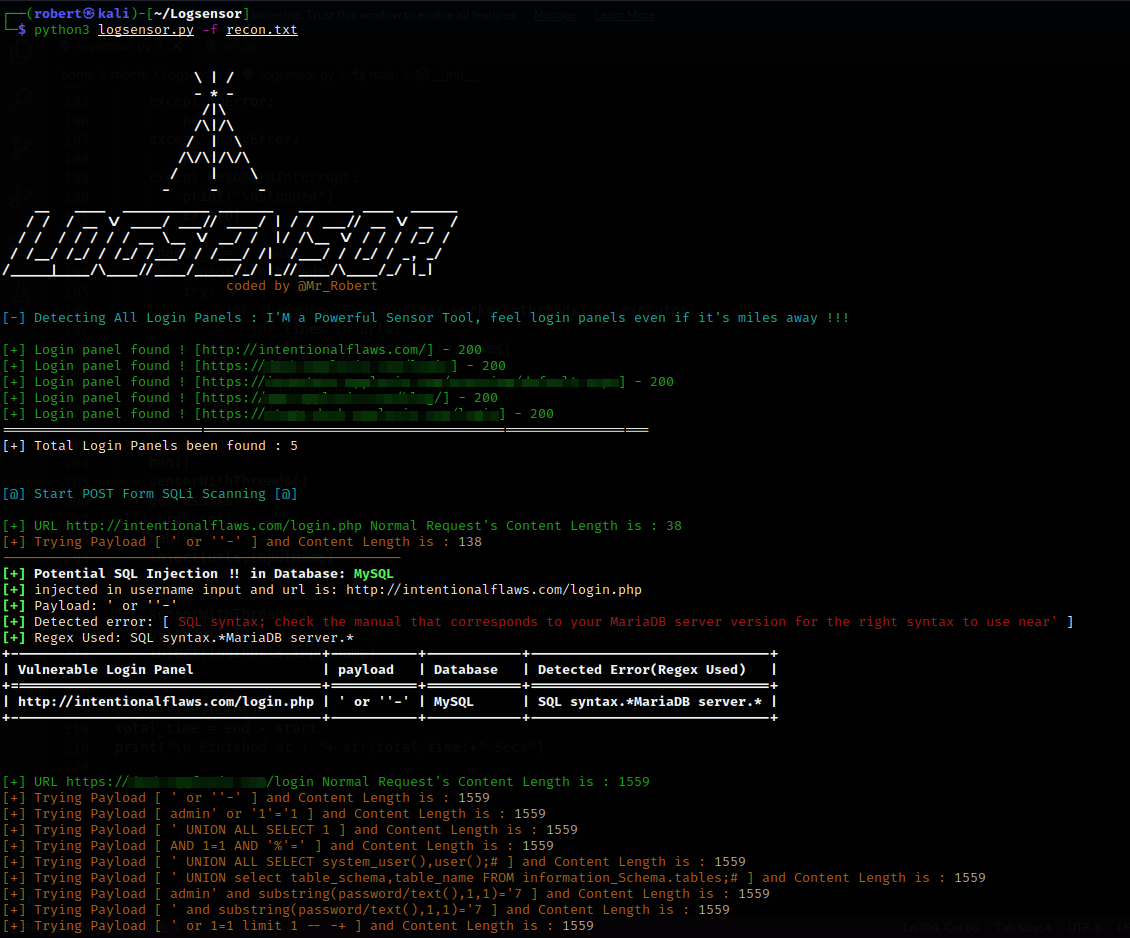
1. Multiple hosts scanning to detect login panels
- You can increase the threads (default 30)
- only run login detector module
python3 logsensor.py -f <subdomains-list>
python3 logsensor.py -f <subdomains-list> -t 50
python3 logsensor.py -f <subdomains-list>  --login
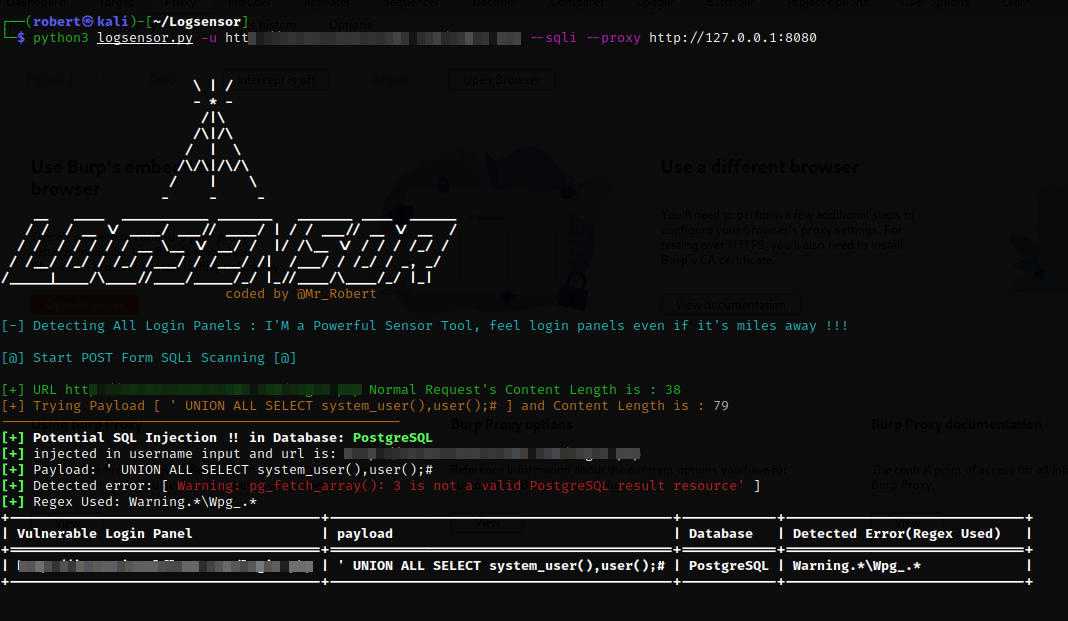
2. Targeted SQLi form scanning
- can provide only specifc url of login panel with --sqli or -s flag for run only SQLi form scanning Module
- turn on the proxy to see the requests
- customize user input name of login panel with actual name (default "username")
python logsensor.py -u www.example.com/login --sqli
python logsensor.py -u www.example.com/login -s --proxy http://127.0.0.1:8080
python logsensor.py -u www.example.com/login -s --inputname email
View help
python logsensor.py --help

usage: logsensor.py [-h --help] [--file ] [--url ] [--proxy] [--login] [--sqli] [--threads]

optional arguments:
  -u , --url           Target URL (e.g. http://example.com/ )
  -f , --file          Select a target hosts list file (e.g. list.txt )
  --proxy              Proxy (e.g. http://127.0.0.1:8080)
  -l, --login          run only Login panel Detector Module
  -s, --sqli           run only POST Form SQLi Scanning Module with provided Login panels Urls
  -n , --inputname     Customize actual username input for SQLi scan (e.g. 'username' or 'email')
  -t , --threads       Number of threads (default 30)
  -h, --help           Show this help message and exit
Screenshots
Development
TODO
- adding "POST form SQli (Time based) scanning" and check for delay
- Fuzzing on Url Paths So as not to miss any login panel
Explore related projects
Loading…