
MizuchiLabs/tether
MizuchiLabs/tether has 40 GitHub stars and 0 forks. GitHot measured +2 in 7 days. Last checked 2026-11-10 21:18 UTC. Last push 2026-11-02.
One Traefik config for many servers. Agents report their Docker apps, Traefik routes to all of them.
What you can do
- One Public IP: Point your router/firewall (Port 443) to just one server running Traefik.
- Auto-Discovery: Apps on other servers are automatically found and added to Traefik.
- Simple: No complex networking, no KV stores (Consul/Redis). Each agent keeps one WebSocket connection to Tether and pushes changes over it.
Measured star growth
- in 24h
- Update delayed
- in 7 days
- +2
- in 15 days
- Collecting history
- in 1 month
- Collecting history
Net star changes over overlapping periods, not daily totals. Missing measurements are left blank. Stars measure attention, not software quality.
README.md
Original



Tether
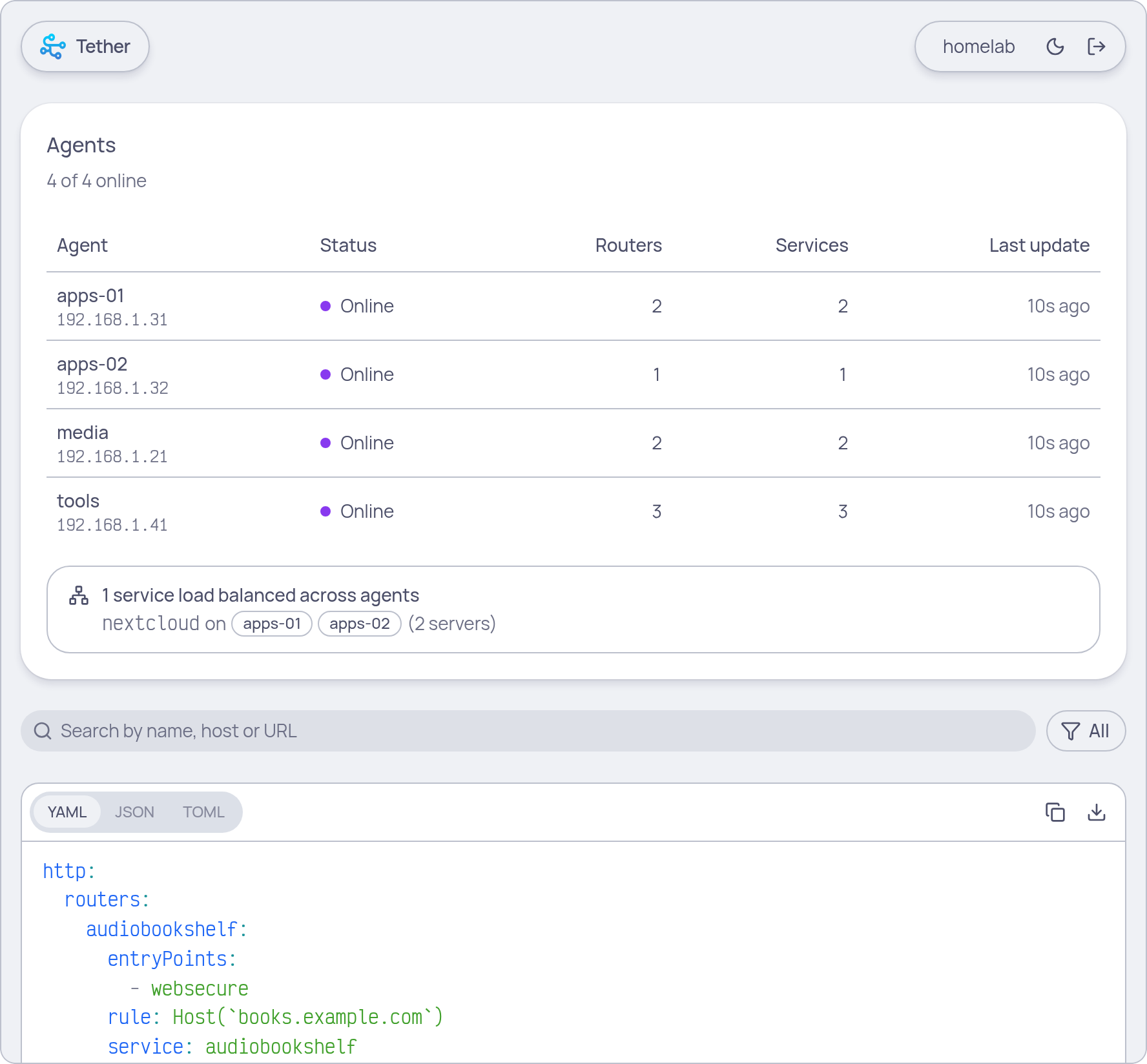
Tether is the central hub for your distributed Traefik setup. It gathers information from all your servers and tells Traefik exactly how to route traffic to your apps.
Think of it as a central operator: multiple servers (running Tetherd) tell Tether which apps are running, and Tether gives Traefik a single, master list of all of them.
Why use Tether?
If you have multiple physical servers or VPS instances but don't want the complexity of Kubernetes or Docker Swarm, Tether is for you.
- One Public IP: Point your router/firewall (Port 443) to just one server running Traefik.
- Auto-Discovery: Apps on other servers are automatically found and added to Traefik.
- Simple: No complex networking, no KV stores (Consul/Redis). Each agent keeps one WebSocket connection to Tether and pushes changes over it.
The "One IP, Many Servers" Setup
Imagine you have 3 servers, but only one public WAN connection.
- Server A (The Gateway): Runs Traefik and Tether. Your router forwards port 443 here.
- Server B & C (The Workers): Run your apps (Websites, APIs, etc.) and a small agent called Tetherd.
Tetherd on Server B/C tells Tether (on Server A) what is running. Traefik asks Tether for the config and magically knows to send app1.com to Server B and app2.com to Server C.
Quick Start
Run Tether using Docker Compose:
services:
  tether:
    image: ghcr.io/mizuchilabs/tether:latest
    ports:
      - 3000:3000
    environment:
      - TETHER_TOKEN=your-secret-password # Shared with agents
    restart: unless-stopped
Configure Traefik
Tell your Traefik instance to get its routing rules from Tether:
providers:
  http:
    endpoint: "http://tether:3000/config"
    pollInterval: "5s"
    headers:
      Authorization: "Bearer your-secret-password"
Configuration
| Env Var | Flag | Default | Description |
|---|---|---|---|
TETHER_TOKEN |
--token |
Strongly recommended: Shared secret for agents to connect. | |
TETHER_PORT |
--port |
3000 |
Port Tether listens on. |
TETHER_NO_WEB |
--no-web |
false |
Disable serving the web UI. |
TETHER_CONFIG |
--config |
/data/dynamic.yml |
Optional local file for manual Traefik rules. |
TETHER_DEBUG |
--debug |
false |
Enable detailed logging. |
TETHER_TRUSTED_PROXIES |
--trusted-proxies |
direct |
Where to read client IPs for rate limiting: direct, cloudflare, traefik, or CIDRs. |
Healthcheck
The image has no shell, so use the built-in health command. It exits 0 while the server answers on /healthz.
    healthcheck:
      test: ["CMD", "tether", "health"]
      interval: 30s
      timeout: 5s
      start_period: 5s
How it behaves
- Stateless. Tether keeps everything in memory and never writes files. Agents push their config again when they reconnect.
- Restarts. For the first 15s after start,
/configreturns503. Traefik keeps its last config during that window while agents reconnect, so routes don't flap. - Offline agents. When an agent disconnects, its routes stay for 30s. If it doesn't come back, they are removed so Traefik stops sending traffic to a dead host.
- Load balancing. Run the same app on several machines with the same labels and Tether load balances across them. An HTTP service is shared when every agent routes to it with identical routers (same rule, entrypoints, middlewares, TLS) and the service settings match apart from the servers. Unrelated apps that happen to share a name have different routers, so they are never merged. TCP and UDP are never shared. An offline agent leaves a shared service right away since the others still serve it.
- Name collisions. If two sources define the same router, service or middleware name differently, the first one wins: the local file first, then agents sorted by name. Skipped entries are shown in the UI.
- Local file. Mount the directory instead of the single file if you want edits picked up live. Editors replace files on save and a single-file bind mount doesn't see that.
Next Step: Install Tetherd on your other servers to start connecting them!
License
Apache 2.0 License - see LICENSE for details
Explore related projects
awesome-selfhosted/awesome-selfhosted
A list of Free Software network services and web applications which can be hosted on your own servers
335,830 starsimmich-app/immich
High performance self-hosted photo and video management solution.
118,645 starsStirling-Tools/Stirling-PDF
#1 PDF Application on GitHub that lets you edit PDFs on any device anywhere
96,149 starslouislam/uptime-kuma
A fancy self-hosted monitoring tool
93,425 stars