
MenuuTUX/maya-scene-io
MenuuTUX/maya-scene-io has 54 GitHub stars and 7 forks. GitHot measured 0 stars in 24 hours. Last checked 2026-11-15 09:08 UTC. Last push 2026-11-07.
What you can do
- Meshes - Vertices, polygons, all UV sets, vertex colours, edge hardness, per-face materials - Placed in world space, with UVs, normals, vertex colours, per-face materials and visibility
- Materials - Principled BSDF, with PBR textures sitting next to the file wired up automatically - Per-face material assignment
- Skeleton - Joint hierarchy at bind pose, deform bones split into their own bone collection - Skeleton with its hierarchy
- Skin - Weights as vertex groups plus an Armature modifier - Skin weights
Measured star growth
- in 24h
- 0
- in 7 days
- Collecting history
- in 15 days
- Collecting history
- in 1 month
- Collecting history
Net star changes over overlapping periods, not daily totals. Missing measurements are left blank. Stars measure attention, not software quality.
About
Import and export Maya scenes (.ma / .mb) in Blender
Creative & MediaREADME.md
OriginalMaya Scene IO
Bring Maya scenes into Blender, and back out again. Reads .ma and .mb with no Maya installed.





Demo · Install · Quick start · Features · Engines · Troubleshooting · Credits
Who this is for
Use this when you have Maya files and no Maya: a rig you downloaded, an old project, a scene from a
client. It reads .ma and .mb in Python and builds the scene in Blender.
If you do own Maya, export FBX, USD or Alembic from Maya instead. That route is free, supported by Autodesk, and handles everything Maya can evaluate. The optional Maya bridge in this add-on only automates the FBX export for you.
Demo
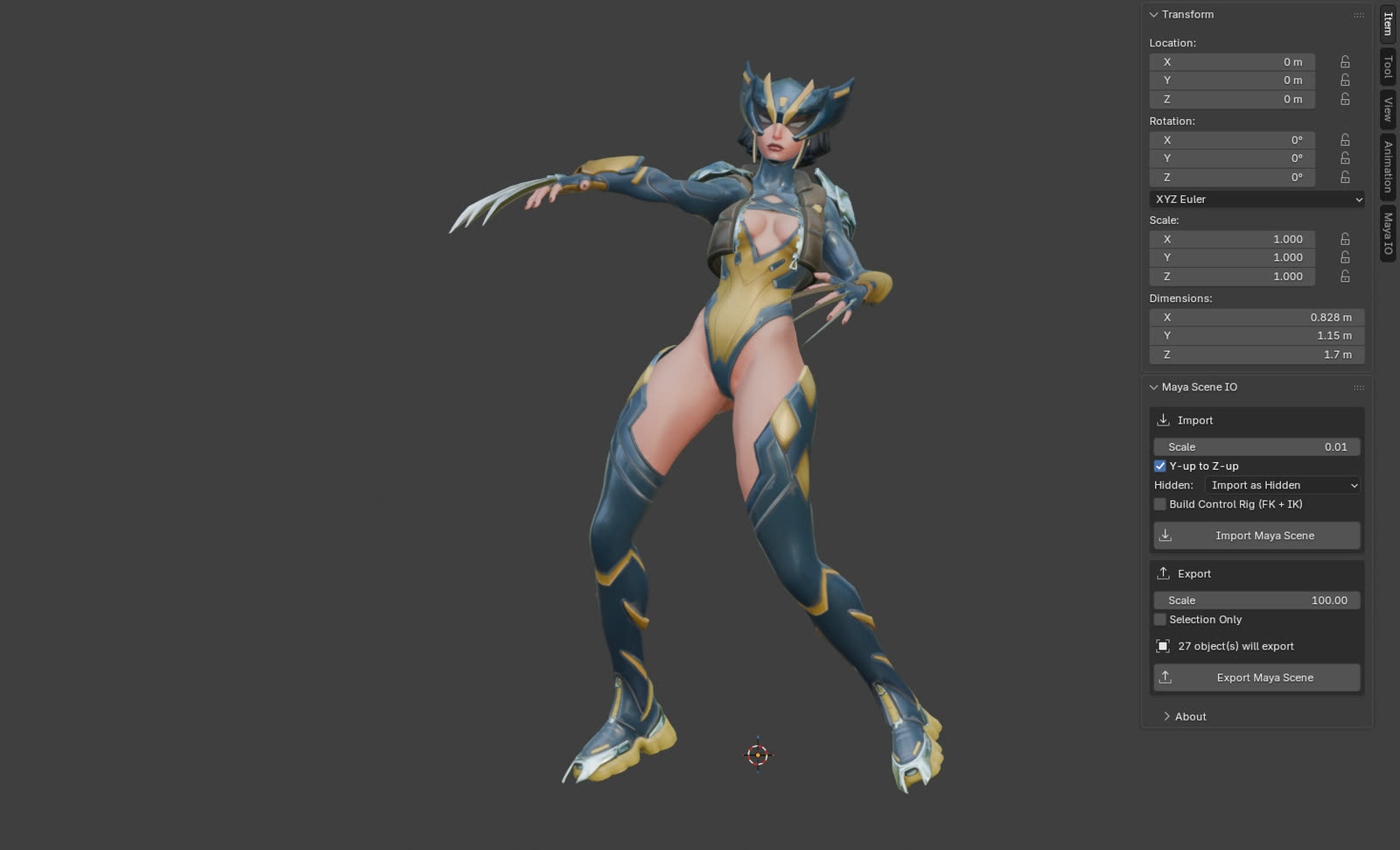
One .ma file in, a textured and skinned character out. The scene below is a Maya Advanced Skeleton rig
(see Credits). It imported in under a second with the native engine, no Maya involved.
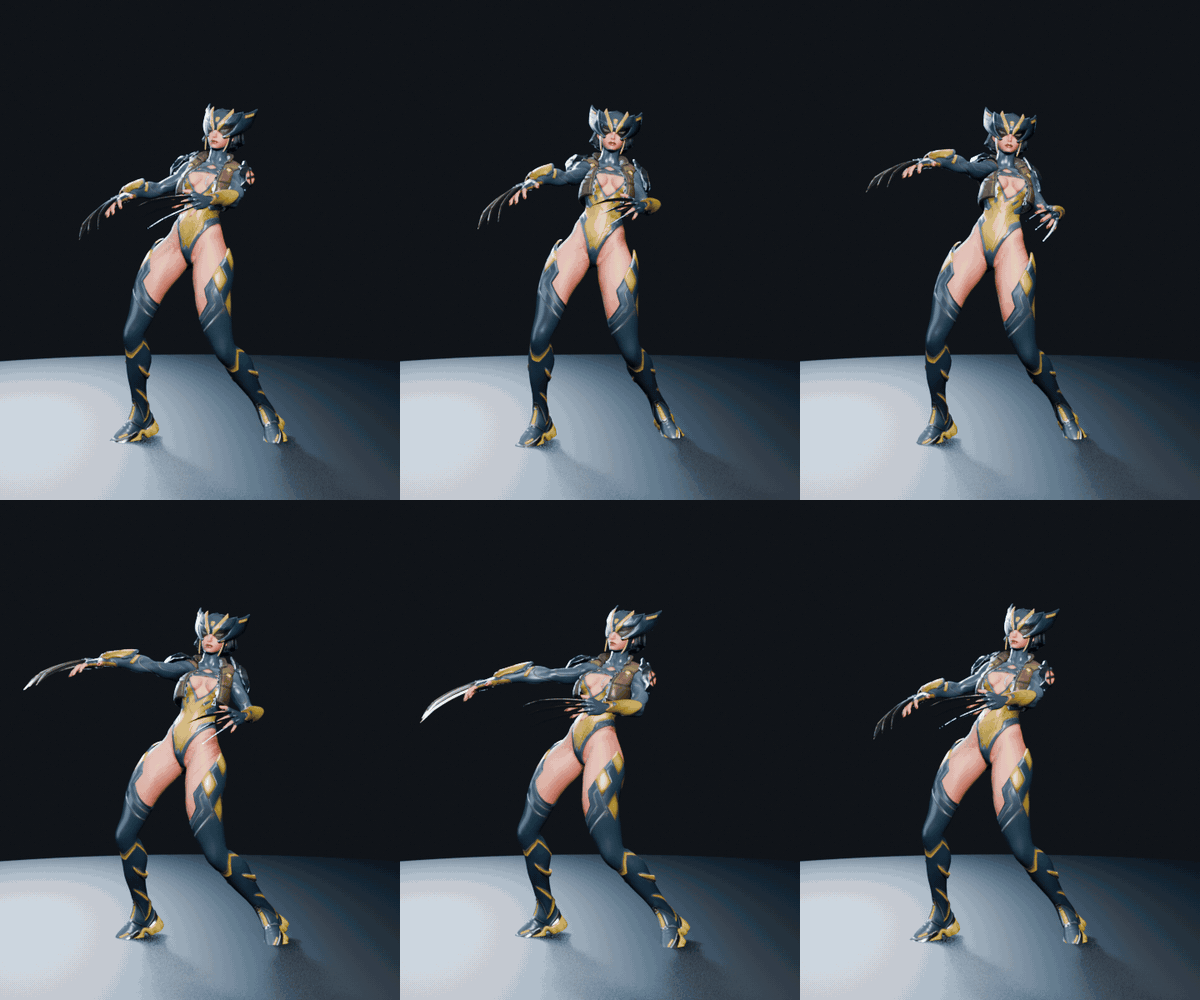
Posed in Blender through the control rig the add-on generates. The animation is mine; the source file has no time-based keys.
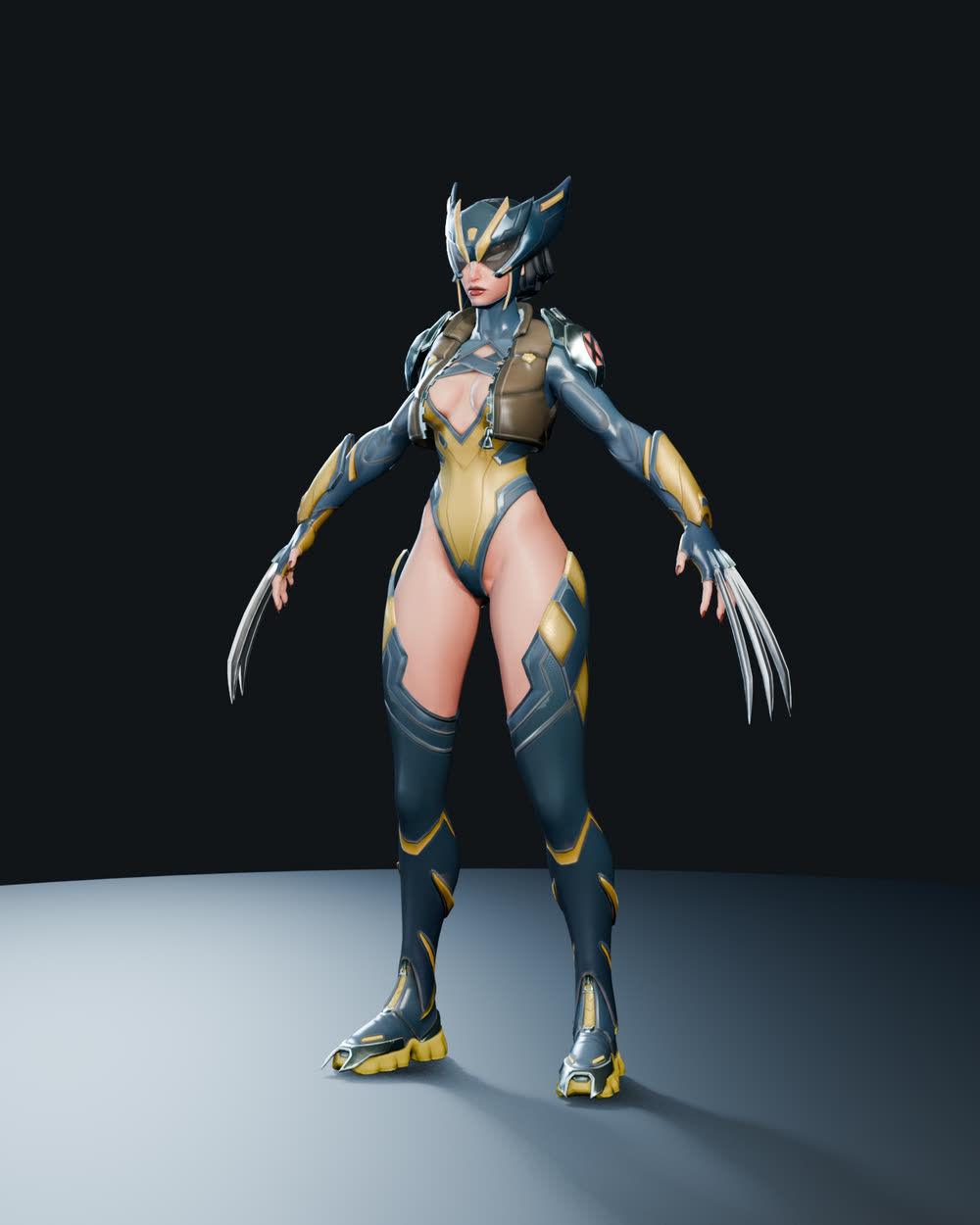
Straight off the import. Geometry, UVs and PBR textures wired into Principled BSDF. |
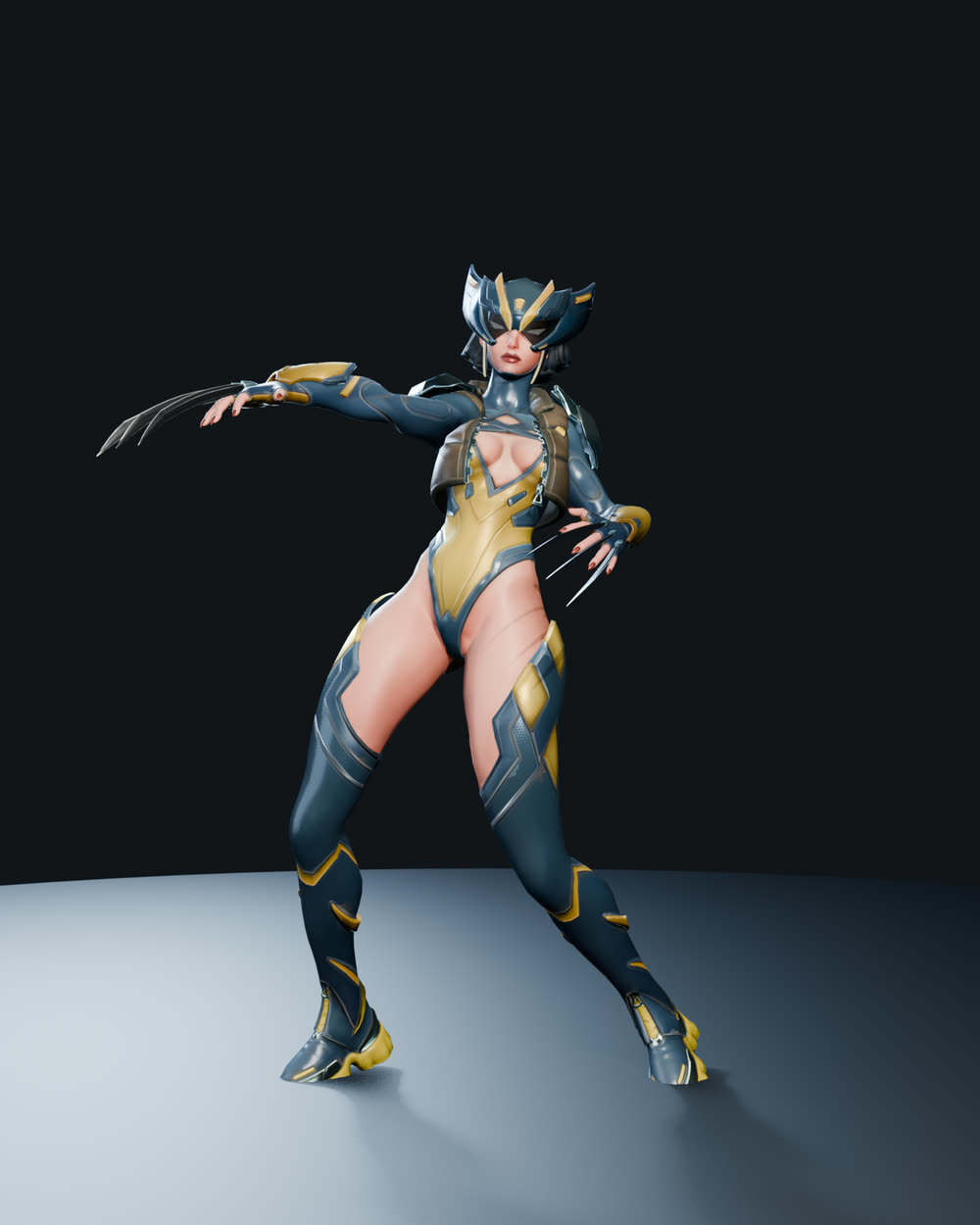
Posed. The skeleton and skin weights carry over, so the mesh deforms as it did in Maya. |
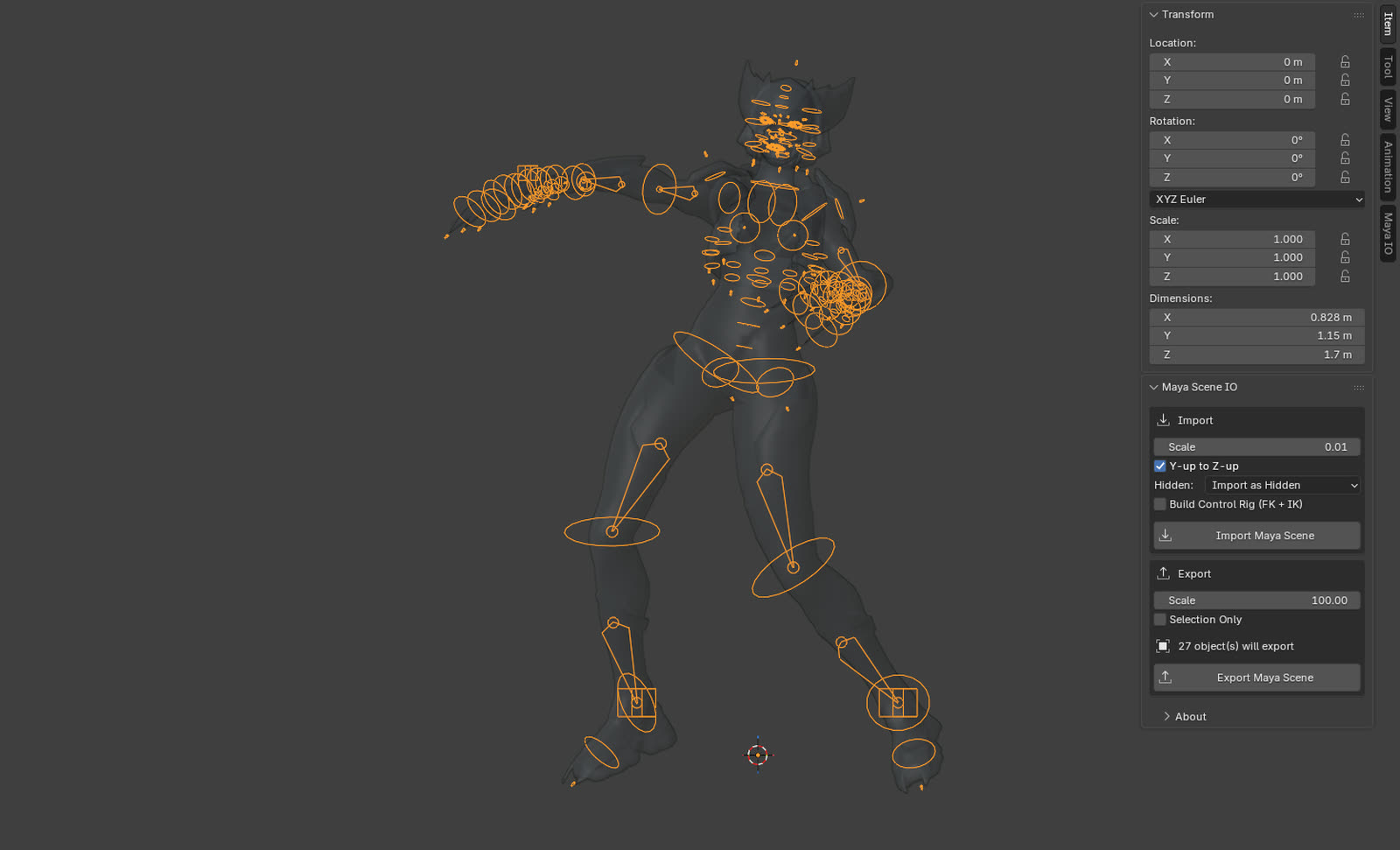
Generated control rig. 121 FK control shapes and 4 IK limbs, built from the file. |
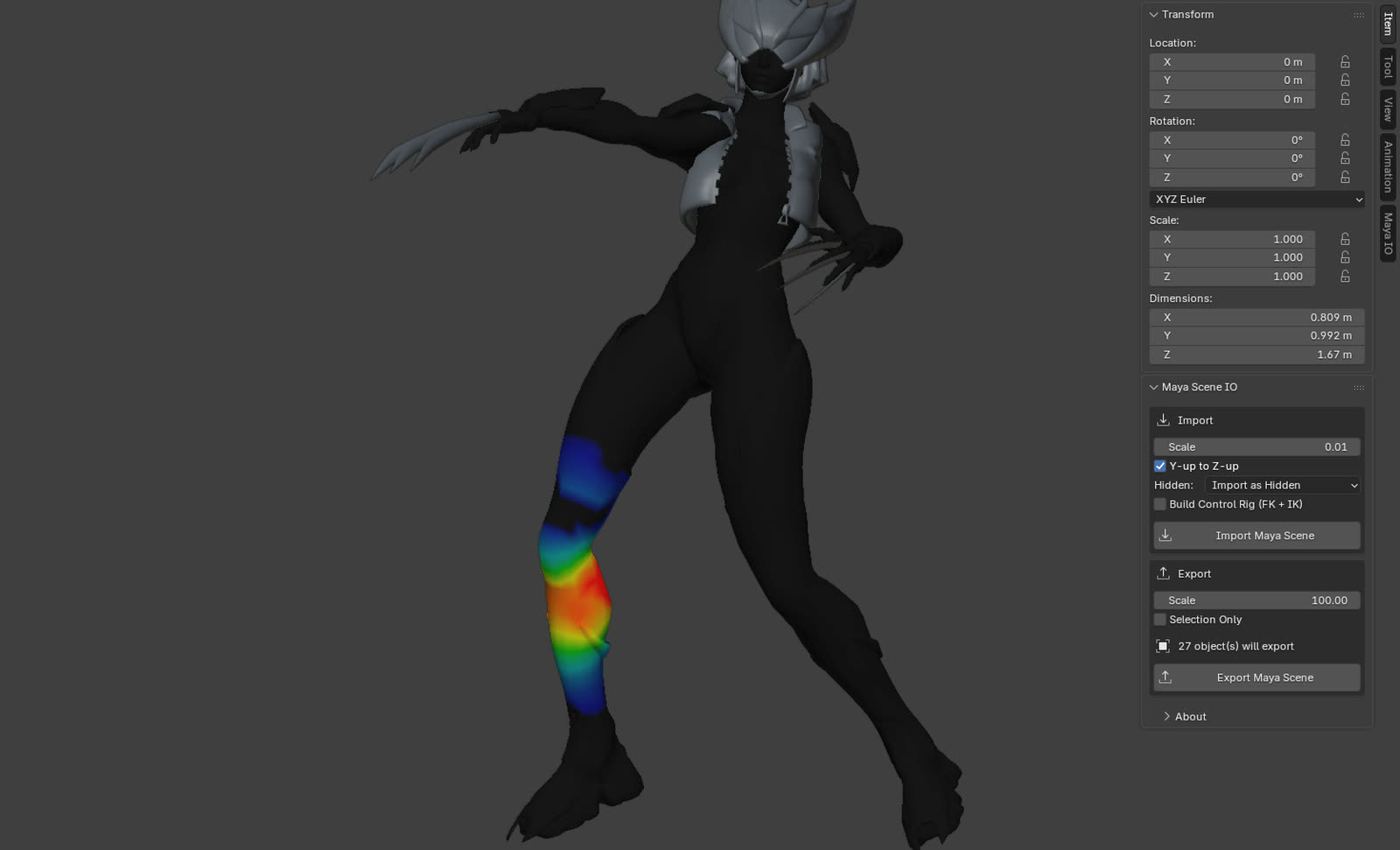
Skin weights. Each Maya skinCluster becomes vertex groups plus an Armature modifier. |
What the importer found in that one file: 24 meshes, 586 bones, 17 skinned meshes, 12 materials and 8 shape keys. Body, hair and helmet textures were matched to their materials by filename. Hidden helper meshes went into their own collection instead of cluttering the scene.
Install
Works the same on Windows, macOS and Linux. You need Blender 4.2 or newer.
- Download
maya_scene_importer-x.y.z.zipfrom the Releases page. Do not unzip it. Blender installs the zip as-is. - In Blender open
Edit > Preferences > Get Extensions, click the small drop-down arrow at the top right, chooseInstall from Disk..., and pick the zip. - Confirm Install and Enable when Blender asks. To enable it later, find Maya Scene IO under
Edit > Preferences > Get Extensions > Installed.
Upgrading from loose .py files?
If you copied the individual .py files into Blender's scripts/addons folder, remove those copies
and restart Blender. The files belong together inside the extension zip. Blender can mistake loose
support files for separate add-ons and warn that they are missing bl_info.
Quick start
File > Import > Maya Scene, pick a.maor.mb.- Leave the engine on
Auto. TickBuild Control Rig (FK + IK)if you want something to pose right away. - Export with
File > Export > Maya Scene.
There is also a Maya IO tab in the 3D viewport sidebar (press N) with the same options and
one-click buttons.
Features
| Import | Export | |
|---|---|---|
| Meshes | Vertices, polygons, all UV sets, vertex colours, edge hardness, per-face materials | Placed in world space, with UVs, normals, vertex colours, per-face materials and visibility |
| Materials | Principled BSDF, with PBR textures sitting next to the file wired up automatically | Per-face material assignment |
| Skeleton | Joint hierarchy at bind pose, deform bones split into their own bone collection | Skeleton with its hierarchy |
| Skin | Weights as vertex groups plus an Armature modifier | Skin weights |
| Shapes | Blend shapes as shape keys | Blend shapes with their weights |
| Scene | Cameras, lights, time-based animation, Maya visibility sorted into collections | |
| Rig | Optional FK + IK control rig generated from the file |
Both engines bring over geometry, UVs, the skeleton at its bind pose, skin weights and blend shapes. Only the native engine rebuilds materials as Principled BSDF and wires up PBR textures.
What does not transfer
The logic of a Maya control rig does not come across, in this add-on or any other: FK/IK switches, set-driven keys, and the utility-node graph that makes controls drive joints. That lives in Maya's evaluation engine and has no Blender equivalent. You get a clean, skinned deform skeleton and rebuild the animator rig in Blender.
To get you started, the add-on can generate a basic FK + IK control rig from the file. That is the rig in the demo above.
Two engines
Native is what this add-on is for. The Maya bridge is a convenience for people who already have Maya.
Reading any Maya file without Maya is not possible. Files can reference plugin nodes, such as Arnold or custom rigs, that no outside tool can decode. Some meshes exist only as construction history that Maya evaluates on load. So you pick an engine per import.
| Native | Maya bridge | |
|---|---|---|
| Needs Maya installed | No | Yes |
| How it works | Parses .ma and .mb directly in Python |
Runs a local mayapy, has Maya export the scene to FBX, then Blender imports the FBX |
| Works offline | Yes | Yes |
| Old Maya files | Yes | Yes, any version |
| Plugin nodes and references | No | Yes |
| Construction-history-only meshes | Skipped with a warning | Yes |
| Materials | Lambert, blinn, phong, rebuilt as Principled BSDF | Whatever Maya exports to FBX |
.mb import |
Yes, newer than .ma support |
Yes |
.mb export |
No | Yes |
Auto, the default, uses Native, except that a .mb goes through the bridge when Maya is installed.
If the bridge fails, the add-on falls back to Native. The bridge saves you a manual FBX export and
adds nothing you could not do by hand in Maya.
The native engine is best effort. It handles the standard data on most files, but unusual nodes or exotic materials may come in partially.
Setting up the bridge
The bridge, and .mb export, need Maya on the same computer. The add-on runs mayapy, a Python
interpreter inside Maya's bin folder. It never opens Maya's window.
The add-on looks for Maya in the usual places and picks the newest version it finds, so you may not
have to do anything. If the sidebar's "Maya Binary (.mb)" panel says Maya was not found and you want
the bridge, set the path in Edit > Preferences > Add-ons > Maya Scene IO. Any of these works:
| OS | mayapy is usually at |
|---|---|
| Windows | C:\Program Files\Autodesk\Maya2024\bin\mayapy.exe |
| macOS | /Applications/Autodesk/maya2024/Maya.app/Contents/bin/mayapy |
| Linux | /usr/autodesk/maya2024/bin/mayapy |
Picking the bin folder or the Maya install folder works as well. The MAYA_LOCATION environment
variable is honoured too.
Troubleshooting
"Maya was not found"
Set the path as described in Setting up the bridge. You only need Maya for
the bridge and for .mb export. Plain .ma import never needs it.
"Maya FBX export failed"
Some older Maya versions, 2014 and similar, ship an FBX plugin that rejects the export. The add-on then
converts the file to .ma with Maya and imports that natively. If that fails too, it reads the
original file natively. A warning tells you this happened. Complex scenes may lose features or import
slowly. If the result is wrong, include the console output and a sample scene in a bug report.
Anything else
On Windows open Window > Toggle System Console in Blender. On macOS and Linux, start Blender from a
terminal. Repeat the import and attach the printed text to a
bug report, together with your Maya and Blender
versions.
Limitations
- With no Maya you get standard files only. Plugin nodes, and meshes stored only as construction history (a
polyCubewith no baked geometry, for example), need the Maya bridge. Delete history in Maya to bake them. The import warns about each mesh it skips for this reason. - Native
.mbimport is new. It was checked against.mbfiles from Maya 2014 and 2020, and the older 32-bit format against a Maya 2009 file that has no baked mesh. It does not read blend shapes, vertex colours or creases yet. Lights,filetextures andbump2dnodes are recognised only when they keep Maya's default names (spotLightShape1,file3). Renamed ones come in without a type. Writing.mbstill needs Maya. - Control-rig logic does not transfer, as described above.
- Driven shape keys do not drive. The 8 shape keys on the demo character are pose correctives. They import, but nothing in Blender triggers them as the joints move.
- The native parser was developed against Maya 2023. Other versions should be fine for geometry and skeletons, since those formats are stable. Please open an issue if something breaks.
- Materials on the native path keep base colour, emission, transparency, and a normal or bump map. Metalness and roughness come only from texture files named like
Body_Metallic.pngandBody_Roughness.pngnext to the scene. Scalar metalness, roughness and opacity values on shaders such as Arnold aiStandardSurface are not read, so those materials come in as a base colour with no metal or gloss. Whether the Maya bridge keeps them depends on what Maya's FBX exporter writes for that shader.
Building from source
The add-on lives in maya_scene_importer/. Package it with:
blender --command extension build --source-dir maya_scene_importer --output-dir dist
The full GitHub release adds the Maya bridge and .mb export. The official Blender Extensions edition
is built separately without them. It imports .ma and .mb and exports .ma:
python scripts/build_native_extension.py --output-dir dist
Project layout
maya_scene_importer/
  __init__.py        entry point of the full edition
  ui.py              operators, sidebar panel, registration (both editions)
  bridge_ui.py       .mb and Maya bridge operators, preferences (full edition)
  ma_parser.py       Maya ASCII tokeniser and node graph
  mb_parser.py       Maya Binary reader, fills the same node graph
  ma_model.py        turns the node graph into Blender-ready data
  scene_builder.py   builds the Blender scene on import
  ma_exporter.py     writes Maya ASCII on export
  maya_bridge.py     drives mayapy for FBX and .mb export
  rig_builder.py     generates the FK + IK control rig
The parser and model layers do not import bpy, so the heavy logic can be tested with a plain Python
interpreter.
Contributing
A bug report with a sample .ma that reproduces the problem is the most useful thing you can send.
See CONTRIBUTING.md for how the code is laid out and how to run the checks.
If Maya Scene IO saved you an afternoon, a GitHub star helps other Maya and Blender users find it.
Credits
The demo character is Lady Wolverine, a free download by Daniil "Split" Voskressensky (ArtStation). He made the model and textures. The rig and animation setup is by Anibowsie. Thank you both for sharing it.
The model is not included in this repository. It is free for non-commercial use only, so download it from the original listing if you want to reproduce the demo. The images above are renders of that download, shown here to demonstrate the add-on and for no other purpose.
Lady Wolverine is unofficial fan art. Wolverine and all related characters belong to Marvel Entertainment and Marvel Comics. This project is not endorsed by, sponsored by, or affiliated with Marvel or with the artists above.
License
GPL-3.0-or-later. Blender add-ons link against bpy and have to be GPL compatible. The license covers
this add-on's code, not the demo model.