
MddIdd/mdd-sim-gateway
MddIdd/mdd-sim-gateway has 696 GitHub stars and 300 forks. GitHot measured +11 in 7 days. Last checked 2026-11-10 01:11 UTC. Last push 2026-10-22.
Self-hosted SIM/eSIM gateway for VoWiFi calling, SMS, cellular data and isolated regional egress
Measured star growth
- in 24h
- Update delayed
- in 7 days
- +11
- in 15 days
- Update delayed
- in 1 month
- Update delayed
Net star changes over overlapping periods, not daily totals. Missing measurements are left blank. Stars measure attention, not software quality.
README.en.md
Original

Turn physical SIMs and eSIMs into a self-hosted gateway for VoWiFi, calls, SMS and isolated network egress.
中文 · Quick install · Architecture · Installation · Container deployment · Discussions
MDD Sim Gateway is a self-hosted multi-SIM communications gateway. It installs directly on Debian, Ubuntu and Armbian ARM64 hosts, or runs entirely in containers on any Linux host with Docker Compose, including a Synology or other NAS. It brings cellular modems, USB smart-card readers, IMS, EAP-AKA, eSIM, ModemManager and sing-box into one bilingual Web console.
| Real SIM authentication | Calls and SMS | Multi-modem control | Isolated country exits |
|---|---|---|---|
| Perform EAP-AKA and IMS-AKA inside a physical SIM/eSIM without reading Ki/OP/OPc | Browser softphone, SMS, call history and incoming notifications | Manage cellular modems, PC/SC readers and eUICCs in one console | Route each SIM's ePDG traffic through the chosen country exit (a TUN on host installs, SOCKS5 in containers) and fail closed when it is down |
Interface tour
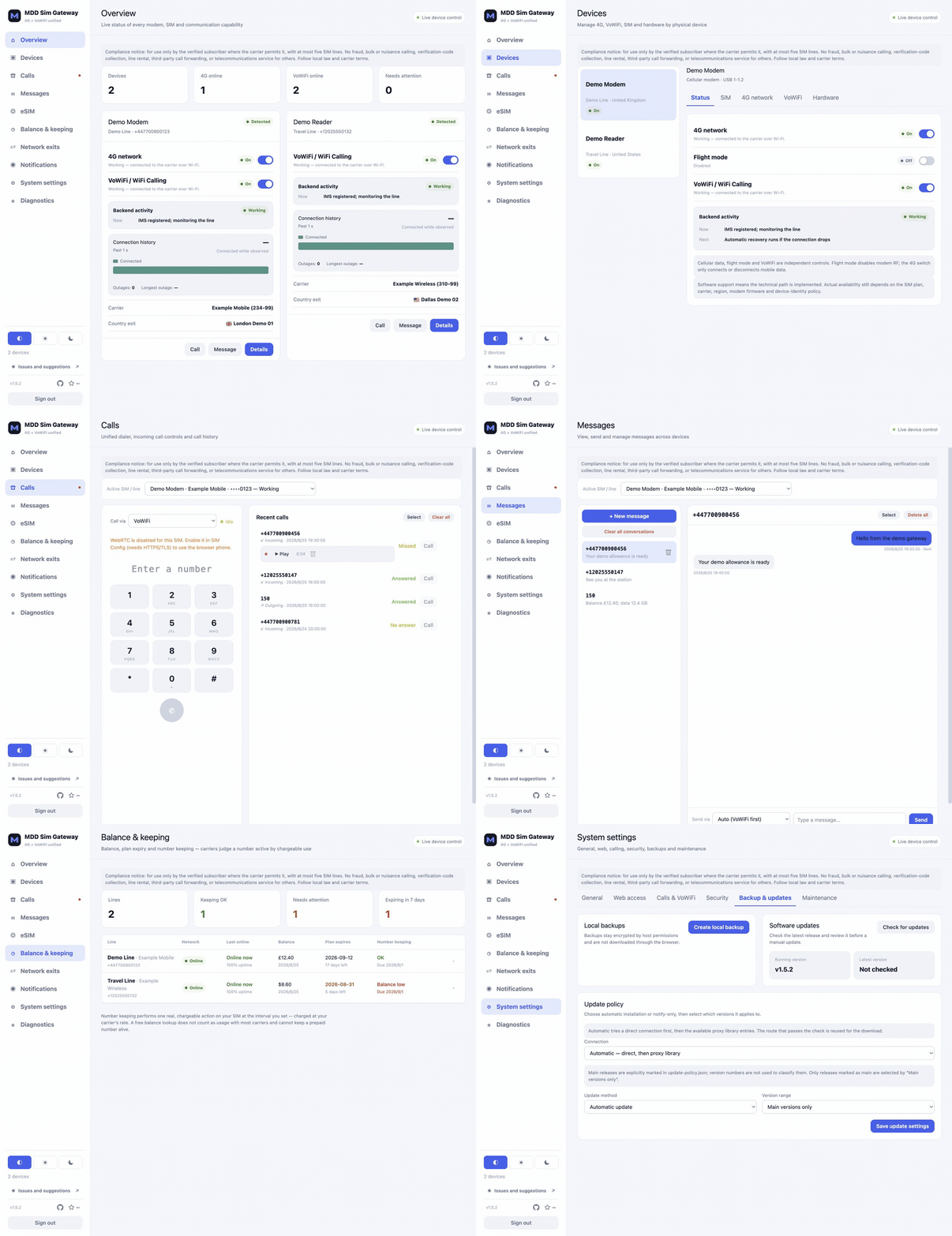
Overview → device management → browser calling → messages → balance & keeping → system updates · All identities and content shown are fictional demo data
Quick install
There are two ways to deploy. Both provide the same features; choose by host:
| Host install | Full-container deployment | |
|---|---|---|
| For | Raspberry Pi and other Debian / Ubuntu / Armbian ARM64 hosts | Any amd64/arm64 Linux that runs Docker Compose, including Synology and other NAS |
| Installed on the host | systemd services; the installer provisions pcscd, ModemManager and NetworkManager | Nothing besides Docker; every service runs in a container |
| Resident containers | One Engine per line | Control, Hardware and Egress, plus one Engine per line |
| Country exits | A TUN and ePDG routes per country | A SOCKS5 listener per country; the host routing table and DNS are untouched |
| Console | https://<gateway-address>:8443 |
https://<host-address>:10443 |
| Status | Stable | Stable, validated on a Synology DS1621+ and a Raspberry Pi |
Option 1: host install
Use an ARM64 Debian, Ubuntu or Armbian host with systemd, Docker, USB and a stable network connection.
Storage requirements: keep at least 2 GiB free on the root filesystem before installation.
An 8 GB or larger system disk is recommended, with about 3 GiB free before an upgrade so
the new image and one rollback generation can coexist. Measured: the engine image is 607 MB, two
generations share their base layers and come to roughly 676 MB together, and the source checkout
with its virtualenv is about 102 MB; Docker control-plane mode adds 355 MB. An explicit source
build is the exception — compiling Asterisk on the device needs several GiB more in build cache
and intermediate output, unrelated to the figures above, and is unsuitable for space-constrained
devices. A normal installation or upgrade downloads the CI-built images and never takes that
path. Enlarging a VM's virtual disk alone is not enough: grow its root partition and filesystem,
then use df -h / as the authoritative capacity.
git clone https://github.com/MddIdd/mdd-sim-gateway.git
cd mdd-sim-gateway
sudo ./install.sh install
When installation completes, open https://<gateway-address>:8443 and create the administrator account immediately on a trusted LAN or VPN. See Installation for prerequisites, the full install process and upgrades.
Option 2: full-container deployment (Docker Compose)
Nothing but Docker is installed on the host, and no install script is run. The host must run Linux: Docker Desktop (macOS/Windows) cannot hand USB devices to containers, and rootless Docker is not supported.
- Check that the host sees the modem. After plugging it in, the host should show
/dev/ttyUSB*,/dev/cdc-wdm*and awwan*interface; a standard PC/SC reader only needs to appear under/dev/bus/usb. Mainstream distribution kernels normally include the drivers; trimmed kernels such as Synology's may not. A DS1621+ can use the driver pack published with each Release — see the compatibility and driver catalogue. If the host already runs ModemManager (enabled by default on Ubuntu and others), stop it first, or it will compete with the containers for the modem. - Download the Compose file. Get
mdd-sim-gateway-compose-vX.Y.Z.yamlfrom Releases; its four images are pinned to that version. - Edit the two values marked at the top. Set
MDD_ADVERTISE_ADDRto the host's LAN address (the media address for browser calls), and set the data directory to your real path —/volume1/docker/mdd-sim-gatewayin the file is the Synology example. The console port defaults to10443. - Start it. On an ordinary Linux host, save the file as
docker-compose.ymlin the data directory and rundocker compose up -dthere; on Synology, create a project in Container Manager and paste the YAML. - Open
https://<host-address>:10443and create the administrator account immediately.
When Hardware starts or is recreated it may reset the modem once and take a minute or two to become healthy; that is expected. The four images take about 1.3 GB per generation once unpacked, and a one-click update keeps two generations side by side, so leave at least 6 GiB for Docker storage. Updates, rollback and troubleshooting are in the full container deployment guide. So far it has been validated on a Synology DS1621+; results from other hosts are recorded in the compatibility catalogue.
This software directly controls cellular radios, SIMs, network routes and IMS. Carrier support for Wi-Fi Calling still depends on the plan, region, device identity and network policy.
Architecture

Full screenshots
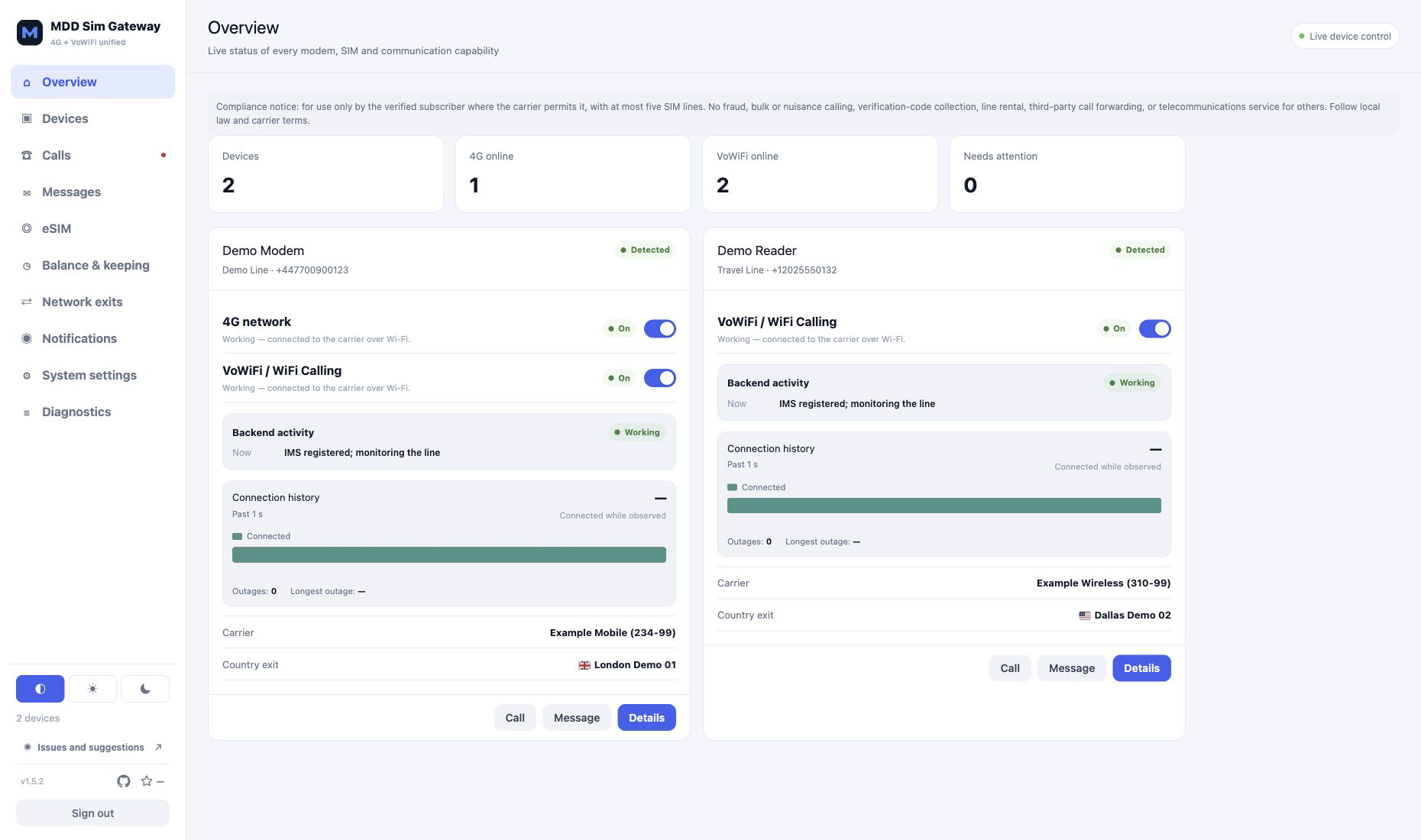
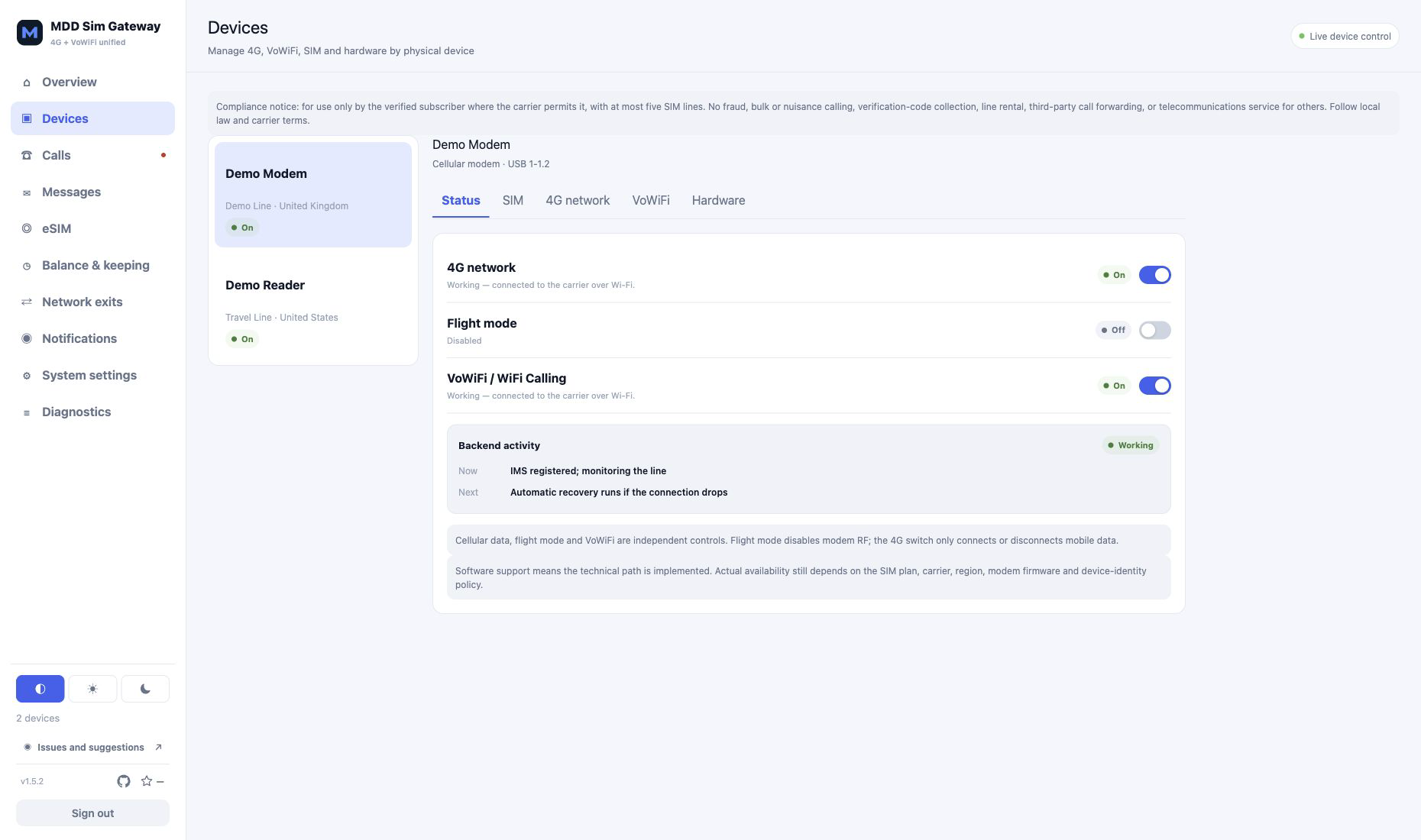
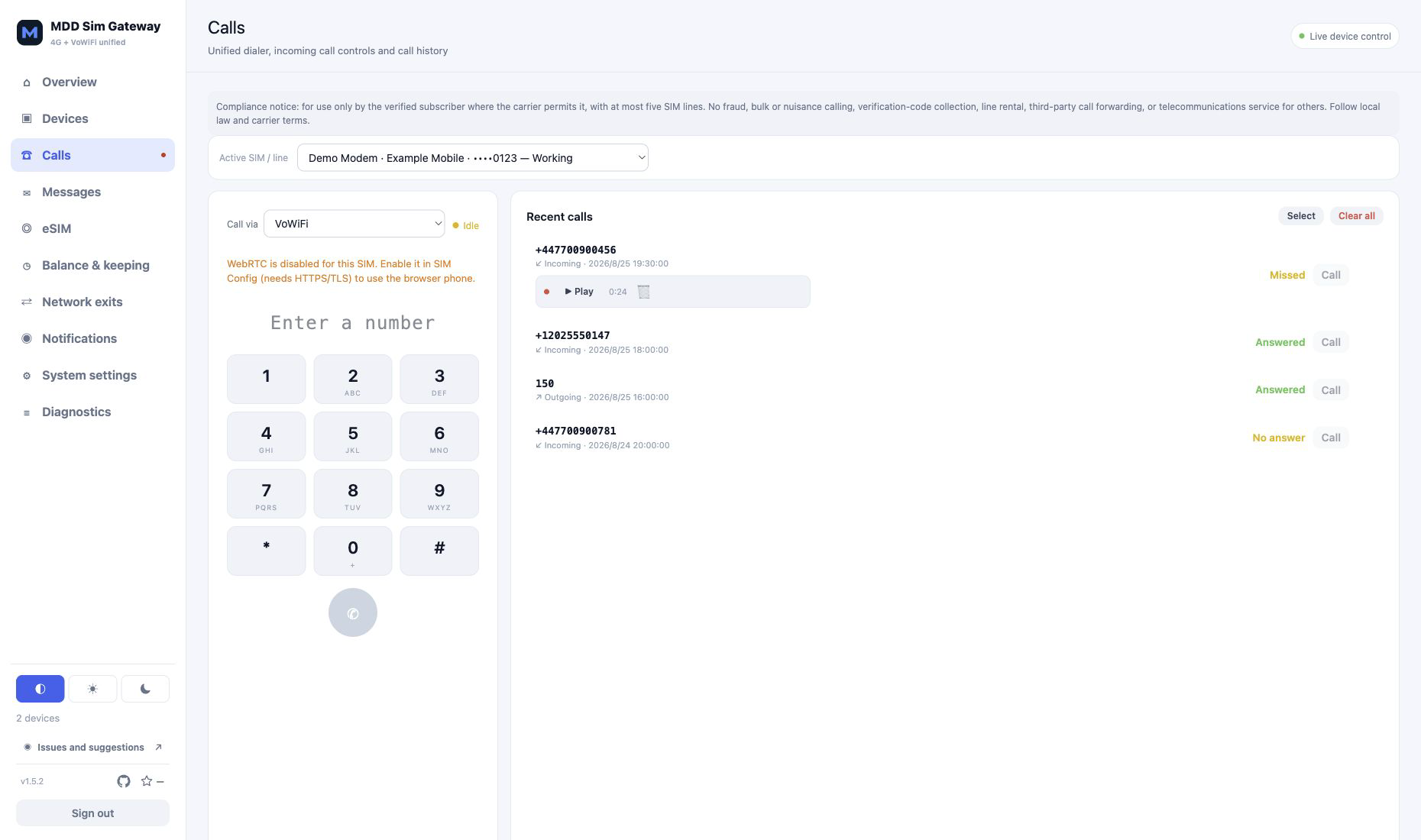
View the Overview, Devices, Calls, Messages, Balance & keeping, and System updates screens
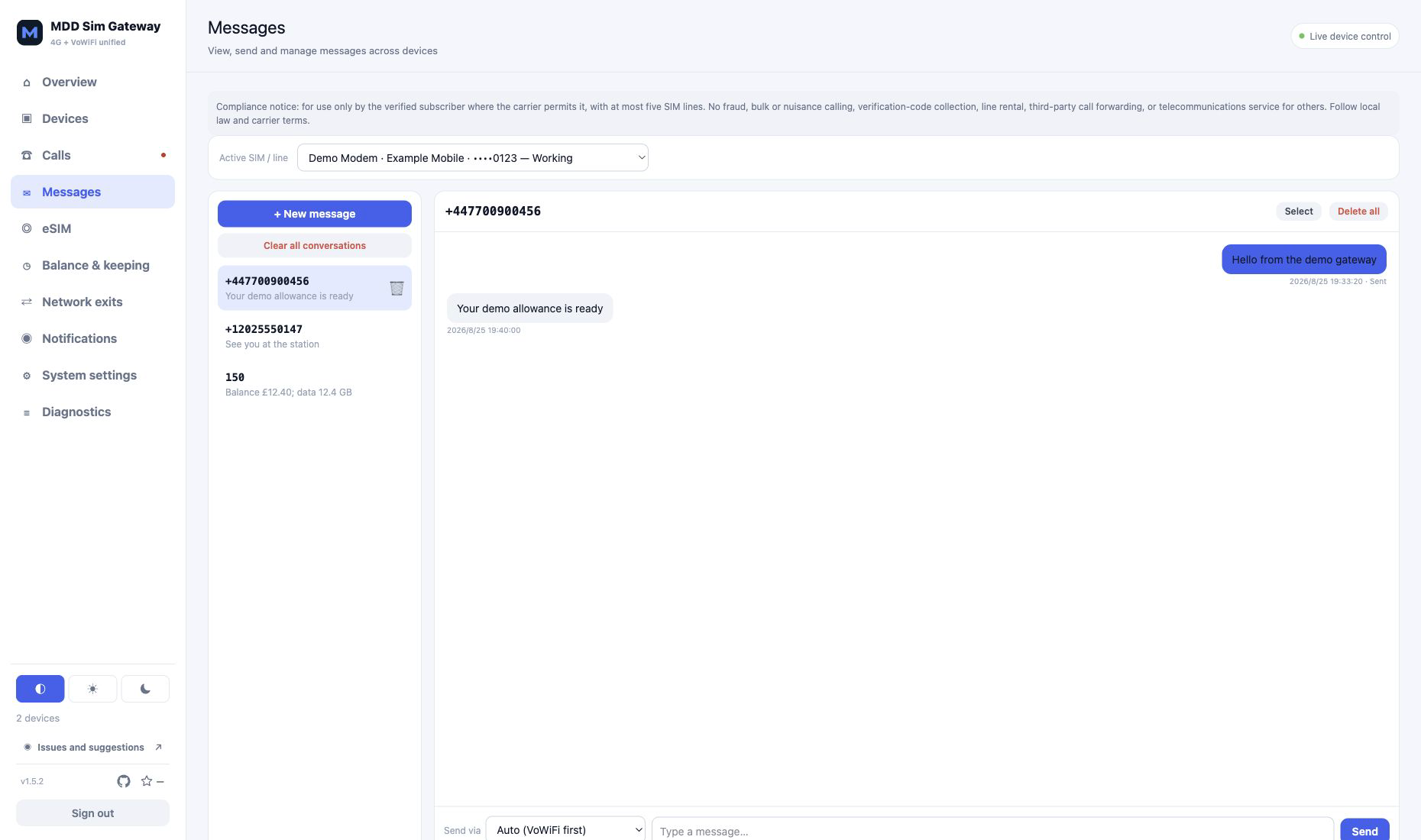
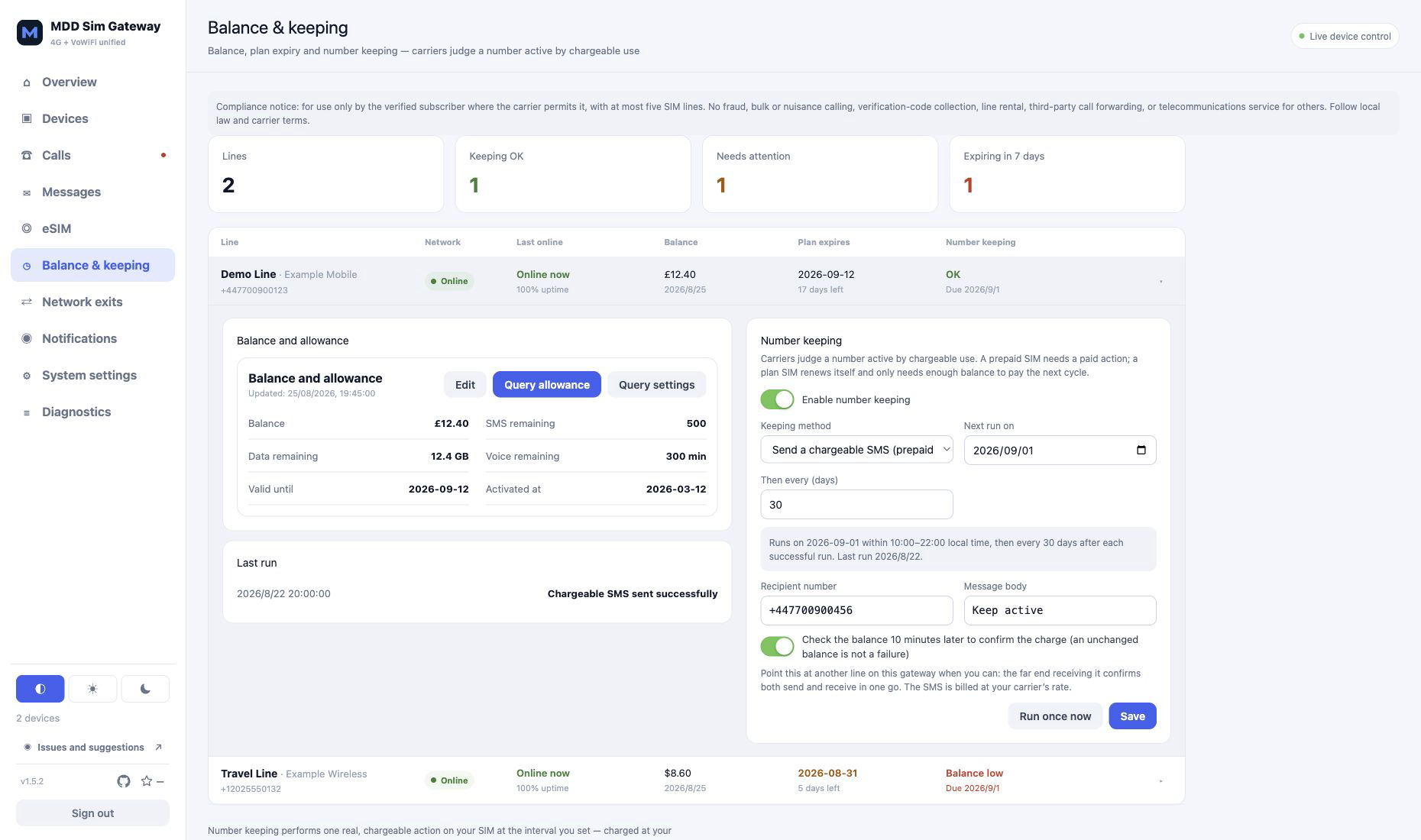
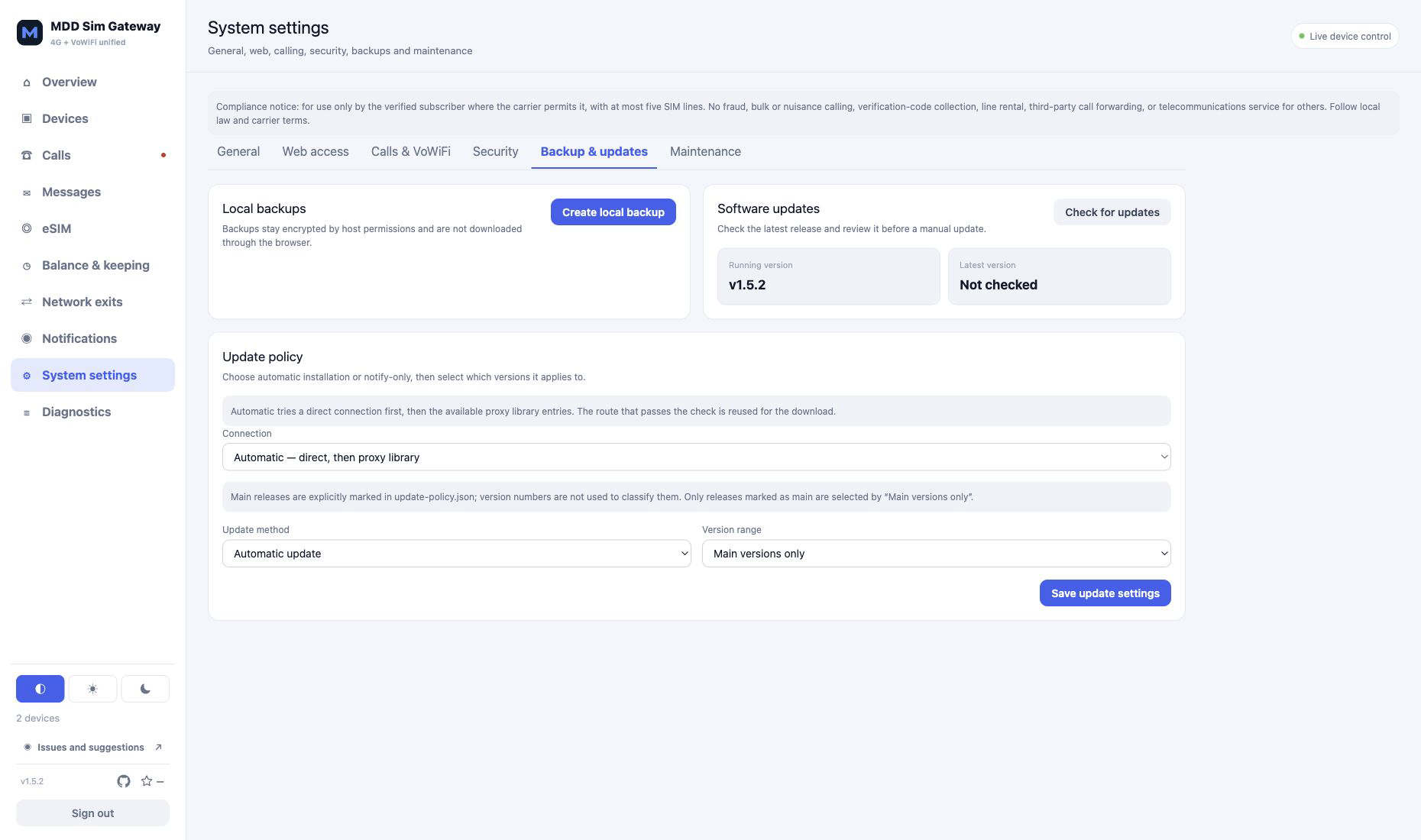
Capabilities
- Detect supported ModemManager cellular modules and ordinary PC/SC readers automatically.
- Control 4G data, radio flight mode and VoWiFi independently for each physical modem.
- Show balance, plan expiry, network presence and keeping results on one page. Prepaid lines can schedule a real chargeable SMS, while plan lines can watch the renewal balance and warn when low.
- Perform EAP-AKA and IMS-AKA in the physical SIM/eSIM without reading or storing Ki/OP/OPc.
- Interoperate with DITO Telecommunity (515-66) by selecting its advertised AES-CBC-128/HMAC-SHA1/MODP-1024 IKE suite. That legacy suite is scoped to this PLMN; every other carrier keeps the existing MODP-2048 proposal set.
- Answer permanent/full-auth EAP-AKA identity requests as specified by RFC 4187 for any carrier that requires the standard identity flow.
- Show each modem UICC's three logical-channel allocations, roles and explicit failures.
- Provide an authenticated browser softphone, SMS and MMS, call history, missed-call notifications and per-line local voicemail. Recordings remain on the gateway and are never attached to notifications or support bundles; standalone SIP clients are not accepted.
- Maintain reusable subscriptions, individual nodes and SOCKS5 proxies, then assign one to each country. sing-box owns the isolated TUNs; Xray-core carries Reality/XHTTP nodes. VoWiFi fails closed unless the selected exit passes a runtime UDP check.
- Send standard/custom Webhooks, Telegram and PushPlus notifications, plus multiple independently signed Feishu/Lark custom bots with optional per-SIM-line routing.
- Check releases every six hours in the background. Choose automatic installation or notify-only,
scoped to main releases or every release. Unattended installation still requires the exact version
and earliest rollout time to be approved separately in
update-policy.json. All-version devices follow the approved latest Release, while main-only devices follow an independently configured main Release even after newer patches have been published. - Telegram is notification-only and does not accept remote control commands.
- Manage eUICC profiles through a pinned local lpac build, including dual-SE readers.
- Offer HTTPS, first-run administrator setup, persistent 12-hour or 30-day sessions, CSRF protection, login throttling, local backups, audit records, redacted support bundles and release checks.
| Hardware | 4G data | Wi-Fi Calling | SIM access |
|---|---|---|---|
| ModemManager-compatible cellular module | Yes | Yes | Modem APDU/logical-channel bridge |
| DJI/Quectel EC25-class module | Yes | Yes | Automatically provisioned virtual slots |
Quectel EC20 (05c6:9215) |
Unverified | Yes (user-verified) | Automatically provisioned virtual slots |
| USB PC/SC reader | No | Yes | Direct PC/SC |
Santi Electronics SCR Prime (04d9:c001) |
No | Yes | Direct PC/SC; install with the patchprime driver patch |
| eUICC/eSIM reader | No | Yes | PC/SC and lpac |
The Santi Electronics SCR Prime has been verified on physical hardware. Support in this table describes the implemented path; it does not guarantee that every SIM, firmware build or carrier will permit the service.
What the installer does
This applies to host installs only; a full-container deployment runs no install script. The installer reuses a working system Docker daemon, or installs the distribution package when Docker is absent. It provisions pcscd, ModemManager/NetworkManager, checksummed sing-box and Xray-core, a pinned lpac source build, the Web console and the per-SIM VoWiFi engine. It does not prune Docker or modify unrelated containers.
Common commands:
sudo ./install.sh status
sudo ./install.sh logs
sudo ./install.sh reload
sudo ./install.sh build-lpac
sudo ./install.sh uninstall
See installation, architecture, troubleshooting and security for details.
Responsible use
Compliance warning: This software is only for use by the verified subscriber of a number where the carrier expressly permits that use. Do not use it for fraud, bulk or nuisance calling, marketing, verification-code collection, renting numbers or lines, call forwarding for others, concealing the controller's location, or providing telecommunications services to third parties. Users must follow local law, subscriber identity rules, and carrier terms. This project grants no telecom licence or carrier authorisation. MDD Sim Gateway stores and runs at most ten SIM lines and provides neither standalone SIP accounts nor Telegram commands for calls, SMS, or hangup. Technical restrictions do not make any particular use lawful.
Community and feedback
- Installation, hardware and carrier compatibility: GitHub Discussions
- Reproducible defects and concrete feature requests: GitHub Issues
- Code and documentation contributions: CONTRIBUTING.md
If the project is useful to you, save it on GitHub and share a redacted hardware or carrier compatibility result.
Country exits
Add one or more subscriptions, individual nodes or SOCKS5 servers to the proxy library, then assign one to each country. Subscription exits retain name filtering and automatic/manual node selection; individual nodes and SOCKS5 entries are used directly. Reality/XHTTP share links use a loopback-only Xray-core bridge. The eye control is off by default, masking subscription URLs, node links and SOCKS5 details. A separate UDP probe is mandatory because IKEv2/ESP NAT traversal depends on UDP 500/4500. Only that SIM's ePDG routes enter the country's dedicated TUN.
Security and privacy
- Administrator passwords use salted scrypt hashes. Session cookies are HttpOnly, Secure and SameSite=Strict; state-changing requests require a CSRF token.
- Engine callbacks use a random per-install token.
- Runtime data directories are owner-only and credential-bearing files are written as mode 0600.
- Support bundles redact identities, URLs, notification credentials, activation codes and cryptographic material. Review every bundle before sharing it.
- The product has no analytics or telemetry. Network requests occur only for configured carrier/IMS operation, subscriptions, notifications, eSIM provisioning, dependency installation and periodic release/promotion checks.
- Do not expose Docker, ModemManager, pcscd, SIP, AMI or the management port directly to the public Internet. Prefer a trusted LAN or VPN and a trusted TLS certificate.
License and acknowledgements
MDD Sim Gateway is released under GPL-3.0-only. Build-time derivative patches that must remain under an upstream license are identified separately. The project is a derivative of pagecat/vowifi_gateway (MIT), which contributes the VoWiFi engine and the overall control-plane/engine/WebUI architecture; MDD Sim Gateway adds 4G cellular data and SMS, per-country network egress routing, unified device management and automatic provisioning, failover and a test suite. It further derives from or interoperates with SWu-IKEv2, sysmocom Asterisk and pjproject, phcoder/asterisk-docker, mitshell/card, sing-box, lpac, PCSC, CCID, pyscard and frankmorgner/vsmartcard. See NOTICE and THIRD_PARTY_LICENSES.md.
This is an independent project and is not endorsed by carriers, hardware vendors or upstream projects.
Explore related projects
awesome-selfhosted/awesome-selfhosted
A list of Free Software network services and web applications which can be hosted on your own servers
335,927 starsimmich-app/immich
High performance self-hosted photo and video management solution.
118,645 starsStirling-Tools/Stirling-PDF
#1 PDF Application on GitHub that lets you edit PDFs on any device anywhere
96,149 starslouislam/uptime-kuma
A fancy self-hosted monitoring tool
93,425 stars