Projects View on GitHub
Martin20150405/Pano360
Martin20150405/Pano360 has 635 GitHub stars and 170 forks. GitHot measured 0 stars in 24 hours. Last checked 2026-11-15 15:16 UTC. Last push 2022-01-12.
Measured star growth
- in 24h
- 0
- in 7 days
- Update delayed
- in 15 days
- Update delayed
- in 1 month
- Update delayed
Net star changes over overlapping periods, not daily totals. Missing measurements are left blank. Stars measure attention, not software quality.
About
Pure Java library to play 360 degree panorama video / photo (VR video) on Android. Using OpenGL ES 2.0 -安卓全景视频/图片播放器
Creative & MediaREADME.en.md
OriginalPano360


Pure Java library to play 360 degree panorama video (VR video) on Android. Using OpenGL ES 2.0
Download Demo App HERE~
Platform Requirements
- OpenGL ES 2.0
- At least Android 4.0.3 (API-15)
Features
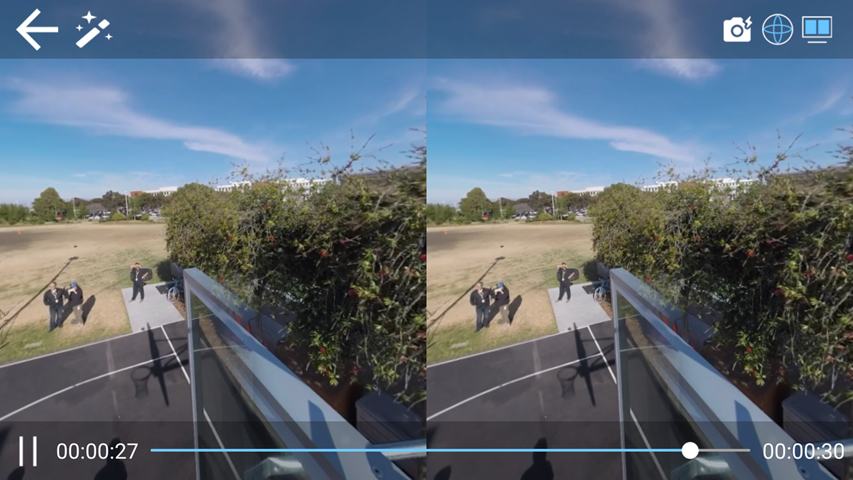
- Single/Dual Screen support
- Support two modes: Gyroscope(Motion) or Pinch,Scroll(Touch)
- Player control
- GPUImage-like real-time on-screen filter group
- Panorama photo
- Screenshot support
- Online video support (m3u8, etc.), you may have to deal with media decoding yourself.
- Lock any axis, user can enter view in any rotation, and will see the same view firstly
- LOCK_MODE_AXIS_Y:similar to Cardboard Motion
- Ignore rotation of any axis
- 2D video VR Cinema mode
- Hotspot(Image/Video)
Preview (Screenshots)
Target user
- If you are interested in implementing a panorama video player on Android, or you are urged yo use a Panorama video player with playing control, or you want to add more functions to Panorama video player, you may find this project helpful.
Integration (How to use)
allprojects {
	repositories {
		...
		maven { url 'https://jitpack.io' }
	}
}
dependencies {
        compile 'com.github.Martin20150405.Pano360:vrlib:v1.1.2'
}
There are two ways to integrate this library, you can compile demo app for more details.
Start an
Activityprovided by library
Pano360ConfigBundle.newInstance().setFilePath(filePath).startEmbeddedActivity(this);
- Or provide a
GLSurfaceView,you can use it anywhere,but you have to deal player control and mode switch yourself
<android.opengl.GLSurfaceView
    android:id="@+id/surface_view"
    android:layout_width="match_parent"
    android:layout_height="match_parent" />
GLSurfaceView glSurfaceView=(GLSurfaceView) findViewById(R.id.surface_view);
panoViewWrapper =PanoViewWrapper.with(this)
		.setConfig(configBundle)
		.setGlSurfaceView(glSurfaceView)
		.init();
glSurfaceView.setOnTouchListener(new View.OnTouchListener() {
	@Override
	public boolean onTouch(View v, MotionEvent event) {
		return panoViewWrapper.handleTouchEvent(event);
	}
});
@Override
protected void onPause(){
	super.onPause();
	panoViewWrapper.onPause();
}

@Override
protected void onResume(){
	super.onResume();
	panoViewWrapper.onResume();
}

@Override
protected void onDestroy(){
	super.onDestroy();
	panoViewWrapper.releaseResources();
}
Future works (Don't expect too much- -|||)
- Acc+Mag support(used for phones without Gyroscope)
- MediaPlayer switch (like IjkMediaPlayer)
- Tiny window / Fragment playing
- Handler+MessageQueue
- More Panorama format support
- Anti Distortion
- RTSP RTMP (with VLC/Vitamio)
Releases
ChangeLog
Feedback
- Open an issue
- Send an E-mail to [email protected]
- If you found this project helpful, star is highly welcomed. Also, let's improve this project together.