
MarcAparisiTFG/portkeeper
MarcAparisiTFG/portkeeper has 32 GitHub stars and 5 forks. GitHot measured 0 stars in 24 hours and +3 in 7 days. Last checked 2026-11-12 12:29 UTC. Last push 2026-10-29.
See the ports you have open and who started them. A tiny menu bar / tray widget for macOS and Windows.
Measured star growth
- in 24h
- 0
- in 7 days
- +3
- in 15 days
- Collecting history
- in 1 month
- Collecting history
Net star changes over overlapping periods, not daily totals. Missing measurements are left blank. Stars measure attention, not software quality.
README.md
Original[!WARNING] Not verified by Apple or Microsoft yet. Portkeeper has no developer certificate for now, so macOS and Windows show a one-time warning when you first open it. That is expected and the app is safe: every build comes from the public code in this repository through GitHub Actions. Two clicks get past the warning (see Install), or use the one-command install below, which shows no dialog at all. The warning disappears once the app is notarized.
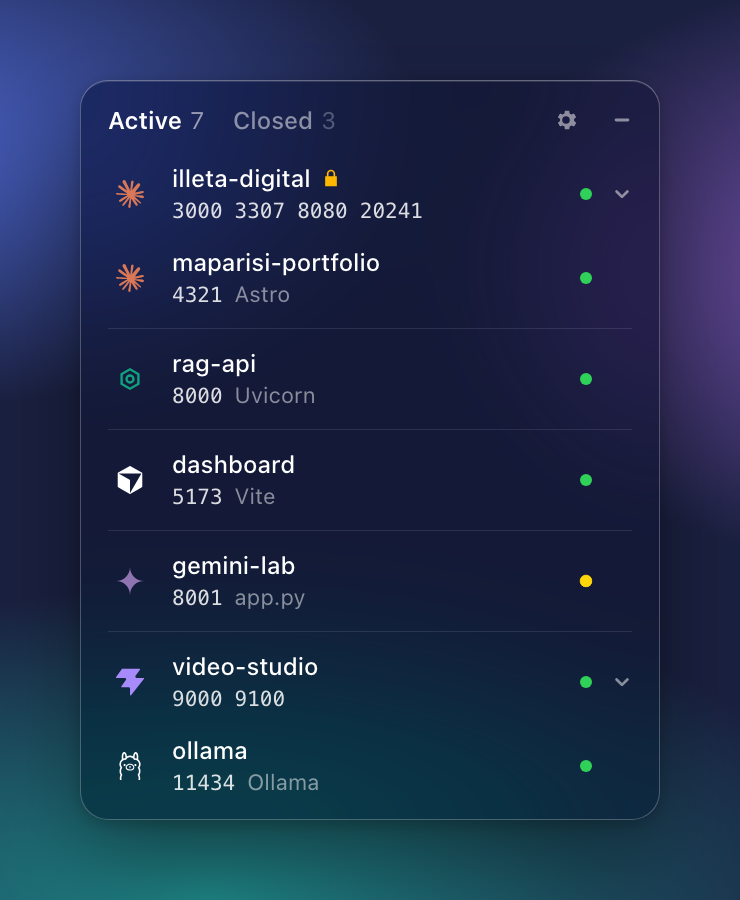
Portkeeper
A tiny desktop widget that answers one question: what is running on my machine right now, who started it, and how do I stop it?



Fastest install: one command. It downloads the latest release from GitHub, installs it and opens it. No "unidentified developer" dialog (the builds aren't signed with an Apple or Microsoft certificate yet, see Install).
macOS and Linux, in Terminal:
curl -fsSL https://portkeeper.pages.dev/install.sh | shWindows, in PowerShell:
irm https://portkeeper.pages.dev/install.ps1 | iexRead the scripts before you run them, as with any installer.


Website · All downloads · What it shows · Install · Build
Why
If you work with several projects at once, and let AI coding agents start servers for you, your machine fills up with localhost:3000, :5173, :8080, Docker containers and forgotten dev servers. Finding out which one belongs to which project, which agent opened it, and whether it still answers means lsof, docker ps and a lot of guessing.
Portkeeper puts that in one small panel in your menu bar (macOS) or system tray (Windows): every project with a listening port, grouped by folder, with the logo of the agent or IDE that started it. Click a port to open it. Stop it with one click. Start it again later. Lock the ones a client depends on so nobody stops them by mistake.
What it shows
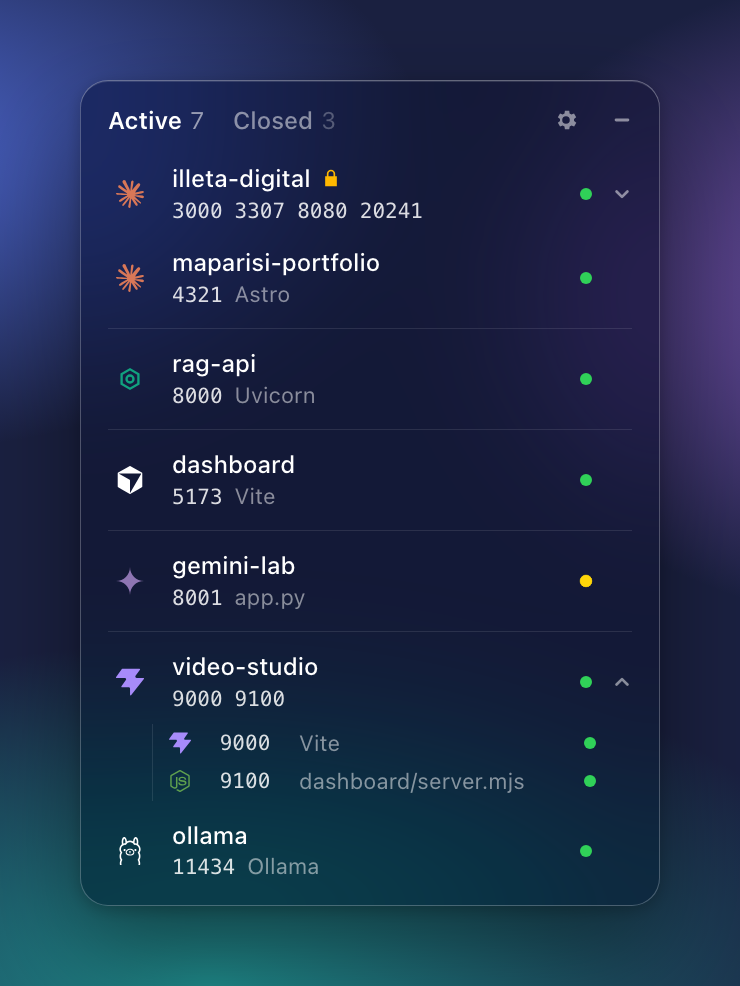
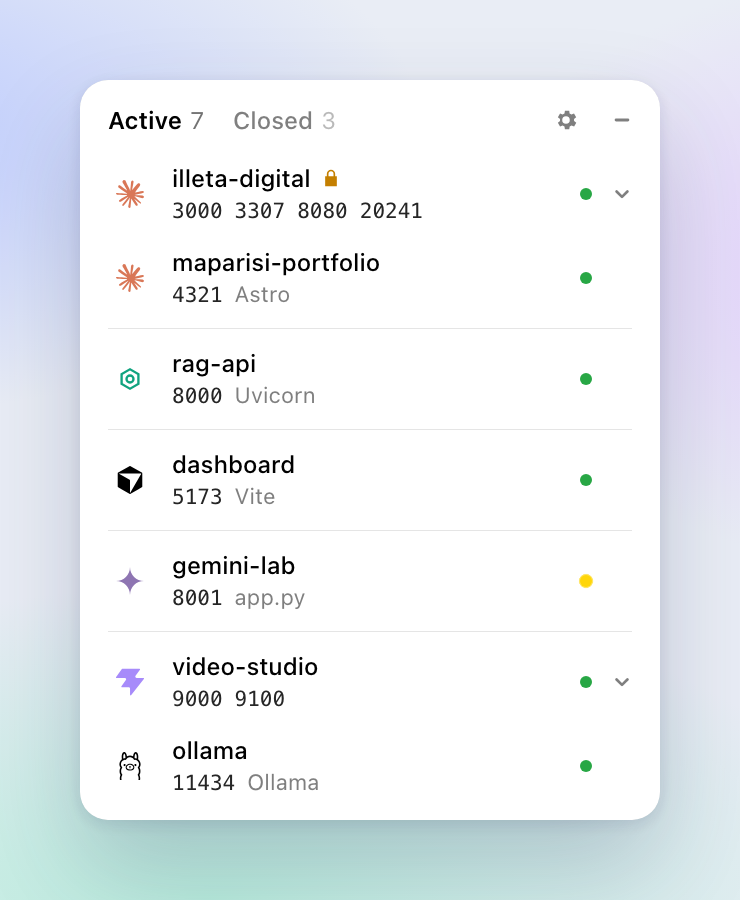
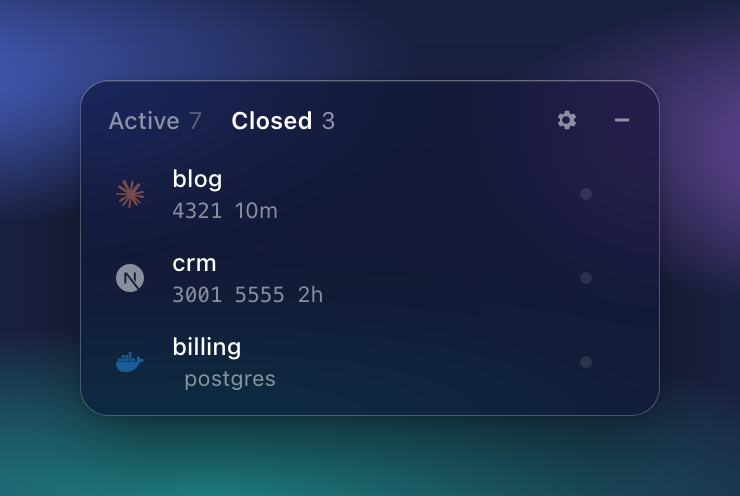
- One row per project. Processes are grouped by their working directory and merged with the Docker Compose project running from the same folder. A project with several ports expands into one row per port, each with its own label (
Vite,dashboard/server.mjs). - Who started it. The logo is the AI agent or IDE that launched the process, found by walking up the process tree: Claude Code, Codex, Cursor, Gemini CLI, Copilot, Windsurf, VS Code, JetBrains, Zed, Xcode, Cline, Aider, OpenCode. Without one, it shows what serves the port: Docker, Vite, Next, Node, Python, Ollama, Postgres…
- Does it answer? The dot is green when the port responds, amber while it is listening but still silent (booting, or hung). Hover it for "Running since…".
- Sections. Projects are separated by the agent that started them. Agents first, the rest after.
- Stop. The stop button on a row stops that port, or the whole project, after a one-button confirmation. While it works, the row shows stopping…. Portkeeper asks the process politely first and kills it if it ignores the request for 1.5 s, so Stop always stops.
- Closed, and start again. Projects that stopped move to Closed. Portkeeper remembers the command that started them (
npm start,python -m http.server, a compose project), the folder and the environment, and the play button starts them again. Secrets in command lines (--token,API_KEY=) are masked and never written to disk. - Lock. 🔒 on a project's row hides stop and remove and makes the backend refuse them too. Made for the project a client is testing on your machine.
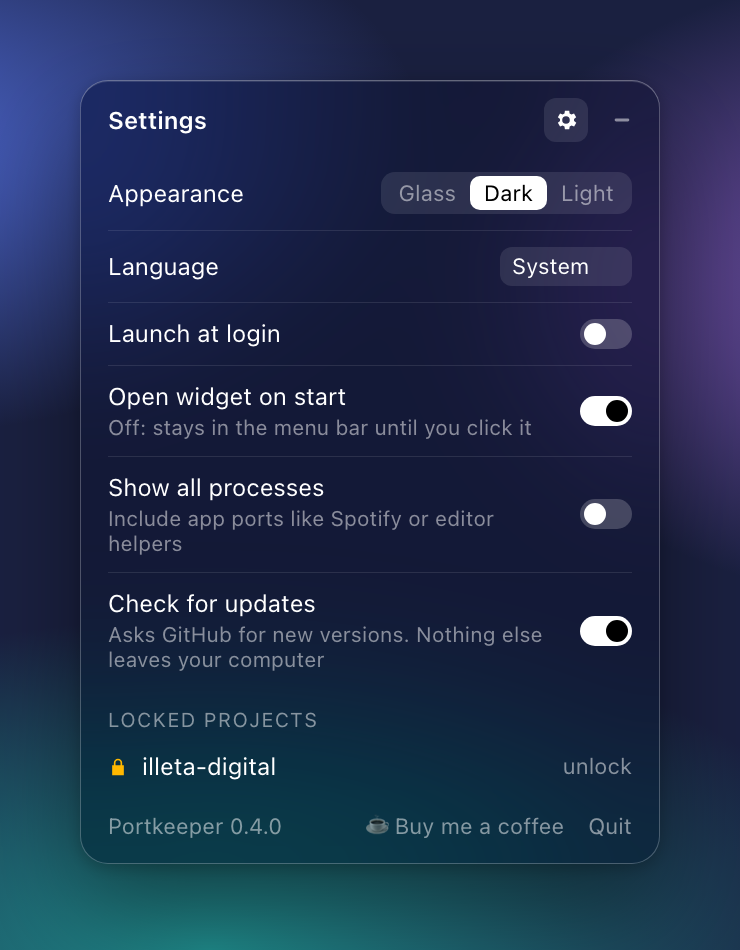
- Settings. Appearance (Glass on macOS: Liquid Glass on macOS 26, the system blur before; opaque Dark or Light everywhere, with native rounded corners on Windows 11), language (English, Spanish, French, German, Portuguese), launch at login, open on start, show all processes, check for updates.
Portkeeper works entirely on your machine. It reads the process table and talks to the local docker command. It connects to localhost to see whether a port answers, and to GitHub every few hours to look for a new version (turn this off in Settings). No account, no telemetry.
Install
Download the file for your system. These links always point to the latest version:
| System | Download |
|---|---|
| macOS, Apple Silicon (M1 and later) | Portkeeper-macOS-AppleSilicon.dmg |
| macOS, Intel | Portkeeper-macOS-Intel.dmg |
| Windows 10 / 11 | Portkeeper-Windows-x64-setup.exe |
| Linux | Portkeeper-Linux-x86_64.AppImage |
The .msi, .deb and .rpm packages are on the releases page.
The installers are not signed with an Apple or Microsoft developer certificate yet, so your system warns you once:
The easy way, any system: one command, see the box at the top of this page. It downloads the latest release from GitHub and installs it with no dialog: files fetched by
curlor PowerShell and unblocked carry no "downloaded from the internet" mark. On Linux it puts the AppImage in~/.local/bin/portkeeperand adds a menu entry. Updates then come from inside the app.macOS, with the
.dmg: drag Portkeeper to Applications. Open it once: macOS says it could not verify the app. Click Done, then go to System Settings → Privacy & Security, scroll down and click Open Anyway. On macOS 14 and older, right-click the app and choose Open instead. If macOS calls the app damaged (it does with version 0.4.0), run this once in Terminal and open it again:xattr -dr com.apple.quarantine /Applications/Portkeeper.appWindows: when SmartScreen appears, click More info, then Run anyway.
Containers are listed when the docker command is available (Docker Desktop, OrbStack, Colima, Rancher Desktop…). Without it Portkeeper simply lists processes and ports, with no prompts.
Updates
From v0.4.0, Portkeeper keeps itself up to date. It checks GitHub for a new version when it starts and every six hours. When there is one, a bar at the top of the widget says so; Update downloads it, checks its signature, installs it and restarts the app. Updates are signed with the project's own key (separate from the developer certificates above), and the app refuses any file whose signature doesn't match. Turn the check off in Settings with Check for updates.
Versions before 0.4.0 can't update themselves: download the latest version once from the links above.
Use
- Click the menu bar / tray icon to open the widget; the minimise button or
Esctucks it away. Right-click the icon to quit. - Click a port number to open
http://localhost:PORT. Click a project with several ports to expand it. - Hover a row for its actions: lock, stop. In Closed: start again, forget.
Build from source
You need Rust, Node.js 22+, pnpm and the Tauri prerequisites for your system.
pnpm install
pnpm dev      # run the app
pnpm build    # installers in src-tauri/target/release/bundle/
src-tauri/is the Rust side:ports.rs(listening sockets, process tree, launch commands),docker.rs,probe.rs(does the port answer),launch.rs(Closed list and relaunch),settings.rs,lib.rs(tray, window, Liquid Glass, native animations).src/is a plain HTML, CSS and JS front-end with no bundler. Serve it withpython3 -m http.server -d src 4173to work on the UI without Rust:src/mock.jsfeeds it sample data.bash assets/screenshots.shregenerates the screenshots indocs/from the UI with sample data (needs Google Chrome);node assets/make_badges.jsredraws the download buttons.cargo testinsrc-tauri/runs the unit tests;cargo test -- --ignoredadds the end-to-end ones that start a throwawaypython3server, stop it and start it again.portkeeper --dumpprints the raw scan as JSON, useful when reporting a platform-specific bug.
site/ is the one-page website. Every merge to main that changes site/ or src/ deploys it to Cloudflare Pages (.github/workflows/site.yml), with the app UI copied in as the live demo. To deploy by hand: pnpm run deploy:site (run pnpm dlx [email protected] login once first).
Releases take two commands:
scripts/release.sh 0.6.0         # opens the "Release 0.6.0" pull request
scripts/release.sh --tag 0.6.0   # after it is merged: tags main, starts the release
The first moves the Unreleased notes in CHANGELOG.md under the new version (that section becomes the release notes and the text the app shows when it offers the update) and sets the version in package.json, src-tauri/tauri.conf.json, src-tauri/Cargo.toml and Cargo.lock. The second refuses to tag until that version is merged on main. Then approve the release deployment in Actions. The workflow signs the update bundles with the TAURI_SIGNING_PRIVATE_KEY secret and publishes latest.json, which installed copies read to find the update.
Contributing
Pull requests are welcome: bug fixes, support for more agents and IDEs, translations, platform fixes. Open an issue first for bigger ideas. Every pull request is reviewed by the maintainer before it is merged; see CONTRIBUTING.md.
Maintainer

Maintained by Marc Aparisi Rull, also behind Illeta Digital.
If Portkeeper saves you some lsof time, you can buy me a coffee ☕
LinkedIn · Instagram · YouTube · TikTok · Facebook · GitHub · Buy me a coffee
License
Portkeeper is fully open source under the MIT License. You can use it, change it and share it, including commercially, as long as you keep the copyright notice.
A note on the license change: earlier versions were published under the PolyForm Noncommercial License, which I called "open source" at the time. I didn't fully understand the concept yet: a license that forbids commercial use isn't open source by the Open Source Definition. Portkeeper is now MIT, so it really is open source. Releases published before this change keep the license they shipped with.
Logos come from Simple Icons (CC0) and belong to their respective owners.
Explore related projects
codecrafters-io/build-your-own-x
Master programming by recreating your favorite technologies from scratch.
562,116 starspublic-apis/public-apis
A collective list of free APIs
498,504 starsmorluto/rea
Reverse engineer anything with agents, from app behavior down to native binaries.
454,984 starsopenclaw/openclaw
The AI that really does things. Any OS. Any Platform. The lobster way. 🦞
394,406 stars